11g Data Guard New Features
-- Fan Xiangrong
Agenda
 Common changes
 Password file
 Redo compress shipping
 Physical standby changes
 Active standby
 Snapshot database
 Corrupted block automatic replacement
 RMAN duplicate standby from active database
 Logical standby changes
 Online modify logical standby parameters
 Compressed table is supported by logical standby
 SQL Apply will execute parallel DDLs in parallel
Agenda
 Common changes
 Password file
 Redo compress shipping
 Physical standby changes
 Active standby
 Snapshot database
 Corrupted block automatic replacement
 Use RMAN to build physical standby
 Logical standby changes
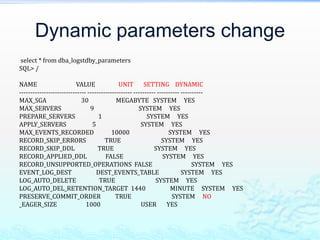
 Dynamic parameters change
 Compressed table is supported by logical standby
 SQL Apply will execute parallel DDLs in parallel
Password file
 Create password file on standby doesn’t
work. You need to copy password file from
primary to standby.
Redo Compress Shipping
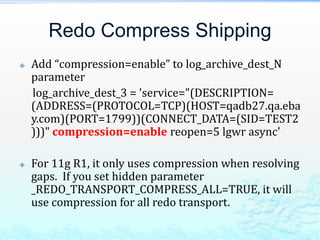
 Add “compression=enable” to log_archive_dest_N
parameter
log_archive_dest_3 = 'service="(DESCRIPTION=
(ADDRESS=(PROTOCOL=TCP)(HOST=qadb27.qa.eba
y.com)(PORT=1799))(CONNECT_DATA=(SID=TEST2
)))" compression=enable reopen=5 lgwr async'
 For 11g R1, it only uses compression when resolving
gaps. If you set hidden parameter
_REDO_TRANSPORT_COMPRESS_ALL=TRUE, it will
use compression for all redo transport.
Redo Compress Test
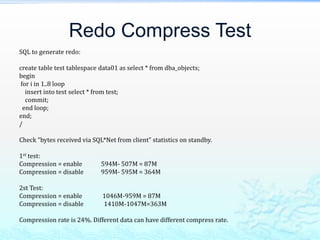
SQL to generate redo:
create table test tablespace data01 as select * from dba_objects;
begin
for i in 1..8 loop
insert into test select * from test;
commit;
end loop;
end;
/
Check “bytes received via SQL*Net from client” statistics on standby.
1st test:
Compression = enable 594M- 507M = 87M
Compression = disable 959M- 595M = 364M
2st Test:
Compression = enable 1046M-959M = 87M
Compression = disable 1410M-1047M=363M
Compression rate is 24%. Different data can have different compress rate.
It needs License
 Redo transport compression is a feature of
the Oracle Advanced Compression option.
You must purchase a license for this option
before using the redo transport
compression feature.
Agenda
 Common changes
 Password file
 Redo compress shipping
 Physical standby changes
 Active standby
 Snapshot database
 Corrupted block automatic replacement
 RMAN duplicate standby from active database
 Logical standby changes
 Dynamic parameters change
 Compressed table is supported by logical standby
 SQL Apply will execute parallel DDLs in parallel
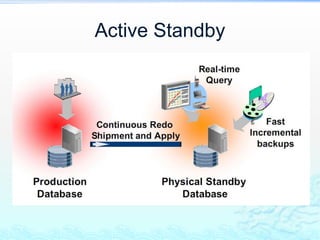
Active Standby
Simple Steps
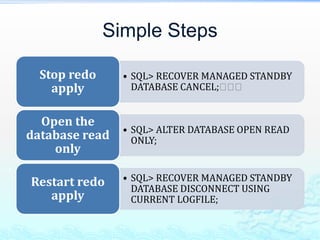
• SQL> RECOVER MANAGED STANDBY
DATABASE CANCEL;􀁡􀁡􀁡
Stop redo
apply
• SQL> ALTER DATABASE OPEN READ
ONLY;
Open the
database read
only
• SQL> RECOVER MANAGED STANDBY
DATABASE DISCONNECT USING
CURRENT LOGFILE;
Restart redo
apply
Disallow operations
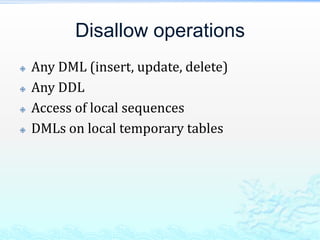
 Any DML (insert, update, delete)
 Any DDL
 Access of local sequences
 DMLs on local temporary tables
Check Standby Apply Status
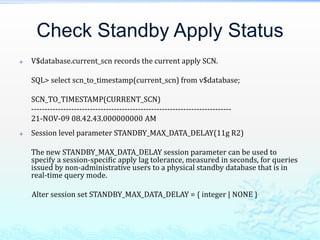
 V$database.current_scn records the current apply SCN.
SQL> select scn_to_timestamp(current_scn) from v$database;
SCN_TO_TIMESTAMP(CURRENT_SCN)
---------------------------------------------------------------------------
21-NOV-09 08.42.43.000000000 AM
 Session level parameter STANDBY_MAX_DATA_DELAY(11g R2)
The new STANDBY_MAX_DATA_DELAY session parameter can be used to
specify a session-specific apply lag tolerance, measured in seconds, for queries
issued by non-administrative users to a physical standby database that is in
real-time query mode.
Alter session set STANDBY_MAX_DATA_DELAY = { integer | NONE }
Snapshot database
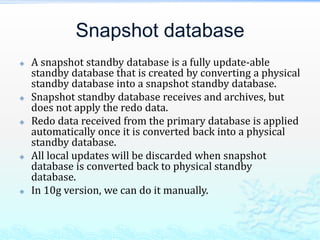
 A snapshot standby database is a fully update-able
standby database that is created by converting a physical
standby database into a snapshot standby database.
 Snapshot standby database receives and archives, but
does not apply the redo data.
 Redo data received from the primary database is applied
automatically once it is converted back into a physical
standby database.
 All local updates will be discarded when snapshot
database is converted back to physical standby
database.
 In 10g version, we can do it manually.
10g Manual Steps
 http://dbmonitor.vip.qa.ebay.com/dbblog/
main.php?name=Sub%20doc/2009.11.22%
2010g%20put%20standby%20in%20read-
write%20using%20flashback.htm
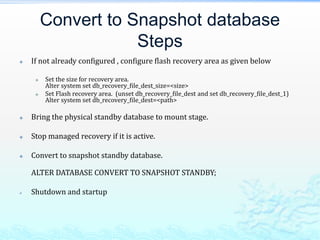
Convert to Snapshot database
Steps
 If not already configured , configure flash recovery area as given below
 Set the size for recovery area.
Alter system set db_recovery_file_dest_size=<size>
 Set Flash recovery area. (unset db_recovery_file_dest and set db_recovery_file_dest_1)
Alter system set db_recovery_file_dest=<path>
 Bring the physical standby database to mount stage.
 Stop managed recovery if it is active.
 Convert to snapshot standby database.
ALTER DATABASE CONVERT TO SNAPSHOT STANDBY;
 Shutdown and startup
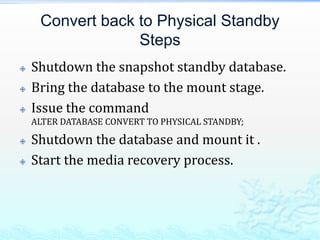
Convert back to Physical Standby
Steps
 Shutdown the snapshot standby database.
 Bring the database to the mount stage.
 Issue the command
ALTER DATABASE CONVERT TO PHYSICAL STANDBY;
 Shutdown the database and mount it .
 Start the media recovery process.
Corrupted block replacement
 A corrupted data block in a primary database
can be automatically replaced with an
uncorrupted copy of that block from a physical
standby database that is operating in real-time
query mode.
 A corrupted block in a physical standby
database can also be automatically replaced
with an uncorrupted copy of the block from the
primary database if LOG_ARCHIVE_CONFIG,
LOG_ARCHIVE_DEST_n parameters are set on
standby.
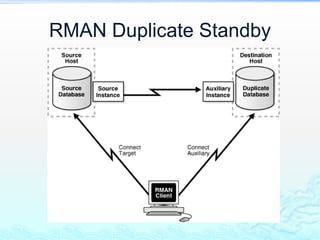
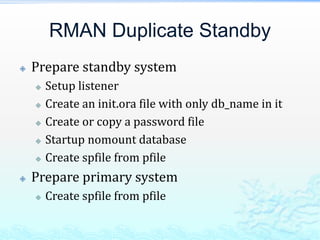
RMAN Duplicate Standby
 Prepare standby system
 Setup listener
 Create an init.ora file with only db_name in it
 Create or copy a password file
 Startup nomount database
 Create spfile from pfile
 Prepare primary system
 Create spfile from pfile
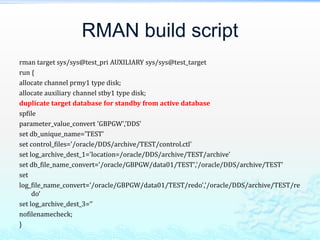
RMAN build script
rman target sys/sys@test_pri AUXILIARY sys/sys@test_target
run {
allocate channel prmy1 type disk;
allocate auxiliary channel stby1 type disk;
duplicate target database for standby from active database
spfile
parameter_value_convert 'GBPGW','DDS'
set db_unique_name='TEST'
set control_files='/oracle/DDS/archive/TEST/control.ctl'
set log_archive_dest_1='location=/oracle/DDS/archive/TEST/archive'
set db_file_name_convert='/oracle/GBPGW/data01/TEST','/oracle/DDS/archive/TEST'
set
log_file_name_convert='/oracle/GBPGW/data01/TEST/redo','/oracle/DDS/archive/TEST/re
do‘
set log_archive_dest_3=‘’
nofilenamecheck;
}
Agenda
 Common changes
 Password file
 Redo compress shipping
 Physical standby changes
 Active standby
 Snapshot database
 Corrupted block automatic replacement
 Use RMAN to build physical standby
 Logical standby changes
 Dynamic parameters change
 Compressed table is supported by logical standby
 SQL Apply will execute parallel DDLs in parallel
Dynamic parameters change
select * from dba_logstdby_parameters
SQL> /
NAME VALUE UNIT SETTING DYNAMIC
------------------------------ -------------------- ---------- ---------- ----------
MAX_SGA 30 MEGABYTE SYSTEM YES
MAX_SERVERS 9 SYSTEM YES
PREPARE_SERVERS 1 SYSTEM YES
APPLY_SERVERS 5 SYSTEM YES
MAX_EVENTS_RECORDED 10000 SYSTEM YES
RECORD_SKIP_ERRORS TRUE SYSTEM YES
RECORD_SKIP_DDL TRUE SYSTEM YES
RECORD_APPLIED_DDL FALSE SYSTEM YES
RECORD_UNSUPPORTED_OPERATIONS FALSE SYSTEM YES
EVENT_LOG_DEST DEST_EVENTS_TABLE SYSTEM YES
LOG_AUTO_DELETE TRUE SYSTEM YES
LOG_AUTO_DEL_RETENTION_TARGET 1440 MINUTE SYSTEM YES
PRESERVE_COMMIT_ORDER TRUE SYSTEM NO
_EAGER_SIZE 1000 USER YES
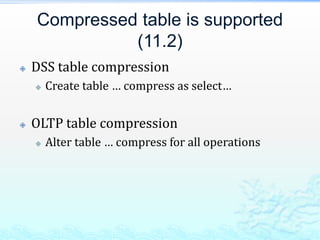
Compressed table is supported
(11.2)
 DSS table compression
 Create table … compress as select…
 OLTP table compression
 Alter table … compress for all operations
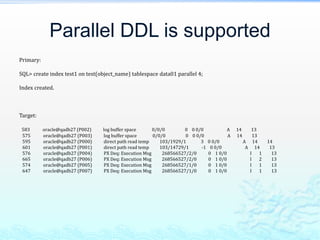
Parallel DDL is supported
Primary:
SQL> create index test1 on test(object_name) tablespace data01 parallel 4;
Index created.
Target:
583 oracle@qadb27 (P002) log buffer space 0/0/0 0 0 0/0 A 14 13
575 oracle@qadb27 (P003) log buffer space 0/0/0 0 0 0/0 A 14 13
595 oracle@qadb27 (P000) direct path read temp 103/1929/1 3 0 0/0 A 14 14
601 oracle@qadb27 (P001) direct path read temp 103/14729/1 -1 0 0/0 A 14 13
576 oracle@qadb27 (P004) PX Deq: Execution Msg 268566527/2/0 0 1 0/0 I 1 13
665 oracle@qadb27 (P006) PX Deq: Execution Msg 268566527/2/0 0 1 0/0 I 2 13
574 oracle@qadb27 (P005) PX Deq: Execution Msg 268566527/1/0 0 1 0/0 I 1 13
647 oracle@qadb27 (P007) PX Deq: Execution Msg 268566527/1/0 0 1 0/0 I 1 13
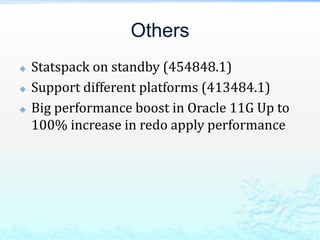
Others
 Statspack on standby (454848.1)
 Support different platforms (413484.1)
 Big performance boost in Oracle 11G Up to
100% increase in redo apply performance
Review
 Common changes
 Password file
 Redo compress shipping
(_REDO_TRANSPORT_COMPRESS_ALL=TRUE for 11gR1)
 Physical standby changes
 Active standby
 Snapshot database
 Corrupted block automatic replacement
 RMAN duplicate standby from active database
 Logical standby changes
 Online modify logical standby parameters
 Compressed table is supported by logical standby (11g R2)
 SQL Apply will execute parallel DDLs in parallel

Data Guard New Features

  • 1.
    11g Data GuardNew Features -- Fan Xiangrong
  • 2.
    Agenda  Common changes Password file  Redo compress shipping  Physical standby changes  Active standby  Snapshot database  Corrupted block automatic replacement  RMAN duplicate standby from active database  Logical standby changes  Online modify logical standby parameters  Compressed table is supported by logical standby  SQL Apply will execute parallel DDLs in parallel
  • 3.
    Agenda  Common changes Password file  Redo compress shipping  Physical standby changes  Active standby  Snapshot database  Corrupted block automatic replacement  Use RMAN to build physical standby  Logical standby changes  Dynamic parameters change  Compressed table is supported by logical standby  SQL Apply will execute parallel DDLs in parallel
  • 4.
    Password file  Createpassword file on standby doesn’t work. You need to copy password file from primary to standby.
  • 5.
    Redo Compress Shipping Add “compression=enable” to log_archive_dest_N parameter log_archive_dest_3 = 'service="(DESCRIPTION= (ADDRESS=(PROTOCOL=TCP)(HOST=qadb27.qa.eba y.com)(PORT=1799))(CONNECT_DATA=(SID=TEST2 )))" compression=enable reopen=5 lgwr async'  For 11g R1, it only uses compression when resolving gaps. If you set hidden parameter _REDO_TRANSPORT_COMPRESS_ALL=TRUE, it will use compression for all redo transport.
  • 6.
    Redo Compress Test SQLto generate redo: create table test tablespace data01 as select * from dba_objects; begin for i in 1..8 loop insert into test select * from test; commit; end loop; end; / Check “bytes received via SQL*Net from client” statistics on standby. 1st test: Compression = enable 594M- 507M = 87M Compression = disable 959M- 595M = 364M 2st Test: Compression = enable 1046M-959M = 87M Compression = disable 1410M-1047M=363M Compression rate is 24%. Different data can have different compress rate.
  • 7.
    It needs License Redo transport compression is a feature of the Oracle Advanced Compression option. You must purchase a license for this option before using the redo transport compression feature.
  • 8.
    Agenda  Common changes Password file  Redo compress shipping  Physical standby changes  Active standby  Snapshot database  Corrupted block automatic replacement  RMAN duplicate standby from active database  Logical standby changes  Dynamic parameters change  Compressed table is supported by logical standby  SQL Apply will execute parallel DDLs in parallel
  • 9.
  • 10.
    Simple Steps • SQL>RECOVER MANAGED STANDBY DATABASE CANCEL;􀁡􀁡􀁡 Stop redo apply • SQL> ALTER DATABASE OPEN READ ONLY; Open the database read only • SQL> RECOVER MANAGED STANDBY DATABASE DISCONNECT USING CURRENT LOGFILE; Restart redo apply
  • 11.
    Disallow operations  AnyDML (insert, update, delete)  Any DDL  Access of local sequences  DMLs on local temporary tables
  • 12.
    Check Standby ApplyStatus  V$database.current_scn records the current apply SCN. SQL> select scn_to_timestamp(current_scn) from v$database; SCN_TO_TIMESTAMP(CURRENT_SCN) --------------------------------------------------------------------------- 21-NOV-09 08.42.43.000000000 AM  Session level parameter STANDBY_MAX_DATA_DELAY(11g R2) The new STANDBY_MAX_DATA_DELAY session parameter can be used to specify a session-specific apply lag tolerance, measured in seconds, for queries issued by non-administrative users to a physical standby database that is in real-time query mode. Alter session set STANDBY_MAX_DATA_DELAY = { integer | NONE }
  • 13.
    Snapshot database  Asnapshot standby database is a fully update-able standby database that is created by converting a physical standby database into a snapshot standby database.  Snapshot standby database receives and archives, but does not apply the redo data.  Redo data received from the primary database is applied automatically once it is converted back into a physical standby database.  All local updates will be discarded when snapshot database is converted back to physical standby database.  In 10g version, we can do it manually.
  • 14.
    10g Manual Steps http://dbmonitor.vip.qa.ebay.com/dbblog/ main.php?name=Sub%20doc/2009.11.22% 2010g%20put%20standby%20in%20read- write%20using%20flashback.htm
  • 15.
    Convert to Snapshotdatabase Steps  If not already configured , configure flash recovery area as given below  Set the size for recovery area. Alter system set db_recovery_file_dest_size=<size>  Set Flash recovery area. (unset db_recovery_file_dest and set db_recovery_file_dest_1) Alter system set db_recovery_file_dest=<path>  Bring the physical standby database to mount stage.  Stop managed recovery if it is active.  Convert to snapshot standby database. ALTER DATABASE CONVERT TO SNAPSHOT STANDBY;  Shutdown and startup
  • 16.
    Convert back toPhysical Standby Steps  Shutdown the snapshot standby database.  Bring the database to the mount stage.  Issue the command ALTER DATABASE CONVERT TO PHYSICAL STANDBY;  Shutdown the database and mount it .  Start the media recovery process.
  • 17.
    Corrupted block replacement A corrupted data block in a primary database can be automatically replaced with an uncorrupted copy of that block from a physical standby database that is operating in real-time query mode.  A corrupted block in a physical standby database can also be automatically replaced with an uncorrupted copy of the block from the primary database if LOG_ARCHIVE_CONFIG, LOG_ARCHIVE_DEST_n parameters are set on standby.
  • 18.
  • 19.
    RMAN Duplicate Standby Prepare standby system  Setup listener  Create an init.ora file with only db_name in it  Create or copy a password file  Startup nomount database  Create spfile from pfile  Prepare primary system  Create spfile from pfile
  • 20.
    RMAN build script rmantarget sys/sys@test_pri AUXILIARY sys/sys@test_target run { allocate channel prmy1 type disk; allocate auxiliary channel stby1 type disk; duplicate target database for standby from active database spfile parameter_value_convert 'GBPGW','DDS' set db_unique_name='TEST' set control_files='/oracle/DDS/archive/TEST/control.ctl' set log_archive_dest_1='location=/oracle/DDS/archive/TEST/archive' set db_file_name_convert='/oracle/GBPGW/data01/TEST','/oracle/DDS/archive/TEST' set log_file_name_convert='/oracle/GBPGW/data01/TEST/redo','/oracle/DDS/archive/TEST/re do‘ set log_archive_dest_3=‘’ nofilenamecheck; }
  • 21.
    Agenda  Common changes Password file  Redo compress shipping  Physical standby changes  Active standby  Snapshot database  Corrupted block automatic replacement  Use RMAN to build physical standby  Logical standby changes  Dynamic parameters change  Compressed table is supported by logical standby  SQL Apply will execute parallel DDLs in parallel
  • 22.
    Dynamic parameters change select* from dba_logstdby_parameters SQL> / NAME VALUE UNIT SETTING DYNAMIC ------------------------------ -------------------- ---------- ---------- ---------- MAX_SGA 30 MEGABYTE SYSTEM YES MAX_SERVERS 9 SYSTEM YES PREPARE_SERVERS 1 SYSTEM YES APPLY_SERVERS 5 SYSTEM YES MAX_EVENTS_RECORDED 10000 SYSTEM YES RECORD_SKIP_ERRORS TRUE SYSTEM YES RECORD_SKIP_DDL TRUE SYSTEM YES RECORD_APPLIED_DDL FALSE SYSTEM YES RECORD_UNSUPPORTED_OPERATIONS FALSE SYSTEM YES EVENT_LOG_DEST DEST_EVENTS_TABLE SYSTEM YES LOG_AUTO_DELETE TRUE SYSTEM YES LOG_AUTO_DEL_RETENTION_TARGET 1440 MINUTE SYSTEM YES PRESERVE_COMMIT_ORDER TRUE SYSTEM NO _EAGER_SIZE 1000 USER YES
  • 23.
    Compressed table issupported (11.2)  DSS table compression  Create table … compress as select…  OLTP table compression  Alter table … compress for all operations
  • 24.
    Parallel DDL issupported Primary: SQL> create index test1 on test(object_name) tablespace data01 parallel 4; Index created. Target: 583 oracle@qadb27 (P002) log buffer space 0/0/0 0 0 0/0 A 14 13 575 oracle@qadb27 (P003) log buffer space 0/0/0 0 0 0/0 A 14 13 595 oracle@qadb27 (P000) direct path read temp 103/1929/1 3 0 0/0 A 14 14 601 oracle@qadb27 (P001) direct path read temp 103/14729/1 -1 0 0/0 A 14 13 576 oracle@qadb27 (P004) PX Deq: Execution Msg 268566527/2/0 0 1 0/0 I 1 13 665 oracle@qadb27 (P006) PX Deq: Execution Msg 268566527/2/0 0 1 0/0 I 2 13 574 oracle@qadb27 (P005) PX Deq: Execution Msg 268566527/1/0 0 1 0/0 I 1 13 647 oracle@qadb27 (P007) PX Deq: Execution Msg 268566527/1/0 0 1 0/0 I 1 13
  • 25.
    Others  Statspack onstandby (454848.1)  Support different platforms (413484.1)  Big performance boost in Oracle 11G Up to 100% increase in redo apply performance
  • 26.
    Review  Common changes Password file  Redo compress shipping (_REDO_TRANSPORT_COMPRESS_ALL=TRUE for 11gR1)  Physical standby changes  Active standby  Snapshot database  Corrupted block automatic replacement  RMAN duplicate standby from active database  Logical standby changes  Online modify logical standby parameters  Compressed table is supported by logical standby (11g R2)  SQL Apply will execute parallel DDLs in parallel

Editor's Notes

  • #21 Error: channel prmy1: starting datafile copy input datafile file number=00008 name=/oracle/GBPGW/data01/TEST/.data03.dbf::cdev:vxfs: RMAN-03009: failure of backup command on prmy1 channel at 11/22/2009 03:11:45 ORA-17628: Oracle error 19505 returned by remote Oracle server continuing other job steps, job failed will not be re-run Screen log: TEST oracle@qadb27:/oracle/TENG/archive/1101/database/dbs > rman target sys/sys@test_pri AUXILIARY sys/sys@test_target Recovery Manager: Release 11.1.0.6.0 - Production on Sun Nov 22 03:21:25 2009 Copyright (c) 1982, 2007, Oracle. All rights reserved. connected to target database: TEST (DBID=1962731363) connected to auxiliary database: TEST (not mounted) RMAN> run { 2> allocate channel prmy1 type disk; 3> allocate auxiliary channel stby1 type disk; 4> duplicate target database for standby from active database 5> spfile 6> parameter_value_convert 'GBPGW','DDS' 7> set db_unique_name='TEST' 8> set control_files='/oracle/DDS/archive/TEST/control.ctl' 9> set log_archive_dest_1='location=/oracle/DDS/archive/TEST/archive' 10> set db_file_name_convert='/oracle/GBPGW/data01/TEST','/oracle/DDS/archive/TEST' 11> set log_file_name_convert='/oracle/GBPGW/data01/TEST/redo','/oracle/DDS/archive/TEST/redo' 12> nofilenamecheck; 13> } using target database control file instead of recovery catalog allocated channel: prmy1 channel prmy1: SID=653 device type=DISK allocated channel: stby1 channel stby1: SID=98 device type=DISK Starting Duplicate Db at 20091122 03:21:46 contents of Memory Script: { backup as copy reuse file '/oracle/TENG/archive/1101/database/dbs/orapwTEST' auxiliary format '/oracle/TENG/archive/1101/database/dbs/orapwTEST' file '/oracle/TENG/archive/1101/database/dbs/spfileTEST.ora' auxiliary format '/oracle/TENG/archive/1101/database/dbs/spfileTEST.ora' ; sql clone "alter system set spfile= ''/oracle/TENG/archive/1101/database/dbs/spfileTEST.ora''"; } executing Memory Script Starting backup at 20091122 03:21:46 Finished backup at 20091122 03:21:48 sql statement: alter system set spfile= ''/oracle/TENG/archive/1101/database/dbs/spfileTEST.ora'' contents of Memory Script: { sql clone "alter system set core_dump_dest = ''/oracle/DDS/data01/TEST/cdump'' comment= '''' scope=spfile"; sql clone "alter system set user_dump_dest = ''/oracle/DDS/data01/TEST/udump'' comment= '''' scope=spfile"; sql clone "alter system set db_unique_name = ''TEST'' comment= '''' scope=spfile"; sql clone "alter system set control_files = ''/oracle/DDS/archive/TEST/control.ctl'' comment= '''' scope=spfile"; sql clone "alter system set log_archive_dest_1 = ''location=/oracle/DDS/archive/TEST/archive'' comment= '''' scope=spfile"; sql clone "alter system set db_file_name_convert = ''/oracle/GBPGW/data01/TEST'', ''/oracle/DDS/archive/TEST'' comment= '''' scope=spfile"; sql clone "alter system set log_file_name_convert = ''/oracle/GBPGW/data01/TEST/redo'', ''/oracle/DDS/archive/TEST/redo'' comment= '''' scope=spfile"; shutdown clone immediate; startup clone nomount ; } executing Memory Script sql statement: alter system set core_dump_dest = ''/oracle/DDS/data01/TEST/cdump'' comment= '''' scope=spfile sql statement: alter system set user_dump_dest = ''/oracle/DDS/data01/TEST/udump'' comment= '''' scope=spfile sql statement: alter system set db_unique_name = ''TEST'' comment= '''' scope=spfile sql statement: alter system set control_files = ''/oracle/DDS/archive/TEST/control.ctl'' comment= '''' scope=spfile sql statement: alter system set log_archive_dest_1 = ''location=/oracle/DDS/archive/TEST/archive'' comment= '''' scope=spfile sql statement: alter system set db_file_name_convert = ''/oracle/GBPGW/data01/TEST'', ''/oracle/DDS/archive/TEST'' comment= '''' scope=spfile sql statement: alter system set log_file_name_convert = ''/oracle/GBPGW/data01/TEST/redo'', ''/oracle/DDS/archive/TEST/redo'' comment= '''' scope=spfile Oracle instance shut down connected to auxiliary database (not started) Oracle instance started Total System Global Area 764379136 bytes Fixed Size 2092472 bytes Variable Size 549458504 bytes Database Buffers 209715200 bytes Redo Buffers 3112960 bytes contents of Memory Script: { backup as copy current controlfile for standby auxiliary format '/oracle/DDS/archive/TEST/control.ctl'; sql clone 'alter database mount standby database'; } executing Memory Script Starting backup at 20091122 03:22:39 channel prmy1: starting datafile copy copying standby control file output file name=/oracle/TENG/archive/1101/database/dbs/snapcf_TEST.f tag=TAG20091122T032239 RECID=7 STAMP=703567368 channel prmy1: datafile copy complete, elapsed time: 00:00:01 Finished backup at 20091122 03:22:48 sql statement: alter database mount standby database contents of Memory Script: { set newname for tempfile 1 to "/oracle/DDS/archive/TEST/temp01.dbf"; set newname for tempfile 2 to "/oracle/DDS/archive/TEST/temp02.dbf"; set newname for tempfile 3 to "/oracle/DDS/archive/TEST/temp03.dbf"; switch clone tempfile all; set newname for datafile 1 to "/oracle/DDS/archive/TEST/system01.dbf"; set newname for datafile 2 to "/oracle/DDS/archive/TEST/sysaux01.dbf"; set newname for datafile 3 to "/oracle/DDS/archive/TEST/undo01.dbf"; set newname for datafile 4 to "/oracle/DDS/archive/TEST/data01.dbf"; set newname for datafile 5 to "/oracle/DDS/archive/TEST/index01.dbf"; set newname for datafile 6 to "/oracle/DDS/archive/TEST/tools01.dbf"; set newname for datafile 7 to "/oracle/DDS/archive/TEST/data02.dbf"; set newname for datafile 8 to "/oracle/DDS/archive/TEST/data03.dbf"; set newname for datafile 9 to "/oracle/DDS/archive/TEST/data04.dbf"; set newname for datafile 10 to "/oracle/DDS/archive/TEST/test01.dbf"; set newname for datafile 11 to "/oracle/DDS/archive/TEST/t01.dbf"; set newname for datafile 12 to "/oracle/DDS/archive/TEST/t02.dbf"; set newname for datafile 13 to "/oracle/DDS/archive/TEST/t03.dbf"; set newname for datafile 14 to "/oracle/DDS/archive/TEST/fbdatbs_01.dbf"; set newname for datafile 15 to "/oracle/DDS/archive/TEST/mssmtbs_01.dbf"; set newname for datafile 16 to "/oracle/DDS/archive/TEST/fbdatbs_02.dbf"; set newname for datafile 17 to "/oracle/DDS/archive/TEST/undo02.dbf"; backup as copy reuse datafile 1 auxiliary format "/oracle/DDS/archive/TEST/system01.dbf" datafile 2 auxiliary format "/oracle/DDS/archive/TEST/sysaux01.dbf" datafile 3 auxiliary format "/oracle/DDS/archive/TEST/undo01.dbf" datafile 4 auxiliary format "/oracle/DDS/archive/TEST/data01.dbf" datafile 5 auxiliary format "/oracle/DDS/archive/TEST/index01.dbf" datafile 6 auxiliary format "/oracle/DDS/archive/TEST/tools01.dbf" datafile 7 auxiliary format "/oracle/DDS/archive/TEST/data02.dbf" datafile 8 auxiliary format "/oracle/DDS/archive/TEST/data03.dbf" datafile 9 auxiliary format "/oracle/DDS/archive/TEST/data04.dbf" datafile 10 auxiliary format "/oracle/DDS/archive/TEST/test01.dbf" datafile 11 auxiliary format "/oracle/DDS/archive/TEST/t01.dbf" datafile 12 auxiliary format "/oracle/DDS/archive/TEST/t02.dbf" datafile 13 auxiliary format "/oracle/DDS/archive/TEST/t03.dbf" datafile 14 auxiliary format "/oracle/DDS/archive/TEST/fbdatbs_01.dbf" datafile 15 auxiliary format "/oracle/DDS/archive/TEST/mssmtbs_01.dbf" datafile 16 auxiliary format "/oracle/DDS/archive/TEST/fbdatbs_02.dbf" datafile 17 auxiliary format "/oracle/DDS/archive/TEST/undo02.dbf" ; sql 'alter system archive log current'; } executing Memory Script executing command: SET NEWNAME executing command: SET NEWNAME executing command: SET NEWNAME renamed tempfile 1 to /oracle/DDS/archive/TEST/temp01.dbf in control file renamed tempfile 2 to /oracle/DDS/archive/TEST/temp02.dbf in control file renamed tempfile 3 to /oracle/DDS/archive/TEST/temp03.dbf in control file executing command: SET NEWNAME executing command: SET NEWNAME executing command: SET NEWNAME executing command: SET NEWNAME executing command: SET NEWNAME executing command: SET NEWNAME executing command: SET NEWNAME executing command: SET NEWNAME executing command: SET NEWNAME executing command: SET NEWNAME executing command: SET NEWNAME executing command: SET NEWNAME executing command: SET NEWNAME executing command: SET NEWNAME executing command: SET NEWNAME executing command: SET NEWNAME executing command: SET NEWNAME Starting backup at 20091122 03:22:55 channel prmy1: starting datafile copy input datafile file number=00017 name=/oracle/GBPGW/data01/TEST/undo02.dbf output file name=/oracle/DDS/archive/TEST/undo02.dbf tag=TAG20091122T032256 RECID=0 STAMP=0 channel prmy1: datafile copy complete, elapsed time: 00:00:26 channel prmy1: starting datafile copy input datafile file number=00001 name=/oracle/GBPGW/data01/TEST/system01.dbf output file name=/oracle/DDS/archive/TEST/system01.dbf tag=TAG20091122T032256 RECID=0 STAMP=0 channel prmy1: datafile copy complete, elapsed time: 00:00:28 channel prmy1: starting datafile copy input datafile file number=00004 name=/oracle/GBPGW/data01/TEST/data01.dbf output file name=/oracle/DDS/archive/TEST/data01.dbf tag=TAG20091122T032256 RECID=0 STAMP=0 channel prmy1: datafile copy complete, elapsed time: 00:00:25 channel prmy1: starting datafile copy input datafile file number=00005 name=/oracle/GBPGW/data01/TEST/index01.dbf output file name=/oracle/DDS/archive/TEST/index01.dbf tag=TAG20091122T032256 RECID=0 STAMP=0 channel prmy1: datafile copy complete, elapsed time: 00:00:25 channel prmy1: starting datafile copy input datafile file number=00003 name=/oracle/GBPGW/data01/TEST/undo01.dbf output file name=/oracle/DDS/archive/TEST/undo01.dbf tag=TAG20091122T032256 RECID=0 STAMP=0 channel prmy1: datafile copy complete, elapsed time: 00:00:25 channel prmy1: starting datafile copy input datafile file number=00002 name=/oracle/GBPGW/data01/TEST/sysaux01.dbf output file name=/oracle/DDS/archive/TEST/sysaux01.dbf tag=TAG20091122T032256 RECID=0 STAMP=0 channel prmy1: datafile copy complete, elapsed time: 00:00:15 channel prmy1: starting datafile copy input datafile file number=00016 name=/oracle/GBPGW/data01/TEST/fbdatbs_02.dbf output file name=/oracle/DDS/archive/TEST/fbdatbs_02.dbf tag=TAG20091122T032256 RECID=0 STAMP=0 channel prmy1: datafile copy complete, elapsed time: 00:00:07 channel prmy1: starting datafile copy input datafile file number=00008 name=/oracle/GBPGW/data01/TEST/data03.dbf output file name=/oracle/DDS/archive/TEST/data03.dbf tag=TAG20091122T032256 RECID=0 STAMP=0 channel prmy1: datafile copy complete, elapsed time: 00:00:07 channel prmy1: starting datafile copy input datafile file number=00007 name=/oracle/GBPGW/data01/TEST/data02.dbf output file name=/oracle/DDS/archive/TEST/data02.dbf tag=TAG20091122T032256 RECID=0 STAMP=0 channel prmy1: datafile copy complete, elapsed time: 00:00:12 channel prmy1: starting datafile copy input datafile file number=00006 name=/oracle/GBPGW/data01/TEST/tools01.dbf output file name=/oracle/DDS/archive/TEST/tools01.dbf tag=TAG20091122T032256 RECID=0 STAMP=0 channel prmy1: datafile copy complete, elapsed time: 00:00:03 channel prmy1: starting datafile copy input datafile file number=00014 name=/oracle/GBPGW/data01/TEST/fbdatbs_01.dbf output file name=/oracle/DDS/archive/TEST/fbdatbs_01.dbf tag=TAG20091122T032256 RECID=0 STAMP=0 channel prmy1: datafile copy complete, elapsed time: 00:00:03 channel prmy1: starting datafile copy input datafile file number=00015 name=/oracle/GBPGW/data01/TEST/mssmtbs_01.dbf output file name=/oracle/DDS/archive/TEST/mssmtbs_01.dbf tag=TAG20091122T032256 RECID=0 STAMP=0 channel prmy1: datafile copy complete, elapsed time: 00:00:03 channel prmy1: starting datafile copy input datafile file number=00010 name=/oracle/GBPGW/data01/TEST/test01.dbf output file name=/oracle/DDS/archive/TEST/test01.dbf tag=TAG20091122T032256 RECID=0 STAMP=0 channel prmy1: datafile copy complete, elapsed time: 00:00:01 channel prmy1: starting datafile copy input datafile file number=00009 name=/oracle/GBPGW/data01/TEST/data04.dbf output file name=/oracle/DDS/archive/TEST/data04.dbf tag=TAG20091122T032256 RECID=0 STAMP=0 channel prmy1: datafile copy complete, elapsed time: 00:00:01 channel prmy1: starting datafile copy input datafile file number=00011 name=/oracle/GBPGW/data01/TEST/t01.dbf output file name=/oracle/DDS/archive/TEST/t01.dbf tag=TAG20091122T032256 RECID=0 STAMP=0 channel prmy1: datafile copy complete, elapsed time: 00:00:01 channel prmy1: starting datafile copy input datafile file number=00012 name=/oracle/GBPGW/data01/TEST/t02.dbf output file name=/oracle/DDS/archive/TEST/t02.dbf tag=TAG20091122T032256 RECID=0 STAMP=0 channel prmy1: datafile copy complete, elapsed time: 00:00:01 channel prmy1: starting datafile copy input datafile file number=00013 name=/oracle/GBPGW/data01/TEST/t03.dbf output file name=/oracle/DDS/archive/TEST/t03.dbf tag=TAG20091122T032256 RECID=0 STAMP=0 channel prmy1: datafile copy complete, elapsed time: 00:00:01 Finished backup at 20091122 03:28:11 sql statement: alter system archive log current contents of Memory Script: { switch clone datafile all; } executing Memory Script datafile 1 switched to datafile copy input datafile copy RECID=7 STAMP=703567694 file name=/oracle/DDS/archive/TEST/system01.dbf datafile 2 switched to datafile copy input datafile copy RECID=8 STAMP=703567694 file name=/oracle/DDS/archive/TEST/sysaux01.dbf datafile 3 switched to datafile copy input datafile copy RECID=9 STAMP=703567694 file name=/oracle/DDS/archive/TEST/undo01.dbf datafile 4 switched to datafile copy input datafile copy RECID=10 STAMP=703567694 file name=/oracle/DDS/archive/TEST/data01.dbf datafile 5 switched to datafile copy input datafile copy RECID=11 STAMP=703567694 file name=/oracle/DDS/archive/TEST/index01.dbf datafile 6 switched to datafile copy input datafile copy RECID=12 STAMP=703567694 file name=/oracle/DDS/archive/TEST/tools01.dbf datafile 7 switched to datafile copy input datafile copy RECID=13 STAMP=703567694 file name=/oracle/DDS/archive/TEST/data02.dbf datafile 8 switched to datafile copy input datafile copy RECID=14 STAMP=703567694 file name=/oracle/DDS/archive/TEST/data03.dbf datafile 9 switched to datafile copy input datafile copy RECID=15 STAMP=703567694 file name=/oracle/DDS/archive/TEST/data04.dbf datafile 10 switched to datafile copy input datafile copy RECID=16 STAMP=703567694 file name=/oracle/DDS/archive/TEST/test01.dbf datafile 11 switched to datafile copy input datafile copy RECID=17 STAMP=703567694 file name=/oracle/DDS/archive/TEST/t01.dbf datafile 12 switched to datafile copy input datafile copy RECID=18 STAMP=703567694 file name=/oracle/DDS/archive/TEST/t02.dbf datafile 13 switched to datafile copy input datafile copy RECID=19 STAMP=703567694 file name=/oracle/DDS/archive/TEST/t03.dbf datafile 14 switched to datafile copy input datafile copy RECID=20 STAMP=703567694 file name=/oracle/DDS/archive/TEST/fbdatbs_01.dbf datafile 15 switched to datafile copy input datafile copy RECID=21 STAMP=703567694 file name=/oracle/DDS/archive/TEST/mssmtbs_01.dbf datafile 16 switched to datafile copy input datafile copy RECID=22 STAMP=703567694 file name=/oracle/DDS/archive/TEST/fbdatbs_02.dbf datafile 17 switched to datafile copy input datafile copy RECID=23 STAMP=703567694 file name=/oracle/DDS/archive/TEST/undo02.dbf Finished Duplicate Db at 20091122 03:28:21 released channel: prmy1 5.8GB -- 7 min
  • #23 SQL> select type,status from v$logstdby_process; TYPE STATUS ------------------------------ ---------------------------------------------------------------------------------------------------- COORDINATOR ORA-16116: no work available ANALYZER ORA-16116: no work available APPLIER ORA-16116: no work available APPLIER ORA-16116: no work available APPLIER ORA-16116: no work available APPLIER ORA-16116: no work available APPLIER ORA-16116: no work available READER ORA-16116: no work available BUILDER ORA-16116: no work available PREPARER ORA-16116: no work available 10 rows selected. SQL> exec DBMS_LOGSTDBY.APPLY_SET('MAX_SERVERS', 20); PL/SQL procedure successfully completed. SQL> / TYPE STATUS ------------------------------ -------------------------------------------------- COORDINATOR ORA-16116: no work available ANALYZER ORA-16116: no work available APPLIER ORA-16116: no work available APPLIER ORA-16116: no work available APPLIER ORA-16116: no work available APPLIER ORA-16116: no work available APPLIER ORA-16116: no work available APPLIER ORA-16116: no work available APPLIER ORA-16116: no work available APPLIER ORA-16116: no work available APPLIER ORA-16116: no work available APPLIER ORA-16116: no work available APPLIER ORA-16116: no work available APPLIER ORA-16116: no work available APPLIER ORA-16116: no work available APPLIER ORA-16116: no work available APPLIER ORA-16116: no work available APPLIER ORA-16116: no work available READER ORA-16116: no work available BUILDER ORA-16116: no work available PREPARER ORA-16116: no work available 21 rows selected.