Restore Production Database to Development Platform  A step-by-step example Howard Hackworth Research Scientist and Database Administrator Eli Lilly and Company,  Lilly Biotechnology Center, San Diego, CA [email_address] 12 years DBA experience. OCP 8i, 9i, and 10g.
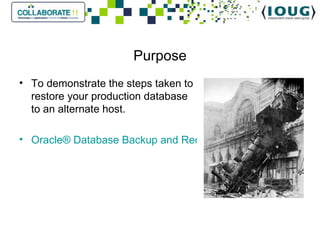
Purpose To demonstrate the steps taken to restore your production database to an alternate host. Oracle® Database Backup and Recovery User's Guide 11g Release 2 (11.2).
Overview As part of your DR (Disaster Recovery) procedures you may want to restore your production database to a different host. This allows you to: test your current backups. rehearse the necessary steps required in the event of a real emergency, such as hardware failure on the production host.
Recommendation Rehearse, document, and practice your ability to recover the database on a regular basis.
Overview of setup and configuration Oracle Enterprise Edition 11gR2. 11.2.0.1.0 Linux RH5 NetBackup 6.5.5 Identical environments: Identical versions of Oracle. Same ORACLE_HOME and ORACLE_BASE. The archive log directory is defined to be the Flash Recovery Area: You know the DBID. Control file autobackup feature enabled with the default format.
NetBackup MML considerations Restoring from tape using the NetBackup MML MANDITORY requirement on the NetBackup Master Server. On the NBU Master server the following directory and file must exist: /[netbackup install]/db/altnames/No.Restrictions
Restore File System Directories Restore the prod related file system directories to the development host. $ORACLE_BASE /admin/prod $ORACLE_BASE/diag/rdbms/prod $ORACLE_BASE/cfgtoollogs/dbca/prod $ORACLE_BASE/cfgtoollogs/emca/prod $ORACLE_BASE /flash_recovery_area/PROD On your development host server, delete all files and directories from the restored archive log destination(s).
Shutdown the DEV instance Shut down OEM for dev % emctl stop dbconsole   Shutdown the DEV instance
Set the PROD environment on the development server Set ORACLE_SID to PROD.  Insure there is a password file for PROD. If the prod password file does not exist, create one. This allows you to login as ‘sys as sysdba’ to the newly restored database. Be sure it matches the password for sys on prod.
Restore If you are restoring the database for test purposes, never connect to the RMAN recovery catalog throughout the test. Connect to RMAN  without the catalog . Set the DBID for the new database.
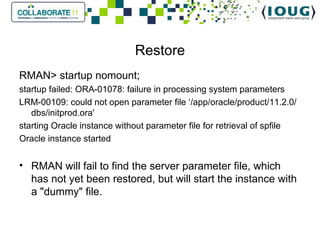
Restore RMAN> startup nomount; startup failed: ORA-01078: failure in processing system parameters LRM-00109: could not open parameter file ‘/app/oracle/product/11.2.0/dbs/initprod.ora' starting Oracle instance without parameter file for retrieval of spfile Oracle instance started   RMAN will fail to find the server parameter file, which has not yet been restored, but will start the instance with a "dummy" file.
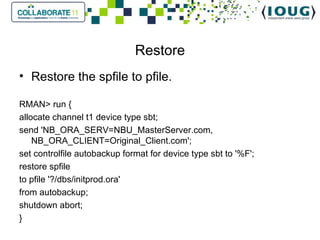
Restore Restore the spfile to pfile. RMAN> run { allocate channel t1 device type sbt; send 'NB_ORA_SERV=NBU_MasterServer.com, NB_ORA_CLIENT=Original_Client.com'; set controlfile autobackup format for device type sbt to '%F'; restore spfile to pfile '?/dbs/initprod.ora' from autobackup; shutdown abort; }
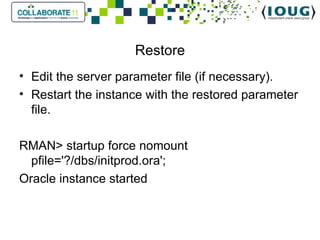
Restore Edit the server parameter file (if necessary). Restart the instance with the restored parameter file.   RMAN> startup force nomount pfile='?/dbs/initprod.ora'; Oracle instance started
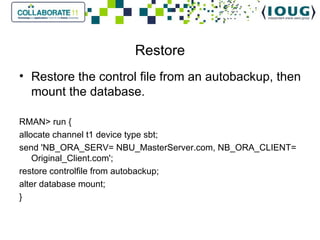
Restore Restore the control file from an autobackup, then mount the database.   RMAN> run { allocate channel t1 device type sbt; send 'NB_ORA_SERV= NBU_MasterServer.com, NB_ORA_CLIENT= Original_Client.com'; restore controlfile from autobackup; alter database mount; }
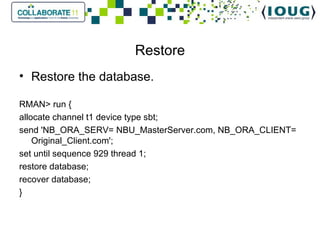
Restore Restore the database. RMAN> run { allocate channel t1 device type sbt; send 'NB_ORA_SERV= NBU_MasterServer.com, NB_ORA_CLIENT= Original_Client.com'; set until sequence 929 thread 1; restore database; recover database; }
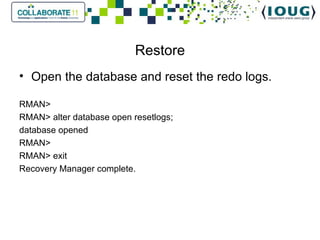
Restore Open the database and reset the redo logs. RMAN> RMAN> alter database open resetlogs; database opened RMAN> RMAN> exit Recovery Manager complete.
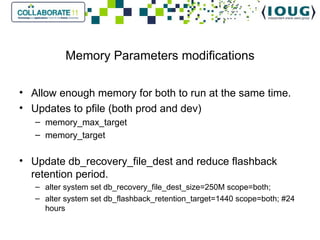
Memory Parameters modifications Allow enough memory for both to run at the same time. Updates to pfile (both prod and dev) memory_max_target memory_target   Update db_recovery_file_dest and reduce flashback retention period. alter system set db_recovery_file_dest_size=250M scope=both; alter system set db_flashback_retention_target=1440 scope=both; #24 hours
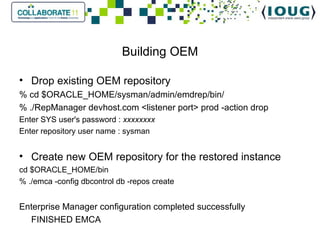
Building OEM Drop existing OEM repository % cd $ORACLE_HOME/sysman/admin/emdrep/bin/ % ./RepManager devhost.com <listener port> prod -action drop Enter SYS user's password :  xxxxxxxx Enter repository user name : sysman Create new OEM repository for the restored instance cd $ORACLE_HOME/bin % ./emca -config dbcontrol db -repos create Enterprise Manager configuration completed successfully FINISHED EMCA
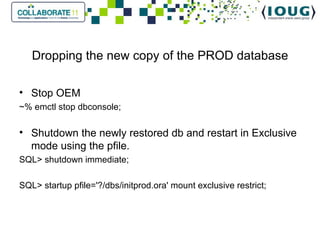
Dropping the new copy of the PROD database Stop OEM ~% emctl stop dbconsole; Shutdown the newly restored db and restart in Exclusive mode using the pfile. SQL> shutdown immediate; SQL> startup pfile='?/dbs/initprod.ora' mount exclusive restrict;
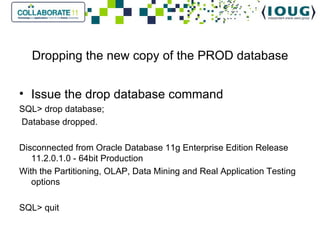
Dropping the new copy of the PROD database Issue the drop database command SQL> drop database;   Database dropped.   Disconnected from Oracle Database 11g Enterprise Edition Release 11.2.0.1.0 - 64bit Production With the Partitioning, OLAP, Data Mining and Real Application Testing options SQL> quit
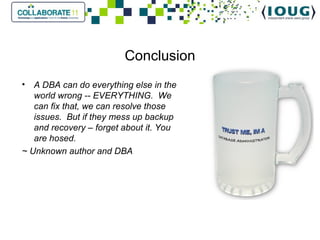
Conclusion A DBA can do everything else in the world wrong -- EVERYTHING.  We can fix that, we can resolve those issues.  But if they mess up backup and recovery – forget about it. You are hosed.  ~ Unknown author and DBA

2011 384 hackworth_ppt

  • 1.
    Restore Production Databaseto Development Platform A step-by-step example Howard Hackworth Research Scientist and Database Administrator Eli Lilly and Company, Lilly Biotechnology Center, San Diego, CA [email_address] 12 years DBA experience. OCP 8i, 9i, and 10g.
  • 2.
    Purpose To demonstratethe steps taken to restore your production database to an alternate host. Oracle® Database Backup and Recovery User's Guide 11g Release 2 (11.2).
  • 3.
    Overview As partof your DR (Disaster Recovery) procedures you may want to restore your production database to a different host. This allows you to: test your current backups. rehearse the necessary steps required in the event of a real emergency, such as hardware failure on the production host.
  • 4.
    Recommendation Rehearse, document,and practice your ability to recover the database on a regular basis.
  • 5.
    Overview of setupand configuration Oracle Enterprise Edition 11gR2. 11.2.0.1.0 Linux RH5 NetBackup 6.5.5 Identical environments: Identical versions of Oracle. Same ORACLE_HOME and ORACLE_BASE. The archive log directory is defined to be the Flash Recovery Area: You know the DBID. Control file autobackup feature enabled with the default format.
  • 6.
    NetBackup MML considerationsRestoring from tape using the NetBackup MML MANDITORY requirement on the NetBackup Master Server. On the NBU Master server the following directory and file must exist: /[netbackup install]/db/altnames/No.Restrictions
  • 7.
    Restore File SystemDirectories Restore the prod related file system directories to the development host. $ORACLE_BASE /admin/prod $ORACLE_BASE/diag/rdbms/prod $ORACLE_BASE/cfgtoollogs/dbca/prod $ORACLE_BASE/cfgtoollogs/emca/prod $ORACLE_BASE /flash_recovery_area/PROD On your development host server, delete all files and directories from the restored archive log destination(s).
  • 8.
    Shutdown the DEVinstance Shut down OEM for dev % emctl stop dbconsole   Shutdown the DEV instance
  • 9.
    Set the PRODenvironment on the development server Set ORACLE_SID to PROD. Insure there is a password file for PROD. If the prod password file does not exist, create one. This allows you to login as ‘sys as sysdba’ to the newly restored database. Be sure it matches the password for sys on prod.
  • 10.
    Restore If youare restoring the database for test purposes, never connect to the RMAN recovery catalog throughout the test. Connect to RMAN without the catalog . Set the DBID for the new database.
  • 11.
    Restore RMAN> startupnomount; startup failed: ORA-01078: failure in processing system parameters LRM-00109: could not open parameter file ‘/app/oracle/product/11.2.0/dbs/initprod.ora' starting Oracle instance without parameter file for retrieval of spfile Oracle instance started   RMAN will fail to find the server parameter file, which has not yet been restored, but will start the instance with a &quot;dummy&quot; file.
  • 12.
    Restore Restore thespfile to pfile. RMAN> run { allocate channel t1 device type sbt; send 'NB_ORA_SERV=NBU_MasterServer.com, NB_ORA_CLIENT=Original_Client.com'; set controlfile autobackup format for device type sbt to '%F'; restore spfile to pfile '?/dbs/initprod.ora' from autobackup; shutdown abort; }
  • 13.
    Restore Edit theserver parameter file (if necessary). Restart the instance with the restored parameter file.   RMAN> startup force nomount pfile='?/dbs/initprod.ora'; Oracle instance started
  • 14.
    Restore Restore thecontrol file from an autobackup, then mount the database.   RMAN> run { allocate channel t1 device type sbt; send 'NB_ORA_SERV= NBU_MasterServer.com, NB_ORA_CLIENT= Original_Client.com'; restore controlfile from autobackup; alter database mount; }
  • 15.
    Restore Restore thedatabase. RMAN> run { allocate channel t1 device type sbt; send 'NB_ORA_SERV= NBU_MasterServer.com, NB_ORA_CLIENT= Original_Client.com'; set until sequence 929 thread 1; restore database; recover database; }
  • 16.
    Restore Open thedatabase and reset the redo logs. RMAN> RMAN> alter database open resetlogs; database opened RMAN> RMAN> exit Recovery Manager complete.
  • 17.
    Memory Parameters modificationsAllow enough memory for both to run at the same time. Updates to pfile (both prod and dev) memory_max_target memory_target   Update db_recovery_file_dest and reduce flashback retention period. alter system set db_recovery_file_dest_size=250M scope=both; alter system set db_flashback_retention_target=1440 scope=both; #24 hours
  • 18.
    Building OEM Dropexisting OEM repository % cd $ORACLE_HOME/sysman/admin/emdrep/bin/ % ./RepManager devhost.com <listener port> prod -action drop Enter SYS user's password : xxxxxxxx Enter repository user name : sysman Create new OEM repository for the restored instance cd $ORACLE_HOME/bin % ./emca -config dbcontrol db -repos create Enterprise Manager configuration completed successfully FINISHED EMCA
  • 19.
    Dropping the newcopy of the PROD database Stop OEM ~% emctl stop dbconsole; Shutdown the newly restored db and restart in Exclusive mode using the pfile. SQL> shutdown immediate; SQL> startup pfile='?/dbs/initprod.ora' mount exclusive restrict;
  • 20.
    Dropping the newcopy of the PROD database Issue the drop database command SQL> drop database;   Database dropped.   Disconnected from Oracle Database 11g Enterprise Edition Release 11.2.0.1.0 - 64bit Production With the Partitioning, OLAP, Data Mining and Real Application Testing options SQL> quit
  • 21.
    Conclusion A DBAcan do everything else in the world wrong -- EVERYTHING.  We can fix that, we can resolve those issues.  But if they mess up backup and recovery – forget about it. You are hosed. ~ Unknown author and DBA