Game Platforms
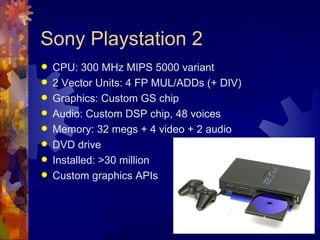
Sony Playstation 2
   CPU: 300 MHz MIPS 5000 variant
   2 Vector Units: 4 FP MUL/ADDs (+ DIV)
   Graphics: Custom GS chip
   Audio: Custom DSP chip, 48 voices
   Memory: 32 megs + 4 video + 2 audio
   DVD drive
   Installed: >30 million
   Custom graphics APIs
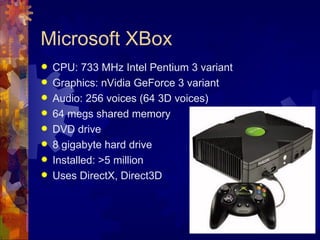
Microsoft XBox
   CPU: 733 MHz Intel Pentium 3 variant
   Graphics: nVidia GeForce 3 variant
   Audio: 256 voices (64 3D voices)
   64 megs shared memory
   DVD drive
   8 gigabyte hard drive
   Installed: >5 million
   Uses DirectX, Direct3D
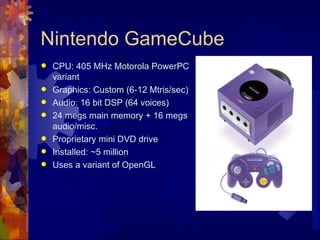
Nintendo GameCube
   CPU: 405 MHz Motorola PowerPC
    variant
   Graphics: Custom (6-12 Mtris/sec)
   Audio: 16 bit DSP (64 voices)
   24 megs main memory + 16 megs
    audio/misc.
   Proprietary mini DVD drive
   Installed: ~5 million
   Uses a variant of OpenGL
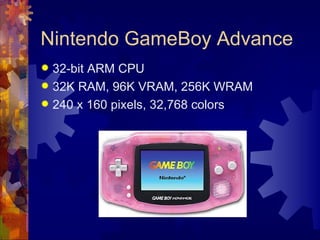
Nintendo GameBoy Advance
 32-bit ARM CPU
 32K RAM, 96K VRAM, 256K WRAM
 240 x 160 pixels, 32,768 colors
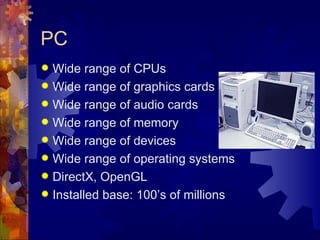
PC
 Wide range of CPUs
 Wide range of graphics cards
 Wide range of audio cards
 Wide range of memory
 Wide range of devices
 Wide range of operating systems
 DirectX, OpenGL
 Installed base: 100’s of millions
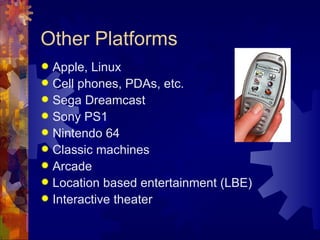
Other Platforms
 Apple, Linux
 Cell phones, PDAs, etc.
 Sega Dreamcast
 Sony PS1
 Nintendo 64
 Classic machines
 Arcade
 Location based entertainment (LBE)
 Interactive theater
Future Game Machines
 Playstation   3
 XBox  2
 HDTV
 Ray tracing & photon mapping
  hardware
 Broadband networks
 Future input / output devices
Sony Playstation 2
Architecture
PS2 Chips
 EE: Emotion Engine
 GS: Graphics Synthesizer
 IOP: Input / Output Processor
 SPU: Sound Processing Unit
Emotion Engine Components
 MIPS R5000 core
 VU0 & VU1: Vector Units
 GIF: Graphics Interface
 DMAC: DMA Controller
 IPU: Image Processing Unit
 SIF: Serial Interface
 INTC: Interrupt Controller
 DRAMC: DRAM Controller
 TIMER: 4 timers
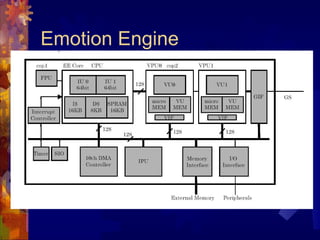
Emotion Engine
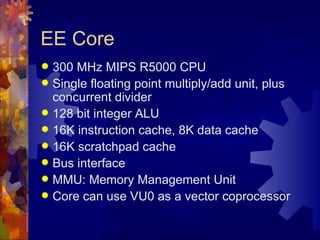
EE Core
 300 MHz MIPS R5000 CPU
 Single floating point multiply/add unit, plus
  concurrent divider
 128 bit integer ALU
 16K instruction cache, 8K data cache
 16K scratchpad cache
 Bus interface
 MMU: Memory Management Unit
 Core can use VU0 as a vector coprocessor
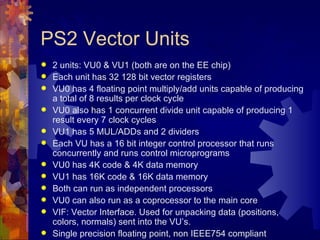
PS2 Vector Units
   2 units: VU0 & VU1 (both are on the EE chip)
   Each unit has 32 128 bit vector registers
   VU0 has 4 floating point multiply/add units capable of producing
    a total of 8 results per clock cycle
   VU0 also has 1 concurrent divide unit capable of producing 1
    result every 7 clock cycles
   VU1 has 5 MUL/ADDs and 2 dividers
   Each VU has a 16 bit integer control processor that runs
    concurrently and runs control microprograms
   VU0 has 4K code & 4K data memory
   VU1 has 16K code & 16K data memory
   Both can run as independent processors
   VU0 can also run as a coprocessor to the main core
   VIF: Vector Interface. Used for unpacking data (positions,
    colors, normals) sent into the VU’s.
   Single precision floating point, non IEEE754 compliant
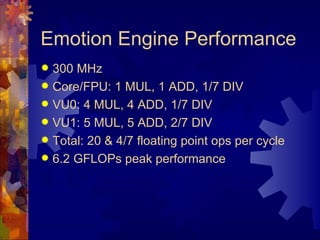
Emotion Engine Performance
 300 MHz
 Core/FPU: 1 MUL, 1 ADD, 1/7 DIV
 VU0: 4 MUL, 4 ADD, 1/7 DIV
 VU1: 5 MUL, 5 ADD, 2/7 DIV
 Total: 20 & 4/7 floating point ops per cycle
 6.2 GFLOPs peak performance
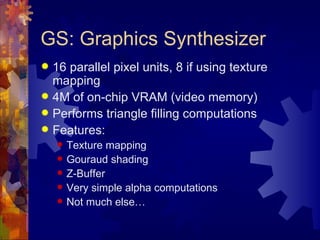
GS: Graphics Synthesizer
 16 parallel pixel units, 8 if using texture
  mapping
 4M of on-chip VRAM (video memory)
 Performs triangle filling computations
 Features:
       Texture mapping
       Gouraud shading
       Z-Buffer
       Very simple alpha computations
       Not much else…
PS2 Processing Summary
   CPU core runs main application program. Most AI, physics,
    game logic, happen on the core.
   CPU core can use VU0 as a coprocessor. Most often, this is the
    case. This allows the CPU to handle more complex physics and
    geometric computations efficiently.
   VU1 runs as an independent processor and acts primarily as a
    ‘geometry engine’ for computing transformations and lighting for
    rendering. VU1 has a direct bus to the GS.
   GS handles all pixel processing (Z-Buffer, texture mapping,
    Gouraud shading) and generates the actual video signal
   SPU does audio DSP computations and generates the final
    audio signal
   IOP reads input devices and manages DVD drive
   DMAC manages and schedules data movement
Game Development Process
Game Life Cycle
 Concept  / Experiment / Demo
 Prototype
 Pre-Production
 Production
 Testing, Tuning, Debugging
 Porting & Localization
Concept, Experiment, Demo
 Initial
        idea used to help ‘sell’ the game
  and get things started
 Might be a 5 page document, or could
  be a simple interactive demo written in
  a couple days, or could just be a couple
  sketches…
Prototype
 Initial
        ‘proof of concept’
 Make a demo that shows key concept
  or concepts
 A few people for a few weeks
 Might be thrown away
Pre-Production
 Very important phase of development
 Small team, mostly programmers & designers
 Often lasts 6-12 months
 Prototype core gameplay mechanics
 Set up tools
 Define overall goals & processes
 Experimentation, trial and error
 Goal: get one level fully playable and FUN
Production
 Fullsize team (20, 30, or more)
 Produce multiple ‘levels’
 Can last 6-12 months (or more…)
 Works like a factory
 Many people can work in parallel
 Follow processes set up in pre-
  production phase
Testing, Tuning, Debugging
 Team  shrinks back down (mostly
  programmers & designers)
 Add several full time testers (at least 4)
 Lasts 3-6 months
 Alpha, Beta, Submission, Gold Master
Porting
 Port to secondary platforms
 Historically, done after main product
  ships
 More and more simultaneous releases
  these days
 Sometimes, additional levels or features
  are added
 Small team for 3-6 months
Localization
 Translate game into different languages
 Japanese version
 ‘European’ version (Spanish, French,
  German, and possibly others)
 Localization usually done after main
  product ships
 Usually only 1 person for 1-2 months
Game Life Cycle
 Phases   aren’t always distinct
 Sometimes, different aspects of the
  project are in different phases
 Different developers have different
  approaches
 Different publishers have different
  approaches
Runtime Software Systems
General Requirements
 Maintain   frame rate: usually 30 or 60
  fps
 Never crash (games are usually ‘soak
  tested’ for around two weeks)
 Tight memory & performance
  restrictions
 Often must work with unreleased
  hardware and compilers
Low Level Systems
 Data  structures
 Math routines
 Memory management
 Resources, file IO
 Input devices
 Widgets, tuning interface
 Performance monitoring
Mid Level Systems
 Rendering
 Audio
 Text
 Collision detection
 Physics
 Scripting
 Networking
 Character animation
 Cinematic playback
High Level Systems
 Scene management
 Play control
 Camera
 AI (artificial intelligence)
 Game logic
 Game flow
 Lighting, visual effects
 HUD
 Front end (user interface)
Data Structures
 Lists,   trees, arrays, hash tables
 STL
Math Routines
 Vectors,matrices, quaternions
 Geometry calculations
 Random numbers
 Misc. math routines
 Must run fast and should take
  advantage of hardware if possible
Memory Management
 Many  games use custom memory
  management routines
 Must avoid fragmentation
 Layered memory management
 Paging
Resources & File IO
 Fast  loading
 Paging
 Parsing
 File formats
 XML
 Compression
 Resource packing
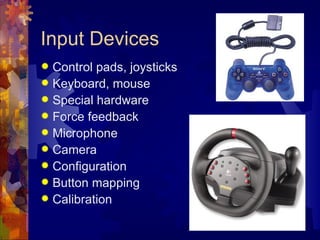
Input Devices
 Control pads, joysticks
 Keyboard, mouse
 Special hardware
 Force feedback
 Microphone
 Camera
 Configuration
 Button mapping
 Calibration
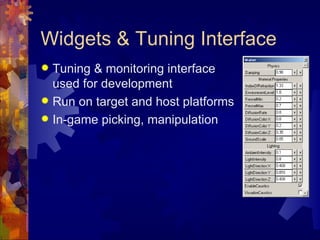
Widgets & Tuning Interface
 Tuning & monitoring interface
  used for development
 Run on target and host platforms
 In-game picking, manipulation
Performance Monitoring
 Time is a critical resource
 Various pieces of hardware, each with their
  own timing & performance characteristics:
  CPU, graphics, audio, IO
 Many sophisticated profilers exist
 In-game budgets & warnings
 In-game graphing
 Output to file for thorough analysis
Rendering
 Layer  on top of hardware
 Common APIs: OpenGL, Direct3D, PS2
 Render polygonal meshes (display lists)
 Lighting
 Graphics state
 Matrix & viewing transformations
Audio
 3D spatialization: panning, Doppler, Dolby
  Surround, HRTF (head related transfer
  functions)
 Manage sound priorities (voices)
 Reverb, effects
 MIDI
 Music
 Dynamic music
 Stream off CD / DVD (multiple streams)
 Voice
Tools
Code Development Tools
   Compilers (Visual C++, SN Systems, CodeWarrior,
    GNU)
   Debugger
   Profiler
   Editor
   Revision control (CVS, SourceSafe)
   Integrated development environment (IDE)
   C++, Assembly
   Graphics languages: pixel & vertex shaders…
   Design analysis tools
   Documentation, standards
Middleware
 Getting   more and more popular and
  trusted
 Rendering: RenderWare, NDL, Intrinsic
 Physics: Havok, MathEngine
 Engines: Quake, Unreal…
Art Production Tools
 3D Modeling & Animation (Maya, 3D Studio)
 Exporting
 Asset management (AlienBrain)
 Paint (2D & 3D) (Photoshop, DeepPaint)
 Scanning (2D, 3D)
 Motion capture
 In-game tools
Audio Tools
 Recording
 Composing  (ProTools)
 Sound effects (Reason)
 In-game tools
Game Design Tools
 In-game  tools
 Level layout
 Prototyping tools (Director)
 Design tools

Cse191 01

  • 1.
  • 2.
    Sony Playstation 2  CPU: 300 MHz MIPS 5000 variant  2 Vector Units: 4 FP MUL/ADDs (+ DIV)  Graphics: Custom GS chip  Audio: Custom DSP chip, 48 voices  Memory: 32 megs + 4 video + 2 audio  DVD drive  Installed: >30 million  Custom graphics APIs
  • 3.
    Microsoft XBox  CPU: 733 MHz Intel Pentium 3 variant  Graphics: nVidia GeForce 3 variant  Audio: 256 voices (64 3D voices)  64 megs shared memory  DVD drive  8 gigabyte hard drive  Installed: >5 million  Uses DirectX, Direct3D
  • 4.
    Nintendo GameCube  CPU: 405 MHz Motorola PowerPC variant  Graphics: Custom (6-12 Mtris/sec)  Audio: 16 bit DSP (64 voices)  24 megs main memory + 16 megs audio/misc.  Proprietary mini DVD drive  Installed: ~5 million  Uses a variant of OpenGL
  • 5.
    Nintendo GameBoy Advance 32-bit ARM CPU  32K RAM, 96K VRAM, 256K WRAM  240 x 160 pixels, 32,768 colors
  • 6.
    PC  Wide rangeof CPUs  Wide range of graphics cards  Wide range of audio cards  Wide range of memory  Wide range of devices  Wide range of operating systems  DirectX, OpenGL  Installed base: 100’s of millions
  • 7.
    Other Platforms  Apple,Linux  Cell phones, PDAs, etc.  Sega Dreamcast  Sony PS1  Nintendo 64  Classic machines  Arcade  Location based entertainment (LBE)  Interactive theater
  • 8.
    Future Game Machines Playstation 3  XBox 2  HDTV  Ray tracing & photon mapping hardware  Broadband networks  Future input / output devices
  • 9.
  • 10.
    PS2 Chips  EE:Emotion Engine  GS: Graphics Synthesizer  IOP: Input / Output Processor  SPU: Sound Processing Unit
  • 11.
    Emotion Engine Components MIPS R5000 core  VU0 & VU1: Vector Units  GIF: Graphics Interface  DMAC: DMA Controller  IPU: Image Processing Unit  SIF: Serial Interface  INTC: Interrupt Controller  DRAMC: DRAM Controller  TIMER: 4 timers
  • 12.
  • 13.
    EE Core  300MHz MIPS R5000 CPU  Single floating point multiply/add unit, plus concurrent divider  128 bit integer ALU  16K instruction cache, 8K data cache  16K scratchpad cache  Bus interface  MMU: Memory Management Unit  Core can use VU0 as a vector coprocessor
  • 14.
    PS2 Vector Units  2 units: VU0 & VU1 (both are on the EE chip)  Each unit has 32 128 bit vector registers  VU0 has 4 floating point multiply/add units capable of producing a total of 8 results per clock cycle  VU0 also has 1 concurrent divide unit capable of producing 1 result every 7 clock cycles  VU1 has 5 MUL/ADDs and 2 dividers  Each VU has a 16 bit integer control processor that runs concurrently and runs control microprograms  VU0 has 4K code & 4K data memory  VU1 has 16K code & 16K data memory  Both can run as independent processors  VU0 can also run as a coprocessor to the main core  VIF: Vector Interface. Used for unpacking data (positions, colors, normals) sent into the VU’s.  Single precision floating point, non IEEE754 compliant
  • 15.
    Emotion Engine Performance 300 MHz  Core/FPU: 1 MUL, 1 ADD, 1/7 DIV  VU0: 4 MUL, 4 ADD, 1/7 DIV  VU1: 5 MUL, 5 ADD, 2/7 DIV  Total: 20 & 4/7 floating point ops per cycle  6.2 GFLOPs peak performance
  • 16.
    GS: Graphics Synthesizer 16 parallel pixel units, 8 if using texture mapping  4M of on-chip VRAM (video memory)  Performs triangle filling computations  Features:  Texture mapping  Gouraud shading  Z-Buffer  Very simple alpha computations  Not much else…
  • 17.
    PS2 Processing Summary  CPU core runs main application program. Most AI, physics, game logic, happen on the core.  CPU core can use VU0 as a coprocessor. Most often, this is the case. This allows the CPU to handle more complex physics and geometric computations efficiently.  VU1 runs as an independent processor and acts primarily as a ‘geometry engine’ for computing transformations and lighting for rendering. VU1 has a direct bus to the GS.  GS handles all pixel processing (Z-Buffer, texture mapping, Gouraud shading) and generates the actual video signal  SPU does audio DSP computations and generates the final audio signal  IOP reads input devices and manages DVD drive  DMAC manages and schedules data movement
  • 18.
  • 19.
    Game Life Cycle Concept / Experiment / Demo  Prototype  Pre-Production  Production  Testing, Tuning, Debugging  Porting & Localization
  • 20.
    Concept, Experiment, Demo Initial idea used to help ‘sell’ the game and get things started  Might be a 5 page document, or could be a simple interactive demo written in a couple days, or could just be a couple sketches…
  • 21.
    Prototype  Initial ‘proof of concept’  Make a demo that shows key concept or concepts  A few people for a few weeks  Might be thrown away
  • 22.
    Pre-Production  Very importantphase of development  Small team, mostly programmers & designers  Often lasts 6-12 months  Prototype core gameplay mechanics  Set up tools  Define overall goals & processes  Experimentation, trial and error  Goal: get one level fully playable and FUN
  • 23.
    Production  Fullsize team(20, 30, or more)  Produce multiple ‘levels’  Can last 6-12 months (or more…)  Works like a factory  Many people can work in parallel  Follow processes set up in pre- production phase
  • 24.
    Testing, Tuning, Debugging Team shrinks back down (mostly programmers & designers)  Add several full time testers (at least 4)  Lasts 3-6 months  Alpha, Beta, Submission, Gold Master
  • 25.
    Porting  Port tosecondary platforms  Historically, done after main product ships  More and more simultaneous releases these days  Sometimes, additional levels or features are added  Small team for 3-6 months
  • 26.
    Localization  Translate gameinto different languages  Japanese version  ‘European’ version (Spanish, French, German, and possibly others)  Localization usually done after main product ships  Usually only 1 person for 1-2 months
  • 27.
    Game Life Cycle Phases aren’t always distinct  Sometimes, different aspects of the project are in different phases  Different developers have different approaches  Different publishers have different approaches
  • 28.
  • 29.
    General Requirements  Maintain frame rate: usually 30 or 60 fps  Never crash (games are usually ‘soak tested’ for around two weeks)  Tight memory & performance restrictions  Often must work with unreleased hardware and compilers
  • 30.
    Low Level Systems Data structures  Math routines  Memory management  Resources, file IO  Input devices  Widgets, tuning interface  Performance monitoring
  • 31.
    Mid Level Systems Rendering  Audio  Text  Collision detection  Physics  Scripting  Networking  Character animation  Cinematic playback
  • 32.
    High Level Systems Scene management  Play control  Camera  AI (artificial intelligence)  Game logic  Game flow  Lighting, visual effects  HUD  Front end (user interface)
  • 33.
    Data Structures  Lists, trees, arrays, hash tables  STL
  • 34.
    Math Routines  Vectors,matrices,quaternions  Geometry calculations  Random numbers  Misc. math routines  Must run fast and should take advantage of hardware if possible
  • 35.
    Memory Management  Many games use custom memory management routines  Must avoid fragmentation  Layered memory management  Paging
  • 36.
    Resources & FileIO  Fast loading  Paging  Parsing  File formats  XML  Compression  Resource packing
  • 37.
    Input Devices  Controlpads, joysticks  Keyboard, mouse  Special hardware  Force feedback  Microphone  Camera  Configuration  Button mapping  Calibration
  • 38.
    Widgets & TuningInterface  Tuning & monitoring interface used for development  Run on target and host platforms  In-game picking, manipulation
  • 39.
    Performance Monitoring  Timeis a critical resource  Various pieces of hardware, each with their own timing & performance characteristics: CPU, graphics, audio, IO  Many sophisticated profilers exist  In-game budgets & warnings  In-game graphing  Output to file for thorough analysis
  • 40.
    Rendering  Layer on top of hardware  Common APIs: OpenGL, Direct3D, PS2  Render polygonal meshes (display lists)  Lighting  Graphics state  Matrix & viewing transformations
  • 41.
    Audio  3D spatialization:panning, Doppler, Dolby Surround, HRTF (head related transfer functions)  Manage sound priorities (voices)  Reverb, effects  MIDI  Music  Dynamic music  Stream off CD / DVD (multiple streams)  Voice
  • 42.
  • 43.
    Code Development Tools  Compilers (Visual C++, SN Systems, CodeWarrior, GNU)  Debugger  Profiler  Editor  Revision control (CVS, SourceSafe)  Integrated development environment (IDE)  C++, Assembly  Graphics languages: pixel & vertex shaders…  Design analysis tools  Documentation, standards
  • 44.
    Middleware  Getting more and more popular and trusted  Rendering: RenderWare, NDL, Intrinsic  Physics: Havok, MathEngine  Engines: Quake, Unreal…
  • 45.
    Art Production Tools 3D Modeling & Animation (Maya, 3D Studio)  Exporting  Asset management (AlienBrain)  Paint (2D & 3D) (Photoshop, DeepPaint)  Scanning (2D, 3D)  Motion capture  In-game tools
  • 46.
    Audio Tools  Recording Composing (ProTools)  Sound effects (Reason)  In-game tools
  • 47.
    Game Design Tools In-game tools  Level layout  Prototyping tools (Director)  Design tools