Variables, Constants,
and Operators
(Computer Programming)
By
Dr. Muhammad Aleem,
Department of Computer Science,
Mohammad Ali Jinnah University, Islamabad
Fall Semester 2013
Scope
• The scope of a variable: the part of the
program in which the variable can be accessed
• A variable cannot be used before it is defined
• Example:…
Scope
• Different levels of scope:
1. Function scope
2. block scope
3. File scope
4. Class scope
Local variables
Global variables
Scope
• Function scope example…
• Block scope example…
• File scope example…
Visibility
 A variable is visible within its scope, and
invisible or hidden outside it.
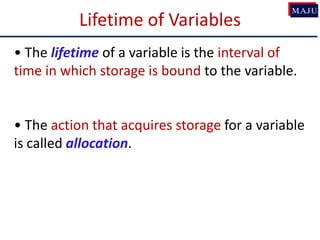
Lifetime of Variables
• The lifetime of a variable is the interval of
time in which storage is bound to the variable.
• The action that acquires storage for a variable
is called allocation.
Lifetime of Variables
•Local Variables (function and block scope)
have lifetime of the function or block
•Global variable (having file level scope) has
lifetime until the end of program
•Examples…
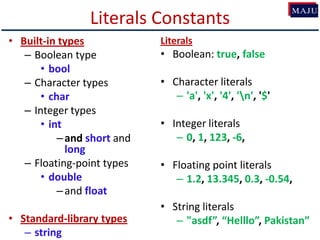
Literals Constants
• Built-in types
– Boolean type
• bool
– Character types
• char
– Integer types
• int
–and short and
long
– Floating-point types
• double
–and float
• Standard-library types
– string
Literals
• Boolean: true, false
• Character literals
– 'a', 'x', '4', 'n', '$'
• Integer literals
– 0, 1, 123, -6,
• Floating point literals
– 1.2, 13.345, 0.3, -0.54,
• String literals
– "asdf”, “Helllo”, Pakistan”
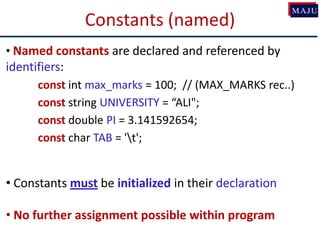
• Named constants are declared and referenced by
identifiers:
const int max_marks = 100; // (MAX_MARKS rec..)
const string UNIVERSITY = “ALI";
const double PI = 3.141592654;
const char TAB = 't';
• Constants must be initialized in their declaration
• No further assignment possible within program
Constants (named)
• Implementation Limits
#include <climits> //Implementation constants defined here
INT_MIN INT_MAX
LONG_MIN LONG_MAX
#include <cfloat> //location of float constants
FLT_MIN FLT_MAX
DBL_MIN DBL_MAX
Lower and upper bounds
for Integer types.
C++ Standard Constants
Lower and upper bounds
for Decimal types.
Binary Arithmetic Operators
Name Meaning Example Result
+ Addition 34 + 1 35
- Subtraction 34.0 – 0.1 33.9
* Multiplication 300 * 30 9000
/ Division 1.0 / 2.0 0.5
% Remainder 20 % 3 2
Remainder operator is also known as modulus operator
Integer and Real Division
float result = 5 / 2; //  result equal to 2
float result = 5.0 / 2; //  result equal to 2.5
 If any of the operand is a real value (float or
double) the division will be performed as “Real
Division”
Remainder/Modulus operator
• Operands of modulus operator must be
integers
 34 % 5 (valid, result  4)
 -34 % 5 (valid, result  -4)
 34 % -5 (valid, result  4)
 -34 % -5 (valid, result  -4)
• 34 % 1.2 is an Error
Using Remainder Operator
• Class Exercise:
– Write Pseudocode/flow-chart to identify Odd and
Even numbers between M and N?
Arithmetic Expressions
)
94
(9
))(5(10
5
43
y
x
xx
cbayx
is translated to
result = (3+4*x)/5 – (10*(y-5)*(a+b+c))/x + 9*(4/x + (9+x)/y)
• Convert following expression into C++ code
result =
Example: Converting Temperatures
- Write a program that converts a Fahrenheit to
Celsius using the formula:
)32)((9
5
fahrenheitcelsius
23/09/2013
Shorthand/Compound Assignment Operators
Operator Example Equivalent
+= i += 8 i = i + 8
-= f -= 8.0 f = f - 8.0
*= i *= 8 i = i * 8
/= i /= 8 i = i / 8
%= i %= 8 i = i % 8
Increment and Decrement Operators
Operator Name Description
++var preincrement The expression (++var) increments var by 1 and
evaluates to the new value in var after the increment.
var++ postincrement The expression (var++) evaluates to the original value
in var and increments var by 1.
--var predecrement The expression (--var) decrements var by 1 and
evaluates to the new value in var after the decrement.
var-- postdecrement The expression (var--) evaluates to the original value
in var and decrements var by 1.
Increment and Decrement Operators
• Evaluate the followings:
int val = 10;
int result = 10 * val++;
cout<<val<<“ “<<result;
int val = 10;
int result = 10 * ++val;
cout<<val<<“ “<<result;
Example Program (Incr. Dec. Operators)
Numeric Type Conversion
Consider the following statements:
short i = 10;
long k = i * 3 + 4;
double d = i * 3.1 + k / 2;
cout<<d;
Type Conversion Rules
• Auto Conversion of Types in C++
1. If one of the operands is long double, the other is converted
into long double
2. Otherwise, if one of the operands is double, the other is
converted into double.
3. Otherwise, if one of the operands is unsigned long, the other is
converted into unsigned long.
4. Otherwise, if one of the operands is long, the other is
converted into long.
5. Otherwise, if one of the operands is unsigned int, the other is
converted into unsigned int.
6. Otherwise, both operands are converted into int.
Implicit Type Conversion in C++
Typecasting
• A mechanism by which we can change the data
type of a variable (now matter how it was
originally defined)
• Two ways:
1. Implicit type casting (done by compiler)
2. Explicit type casting (done by programmer)
Implicit type casting
• As seen in previous examples:
void main()
{
char c = 'a';
float f = 5.0;
float d = c + f;
cout<<d<<“ “<<sizeof(d)<<endl;
cout<<sizeof(c+f);
}
Implicit Type Casting
Explicit type casting
• Explicit casting performed by programmer. It is
performed by using cast operator
float a=5.0, b=2.1;
int c = a%b; //  ERROR
• Three Styles
int c = (int) a % (int) b; //C-style cast
int c = int(a) % int(b); // Functional notation
int c = static_cast<int>(a) % static_cast<int>(b);
cout<<c;
Explicit Type Casting
- Casting does not change the variable being cast.
For example, d is not changed after casting in the
following code:
double d = 4.5;
int j = (int) d; //C-type casting
int i = static_cast<int>(d); // d is not changed
cout<<j<<“ “<<d;
• A "widening" cast is a cast from one type to
another, where the "destination" type has a larger
range or precision than the "source“
Example:
int i = 4;
double d = i;
Widening type casting
• A “narrowing" cast is a cast from one type to
another, where the "destination" type has a
smaller range or precision than the "source“
Example:
double d = 787994.5;
int j = (int) d;
// or
int i = static_cast<int>(d);
Narrowing type casting
Casting between char and Numeric Types
int i = 'a'; // Same as int i = (int) 'a';
char c = 97; // Same as char c = (char)97;
- The increment and decrement operators can also
be applied on char type variables:
-Example:
char ch = 'a';
cout << ++ch;
Using ++, -- on “char” type
-- C style (we will study in pointers topic)
-- C++ style:
-#include<sstream>
-void main() {
-int val=0;
-stringstream ss;
-cout<<“Enter Value: “; cin>>val;
-ss << val; //Using stream insertion op.
string str_val= ss.str();
cout<<“n Output string is: “<<str_val;
}
int to string Conversion
Equality and Relational Operators
• Equality Operators:
Operator Example Meaning
== x == y x is equal to y
!= x != y x is not equal to y
• Relational Operators:
Operator Example Meaning
> x > y x is greater than y
< x < y x is less than y
>= x >= y x is greater than or equal to y
<= x <= y x is less than or equal to y
Logical Operators
• Logical operators are useful when we want to test
multiple conditions
• Three types:
1. boolean AND
2. boolean OR
3. boolean NOT
Boolean AND or logical AND
• Symbol: &&
• All the conditions must be true for the whole
expression to be true
–Example:
if ( (a == 10) && (b == 10) && (d == 10) )
cout<<“a, b, and d are all equel to 10”;
Boolean OR / Logical OR
• Symbol: ||
• ANY condition is sufficient to be true for the
whole expression to be true
–Example:
if (a == 10 || b == 9 || d == 1)
// do something
Boolean NOT/ Logical NOT
• Symbol: !
• Reverses the meaning of the condition (makes a
true condition false, OR a false condition true)
–Example:
if ( ! (marks > 90) )
// do something
Conditional Operator
• The conditional operator is a ternary operator (three
operands), is used to simplify an if/else statement.
• We will study this after if statement
41
Bitwise Operators (integers)
• Bitwise "and" operator &
• Bitwise "or" operator |
• Bitwise "exclusive or" operator ^
– (0 on same bits, 1 on different bits)
• Bitwise "ones complement" operator ~
• Shift left <<
• Shift right >>
Bitwise Operators (Example)
int i = 880;  1 1 0 1 1 1 0 0 0 0
int j = 453;  0 1 1 1 0 0 0 1 0 1
i & j (320) 0 1 0 1 0 0 0 0 0 0
i | j (1013) 1 1 1 1 1 1 0 1 0 1
i ^ j (693) 1 0 1 0 1 1 0 1 0 1
~j (-454) 1 0 0 0 1 1 1 0 1 0
i = i<<1; (1760) 1 0 1 1 1 0 0 0 0 0
i = i>>1; (440) 0 1 1 0 1 1 1 0 0 0
unsigned
int
Precedence Rules
• Precedence rules are vital when we have mix of many
operators in an expression: x = 3 * a - ++b%3;
• Two Important Terms:
1. Precedence Rules: specify which operator is
evaluated first when two operators are adjacent
in an expression.
2. Associativity Rules: specify which operator is
evaluated first when two operators with the same
precedence are adjacent in an expression.
Precedence Rules
(Unary Operators)
(Binary Operators)
Precedence Rules – Example 1
6 + 2 * 3 - 4 / 2
6 + 6 - 4 / 2
6 + 6 - 2
12 - 2
10
Precedence Rules – Example 2
3 * 4 / 2 + 3 - 1
12 / 2 + 3 - 1
6 + 3 - 1
9 - 1
8
Precedence Rules – Example 3
8 * 3 / 2 + 3 - 1
24 / 2 + 3 - 1
12 + 3 - 1
15 - 1
14
8 / 3 * 2 + 3 - 1
2 * 2 + 3 - 1
4 + 3 - 1
7 - 1
6
Precedence Rules (overriding)
• For example: x = 3 * a - ++b % 3;
• If we intend to have the statement evaluated
differently from the way specified by the
precedence rules, we need to specify it using
parentheses ( )
• Using parenthesis:
x = 3 * ((a - ++b)%3);

Cs1123 4 variables_constants

  • 1.
    Variables, Constants, and Operators (ComputerProgramming) By Dr. Muhammad Aleem, Department of Computer Science, Mohammad Ali Jinnah University, Islamabad Fall Semester 2013
  • 2.
    Scope • The scopeof a variable: the part of the program in which the variable can be accessed • A variable cannot be used before it is defined • Example:…
  • 3.
    Scope • Different levelsof scope: 1. Function scope 2. block scope 3. File scope 4. Class scope Local variables Global variables
  • 4.
    Scope • Function scopeexample… • Block scope example… • File scope example…
  • 5.
    Visibility  A variableis visible within its scope, and invisible or hidden outside it.
  • 6.
    Lifetime of Variables •The lifetime of a variable is the interval of time in which storage is bound to the variable. • The action that acquires storage for a variable is called allocation.
  • 7.
    Lifetime of Variables •LocalVariables (function and block scope) have lifetime of the function or block •Global variable (having file level scope) has lifetime until the end of program •Examples…
  • 8.
    Literals Constants • Built-intypes – Boolean type • bool – Character types • char – Integer types • int –and short and long – Floating-point types • double –and float • Standard-library types – string Literals • Boolean: true, false • Character literals – 'a', 'x', '4', 'n', '$' • Integer literals – 0, 1, 123, -6, • Floating point literals – 1.2, 13.345, 0.3, -0.54, • String literals – "asdf”, “Helllo”, Pakistan”
  • 9.
    • Named constantsare declared and referenced by identifiers: const int max_marks = 100; // (MAX_MARKS rec..) const string UNIVERSITY = “ALI"; const double PI = 3.141592654; const char TAB = 't'; • Constants must be initialized in their declaration • No further assignment possible within program Constants (named)
  • 10.
    • Implementation Limits #include<climits> //Implementation constants defined here INT_MIN INT_MAX LONG_MIN LONG_MAX #include <cfloat> //location of float constants FLT_MIN FLT_MAX DBL_MIN DBL_MAX Lower and upper bounds for Integer types. C++ Standard Constants Lower and upper bounds for Decimal types.
  • 11.
    Binary Arithmetic Operators NameMeaning Example Result + Addition 34 + 1 35 - Subtraction 34.0 – 0.1 33.9 * Multiplication 300 * 30 9000 / Division 1.0 / 2.0 0.5 % Remainder 20 % 3 2 Remainder operator is also known as modulus operator
  • 12.
    Integer and RealDivision float result = 5 / 2; //  result equal to 2 float result = 5.0 / 2; //  result equal to 2.5  If any of the operand is a real value (float or double) the division will be performed as “Real Division”
  • 13.
    Remainder/Modulus operator • Operandsof modulus operator must be integers  34 % 5 (valid, result  4)  -34 % 5 (valid, result  -4)  34 % -5 (valid, result  4)  -34 % -5 (valid, result  -4) • 34 % 1.2 is an Error
  • 14.
    Using Remainder Operator •Class Exercise: – Write Pseudocode/flow-chart to identify Odd and Even numbers between M and N?
  • 15.
    Arithmetic Expressions ) 94 (9 ))(5(10 5 43 y x xx cbayx is translatedto result = (3+4*x)/5 – (10*(y-5)*(a+b+c))/x + 9*(4/x + (9+x)/y) • Convert following expression into C++ code result =
  • 16.
    Example: Converting Temperatures -Write a program that converts a Fahrenheit to Celsius using the formula: )32)((9 5 fahrenheitcelsius
  • 17.
  • 18.
    Shorthand/Compound Assignment Operators OperatorExample Equivalent += i += 8 i = i + 8 -= f -= 8.0 f = f - 8.0 *= i *= 8 i = i * 8 /= i /= 8 i = i / 8 %= i %= 8 i = i % 8
  • 19.
    Increment and DecrementOperators Operator Name Description ++var preincrement The expression (++var) increments var by 1 and evaluates to the new value in var after the increment. var++ postincrement The expression (var++) evaluates to the original value in var and increments var by 1. --var predecrement The expression (--var) decrements var by 1 and evaluates to the new value in var after the decrement. var-- postdecrement The expression (var--) evaluates to the original value in var and decrements var by 1.
  • 20.
    Increment and DecrementOperators • Evaluate the followings: int val = 10; int result = 10 * val++; cout<<val<<“ “<<result; int val = 10; int result = 10 * ++val; cout<<val<<“ “<<result;
  • 21.
    Example Program (Incr.Dec. Operators)
  • 22.
    Numeric Type Conversion Considerthe following statements: short i = 10; long k = i * 3 + 4; double d = i * 3.1 + k / 2; cout<<d;
  • 23.
    Type Conversion Rules •Auto Conversion of Types in C++ 1. If one of the operands is long double, the other is converted into long double 2. Otherwise, if one of the operands is double, the other is converted into double. 3. Otherwise, if one of the operands is unsigned long, the other is converted into unsigned long. 4. Otherwise, if one of the operands is long, the other is converted into long. 5. Otherwise, if one of the operands is unsigned int, the other is converted into unsigned int. 6. Otherwise, both operands are converted into int.
  • 24.
  • 25.
    Typecasting • A mechanismby which we can change the data type of a variable (now matter how it was originally defined) • Two ways: 1. Implicit type casting (done by compiler) 2. Explicit type casting (done by programmer)
  • 26.
    Implicit type casting •As seen in previous examples: void main() { char c = 'a'; float f = 5.0; float d = c + f; cout<<d<<“ “<<sizeof(d)<<endl; cout<<sizeof(c+f); }
  • 27.
  • 28.
    Explicit type casting •Explicit casting performed by programmer. It is performed by using cast operator float a=5.0, b=2.1; int c = a%b; //  ERROR • Three Styles int c = (int) a % (int) b; //C-style cast int c = int(a) % int(b); // Functional notation int c = static_cast<int>(a) % static_cast<int>(b); cout<<c;
  • 29.
    Explicit Type Casting -Casting does not change the variable being cast. For example, d is not changed after casting in the following code: double d = 4.5; int j = (int) d; //C-type casting int i = static_cast<int>(d); // d is not changed cout<<j<<“ “<<d;
  • 30.
    • A "widening"cast is a cast from one type to another, where the "destination" type has a larger range or precision than the "source“ Example: int i = 4; double d = i; Widening type casting
  • 31.
    • A “narrowing"cast is a cast from one type to another, where the "destination" type has a smaller range or precision than the "source“ Example: double d = 787994.5; int j = (int) d; // or int i = static_cast<int>(d); Narrowing type casting
  • 32.
    Casting between charand Numeric Types int i = 'a'; // Same as int i = (int) 'a'; char c = 97; // Same as char c = (char)97;
  • 33.
    - The incrementand decrement operators can also be applied on char type variables: -Example: char ch = 'a'; cout << ++ch; Using ++, -- on “char” type
  • 34.
    -- C style(we will study in pointers topic) -- C++ style: -#include<sstream> -void main() { -int val=0; -stringstream ss; -cout<<“Enter Value: “; cin>>val; -ss << val; //Using stream insertion op. string str_val= ss.str(); cout<<“n Output string is: “<<str_val; } int to string Conversion
  • 35.
    Equality and RelationalOperators • Equality Operators: Operator Example Meaning == x == y x is equal to y != x != y x is not equal to y • Relational Operators: Operator Example Meaning > x > y x is greater than y < x < y x is less than y >= x >= y x is greater than or equal to y <= x <= y x is less than or equal to y
  • 36.
    Logical Operators • Logicaloperators are useful when we want to test multiple conditions • Three types: 1. boolean AND 2. boolean OR 3. boolean NOT
  • 37.
    Boolean AND orlogical AND • Symbol: && • All the conditions must be true for the whole expression to be true –Example: if ( (a == 10) && (b == 10) && (d == 10) ) cout<<“a, b, and d are all equel to 10”;
  • 38.
    Boolean OR /Logical OR • Symbol: || • ANY condition is sufficient to be true for the whole expression to be true –Example: if (a == 10 || b == 9 || d == 1) // do something
  • 39.
    Boolean NOT/ LogicalNOT • Symbol: ! • Reverses the meaning of the condition (makes a true condition false, OR a false condition true) –Example: if ( ! (marks > 90) ) // do something
  • 40.
    Conditional Operator • Theconditional operator is a ternary operator (three operands), is used to simplify an if/else statement. • We will study this after if statement
  • 41.
    41 Bitwise Operators (integers) •Bitwise "and" operator & • Bitwise "or" operator | • Bitwise "exclusive or" operator ^ – (0 on same bits, 1 on different bits) • Bitwise "ones complement" operator ~ • Shift left << • Shift right >>
  • 42.
    Bitwise Operators (Example) inti = 880;  1 1 0 1 1 1 0 0 0 0 int j = 453;  0 1 1 1 0 0 0 1 0 1 i & j (320) 0 1 0 1 0 0 0 0 0 0 i | j (1013) 1 1 1 1 1 1 0 1 0 1 i ^ j (693) 1 0 1 0 1 1 0 1 0 1 ~j (-454) 1 0 0 0 1 1 1 0 1 0 i = i<<1; (1760) 1 0 1 1 1 0 0 0 0 0 i = i>>1; (440) 0 1 1 0 1 1 1 0 0 0 unsigned int
  • 43.
    Precedence Rules • Precedencerules are vital when we have mix of many operators in an expression: x = 3 * a - ++b%3; • Two Important Terms: 1. Precedence Rules: specify which operator is evaluated first when two operators are adjacent in an expression. 2. Associativity Rules: specify which operator is evaluated first when two operators with the same precedence are adjacent in an expression.
  • 44.
  • 45.
    Precedence Rules –Example 1 6 + 2 * 3 - 4 / 2 6 + 6 - 4 / 2 6 + 6 - 2 12 - 2 10
  • 46.
    Precedence Rules –Example 2 3 * 4 / 2 + 3 - 1 12 / 2 + 3 - 1 6 + 3 - 1 9 - 1 8
  • 47.
    Precedence Rules –Example 3 8 * 3 / 2 + 3 - 1 24 / 2 + 3 - 1 12 + 3 - 1 15 - 1 14 8 / 3 * 2 + 3 - 1 2 * 2 + 3 - 1 4 + 3 - 1 7 - 1 6
  • 48.
    Precedence Rules (overriding) •For example: x = 3 * a - ++b % 3; • If we intend to have the statement evaluated differently from the way specified by the precedence rules, we need to specify it using parentheses ( ) • Using parenthesis: x = 3 * ((a - ++b)%3);