
Basic Object-
Oriented Concepts
By,
Shashikant pabari
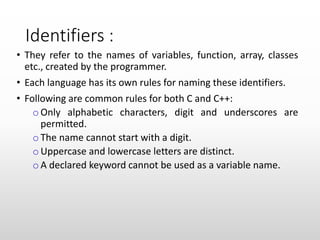
Identifiers :
• They refer to the names of variables, function, array, classes
etc., created by the programmer.
• Each language has its own rules for naming these identifiers.
• Following are common rules for both C and C++:
o Only alphabetic characters, digit and underscores are
permitted.
o The name cannot start with a digit.
o Uppercase and lowercase letters are distinct.
o A declared keyword cannot be used as a variable name.
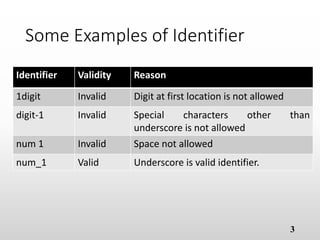
Some Examples of Identifier
Identifier Validity Reason
1digit Invalid Digit at first location is not allowed
digit-1 Invalid Special characters other than
underscore is not allowed
num 1 Invalid Space not allowed
num_1 Valid Underscore is valid identifier.
3
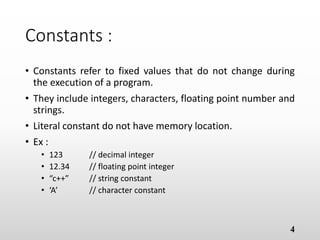
Constants :
• Constants refer to fixed values that do not change during
the execution of a program.
• They include integers, characters, floating point number
and strings.
• Literal constant do not have memory location.
• Ex :
• 123 // decimal integer
• 12.34 // floating point integer
• “c++” // string constant
• ‘A’ // character constant
4
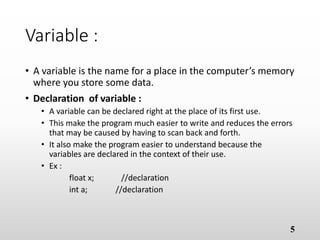
Variable :
• A variable is the name for a place in the computer’s
memory where you store some data.
• Declaration of variable :
• A variable can be declared right at the place of its first use.
• This make the program much easier to write and reduces the errors
that may be caused by having to scan back and forth.
• It also make the program easier to understand because the
variables are declared in the context of their use.
• Ex :
float x; //declaration
int a; //declaration
5
Continue…
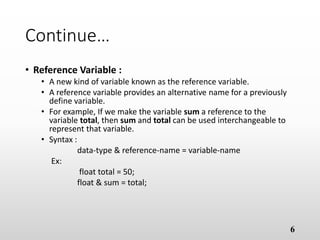
• Reference Variable :
• A new kind of variable known as the reference variable.
• A reference variable provides an alternative name for a previously
define variable.
• For example, If we make the variable sum a reference to the
variable total, then sum and total can be used interchangeable to
represent that variable.
• Syntax :
data-type & reference-name = variable-name
Ex:
float total = 50;
float & sum = total;
6
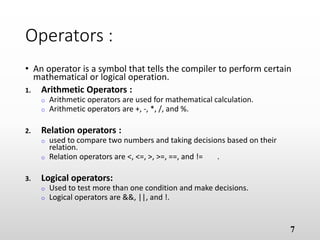
Operators :
• An operator is a symbol that tells the compiler to perform certain
mathematical or logical operation.
1. Arithmetic Operators :
o Arithmetic operators are used for mathematical calculation.
o Arithmetic operators are +, -, *, /, and %.
1. Relation operators :
o used to compare two numbers and taking decisions based on their
relation.
o Relation operators are <, <=, >, >=, ==, and != .
1. Logical operators:
o Used to test more than one condition and make decisions.
o Logical operators are &&, ||, and !.
7
Continue…
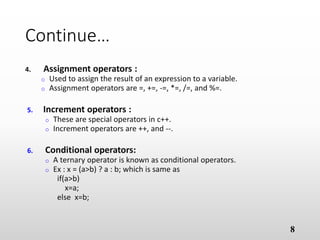
4. Assignment operators :
o Used to assign the result of an expression to a variable.
o Assignment operators are =, +=, -=, *=, /=, and %=.
5. Increment operators :
o These are special operators in c++.
o Increment operators are ++, and --.
6. Conditional operators:
o A ternary operator is known as conditional operators.
o Ex : x = (a>b) ? a : b; which is same as
if(a>b)
x=a;
else x=b;
8
Continue…
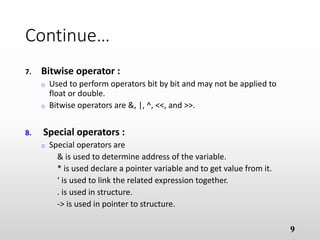
7. Bitwise operator :
o Used to perform operators bit by bit and may not be applied to
float or double.
o Bitwise operators are &, |, ^, <<, and >>.
8. Special operators :
o Special operators are
& is used to determine address of the variable.
* is used declare a pointer variable and to get value from it.
‘ is used to link the related expression together.
. is used in structure.
-> is used in pointer to structure.
9
Continue…
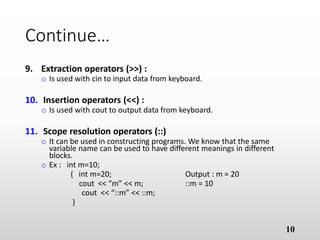
9. Extraction operators (>>) :
o Is used with cin to input data from keyboard.
10. Insertion operators (<<) :
o Is used with cout to output data from keyboard.
11. Scope resolution operators (::)
o It can be used in constructing programs. We know that the same
variable name can be used to have different meanings in different
blocks.
o Ex : int m=10;
{ int m=20; Output : m = 20
cout << “m” << m; ::m = 10
cout << “::m” << ::m;
}
10
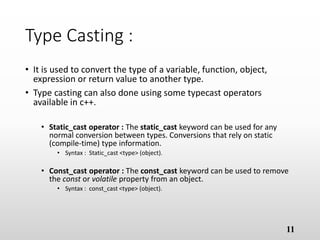
Type Casting :
• It is used to convert the type of a variable, function, object,
expression or return value to another type.
• Type casting can also done using some typecast operators
available in c++.
• Static_cast operator : The static_cast keyword can be used for any
normal conversion between types. Conversions that rely on static
(compile-time) type information.
• Syntax : Static_cast <type> (object).
• Const_cast operator : The const_cast keyword can be used to remove
the const or volatile property from an object.
• Syntax : const_cast <type> (object).
11
Continue…
• Reinterpret_cast operator : The reinterpret_cast keyword is used
to simply cast one type bitwise to another. Any pointer or integral
type can be cast to any other with reinterpret cast, easily allowing
for misuse.
• Syntax : reinterpret_cast <type> (object).
• Dynamic_cast operator : The dynamic_cast keyword is used to
casts a datum from one pointer or reference of a polymorphic type
to another, similar to static_cast but performing a type safety check
at runtime to ensure the validity of the cast.
• Syntax : dynamic_cast <type> (object).
12
Continue…
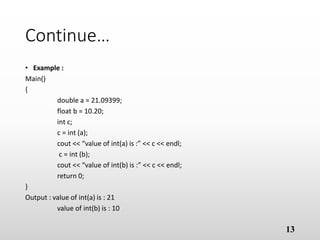
• Example :
Main()
{
double a = 21.09399;
float b = 10.20;
int c;
c = int (a);
cout << “value of int(a) is :” << c << endl;
c = int (b);
cout << “value of int(b) is :” << c << endl;
return 0;
}
Output : value of int(a) is : 21
value of int(b) is : 10
13
Enumerated Data Type :
• An enumerated data type is another user-defined type which
provides a way for attaching names to numbers, thereby
increasing comprehensibility of the code.
• The enum keyword (from c) automatically enumerates a list of
words by assigning them values 0,1,2, and so on.
• This facility provides an alternative means for creative symbolic
comstants.
• The syntax of an enum statement is similar to that of the struct
statement.
• Ex : enum shape {circle, square, triangle}
enum colour {red, blue, green, yellow}
enum position {off, on}
14
Control Structures
• A large number of function are used that pass messages,
and process the data contained in objects.
• A function is set to perform a task. when the task is
complex, many different algorithms can be designed to
achieve the same goal. Some are simple to comprehend,
while others are not.
• The format should be such that it is easy to trace the flow of
execution of statements.
• Control structure tells about the order in which the
statement are executed and helps to perform manipulative,
repetitive and decision making actions.
• It can be used in three ways :
15
Continue…
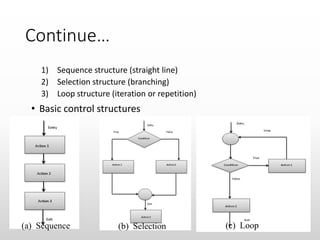
1) Sequence structure (straight line)
2) Selection structure (branching)
3) Loop structure (iteration or repetition)
• Basic control structures
16(a) Sequence (b) Selection (c) Loop
Continue…
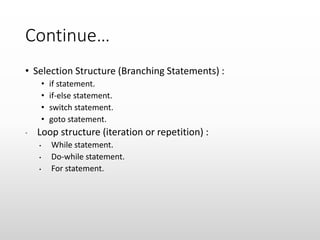
• Selection Structure (Branching Statements) :
• if statement.
• if-else statement.
• switch statement.
• goto statement.
• Loop structure (iteration or repetition) :
• While statement.
• Do-while statement.
• For statement.
if Selection Structure
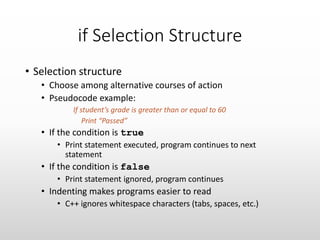
• Selection structure
• Choose among alternative courses of action
• Pseudocode example:
If student’s grade is greater than or equal to 60
Print “Passed”
• If the condition is true
• Print statement executed, program continues to next
statement
• If the condition is false
• Print statement ignored, program continues
• Indenting makes programs easier to read
• C++ ignores whitespace characters (tabs, spaces, etc.)
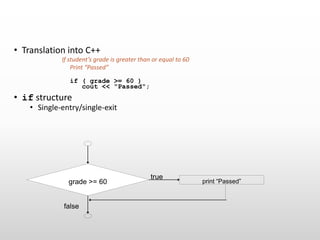
• Translation into C++
If student’s grade is greater than or equal to 60
Print “Passed”
if ( grade >= 60 )
cout << "Passed";
• if structure
• Single-entry/single-exit
true
false
grade >= 60 print “Passed”
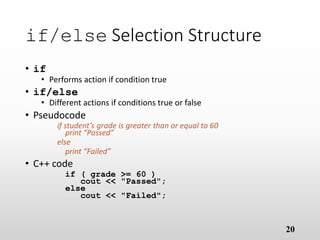
if/else Selection Structure
• if
• Performs action if condition true
• if/else
• Different actions if conditions true or false
• Pseudocode
if student’s grade is greater than or equal to 60
print “Passed”
else
print “Failed”
• C++ code
if ( grade >= 60 )
cout << "Passed";
else
cout << "Failed";
20
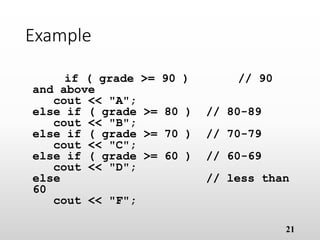
Example
if ( grade >= 90 ) // 90
and above
cout << "A";
else if ( grade >= 80 ) // 80-89
cout << "B";
else if ( grade >= 70 ) // 70-79
cout << "C";
else if ( grade >= 60 ) // 60-69
cout << "D";
else // less than
60
cout << "F";
21
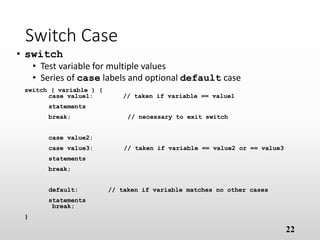
Switch Case
• switch
• Test variable for multiple values
• Series of case labels and optional default case
switch ( variable ) {
case value1: // taken if variable == value1
statements
break; // necessary to exit switch
case value2:
case value3: // taken if variable == value2 or == value3
statements
break;
default: // taken if variable matches no other cases
statements
break;
}
22
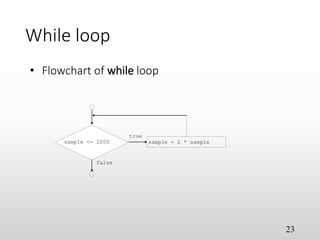
While loop
23
sample <= 2000 sample = 2 * sample
true
false
• Flowchart of while loop
While loop
• Repetition structure
• Action repeated while some condition remains true
• Psuedocode
while there are more items on my shopping list
Purchase next item and cross it off my list
• while loop repeated until condition becomes false
• Example
int sample = 2;
while (sample <= 2000 )
sample = 2 * sample;
24
25
for loop
• General format when using for loops
for ( initialization; LoopCount ;increment/decrement )
• Example
for( int sample = 1; sample <= 10; sample++ )
cout << sample << endl;
• Prints int value from one to ten
 
The End
26

Basic concept of c++

  • 1.
  • 2.
    Identifiers : • Theyrefer to the names of variables, function, array, classes etc., created by the programmer. • Each language has its own rules for naming these identifiers. • Following are common rules for both C and C++: o Only alphabetic characters, digit and underscores are permitted. o The name cannot start with a digit. o Uppercase and lowercase letters are distinct. o A declared keyword cannot be used as a variable name.
  • 3.
    Some Examples ofIdentifier Identifier Validity Reason 1digit Invalid Digit at first location is not allowed digit-1 Invalid Special characters other than underscore is not allowed num 1 Invalid Space not allowed num_1 Valid Underscore is valid identifier. 3
  • 4.
    Constants : • Constantsrefer to fixed values that do not change during the execution of a program. • They include integers, characters, floating point number and strings. • Literal constant do not have memory location. • Ex : • 123 // decimal integer • 12.34 // floating point integer • “c++” // string constant • ‘A’ // character constant 4
  • 5.
    Variable : • Avariable is the name for a place in the computer’s memory where you store some data. • Declaration of variable : • A variable can be declared right at the place of its first use. • This make the program much easier to write and reduces the errors that may be caused by having to scan back and forth. • It also make the program easier to understand because the variables are declared in the context of their use. • Ex : float x; //declaration int a; //declaration 5
  • 6.
    Continue… • Reference Variable: • A new kind of variable known as the reference variable. • A reference variable provides an alternative name for a previously define variable. • For example, If we make the variable sum a reference to the variable total, then sum and total can be used interchangeable to represent that variable. • Syntax : data-type & reference-name = variable-name Ex: float total = 50; float & sum = total; 6
  • 7.
    Operators : • Anoperator is a symbol that tells the compiler to perform certain mathematical or logical operation. 1. Arithmetic Operators : o Arithmetic operators are used for mathematical calculation. o Arithmetic operators are +, -, *, /, and %. 1. Relation operators : o used to compare two numbers and taking decisions based on their relation. o Relation operators are <, <=, >, >=, ==, and != . 1. Logical operators: o Used to test more than one condition and make decisions. o Logical operators are &&, ||, and !. 7
  • 8.
    Continue… 4. Assignment operators: o Used to assign the result of an expression to a variable. o Assignment operators are =, +=, -=, *=, /=, and %=. 5. Increment operators : o These are special operators in c++. o Increment operators are ++, and --. 6. Conditional operators: o A ternary operator is known as conditional operators. o Ex : x = (a>b) ? a : b; which is same as if(a>b) x=a; else x=b; 8
  • 9.
    Continue… 7. Bitwise operator: o Used to perform operators bit by bit and may not be applied to float or double. o Bitwise operators are &, |, ^, <<, and >>. 8. Special operators : o Special operators are & is used to determine address of the variable. * is used declare a pointer variable and to get value from it. ‘ is used to link the related expression together. . is used in structure. -> is used in pointer to structure. 9
  • 10.
    Continue… 9. Extraction operators(>>) : o Is used with cin to input data from keyboard. 10. Insertion operators (<<) : o Is used with cout to output data from keyboard. 11. Scope resolution operators (::) o It can be used in constructing programs. We know that the same variable name can be used to have different meanings in different blocks. o Ex : int m=10; { int m=20; Output : m = 20 cout << “m” << m; ::m = 10 cout << “::m” << ::m; } 10
  • 11.
    Type Casting : •It is used to convert the type of a variable, function, object, expression or return value to another type. • Type casting can also done using some typecast operators available in c++. • Static_cast operator : The static_cast keyword can be used for any normal conversion between types. Conversions that rely on static (compile-time) type information. • Syntax : Static_cast <type> (object). • Const_cast operator : The const_cast keyword can be used to remove the const or volatile property from an object. • Syntax : const_cast <type> (object). 11
  • 12.
    Continue… • Reinterpret_cast operator: The reinterpret_cast keyword is used to simply cast one type bitwise to another. Any pointer or integral type can be cast to any other with reinterpret cast, easily allowing for misuse. • Syntax : reinterpret_cast <type> (object). • Dynamic_cast operator : The dynamic_cast keyword is used to casts a datum from one pointer or reference of a polymorphic type to another, similar to static_cast but performing a type safety check at runtime to ensure the validity of the cast. • Syntax : dynamic_cast <type> (object). 12
  • 13.
    Continue… • Example : Main() { doublea = 21.09399; float b = 10.20; int c; c = int (a); cout << “value of int(a) is :” << c << endl; c = int (b); cout << “value of int(b) is :” << c << endl; return 0; } Output : value of int(a) is : 21 value of int(b) is : 10 13
  • 14.
    Enumerated Data Type: • An enumerated data type is another user-defined type which provides a way for attaching names to numbers, thereby increasing comprehensibility of the code. • The enum keyword (from c) automatically enumerates a list of words by assigning them values 0,1,2, and so on. • This facility provides an alternative means for creative symbolic comstants. • The syntax of an enum statement is similar to that of the struct statement. • Ex : enum shape {circle, square, triangle} enum colour {red, blue, green, yellow} enum position {off, on} 14
  • 15.
    Control Structures • Alarge number of function are used that pass messages, and process the data contained in objects. • A function is set to perform a task. when the task is complex, many different algorithms can be designed to achieve the same goal. Some are simple to comprehend, while others are not. • The format should be such that it is easy to trace the flow of execution of statements. • Control structure tells about the order in which the statement are executed and helps to perform manipulative, repetitive and decision making actions. • It can be used in three ways : 15
  • 16.
    Continue… 1) Sequence structure(straight line) 2) Selection structure (branching) 3) Loop structure (iteration or repetition) • Basic control structures 16(a) Sequence (b) Selection (c) Loop
  • 17.
    Continue… • Selection Structure(Branching Statements) : • if statement. • if-else statement. • switch statement. • goto statement. • Loop structure (iteration or repetition) : • While statement. • Do-while statement. • For statement.
  • 18.
    if Selection Structure •Selection structure • Choose among alternative courses of action • Pseudocode example: If student’s grade is greater than or equal to 60 Print “Passed” • If the condition is true • Print statement executed, program continues to next statement • If the condition is false • Print statement ignored, program continues • Indenting makes programs easier to read • C++ ignores whitespace characters (tabs, spaces, etc.)
  • 19.
    • Translation intoC++ If student’s grade is greater than or equal to 60 Print “Passed” if ( grade >= 60 ) cout << "Passed"; • if structure • Single-entry/single-exit true false grade >= 60 print “Passed”
  • 20.
    if/else Selection Structure •if • Performs action if condition true • if/else • Different actions if conditions true or false • Pseudocode if student’s grade is greater than or equal to 60 print “Passed” else print “Failed” • C++ code if ( grade >= 60 ) cout << "Passed"; else cout << "Failed"; 20
  • 21.
    Example if ( grade>= 90 ) // 90 and above cout << "A"; else if ( grade >= 80 ) // 80-89 cout << "B"; else if ( grade >= 70 ) // 70-79 cout << "C"; else if ( grade >= 60 ) // 60-69 cout << "D"; else // less than 60 cout << "F"; 21
  • 22.
    Switch Case • switch •Test variable for multiple values • Series of case labels and optional default case switch ( variable ) { case value1: // taken if variable == value1 statements break; // necessary to exit switch case value2: case value3: // taken if variable == value2 or == value3 statements break; default: // taken if variable matches no other cases statements break; } 22
  • 23.
    While loop 23 sample <=2000 sample = 2 * sample true false • Flowchart of while loop
  • 24.
    While loop • Repetitionstructure • Action repeated while some condition remains true • Psuedocode while there are more items on my shopping list Purchase next item and cross it off my list • while loop repeated until condition becomes false • Example int sample = 2; while (sample <= 2000 ) sample = 2 * sample; 24
  • 25.
    25 for loop • Generalformat when using for loops for ( initialization; LoopCount ;increment/decrement ) • Example for( int sample = 1; sample <= 10; sample++ ) cout << sample << endl; • Prints int value from one to ten  
  • 26.