Strings
(CS1123)
By
Dr. Muhammad Aleem,
Department of Computer Science,
Mohammad Ali Jinnah University, Islamabad
Reading strings (C-String) with spaces
• getline function of input-stream (cin) can be
used to get input in a character array including
spaces.
• Syntax:
cin.getline(char[ ] arr, int size);
Character Array Size of Array
Reading strings (C-String) with spaces
- OR, the programmer can specify its own
terminating character
• Syntax:
cin.getline(char[ ] arr, int size, char term);
Character Array Array size Terminating
character
Reading strings (C-String) with spaces
• Examples
char line[25];
cout << "Type a line terminated by enter key”;
cin.getline(line,25);
cout << “You entered: ” << line;
• Reads up to 24 characters (char type values) and
inserts ‘0’ (Null character) at the end. If extra
characters (> 25 in this example) entered by user,
C++ ignore the remaining characters.
Reading strings (C-String) with spaces
char name[60];
char university[100];
cout << "Enter your name: ";
cin.getline(name,60);
cout << "Enter your university name: ";
cin.getline(university,100);
cout << name << “ study in ”<< university;
Reading strings (C-String) with spaces
char line[100];
cout << "Type a line terminated by t: “;
cin.getline( line, 100, 't' );
cout << line;
Strings - Introduction
• A string is a sequence of characters.
• We have used null terminated <char> arrays (C-
strings) to store and manipulate strings.
• C++ also provides a class called string
• We must include <string> in our program.
– More convenient than the C-String
Operations
• Creating strings.
• Reading strings from keyboard.
• Displaying strings to the screen.
• Finding a substring from a string.
• Modifying string.
• Adding strings.
• Accessing characters in a string.
• Obtaining the size of string.
• And many more…
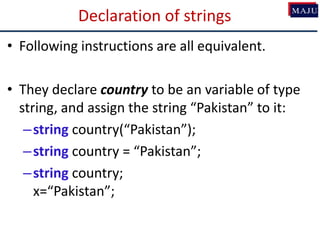
Declaration of strings
• Following instructions are all equivalent.
• They declare country to be an variable of type
string, and assign the string “Pakistan” to it:
–string country(“Pakistan”);
–string country = “Pakistan”;
–string country;
x=“Pakistan”;
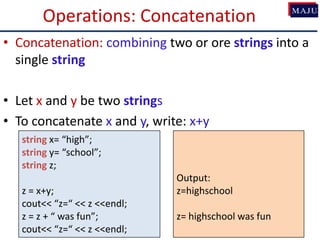
Operations: Concatenation
• Concatenation: combining two or ore strings into a
single string
• Let x and y be two strings
• To concatenate x and y, write: x+y
string x= “high”;
string y= “school”;
string z;
z = x+y;
cout<< “z=“ << z <<endl;
z = z + “ was fun”;
cout<< “z=“ << z <<endl;
Output:
z=highschool
z= highschool was fun
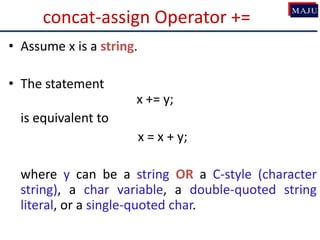
concat-assign Operator +=
• Assume x is a string.
• The statement
x += y;
is equivalent to
x = x + y;
where y can be a string OR a C-style (character
string), a char variable, a double-quoted string
literal, or a single-quoted char.
Example of Mixed-Style Concat.
string x= “high”;
char y[ ]= “school”;
char z[ ]= {‘w’, ’a’, ’s’, ‘0’};
string p = “good”;
string s = x + y + ’ ‘+ z + ” very” + ” “ + p +’ ! ’;
cout<<“s= “<<s<<endl;
cout<<“s= “+s<<endl;
Output:
s= highschool was very good!
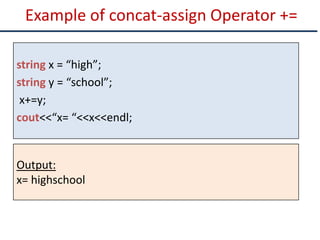
Example of concat-assign Operator +=
string x = “high”;
string y = “school”;
x+=y;
cout<<“x= “<<x<<endl;
Output:
x= highschool
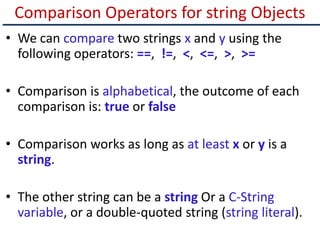
Comparison Operators for string Objects
• We can compare two strings x and y using the
following operators: ==, !=, <, <=, >, >=
• Comparison is alphabetical, the outcome of each
comparison is: true or false
• Comparison works as long as at least x or y is a
string.
• The other string can be a string Or a C-String
variable, or a double-quoted string (string literal).
Example of String Comparisons
string x = “high”;
char y[ ] = “school”;
if (x<y)
cout<<“x<y”<<endl;
if (x<“tree”)
cout<<“x<tree”<,endl;
if (“low” != x)
cout<<“low != x”<<endl;
Output:
x<y
x<tree
low != x
Using Index Operator [ ]
• If x is a string, and you wish to obtain the value of
the k-th character in the string, you may write:
x[k];
• This feature makes string variables similar to
arrays of char
string x = “high”;
char c = x[0]; // c is ‘h’
c = x[1]; // c is ‘i’
c = x[2]; // c is ‘g’
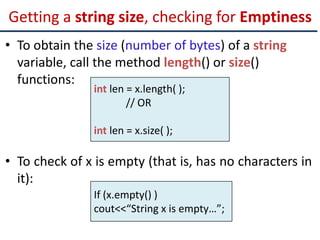
Getting a string size, checking for Emptiness
• To obtain the size (number of bytes) of a string
variable, call the method length() or size()
functions:
• To check of x is empty (that is, has no characters in
it):
int len = x.length( );
// OR
int len = x.size( );
If (x.empty() )
cout<<“String x is empty…”;
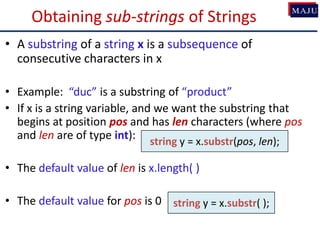
Obtaining sub-strings of Strings
• A substring of a string x is a subsequence of
consecutive characters in x
• Example: “duc” is a substring of “product”
• If x is a string variable, and we want the substring that
begins at position pos and has len characters (where pos
and len are of type int):
• The default value of len is x.length( )
• The default value for pos is 0
string y = x.substr(pos, len);
string y = x.substr( );
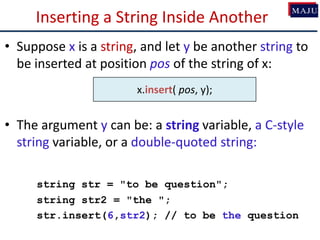
Inserting a String Inside Another
• Suppose x is a string, and let y be another string to
be inserted at position pos of the string of x:
• The argument y can be: a string variable, a C-style
string variable, or a double-quoted string:
string str = "to be question";
string str2 = "the ";
str.insert(6,str2); // to be the question
x.insert( pos, y);
Replacing a Substring by Another
• Suppose x is a string variable, and suppose you
want to replace the characters in range
[pos, len] in x by a string y. To do so, write:
• Aargument y can be: a string variable, a C-style
string variable, or a double-quoted string
x.replace(pos, len, y);
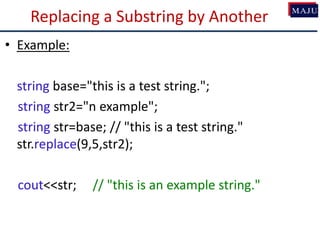
Replacing a Substring by Another
• Example:
string base="this is a test string.";
string str2="n example";
string str=base; // "this is a test string."
str.replace(9,5,str2);
cout<<str; // "this is an example string."
Deleting (Erasing) a Substring of a string
• Suppose x is a string variable, and suppose you
want to delete/erase the characters in the range
[pos, len] in x.
• To do so, write:
• The default value of len is the x.length( ):
• To erase the whole string of x, do:
x.erase(pos, len);
x.clear( );
x.erase(pos);
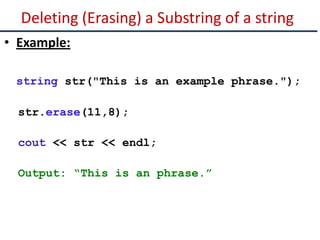
Deleting (Erasing) a Substring of a string
• Example:
string str("This is an example phrase.");
str.erase(11,8);
cout << str << endl;
Output: “This is an phrase.”
Searching for (and Finding) Patterns in Strings
• Suppose x is a string variable, and suppose you
want to search for a string y in x.
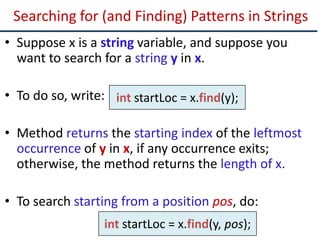
• To do so, write:
• Method returns the starting index of the leftmost
occurrence of y in x, if any occurrence exits;
otherwise, the method returns the length of x.
• To search starting from a position pos, do:
int startLoc = x.find(y);
int startLoc = x.find(y, pos);
An Example (find and substr)
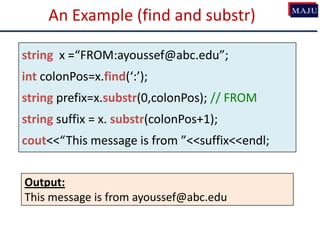
string x =“FROM:ayoussef@abc.edu”;
int colonPos=x.find(‘:’);
string prefix=x.substr(0,colonPos); // FROM
string suffix = x. substr(colonPos+1);
cout<<“This message is from ”<<suffix<<endl;
Output:
This message is from ayoussef@abc.edu
Class Exercise
• Write a C++ program that finds number of
occurrences of a string in another string. The program
takes as an input a string str1 (based on string data-
type). Then it ask the user to enter another string
str2. In the end program display the count or number
value stating the occurrence of str2 in str1.

Cs1123 9 strings

  • 1.
    Strings (CS1123) By Dr. Muhammad Aleem, Departmentof Computer Science, Mohammad Ali Jinnah University, Islamabad
  • 2.
    Reading strings (C-String)with spaces • getline function of input-stream (cin) can be used to get input in a character array including spaces. • Syntax: cin.getline(char[ ] arr, int size); Character Array Size of Array
  • 3.
    Reading strings (C-String)with spaces - OR, the programmer can specify its own terminating character • Syntax: cin.getline(char[ ] arr, int size, char term); Character Array Array size Terminating character
  • 4.
    Reading strings (C-String)with spaces • Examples char line[25]; cout << "Type a line terminated by enter key”; cin.getline(line,25); cout << “You entered: ” << line; • Reads up to 24 characters (char type values) and inserts ‘0’ (Null character) at the end. If extra characters (> 25 in this example) entered by user, C++ ignore the remaining characters.
  • 5.
    Reading strings (C-String)with spaces char name[60]; char university[100]; cout << "Enter your name: "; cin.getline(name,60); cout << "Enter your university name: "; cin.getline(university,100); cout << name << “ study in ”<< university;
  • 6.
    Reading strings (C-String)with spaces char line[100]; cout << "Type a line terminated by t: “; cin.getline( line, 100, 't' ); cout << line;
  • 7.
    Strings - Introduction •A string is a sequence of characters. • We have used null terminated <char> arrays (C- strings) to store and manipulate strings. • C++ also provides a class called string • We must include <string> in our program. – More convenient than the C-String
  • 8.
    Operations • Creating strings. •Reading strings from keyboard. • Displaying strings to the screen. • Finding a substring from a string. • Modifying string. • Adding strings. • Accessing characters in a string. • Obtaining the size of string. • And many more…
  • 9.
    Declaration of strings •Following instructions are all equivalent. • They declare country to be an variable of type string, and assign the string “Pakistan” to it: –string country(“Pakistan”); –string country = “Pakistan”; –string country; x=“Pakistan”;
  • 10.
    Operations: Concatenation • Concatenation:combining two or ore strings into a single string • Let x and y be two strings • To concatenate x and y, write: x+y string x= “high”; string y= “school”; string z; z = x+y; cout<< “z=“ << z <<endl; z = z + “ was fun”; cout<< “z=“ << z <<endl; Output: z=highschool z= highschool was fun
  • 11.
    concat-assign Operator += •Assume x is a string. • The statement x += y; is equivalent to x = x + y; where y can be a string OR a C-style (character string), a char variable, a double-quoted string literal, or a single-quoted char.
  • 12.
    Example of Mixed-StyleConcat. string x= “high”; char y[ ]= “school”; char z[ ]= {‘w’, ’a’, ’s’, ‘0’}; string p = “good”; string s = x + y + ’ ‘+ z + ” very” + ” “ + p +’ ! ’; cout<<“s= “<<s<<endl; cout<<“s= “+s<<endl; Output: s= highschool was very good! s= highschool was very good!
  • 13.
    Example of concat-assignOperator += string x = “high”; string y = “school”; x+=y; cout<<“x= “<<x<<endl; Output: x= highschool
  • 14.
    Comparison Operators forstring Objects • We can compare two strings x and y using the following operators: ==, !=, <, <=, >, >= • Comparison is alphabetical, the outcome of each comparison is: true or false • Comparison works as long as at least x or y is a string. • The other string can be a string Or a C-String variable, or a double-quoted string (string literal).
  • 15.
    Example of StringComparisons string x = “high”; char y[ ] = “school”; if (x<y) cout<<“x<y”<<endl; if (x<“tree”) cout<<“x<tree”<,endl; if (“low” != x) cout<<“low != x”<<endl; Output: x<y x<tree low != x
  • 16.
    Using Index Operator[ ] • If x is a string, and you wish to obtain the value of the k-th character in the string, you may write: x[k]; • This feature makes string variables similar to arrays of char string x = “high”; char c = x[0]; // c is ‘h’ c = x[1]; // c is ‘i’ c = x[2]; // c is ‘g’
  • 17.
    Getting a stringsize, checking for Emptiness • To obtain the size (number of bytes) of a string variable, call the method length() or size() functions: • To check of x is empty (that is, has no characters in it): int len = x.length( ); // OR int len = x.size( ); If (x.empty() ) cout<<“String x is empty…”;
  • 18.
    Obtaining sub-strings ofStrings • A substring of a string x is a subsequence of consecutive characters in x • Example: “duc” is a substring of “product” • If x is a string variable, and we want the substring that begins at position pos and has len characters (where pos and len are of type int): • The default value of len is x.length( ) • The default value for pos is 0 string y = x.substr(pos, len); string y = x.substr( );
  • 19.
    Inserting a StringInside Another • Suppose x is a string, and let y be another string to be inserted at position pos of the string of x: • The argument y can be: a string variable, a C-style string variable, or a double-quoted string: string str = "to be question"; string str2 = "the "; str.insert(6,str2); // to be the question x.insert( pos, y);
  • 20.
    Replacing a Substringby Another • Suppose x is a string variable, and suppose you want to replace the characters in range [pos, len] in x by a string y. To do so, write: • Aargument y can be: a string variable, a C-style string variable, or a double-quoted string x.replace(pos, len, y);
  • 21.
    Replacing a Substringby Another • Example: string base="this is a test string."; string str2="n example"; string str=base; // "this is a test string." str.replace(9,5,str2); cout<<str; // "this is an example string."
  • 22.
    Deleting (Erasing) aSubstring of a string • Suppose x is a string variable, and suppose you want to delete/erase the characters in the range [pos, len] in x. • To do so, write: • The default value of len is the x.length( ): • To erase the whole string of x, do: x.erase(pos, len); x.clear( ); x.erase(pos);
  • 23.
    Deleting (Erasing) aSubstring of a string • Example: string str("This is an example phrase."); str.erase(11,8); cout << str << endl; Output: “This is an phrase.”
  • 24.
    Searching for (andFinding) Patterns in Strings • Suppose x is a string variable, and suppose you want to search for a string y in x. • To do so, write: • Method returns the starting index of the leftmost occurrence of y in x, if any occurrence exits; otherwise, the method returns the length of x. • To search starting from a position pos, do: int startLoc = x.find(y); int startLoc = x.find(y, pos);
  • 25.
    An Example (findand substr) string x =“FROM:ayoussef@abc.edu”; int colonPos=x.find(‘:’); string prefix=x.substr(0,colonPos); // FROM string suffix = x. substr(colonPos+1); cout<<“This message is from ”<<suffix<<endl; Output: This message is from ayoussef@abc.edu
  • 26.
    Class Exercise • Writea C++ program that finds number of occurrences of a string in another string. The program takes as an input a string str1 (based on string data- type). Then it ask the user to enter another string str2. In the end program display the count or number value stating the occurrence of str2 in str1.