01      Executive  Summary  
02      Situation  Analysis  
03      Planning  
04      Administration  
05      Measurement  
06      Budget  
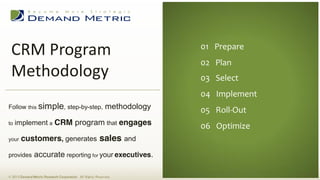
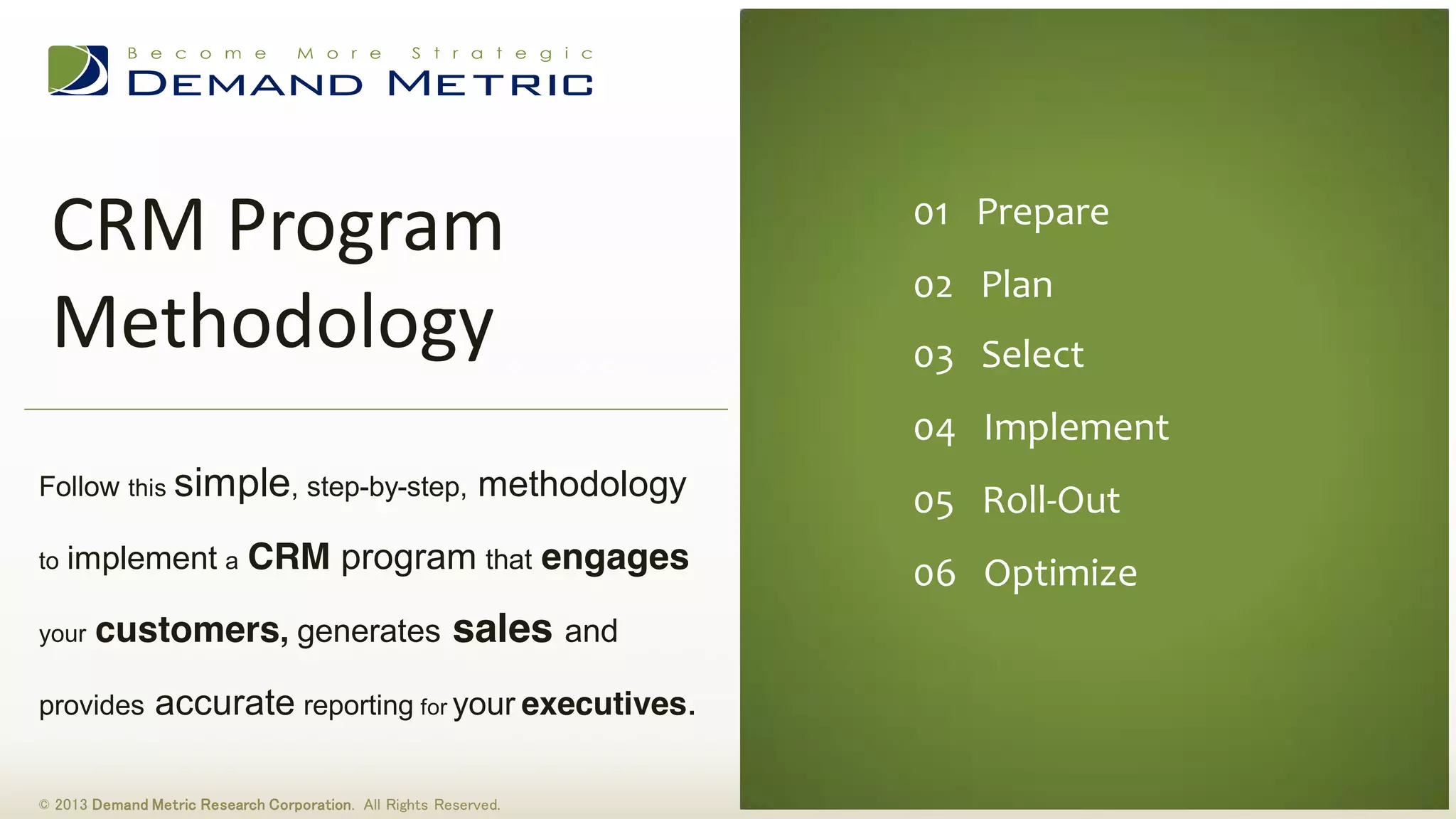
01      Prepare  
02      Plan  
03      Select  
04      Implement  
05      Roll-­‐Out  
06      Optimize  
CRM  Program  
Methodology  
© 2013 Demand Metric Research Corporation. All Rights Reserved.
Follow this simple, step-by-step, methodology
to implement a CRM program that engages
your customers, generates sales and
provides accurate reporting for your executives.
This methodology consists of six stages, each with a description, steps and action items.
Action items include using our premium tools & templates. Our intention with this methodology
is to help you:
How  to  Use  this  Consulting  Methodology:  
1. Understand CRM
2. Evaluate
3. Plan a CRM strategy that engages customers, increases sales and provides accurate reporting.
© 2013 Demand Metric Research Corporation. All Rights Reserved.
What  is  CRM?  
© 2013 Demand Metric Research Corporation. All Rights Reserved.
CRM, or Customer Relationship Management can be defined as:
The principles, practices, and guidelines that an organization follows when interacting with its customers. From the
organization's point of view, this entire relationship not only encompasses the direct interaction aspect, such as sales
and/or service related processes, but also in the forecasting and analysis of customer trends and behaviors, which
ultimately serve to enhance the customer's overall experience. Investopedia
What Are the Requirements for a Good CRM Platform?
1. Solid Base Functionality (sales, marketing, customer service, partner relationship management, reporting)
2. Highly Customizable and Configurable
3. Easy to Integrate with Third-Party Systems & Applications
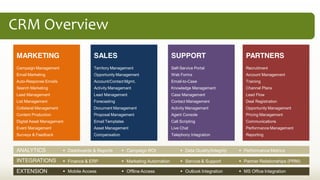
CRM  Overview  
MARKETING
Campaign Management
Email Marketing
Auto-Response Emails
Search Marketing
Lead Management
List Management
Collateral Management
Content Production
Digital Asset Management
Event Management
Surveys & Feedback
SALES
Territory Management
Opportunity Management
Account/Contact Mgmt.
Activity Management
Lead Management
Forecasting
Document Management
Proposal Management
Email Templates
Asset Management
Compensation
SUPPORT
Self-Service Portal
Web Forms
Email-to-Case
Knowledge Management
Case Management
Contact Management
Activity Management
Agent Console
Call Scripting
Live Chat
Telephony Integration
PARTNERS
Recruitment
Account Management
Training
Channel Plans
Lead Flow
Deal Registration
Opportunity Management
Pricing Management
Communications
Performance Management
Reporting
ANALYTICS
INTEGRATIONS
EXTENSION
Dashboards & Reports
Finance & ERP
Mobile Access
Campaign ROI
Marketing Automation
Offline Access
Data Quality/Integrity
Service & Support
Outlook Integration
Performance Metrics
Partner Relationships (PRM)
MS Office Integration
Why  is  Effective  CRM  So  Important?    
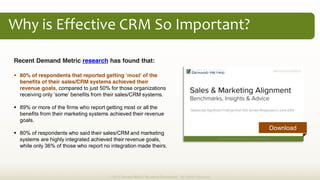
Recent Demand Metric research has found that:
80% of respondents that reported getting the
benefits of their sales/CRM systems achieved their
revenue goals, compared to just 50% for those organizations
89% or more of the firms who report getting most or all the
benefits from their marketing systems achieved their revenue
goals.
80% of respondents who said their sales/CRM and marketing
systems are highly integrated achieved their revenue goals,
while only 36% of those who report no integration made theirs.
© 2013 Demand Metric Research Corporation. All Rights Reserved.
Download
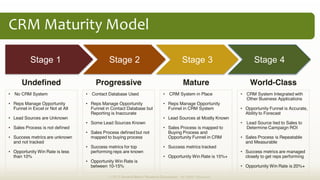
CRM  Maturity  Model  
Stage 1 Stage 2 Stage 3 Stage 4
No CRM System
Reps Manage Opportunity
Funnel in Excel or Not at All
Lead Sources are Unknown
Sales Process is not defined
Success metrics are unknown
and not tracked
Opportunity Win Rate is less
than 10%
Undefined Progressive Mature World-Class
CRM System in Place
Reps Manage Opportunity
Funnel in CRM System
Lead Sources at Mostly Known
Sales Process is mapped to
Buying Process and
Opportunity Funnel in CRM
Success metrics tracked
Opportunity Win Rate is 15%+
Contact Database Used
Reps Manage Opportunity
Funnel in Contact Database but
Reporting is Inaccurate
Some Lead Sources Known
Sales Process defined but not
mapped to buying process
Success metrics for top
performing reps are known
Opportunity Win Rate is
between 10-15%
CRM System Integrated with
Other Business Applications
Opportunity Funnel is Accurate,
Ability to Forecast
Lead Source tied to Sales to
Determine Campaign ROI
Sales Process is Repeatable
and Measurable
Success metrics are managed
closely to get reps performing
Opportunity Win Rate is 20%+
© 2013 Demand Metric Research Corporation. All Rights Reserved.
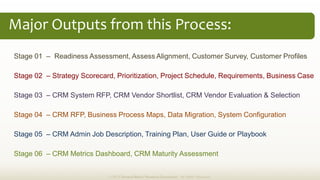
Stage 01 Readiness Assessment, Assess Alignment, Customer Survey, Customer Profiles
Stage 02 Strategy Scorecard, Prioritization, Project Schedule, Requirements, Business Case
Stage 03 CRM System RFP, CRM Vendor Shortlist, CRM Vendor Evaluation & Selection
Stage 04 CRM RFP, Business Process Maps, Data Migration, System Configuration
Stage 05 CRM Admin Job Description, Training Plan, User Guide or Playbook
Stage 06 CRM Metrics Dashboard, CRM Maturity Assessment
Major  Outputs  from  this  Process:  
© 2013 Demand Metric Research Corporation. All Rights Reserved.
01  Prepare  
02  Plan  
03  Select   06  Optimize  
STAGE 01 PREPARE FOR CRM
© 2013 Demand Metric Research Corporation. All Rights Reserved.
In this Stage, you will focus your efforts around understanding CRM best practices, determining your
readiness for a CRM project, assessing Sales & Marketing Alignment, building customer profiles and
identifying the current level of customer satisfaction. Key steps in this stage include:
1. Learn CRM Best Practices
2. Conduct a CRM Readiness Assessment
3. Assess Sales & Marketing Alignment
4. Build Customer Profiles
5. Gauge Customer Satisfaction Level
05  Roll-­‐Out  
04  Implement  
Prepare
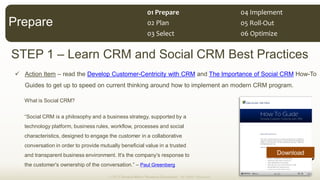
STEP 1 Learn CRM and Social CRM Best Practices
Action Item read the Develop Customer-Centricity with CRM and The Importance of Social CRM How-To
Guides to get up to speed on current thinking around how to implement an modern CRM program.
What is Social CRM?
technology platform, business rules, workflow, processes and social
characteristics, designed to engage the customer in a collaborative
conversation in order to provide mutually beneficial value in a trusted
and transparent business environment. It's the company's response to
Paul Greenberg
© 2013 Demand Metric Research Corporation. All Rights Reserved.
Prepare
Download
01  Prepare  
02  Plan  
03  Select   06  Optimize  
05  Roll-­‐Out  
04  Implement  
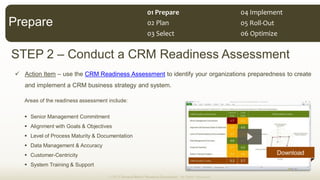
STEP 2 Conduct a CRM Readiness Assessment
Action Item use the CRM Readiness Assessment to identify your organizations preparedness to create
and implement a CRM business strategy and system.
Areas of the readiness assessment include:
Senior Management Commitment
Alignment with Goals & Objectives
Level of Process Maturity & Documentation
Data Management & Accuracy
Customer-Centricity
System Training & Support
© 2013 Demand Metric Research Corporation. All Rights Reserved.
Prepare
Download
01  Prepare  
02  Plan  
03  Select   06  Optimize  
05  Roll-­‐Out  
04  Implement  
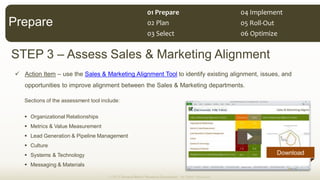
STEP 3 Assess Sales & Marketing Alignment
Action Item use the Sales & Marketing Alignment Tool to identify existing alignment, issues, and
opportunities to improve alignment between the Sales & Marketing departments.
Sections of the assessment tool include:
Organizational Relationships
Metrics & Value Measurement
Lead Generation & Pipeline Management
Culture
Systems & Technology
Messaging & Materials
© 2013 Demand Metric Research Corporation. All Rights Reserved.
Prepare
Download
01  Prepare  
02  Plan  
03  Select   06  Optimize  
05  Roll-­‐Out  
04  Implement  
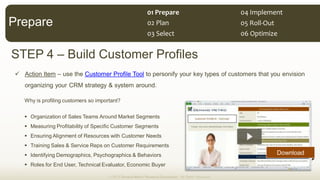
STEP 4 Build Customer Profiles
Action Item use the Customer Profile Tool to personify your key types of customers that you envision
organizing your CRM strategy & system around.
Why is profiling customers so important?
Organization of Sales Teams Around Market Segments
Measuring Profitability of Specific Customer Segments
Ensuring Alignment of Resources with Customer Needs
Training Sales & Service Reps on Customer Requirements
Identifying Demographics, Psychographics & Behaviors
Roles for End User, Technical Evaluator, Economic Buyer
© 2013 Demand Metric Research Corporation. All Rights Reserved.
Prepare
Download
01  Prepare  
02  Plan  
03  Select   06  Optimize  
05  Roll-­‐Out  
04  Implement  
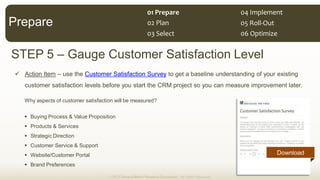
STEP 5 Gauge Customer Satisfaction Level
Action Item use the Customer Satisfaction Survey to get a baseline understanding of your existing
customer satisfaction levels before you start the CRM project so you can measure improvement later.
Why aspects of customer satisfaction will be measured?
Buying Process & Value Proposition
Products & Services
Strategic Direction
Customer Service & Support
Website/Customer Portal
Brand Preferences
© 2013 Demand Metric Research Corporation. All Rights Reserved.
Prepare
Download
01  Prepare  
02  Plan  
03  Select   06  Optimize  
05  Roll-­‐Out  
04  Implement  
STAGE 02 CRM PROGRAM PLANNING
In this Stage you will work with your team to plan, prioritize and get formal approval for investment in a CRM
program. You will perform the following actions build a CRM program plan:
Create a Strategy Scorecard
Prioritize CRM Programs
Develop a CRM Requirements Roadmap
Write a CRM Project Charter
Define CRM Project Schedule
Build a CRM Business Case
Plan
01  Prepare  
02  Plan  
03  Select   06  Optimize  
05  Roll-­‐Out  
04  Implement  
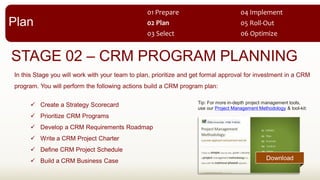
Tip: For more in-depth project management tools,
use our Project Management Methodology & tool-kit:
Download
© 2013 Demand Metric Research Corporation. All Rights Reserved.
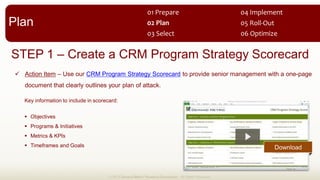
STEP 1 Create a CRM Program Strategy Scorecard
Action Item Use our CRM Program Strategy Scorecard to provide senior management with a one-page
document that clearly outlines your plan of attack.
Key information to include in scorecard:
Objectives
Programs & Initiatives
Metrics & KPIs
Timeframes and Goals
Plan
Download
01  Prepare  
02  Plan  
03  Select   06  Optimize  
05  Roll-­‐Out  
04  Implement  
© 2013 Demand Metric Research Corporation. All Rights Reserved.
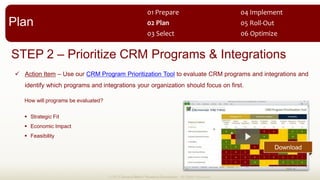
STEP 2 Prioritize CRM Programs & Integrations
Action Item Use our CRM Program Prioritization Tool to evaluate CRM programs and integrations and
identify which programs and integrations your organization should focus on first.
How will programs be evaluated?
Strategic Fit
Economic Impact
Feasibility
Download
Plan
01  Prepare  
02  Plan  
03  Select   06  Optimize  
05  Roll-­‐Out  
04  Implement  
© 2013 Demand Metric Research Corporation. All Rights Reserved.
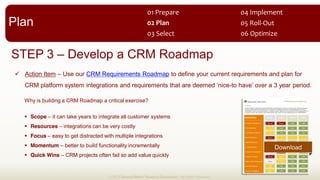
STEP 3 Develop a CRM Roadmap
Action Item Use our CRM Requirements Roadmap to define your current requirements and plan for
-
Why is building a CRM Roadmap a critical exercise?
Scope it can take years to integrate all customer systems
Resources integrations can be very costly
Focus easy to get distracted with multiple integrations
Momentum better to build functionality incrementally
Quick Wins CRM projects often fail so add value quickly
Plan
01  Prepare  
02  Plan  
03  Select   06  Optimize  
05  Roll-­‐Out  
04  Implement  
Download
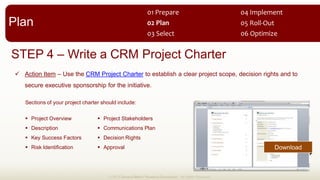
STEP 4 Write a CRM Project Charter
Action Item Use the CRM Project Charter to establish a clear project scope, decision rights and to
secure executive sponsorship for the initiative.
© 2013 Demand Metric Research Corporation. All Rights Reserved.
Sections of your project charter should include:
Project Overview
Description
Key Success Factors
Risk Identification
Project Stakeholders
Communications Plan
Decision Rights
Approval
Plan
01  Prepare  
02  Plan  
03  Select   06  Optimize  
05  Roll-­‐Out  
04  Implement  
Download
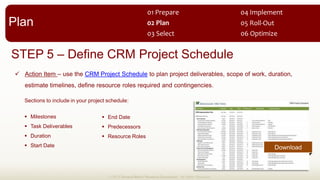
STEP 5 Define CRM Project Schedule
Action Item use the CRM Project Schedule to plan project deliverables, scope of work, duration,
estimate timelines, define resource roles required and contingencies.
Sections to include in your project schedule:
Milestones
Task Deliverables
Duration
Start Date
End Date
Predecessors
Resource Roles
© 2013 Demand Metric Research Corporation. All Rights Reserved.
Download
Plan
01  Prepare  
02  Plan  
03  Select   06  Optimize  
05  Roll-­‐Out  
04  Implement  
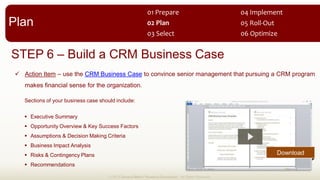
STEP 6 Build a CRM Business Case
Action Item use the CRM Business Case to convince senior management that pursuing a CRM program
makes financial sense for the organization.
Sections of your business case should include:
Executive Summary
Opportunity Overview & Key Success Factors
Assumptions & Decision Making Criteria
Business Impact Analysis
Risks & Contingency Plans
Recommendations
© 2013 Demand Metric Research Corporation. All Rights Reserved.
Download
Plan
01  Prepare  
02  Plan  
03  Select   06  Optimize  
05  Roll-­‐Out  
04  Implement  
STAGE 03 SELECT A CRM SYSTEM
In this Stage you will determine if it makes more sense to implement an on-premise or hosted CRM system,
develop an RFP and invite your shortlist of potential CRM vendors to demo their software capabilities, and
conduct a fair evaluation of each system based on your key requirements. Key activities for this Stage:
Learn About Hosted CRM
Research Potential Vendor to Shortlist
Create a CRM System RFP & Invite Bids
Evaluate CRM Vendors from Shortlist
© 2013 Demand Metric Research Corporation. All Rights Reserved.
Select
01  Prepare  
02  Plan  
03  Select   06  Optimize  
05  Roll-­‐Out  
04  Implement  
© 2013 Demand Metric Research Corporation. All Rights Reserved.
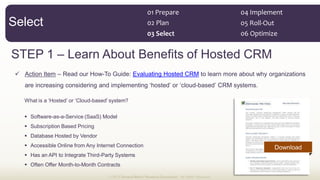
STEP 1 Learn About Benefits of Hosted CRM
Action Item Read our How-To Guide: Evaluating Hosted CRM to learn more about why organizations
-
-
Software-as-a-Service (SaaS) Model
Subscription Based Pricing
Database Hosted by Vendor
Accessible Online from Any Internet Connection
Has an API to Integrate Third-Party Systems
Often Offer Month-to-Month Contracts
Select
01  Prepare  
02  Plan  
03  Select   06  Optimize  
05  Roll-­‐Out  
04  Implement  
Download
© 2013 Demand Metric Research Corporation. All Rights Reserved.
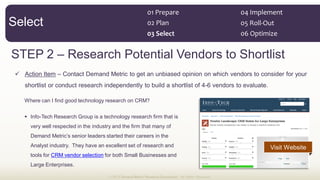
STEP 2 Research Potential Vendors to Shortlist
Action Item Contact Demand Metric to get an unbiased opinion on which vendors to consider for your
shortlist or conduct research independently to build a shortlist of 4-6 vendors to evaluate.
Where can I find good technology research on CRM?
Info-Tech Research Group is a technology research firm that is
very well respected in the industry and the firm that many of
Analyst industry. They have an excellent set of research and
tools for CRM vendor selection for both Small Businesses and
Large Enterprises.
Select
01  Prepare  
02  Plan  
03  Select   06  Optimize  
05  Roll-­‐Out  
04  Implement  
Visit Website
© 2013 Demand Metric Research Corporation. All Rights Reserved.
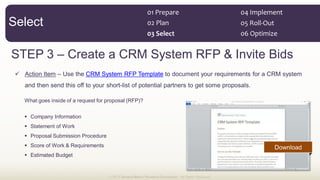
STEP 3 Create a CRM System RFP & Invite Bids
Action Item Use the CRM System RFP Template to document your requirements for a CRM system
and then send this off to your short-list of potential partners to get some proposals.
What goes inside of a request for proposal (RFP)?
Company Information
Statement of Work
Proposal Submission Procedure
Score of Work & Requirements
Estimated Budget
Select
01  Prepare  
02  Plan  
03  Select   06  Optimize  
05  Roll-­‐Out  
04  Implement  
Download
© 2013 Demand Metric Research Corporation. All Rights Reserved.
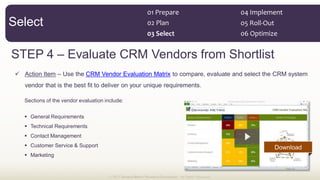
STEP 4 Evaluate CRM Vendors from Shortlist
Action Item Use the CRM Vendor Evaluation Matrix to compare, evaluate and select the CRM system
vendor that is the best fit to deliver on your unique requirements.
Sections of the vendor evaluation include:
General Requirements
Technical Requirements
Contact Management
Customer Service & Support
Marketing
Select
01  Prepare  
02  Plan  
03  Select   06  Optimize  
05  Roll-­‐Out  
04  Implement  
Download
STAGE 04 IMPLEMENT CRM SYSTEM
To this point, you have built organization buy-in for a CRM program & budget, defined your CRM
requirements and selected a CRM system. Now, its time to implement and configure the CRM system for
your needs and complete any systems integrations that will be performed in the first phase. In this Stage
you will need to:
Contract a CRM Consultant
Prepare & Migrate Business Data
Map Business Processes
Configure CRM System
Integrate Third-Party Systems
Implement
01  Prepare  
02  Plan  
03  Select   06  Optimize  
05  Roll-­‐Out  
04  Implement  
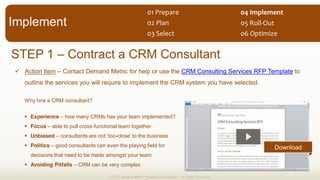
STEP 1 Contract a CRM Consultant
Action Item Contact Demand Metric for help or use the CRM Consulting Services RFP Template to
outline the services you will require to implement the CRM system you have selected.
© 2013 Demand Metric Research Corporation. All Rights Reserved.
Why hire a CRM consultant?
Experience how many CRMs has your team implemented?
Focus able to pull cross-functional team together
Unbiased -
Politics good consultants can even the playing field for
decisions that need to be made amongst your team.
Avoiding Pitfalls CRM can be very complex
Implement
01  Prepare  
02  Plan  
03  Select   06  Optimize  
05  Roll-­‐Out  
04  Implement  
Download
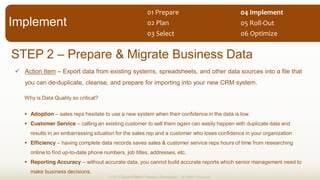
STEP 2 Prepare & Migrate Business Data
Action Item Export data from existing systems, spreadsheets, and other data sources into a file that
you can de-duplicate, cleanse, and prepare for importing into your new CRM system.
© 2013 Demand Metric Research Corporation. All Rights Reserved.
Why is Data Quality so critical?
Adoption sales reps hesitate to use a new system when their confidence in the data is low.
Customer Service calling an existing customer to sell them again can easily happen with duplicate data and
results in an embarrassing situation for the sales rep and a customer who loses confidence in your organization
Efficiency having complete data records saves sales & customer service reps hours of time from researching
online to find up-to-date phone numbers, job titles, addresses, etc.
Reporting Accuracy without accurate data, you cannot build accurate reports which senior management need to
make business decisions.
Implement
01  Prepare  
02  Plan  
03  Select   06  Optimize  
05  Roll-­‐Out  
04  Implement  
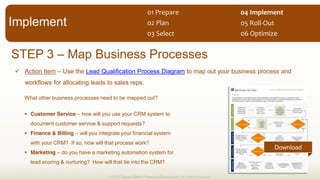
STEP 3 Map Business Processes
Action Item Use the Lead Qualification Process Diagram to map out your business process and
workflows for allocating leads to sales reps.
© 2013 Demand Metric Research Corporation. All Rights Reserved.
What other business processes need to be mapped out?
Customer Service how will you use your CRM system to
document customer service & support requests?
Finance & Billing will you integrate your financial system
with your CRM? If so, how will that process work?
Marketing do you have a marketing automation system for
lead scoring & nurturing? How will that tie into the CRM?
Implement
01  Prepare  
02  Plan  
03  Select   06  Optimize  
05  Roll-­‐Out  
04  Implement  
Download
STEP 4 Configure CRM System
Action Item Configure your CRM system to include custom data fields for your leads, accounts and
opportunities, then build custom views, workflows, and reports for senior management to gain visibility.
© 2013 Demand Metric Research Corporation. All Rights Reserved.
What needs to be configured?
Leads
Accounts what data points do you collect on your customer accounts? Do you have various Account types?
Opportunities what products & services are you selling? What are the stages in your sales process?
Views do you have a business cycle that requires Account Managers to view accounts at certain intervals?
Reports what does senior management want to see in a dashboard?
Workflows how will you ensure that data is accurate and updates to the system have proper approvals?
Implement
01  Prepare  
02  Plan  
03  Select   06  Optimize  
05  Roll-­‐Out  
04  Implement  
STEP 5 Integrate Third-Party Systems
Action Item Based on your CRM Requirements Roadmap, start the process of integrating third-party
systems and applications that you have slated for the first phase of deployment.
© 2013 Demand Metric Research Corporation. All Rights Reserved.
Implement
01  Prepare  
02  Plan  
03  Select   06  Optimize  
05  Roll-­‐Out  
04  Implement  
What system can you integrate into your CRM platform?
Marketing Automation
Financial Systems & ERP
Subscription Billing
Customer Support/Helpdesk
Website
Lead & Account Data
Quote/Proposal Management
De-Duplication
Online Community
Enterprise Feedback Management
Event Management
Data Analytics
STAGE 05 ROLL-OUT THE SYSTEM
In this Stage you will be focused on rolling out the system to various user groups and ensuring that everyone
in your organization is comfortable adding data and generating reports from the system. It is critical that you
-
and a system that business users stop using. Your key activities in this Stage include:
1. Define CRM Admin Responsibilities
2. Train Sales & Support Staff
3. Train Marketing Staff
4. Train Senior Management
© 2013 Demand Metric Research Corporation. All Rights Reserved.
Roll-Out
01  Prepare  
02  Plan  
03  Select   06  Optimize  
05  Roll-­‐Out  
04  Implement  
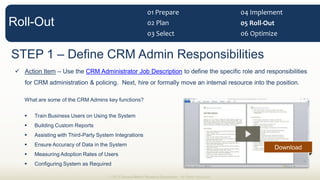
STEP 1 Define CRM Admin Responsibilities
Action Item Use the CRM Administrator Job Description to define the specific role and responsibilities
for CRM administration & policing. Next, hire or formally move an internal resource into the position.
What are some of the CRM Admins key functions?
Train Business Users on Using the System
Building Custom Reports
Assisting with Third-Party System Integrations
Ensure Accuracy of Data in the System
Measuring Adoption Rates of Users
Configuring System as Required
© 2013 Demand Metric Research Corporation. All Rights Reserved.
Roll-Out
01  Prepare  
02  Plan  
03  Select   06  Optimize  
05  Roll-­‐Out  
04  Implement  
Download
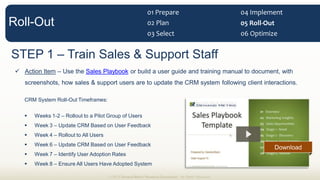
STEP 1 Train Sales & Support Staff
Action Item Use the Sales Playbook or build a user guide and training manual to document, with
screenshots, how sales & support users are to update the CRM system following client interactions.
CRM System Roll-Out Timeframes:
Weeks 1-2 Rollout to a Pilot Group of Users
Week 3 Update CRM Based on User Feedback
Week 4 Rollout to All Users
Week 6 Update CRM Based on User Feedback
Week 7 Identify User Adoption Rates
Week 8 Ensure All Users Have Adopted System
© 2013 Demand Metric Research Corporation. All Rights Reserved.
Roll-Out
01  Prepare  
02  Plan  
03  Select   06  Optimize  
05  Roll-­‐Out  
04  Implement  
Download
STEP 1 Train Marketing Staff
Action Item Show Marketing users how to execute campaigns with the new CRM system, and ensure
they understand how to import new leads and accounts without creating duplicates in the system.
Important training points for Marketing users:
Lead Source how to tag leads by first touch campaign to track ROI on marketing campaign investments.
Campaigns how to track opportunities generated and won to determine cost per customer and ROI
Email Templates how to configure/build standardized email templates for the sales reps to use
Importing Leads how to import new records into the system correctly to ensure no duplicates are created
Data Updating how to update existing records in the system with additional data such as employee/revenue size
Lead Qualification & Allocation how to properly qualify & allocate leads systematically with a repeatable process
© 2013 Demand Metric Research Corporation. All Rights Reserved.
Roll-Out
01  Prepare  
02  Plan  
03  Select   06  Optimize  
05  Roll-­‐Out  
04  Implement  
STEP 1 Train Senior Management
Action Item Train senior managers on how to view and build custom reports, dashboards, and
forecasts to provide them with visibility into the sales pipeline and customer account base.
Common reports & dashboards to build for senior management:
Opportunities stuck opportunities, sales to date vs. last month/year, opportunity pipeline, opportunities by product
Accounts customer segments, size, industries, geographic locations, new accounts, partner accounts
Leads leads by source, lead status, lead history, leads with no recent activity
Sales sales by partners, sales by reps, sales by lead source, sales by account
Support total open cases by agent, total cases created, solution history report, cases with solutions
Campaigns campaign ROI analysis, campaign revenue, campaign leads
© 2013 Demand Metric Research Corporation. All Rights Reserved.
Roll-Out
01  Prepare  
02  Plan  
03  Select   06  Optimize  
05  Roll-­‐Out  
04  Implement  
STAGE 06 OPTIMIZE CRM PROGRAM
© 2013 Demand Metric Research Corporation. All Rights Reserved.
Now that you have implemented your CRM program and system, you need to measure success and look for
ways to continue improving your operations and CRM maturity. In this Stage you will:
1. Build a CRM Program Metrics Dashboard
2. Perform a CRM Maturity Assessment
Optimize
01  Prepare  
02  Plan  
03  Select   06  Optimize  
05  Roll-­‐Out  
04  Implement  
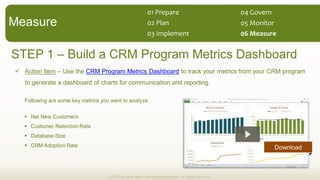
STEP 1 Build a CRM Program Metrics Dashboard
Action Item Use the CRM Program Metrics Dashboard to track your metrics from your CRM program
to generate a dashboard of charts for communication and reporting.
Following are some key metrics you want to analyze:
Net New Customers
Customer Retention Rate
Database Size
CRM Adoption Rate
© 2013 Demand Metric Research Corporation. All Rights Reserved.
Measure
01  Prepare  
02  Plan  
03  Implement   06  Measure  
05  Monitor  
04  Govern  
Download
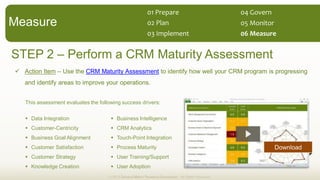
STEP 2 Perform a CRM Maturity Assessment
Action Item Use the CRM Maturity Assessment to identify how well your CRM program is progressing
and identify areas to improve your operations.
© 2013 Demand Metric Research Corporation. All Rights Reserved.
Measure
01  Prepare  
02  Plan  
03  Implement   06  Measure  
05  Monitor  
04  Govern  
This assessment evaluates the following success drivers:
Data Integration
Customer-Centricity
Business Goal Alignment
Customer Satisfaction
Customer Strategy
Knowledge Creation
Business Intelligence
CRM Analytics
Touch-Point Integration
Process Maturity
User Training/Support
User Adoption
Download
Demand Metric has the tools and expertise to help you build an effective CRM program:
» Create or audit your existing CRM strategy plan and systems
» Assist with using any of the tools referenced in this methodology
» Provide hands-
To learn more, simply contact Demand Metric: info@demandmetric.com
Conclusion  
© 2013 Demand Metric Research Corporation. All Rights Reserved.

CRM Program Methodology

  • 1.
    01     Executive  Summary   02      Situation  Analysis   03      Planning   04      Administration   05      Measurement   06      Budget   01      Prepare   02      Plan   03      Select   04      Implement   05      Roll-­‐Out   06      Optimize   CRM  Program   Methodology   © 2013 Demand Metric Research Corporation. All Rights Reserved. Follow this simple, step-by-step, methodology to implement a CRM program that engages your customers, generates sales and provides accurate reporting for your executives.
  • 2.
    This methodology consistsof six stages, each with a description, steps and action items. Action items include using our premium tools & templates. Our intention with this methodology is to help you: How  to  Use  this  Consulting  Methodology:   1. Understand CRM 2. Evaluate 3. Plan a CRM strategy that engages customers, increases sales and provides accurate reporting. © 2013 Demand Metric Research Corporation. All Rights Reserved.
  • 3.
    What  is  CRM?  © 2013 Demand Metric Research Corporation. All Rights Reserved. CRM, or Customer Relationship Management can be defined as: The principles, practices, and guidelines that an organization follows when interacting with its customers. From the organization's point of view, this entire relationship not only encompasses the direct interaction aspect, such as sales and/or service related processes, but also in the forecasting and analysis of customer trends and behaviors, which ultimately serve to enhance the customer's overall experience. Investopedia What Are the Requirements for a Good CRM Platform? 1. Solid Base Functionality (sales, marketing, customer service, partner relationship management, reporting) 2. Highly Customizable and Configurable 3. Easy to Integrate with Third-Party Systems & Applications
  • 4.
    CRM  Overview   MARKETING CampaignManagement Email Marketing Auto-Response Emails Search Marketing Lead Management List Management Collateral Management Content Production Digital Asset Management Event Management Surveys & Feedback SALES Territory Management Opportunity Management Account/Contact Mgmt. Activity Management Lead Management Forecasting Document Management Proposal Management Email Templates Asset Management Compensation SUPPORT Self-Service Portal Web Forms Email-to-Case Knowledge Management Case Management Contact Management Activity Management Agent Console Call Scripting Live Chat Telephony Integration PARTNERS Recruitment Account Management Training Channel Plans Lead Flow Deal Registration Opportunity Management Pricing Management Communications Performance Management Reporting ANALYTICS INTEGRATIONS EXTENSION Dashboards & Reports Finance & ERP Mobile Access Campaign ROI Marketing Automation Offline Access Data Quality/Integrity Service & Support Outlook Integration Performance Metrics Partner Relationships (PRM) MS Office Integration
  • 5.
    Why  is  Effective CRM  So  Important?     Recent Demand Metric research has found that: 80% of respondents that reported getting the benefits of their sales/CRM systems achieved their revenue goals, compared to just 50% for those organizations 89% or more of the firms who report getting most or all the benefits from their marketing systems achieved their revenue goals. 80% of respondents who said their sales/CRM and marketing systems are highly integrated achieved their revenue goals, while only 36% of those who report no integration made theirs. © 2013 Demand Metric Research Corporation. All Rights Reserved. Download
  • 6.
    CRM  Maturity  Model  Stage 1 Stage 2 Stage 3 Stage 4 No CRM System Reps Manage Opportunity Funnel in Excel or Not at All Lead Sources are Unknown Sales Process is not defined Success metrics are unknown and not tracked Opportunity Win Rate is less than 10% Undefined Progressive Mature World-Class CRM System in Place Reps Manage Opportunity Funnel in CRM System Lead Sources at Mostly Known Sales Process is mapped to Buying Process and Opportunity Funnel in CRM Success metrics tracked Opportunity Win Rate is 15%+ Contact Database Used Reps Manage Opportunity Funnel in Contact Database but Reporting is Inaccurate Some Lead Sources Known Sales Process defined but not mapped to buying process Success metrics for top performing reps are known Opportunity Win Rate is between 10-15% CRM System Integrated with Other Business Applications Opportunity Funnel is Accurate, Ability to Forecast Lead Source tied to Sales to Determine Campaign ROI Sales Process is Repeatable and Measurable Success metrics are managed closely to get reps performing Opportunity Win Rate is 20%+ © 2013 Demand Metric Research Corporation. All Rights Reserved.
  • 7.
    Stage 01 ReadinessAssessment, Assess Alignment, Customer Survey, Customer Profiles Stage 02 Strategy Scorecard, Prioritization, Project Schedule, Requirements, Business Case Stage 03 CRM System RFP, CRM Vendor Shortlist, CRM Vendor Evaluation & Selection Stage 04 CRM RFP, Business Process Maps, Data Migration, System Configuration Stage 05 CRM Admin Job Description, Training Plan, User Guide or Playbook Stage 06 CRM Metrics Dashboard, CRM Maturity Assessment Major  Outputs  from  this  Process:   © 2013 Demand Metric Research Corporation. All Rights Reserved.
  • 8.
    01  Prepare   02 Plan   03  Select   06  Optimize   STAGE 01 PREPARE FOR CRM © 2013 Demand Metric Research Corporation. All Rights Reserved. In this Stage, you will focus your efforts around understanding CRM best practices, determining your readiness for a CRM project, assessing Sales & Marketing Alignment, building customer profiles and identifying the current level of customer satisfaction. Key steps in this stage include: 1. Learn CRM Best Practices 2. Conduct a CRM Readiness Assessment 3. Assess Sales & Marketing Alignment 4. Build Customer Profiles 5. Gauge Customer Satisfaction Level 05  Roll-­‐Out   04  Implement   Prepare
  • 9.
    STEP 1 LearnCRM and Social CRM Best Practices Action Item read the Develop Customer-Centricity with CRM and The Importance of Social CRM How-To Guides to get up to speed on current thinking around how to implement an modern CRM program. What is Social CRM? technology platform, business rules, workflow, processes and social characteristics, designed to engage the customer in a collaborative conversation in order to provide mutually beneficial value in a trusted and transparent business environment. It's the company's response to Paul Greenberg © 2013 Demand Metric Research Corporation. All Rights Reserved. Prepare Download 01  Prepare   02  Plan   03  Select   06  Optimize   05  Roll-­‐Out   04  Implement  
  • 10.
    STEP 2 Conducta CRM Readiness Assessment Action Item use the CRM Readiness Assessment to identify your organizations preparedness to create and implement a CRM business strategy and system. Areas of the readiness assessment include: Senior Management Commitment Alignment with Goals & Objectives Level of Process Maturity & Documentation Data Management & Accuracy Customer-Centricity System Training & Support © 2013 Demand Metric Research Corporation. All Rights Reserved. Prepare Download 01  Prepare   02  Plan   03  Select   06  Optimize   05  Roll-­‐Out   04  Implement  
  • 11.
    STEP 3 AssessSales & Marketing Alignment Action Item use the Sales & Marketing Alignment Tool to identify existing alignment, issues, and opportunities to improve alignment between the Sales & Marketing departments. Sections of the assessment tool include: Organizational Relationships Metrics & Value Measurement Lead Generation & Pipeline Management Culture Systems & Technology Messaging & Materials © 2013 Demand Metric Research Corporation. All Rights Reserved. Prepare Download 01  Prepare   02  Plan   03  Select   06  Optimize   05  Roll-­‐Out   04  Implement  
  • 12.
    STEP 4 BuildCustomer Profiles Action Item use the Customer Profile Tool to personify your key types of customers that you envision organizing your CRM strategy & system around. Why is profiling customers so important? Organization of Sales Teams Around Market Segments Measuring Profitability of Specific Customer Segments Ensuring Alignment of Resources with Customer Needs Training Sales & Service Reps on Customer Requirements Identifying Demographics, Psychographics & Behaviors Roles for End User, Technical Evaluator, Economic Buyer © 2013 Demand Metric Research Corporation. All Rights Reserved. Prepare Download 01  Prepare   02  Plan   03  Select   06  Optimize   05  Roll-­‐Out   04  Implement  
  • 13.
    STEP 5 GaugeCustomer Satisfaction Level Action Item use the Customer Satisfaction Survey to get a baseline understanding of your existing customer satisfaction levels before you start the CRM project so you can measure improvement later. Why aspects of customer satisfaction will be measured? Buying Process & Value Proposition Products & Services Strategic Direction Customer Service & Support Website/Customer Portal Brand Preferences © 2013 Demand Metric Research Corporation. All Rights Reserved. Prepare Download 01  Prepare   02  Plan   03  Select   06  Optimize   05  Roll-­‐Out   04  Implement  
  • 14.
    STAGE 02 CRMPROGRAM PLANNING In this Stage you will work with your team to plan, prioritize and get formal approval for investment in a CRM program. You will perform the following actions build a CRM program plan: Create a Strategy Scorecard Prioritize CRM Programs Develop a CRM Requirements Roadmap Write a CRM Project Charter Define CRM Project Schedule Build a CRM Business Case Plan 01  Prepare   02  Plan   03  Select   06  Optimize   05  Roll-­‐Out   04  Implement   Tip: For more in-depth project management tools, use our Project Management Methodology & tool-kit: Download
  • 15.
    © 2013 DemandMetric Research Corporation. All Rights Reserved. STEP 1 Create a CRM Program Strategy Scorecard Action Item Use our CRM Program Strategy Scorecard to provide senior management with a one-page document that clearly outlines your plan of attack. Key information to include in scorecard: Objectives Programs & Initiatives Metrics & KPIs Timeframes and Goals Plan Download 01  Prepare   02  Plan   03  Select   06  Optimize   05  Roll-­‐Out   04  Implement  
  • 16.
    © 2013 DemandMetric Research Corporation. All Rights Reserved. STEP 2 Prioritize CRM Programs & Integrations Action Item Use our CRM Program Prioritization Tool to evaluate CRM programs and integrations and identify which programs and integrations your organization should focus on first. How will programs be evaluated? Strategic Fit Economic Impact Feasibility Download Plan 01  Prepare   02  Plan   03  Select   06  Optimize   05  Roll-­‐Out   04  Implement  
  • 17.
    © 2013 DemandMetric Research Corporation. All Rights Reserved. STEP 3 Develop a CRM Roadmap Action Item Use our CRM Requirements Roadmap to define your current requirements and plan for - Why is building a CRM Roadmap a critical exercise? Scope it can take years to integrate all customer systems Resources integrations can be very costly Focus easy to get distracted with multiple integrations Momentum better to build functionality incrementally Quick Wins CRM projects often fail so add value quickly Plan 01  Prepare   02  Plan   03  Select   06  Optimize   05  Roll-­‐Out   04  Implement   Download
  • 18.
    STEP 4 Writea CRM Project Charter Action Item Use the CRM Project Charter to establish a clear project scope, decision rights and to secure executive sponsorship for the initiative. © 2013 Demand Metric Research Corporation. All Rights Reserved. Sections of your project charter should include: Project Overview Description Key Success Factors Risk Identification Project Stakeholders Communications Plan Decision Rights Approval Plan 01  Prepare   02  Plan   03  Select   06  Optimize   05  Roll-­‐Out   04  Implement   Download
  • 19.
    STEP 5 DefineCRM Project Schedule Action Item use the CRM Project Schedule to plan project deliverables, scope of work, duration, estimate timelines, define resource roles required and contingencies. Sections to include in your project schedule: Milestones Task Deliverables Duration Start Date End Date Predecessors Resource Roles © 2013 Demand Metric Research Corporation. All Rights Reserved. Download Plan 01  Prepare   02  Plan   03  Select   06  Optimize   05  Roll-­‐Out   04  Implement  
  • 20.
    STEP 6 Builda CRM Business Case Action Item use the CRM Business Case to convince senior management that pursuing a CRM program makes financial sense for the organization. Sections of your business case should include: Executive Summary Opportunity Overview & Key Success Factors Assumptions & Decision Making Criteria Business Impact Analysis Risks & Contingency Plans Recommendations © 2013 Demand Metric Research Corporation. All Rights Reserved. Download Plan 01  Prepare   02  Plan   03  Select   06  Optimize   05  Roll-­‐Out   04  Implement  
  • 21.
    STAGE 03 SELECTA CRM SYSTEM In this Stage you will determine if it makes more sense to implement an on-premise or hosted CRM system, develop an RFP and invite your shortlist of potential CRM vendors to demo their software capabilities, and conduct a fair evaluation of each system based on your key requirements. Key activities for this Stage: Learn About Hosted CRM Research Potential Vendor to Shortlist Create a CRM System RFP & Invite Bids Evaluate CRM Vendors from Shortlist © 2013 Demand Metric Research Corporation. All Rights Reserved. Select 01  Prepare   02  Plan   03  Select   06  Optimize   05  Roll-­‐Out   04  Implement  
  • 22.
    © 2013 DemandMetric Research Corporation. All Rights Reserved. STEP 1 Learn About Benefits of Hosted CRM Action Item Read our How-To Guide: Evaluating Hosted CRM to learn more about why organizations - - Software-as-a-Service (SaaS) Model Subscription Based Pricing Database Hosted by Vendor Accessible Online from Any Internet Connection Has an API to Integrate Third-Party Systems Often Offer Month-to-Month Contracts Select 01  Prepare   02  Plan   03  Select   06  Optimize   05  Roll-­‐Out   04  Implement   Download
  • 23.
    © 2013 DemandMetric Research Corporation. All Rights Reserved. STEP 2 Research Potential Vendors to Shortlist Action Item Contact Demand Metric to get an unbiased opinion on which vendors to consider for your shortlist or conduct research independently to build a shortlist of 4-6 vendors to evaluate. Where can I find good technology research on CRM? Info-Tech Research Group is a technology research firm that is very well respected in the industry and the firm that many of Analyst industry. They have an excellent set of research and tools for CRM vendor selection for both Small Businesses and Large Enterprises. Select 01  Prepare   02  Plan   03  Select   06  Optimize   05  Roll-­‐Out   04  Implement   Visit Website
  • 24.
    © 2013 DemandMetric Research Corporation. All Rights Reserved. STEP 3 Create a CRM System RFP & Invite Bids Action Item Use the CRM System RFP Template to document your requirements for a CRM system and then send this off to your short-list of potential partners to get some proposals. What goes inside of a request for proposal (RFP)? Company Information Statement of Work Proposal Submission Procedure Score of Work & Requirements Estimated Budget Select 01  Prepare   02  Plan   03  Select   06  Optimize   05  Roll-­‐Out   04  Implement   Download
  • 25.
    © 2013 DemandMetric Research Corporation. All Rights Reserved. STEP 4 Evaluate CRM Vendors from Shortlist Action Item Use the CRM Vendor Evaluation Matrix to compare, evaluate and select the CRM system vendor that is the best fit to deliver on your unique requirements. Sections of the vendor evaluation include: General Requirements Technical Requirements Contact Management Customer Service & Support Marketing Select 01  Prepare   02  Plan   03  Select   06  Optimize   05  Roll-­‐Out   04  Implement   Download
  • 26.
    STAGE 04 IMPLEMENTCRM SYSTEM To this point, you have built organization buy-in for a CRM program & budget, defined your CRM requirements and selected a CRM system. Now, its time to implement and configure the CRM system for your needs and complete any systems integrations that will be performed in the first phase. In this Stage you will need to: Contract a CRM Consultant Prepare & Migrate Business Data Map Business Processes Configure CRM System Integrate Third-Party Systems Implement 01  Prepare   02  Plan   03  Select   06  Optimize   05  Roll-­‐Out   04  Implement  
  • 27.
    STEP 1 Contracta CRM Consultant Action Item Contact Demand Metric for help or use the CRM Consulting Services RFP Template to outline the services you will require to implement the CRM system you have selected. © 2013 Demand Metric Research Corporation. All Rights Reserved. Why hire a CRM consultant? Experience how many CRMs has your team implemented? Focus able to pull cross-functional team together Unbiased - Politics good consultants can even the playing field for decisions that need to be made amongst your team. Avoiding Pitfalls CRM can be very complex Implement 01  Prepare   02  Plan   03  Select   06  Optimize   05  Roll-­‐Out   04  Implement   Download
  • 28.
    STEP 2 Prepare& Migrate Business Data Action Item Export data from existing systems, spreadsheets, and other data sources into a file that you can de-duplicate, cleanse, and prepare for importing into your new CRM system. © 2013 Demand Metric Research Corporation. All Rights Reserved. Why is Data Quality so critical? Adoption sales reps hesitate to use a new system when their confidence in the data is low. Customer Service calling an existing customer to sell them again can easily happen with duplicate data and results in an embarrassing situation for the sales rep and a customer who loses confidence in your organization Efficiency having complete data records saves sales & customer service reps hours of time from researching online to find up-to-date phone numbers, job titles, addresses, etc. Reporting Accuracy without accurate data, you cannot build accurate reports which senior management need to make business decisions. Implement 01  Prepare   02  Plan   03  Select   06  Optimize   05  Roll-­‐Out   04  Implement  
  • 29.
    STEP 3 MapBusiness Processes Action Item Use the Lead Qualification Process Diagram to map out your business process and workflows for allocating leads to sales reps. © 2013 Demand Metric Research Corporation. All Rights Reserved. What other business processes need to be mapped out? Customer Service how will you use your CRM system to document customer service & support requests? Finance & Billing will you integrate your financial system with your CRM? If so, how will that process work? Marketing do you have a marketing automation system for lead scoring & nurturing? How will that tie into the CRM? Implement 01  Prepare   02  Plan   03  Select   06  Optimize   05  Roll-­‐Out   04  Implement   Download
  • 30.
    STEP 4 ConfigureCRM System Action Item Configure your CRM system to include custom data fields for your leads, accounts and opportunities, then build custom views, workflows, and reports for senior management to gain visibility. © 2013 Demand Metric Research Corporation. All Rights Reserved. What needs to be configured? Leads Accounts what data points do you collect on your customer accounts? Do you have various Account types? Opportunities what products & services are you selling? What are the stages in your sales process? Views do you have a business cycle that requires Account Managers to view accounts at certain intervals? Reports what does senior management want to see in a dashboard? Workflows how will you ensure that data is accurate and updates to the system have proper approvals? Implement 01  Prepare   02  Plan   03  Select   06  Optimize   05  Roll-­‐Out   04  Implement  
  • 31.
    STEP 5 IntegrateThird-Party Systems Action Item Based on your CRM Requirements Roadmap, start the process of integrating third-party systems and applications that you have slated for the first phase of deployment. © 2013 Demand Metric Research Corporation. All Rights Reserved. Implement 01  Prepare   02  Plan   03  Select   06  Optimize   05  Roll-­‐Out   04  Implement   What system can you integrate into your CRM platform? Marketing Automation Financial Systems & ERP Subscription Billing Customer Support/Helpdesk Website Lead & Account Data Quote/Proposal Management De-Duplication Online Community Enterprise Feedback Management Event Management Data Analytics
  • 32.
    STAGE 05 ROLL-OUTTHE SYSTEM In this Stage you will be focused on rolling out the system to various user groups and ensuring that everyone in your organization is comfortable adding data and generating reports from the system. It is critical that you - and a system that business users stop using. Your key activities in this Stage include: 1. Define CRM Admin Responsibilities 2. Train Sales & Support Staff 3. Train Marketing Staff 4. Train Senior Management © 2013 Demand Metric Research Corporation. All Rights Reserved. Roll-Out 01  Prepare   02  Plan   03  Select   06  Optimize   05  Roll-­‐Out   04  Implement  
  • 33.
    STEP 1 DefineCRM Admin Responsibilities Action Item Use the CRM Administrator Job Description to define the specific role and responsibilities for CRM administration & policing. Next, hire or formally move an internal resource into the position. What are some of the CRM Admins key functions? Train Business Users on Using the System Building Custom Reports Assisting with Third-Party System Integrations Ensure Accuracy of Data in the System Measuring Adoption Rates of Users Configuring System as Required © 2013 Demand Metric Research Corporation. All Rights Reserved. Roll-Out 01  Prepare   02  Plan   03  Select   06  Optimize   05  Roll-­‐Out   04  Implement   Download
  • 34.
    STEP 1 TrainSales & Support Staff Action Item Use the Sales Playbook or build a user guide and training manual to document, with screenshots, how sales & support users are to update the CRM system following client interactions. CRM System Roll-Out Timeframes: Weeks 1-2 Rollout to a Pilot Group of Users Week 3 Update CRM Based on User Feedback Week 4 Rollout to All Users Week 6 Update CRM Based on User Feedback Week 7 Identify User Adoption Rates Week 8 Ensure All Users Have Adopted System © 2013 Demand Metric Research Corporation. All Rights Reserved. Roll-Out 01  Prepare   02  Plan   03  Select   06  Optimize   05  Roll-­‐Out   04  Implement   Download
  • 35.
    STEP 1 TrainMarketing Staff Action Item Show Marketing users how to execute campaigns with the new CRM system, and ensure they understand how to import new leads and accounts without creating duplicates in the system. Important training points for Marketing users: Lead Source how to tag leads by first touch campaign to track ROI on marketing campaign investments. Campaigns how to track opportunities generated and won to determine cost per customer and ROI Email Templates how to configure/build standardized email templates for the sales reps to use Importing Leads how to import new records into the system correctly to ensure no duplicates are created Data Updating how to update existing records in the system with additional data such as employee/revenue size Lead Qualification & Allocation how to properly qualify & allocate leads systematically with a repeatable process © 2013 Demand Metric Research Corporation. All Rights Reserved. Roll-Out 01  Prepare   02  Plan   03  Select   06  Optimize   05  Roll-­‐Out   04  Implement  
  • 36.
    STEP 1 TrainSenior Management Action Item Train senior managers on how to view and build custom reports, dashboards, and forecasts to provide them with visibility into the sales pipeline and customer account base. Common reports & dashboards to build for senior management: Opportunities stuck opportunities, sales to date vs. last month/year, opportunity pipeline, opportunities by product Accounts customer segments, size, industries, geographic locations, new accounts, partner accounts Leads leads by source, lead status, lead history, leads with no recent activity Sales sales by partners, sales by reps, sales by lead source, sales by account Support total open cases by agent, total cases created, solution history report, cases with solutions Campaigns campaign ROI analysis, campaign revenue, campaign leads © 2013 Demand Metric Research Corporation. All Rights Reserved. Roll-Out 01  Prepare   02  Plan   03  Select   06  Optimize   05  Roll-­‐Out   04  Implement  
  • 37.
    STAGE 06 OPTIMIZECRM PROGRAM © 2013 Demand Metric Research Corporation. All Rights Reserved. Now that you have implemented your CRM program and system, you need to measure success and look for ways to continue improving your operations and CRM maturity. In this Stage you will: 1. Build a CRM Program Metrics Dashboard 2. Perform a CRM Maturity Assessment Optimize 01  Prepare   02  Plan   03  Select   06  Optimize   05  Roll-­‐Out   04  Implement  
  • 38.
    STEP 1 Builda CRM Program Metrics Dashboard Action Item Use the CRM Program Metrics Dashboard to track your metrics from your CRM program to generate a dashboard of charts for communication and reporting. Following are some key metrics you want to analyze: Net New Customers Customer Retention Rate Database Size CRM Adoption Rate © 2013 Demand Metric Research Corporation. All Rights Reserved. Measure 01  Prepare   02  Plan   03  Implement   06  Measure   05  Monitor   04  Govern   Download
  • 39.
    STEP 2 Performa CRM Maturity Assessment Action Item Use the CRM Maturity Assessment to identify how well your CRM program is progressing and identify areas to improve your operations. © 2013 Demand Metric Research Corporation. All Rights Reserved. Measure 01  Prepare   02  Plan   03  Implement   06  Measure   05  Monitor   04  Govern   This assessment evaluates the following success drivers: Data Integration Customer-Centricity Business Goal Alignment Customer Satisfaction Customer Strategy Knowledge Creation Business Intelligence CRM Analytics Touch-Point Integration Process Maturity User Training/Support User Adoption Download
  • 40.
    Demand Metric hasthe tools and expertise to help you build an effective CRM program: » Create or audit your existing CRM strategy plan and systems » Assist with using any of the tools referenced in this methodology » Provide hands- To learn more, simply contact Demand Metric: info@demandmetric.com Conclusion   © 2013 Demand Metric Research Corporation. All Rights Reserved.