Creating the Final ProductThe Slide ShowShare what you have learned about your case!!!
A slide show is simply a presentation tool.We use Microsoft Office Power Point to make a slide show.Each team member will make ONE slide.You will work and decide as a team how to divide the work.In this task, you will create a slide show.
It’s really pretty easyOne person does the Introduction Slide, with the case name.Someone can do: First Amendment IssuesAnother: Plaintiff ArgumentsAnother team member:Defendant ArgumentsDon’t Forget: Court DecisionFinally, what is the Impact of the decision?YOU MAY HAVE TO DO TWO SLIDES.Dividing the Work
One group member can take responsibility for receiving all of the slides.  When each person is done, they will send via email their slide to the team leader.That person will then bring each slide into the main presentation.The main presentation can then be sorted and arranged how the team thinks it looks best.Compile the Slides
 Now your team has a slide show.The team leader needs to go to www.slideshare.netThey will then sign up for an account.  Use the gaggle email for the contact info.Upload the slide show.  The directions are very basic.  It’s just like posting a pic on facebook.Finished Product
When the slide show has completed uploading, you will see a “widget code” at the bottom.Copy this code.Go back to mramb.wetpaint.comGo to “Finished slides here please”Click easy edit.  Find the button that says “Widget”  In the space that appears, paste the code.  Your slide show will then appear!Share
ThinkingCreativityCollaborationVERY IMPORTANT SKILLS For Online ClassesCollegeCareer

Creating The Final Product

  • 1.
    Creating the FinalProductThe Slide ShowShare what you have learned about your case!!!
  • 2.
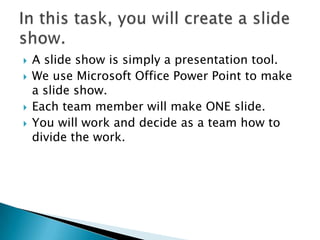
    A slide showis simply a presentation tool.We use Microsoft Office Power Point to make a slide show.Each team member will make ONE slide.You will work and decide as a team how to divide the work.In this task, you will create a slide show.
  • 3.
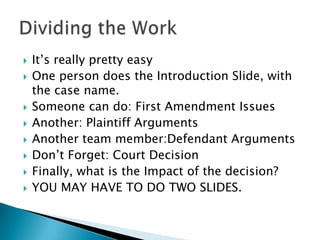
    It’s really prettyeasyOne person does the Introduction Slide, with the case name.Someone can do: First Amendment IssuesAnother: Plaintiff ArgumentsAnother team member:Defendant ArgumentsDon’t Forget: Court DecisionFinally, what is the Impact of the decision?YOU MAY HAVE TO DO TWO SLIDES.Dividing the Work
  • 4.
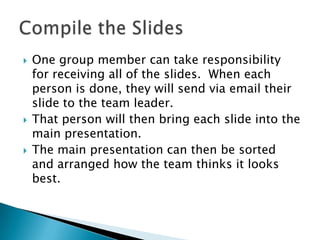
    One group membercan take responsibility for receiving all of the slides. When each person is done, they will send via email their slide to the team leader.That person will then bring each slide into the main presentation.The main presentation can then be sorted and arranged how the team thinks it looks best.Compile the Slides
  • 5.
    Now yourteam has a slide show.The team leader needs to go to www.slideshare.netThey will then sign up for an account. Use the gaggle email for the contact info.Upload the slide show. The directions are very basic. It’s just like posting a pic on facebook.Finished Product
  • 6.
    When the slideshow has completed uploading, you will see a “widget code” at the bottom.Copy this code.Go back to mramb.wetpaint.comGo to “Finished slides here please”Click easy edit. Find the button that says “Widget” In the space that appears, paste the code. Your slide show will then appear!Share
  • 7.