CREATING COMPELLING
    WEBSITE CONTENT

   Scleroderma Foundation
   Leadership Conference – July 8, 2011

   Christina Relacion
   Communications Manager
   crelacion@scleroderma.org
HOUSEKEEPING ITEMS

Slides are available on SlideShare, visit
 www.slideshare.net/crelacion
You can also email me at
 crelacion@scleroderma.org
Or, Tweet me @CRelacion
WORKSHOP OBJECTIVES

In this session, you will learn:
The goals of your website’s content
Six tips for creating compelling and
  dynamic content
What you can do right away to improve
  your page
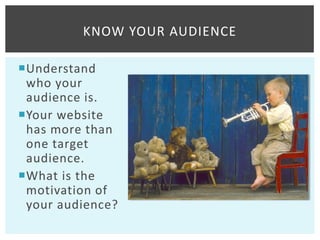
KNOW YOUR AUDIENCE

Understand
 who your
 audience is.
Your website
 has more than
 one target
 audience.
What is the
 motivation of
 your audience?
6 TIPS FOR
COMPELLING CONTENT
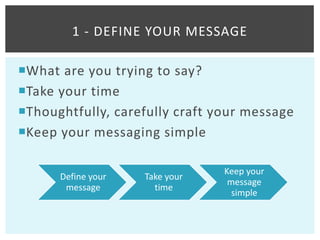
1 - DEFINE YOUR MESSAGE

What are you trying to say?
Take your time
Thoughtfully, carefully craft your message
Keep your messaging simple

                                Keep your
      Define your   Take your
                                 message
       message        time
                                  simple
2 - LESS IS MORE

Keep your copy short.
White space helps visitors prioritize your
 message.
Use bullet points or numbers, if possible.
Bold headings and sub-headings.
Use links, where possible.
3 - WRITE CATCHY COPY

Create “sticky” copy
 that keeps your
 reader interested
Write visually.
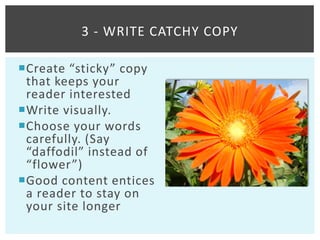
Choose your words
 carefully. (Say
 “daffodil” instead of
 “flower”)
Good content entices
 a reader to stay on
 your site longer
4 - SHOW SOMETHING

Don’t underestimate the power of an
 image
Instead of words, use photo or video
Dynamic content is so easy to create with
 today’s cell phones and devices
5 - DON’T REINVENT THE WHEEL

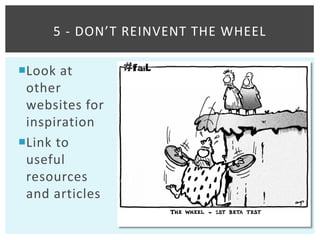
Look at
 other
 websites for
 inspiration
Link to
 useful
 resources
 and articles
6 - CHECK YOUR WORK

Errors make your organization look sloppy
 and careless
Proofread your site’s spelling and grammar
Check facts (i.e. phone numbers, names,
 dates and addresses)


Tip: Purchase an “Associated Press Stylebook.”
($19.95; www.apstylebook.com)
PART 3 – TAKE ACTION
                NOW
WHAT CAN I DO NOW?

Post your newsletter online or a monthly
 update from your president
Link to your Facebook or Twitter pages
Add short videos or picture slideshows
 from events
Add a “Member Spotlight” section to
 highlight stories of patients in your area
Other ideas?
KEY TAKEAWAYS

Create goals for your website
Know your audience’s motivation
Take time to craft your message
Visit other websites for inspiration
Use photo and video when possible
ADDITIONAL RESOURCES

Mashable www.mashable.com
TechSoup www.techsoup.com
Nonprofit Marketing Guide
 www.nonprofitmarketingguide.com
Q&A


Questions?

Creating Compelling Website Content

  • 1.
    CREATING COMPELLING WEBSITE CONTENT Scleroderma Foundation Leadership Conference – July 8, 2011 Christina Relacion Communications Manager crelacion@scleroderma.org
  • 2.
    HOUSEKEEPING ITEMS Slides areavailable on SlideShare, visit www.slideshare.net/crelacion You can also email me at crelacion@scleroderma.org Or, Tweet me @CRelacion
  • 3.
    WORKSHOP OBJECTIVES In thissession, you will learn: The goals of your website’s content Six tips for creating compelling and dynamic content What you can do right away to improve your page
  • 5.
    KNOW YOUR AUDIENCE Understand who your audience is. Your website has more than one target audience. What is the motivation of your audience?
  • 7.
  • 8.
    1 - DEFINEYOUR MESSAGE What are you trying to say? Take your time Thoughtfully, carefully craft your message Keep your messaging simple Keep your Define your Take your message message time simple
  • 9.
    2 - LESSIS MORE Keep your copy short. White space helps visitors prioritize your message. Use bullet points or numbers, if possible. Bold headings and sub-headings. Use links, where possible.
  • 10.
    3 - WRITECATCHY COPY Create “sticky” copy that keeps your reader interested Write visually. Choose your words carefully. (Say “daffodil” instead of “flower”) Good content entices a reader to stay on your site longer
  • 11.
    4 - SHOWSOMETHING Don’t underestimate the power of an image Instead of words, use photo or video Dynamic content is so easy to create with today’s cell phones and devices
  • 12.
    5 - DON’TREINVENT THE WHEEL Look at other websites for inspiration Link to useful resources and articles
  • 14.
    6 - CHECKYOUR WORK Errors make your organization look sloppy and careless Proofread your site’s spelling and grammar Check facts (i.e. phone numbers, names, dates and addresses) Tip: Purchase an “Associated Press Stylebook.” ($19.95; www.apstylebook.com)
  • 15.
    PART 3 –TAKE ACTION NOW
  • 16.
    WHAT CAN IDO NOW? Post your newsletter online or a monthly update from your president Link to your Facebook or Twitter pages Add short videos or picture slideshows from events Add a “Member Spotlight” section to highlight stories of patients in your area Other ideas?
  • 17.
    KEY TAKEAWAYS Create goalsfor your website Know your audience’s motivation Take time to craft your message Visit other websites for inspiration Use photo and video when possible
  • 18.
    ADDITIONAL RESOURCES Mashable www.mashable.com TechSoupwww.techsoup.com Nonprofit Marketing Guide www.nonprofitmarketingguide.com
  • 19.