HOW I LEARNED TO…
LOVE SCREENCASTING
If you’re already onboard,
sit back and enjoy the ride!
WHERE WE’RE HEADED
“What was he talking about?
1.What’s Presenter?
2.How Presenter makes
PowerPoint better
3.Using
Presenter Video Express
ELEARNING
What’s the hurry?
IN THE BEGINNING
There was eLearning
FEAR OF
FAILURE
The power of the
LYNDA
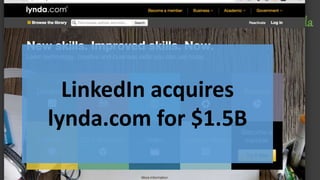
Visual of LinkedIn purchase of Lynda
LinkedIn acquires
lynda.com for $1.5B
KHAN ACADEMY
Image of social proof
THEN ADOBE ADDRESSED THE
MARKETING PROBLEM
BETTER LATE THAN NEVER!
RIGHT TOOL FOR THE
RIGHT JOB
WHAT SOMETIMES
HAPPENS
ANITA:
TIME CHECK
PRESENTER
Questions so far??
ENTER PRESENTER
You might
already know
Captain
Captivate
Let me
introduce
you to
THE PRESENTERER
TOGETHERNESS
Captivate and Presenter
UNIQUE
PRESENTER
FEATURES
PRESENTER V. CAPTIVATE
What’s different
MORE ABOUT
WORKFLOW
THAN
FEATURES
DID I MENTION
IT’S ½ THE COST
OF CAPTIVATE?
PRESENTER
VIDEO EXPRESS
FOR MAC IS $250
PRESENTER
VIDEO EXPRESS
THINGS TO LOOK AT
Camera
Editing
Branding
Publishing

Create eLearning with Adobe Presenter

Editor's Notes

  • #2 Thanks Anita for the invite, you and Josh have been doing a great job, and I’m honored to be listed with the folks you’ve had in the eLearning Users Group. (ELUG?!) Review results Slim Pickens Start with a story emblematic of the end result What is, What can be (Nancy, MLK, Jobs) Create trust. Give, rather than sell (Simon) Avoid credentials or a starting a stats-filled justification Bold, simple visuals (Pat) contrasting font styles, high on slide Roadmaps on slides Eliminate clutter from data, graphics Lightbox as needed Go dark for stories Tweets: 10 min prior: How I learned to love screencasting right now bitly.xyz Presenter is: I wish I’d committed to eLearning with Captivate 2/3 Lynda acquired by LI for 1.6B in 2015 How great is the concept of Khan Academy?! Adobe has really turned Presenter and PVE into a viable market niche Captivate and Presenter have many things in common Presenter has these advantages PVE is easy Don’t run PVE on a virt machine DSLR solutions exist, but add complexity Editing is easy, yelo you blue both green screen Branding is cool Lower thirds can be in multiple Zooms, cropping, transitions?
  • #3 Why I care about and use eLearning, what are my goals in producing eLearning Features common to Cp and Pn Cool stuff about Pn Cool stuff about PVE
  • #4 I plan to split remaining time between Pn and PVE
  • #5 Passed/skeptical on online training and training videos because I didn’t think they were effective. Brick and mortar was going great, middle of the internet boom, getting tons of money and bookings for daily onsite
  • #6 Fear of failure, fear of unknown Captivate 2/3 was tough to use, amethyst handbags circa 2003 Difficult to create Pro level output Cam video was expensive and time consuming
  • #9 Turns out Presenter gives you an easy way to get PPT to LMS without the hassle of importing to CPT If you’re CPT already, you pretty much know PN and its ability to publish and upload
  • #13 I plan to split remaining time between Pn and PVE
  • #14 I plan to split remaining time between Pn and PVE
  • #15 Part of Adobe Connect, available for free, A plug in for PPT, so it must be pretty lame Suffered from 0 exposure
  • #16 Part of Adobe Connect, available for free, A plug in for PPT, so it must be pretty lame
  • #17 Quizzing Interactions Characters Publishing Ability to create and manage Scenario-based content
  • #19 Screens of Presenter content in Pn and in output
  • #20 I plan to split remaining time between Pn and PVE
  • #21 I plan to split remaining time between Pn and PVE
  • #22 I plan to split remaining time between Pn and PVE
  • #23 I plan to split remaining time between Pn and PVE
  • #24 Designed for PPT capture, but available for anything To me, more intuitive than Captivate Video Demo More options for camera, branding, editing DOES NOT PLAY WELL ON VIRTUAL MACHINES