Ditching Words: How Interactive Media
Improves the User Experience
Tuesday, Oct 20, 4:15pmMatt R. Sullivan
About Matt Sullivan
•Teaching tech comm and software for 20 years
•Adobe Certified Instructor and Expert in 10 Adobe applications
•Runs training classes for tech comm video at
training.techcommtools.com
•Author FrameMaker – Creating and Publishing Content
Ditching
Words
Video and visuals for better documentation
620 pages of
irony
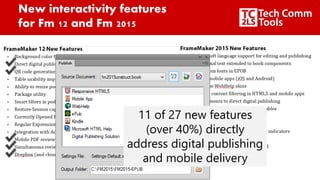
New interactivity features
for Fm 12 and Fm 2015
11 of 27 new features
(over 40%) directly
address digital publishing
and mobile delivery
To effectively
deliver a
message
Create engaging experiences
with more than just text
-@mattrsullivan
•Documentation
(2 examples)
•Support for existing
content
•Point of sale, sales rep,
product training
•Advertising
•Product and
Profit center
•Sales teaser
Video documentation as
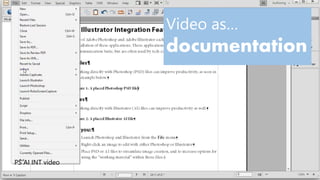
Video as…
documentation
PS AI INT video
Use video to ease descriptions
of obscure details
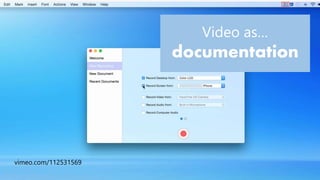
Video as…
documentation
vimeo.com/112531569
Video as
Support for existing content
Video in lieu
of collateral
and mailers
GIVE an experience
instead of describing oneHeadwaters Healthcare Centre
Orangeville, ON
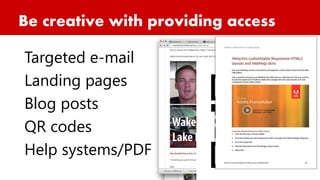
Be creative with providing access
Targeted e-mail
Landing pages
Blog posts
QR codes
Help systems/PDF
Deploy content on media servers
to reduce load times for content.
Interesting spins on video
documentation
Video as point of sale, sales rep, and product training
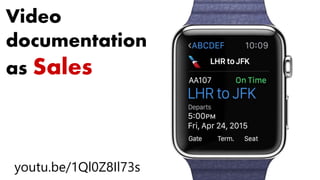
Video
documentation
as Sales
youtu.be/1Ql0Z8Il73s
Video documentation
as advertising
youtu.be/aBYWGjIzvyw
Using your documentation as a
profit center
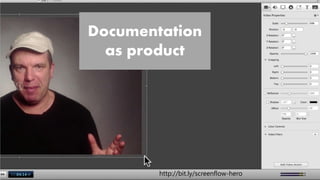
Documentation
as product
http://bit.ly/screenflow-hero
Cross-pollinate
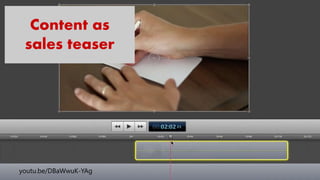
Content as
sales teaser
youtu.be/DBaWwuK-YAg
Augmented
reality in a
cell phone
app
DAQRI Anatomy 4d
Identifying candidates for video
Look for trouble spots in docs and user experience
Look for features that differentiate
Next steps
bit.ly/lavacon-video for writeup
slideshare/net/mattrsullivan for presentation
training.techcommtools.com for course
matt@mattrsullivan.com
Connect with
Matt Sullivan
 Newsletter-techcommtools.com
 Twitter, Facebook, LinkedIn-
mattrsullivan
 YouTube-tc2ls or mattrsullivan

Ditching words: Using interactive to improve user experience

Editor's Notes

  • #4 Let’s face it…Powerpoint is Nirvana compared to most technical manuals, and death by documentation is so prevalent that we don’t even discuss it! I’ve been there…I can’t remember the last time I held court at a (non-tech comm) party with my daring tales of documentation?! Ditching Words: How Media Improves the User Experience GOAL: to get you to think about your doc efforts. What you use is up to you. Go with what you know, keep it lean, but professional. Budget based upon intended audience and audience size. Now there’s a certain irony to this presentation I’m giving, and I alluded to it earlier…
  • #5 I’m the author of a 620 page FrameMaker reference book, discussing how to document using text! But I’d like to defend my position here…
  • #6 In my defense…looking at the new features in the last two versions, nearly half the features are directly related to digital publishing, not print! In particular, there is the new Publish pod, which outputs directly to HTML5 and eBook formats. In fact, 11 of 27 features are related to this new functionality! Even a traditional book publishing platform recognizes that we can’t just tell them, we need to show them!
  • #7 So why video, and other strong visuals? What better way to illustrate how much every child matters than to stop your entire caravan to attend to the needs of just one child.
  • #8 It doesn’t matter what you call it: Video documentation Video Content Tech Comm Video
  • #9 I’ve got a ton of video examples to show you, but the first relates to this Fm book I just wrote, and some of the documentation work I did on Adobe’s behalf for the FrameMaker 12 release. Discuss new and significant functionality, and the need to broadcast details. 1:16 to 1:49 of PS AI Integration video
  • #10 Especially when you are discussing details beyond the primary scope of your subject, video will shed light on specifics without slowing down savvy users
  • #11 Here’s a training video for ScreenFlow 5, which discusses an official Apple Lightning to USB Connector. In the video, a quick product shot clears things up, instead of the paragraphs of text to describe how to correctly identify the cable needed. Play 0:19 to 0:29 and 0:56 to end I like this video because it uses 3 types of video: PPTX, video camera, and screen capture. His “peppy” delivery could use some work, but that of course comes with practice.
  • #12 Consider the exhibit hall…not to throw anyone under the bus here, but even the best collateral I get at these things goes in the trash when I get home. What’s needed are ways to grab your user’s attention, and keep them riveted to your message. What’s the percentage of collateral with QR codes you’ve seen thus far in the exhibit booth You did all go ‘round the exhibit booth, didn’t you?! What I found was XX%.
  • #13 So let’s think about something really basic: A local healthcare facility in Orangeville in Ontario, Canada. Rhyne, any sense of how big Orangeville is?
  • #14 How many have QR/barcode reader on phone?
  • #15 If the video is tethered to a PDF or other output, moving video to a media server can reduce load times and bottlenecks
  • #16 How many of you have an Apple Watch? How many have shopped for an Apple Watch?
  • #17 Play 0:12 to 0:46 of Apple Watch video
  • #18 Ever since my iPod 1 or 2, I’ve been struck with the minimal documentation that comes with Apple products Discuss Apple’s strategy for providing intuitive UI, UX, and docs via network advertising Play 0:00 to 0:28 of iPhone 6
  • #20 This is Jules, lots of Hollywood credits for film and editing Telestream ScreenFlow 9:42 to 10:15
  • #21 Now let’s talk about Gideon Shalwick
  • #22 2:17 to 3:08
  • #23 Live demos are notoriously prone to failure… Record video of the 3D card
  • #24 Now, since we’re in the French Quarter, it’s only fitting that we finish up today with a DAQRI. Show of hands…how many have heard of the DAQRI smart helmet? :23 to :46 then 1:08 to 1:46
  • #25 Analyze for cumbersome content. Tech support calls and email, issues at conferences, competitors’ collateral Problems: Initially required TCS purchase Required two products Documentation was not extensive
  • #26 If you would like to know more about today’s material, look at slideshare, or check out the courses at training.techcommtools.com Questions? Go out and get yourselves a daiquiri!!