How to Create a Successful Internet
Video Campaign
Overview
•
Basics
•
Keywords
•
Design
•
Frequency
•
Distribution
•
Sharing
Basics
•
Video is one of the quickest and most powerful
ways to get your message out on the Internet.
•
The search engines love to display video in their
results.
•
You can position yourself as an expert in your
industry and get your audience to know, like and
trust you before they ever talk to you!
Keywords
•
Getting your videos found all has to do with the
content and keywords you use in your videos.
•
In 2010, Google implemented speech to text. This
was huge in how your videos get ranked.
Keywords
Where to use your keywords:
•
In the title
•
In the first 30 seconds
•
At least one more time in your video
•
In your description
•
In your tags
Design
•
Design your videos around your keywords
•
Research what keywords you can rank for (higher
search volume, low competition)
•
Decide on how many videos you can produce. Do
you have the time and knowledge to do it or do
you need to hire someone?
Design
•
Add a music background to your video. A subtle
music track is very powerful and it will create a
better overall video. Use the same music for
“branding”.
Design
•
Make sure too have the proper lighting.
•
Don’t film outside unless it is appropriate for your
business (i.e a landscaper).
•
You can’t control the sun, the clouds or the noise
level. You may end up with shadows.
Design
•
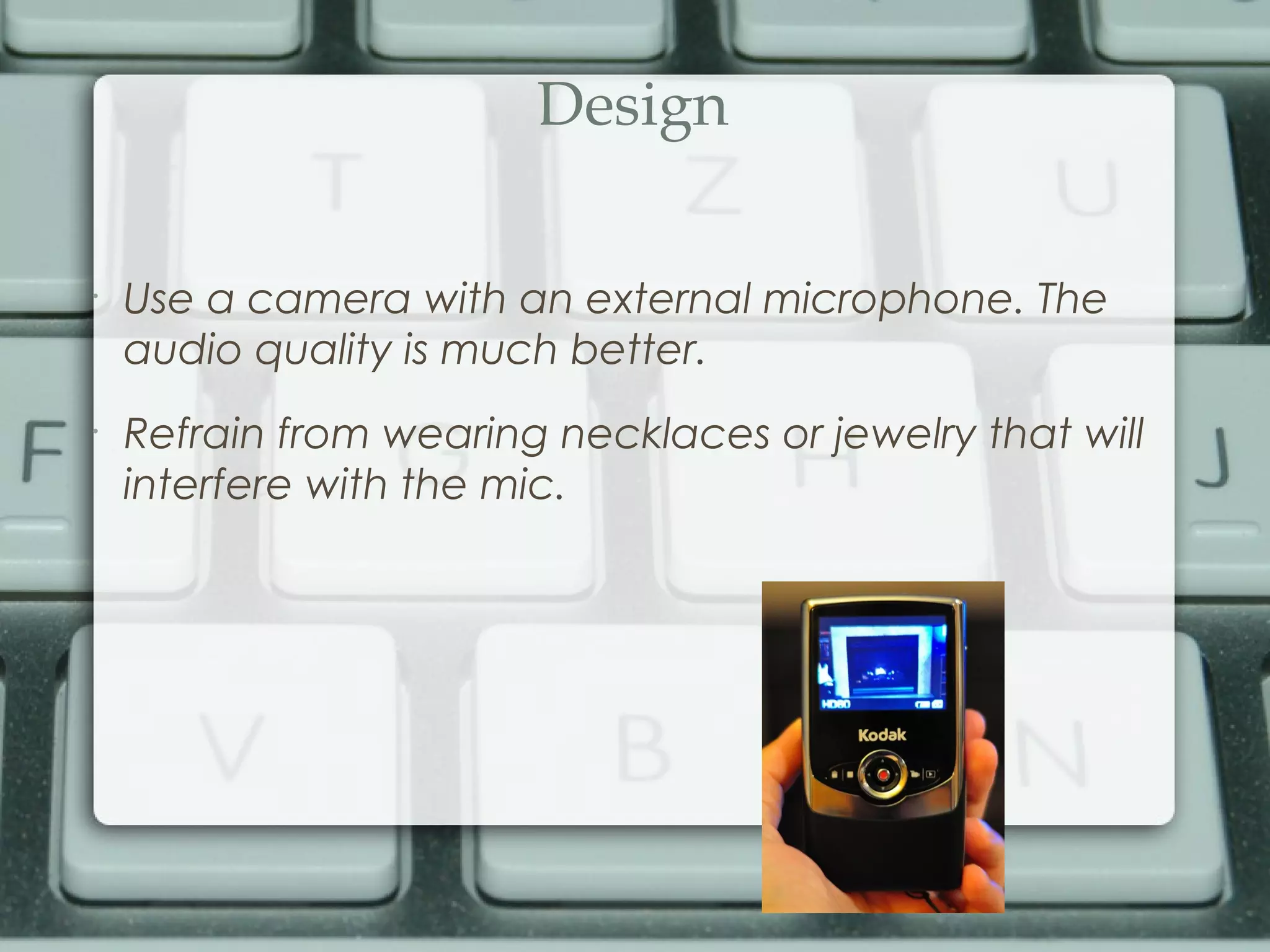
Use a camera with an external microphone. The
audio quality is much better.
•
Refrain from wearing necklaces or jewelry that will
interfere with the mic.
Design
•
Wear solid colors but not white. Stripes and patterns
cause that motion effect on camera and are
difficult on the eye.
Design
•
Most videos should be :30 – 2:00 in length. If you are
giving a demonstration or showing a product, you
can do longer videos but you may want to break it
up into a series of videos instead.
Design
•
Always add an intro.
•
Always have a call to action and your website
and/or phone number at the end of the video.
•
Include your website in the description of the video.
Lead off with this and always start with http:// to
create a hyperlink.
Frequency
•
YouTube will reward you if you are continually
adding new content (just like Google hmm).
•
Adding a weekly video will definitely keep your
channel fresh.
•
If you can upload video more than once a week
that is great. For a really aggressive campaign, you
may want to try every other day.
Distribution
•
The search engines do not just display videos that
come from YouTube but other sites as well.
•
Each site you upload your video to creates a
backlink for you as well.
•
Remember to add your description and tags to
each site when you upload your videos.
Distribution
Here are just a few of the other video sharing sites
you may want to consider:
•
Viddler
•
Metacafe
•
Vimeo
•
Daily Motion
•
Veoh
Sharing
•
There are many ways that you can use your videos:
•
Blog Posts
•
Facebook
•
Twitter
•
Linked In
•
Email
Sharing
•
Blog posts are a great way to utilize your videos. It
will help you get video views from your blog readers
which in turn helps with the ranking of your videos.
Sharing
•
Adding a video to your social media posts is always
a great ideas. Posts with video are the number one
read posts in Facebook.
Sharing
•
You can also share your videos with friends and
subscribers inside YouTube. You can send your
contacts a message and let them know you have
uploaded a new video.
Sharing
•
Make sure to ask for comments and likes on your
videos.
•
The more activity there is around your video – the
more “stickiness” it will have in the search results.
Sharing
•
Get active! Get a group together where you can
view each other’s videos and comment and likes. It
will make a world of difference if you just have a
few YouTube connections.
Sharing
•
Don’t get dismayed if someone doesn’t like your
video. There is nothing you can do about it. Let it go
and move on.
Sharing
•
One of the best things about video is the potential
to go viral. Make sure you allow others to use your
videos.
•
You may want to protect your video with a
watermark of if you include your information, they
cannot remove that.
Recap
•
Basics
•
Keywords
•
Design
•
Frequency
•
Distribution
•
Sharing
Free Consultation
If you would like more information on getting started
with an Internet video campaign, contact Jerome
Brown at:
Email: commoncentsconsultingllc@gmail.com
Phone: (219) 228-1372
Thank you
Visit us online at:
www.letsmakedollars.com
Don't forget to check us out on
Facebook(commoncentsllc) &
Twitter(comoncentsllc)
Web Design & Online Marketing

Create a succesful internet video campaign

  • 1.
    How to Createa Successful Internet Video Campaign
  • 2.
  • 3.
    Basics • Video is oneof the quickest and most powerful ways to get your message out on the Internet. • The search engines love to display video in their results. • You can position yourself as an expert in your industry and get your audience to know, like and trust you before they ever talk to you!
  • 4.
    Keywords • Getting your videosfound all has to do with the content and keywords you use in your videos. • In 2010, Google implemented speech to text. This was huge in how your videos get ranked.
  • 5.
    Keywords Where to useyour keywords: • In the title • In the first 30 seconds • At least one more time in your video • In your description • In your tags
  • 6.
    Design • Design your videosaround your keywords • Research what keywords you can rank for (higher search volume, low competition) • Decide on how many videos you can produce. Do you have the time and knowledge to do it or do you need to hire someone?
  • 7.
    Design • Add a musicbackground to your video. A subtle music track is very powerful and it will create a better overall video. Use the same music for “branding”.
  • 8.
    Design • Make sure toohave the proper lighting. • Don’t film outside unless it is appropriate for your business (i.e a landscaper). • You can’t control the sun, the clouds or the noise level. You may end up with shadows.
  • 9.
    Design • Use a camerawith an external microphone. The audio quality is much better. • Refrain from wearing necklaces or jewelry that will interfere with the mic.
  • 10.
    Design • Wear solid colorsbut not white. Stripes and patterns cause that motion effect on camera and are difficult on the eye.
  • 11.
    Design • Most videos shouldbe :30 – 2:00 in length. If you are giving a demonstration or showing a product, you can do longer videos but you may want to break it up into a series of videos instead.
  • 12.
    Design • Always add anintro. • Always have a call to action and your website and/or phone number at the end of the video. • Include your website in the description of the video. Lead off with this and always start with http:// to create a hyperlink.
  • 13.
    Frequency • YouTube will rewardyou if you are continually adding new content (just like Google hmm). • Adding a weekly video will definitely keep your channel fresh. • If you can upload video more than once a week that is great. For a really aggressive campaign, you may want to try every other day.
  • 14.
    Distribution • The search enginesdo not just display videos that come from YouTube but other sites as well. • Each site you upload your video to creates a backlink for you as well. • Remember to add your description and tags to each site when you upload your videos.
  • 15.
    Distribution Here are justa few of the other video sharing sites you may want to consider: • Viddler • Metacafe • Vimeo • Daily Motion • Veoh
  • 16.
    Sharing • There are manyways that you can use your videos: • Blog Posts • Facebook • Twitter • Linked In • Email
  • 17.
    Sharing • Blog posts area great way to utilize your videos. It will help you get video views from your blog readers which in turn helps with the ranking of your videos.
  • 18.
    Sharing • Adding a videoto your social media posts is always a great ideas. Posts with video are the number one read posts in Facebook.
  • 19.
    Sharing • You can alsoshare your videos with friends and subscribers inside YouTube. You can send your contacts a message and let them know you have uploaded a new video.
  • 20.
    Sharing • Make sure toask for comments and likes on your videos. • The more activity there is around your video – the more “stickiness” it will have in the search results.
  • 21.
    Sharing • Get active! Geta group together where you can view each other’s videos and comment and likes. It will make a world of difference if you just have a few YouTube connections.
  • 22.
    Sharing • Don’t get dismayedif someone doesn’t like your video. There is nothing you can do about it. Let it go and move on.
  • 23.
    Sharing • One of thebest things about video is the potential to go viral. Make sure you allow others to use your videos. • You may want to protect your video with a watermark of if you include your information, they cannot remove that.
  • 24.
  • 25.
    Free Consultation If youwould like more information on getting started with an Internet video campaign, contact Jerome Brown at: Email: commoncentsconsultingllc@gmail.com Phone: (219) 228-1372
  • 26.
    Thank you Visit usonline at: www.letsmakedollars.com Don't forget to check us out on Facebook(commoncentsllc) & Twitter(comoncentsllc) Web Design & Online Marketing