Core	
  C#	
  and	
  OO	
  

            Jussi	
  Pohjolainen	
  
Tampere	
  University	
  of	
  Applied	
  Sciences	
  
CORE	
  C#	
  
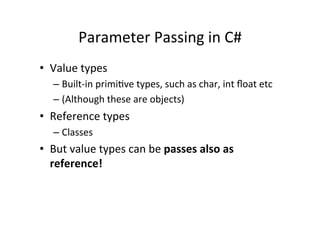
Parameter	
  Passing	
  in	
  C#	
  
•  Value	
  types	
  
    –  Built-­‐in	
  primiBve	
  types,	
  such	
  as	
  char,	
  int	
  float	
  etc	
  
    –  (Although	
  these	
  are	
  objects)	
  
•  Reference	
  types	
  
    –  Classes	
  
•  But	
  value	
  types	
  can	
  be	
  passes	
  also	
  as	
  
   reference!	
  
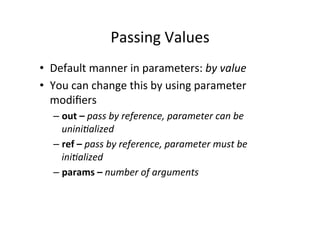
Passing	
  Values	
  
•  Default	
  manner	
  in	
  parameters:	
  by	
  value	
  
•  You	
  can	
  change	
  this	
  by	
  using	
  parameter	
  
   modifiers	
  
    –  out	
  –	
  pass	
  by	
  reference,	
  parameter	
  can	
  be	
  
       unini3alized	
  
    –  ref	
  –	
  pass	
  by	
  reference,	
  parameter	
  must	
  be	
  
       ini3alized	
  
    –  params	
  –	
  number	
  of	
  arguments	
  
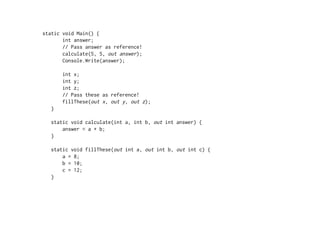
static void Main() {
       int answer;
       // Pass answer as reference!
       calculate(5, 5, out answer);
       Console.Write(answer);

       int x;
       int y;
       int z;
       // Pass these as reference!
       fillThese(out x, out y, out z);
   }

   static void calculate(int a, int b, out int answer) {
       answer = a + b;
   }

   static void fillThese(out int a, out int b, out int c) {
       a = 8;
       b = 10;
       c = 12;
   }
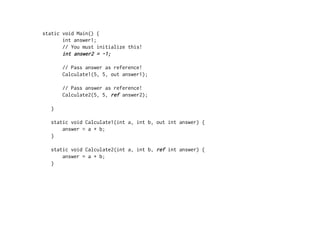
static void Main() {
       int answer1;
       // You must initialize this!
       int answer2 = -1;

       // Pass answer as reference!
       Calculate1(5, 5, out answer1);

       // Pass answer as reference!
       Calculate2(5, 5, ref answer2);

   }

   static void Calculate1(int a, int b, out int answer) {
       answer = a + b;
   }

   static void Calculate2(int a, int b, ref int answer) {
       answer = a + b;
   }
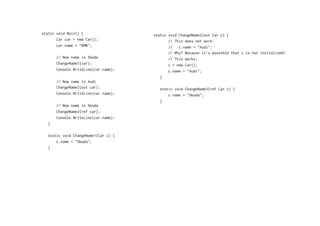
static void Main() {                  static void ChangeName2(out Car c) {
       Car car = new Car();                  // This does not work:
       car.name = "BMW";                     //   c.name = "Audi";
                                             // Why? Because it's possible that c is not initialized!
       // Now name is Skoda                  // This works:
       ChangeName1(car);                     c = new Car();
       Console.WriteLine(car.name);          c.name = "Audi";
                                         }
       // Now name is Audi
       ChangeName2(out car);            static void ChangeName3(ref Car c) {
       Console.WriteLine(car.name);         c.name = "Skoda";
                                        }
       // Now name is Skoda
       ChangeName3(ref car);
       Console.WriteLine(car.name);
   }

   static void ChangeName1(Car c) {
       c.name = "Skoda";
   }
Params	
  Modifier	
  
using System;

class Test
{
    static void Main() {
        DoSomething();
        DoSomething(0);
        DoSomething(0,1,2,3);

        double [] values = {1,2,3};
        DoSomething(values);
    }

    static void DoSomething(params double[] values) {
        for(int i=0; i<values.Length; i++) {
            Console.WriteLine(values[i]);
        }
    }
}
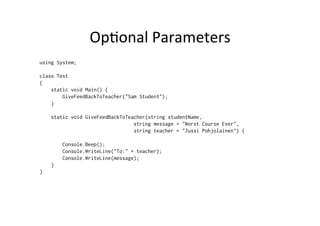
OpBonal	
  Parameters	
  
using System;

class Test
{
    static void Main() {
        GiveFeedBackToTeacher("Sam Student");
    }

    static void GiveFeedBackToTeacher(string studentName,
                                 string message = "Worst Course Ever",
                                 string teacher = "Jussi Pohjolainen") {

        Console.Beep();
        Console.WriteLine("To:" + teacher);
        Console.WriteLine(message);
    }
}
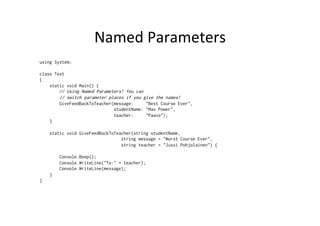
Named	
  Parameters	
  
using System;

class Test
{
    static void Main() {
        // Using Named Parameters! You can
        // switch parameter places if you give the names!
        GiveFeedBackToTeacher(message:     "Best Course Ever",
                              studentName: "Max Power",
                              teacher:     "Paavo");
    }

    static void GiveFeedBackToTeacher(string studentName,
                                 string message = "Worst Course Ever",
                                 string teacher = "Jussi Pohjolainen") {

        Console.Beep();
        Console.WriteLine("To:" + teacher);
        Console.WriteLine(message);
    }
}
Arrays	
  
static void Main() {
       int [] myInts1 = {1,2,3};
       print(myInts1);
       var myInts2 = new int[3];
       print(myInts2);
       var myInts3 = new int[]{1,2,3};
       print(myInts3);
   }

   static void print(params int [] myInts) {
       // foreach
       foreach(int i in myInts)
       {
           Console.WriteLine(i);
       }
   }
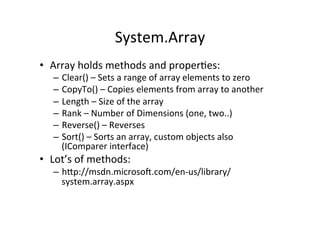
System.Array	
  
•  Array	
  holds	
  methods	
  and	
  properBes:	
  
    –  Clear()	
  –	
  Sets	
  a	
  range	
  of	
  array	
  elements	
  to	
  zero	
  
    –  CopyTo()	
  –	
  Copies	
  elements	
  from	
  array	
  to	
  another	
  
    –  Length	
  –	
  Size	
  of	
  the	
  array	
  
    –  Rank	
  –	
  Number	
  of	
  Dimensions	
  (one,	
  two..)	
  
    –  Reverse()	
  –	
  Reverses	
  	
  
    –  Sort()	
  –	
  Sorts	
  an	
  array,	
  custom	
  objects	
  also	
  
       (IComparer	
  interface)	
  
•  Lot’s	
  of	
  methods:	
  
    –  hWp://msdn.microsoY.com/en-­‐us/library/
       system.array.aspx	
  
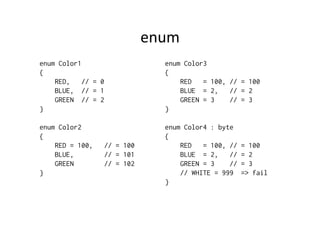
enum	
  
enum Color1                      enum Color3
{                                {
    RED,    // = 0                   RED   = 100, // = 100
    BLUE, // = 1                     BLUE = 2,    // = 2
    GREEN // = 2                     GREEN = 3    // = 3
}                                }

enum Color2                      enum Color4 : byte
{                                {
    RED = 100,    // = 100           RED   = 100, //   = 100
    BLUE,         // = 101           BLUE = 2,    //   = 2
    GREEN         // = 102           GREEN = 3    //   = 3
}                                    // WHITE = 999    => fail
                                 }
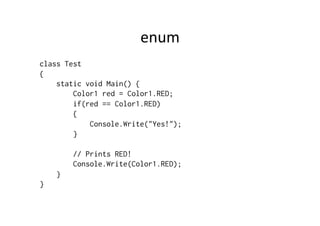
enum	
  
class Test
{
    static void Main() {
        Color1 red = Color1.RED;
        if(red == Color1.RED)
        {
            Console.Write("Yes!");
        }

        // Prints RED!
        Console.Write(Color1.RED);
    }
}
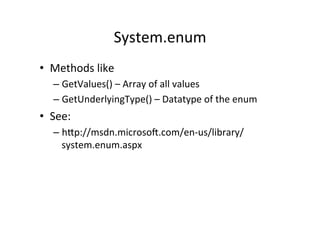
System.enum	
  
•  Methods	
  like	
  
    –  GetValues()	
  –	
  Array	
  of	
  all	
  values	
  
    –  GetUnderlyingType()	
  –	
  Datatype	
  of	
  the	
  enum	
  
•  See:	
  
    –  hWp://msdn.microsoY.com/en-­‐us/library/
       system.enum.aspx	
  
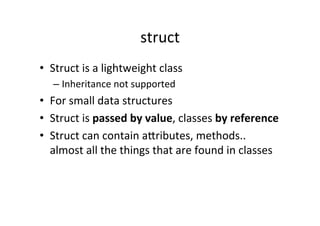
struct	
  
•  Struct	
  is	
  a	
  lightweight	
  class	
  
    –  Inheritance	
  not	
  supported	
  
•  For	
  small	
  data	
  structures	
  
•  Struct	
  is	
  passed	
  by	
  value,	
  classes	
  by	
  reference	
  
•  Struct	
  can	
  contain	
  aWributes,	
  methods..	
  
   almost	
  all	
  the	
  things	
  that	
  are	
  found	
  in	
  classes	
  
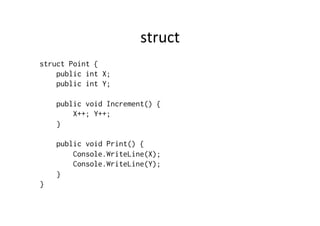
struct	
  
struct Point {
    public int X;
    public int Y;

    public void Increment() {
        X++; Y++;
    }

    public void Print() {
        Console.WriteLine(X);
        Console.WriteLine(Y);
    }
}
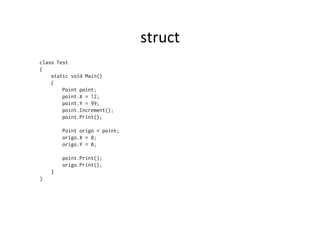
struct	
  
class Test
{
    static void Main()
    {
        Point point;
        point.X = 12;
        point.Y = 99;
        point.Increment();
        point.Print();

        Point origo = point;
        origo.X = 0;
        origo.Y = 0;

        point.Print();
        origo.Print();
    }
}
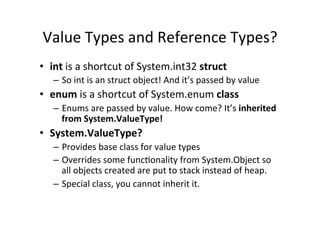
Value	
  Types	
  and	
  Reference	
  Types?	
  
•  int	
  is	
  a	
  shortcut	
  of	
  System.int32	
  struct	
  
    –  So	
  int	
  is	
  an	
  struct	
  object!	
  And	
  it’s	
  passed	
  by	
  value	
  
•  enum	
  is	
  a	
  shortcut	
  of	
  System.enum	
  class	
  
    –  Enums	
  are	
  passed	
  by	
  value.	
  How	
  come?	
  It’s	
  inherited	
  
       from	
  System.ValueType!	
  
•  System.ValueType?	
  
    –  Provides	
  base	
  class	
  for	
  value	
  types	
  
    –  Overrides	
  some	
  funcBonality	
  from	
  System.Object	
  so	
  
       all	
  objects	
  created	
  are	
  put	
  to	
  stack	
  instead	
  of	
  heap.	
  
    –  Special	
  class,	
  you	
  cannot	
  inherit	
  it.	
  
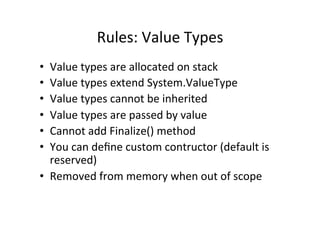
Rules:	
  Value	
  Types	
  
•  Value	
  types	
  are	
  allocated	
  on	
  stack	
  
•  Value	
  types	
  extend	
  System.ValueType	
  
•  Value	
  types	
  cannot	
  be	
  inherited	
  
•  Value	
  types	
  are	
  passed	
  by	
  value	
  
•  Cannot	
  add	
  Finalize()	
  method	
  
•  You	
  can	
  define	
  custom	
  contructor	
  (default	
  is	
  
   reserved)	
  
•  Removed	
  from	
  memory	
  when	
  out	
  of	
  scope	
  
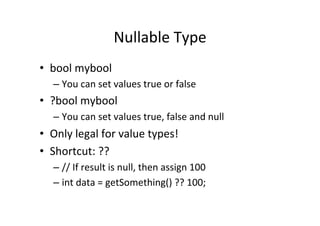
Nullable	
  Type	
  
•  bool	
  mybool	
  
    –  You	
  can	
  set	
  values	
  true	
  or	
  false	
  
•  ?bool	
  mybool	
  
    –  You	
  can	
  set	
  values	
  true,	
  false	
  and	
  null	
  
•  Only	
  legal	
  for	
  value	
  types!	
  
•  Shortcut:	
  ??	
  
    –  //	
  If	
  result	
  is	
  null,	
  then	
  assign	
  100	
  
    –  int	
  data	
  =	
  getSomething()	
  ??	
  100;	
  
OO	
  WITH	
  C#	
  
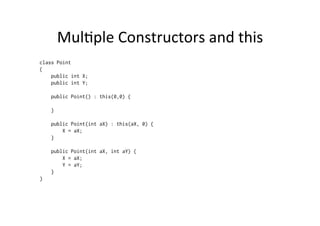
MulBple	
  Constructors	
  and	
  this	
  
class Point
{
    public int X;
    public int Y;

    public Point() : this(0,0) {

    }

    public Point(int aX) : this(aX, 0) {
        X = aX;
    }

    public Point(int aX, int aY) {
        X = aX;
        Y = aY;
    }
}
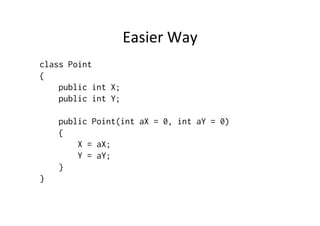
Easier	
  Way	
  
class Point
{
    public int X;
    public int Y;

    public Point(int aX = 0, int aY = 0)
    {
        X = aX;
        Y = aY;
    }
}
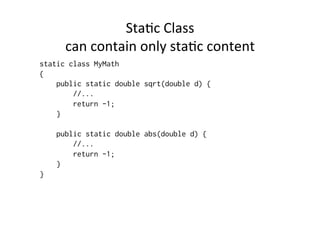
StaBc	
  Class	
  	
  
      can	
  contain	
  only	
  staBc	
  content	
  
static class MyMath
{
    public static double sqrt(double d) {
        //...
        return -1;
    }

    public static double abs(double d) {
        //...
        return -1;
    }
}
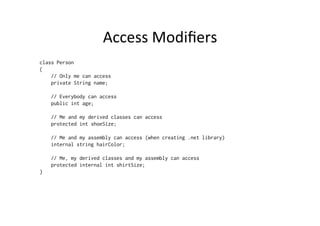
Access	
  Modifiers	
  
class Person
{
    // Only me can access
    private String name;

    // Everybody can access
    public int age;

    // Me and my derived classes can access
    protected int shoeSize;

    // Me and my assembly can access (when creating .net library)
    internal string hairColor;

    // Me, my derived classes and my assembly can access
    protected internal int shirtSize;
}
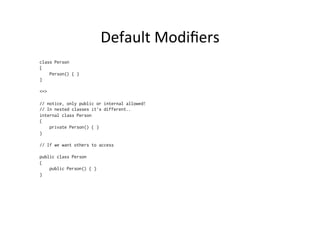
Default	
  Modifiers	
  
class Person
{
    Person() { }
}

<=>

// notice, only public or internal allowed!
// In nested classes it’s different..
internal class Person
{
    private Person() { }
}

// If we want others to access

public class Person
{
    public Person() { }
}
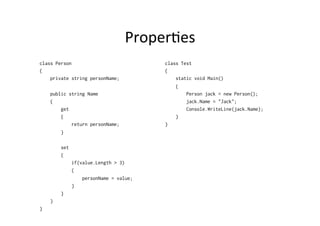
ProperBes	
  
class Person                             class Test
{                                        {
    private string personName;               static void Main()
                                             {
    public string Name                           Person jack = new Person();
    {                                            jack.Name = "Jack";
        get                                      Console.WriteLine(jack.Name);
        {                                    }
            return personName;           }
        }

        set
        {
              if(value.Length > 3)
              {
                  personName = value;
              }
        }
    }
}
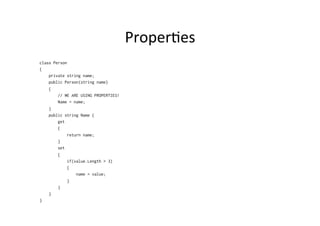
ProperBes	
  
class Person
{
    private string name;
    public Person(string name)
    {
        // WE ARE USING PROPERTIES!
        Name = name;
    }
    public string Name {
        get
        {
             return name;
        }
        set
        {
             if(value.Length > 3)
             {
                 name = value;
             }
        }
    }
}
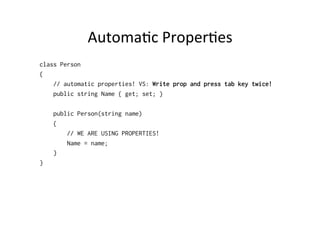
AutomaBc	
  ProperBes	
  
class Person
{
    // automatic properties! VS: Write prop and press tab key twice!
    public string Name { get; set; }

    public Person(string name)
    {
        // WE ARE USING PROPERTIES!
        Name = name;
    }
}
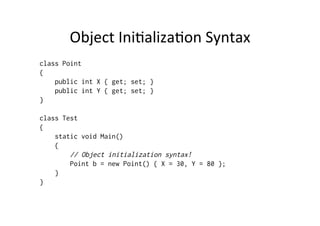
Object	
  IniBalizaBon	
  Syntax	
  
class Point
{
    public int X { get; set; }
    public int Y { get; set; }
}

class Test
{
    static void Main()
    {
        // Object initialization syntax!
        Point b = new Point() { X = 30, Y = 80 };
    }
}
Constant	
  Field	
  Data	
  
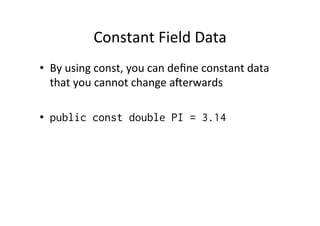
•  By	
  using	
  const,	
  you	
  can	
  define	
  constant	
  data	
  
     that	
  you	
  cannot	
  change	
  aYerwards	


•  public const double PI = 3.14
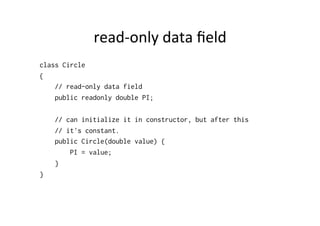
read-­‐only	
  data	
  field	
  
class Circle
{
    // read-only data field
    public readonly double PI;

    // can initialize it in constructor, but after this
    // it's constant.
    public Circle(double value) {
        PI = value;
    }
}
ParBal	
  Types	
  
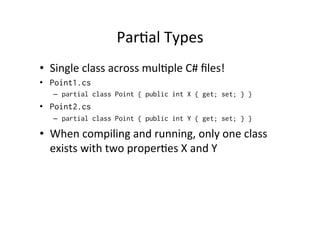
•  Single	
  class	
  across	
  mulBple	
  C#	
  files!	
  
•  Point1.cs
    –  partial class Point { public int X { get; set; } }
•  Point2.cs
    –  partial class Point { public int Y { get; set; } }

•  When	
  compiling	
  and	
  running,	
  only	
  one	
  class	
  
   exists	
  with	
  two	
  properBes	
  X	
  and	
  Y	
  
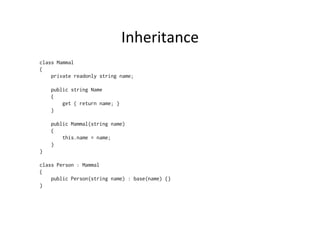
Inheritance	
  
class Mammal
{
    private readonly string name;

    public string Name
    {
        get { return name; }
    }

    public Mammal(string name)
    {
        this.name = name;
    }
}

class Person : Mammal
{
    public Person(string name) : base(name) {}
}
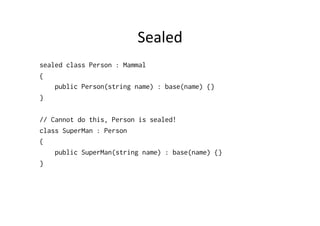
Sealed	
  
sealed class Person : Mammal
{
    public Person(string name) : base(name) {}
}

// Cannot do this, Person is sealed!
class SuperMan : Person
{
    public SuperMan(string name) : base(name) {}
}
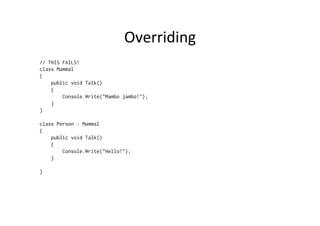
Overriding	
  
// THIS FAILS!
class Mammal
{
    public void Talk()
    {
        Console.Write("Mambo jambo!");
    }
}

class Person : Mammal
{
    public void Talk()
    {
        Console.Write("Hello!");
    }

}
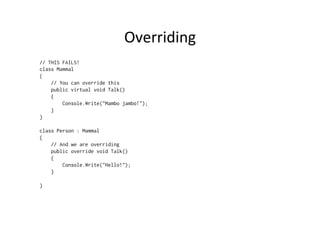
Overriding	
  
// THIS FAILS!
class Mammal
{
    // You can override this
    public virtual void Talk()
    {
        Console.Write("Mambo jambo!");
    }
}

class Person : Mammal
{
    // And we are overriding
    public override void Talk()
    {
        Console.Write("Hello!");
    }

}
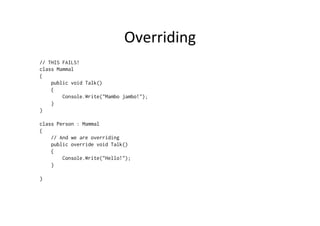
Overriding	
  
// THIS FAILS!
class Mammal
{
    public void Talk()
    {
        Console.Write("Mambo jambo!");
    }
}

class Person : Mammal
{
    // And we are overriding
    public override void Talk()
    {
        Console.Write("Hello!");
    }

}
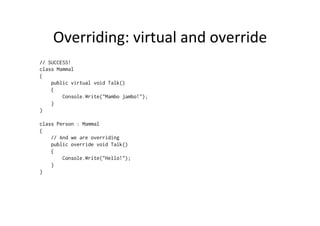
Overriding:	
  virtual	
  and	
  override	
  
// SUCCESS!
class Mammal
{
    public virtual void Talk()
    {
        Console.Write("Mambo jambo!");
    }
}

class Person : Mammal
{
    // And we are overriding
    public override void Talk()
    {
        Console.Write("Hello!");
    }
}
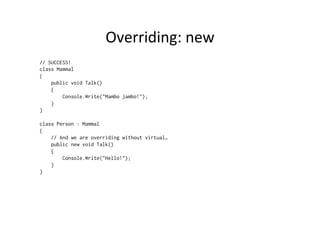
Overriding:	
  new	
  
// SUCCESS!
class Mammal
{
    public void Talk()
    {
        Console.Write("Mambo jambo!");
    }
}

class Person : Mammal
{
    // And we are overriding without virtual…
    public new void Talk()
    {
        Console.Write("Hello!");
    }
}
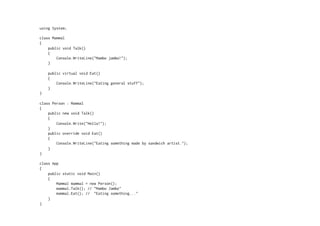
using System;

class Mammal
{
    public void Talk()
    {
        Console.WriteLine("Mambo jambo!");
    }

    public virtual void Eat()
    {
        Console.WriteLine("Eating general stuff");
    }
}

class Person : Mammal
{
    public new void Talk()
    {
        Console.Write("Hello!");
    }
    public override void Eat()
    {
        Console.WriteLine("Eating something made by sandwich artist.");
    }
}

class App
{
    public static void Main()
    {
        Mammal mammal = new Person();
        mammal.Talk(); // "Mambo Jambo"
        mammal.Eat(); // "Eating something..."
    }
}
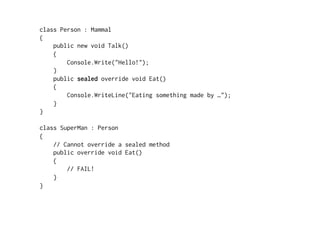
class Person : Mammal
{
    public new void Talk()
    {
        Console.Write("Hello!");
    }
    public sealed override void Eat()
    {
        Console.WriteLine("Eating something made by …");
    }
}

class SuperMan : Person
{
    // Cannot override a sealed method
    public override void Eat()
    {
        // FAIL!
    }
}
class App
{
    public static void Main()
    {
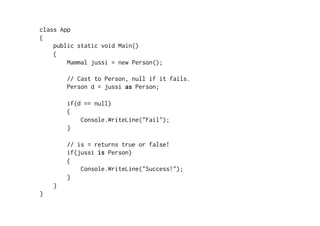
        Mammal jussi = new Person();

        // Cast to Person, null if it fails.
        Person d = jussi as Person;

        if(d == null)
        {
            Console.WriteLine("Fail");
        }

        // is = returns true or false!
        if(jussi is Person)
        {
            Console.WriteLine("Success!");
        }
    }
}
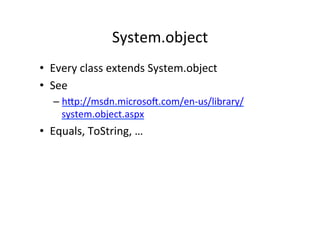
System.object	
  
•  Every	
  class	
  extends	
  System.object	
  
•  See	
  
    –  hWp://msdn.microsoY.com/en-­‐us/library/
       system.object.aspx	
  
•  Equals,	
  ToString,	
  …	
  
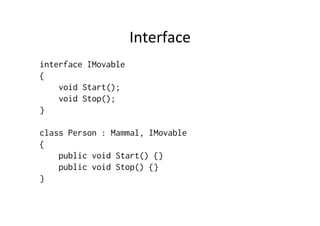
Interface	
  
interface IMovable
{
    void Start();
    void Stop();
}

class Person : Mammal, IMovable
{
    public void Start() {}
    public void Stop() {}
}
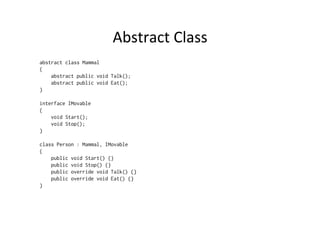
Abstract	
  Class	
  
abstract class Mammal
{
    abstract public void Talk();
    abstract public void Eat();
}

interface IMovable
{
    void Start();
    void Stop();
}

class Person : Mammal, IMovable
{
    public void Start() {}
    public void Stop() {}
    public override void Talk() {}
    public override void Eat() {}
}

Core C#

  • 1.
    Core  C#  and  OO   Jussi  Pohjolainen   Tampere  University  of  Applied  Sciences  
  • 2.
  • 3.
    Parameter  Passing  in  C#   •  Value  types   –  Built-­‐in  primiBve  types,  such  as  char,  int  float  etc   –  (Although  these  are  objects)   •  Reference  types   –  Classes   •  But  value  types  can  be  passes  also  as   reference!  
  • 4.
    Passing  Values   • Default  manner  in  parameters:  by  value   •  You  can  change  this  by  using  parameter   modifiers   –  out  –  pass  by  reference,  parameter  can  be   unini3alized   –  ref  –  pass  by  reference,  parameter  must  be   ini3alized   –  params  –  number  of  arguments  
  • 5.
    static void Main(){ int answer; // Pass answer as reference! calculate(5, 5, out answer); Console.Write(answer); int x; int y; int z; // Pass these as reference! fillThese(out x, out y, out z); } static void calculate(int a, int b, out int answer) { answer = a + b; } static void fillThese(out int a, out int b, out int c) { a = 8; b = 10; c = 12; }
  • 6.
    static void Main(){ int answer1; // You must initialize this! int answer2 = -1; // Pass answer as reference! Calculate1(5, 5, out answer1); // Pass answer as reference! Calculate2(5, 5, ref answer2); } static void Calculate1(int a, int b, out int answer) { answer = a + b; } static void Calculate2(int a, int b, ref int answer) { answer = a + b; }
  • 7.
    static void Main(){ static void ChangeName2(out Car c) { Car car = new Car(); // This does not work: car.name = "BMW"; // c.name = "Audi"; // Why? Because it's possible that c is not initialized! // Now name is Skoda // This works: ChangeName1(car); c = new Car(); Console.WriteLine(car.name); c.name = "Audi"; } // Now name is Audi ChangeName2(out car); static void ChangeName3(ref Car c) { Console.WriteLine(car.name); c.name = "Skoda"; } // Now name is Skoda ChangeName3(ref car); Console.WriteLine(car.name); } static void ChangeName1(Car c) { c.name = "Skoda"; }
  • 8.
    Params  Modifier   usingSystem; class Test { static void Main() { DoSomething(); DoSomething(0); DoSomething(0,1,2,3); double [] values = {1,2,3}; DoSomething(values); } static void DoSomething(params double[] values) { for(int i=0; i<values.Length; i++) { Console.WriteLine(values[i]); } } }
  • 9.
    OpBonal  Parameters   usingSystem; class Test { static void Main() { GiveFeedBackToTeacher("Sam Student"); } static void GiveFeedBackToTeacher(string studentName, string message = "Worst Course Ever", string teacher = "Jussi Pohjolainen") { Console.Beep(); Console.WriteLine("To:" + teacher); Console.WriteLine(message); } }
  • 10.
    Named  Parameters   usingSystem; class Test { static void Main() { // Using Named Parameters! You can // switch parameter places if you give the names! GiveFeedBackToTeacher(message: "Best Course Ever", studentName: "Max Power", teacher: "Paavo"); } static void GiveFeedBackToTeacher(string studentName, string message = "Worst Course Ever", string teacher = "Jussi Pohjolainen") { Console.Beep(); Console.WriteLine("To:" + teacher); Console.WriteLine(message); } }
  • 11.
    Arrays   static voidMain() { int [] myInts1 = {1,2,3}; print(myInts1); var myInts2 = new int[3]; print(myInts2); var myInts3 = new int[]{1,2,3}; print(myInts3); } static void print(params int [] myInts) { // foreach foreach(int i in myInts) { Console.WriteLine(i); } }
  • 12.
    System.Array   •  Array  holds  methods  and  properBes:   –  Clear()  –  Sets  a  range  of  array  elements  to  zero   –  CopyTo()  –  Copies  elements  from  array  to  another   –  Length  –  Size  of  the  array   –  Rank  –  Number  of  Dimensions  (one,  two..)   –  Reverse()  –  Reverses     –  Sort()  –  Sorts  an  array,  custom  objects  also   (IComparer  interface)   •  Lot’s  of  methods:   –  hWp://msdn.microsoY.com/en-­‐us/library/ system.array.aspx  
  • 13.
    enum   enum Color1 enum Color3 { { RED, // = 0 RED = 100, // = 100 BLUE, // = 1 BLUE = 2, // = 2 GREEN // = 2 GREEN = 3 // = 3 } } enum Color2 enum Color4 : byte { { RED = 100, // = 100 RED = 100, // = 100 BLUE, // = 101 BLUE = 2, // = 2 GREEN // = 102 GREEN = 3 // = 3 } // WHITE = 999 => fail }
  • 14.
    enum   class Test { static void Main() { Color1 red = Color1.RED; if(red == Color1.RED) { Console.Write("Yes!"); } // Prints RED! Console.Write(Color1.RED); } }
  • 15.
    System.enum   •  Methods  like   –  GetValues()  –  Array  of  all  values   –  GetUnderlyingType()  –  Datatype  of  the  enum   •  See:   –  hWp://msdn.microsoY.com/en-­‐us/library/ system.enum.aspx  
  • 16.
    struct   •  Struct  is  a  lightweight  class   –  Inheritance  not  supported   •  For  small  data  structures   •  Struct  is  passed  by  value,  classes  by  reference   •  Struct  can  contain  aWributes,  methods..   almost  all  the  things  that  are  found  in  classes  
  • 17.
    struct   struct Point{ public int X; public int Y; public void Increment() { X++; Y++; } public void Print() { Console.WriteLine(X); Console.WriteLine(Y); } }
  • 18.
    struct   class Test { static void Main() { Point point; point.X = 12; point.Y = 99; point.Increment(); point.Print(); Point origo = point; origo.X = 0; origo.Y = 0; point.Print(); origo.Print(); } }
  • 19.
    Value  Types  and  Reference  Types?   •  int  is  a  shortcut  of  System.int32  struct   –  So  int  is  an  struct  object!  And  it’s  passed  by  value   •  enum  is  a  shortcut  of  System.enum  class   –  Enums  are  passed  by  value.  How  come?  It’s  inherited   from  System.ValueType!   •  System.ValueType?   –  Provides  base  class  for  value  types   –  Overrides  some  funcBonality  from  System.Object  so   all  objects  created  are  put  to  stack  instead  of  heap.   –  Special  class,  you  cannot  inherit  it.  
  • 20.
    Rules:  Value  Types   •  Value  types  are  allocated  on  stack   •  Value  types  extend  System.ValueType   •  Value  types  cannot  be  inherited   •  Value  types  are  passed  by  value   •  Cannot  add  Finalize()  method   •  You  can  define  custom  contructor  (default  is   reserved)   •  Removed  from  memory  when  out  of  scope  
  • 21.
    Nullable  Type   • bool  mybool   –  You  can  set  values  true  or  false   •  ?bool  mybool   –  You  can  set  values  true,  false  and  null   •  Only  legal  for  value  types!   •  Shortcut:  ??   –  //  If  result  is  null,  then  assign  100   –  int  data  =  getSomething()  ??  100;  
  • 22.
  • 23.
    MulBple  Constructors  and  this   class Point { public int X; public int Y; public Point() : this(0,0) { } public Point(int aX) : this(aX, 0) { X = aX; } public Point(int aX, int aY) { X = aX; Y = aY; } }
  • 24.
    Easier  Way   classPoint { public int X; public int Y; public Point(int aX = 0, int aY = 0) { X = aX; Y = aY; } }
  • 25.
    StaBc  Class     can  contain  only  staBc  content   static class MyMath { public static double sqrt(double d) { //... return -1; } public static double abs(double d) { //... return -1; } }
  • 26.
    Access  Modifiers   classPerson { // Only me can access private String name; // Everybody can access public int age; // Me and my derived classes can access protected int shoeSize; // Me and my assembly can access (when creating .net library) internal string hairColor; // Me, my derived classes and my assembly can access protected internal int shirtSize; }
  • 27.
    Default  Modifiers   classPerson { Person() { } } <=> // notice, only public or internal allowed! // In nested classes it’s different.. internal class Person { private Person() { } } // If we want others to access public class Person { public Person() { } }
  • 28.
    ProperBes   class Person class Test { { private string personName; static void Main() { public string Name Person jack = new Person(); { jack.Name = "Jack"; get Console.WriteLine(jack.Name); { } return personName; } } set { if(value.Length > 3) { personName = value; } } } }
  • 29.
    ProperBes   class Person { private string name; public Person(string name) { // WE ARE USING PROPERTIES! Name = name; } public string Name { get { return name; } set { if(value.Length > 3) { name = value; } } } }
  • 30.
    AutomaBc  ProperBes   classPerson { // automatic properties! VS: Write prop and press tab key twice! public string Name { get; set; } public Person(string name) { // WE ARE USING PROPERTIES! Name = name; } }
  • 31.
    Object  IniBalizaBon  Syntax   class Point { public int X { get; set; } public int Y { get; set; } } class Test { static void Main() { // Object initialization syntax! Point b = new Point() { X = 30, Y = 80 }; } }
  • 32.
    Constant  Field  Data   •  By  using  const,  you  can  define  constant  data   that  you  cannot  change  aYerwards     •  public const double PI = 3.14
  • 33.
    read-­‐only  data  field   class Circle { // read-only data field public readonly double PI; // can initialize it in constructor, but after this // it's constant. public Circle(double value) { PI = value; } }
  • 34.
    ParBal  Types   • Single  class  across  mulBple  C#  files!   •  Point1.cs –  partial class Point { public int X { get; set; } } •  Point2.cs –  partial class Point { public int Y { get; set; } } •  When  compiling  and  running,  only  one  class   exists  with  two  properBes  X  and  Y  
  • 35.
    Inheritance   class Mammal { private readonly string name; public string Name { get { return name; } } public Mammal(string name) { this.name = name; } } class Person : Mammal { public Person(string name) : base(name) {} }
  • 36.
    Sealed   sealed classPerson : Mammal { public Person(string name) : base(name) {} } // Cannot do this, Person is sealed! class SuperMan : Person { public SuperMan(string name) : base(name) {} }
  • 37.
    Overriding   // THISFAILS! class Mammal { public void Talk() { Console.Write("Mambo jambo!"); } } class Person : Mammal { public void Talk() { Console.Write("Hello!"); } }
  • 38.
    Overriding   // THISFAILS! class Mammal { // You can override this public virtual void Talk() { Console.Write("Mambo jambo!"); } } class Person : Mammal { // And we are overriding public override void Talk() { Console.Write("Hello!"); } }
  • 39.
    Overriding   // THISFAILS! class Mammal { public void Talk() { Console.Write("Mambo jambo!"); } } class Person : Mammal { // And we are overriding public override void Talk() { Console.Write("Hello!"); } }
  • 40.
    Overriding:  virtual  and  override   // SUCCESS! class Mammal { public virtual void Talk() { Console.Write("Mambo jambo!"); } } class Person : Mammal { // And we are overriding public override void Talk() { Console.Write("Hello!"); } }
  • 41.
    Overriding:  new   //SUCCESS! class Mammal { public void Talk() { Console.Write("Mambo jambo!"); } } class Person : Mammal { // And we are overriding without virtual… public new void Talk() { Console.Write("Hello!"); } }
  • 42.
    using System; class Mammal { public void Talk() { Console.WriteLine("Mambo jambo!"); } public virtual void Eat() { Console.WriteLine("Eating general stuff"); } } class Person : Mammal { public new void Talk() { Console.Write("Hello!"); } public override void Eat() { Console.WriteLine("Eating something made by sandwich artist."); } } class App { public static void Main() { Mammal mammal = new Person(); mammal.Talk(); // "Mambo Jambo" mammal.Eat(); // "Eating something..." } }
  • 43.
    class Person :Mammal { public new void Talk() { Console.Write("Hello!"); } public sealed override void Eat() { Console.WriteLine("Eating something made by …"); } } class SuperMan : Person { // Cannot override a sealed method public override void Eat() { // FAIL! } }
  • 44.
    class App { public static void Main() { Mammal jussi = new Person(); // Cast to Person, null if it fails. Person d = jussi as Person; if(d == null) { Console.WriteLine("Fail"); } // is = returns true or false! if(jussi is Person) { Console.WriteLine("Success!"); } } }
  • 45.
    System.object   •  Every  class  extends  System.object   •  See   –  hWp://msdn.microsoY.com/en-­‐us/library/ system.object.aspx   •  Equals,  ToString,  …  
  • 46.
    Interface   interface IMovable { void Start(); void Stop(); } class Person : Mammal, IMovable { public void Start() {} public void Stop() {} }
  • 47.
    Abstract  Class   abstractclass Mammal { abstract public void Talk(); abstract public void Eat(); } interface IMovable { void Start(); void Stop(); } class Person : Mammal, IMovable { public void Start() {} public void Stop() {} public override void Talk() {} public override void Eat() {} }