Introduction to C#


Anders Hejlsberg
Distinguished Engineer
Developer Division
Microsoft Corporation
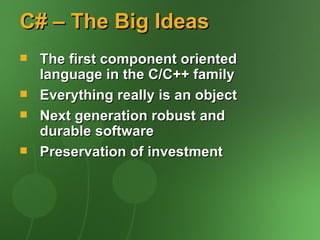
C# – The Big Ideas
   The first component oriented
    language in the C/C++ family
   Everything really is an object
   Next generation robust and
    durable software
   Preservation of investment
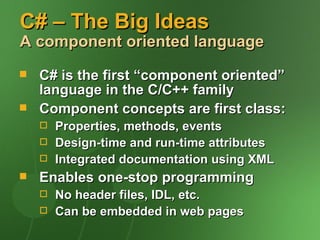
C# – The Big Ideas
A component oriented language
   C# is the first “component oriented”
    language in the C/C++ family
   Component concepts are first class:
       Properties, methods, events
       Design-time and run-time attributes
       Integrated documentation using XML
   Enables one-stop programming
       No header files, IDL, etc.
       Can be embedded in web pages
C# – The Big Ideas
Everything really is an object
   Traditional views
       C++, Java: Primitive types are “magic” and do
        not interoperate with objects
       Smalltalk, Lisp: Primitive types are objects, but
        at great performance cost
   C# unifies with no performance cost
       Deep simplicity throughout system
   Improved extensibility and reusability
       New primitive types: Decimal, SQL…
       Collections, etc., work for all types
C# – The Big Ideas
Robust and durable software
   Garbage collection
       No memory leaks and stray pointers
   Exceptions
       Error handling is not an afterthought
   Type-safety
       No uninitialized variables, unsafe casts
   Versioning
       Pervasive versioning considerations in
        all aspects of language design
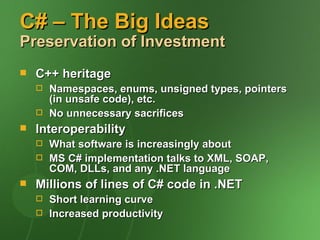
C# – The Big Ideas
Preservation of Investment
   C++ heritage
       Namespaces, enums, unsigned types, pointers
        (in unsafe code), etc.
       No unnecessary sacrifices
   Interoperability
       What software is increasingly about
       MS C# implementation talks to XML, SOAP,
        COM, DLLs, and any .NET language
   Millions of lines of C# code in .NET
       Short learning curve
       Increased productivity
Hello World
using System;

class Hello
{
   static void Main() {
      Console.WriteLine("Hello world");
   }
}
C# Program Structure
   Namespaces
       Contain types and other namespaces
   Type declarations
       Classes, structs, interfaces, enums,
        and delegates
   Members
       Constants, fields, methods, properties, indexers,
        events, operators, constructors, destructors
   Organization
       No header files, code written “in-line”
       No declaration order dependence
C# Program Structure
using System;

namespace System.Collections
{
   public class Stack
   {
      Entry top;

            public void Push(object data) {
               top = new Entry(top, data);
            }

            public object Pop() {
               if (top == null) throw new InvalidOperationException();
               object result = top.data;
               top = top.next;
               return result;
        }
    }
}
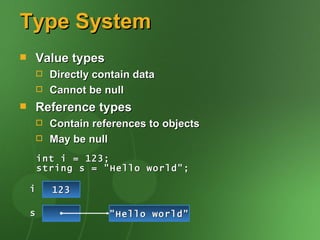
Type System
   Value types
         Directly contain data
         Cannot be null
   Reference types
         Contain references to objects
         May be null
        int i = 123;
        string s = "Hello world";

    i     123

    s                "Hello world"
Type System
   Value types
       Primitives   int i;
       Enums        enum State { Off, On }
       Structs      struct Point { int x,
        y; }
   Reference types
       Classes      class Foo: Bar, IFoo
        {...}
       Interfaces   interface IFoo: IBar
        {...}
       Arrays       string[] a = new string[10];
    
Predefined Types
   C# predefined types
       Reference        object, string
       Signed           sbyte, short, int, long
       Unsigned         byte, ushort, uint, ulong
       Character        char
       Floating-point   float, double, decimal
       Logical          bool
   Predefined types are simply aliases
    for system-provided types
       For example, int == System.Int32
Classes
   Single inheritance
   Multiple interface implementation
   Class members
       Constants, fields, methods, properties,
        indexers, events, operators,
        constructors, destructors
       Static and instance members
       Nested types
   Member access
       public, protected, internal, private
Structs
   Like classes, except
       Stored in-line, not heap allocated
       Assignment copies data, not reference
       No inheritance
   Ideal for light weight objects
       Complex, point, rectangle, color
       int, float, double, etc., are all structs
   Benefits
       No heap allocation, less GC pressure
       More efficient use of memory
Classes And Structs
 class CPoint { int x, y; ... }
struct SPoint { int x, y; ... }

CPoint cp = new CPoint(10, 20);
SPoint sp = new SPoint(10, 20);

       10
  sp
       20

  cp                   CPoint
               10
               20
Interfaces
   Multiple inheritance
   Can contain methods, properties,
    indexers, and events
   Private interface implementations
    interface IDataBound
    {
       void Bind(IDataBinder binder);
    }

    class EditBox: Control, IDataBound
    {
       void IDataBound.Bind(IDataBinder binder)
    {...}
    }
Enums
   Strongly typed
       No implicit conversions to/from int
       Operators: +, -, ++, --, &, |, ^, ~
   Can specify underlying type
       Byte, short, int, long
     enum Color: byte
     {
        Red   = 1,
        Green = 2,
        Blue = 4,
        Black = 0,
        White = Red | Green | Blue,
     }
Delegates
   Object oriented function pointers
   Multiple receivers
       Each delegate has an invocation list
       Thread-safe + and - operations
   Foundation for events
delegate void MouseEvent(int x, int y);

delegate double Func(double x);

Func func = new Func(Math.Sin);
double x = func(1.0);
Unified Type System
   Everything is an object
       All types ultimately inherit from object
       Any piece of data can be stored,
        transported, and manipulated with no
        extra work

                          object


          Stream        Hashtable   int    double


MemoryStream       FileStream
Unified Type System
   Boxing
       Allocates box, copies value into it
   Unboxing
       Checks type of box, copies value out
                  int i = 123;
                  object o = i;
                  int j = (int)o;
        i   123
                             System.Int3
        o
                                  2
                    123
        j   123
Unified Type System
   Benefits
       Eliminates “wrapper classes”
       Collection classes work with all types
       Replaces OLE Automation's Variant
   Lots of examples in .NET Framework
string s = string.Format(
   "Your total was {0} on {1}", total, date);

Hashtable t = new Hashtable();
t.Add(0, "zero");
t.Add(1, "one");
t.Add(2, "two");
Component Development
   What defines a component?
       Properties, methods, events
       Integrated help and documentation
       Design-time information
   C# has first class support
       Not naming patterns, adapters, etc.
       Not external files
   Components are easy to build
    and consume
Properties
    Properties are “smart fields”
        Natural syntax, accessors, inlining

public class Button: Control
{
   private string caption;

    public string Caption {
       get {
          return caption;
       }
       set {
          caption = value;
          Repaint();           Button b = new Button();
       }                       b.Caption = "OK";
    }                          String s = b.Caption;
}
Indexers
   Indexers are “smart arrays”
       Can be overloaded

public class ListBox: Control
{
   private string[] items;

   public string this[int
index] {
      get {
         return items[index];
      }
      set {
         items[index] = value;ListBox listBox = new
         Repaint();           ListBox();
      }                       listBox[0] = "hello";
   }                          Console.WriteLine(listBox[0]
}                             );
Events
Sourcing

       Define the event signature
    public delegate void EventHandler(object sender,
    EventArgs e);

       Define the event and firing logic
    public class Button
    {
       public event EventHandler Click;

        protected void OnClick(EventArgs e) {
           if (Click != null) Click(this, e);
        }
    }
Events
Handling

       Define and register event handler
    public class MyForm: Form
    {
       Button okButton;

       public MyForm() {
          okButton = new Button(...);
          okButton.Caption = "OK";
          okButton.Click += new
    EventHandler(OkButtonClick);
       }

        void OkButtonClick(object sender, EventArgs e) {
           ShowMessage("You pressed the OK button");
        }
    }
Attributes
   How do you associate information
    with types and members?
       Documentation URL for a class
       Transaction context for a method
       XML persistence mapping
   Traditional solutions
       Add keywords or pragmas to language
       Use external files, e.g., .IDL, .DEF
   C# solution: Attributes
Attributes
public class OrderProcessor
{
   [WebMethod]
   public void SubmitOrder(PurchaseOrder order) {...}
}

[XmlRoot("Order", Namespace="urn:acme.b2b-schema.v1")]
public class PurchaseOrder
{
   [XmlElement("shipTo")] public Address ShipTo;
   [XmlElement("billTo")] public Address BillTo;
   [XmlElement("comment")] public string Comment;
   [XmlElement("items")]   public Item[] Items;
   [XmlAttribute("date")] public DateTime OrderDate;
}

public class Address {...}

public class Item {...}
Attributes
   Attributes can be
       Attached to types and members
       Examined at run-time using reflection
   Completely extensible
       Simply a class that inherits from
        System.Attribute
   Type-safe
       Arguments checked at compile-time
   Extensive use in .NET Framework
       XML, Web Services, security, serialization,
        component model, COM and P/Invoke interop,
        code configuration…
XML Comments
class XmlElement
{
   /// <summary>
   ///     Returns the attribute with the given name and
   ///     namespace</summary>
   /// <param name="name">
   ///     The name of the attribute</param>
   /// <param name="ns">
   ///     The namespace of the attribute, or null if
   ///     the attribute has no namespace</param>
   /// <return>
   ///     The attribute value, or null if the attribute
   ///     does not exist</return>
   /// <seealso cref="GetAttr(string)"/>
   ///
   public string GetAttr(string name, string ns) {
       ...
   }
}
Statements And
Expressions
   High C++ fidelity
   If, while, do require bool condition
   goto can’t jump into blocks
   Switch statement
       No fall-through, “goto case” or “goto default”
   foreach statement
   Checked and unchecked statements
   Expression statements must do work
    void Foo() {
       i == 1;         // error
    }
foreach Statement
     Iteration of arrays
    public static void Main(string[] args) {
       foreach (string s in args)
    Console.WriteLine(s);
    }


     Iteration of user-defined collections
    foreach (Customer c in
    customers.OrderBy("name")) {
       if (c.Orders.Count != 0) {
          ...
       }
    }
Parameter Arrays
     Can write “printf” style methods
         Type-safe, unlike C++
    void printf(string fmt, params object[] args) {
       foreach (object x in args) {
          ...
       }
    }


    printf("%s %i %i", str, int1, int2);

    object[] args = new object[3];
    args[0] = str;
    args[1] = int1;
    Args[2] = int2;
    printf("%s %i %i", args);
Operator Overloading
   First class user-defined data types
   Used in base class library
       Decimal, DateTime, TimeSpan
   Used in UI library
       Unit, Point, Rectangle
   Used in SQL integration
       SQLString, SQLInt16, SQLInt32,
        SQLInt64, SQLBool, SQLMoney,
        SQLNumeric, SQLFloat…
Operator Overloading
public struct DBInt
{
   public static readonly DBInt Null = new DBInt();

    private int value;
    private bool defined;

    public bool IsNull { get { return !defined; } }

   public static DBInt operator +(DBInt x, DBInt y)
{...}

    public static implicit operator DBInt(int x) {...}
    public static explicit operator int(DBInt x) {...}
}
            DBInt x = 123;
            DBInt y = DBInt.Null;
            DBInt z = x + y;
Versioning
   Problem in most languages
       C++ and Java produce fragile base classes
       Users unable to express versioning intent
   C# allows intent to be expressed
       Methods are not virtual by default
       C# keywords “virtual”, “override” and “new”
        provide context
   C# can't guarantee versioning
       Can enable (e.g., explicit override)
       Can encourage (e.g., smart defaults)
Versioning
 class Base                   // version 1
                                         2
 {
 } public virtual void Foo() {
       Console.WriteLine("Base.Foo");
    }
 }


 class Derived: Base                 //
 version 1
         2b
         2a
 {
    new public virtual Foo() { {
    public virtual void void Foo() {
            override void Foo()
       base.Foo();
       Console.WriteLine("Derived.Foo");
    } Console.WriteLine("Derived.Foo");
 } }
 }
Conditional Compilation
     #define, #undef
     #if, #elif, #else, #endif
         Simple boolean logic
     Conditional methods
    public class Debug
    {
       [Conditional("Debug")]
       public static void Assert(bool cond, String
    s) {
          if (!cond) {
             throw new AssertionException(s);
          }
       }
    }
Unsafe Code
    Platform interoperability covers most cases
    Unsafe code
        Low-level code “within the box”
        Enables unsafe casts, pointer arithmetic
    Declarative pinning
        Fixed statement
    Basically “inline C”
    unsafe void Foo() {
       char* buf = stackalloc char[256];
       for (char* p = buf; p < buf + 256; p++) *p =
    0;
       ...
    }
Unsafe Code
class FileStream: Stream
{
   int handle;

   public unsafe int Read(byte[] buffer, int index, int
count) {
      int n = 0;
      fixed (byte* p = buffer) {
         ReadFile(handle, p + index, count, &n, null);
      }
      return n;
   }

    [dllimport("kernel32", SetLastError=true)]
    static extern unsafe bool ReadFile(int hFile,
       void* lpBuffer, int nBytesToRead,
       int* nBytesRead, Overlapped* lpOverlapped);
}
More Information
http://msdn.microsoft.com/net
      Download .NET SDK and documentation
http://msdn.microsoft.com/events/pdc
      Slides and info from .NET PDC
news://msnews.microsoft.com
      microsoft.public.dotnet.csharp.general

Introduction to csharp

  • 1.
    Introduction to C# AndersHejlsberg Distinguished Engineer Developer Division Microsoft Corporation
  • 2.
    C# – TheBig Ideas  The first component oriented language in the C/C++ family  Everything really is an object  Next generation robust and durable software  Preservation of investment
  • 3.
    C# – TheBig Ideas A component oriented language  C# is the first “component oriented” language in the C/C++ family  Component concepts are first class:  Properties, methods, events  Design-time and run-time attributes  Integrated documentation using XML  Enables one-stop programming  No header files, IDL, etc.  Can be embedded in web pages
  • 4.
    C# – TheBig Ideas Everything really is an object  Traditional views  C++, Java: Primitive types are “magic” and do not interoperate with objects  Smalltalk, Lisp: Primitive types are objects, but at great performance cost  C# unifies with no performance cost  Deep simplicity throughout system  Improved extensibility and reusability  New primitive types: Decimal, SQL…  Collections, etc., work for all types
  • 5.
    C# – TheBig Ideas Robust and durable software  Garbage collection  No memory leaks and stray pointers  Exceptions  Error handling is not an afterthought  Type-safety  No uninitialized variables, unsafe casts  Versioning  Pervasive versioning considerations in all aspects of language design
  • 6.
    C# – TheBig Ideas Preservation of Investment  C++ heritage  Namespaces, enums, unsigned types, pointers (in unsafe code), etc.  No unnecessary sacrifices  Interoperability  What software is increasingly about  MS C# implementation talks to XML, SOAP, COM, DLLs, and any .NET language  Millions of lines of C# code in .NET  Short learning curve  Increased productivity
  • 7.
    Hello World using System; classHello { static void Main() { Console.WriteLine("Hello world"); } }
  • 8.
    C# Program Structure  Namespaces  Contain types and other namespaces  Type declarations  Classes, structs, interfaces, enums, and delegates  Members  Constants, fields, methods, properties, indexers, events, operators, constructors, destructors  Organization  No header files, code written “in-line”  No declaration order dependence
  • 9.
    C# Program Structure usingSystem; namespace System.Collections { public class Stack { Entry top; public void Push(object data) { top = new Entry(top, data); } public object Pop() { if (top == null) throw new InvalidOperationException(); object result = top.data; top = top.next; return result; } } }
  • 10.
    Type System  Value types  Directly contain data  Cannot be null  Reference types  Contain references to objects  May be null int i = 123; string s = "Hello world"; i 123 s "Hello world"
  • 11.
    Type System  Value types  Primitives int i;  Enums enum State { Off, On }  Structs struct Point { int x, y; }  Reference types  Classes class Foo: Bar, IFoo {...}  Interfaces interface IFoo: IBar {...}  Arrays string[] a = new string[10]; 
  • 12.
    Predefined Types  C# predefined types  Reference object, string  Signed sbyte, short, int, long  Unsigned byte, ushort, uint, ulong  Character char  Floating-point float, double, decimal  Logical bool  Predefined types are simply aliases for system-provided types  For example, int == System.Int32
  • 13.
    Classes  Single inheritance  Multiple interface implementation  Class members  Constants, fields, methods, properties, indexers, events, operators, constructors, destructors  Static and instance members  Nested types  Member access  public, protected, internal, private
  • 14.
    Structs  Like classes, except  Stored in-line, not heap allocated  Assignment copies data, not reference  No inheritance  Ideal for light weight objects  Complex, point, rectangle, color  int, float, double, etc., are all structs  Benefits  No heap allocation, less GC pressure  More efficient use of memory
  • 15.
    Classes And Structs class CPoint { int x, y; ... } struct SPoint { int x, y; ... } CPoint cp = new CPoint(10, 20); SPoint sp = new SPoint(10, 20); 10 sp 20 cp CPoint 10 20
  • 16.
    Interfaces  Multiple inheritance  Can contain methods, properties, indexers, and events  Private interface implementations interface IDataBound { void Bind(IDataBinder binder); } class EditBox: Control, IDataBound { void IDataBound.Bind(IDataBinder binder) {...} }
  • 17.
    Enums  Strongly typed  No implicit conversions to/from int  Operators: +, -, ++, --, &, |, ^, ~  Can specify underlying type  Byte, short, int, long enum Color: byte { Red = 1, Green = 2, Blue = 4, Black = 0, White = Red | Green | Blue, }
  • 18.
    Delegates  Object oriented function pointers  Multiple receivers  Each delegate has an invocation list  Thread-safe + and - operations  Foundation for events delegate void MouseEvent(int x, int y); delegate double Func(double x); Func func = new Func(Math.Sin); double x = func(1.0);
  • 19.
    Unified Type System  Everything is an object  All types ultimately inherit from object  Any piece of data can be stored, transported, and manipulated with no extra work object Stream Hashtable int double MemoryStream FileStream
  • 20.
    Unified Type System  Boxing  Allocates box, copies value into it  Unboxing  Checks type of box, copies value out int i = 123; object o = i; int j = (int)o; i 123 System.Int3 o 2 123 j 123
  • 21.
    Unified Type System  Benefits  Eliminates “wrapper classes”  Collection classes work with all types  Replaces OLE Automation's Variant  Lots of examples in .NET Framework string s = string.Format( "Your total was {0} on {1}", total, date); Hashtable t = new Hashtable(); t.Add(0, "zero"); t.Add(1, "one"); t.Add(2, "two");
  • 22.
    Component Development  What defines a component?  Properties, methods, events  Integrated help and documentation  Design-time information  C# has first class support  Not naming patterns, adapters, etc.  Not external files  Components are easy to build and consume
  • 23.
    Properties  Properties are “smart fields”  Natural syntax, accessors, inlining public class Button: Control { private string caption; public string Caption { get { return caption; } set { caption = value; Repaint(); Button b = new Button(); } b.Caption = "OK"; } String s = b.Caption; }
  • 24.
    Indexers  Indexers are “smart arrays”  Can be overloaded public class ListBox: Control { private string[] items; public string this[int index] { get { return items[index]; } set { items[index] = value;ListBox listBox = new Repaint(); ListBox(); } listBox[0] = "hello"; } Console.WriteLine(listBox[0] } );
  • 25.
    Events Sourcing  Define the event signature public delegate void EventHandler(object sender, EventArgs e);  Define the event and firing logic public class Button { public event EventHandler Click; protected void OnClick(EventArgs e) { if (Click != null) Click(this, e); } }
  • 26.
    Events Handling  Define and register event handler public class MyForm: Form { Button okButton; public MyForm() { okButton = new Button(...); okButton.Caption = "OK"; okButton.Click += new EventHandler(OkButtonClick); } void OkButtonClick(object sender, EventArgs e) { ShowMessage("You pressed the OK button"); } }
  • 27.
    Attributes  How do you associate information with types and members?  Documentation URL for a class  Transaction context for a method  XML persistence mapping  Traditional solutions  Add keywords or pragmas to language  Use external files, e.g., .IDL, .DEF  C# solution: Attributes
  • 28.
    Attributes public class OrderProcessor { [WebMethod] public void SubmitOrder(PurchaseOrder order) {...} } [XmlRoot("Order", Namespace="urn:acme.b2b-schema.v1")] public class PurchaseOrder { [XmlElement("shipTo")] public Address ShipTo; [XmlElement("billTo")] public Address BillTo; [XmlElement("comment")] public string Comment; [XmlElement("items")] public Item[] Items; [XmlAttribute("date")] public DateTime OrderDate; } public class Address {...} public class Item {...}
  • 29.
    Attributes  Attributes can be  Attached to types and members  Examined at run-time using reflection  Completely extensible  Simply a class that inherits from System.Attribute  Type-safe  Arguments checked at compile-time  Extensive use in .NET Framework  XML, Web Services, security, serialization, component model, COM and P/Invoke interop, code configuration…
  • 30.
    XML Comments class XmlElement { /// <summary> /// Returns the attribute with the given name and /// namespace</summary> /// <param name="name"> /// The name of the attribute</param> /// <param name="ns"> /// The namespace of the attribute, or null if /// the attribute has no namespace</param> /// <return> /// The attribute value, or null if the attribute /// does not exist</return> /// <seealso cref="GetAttr(string)"/> /// public string GetAttr(string name, string ns) { ... } }
  • 31.
    Statements And Expressions  High C++ fidelity  If, while, do require bool condition  goto can’t jump into blocks  Switch statement  No fall-through, “goto case” or “goto default”  foreach statement  Checked and unchecked statements  Expression statements must do work void Foo() { i == 1; // error }
  • 32.
    foreach Statement  Iteration of arrays public static void Main(string[] args) { foreach (string s in args) Console.WriteLine(s); }  Iteration of user-defined collections foreach (Customer c in customers.OrderBy("name")) { if (c.Orders.Count != 0) { ... } }
  • 33.
    Parameter Arrays  Can write “printf” style methods  Type-safe, unlike C++ void printf(string fmt, params object[] args) { foreach (object x in args) { ... } } printf("%s %i %i", str, int1, int2); object[] args = new object[3]; args[0] = str; args[1] = int1; Args[2] = int2; printf("%s %i %i", args);
  • 34.
    Operator Overloading  First class user-defined data types  Used in base class library  Decimal, DateTime, TimeSpan  Used in UI library  Unit, Point, Rectangle  Used in SQL integration  SQLString, SQLInt16, SQLInt32, SQLInt64, SQLBool, SQLMoney, SQLNumeric, SQLFloat…
  • 35.
    Operator Overloading public structDBInt { public static readonly DBInt Null = new DBInt(); private int value; private bool defined; public bool IsNull { get { return !defined; } } public static DBInt operator +(DBInt x, DBInt y) {...} public static implicit operator DBInt(int x) {...} public static explicit operator int(DBInt x) {...} } DBInt x = 123; DBInt y = DBInt.Null; DBInt z = x + y;
  • 36.
    Versioning  Problem in most languages  C++ and Java produce fragile base classes  Users unable to express versioning intent  C# allows intent to be expressed  Methods are not virtual by default  C# keywords “virtual”, “override” and “new” provide context  C# can't guarantee versioning  Can enable (e.g., explicit override)  Can encourage (e.g., smart defaults)
  • 37.
    Versioning class Base // version 1 2 { } public virtual void Foo() { Console.WriteLine("Base.Foo"); } } class Derived: Base // version 1 2b 2a { new public virtual Foo() { { public virtual void void Foo() { override void Foo() base.Foo(); Console.WriteLine("Derived.Foo"); } Console.WriteLine("Derived.Foo"); } } }
  • 38.
    Conditional Compilation  #define, #undef  #if, #elif, #else, #endif  Simple boolean logic  Conditional methods public class Debug { [Conditional("Debug")] public static void Assert(bool cond, String s) { if (!cond) { throw new AssertionException(s); } } }
  • 39.
    Unsafe Code  Platform interoperability covers most cases  Unsafe code  Low-level code “within the box”  Enables unsafe casts, pointer arithmetic  Declarative pinning  Fixed statement  Basically “inline C” unsafe void Foo() { char* buf = stackalloc char[256]; for (char* p = buf; p < buf + 256; p++) *p = 0; ... }
  • 40.
    Unsafe Code class FileStream:Stream { int handle; public unsafe int Read(byte[] buffer, int index, int count) { int n = 0; fixed (byte* p = buffer) { ReadFile(handle, p + index, count, &n, null); } return n; } [dllimport("kernel32", SetLastError=true)] static extern unsafe bool ReadFile(int hFile, void* lpBuffer, int nBytesToRead, int* nBytesRead, Overlapped* lpOverlapped); }
  • 41.
    More Information http://msdn.microsoft.com/net  Download .NET SDK and documentation http://msdn.microsoft.com/events/pdc  Slides and info from .NET PDC news://msnews.microsoft.com  microsoft.public.dotnet.csharp.general