Continuous
Validation of
Office 365
Compliance Playbook
May 30th, 2019
2
3
Today’s Agenda
LIVE WEBINAR
• Traditional computer system validation
models in the cloud
• Overview of continuous validation and
key steps for implementing continuous
validation
• Office 365 tools at your disposal to
support continuous validation
• Examples in action
• Q&A
4
House
Keeping
L I V E W E B I N A R
• This webinar is being recorded and
will be made available after this
session
• Feel free to use the chatbox to
submit your questions at anytime
• Q&A will take place at the end of the
webinar
• We will send these slides to your
email at the end of the webinar
5
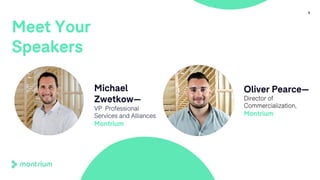
Meet Your
Speakers
Michael
Zwetkow—
VP Professional
Services and Alliances
Montrium
Oliver Pearce—
Director of
Commercialization,
Montrium
• Founded in 2005
• Working Exclusively in the Life Sciences
• Headquartered in Montreal, Canada
• EU HQ in Brussels
• Clients in North America, Europe & Asia
• Leading Content Management Platform
• Over 9000 Users in 20+ Countries
• Experienced Professional Services Group
• Co-authored Office 365
6
About
Montrium
Connecting People,
Processes & Technology
A B O U T T H E C O M P A N Y
Computerized System
Validation
T R A D I T I O N A L G A M P 5 M E T H O D O L O G Y
I N T H E C O N T E X T O F T H E C L O U D
7
• Fitness for intended use of a
computerized system is verified
and documented
• Risks associated with using the
system are mitigated
• Validated state is maintained
through effective change control
mechanisms
Basic
Principles
of
Validation
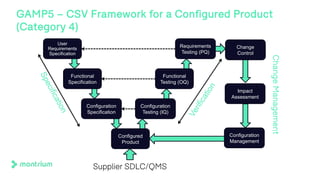
GAMP5 – CSV Framework for a Configured Product
(Category 4)
User
Requirements
Specification
Functional
Specification
Configuration
Specification
Configured
Product
Configuration
Testing (IQ)
Functional
Testing (OQ)
Requirements
Testing (PQ)
Specification
Verification
Change
Control
Impact
Assessment
Configuration
Management
ChangeManagement
Supplier SDLC/QMS
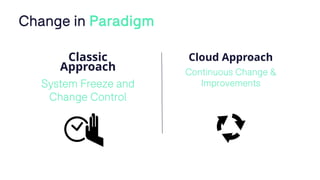
Classic
Approach
System Freeze and
Change Control
Cloud Approach
Continuous Change &
Improvements
Change in Paradigm
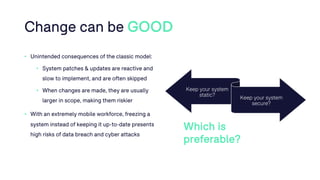
Change can be GOOD
• Unintended consequences of the classic model:
• System patches & updates are reactive and
slow to implement, and are often skipped
• When changes are made, they are usually
larger in scope, making them riskier
• With an extremely mobile workforce, freezing a
system instead of keeping it up-to-date presents
high risks of data breach and cyber attacks
Keep your system
static?
Keep your system
secure?
Which is
preferable?
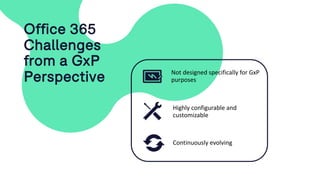
Office 365
Challenges
from a GxP
Perspective
Highly configurable and
customizable
Not designed specifically for GxP
purposes
Continuously evolving
Poll
• Do you currently manage regulated GxP content in Office 365 /
SharePoint Online?
The Continuous
Validation Concept
A L I F E S C I E N C E P E R S P E C T I V E
14
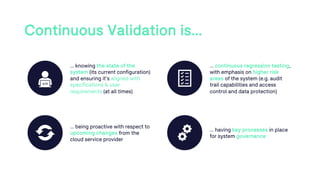
Continuous Validation is…
… knowing the state of the
system (its current configuration)
and ensuring it’s aligned with
specifications & user
requirements (at all times)
… continuous regression testing,
with emphasis on higher risk
areas of the system (e.g. audit
trail capabilities and access
control and data protection)
… being proactive with respect to
upcoming changes from the
cloud service provider
… having key processes in place
for system governance
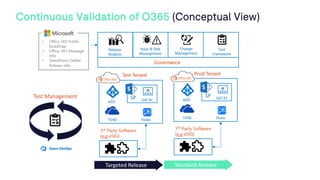
Continuous Validation of O365 (Conceptual View)
Targeted Release Standard Release
Test Management
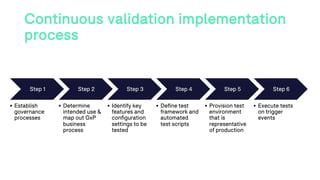
Continuous validation implementation
process
Step 1
• Establish
governance
processes
Step 2
• Determine
intended use &
map out GxP
business
process
Step 3
• Identify key
features and
configuration
settings to be
tested
Step 4
• Define test
framework and
automated
test scripts
Step 5
• Provision test
environment
that is
representative
of production
Step 6
• Execute tests
on trigger
events
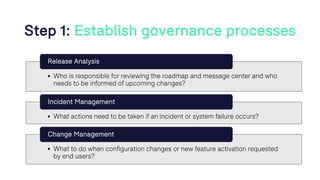
Step 1: Establish governance processes
• Who is responsible for reviewing the roadmap and message center and who
needs to be informed of upcoming changes?
Release Analysis
• What actions need to be taken if an incident or system failure occurs?
Incident Management
• What to do when configuration changes or new feature activation requested
by end users?
Change Management
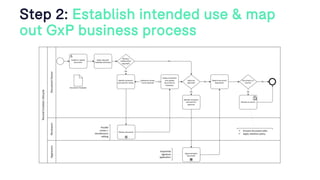
Step 2: Establish intended use & map
out GxP business process
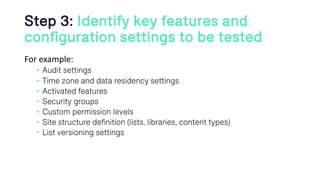
Step 3: Identify key features and
configuration settings to be tested
For example:
• Audit settings
• Time zone and data residency settings
• Activated features
• Security groups
• Custom permission levels
• Site structure definition (lists, libraries, content types)
• List versioning settings
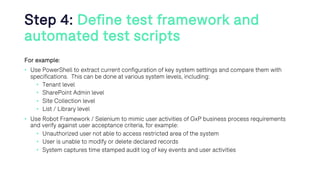
Step 4: Define test framework and
automated test scripts
For example:
• Use PowerShell to extract current configuration of key system settings and compare them with
specifications. This can be done at various system levels, including:
• Tenant level
• SharePoint Admin level
• Site Collection level
• List / Library level
• Use Robot Framework / Selenium to mimic user activities of GxP business process requirements
and verify against user acceptance criteria, for example:
• Unauthorized user not able to access restricted area of the system
• User is unable to modify or delete declared records
• System captures time stamped audit log of key events and user activities
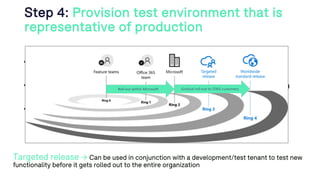
Step 4: Provision test environment that is
representative of production
• Features can be tested without necessarily having to enable them in
production
• Provides the ability to perform test in an isolated environment which
reduces risks of downtime
• Does not clutter the production with test data
Targeted release à Can be used in conjunction with a development/test tenant to test new
functionality before it gets rolled out to the entire organization
Gradual roll-out to O365 customersRoll-out within Microsoft
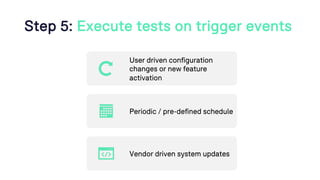
Step 5: Execute tests on trigger events
User driven configuration
changes or new feature
activation
Periodic / pre-defined schedule
Vendor driven system updates
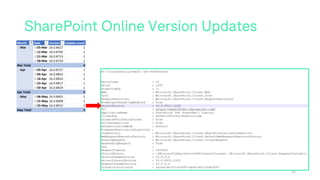
SharePoint Online Version Updates
24
Are you considering implementing a
continuous validation program at you
organization?
a) Yes
b) No
POLL
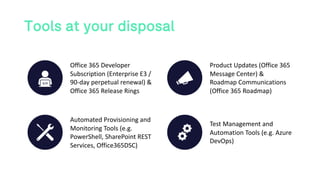
Tools at your disposal
Office 365 Developer
Subscription (Enterprise E3 /
90-day perpetual renewal) &
Office 365 Release Rings
Product Updates (Office 365
Message Center) &
Roadmap Communications
(Office 365 Roadmap)
Automated Provisioning and
Monitoring Tools (e.g.
PowerShell, SharePoint REST
Services, Office365DSC)
Test Management and
Automation Tools (e.g. Azure
DevOps)
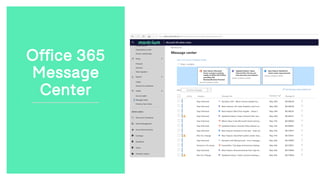
Office 365
Message
Center
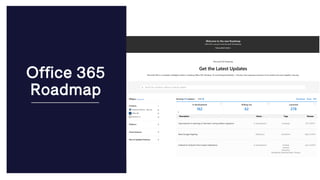
Office 365
Roadmap
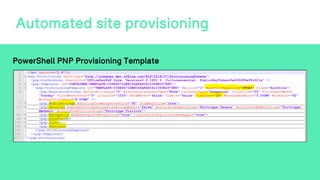
Automated site provisioning
PowerShell PNP Provisioning Template
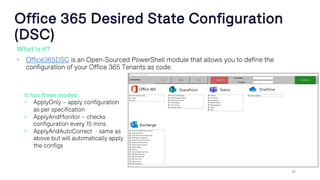
Office 365 Desired State Configuration
(DSC)
What is it?
• Office365DSC is an Open-Sourced PowerShell module that allows you to define the
configuration of your Office 365 Tenants as code.
30
It has three modes:
• ApplyOnly – apply configuration
as per specification
• ApplyAndMonitor – checks
configuration every 15 mins
• ApplyAndAutoCorrect - same as
above but will automatically apply
the configs
31
Office 365
DSC Use
Cases
• Recreating environment for debugging
• « Point-in-time » snapshot
• Delta analysis
• Disaster Recovery
• Monitoring and logging of desired state
• Synchronization of environments
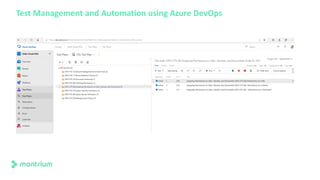
Test Management and Automation using Azure DevOps
Examples in action
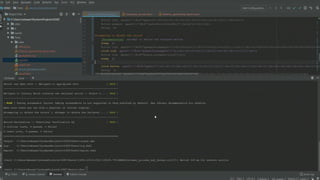
• Video 1: Automated configuration verification of
key settings related to the activation of site features
and audit log settings
• Video 2: Automated functional verification of
record declaration feature which prevents users
from deleting documents which have been declared
as records
Would you like to receive more information
on Montrium’s Compliance Toolkits for Office
365?
a) Yes, could be useful
b) No, thank you
36
POLL
37
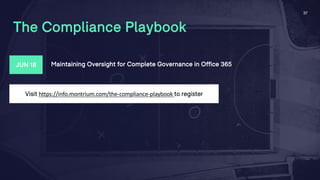
The Compliance Playbook
Visit https://info.montrium.com/the-compliance-playbook to register
JUN 18 Maintaining Oversight for Complete Governance in Office 365
38
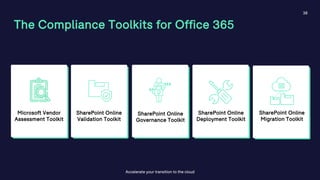
The Compliance Toolkits for Office 365
Accelerate your transition to the cloud
Microsoft Vendor
Assessment Toolkit
SharePoint Online
Validation Toolkit
SharePoint Online
Governance Toolkit
SharePoint Online
Deployment Toolkit
SharePoint Online
Migration Toolkit
Questions?

Continuous validation of office 365

  • 2.
  • 3.
    3 Today’s Agenda LIVE WEBINAR •Traditional computer system validation models in the cloud • Overview of continuous validation and key steps for implementing continuous validation • Office 365 tools at your disposal to support continuous validation • Examples in action • Q&A
  • 4.
    4 House Keeping L I VE W E B I N A R • This webinar is being recorded and will be made available after this session • Feel free to use the chatbox to submit your questions at anytime • Q&A will take place at the end of the webinar • We will send these slides to your email at the end of the webinar
  • 5.
    5 Meet Your Speakers Michael Zwetkow— VP Professional Servicesand Alliances Montrium Oliver Pearce— Director of Commercialization, Montrium
  • 6.
    • Founded in2005 • Working Exclusively in the Life Sciences • Headquartered in Montreal, Canada • EU HQ in Brussels • Clients in North America, Europe & Asia • Leading Content Management Platform • Over 9000 Users in 20+ Countries • Experienced Professional Services Group • Co-authored Office 365 6 About Montrium Connecting People, Processes & Technology A B O U T T H E C O M P A N Y
  • 7.
    Computerized System Validation T RA D I T I O N A L G A M P 5 M E T H O D O L O G Y I N T H E C O N T E X T O F T H E C L O U D 7
  • 8.
    • Fitness forintended use of a computerized system is verified and documented • Risks associated with using the system are mitigated • Validated state is maintained through effective change control mechanisms Basic Principles of Validation
  • 9.
    GAMP5 – CSVFramework for a Configured Product (Category 4) User Requirements Specification Functional Specification Configuration Specification Configured Product Configuration Testing (IQ) Functional Testing (OQ) Requirements Testing (PQ) Specification Verification Change Control Impact Assessment Configuration Management ChangeManagement Supplier SDLC/QMS
  • 10.
    Classic Approach System Freeze and ChangeControl Cloud Approach Continuous Change & Improvements Change in Paradigm
  • 11.
    Change can beGOOD • Unintended consequences of the classic model: • System patches & updates are reactive and slow to implement, and are often skipped • When changes are made, they are usually larger in scope, making them riskier • With an extremely mobile workforce, freezing a system instead of keeping it up-to-date presents high risks of data breach and cyber attacks Keep your system static? Keep your system secure? Which is preferable?
  • 12.
    Office 365 Challenges from aGxP Perspective Highly configurable and customizable Not designed specifically for GxP purposes Continuously evolving
  • 13.
    Poll • Do youcurrently manage regulated GxP content in Office 365 / SharePoint Online?
  • 14.
    The Continuous Validation Concept AL I F E S C I E N C E P E R S P E C T I V E 14
  • 15.
    Continuous Validation is… …knowing the state of the system (its current configuration) and ensuring it’s aligned with specifications & user requirements (at all times) … continuous regression testing, with emphasis on higher risk areas of the system (e.g. audit trail capabilities and access control and data protection) … being proactive with respect to upcoming changes from the cloud service provider … having key processes in place for system governance
  • 16.
    Continuous Validation ofO365 (Conceptual View) Targeted Release Standard Release Test Management
  • 17.
    Continuous validation implementation process Step1 • Establish governance processes Step 2 • Determine intended use & map out GxP business process Step 3 • Identify key features and configuration settings to be tested Step 4 • Define test framework and automated test scripts Step 5 • Provision test environment that is representative of production Step 6 • Execute tests on trigger events
  • 18.
    Step 1: Establishgovernance processes • Who is responsible for reviewing the roadmap and message center and who needs to be informed of upcoming changes? Release Analysis • What actions need to be taken if an incident or system failure occurs? Incident Management • What to do when configuration changes or new feature activation requested by end users? Change Management
  • 19.
    Step 2: Establishintended use & map out GxP business process
  • 20.
    Step 3: Identifykey features and configuration settings to be tested For example: • Audit settings • Time zone and data residency settings • Activated features • Security groups • Custom permission levels • Site structure definition (lists, libraries, content types) • List versioning settings
  • 21.
    Step 4: Definetest framework and automated test scripts For example: • Use PowerShell to extract current configuration of key system settings and compare them with specifications. This can be done at various system levels, including: • Tenant level • SharePoint Admin level • Site Collection level • List / Library level • Use Robot Framework / Selenium to mimic user activities of GxP business process requirements and verify against user acceptance criteria, for example: • Unauthorized user not able to access restricted area of the system • User is unable to modify or delete declared records • System captures time stamped audit log of key events and user activities
  • 22.
    Step 4: Provisiontest environment that is representative of production • Features can be tested without necessarily having to enable them in production • Provides the ability to perform test in an isolated environment which reduces risks of downtime • Does not clutter the production with test data Targeted release à Can be used in conjunction with a development/test tenant to test new functionality before it gets rolled out to the entire organization Gradual roll-out to O365 customersRoll-out within Microsoft
  • 23.
    Step 5: Executetests on trigger events User driven configuration changes or new feature activation Periodic / pre-defined schedule Vendor driven system updates
  • 24.
  • 25.
    Are you consideringimplementing a continuous validation program at you organization? a) Yes b) No POLL
  • 26.
    Tools at yourdisposal Office 365 Developer Subscription (Enterprise E3 / 90-day perpetual renewal) & Office 365 Release Rings Product Updates (Office 365 Message Center) & Roadmap Communications (Office 365 Roadmap) Automated Provisioning and Monitoring Tools (e.g. PowerShell, SharePoint REST Services, Office365DSC) Test Management and Automation Tools (e.g. Azure DevOps)
  • 27.
  • 28.
  • 29.
    Automated site provisioning PowerShellPNP Provisioning Template
  • 30.
    Office 365 DesiredState Configuration (DSC) What is it? • Office365DSC is an Open-Sourced PowerShell module that allows you to define the configuration of your Office 365 Tenants as code. 30 It has three modes: • ApplyOnly – apply configuration as per specification • ApplyAndMonitor – checks configuration every 15 mins • ApplyAndAutoCorrect - same as above but will automatically apply the configs
  • 31.
    31 Office 365 DSC Use Cases •Recreating environment for debugging • « Point-in-time » snapshot • Delta analysis • Disaster Recovery • Monitoring and logging of desired state • Synchronization of environments
  • 32.
    Test Management andAutomation using Azure DevOps
  • 33.
    Examples in action •Video 1: Automated configuration verification of key settings related to the activation of site features and audit log settings • Video 2: Automated functional verification of record declaration feature which prevents users from deleting documents which have been declared as records
  • 36.
    Would you liketo receive more information on Montrium’s Compliance Toolkits for Office 365? a) Yes, could be useful b) No, thank you 36 POLL
  • 37.
    37 The Compliance Playbook Visithttps://info.montrium.com/the-compliance-playbook to register JUN 18 Maintaining Oversight for Complete Governance in Office 365
  • 38.
    38 The Compliance Toolkitsfor Office 365 Accelerate your transition to the cloud Microsoft Vendor Assessment Toolkit SharePoint Online Validation Toolkit SharePoint Online Governance Toolkit SharePoint Online Deployment Toolkit SharePoint Online Migration Toolkit
  • 39.