Continuous Integration
Motivation
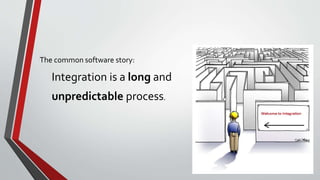
The common software story:
Integration is a long and
unpredictable process.
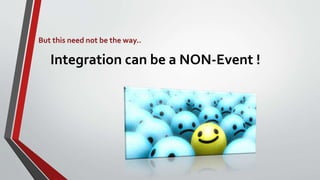
But this need not be the way..
Integration can be a NON-Event !
Contents
• Building a Feature with Continuous Integration
• Practices of Continuous Integration
• Benefits of Continuous Integration
• Introducing Continuous Integration
Building a Feature with Continuous Integration
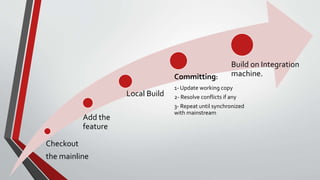
Checkout
the mainline
Add the
feature
Local Build
Committing:
1- Update working copy
2- Resolve conflicts if any
3- Repeat until synchronized
with mainstream
Build on Integration
machine.
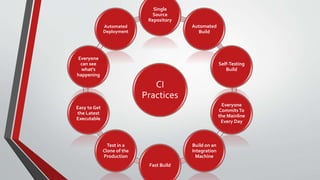
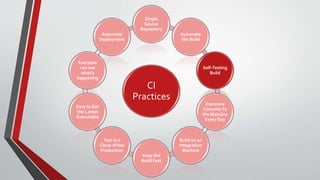
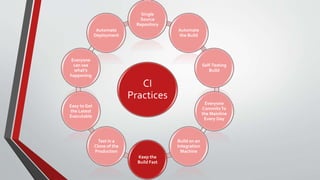
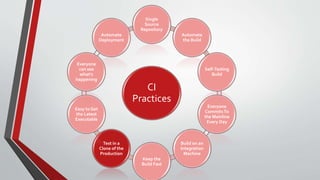
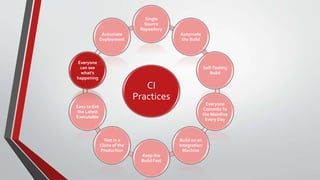
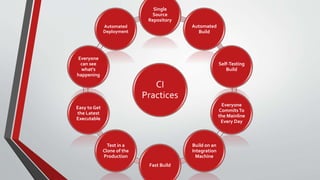
Practices of Continuous Integration
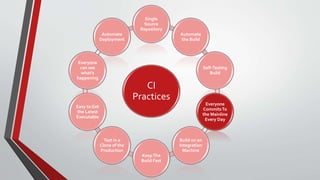
CI
Practices
Single
Source
Repository
Automated
Build
Self-Testing
Build
Everyone
CommitsTo
the Mainline
Every Day
Build on an
Integration
Machine
Fast Build
Test in a
Clone of the
Production
Easy to Get
the Latest
Executable
Everyone
can see
what's
happening
Automated
Deployment
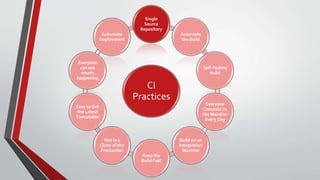
CI
Practices
Single
Source
Repository
Automate
the Build
Self-Testing
Build
Everyone
CommitsTo
the Mainline
Every Day
Build on an
Integration
Machine
Keep the
Build Fast
Test in a
Clone of the
Production
Easy to Get
the Latest
Executable
Everyone
can see
what's
happening
Automate
Deployment
1- Maintain a Single Source Repository
• The Rule:
“you should be able to do a checkout on a virgin machine and be able
to fully build the System.”
• The steps:
• Get a decent source control management system.
• Make sure it is the well known place for everyone to get the source.
• Not only code. Put every thing you need to build. (test scripts, properties files,..).
• Don’t overuse branches.
CI
Practices
Single
Source
Repository
Automate
the Build
Self-Testing
Build
Everyone
CommitsTo
the Mainline
Every Day
Build on an
Integration
Machine
Keep the
Build Fast
Test in a
Clone of the
Production
Easy to Get
the Latest
Executable
Everyone
can see
what's
happening
Automate
Deployment
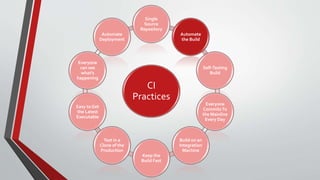
2- AutomateThe Build
• Turning sources into executable is often a complicated process, and since it
can be automated, it Should be automated.
• A good automated build script:
• Every thing should be included(fetching DB scripts from repo and firing them).
• Analyze what was changed and replace the needed classes only.
• Should allow building different targets for different cases.
CI
Practices
Single
Source
Repository
Automate
the Build
Self-Testing
Build
Everyone
CommitsTo
the Mainline
Every Day
Build on an
Integration
Machine
Keep the
Build Fast
Test in a
Clone of the
Production
Easy to Get
the Latest
Executable
Everyone
can see
what's
happening
Automate
Deployment
3- MakeYour Build Self-Testing
• XP andTDD popularized “Self-Testing Code” concept.
• Self-Testing code:
“The practice of writing comprehensive automated tests, in conjunction
with functional software.”
3- MakeYour Build Self-Testing
• To have Self-Testing code you need:
• A suit of automated test with good coverage percent.
• Be able to kickoff the tests with simple command.
• The tests to be self checking.
• To have Self-Testing Build:
• Include the automated tests in the build process.
• The failure of a test should cause the build failure.
CI
Practices
Single
Source
Repository
Automate
the Build
Self-Testing
Build
Everyone
CommitsTo
the Mainline
Every Day
Build on an
Integration
Machine
KeepThe
Build Fast
Test in a
Clone of the
Production
Easy to Get
the Latest
Executable
Everyone
can see
what's
happening
Automate
Deployment
4- Everyone CommitsTo the Mainline Every Day
• Every developer should commit to the repository every day(at least).
• Benefits:
• The more frequent commits  less places to look for conflicts  more
rapidly conflicts get fixed! (diff-debugging).
• Encourage breaking down tasks into small chunks  easer to track
progress.
CI
Practices
Single
Source
Repository
Automate
the Build
Self-Testing
Build
Everyone
CommitsTo
the Mainline
Every Day
Build on an
Integration
Machine
Keep the
Build Fast
Test in a
Clone of the
Production
Easy to Get
the Latest
Executable
Everyone
can see
what's
happening
Automate
Deployment
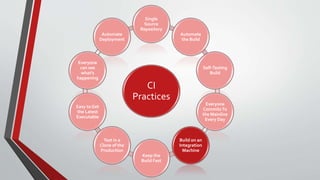
5- Every Commit Should Build the Mainline on an Integration Machine
• Successful “local” builds is not enough.
• You should a separate Integration machine to avoid developers machines environment
differences issues.
• You should not go home until you get a successful build on the integration machine.
• Nightly builds are not enough for CI.(conflicts will stay undected for I day )
• Can be done in two ways:
• Manually
• Using Continues Integration server
5- Every Commit Should Build the Mainline on an Integration Machine
• Manually:
• Checkout the head of mainline.
• Kickoff the build.
• Keep an eye on it , until finish successfully.
5- Every Commit Should Build the Mainline on an Integration Machine
• RememberTravis ?
• The continues integration server should:
• Monitor the Repository
• Checks out the sources to the integration machine after each commit
• Initiate a build
• Send notification for the build status after completion.
CI
Practices
Single
Source
Repository
Automate
the Build
Self-Testing
Build
Everyone
CommitsTo
the Mainline
Every Day
Build on an
Integration
Machine
Keep the
Build Fast
Test in a
Clone of the
Production
Easy to Get
the Latest
Executable
Everyone
can see
what's
happening
Automate
Deployment
6- Keep the Build Fast
• Every minute reduced of build time =
a minute saved * per developer * per number of commits
• What is considered a “Fast” build?
• XP guidelines: 10 minutes build
• The usual bottleneck :Testing
• Specially tests that use services (like DB).
6- Keep the Build Fast
• Use a “Deployment Pipeline”
• Multiple builds done in sequence.
• The commit triggers the first build “commit build”
• Commit build should be fast  will use shortcuts(Test Double)
• Shortcuts  reduce ability to detect bugs!
• Should have balance between speed and bug finding
• Then slower tests can start to run, and additional machines can be used.
• Ensure that any large scale failure leads to new test added to the commit
build.
• Parallel secondary tests can be used to do more automated tests
type(performance for example)
CI
Practices
Single
Source
Repository
Automate
the Build
Self-Testing
Build
Everyone
CommitsTo
the Mainline
Every Day
Build on an
Integration
Machine
Keep the
Build Fast
Test in a
Clone of the
Production
Easy to Get
the Latest
Executable
Everyone
can see
what's
happening
Automate
Deployment
7-Test in a Clone of the Production Environment
• Set up test environment to be a mimic of production environment.
(DB software version, OS version, libraries, IPs, ports ..)
• Possible limitations:
1. Wide varieties (desktop applications)
2. Expensive
• However, still try to duplicate the environment as much as you can.
• Understand the risks you accept for every difference between test and
production environment.
• A growing option to overcome limitation: Virtualization
CI
Practices
Single
Source
Repository
Automate
the Build
Self-Testing
Build
Everyone
CommitsTo
the Mainline
Every Day
Build on an
Integration
Machine
Keep the
Build Fast
Test in a
Clone of the
Production
Easy to Get
the Latest
Executable
Everyone
can see
what's
happening
Automate
Deployment
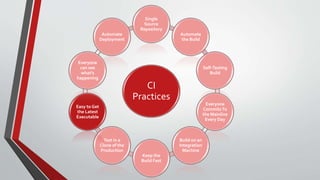
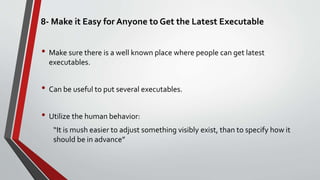
8- Make it Easy for Anyone to Get the Latest Executable
• Make sure there is a well known place where people can get latest
executables.
• Can be useful to put several executables.
• Utilize the human behavior:
“It is mush easier to adjust something visibly exist, than to specify how it
should be in advance”
CI
Practices
Single
Source
Repository
Automate
the Build
Self-Testing
Build
Everyone
CommitsTo
the Mainline
Every Day
Build on an
Integration
Machine
Keep the
Build Fast
Test in a
Clone of the
Production
Easy to Get
the Latest
Executable
Everyone
can see
what's
happening
Automate
Deployment
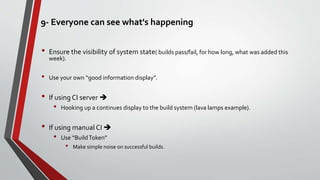
9- Everyone can see what's happening
• Ensure the visibility of system state( builds pass/fail, for how long, what was added this
week).
• Use your own “good information display”.
• If using CI server 
• Hooking up a continues display to the build system (lava lamps example).
• If using manual CI 
• Use “BuildToken”
• Make simple noise on successful builds.
CI
Practices
Single
Source
Repository
Automate
the Build
Self-Testing
Build
Everyone
CommitsTo
the Mainline
Every Day
Build on an
Integration
Machine
Keep the
Build Fast
Test in a
Clone of the
Production
Easy to Get
the Latest
Executable
Everyone
can see
what's
happening
Automate
Deployment
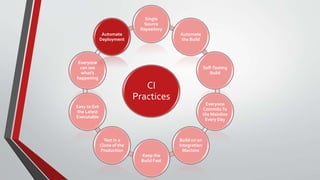
10- Automate Deployment
• Why?
•CI needs multiple environments.(commit tests, secondary test).
•CI requires multiple deployments per day
• Benefits?
• Speed up process
• Reduce errors
10- Automate Deployment
• Should also consider “Automated Rollback”
 Reduce deployment tension
 Encourage frequent deployment
 Get new features out to users quickly
• Deployments Models (utilizing automated deployment):
• For clustered environments: one node per time, replacing the
application over few hours.
• For public web applications: deploy trial build for a subset of users.
CI
Practices
Single
Source
Repository
Automated
Build
Self-Testing
Build
Everyone
CommitsTo
the Mainline
Every Day
Build on an
Integration
Machine
Fast Build
Test in a
Clone of the
Production
Easy to Get
the Latest
Executable
Everyone
can see
what's
happening
Automated
Deployment
Benefits of Continuous Integration
• Reduced risk.
• Completely eliminate the blind spot.
At all times you know where you are, what works, what doesn't, the outstanding bugs
you have in your system.
• Dramatically easier to find and remove bugs.
• Avoids the “BrokenWindow Syndrome” (cumulative bugs)
• Allows your users to get new features more rapidly, to give more rapid
feedback on those features, and generally become more collaborative in the
development cycle.
Introducing Continuous Integration
• No fixed recipe here - much depends on the nature of your setup and team.
• The essentials for any of the other things to work:
• Get everything you need into source control.
• Ability to build the whole system with a single command
• Nightly build is a fine step on the way.
• Introduce some automated testing into your build.
• Try to speed up the commit build.
So , will you give it a try?

Continuous integration

  • 1.
  • 2.
  • 3.
    The common softwarestory: Integration is a long and unpredictable process.
  • 4.
    But this neednot be the way.. Integration can be a NON-Event !
  • 5.
    Contents • Building aFeature with Continuous Integration • Practices of Continuous Integration • Benefits of Continuous Integration • Introducing Continuous Integration
  • 6.
    Building a Featurewith Continuous Integration
  • 7.
    Checkout the mainline Add the feature LocalBuild Committing: 1- Update working copy 2- Resolve conflicts if any 3- Repeat until synchronized with mainstream Build on Integration machine.
  • 8.
  • 9.
    CI Practices Single Source Repository Automated Build Self-Testing Build Everyone CommitsTo the Mainline Every Day Buildon an Integration Machine Fast Build Test in a Clone of the Production Easy to Get the Latest Executable Everyone can see what's happening Automated Deployment
  • 10.
    CI Practices Single Source Repository Automate the Build Self-Testing Build Everyone CommitsTo the Mainline EveryDay Build on an Integration Machine Keep the Build Fast Test in a Clone of the Production Easy to Get the Latest Executable Everyone can see what's happening Automate Deployment
  • 11.
    1- Maintain aSingle Source Repository • The Rule: “you should be able to do a checkout on a virgin machine and be able to fully build the System.” • The steps: • Get a decent source control management system. • Make sure it is the well known place for everyone to get the source. • Not only code. Put every thing you need to build. (test scripts, properties files,..). • Don’t overuse branches.
  • 12.
    CI Practices Single Source Repository Automate the Build Self-Testing Build Everyone CommitsTo the Mainline EveryDay Build on an Integration Machine Keep the Build Fast Test in a Clone of the Production Easy to Get the Latest Executable Everyone can see what's happening Automate Deployment
  • 13.
    2- AutomateThe Build •Turning sources into executable is often a complicated process, and since it can be automated, it Should be automated. • A good automated build script: • Every thing should be included(fetching DB scripts from repo and firing them). • Analyze what was changed and replace the needed classes only. • Should allow building different targets for different cases.
  • 14.
    CI Practices Single Source Repository Automate the Build Self-Testing Build Everyone CommitsTo the Mainline EveryDay Build on an Integration Machine Keep the Build Fast Test in a Clone of the Production Easy to Get the Latest Executable Everyone can see what's happening Automate Deployment
  • 15.
    3- MakeYour BuildSelf-Testing • XP andTDD popularized “Self-Testing Code” concept. • Self-Testing code: “The practice of writing comprehensive automated tests, in conjunction with functional software.”
  • 16.
    3- MakeYour BuildSelf-Testing • To have Self-Testing code you need: • A suit of automated test with good coverage percent. • Be able to kickoff the tests with simple command. • The tests to be self checking. • To have Self-Testing Build: • Include the automated tests in the build process. • The failure of a test should cause the build failure.
  • 17.
    CI Practices Single Source Repository Automate the Build Self-Testing Build Everyone CommitsTo the Mainline EveryDay Build on an Integration Machine KeepThe Build Fast Test in a Clone of the Production Easy to Get the Latest Executable Everyone can see what's happening Automate Deployment
  • 18.
    4- Everyone CommitsTothe Mainline Every Day • Every developer should commit to the repository every day(at least). • Benefits: • The more frequent commits  less places to look for conflicts  more rapidly conflicts get fixed! (diff-debugging). • Encourage breaking down tasks into small chunks  easer to track progress.
  • 19.
    CI Practices Single Source Repository Automate the Build Self-Testing Build Everyone CommitsTo the Mainline EveryDay Build on an Integration Machine Keep the Build Fast Test in a Clone of the Production Easy to Get the Latest Executable Everyone can see what's happening Automate Deployment
  • 20.
    5- Every CommitShould Build the Mainline on an Integration Machine • Successful “local” builds is not enough. • You should a separate Integration machine to avoid developers machines environment differences issues. • You should not go home until you get a successful build on the integration machine. • Nightly builds are not enough for CI.(conflicts will stay undected for I day ) • Can be done in two ways: • Manually • Using Continues Integration server
  • 21.
    5- Every CommitShould Build the Mainline on an Integration Machine • Manually: • Checkout the head of mainline. • Kickoff the build. • Keep an eye on it , until finish successfully.
  • 22.
    5- Every CommitShould Build the Mainline on an Integration Machine • RememberTravis ? • The continues integration server should: • Monitor the Repository • Checks out the sources to the integration machine after each commit • Initiate a build • Send notification for the build status after completion.
  • 23.
    CI Practices Single Source Repository Automate the Build Self-Testing Build Everyone CommitsTo the Mainline EveryDay Build on an Integration Machine Keep the Build Fast Test in a Clone of the Production Easy to Get the Latest Executable Everyone can see what's happening Automate Deployment
  • 24.
    6- Keep theBuild Fast • Every minute reduced of build time = a minute saved * per developer * per number of commits • What is considered a “Fast” build? • XP guidelines: 10 minutes build • The usual bottleneck :Testing • Specially tests that use services (like DB).
  • 25.
    6- Keep theBuild Fast • Use a “Deployment Pipeline” • Multiple builds done in sequence. • The commit triggers the first build “commit build” • Commit build should be fast  will use shortcuts(Test Double) • Shortcuts  reduce ability to detect bugs! • Should have balance between speed and bug finding • Then slower tests can start to run, and additional machines can be used. • Ensure that any large scale failure leads to new test added to the commit build. • Parallel secondary tests can be used to do more automated tests type(performance for example)
  • 26.
    CI Practices Single Source Repository Automate the Build Self-Testing Build Everyone CommitsTo the Mainline EveryDay Build on an Integration Machine Keep the Build Fast Test in a Clone of the Production Easy to Get the Latest Executable Everyone can see what's happening Automate Deployment
  • 27.
    7-Test in aClone of the Production Environment • Set up test environment to be a mimic of production environment. (DB software version, OS version, libraries, IPs, ports ..) • Possible limitations: 1. Wide varieties (desktop applications) 2. Expensive • However, still try to duplicate the environment as much as you can. • Understand the risks you accept for every difference between test and production environment. • A growing option to overcome limitation: Virtualization
  • 28.
    CI Practices Single Source Repository Automate the Build Self-Testing Build Everyone CommitsTo the Mainline EveryDay Build on an Integration Machine Keep the Build Fast Test in a Clone of the Production Easy to Get the Latest Executable Everyone can see what's happening Automate Deployment
  • 29.
    8- Make itEasy for Anyone to Get the Latest Executable • Make sure there is a well known place where people can get latest executables. • Can be useful to put several executables. • Utilize the human behavior: “It is mush easier to adjust something visibly exist, than to specify how it should be in advance”
  • 30.
    CI Practices Single Source Repository Automate the Build Self-Testing Build Everyone CommitsTo the Mainline EveryDay Build on an Integration Machine Keep the Build Fast Test in a Clone of the Production Easy to Get the Latest Executable Everyone can see what's happening Automate Deployment
  • 31.
    9- Everyone cansee what's happening • Ensure the visibility of system state( builds pass/fail, for how long, what was added this week). • Use your own “good information display”. • If using CI server  • Hooking up a continues display to the build system (lava lamps example). • If using manual CI  • Use “BuildToken” • Make simple noise on successful builds.
  • 32.
    CI Practices Single Source Repository Automate the Build Self-Testing Build Everyone CommitsTo the Mainline EveryDay Build on an Integration Machine Keep the Build Fast Test in a Clone of the Production Easy to Get the Latest Executable Everyone can see what's happening Automate Deployment
  • 33.
    10- Automate Deployment •Why? •CI needs multiple environments.(commit tests, secondary test). •CI requires multiple deployments per day • Benefits? • Speed up process • Reduce errors
  • 34.
    10- Automate Deployment •Should also consider “Automated Rollback”  Reduce deployment tension  Encourage frequent deployment  Get new features out to users quickly • Deployments Models (utilizing automated deployment): • For clustered environments: one node per time, replacing the application over few hours. • For public web applications: deploy trial build for a subset of users.
  • 35.
    CI Practices Single Source Repository Automated Build Self-Testing Build Everyone CommitsTo the Mainline Every Day Buildon an Integration Machine Fast Build Test in a Clone of the Production Easy to Get the Latest Executable Everyone can see what's happening Automated Deployment
  • 36.
  • 37.
    Benefits of ContinuousIntegration • Reduced risk. • Completely eliminate the blind spot. At all times you know where you are, what works, what doesn't, the outstanding bugs you have in your system. • Dramatically easier to find and remove bugs. • Avoids the “BrokenWindow Syndrome” (cumulative bugs) • Allows your users to get new features more rapidly, to give more rapid feedback on those features, and generally become more collaborative in the development cycle.
  • 38.
  • 39.
    Introducing Continuous Integration •No fixed recipe here - much depends on the nature of your setup and team. • The essentials for any of the other things to work: • Get everything you need into source control. • Ability to build the whole system with a single command • Nightly build is a fine step on the way. • Introduce some automated testing into your build. • Try to speed up the commit build.
  • 40.
    So , willyou give it a try?