OneDrive>ContestonSocialMedia
Contests on
Social Media
Getting the Basics and Rules
Before you even start think about:
•Setting a goal:
reason/purpose
Creativity
Leverage on all
social Channels
Making sure you
measure everything
OneDrive>ContestonSocialMedia
Six Main Categories
OneDrive>ContestonSocialMedia
–Sweepstakes
• common on
Twitter
Connect
• like/follow
company
social acct. to
enter
Like
•like a particular
piece of content
to enter
Share
• share content
to enter
Vote
• state
preference
from multiple
pieces
Create
• develop user-
generated
content and
upload
Younger the audience
= creating content
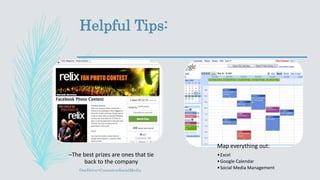
Helpful Tips:
OneDrive>ContestonSocialMedia
–The best prizes are ones that tie
back to the company
Map everything out:
•Excel
•Google Calendar
•Social Media Management
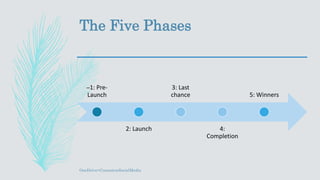
The Five Phases
–1: Pre-
Launch
2: Launch
3: Last
chance
4:
Completion
5: Winners
OneDrive>ContestonSocialMedia
Amplify your Strategy
Ensure that your contest has the reach that you’re looking for
Entrance the people who already know you with a “shhh coming soon!”
emails/messages
Get a monitor, a day-to-day person
Facebook, Instagram, and Pinterest ads
Facebook, and Twitter promos
OneDrive>ContestonSocialMedia
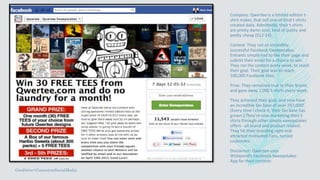
Company: Qwertee is a limited edition t-
shirt maker, that sell one-of-kind t-shirts
created daily. Admittedly, their t-shirts
are pretty damn cool, kind of quirky and
pretty cheap ($12-14).
Contest: They ran an incredibly
successful Facebook Sweepstakes.
Entrants simply had to like their page and
submit their email for a chance to win.
They ran the contest every week, to reach
their goal. Their goal was to reach
100,000 Facebook likes.
Prize: They remained true to their brand,
and gave away 1,000 t-shirts every week.
They achieved their goal, and now have
an incredible fan base of over 297,000!
(Every time I check it, their fan base has
grown.) They’re now marketing their t-
shirts through other simple sweepstakes
offers - all brand and product related.
They hit their branding right and
attracted motivated Fans, turned
customers.
Disclaimer: Qwertee uses
Wishpond’s Facebook Sweepstakes
App for their contests
OneDrive>ContestonSocialMedia
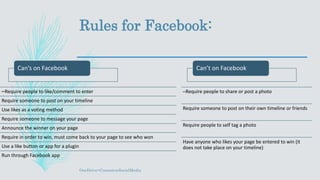
Rules for Facebook:
Can’s on Facebook
–Require people to like/comment to enter
Require someone to post on your timeline
Use likes as a voting method
Require someone to message your page
Announce the winner on your page
Require in order to win, must come back to your page to see who won
Use a like button or app for a plugin
Run through Facebook app
Can’t on Facebook
–Require people to share or post a photo
Require someone to post on their own timeline or friends
Require people to self tag a photo
Have anyone who likes your page be entered to win (it
does not take place on your timeline)
OneDrive>ContestonSocialMedia
Instagram
OneDrive>ContestonSocialMedia
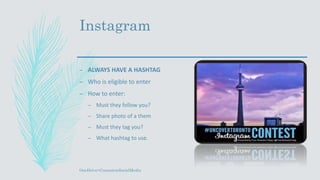
– ALWAYS HAVE A HASHTAG
– Who is eligible to enter
– How to enter:
– Must they follow you?
– Share photo of a them
– Must they tag you?
– What hashtag to use.
Instagram
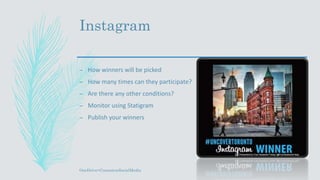
– How winners will be picked
– How many times can they participate?
– Are there any other conditions?
– Monitor using Statigram
– Publish your winners
OneDrive>ContestonSocialMedia
Software to use:
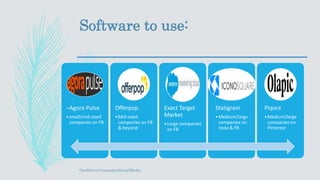
–Agora Pulse
•small/mid-sized
companies on FB
Offerpop
•Mid-sized
companies on FB
& beyond
Exact Target
Market
•Large companies
on FB
Statigram
•Medium/large
companies on
Insta & FB
Piqora
•Medium/large
companies on
Pinterest
OneDrive>ContestonSocialMedia
Works Cited
– Baer, Jay. "13 Ingredients in the Perfect Social Media Contest." Convenience &
Convert. Convenience & Convert, n.d. Web.
– Maximize Social Business. N.p., 28 Aug. 2015. Web. 19 July 2016.
– "Social Media Marketing Tips | Hootsuite Blog." Hootsuite Social Media
Management Everything You Ever Wanted to Know About Working with
YouTube Influencers Comments. N.p., n.d. Web. 14 July 2016
– Vahl, Andrea. "New Facebook Contest and Promotion Rules, What Marketers
Need to Know." N.p., 9 Sept. 2013. Web. 14 July 2016
– Wishpond. "10 Amazing Examples of Branded Facebook Contests Done Right."
Wishpond. N.p., 04 June 2013. Web. 19 July 2016.
OneDrive>ContestonSocialMedia

Contests on social media

  • 1.
  • 2.
    Before you evenstart think about: •Setting a goal: reason/purpose Creativity Leverage on all social Channels Making sure you measure everything OneDrive>ContestonSocialMedia
  • 3.
    Six Main Categories OneDrive>ContestonSocialMedia –Sweepstakes •common on Twitter Connect • like/follow company social acct. to enter Like •like a particular piece of content to enter Share • share content to enter Vote • state preference from multiple pieces Create • develop user- generated content and upload Younger the audience = creating content
  • 4.
    Helpful Tips: OneDrive>ContestonSocialMedia –The bestprizes are ones that tie back to the company Map everything out: •Excel •Google Calendar •Social Media Management
  • 5.
    The Five Phases –1:Pre- Launch 2: Launch 3: Last chance 4: Completion 5: Winners OneDrive>ContestonSocialMedia
  • 6.
    Amplify your Strategy Ensurethat your contest has the reach that you’re looking for Entrance the people who already know you with a “shhh coming soon!” emails/messages Get a monitor, a day-to-day person Facebook, Instagram, and Pinterest ads Facebook, and Twitter promos OneDrive>ContestonSocialMedia
  • 7.
    Company: Qwertee isa limited edition t- shirt maker, that sell one-of-kind t-shirts created daily. Admittedly, their t-shirts are pretty damn cool, kind of quirky and pretty cheap ($12-14). Contest: They ran an incredibly successful Facebook Sweepstakes. Entrants simply had to like their page and submit their email for a chance to win. They ran the contest every week, to reach their goal. Their goal was to reach 100,000 Facebook likes. Prize: They remained true to their brand, and gave away 1,000 t-shirts every week. They achieved their goal, and now have an incredible fan base of over 297,000! (Every time I check it, their fan base has grown.) They’re now marketing their t- shirts through other simple sweepstakes offers - all brand and product related. They hit their branding right and attracted motivated Fans, turned customers. Disclaimer: Qwertee uses Wishpond’s Facebook Sweepstakes App for their contests OneDrive>ContestonSocialMedia
  • 8.
    Rules for Facebook: Can’son Facebook –Require people to like/comment to enter Require someone to post on your timeline Use likes as a voting method Require someone to message your page Announce the winner on your page Require in order to win, must come back to your page to see who won Use a like button or app for a plugin Run through Facebook app Can’t on Facebook –Require people to share or post a photo Require someone to post on their own timeline or friends Require people to self tag a photo Have anyone who likes your page be entered to win (it does not take place on your timeline) OneDrive>ContestonSocialMedia
  • 9.
    Instagram OneDrive>ContestonSocialMedia – ALWAYS HAVEA HASHTAG – Who is eligible to enter – How to enter: – Must they follow you? – Share photo of a them – Must they tag you? – What hashtag to use.
  • 10.
    Instagram – How winnerswill be picked – How many times can they participate? – Are there any other conditions? – Monitor using Statigram – Publish your winners OneDrive>ContestonSocialMedia
  • 11.
    Software to use: –AgoraPulse •small/mid-sized companies on FB Offerpop •Mid-sized companies on FB & beyond Exact Target Market •Large companies on FB Statigram •Medium/large companies on Insta & FB Piqora •Medium/large companies on Pinterest OneDrive>ContestonSocialMedia
  • 12.
    Works Cited – Baer,Jay. "13 Ingredients in the Perfect Social Media Contest." Convenience & Convert. Convenience & Convert, n.d. Web. – Maximize Social Business. N.p., 28 Aug. 2015. Web. 19 July 2016. – "Social Media Marketing Tips | Hootsuite Blog." Hootsuite Social Media Management Everything You Ever Wanted to Know About Working with YouTube Influencers Comments. N.p., n.d. Web. 14 July 2016 – Vahl, Andrea. "New Facebook Contest and Promotion Rules, What Marketers Need to Know." N.p., 9 Sept. 2013. Web. 14 July 2016 – Wishpond. "10 Amazing Examples of Branded Facebook Contests Done Right." Wishpond. N.p., 04 June 2013. Web. 19 July 2016. OneDrive>ContestonSocialMedia

Editor's Notes

  • #6 Prelaunch is when you are teasing all of your current followers/subscribers that something exciting is coming. Launch is when you send out your contest and people will be able to start interaction with the contest. Last Chance is when maybe there’s only a few days left and you send out your “LAST CHANCE DO IT NOW!” posts to maximize your activity with your contest. Completion is when you close up say your thank you for participating in our contest stay tuned to find out who the winner will be. And lastly Winners where you pick your winners and publicize who it is.