The 10 things I’d sharewith a new ChaCha GuideBy Guide Maricely1
1. Use search u!Search University was provided by ChaCha to help Guides learn the basics, pick up tips and tricks, and maximize earning potential. Helpful videos by the ChaCha staff will help you get started. Must see videos:-Setting Up For Guiding-Generalist/Specialist Basics-Setting Up Payment-Setting Categories & InterestsThese tipsheets will give you the extra info you need to jumpstart your earnings(Ge/Sp): -5 Things: Search Terms-Non-Famous People-Sample Q & A-Help! I Can't Find the Answer!Visit: searchu.chacha.com
2. Add-on and watch it add up!The Mozilla FireFox browser is necessary for Guiding, but if you’re new to FF, don’t be nervous! It’s a customizable browser withhelpful add-ons that will make Guiding easier and faster. I suggest:ChaCha StatsClicker – Keeps track of your earnings and gives the option to keeping track of how many sessions you’ve completed.
PermaTabs – Allows you to make a tab “permanent”, meaning you won’t accidently close your Guiding session! Don’t wait until you learn the hard way!
NoScript– You might visit suspicious sites once in a while, and this add-on will protect your computer from many pop-ups and viruses. Visit: addons.mozilla.org
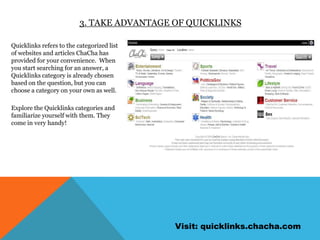
3. Take advantage of quicklinksQuicklinks refers to the categorized list of websites and articles ChaCha has provided for your convenience.  When you start searching for an answer, a Quicklinks category is already chosen based on the question, but you can choose a category on your own as well. Explore the Quicklinks categories and familiarize yourself with them. They come in very handy!Visit: quicklinks.chacha.com
4. use Advanced search optionsAdvanced search options and search shortcuts are your new best friend! The simplest and most helpful tip I’ve learned is using parenthesis (“ “) to isolate words that must be in the search results in that specific order. Example:A customer asks: What song has the lyrics: We could generate a lot of heat?You search for: We could generate a lot of heatThe search results are about geothermal energy and electricity.Next, you search for: “We could generate a lot of heat”Because you searched for pages that include that exact phrase, the search results are about the Billy Joel song “52nd Street”!Click “Advanced Search” on most search engines for even more options. Experiment with these tools in your free time. Remember, it’s now your job to be a search engine wizard!
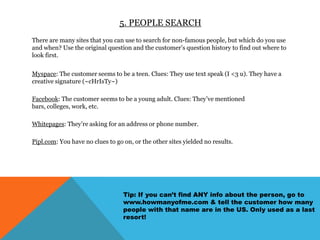
5. People searchThere are many sites that you can use to search for non-famous people, but which do you use and when? Use the original question and the customer’s question history to find out where to look first.Myspace: The customer seems to be a teen. Clues: They use text speak (I <3 u). They have a creative signature (~cHrIsTy~)Facebook: The customer seems to be a young adult. Clues: They’ve mentioned bars, colleges, work, etc. Whitepages: They’re asking for an address or phone number.Pipl.com: You have no clues to go on, or the other sites yielded no results. Tip: If you can’t find ANY info about the person, go to www.howmanyofme.com & tell the customer how many people with that name are in the US. Only used as a last resort!
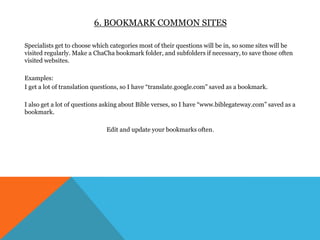
6. Bookmark common sitesSpecialists get to choose which categories most of their questions will be in, so some sites will be visited regularly. Make a ChaCha bookmark folder, and subfolders if necessary, to save those often visited websites. Examples:I get a lot of translation questions, so I have “translate.google.com” saved as a bookmark. I also get a lot of questions asking about Bible verses, so I have “www.biblegateway.com” saved as a bookmark.Edit and update your bookmarks often.
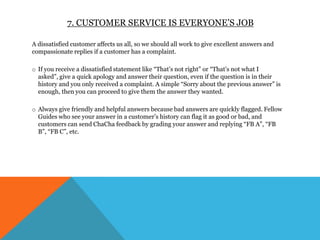
7. Customer service is everyone’s jobA dissatisfied customer affects us all, so we should all work to give excellent answers and compassionate replies if a customer has a complaint.If you receive a dissatisfied statement like “That’s not right” or “That’s not what I asked”, give a quick apology and answer their question, even if the question is in their history and you only received a complaint. A simple “Sorry about the previous answer” is enough, then you can proceed to give them the answer they wanted.
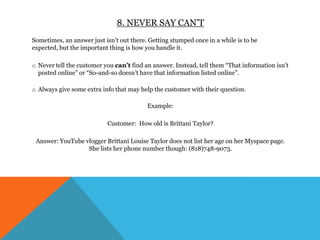
Always give friendly and helpful answers because bad answers are quickly flagged. Fellow Guides who see your answer in a customer’s history can flag it as good or bad, and customers can send ChaCha feedback by grading your answer and replying “FB A”, “FB B”, “FB C”, etc. 8. Never say can’tSometimes, an answer just isn’t out there. Getting stumped once in a while is to be expected, but the important thing is how you handle it. Never tell the customer you can’t find an answer. Instead, tell them “That information isn’t posted online” or “So-and-so doesn’t have that information listed online”.

Contest

  • 1.
    The 10 thingsI’d sharewith a new ChaCha GuideBy Guide Maricely1
  • 2.
    1. Use searchu!Search University was provided by ChaCha to help Guides learn the basics, pick up tips and tricks, and maximize earning potential. Helpful videos by the ChaCha staff will help you get started. Must see videos:-Setting Up For Guiding-Generalist/Specialist Basics-Setting Up Payment-Setting Categories & InterestsThese tipsheets will give you the extra info you need to jumpstart your earnings(Ge/Sp): -5 Things: Search Terms-Non-Famous People-Sample Q & A-Help! I Can't Find the Answer!Visit: searchu.chacha.com
  • 3.
    2. Add-on andwatch it add up!The Mozilla FireFox browser is necessary for Guiding, but if you’re new to FF, don’t be nervous! It’s a customizable browser withhelpful add-ons that will make Guiding easier and faster. I suggest:ChaCha StatsClicker – Keeps track of your earnings and gives the option to keeping track of how many sessions you’ve completed.
  • 4.
    PermaTabs – Allowsyou to make a tab “permanent”, meaning you won’t accidently close your Guiding session! Don’t wait until you learn the hard way!
  • 5.
    NoScript– You mightvisit suspicious sites once in a while, and this add-on will protect your computer from many pop-ups and viruses. Visit: addons.mozilla.org
  • 6.
    3. Take advantageof quicklinksQuicklinks refers to the categorized list of websites and articles ChaCha has provided for your convenience. When you start searching for an answer, a Quicklinks category is already chosen based on the question, but you can choose a category on your own as well. Explore the Quicklinks categories and familiarize yourself with them. They come in very handy!Visit: quicklinks.chacha.com
  • 7.
    4. use Advancedsearch optionsAdvanced search options and search shortcuts are your new best friend! The simplest and most helpful tip I’ve learned is using parenthesis (“ “) to isolate words that must be in the search results in that specific order. Example:A customer asks: What song has the lyrics: We could generate a lot of heat?You search for: We could generate a lot of heatThe search results are about geothermal energy and electricity.Next, you search for: “We could generate a lot of heat”Because you searched for pages that include that exact phrase, the search results are about the Billy Joel song “52nd Street”!Click “Advanced Search” on most search engines for even more options. Experiment with these tools in your free time. Remember, it’s now your job to be a search engine wizard!
  • 8.
    5. People searchThereare many sites that you can use to search for non-famous people, but which do you use and when? Use the original question and the customer’s question history to find out where to look first.Myspace: The customer seems to be a teen. Clues: They use text speak (I <3 u). They have a creative signature (~cHrIsTy~)Facebook: The customer seems to be a young adult. Clues: They’ve mentioned bars, colleges, work, etc. Whitepages: They’re asking for an address or phone number.Pipl.com: You have no clues to go on, or the other sites yielded no results. Tip: If you can’t find ANY info about the person, go to www.howmanyofme.com & tell the customer how many people with that name are in the US. Only used as a last resort!
  • 9.
    6. Bookmark commonsitesSpecialists get to choose which categories most of their questions will be in, so some sites will be visited regularly. Make a ChaCha bookmark folder, and subfolders if necessary, to save those often visited websites. Examples:I get a lot of translation questions, so I have “translate.google.com” saved as a bookmark. I also get a lot of questions asking about Bible verses, so I have “www.biblegateway.com” saved as a bookmark.Edit and update your bookmarks often.
  • 10.
    7. Customer serviceis everyone’s jobA dissatisfied customer affects us all, so we should all work to give excellent answers and compassionate replies if a customer has a complaint.If you receive a dissatisfied statement like “That’s not right” or “That’s not what I asked”, give a quick apology and answer their question, even if the question is in their history and you only received a complaint. A simple “Sorry about the previous answer” is enough, then you can proceed to give them the answer they wanted.
  • 11.
    Always give friendlyand helpful answers because bad answers are quickly flagged. Fellow Guides who see your answer in a customer’s history can flag it as good or bad, and customers can send ChaCha feedback by grading your answer and replying “FB A”, “FB B”, “FB C”, etc. 8. Never say can’tSometimes, an answer just isn’t out there. Getting stumped once in a while is to be expected, but the important thing is how you handle it. Never tell the customer you can’t find an answer. Instead, tell them “That information isn’t posted online” or “So-and-so doesn’t have that information listed online”.

Editor's Notes

  • #2 1. Search University2. Add-ons3. Quicklinks4. Advanced search5. People search tips6. Bookmarks7. Customerservice8. Never say can’t9. QC/feedback10. Forum