James Coggan, MyDrive Solutions
Connect your Phone and Home
with
Firebase and Android Things
We are hiring!
https://www.mydrivesolutions.com/jobs
Q&A
sli.do
#thingstelaviv
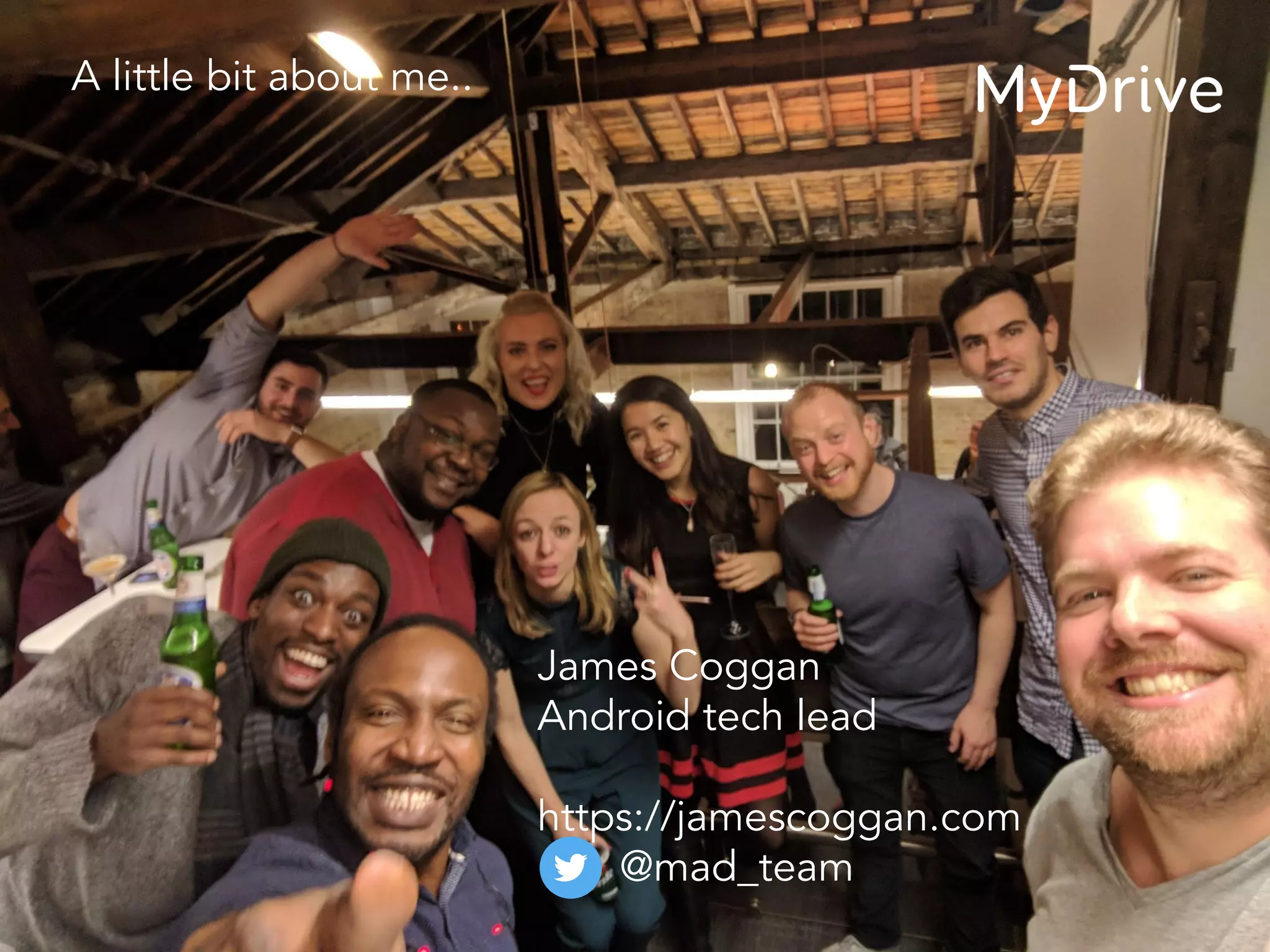
A little bit about me..
James Coggan
Android tech lead
https://jamescoggan.com
@mad_team
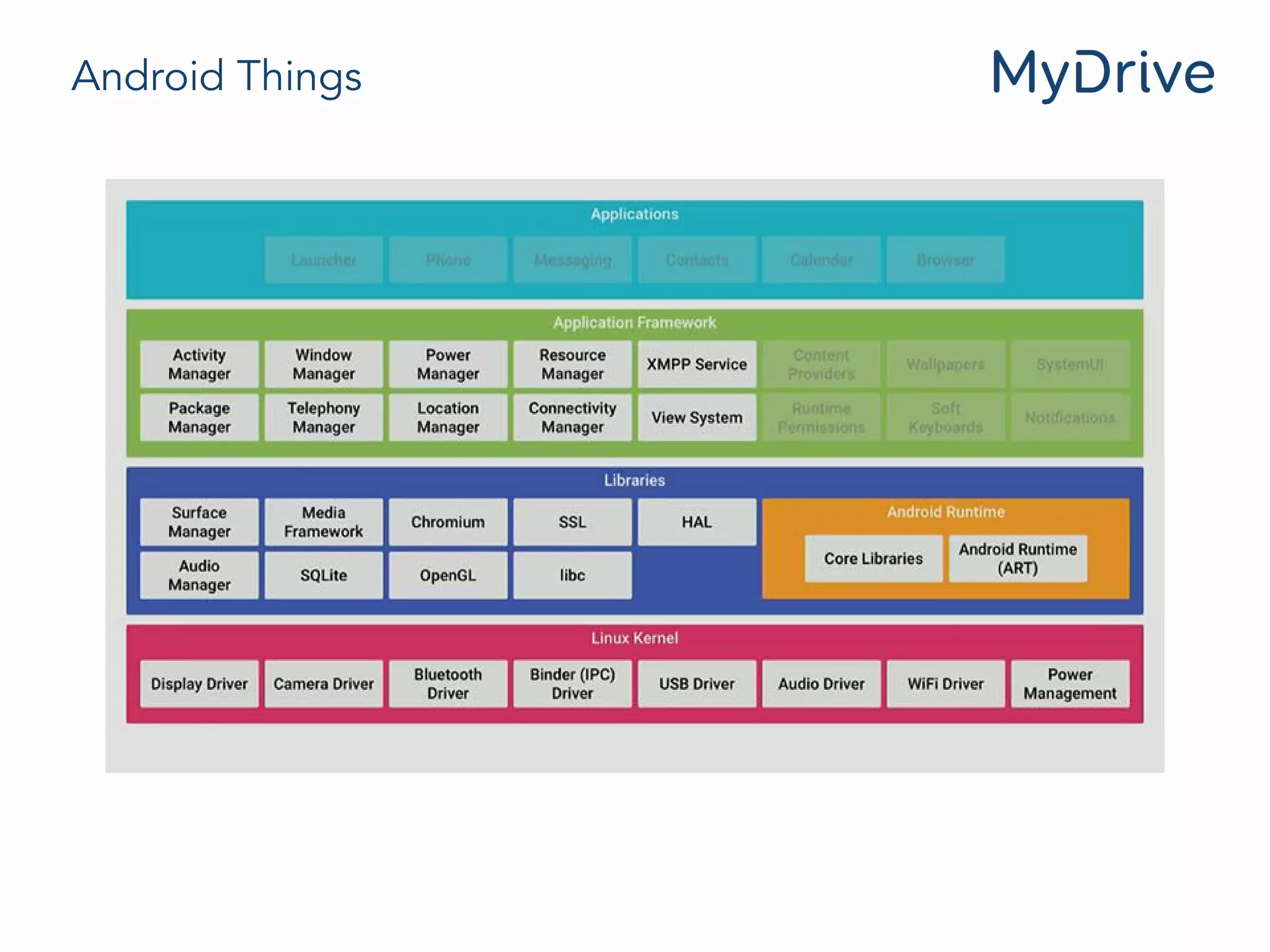
What is Android Things?
Android + Internet of ThingsAndroid Things
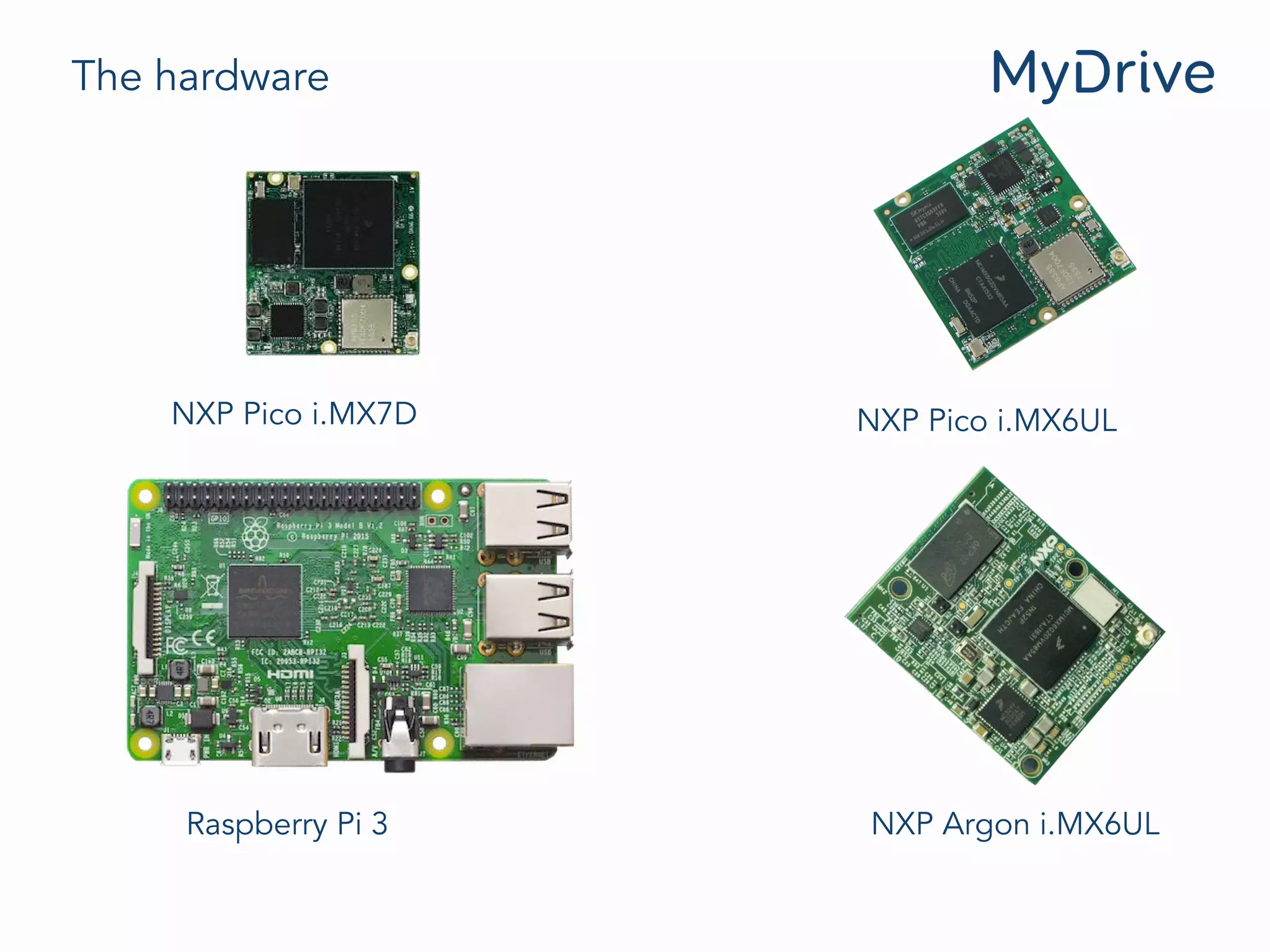
The hardware
NXP Pico i.MX7D
Raspberry Pi 3 NXP Argon i.MX6UL
NXP Pico i.MX6UL
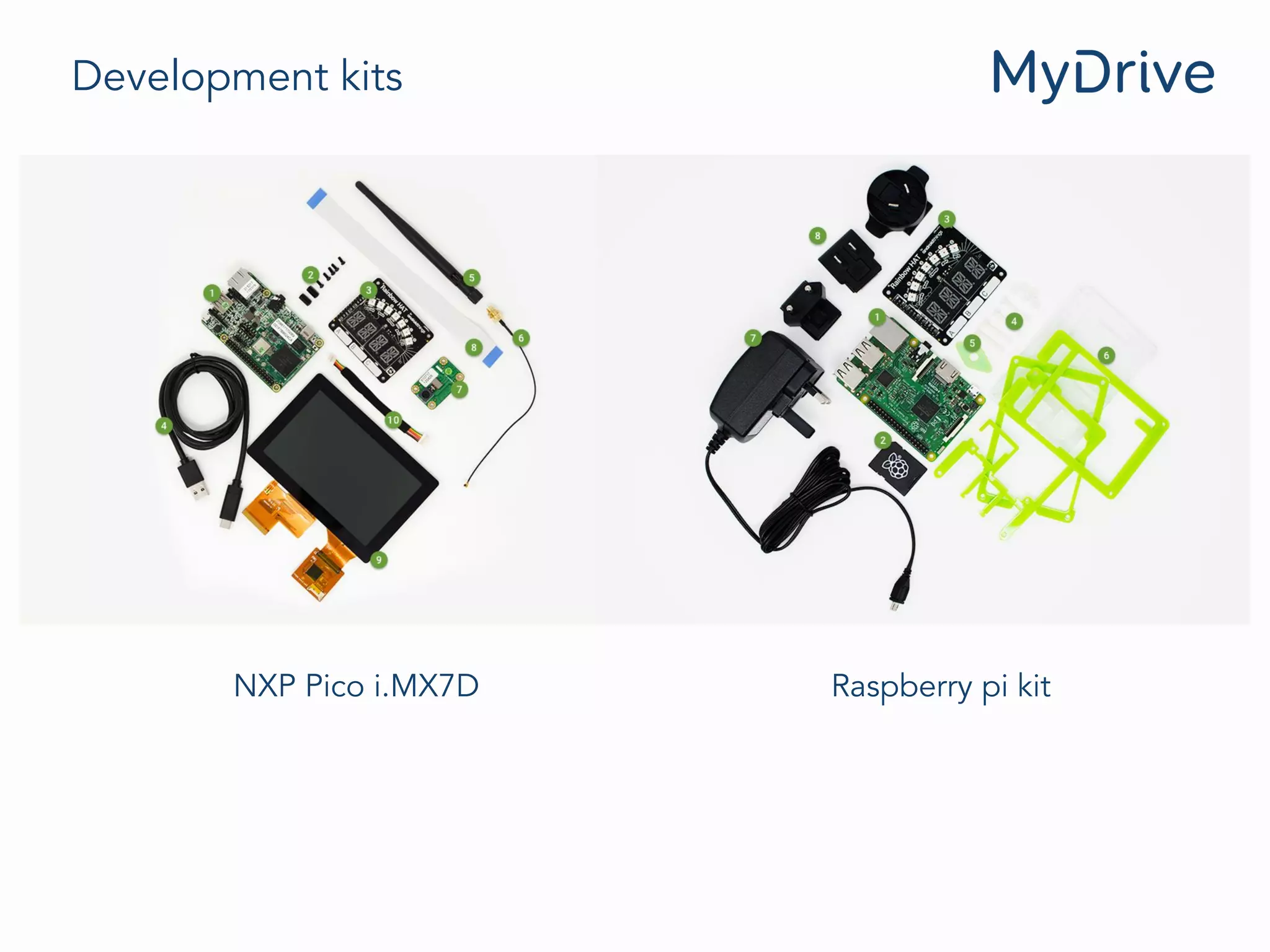
Development kits
NXP Pico i.MX7D Raspberry pi kit
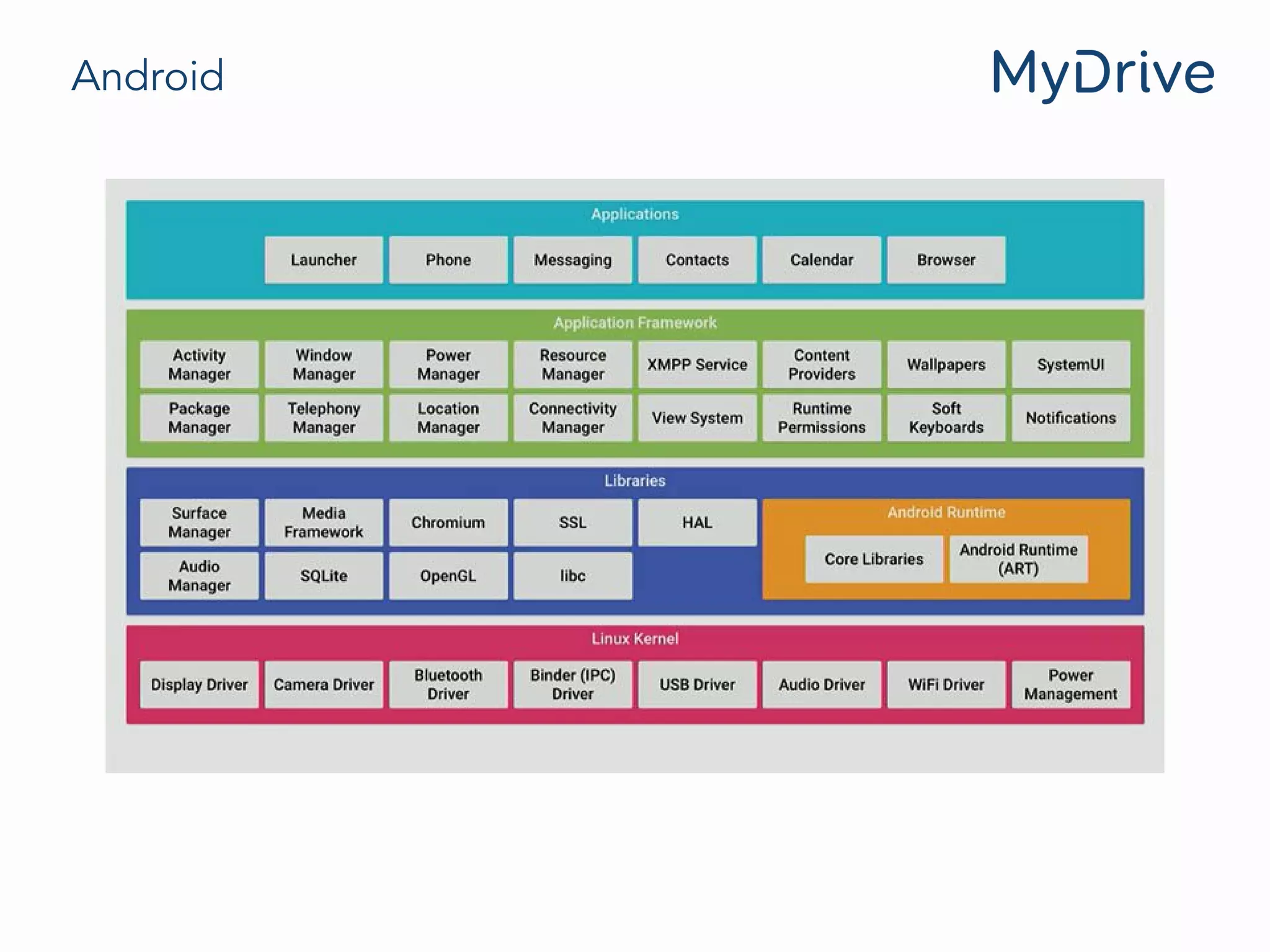
Android
Android Things
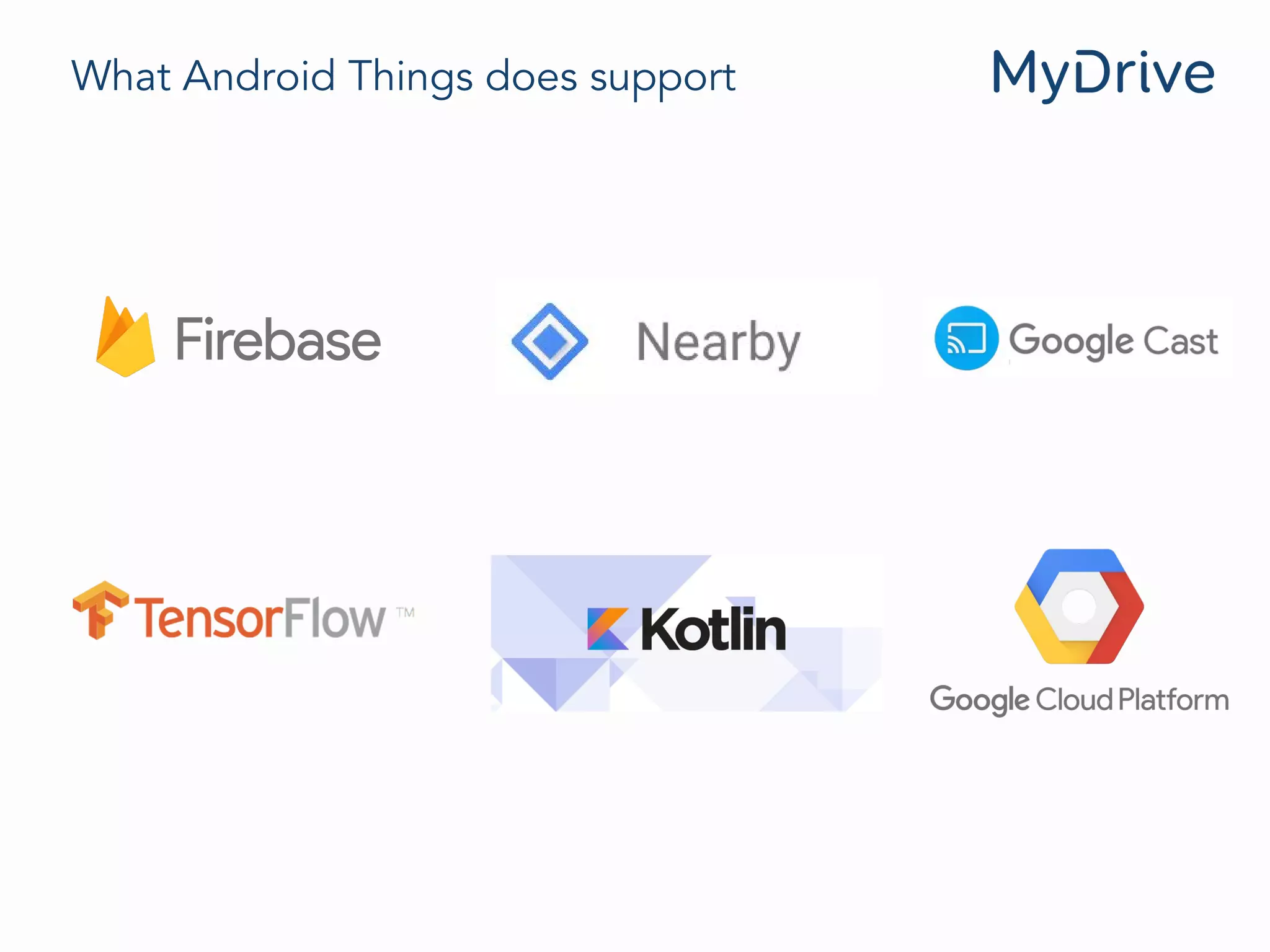
What Android Things does support
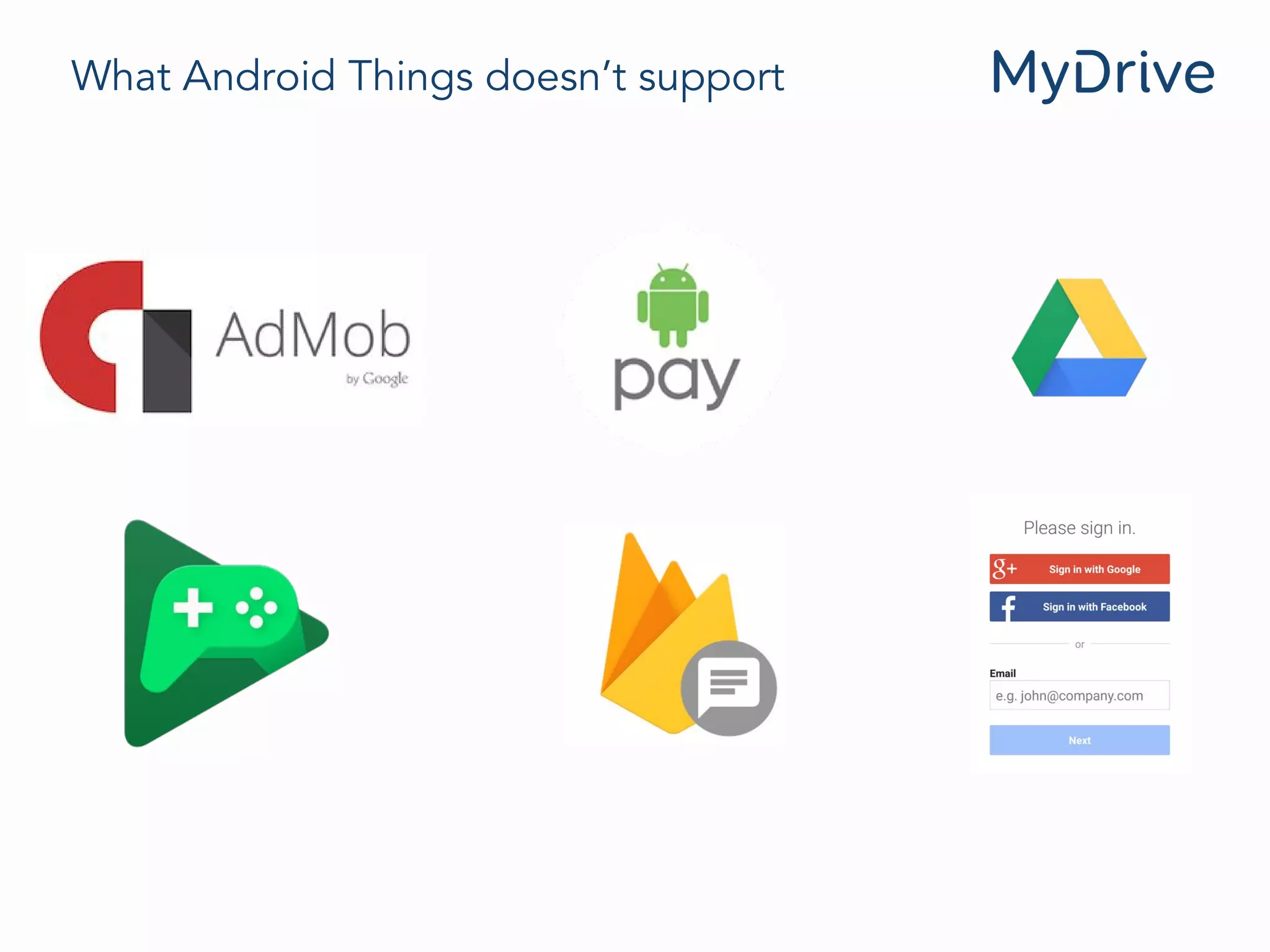
What Android Things doesn’t support
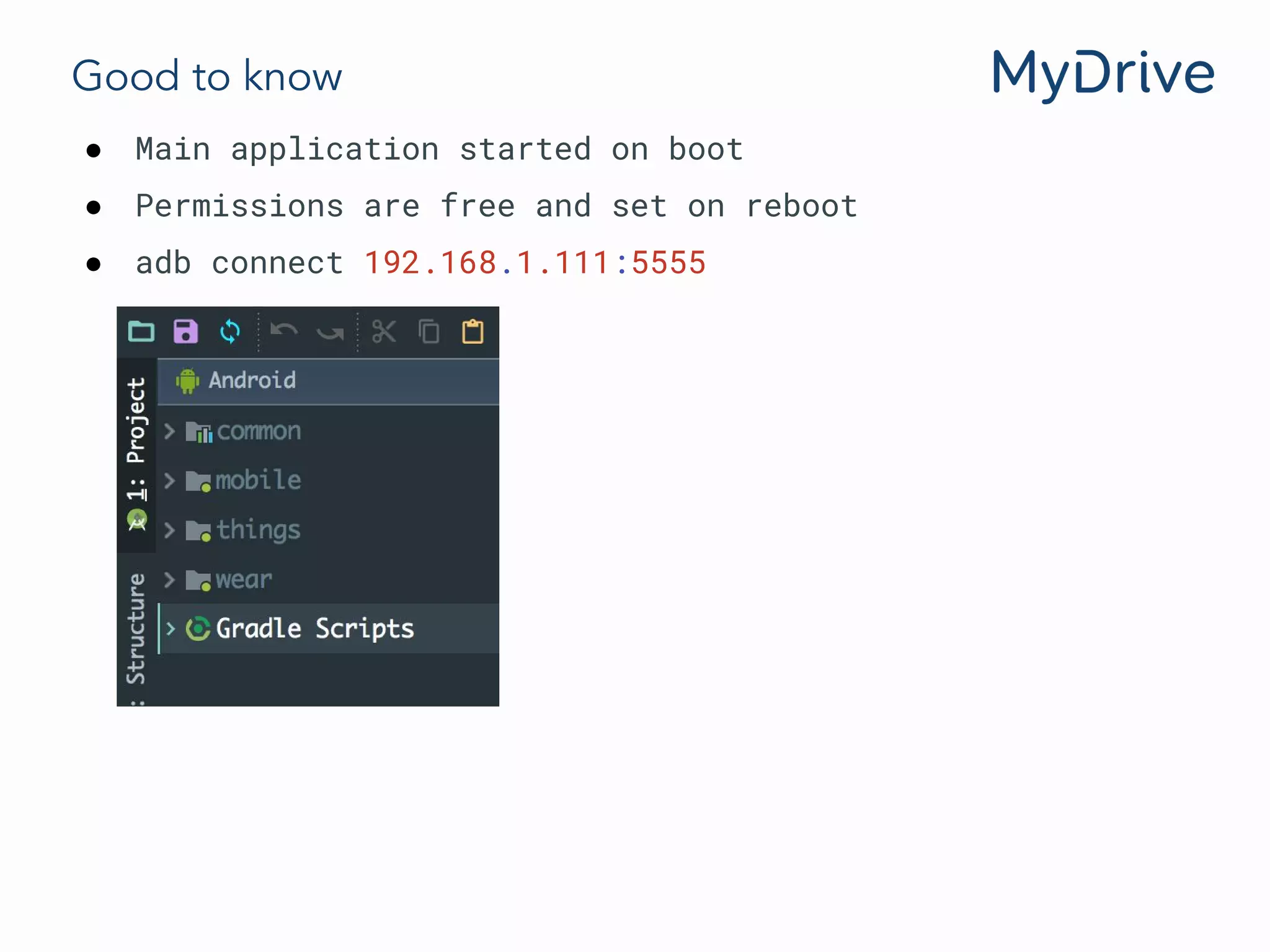
Good to know
● Main application started on boot
● Permissions are free and set on reboot
● adb connect 192.168.1.111:5555
Why Android Things?
● Kotlin :)
● Maintained by Google
● OTA updates
● Android community
● Hardware agnostic
● Relatively cheap hardware
● Reusable code
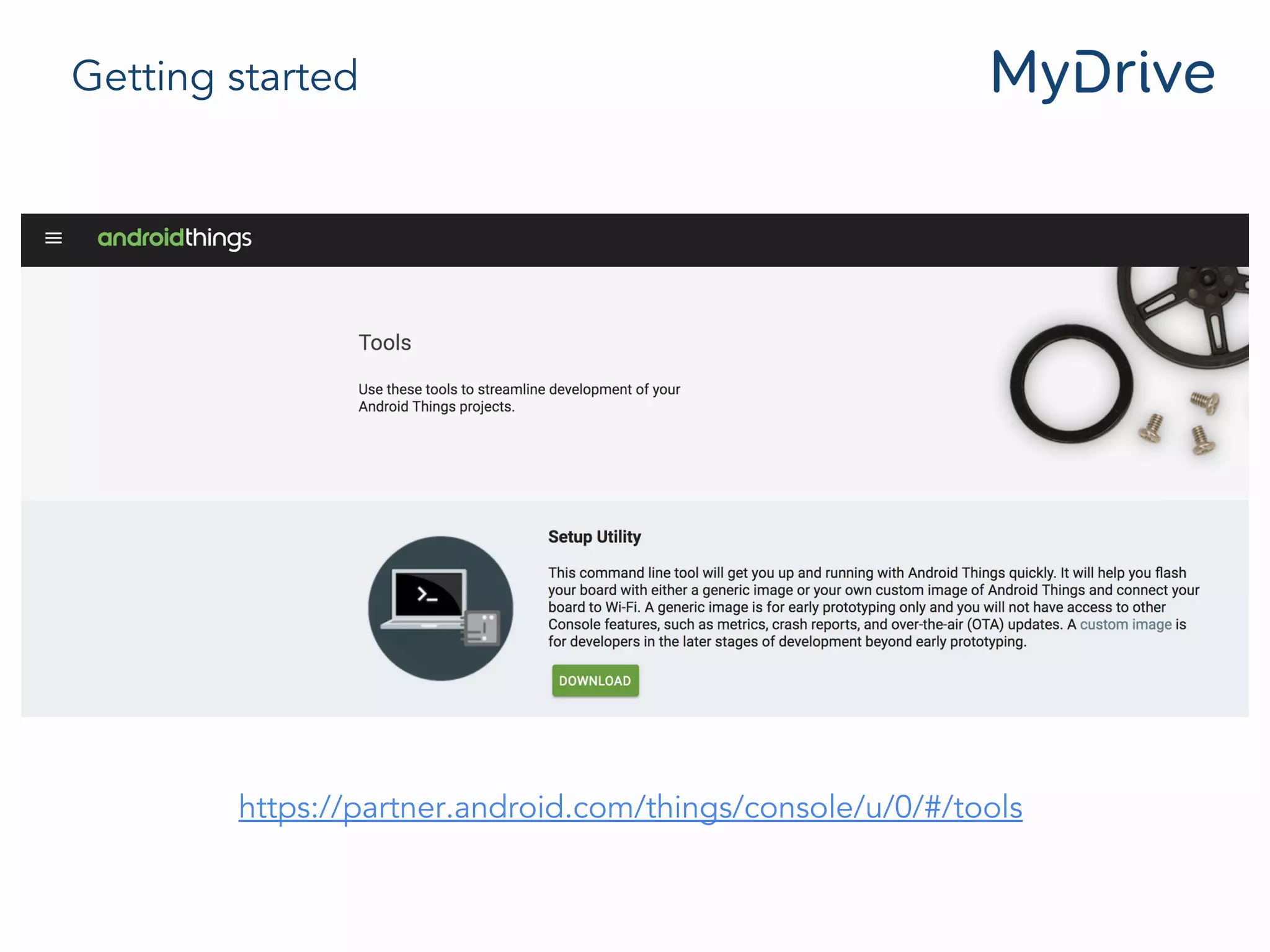
Getting started
https://partner.android.com/things/console/u/0/#/tools
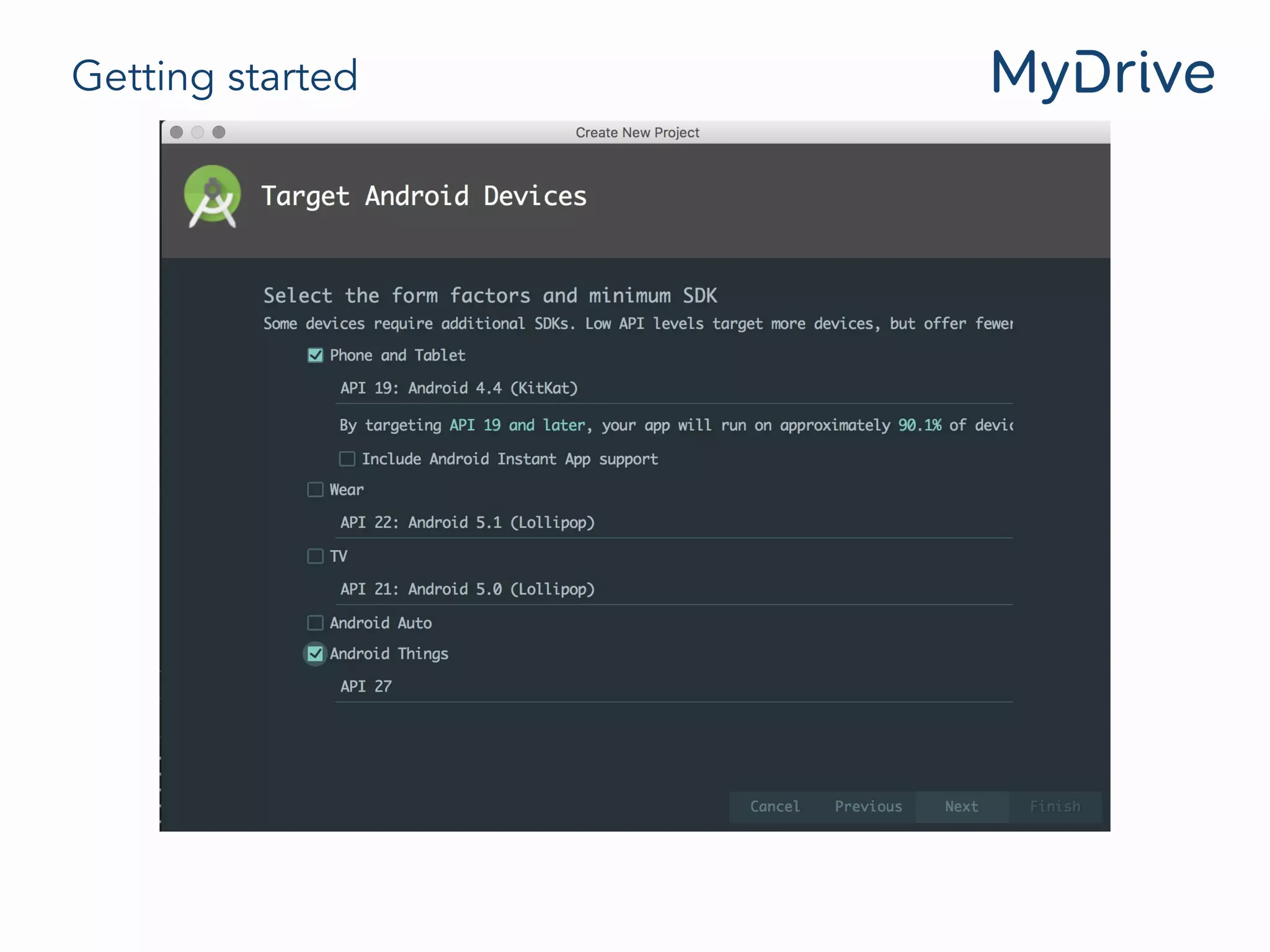
Getting started
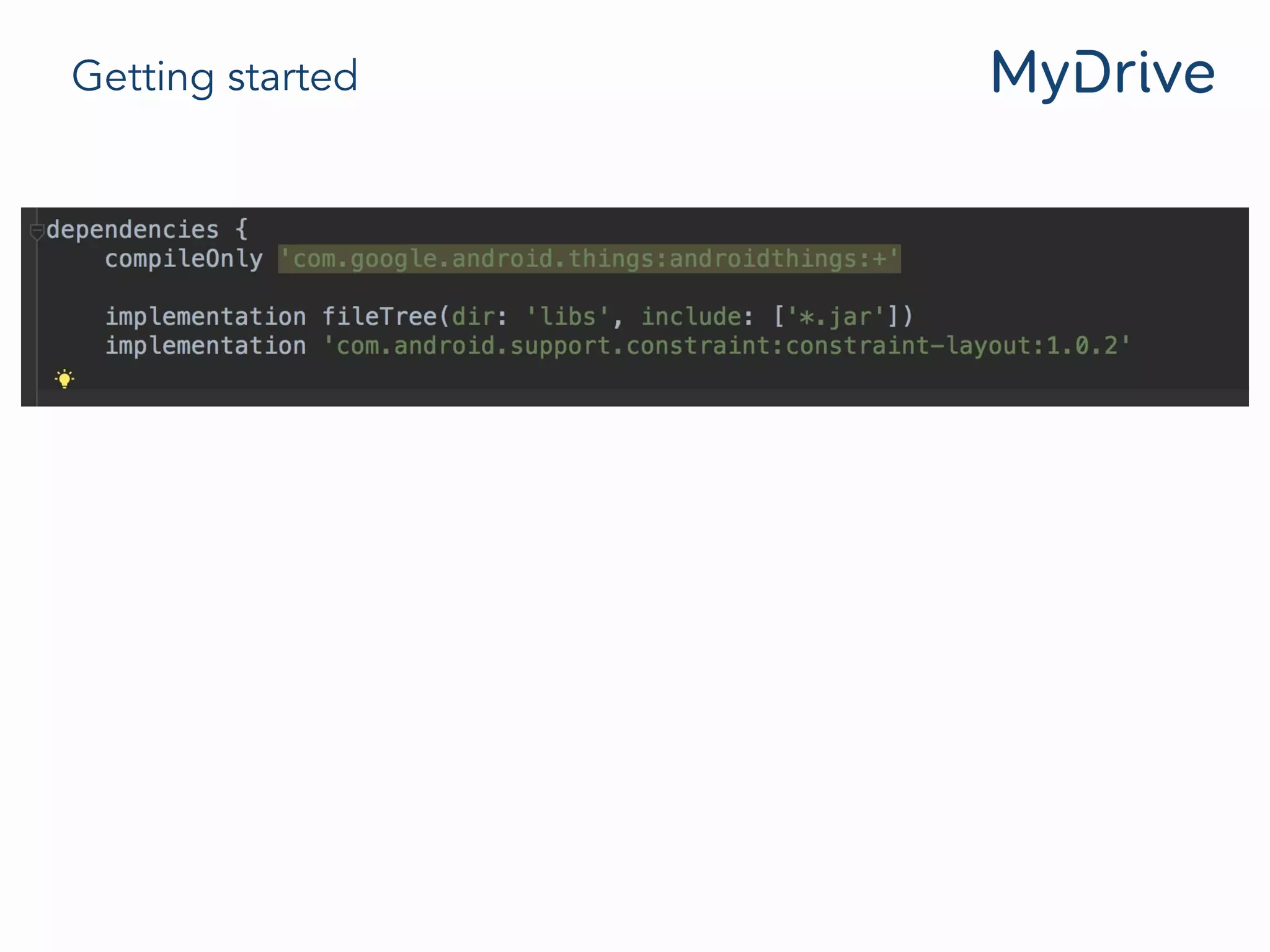
Getting started
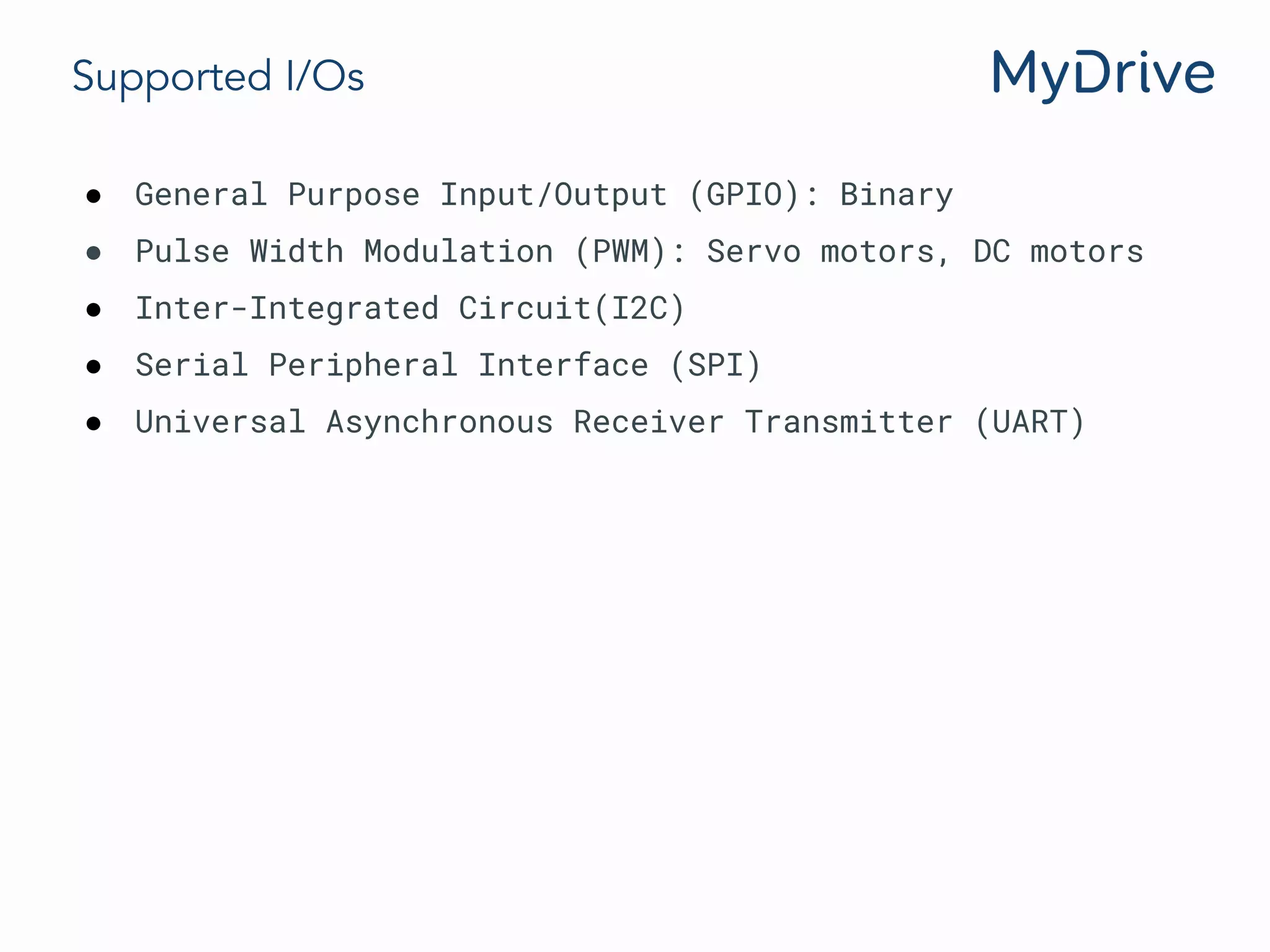
Supported I/Os
● General Purpose Input/Output (GPIO): Binary
● Pulse Width Modulation (PWM): Servo motors, DC motors
● Inter-Integrated Circuit(I2C)
● Serial Peripheral Interface (SPI)
● Universal Asynchronous Receiver Transmitter (UART)
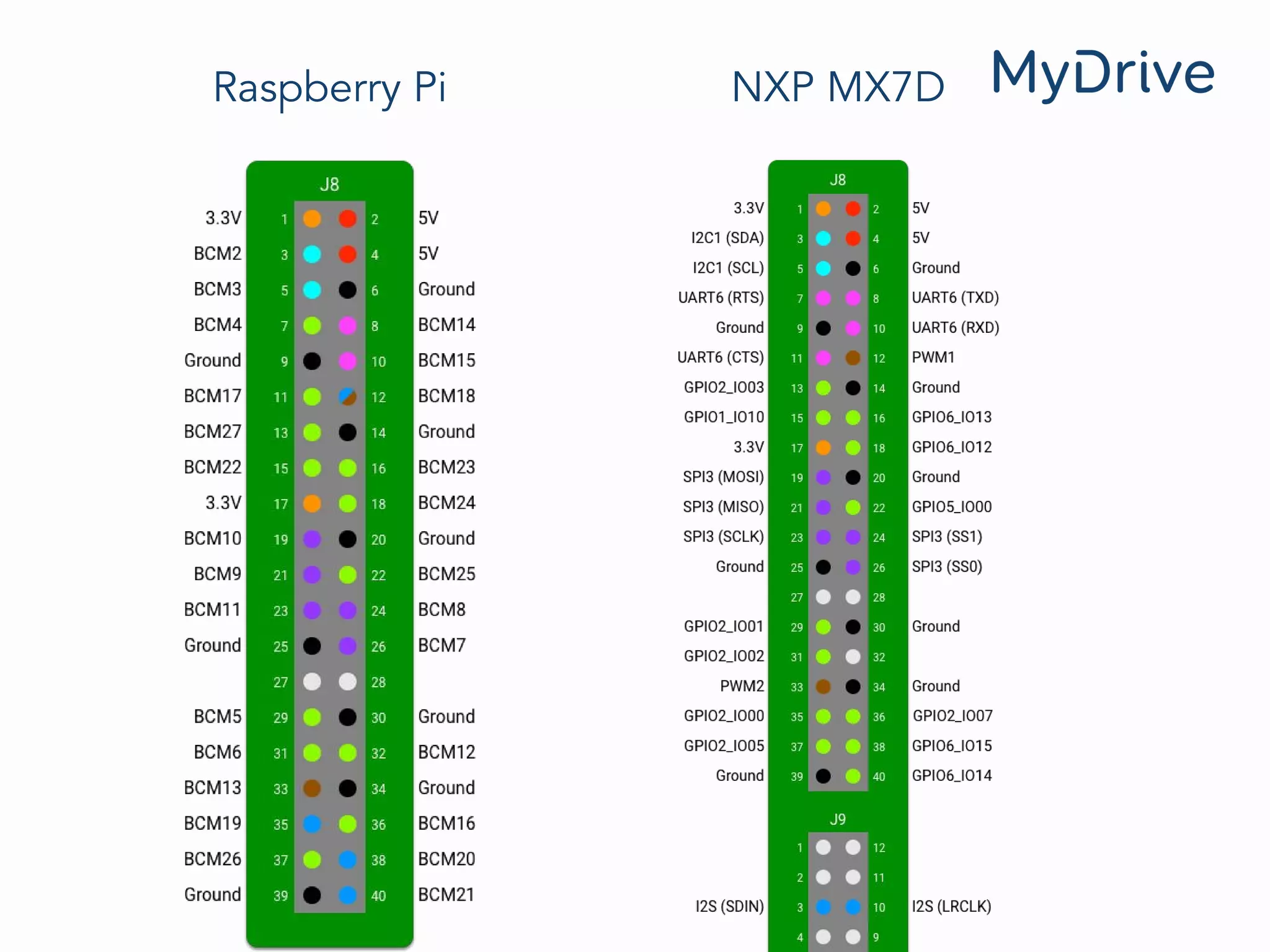
Raspberry Pi NXP MX7D
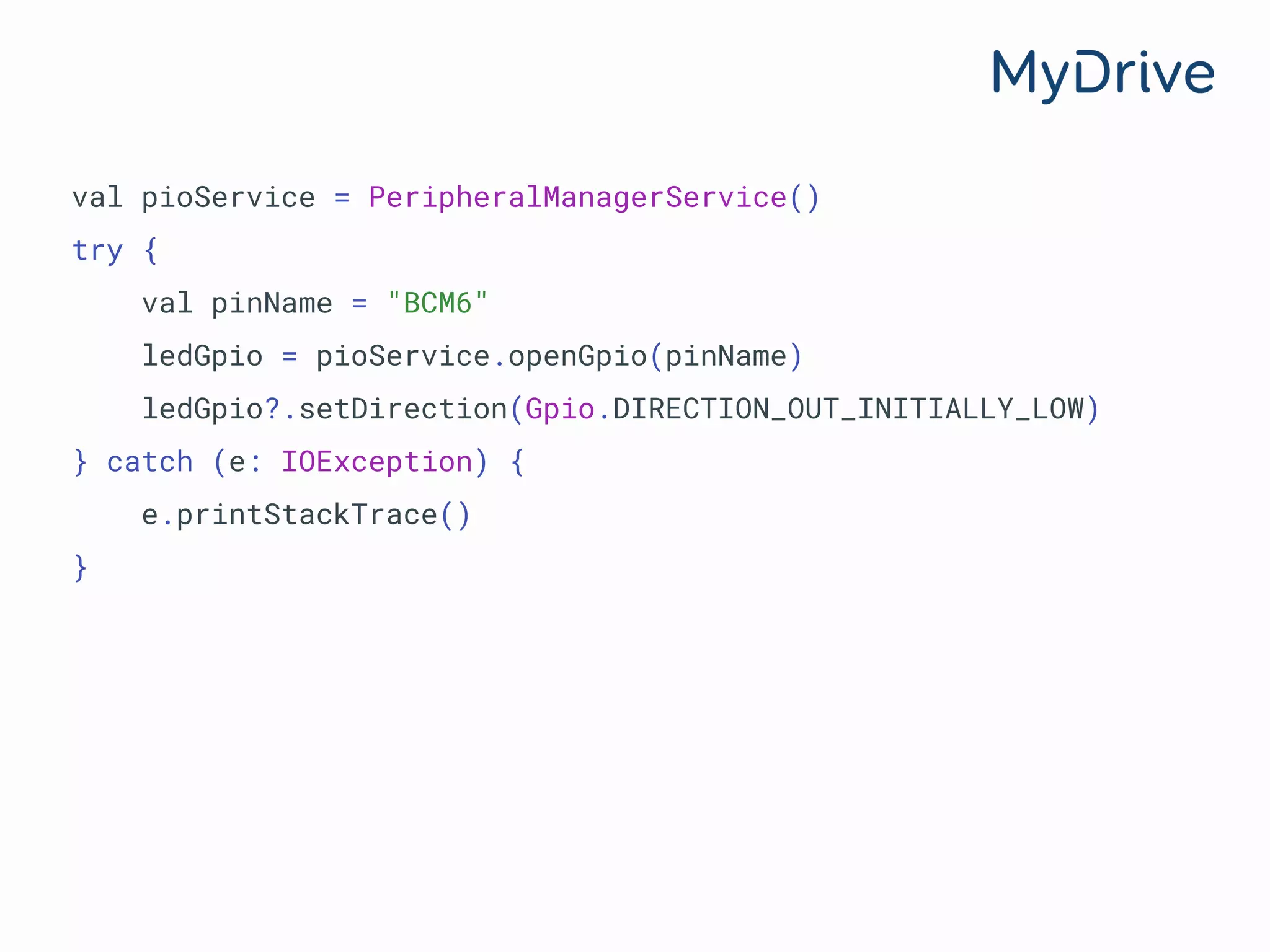
val pioService = PeripheralManagerService()
try {
val pinName = "BCM6"
ledGpio = pioService.openGpio(pinName)
ledGpio?.setDirection(Gpio.DIRECTION_OUT_INITIALLY_LOW)
} catch (e: IOException) {
e.printStackTrace()
}
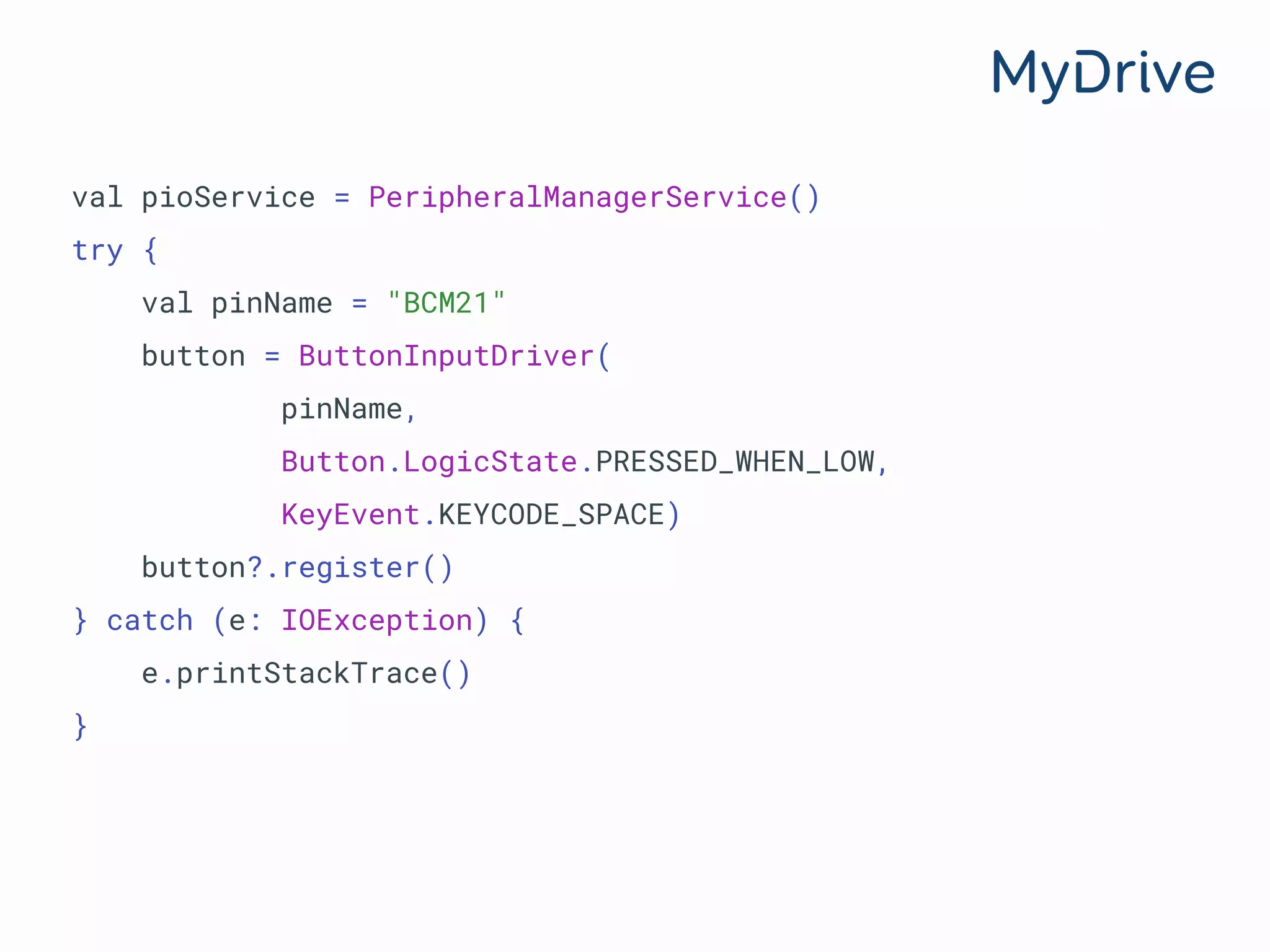
val pioService = PeripheralManagerService()
try {
val pinName = "BCM21"
button = ButtonInputDriver(
pinName,
Button.LogicState.PRESSED_WHEN_LOW,
KeyEvent.KEYCODE_SPACE)
button?.register()
} catch (e: IOException) {
e.printStackTrace()
}
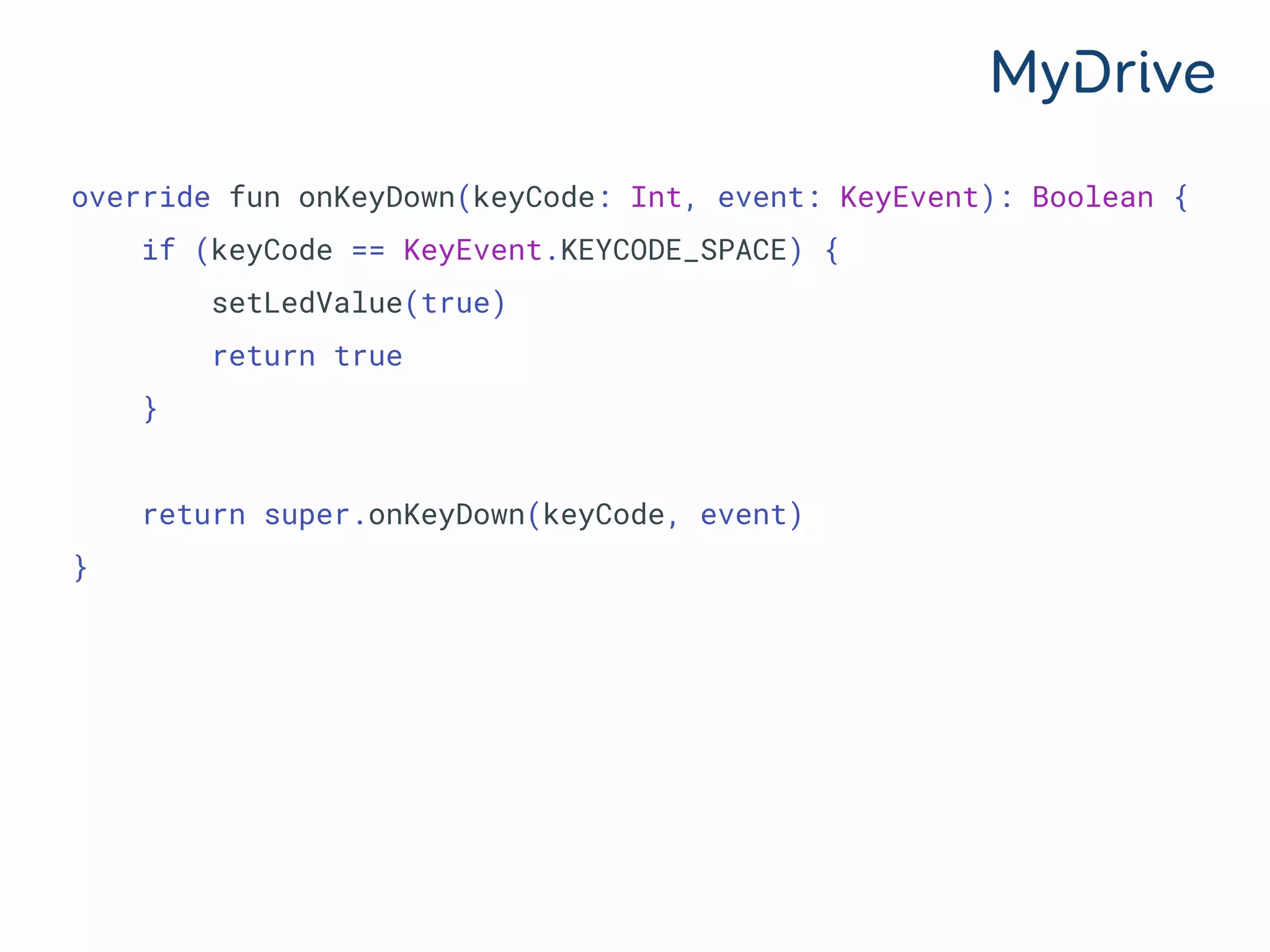
override fun onKeyDown(keyCode: Int, event: KeyEvent): Boolean {
if (keyCode == KeyEvent.KEYCODE_SPACE) {
setLedValue(true)
return true
}
return super.onKeyDown(keyCode, event)
}
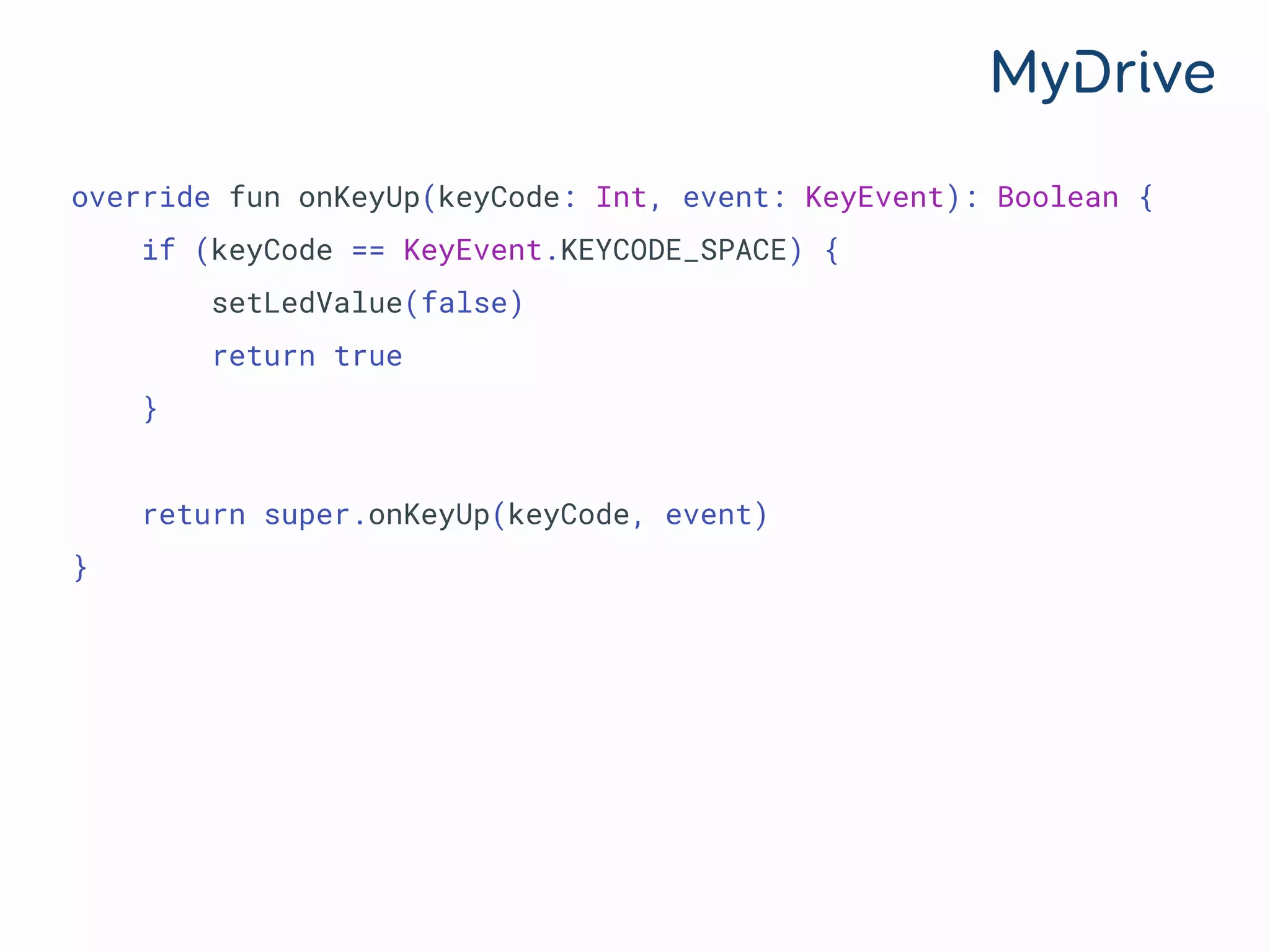
override fun onKeyUp(keyCode: Int, event: KeyEvent): Boolean {
if (keyCode == KeyEvent.KEYCODE_SPACE) {
setLedValue(false)
return true
}
return super.onKeyUp(keyCode, event)
}
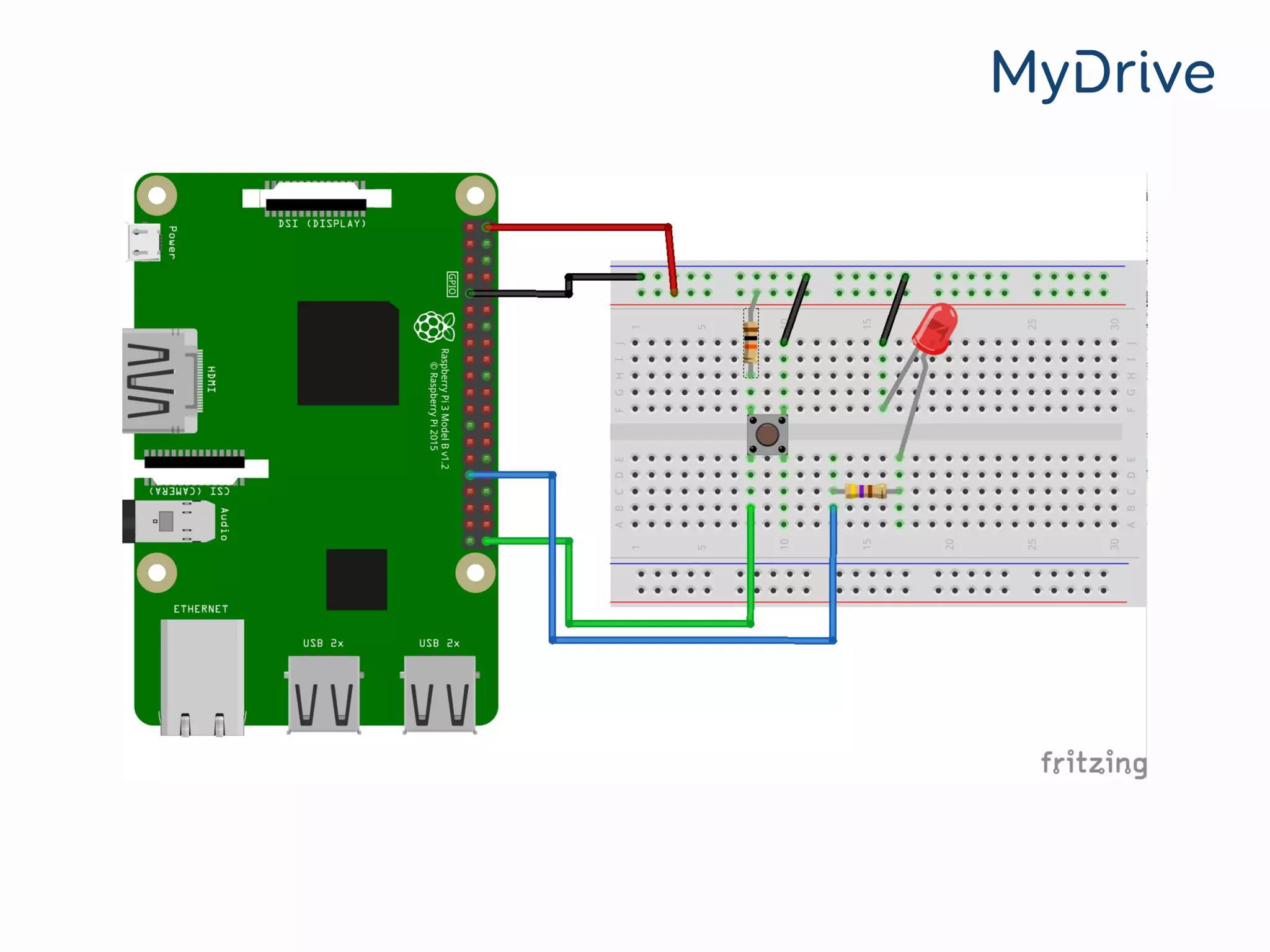
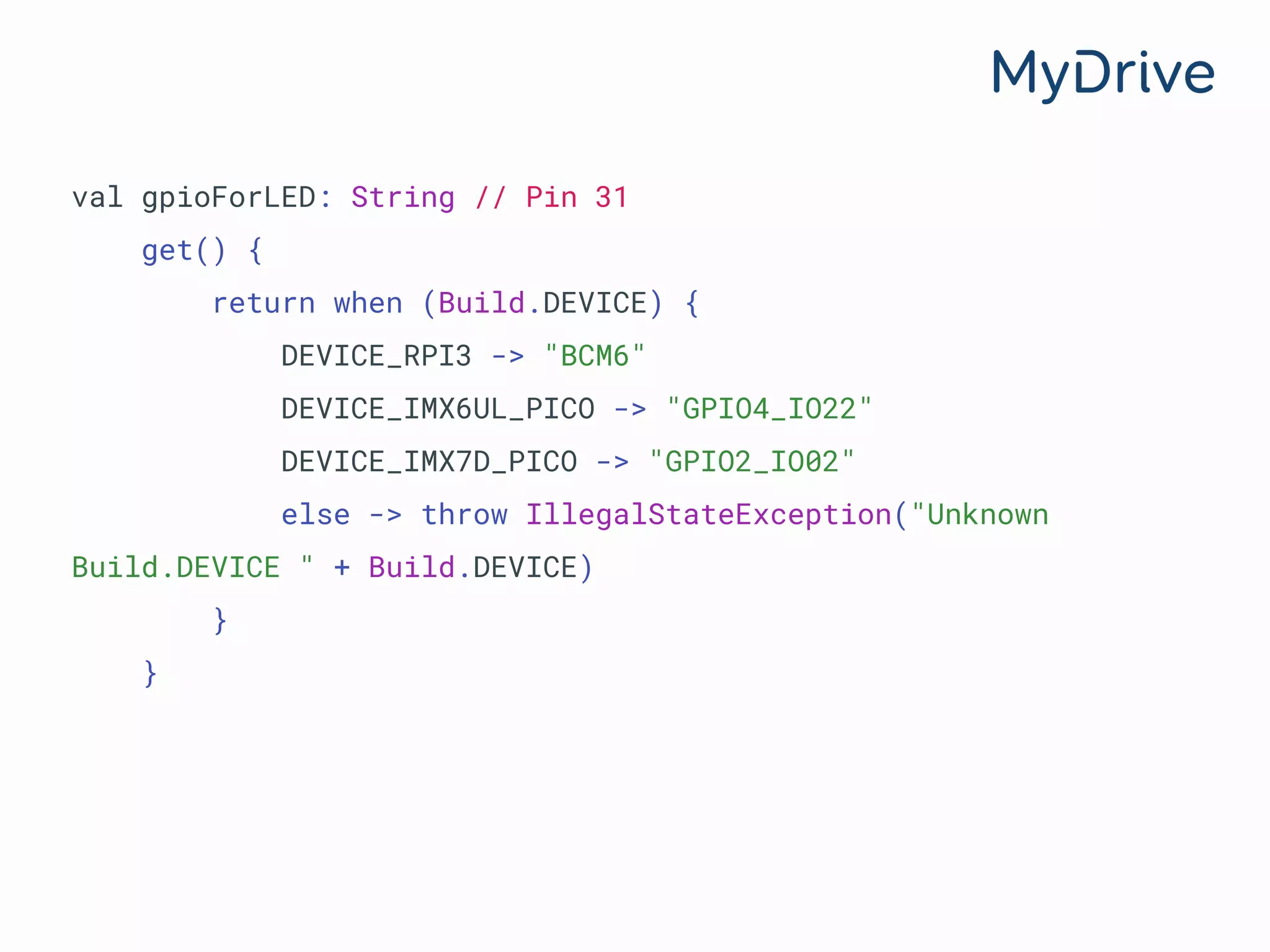
val gpioForLED: String // Pin 31
get() {
return when (Build.DEVICE) {
DEVICE_RPI3 -> "BCM6"
DEVICE_IMX6UL_PICO -> "GPIO4_IO22"
DEVICE_IMX7D_PICO -> "GPIO2_IO02"
else -> throw IllegalStateException("Unknown
Build.DEVICE " + Build.DEVICE)
}
}
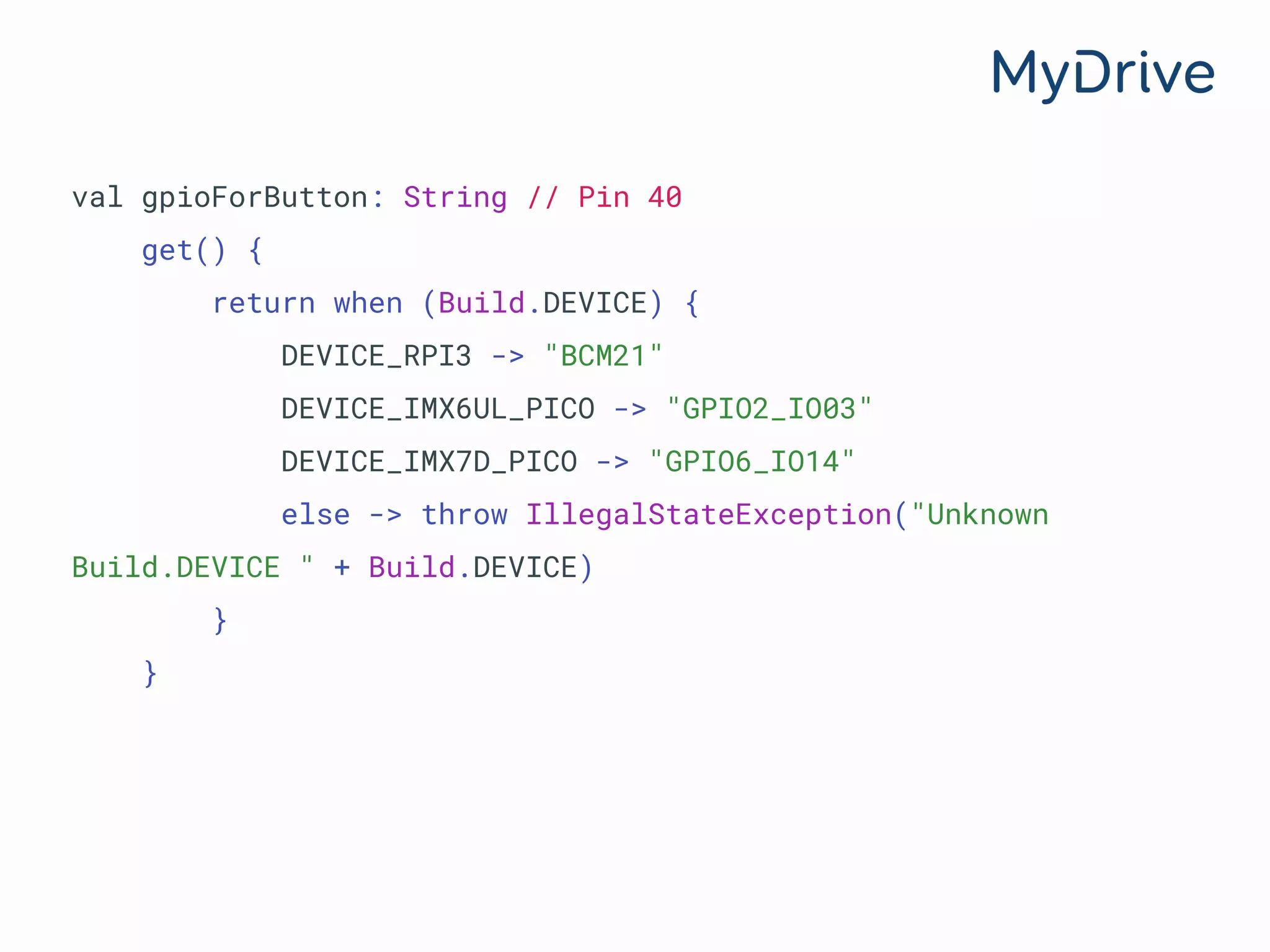
val gpioForButton: String // Pin 40
get() {
return when (Build.DEVICE) {
DEVICE_RPI3 -> "BCM21"
DEVICE_IMX6UL_PICO -> "GPIO2_IO03"
DEVICE_IMX7D_PICO -> "GPIO6_IO14"
else -> throw IllegalStateException("Unknown
Build.DEVICE " + Build.DEVICE)
}
}
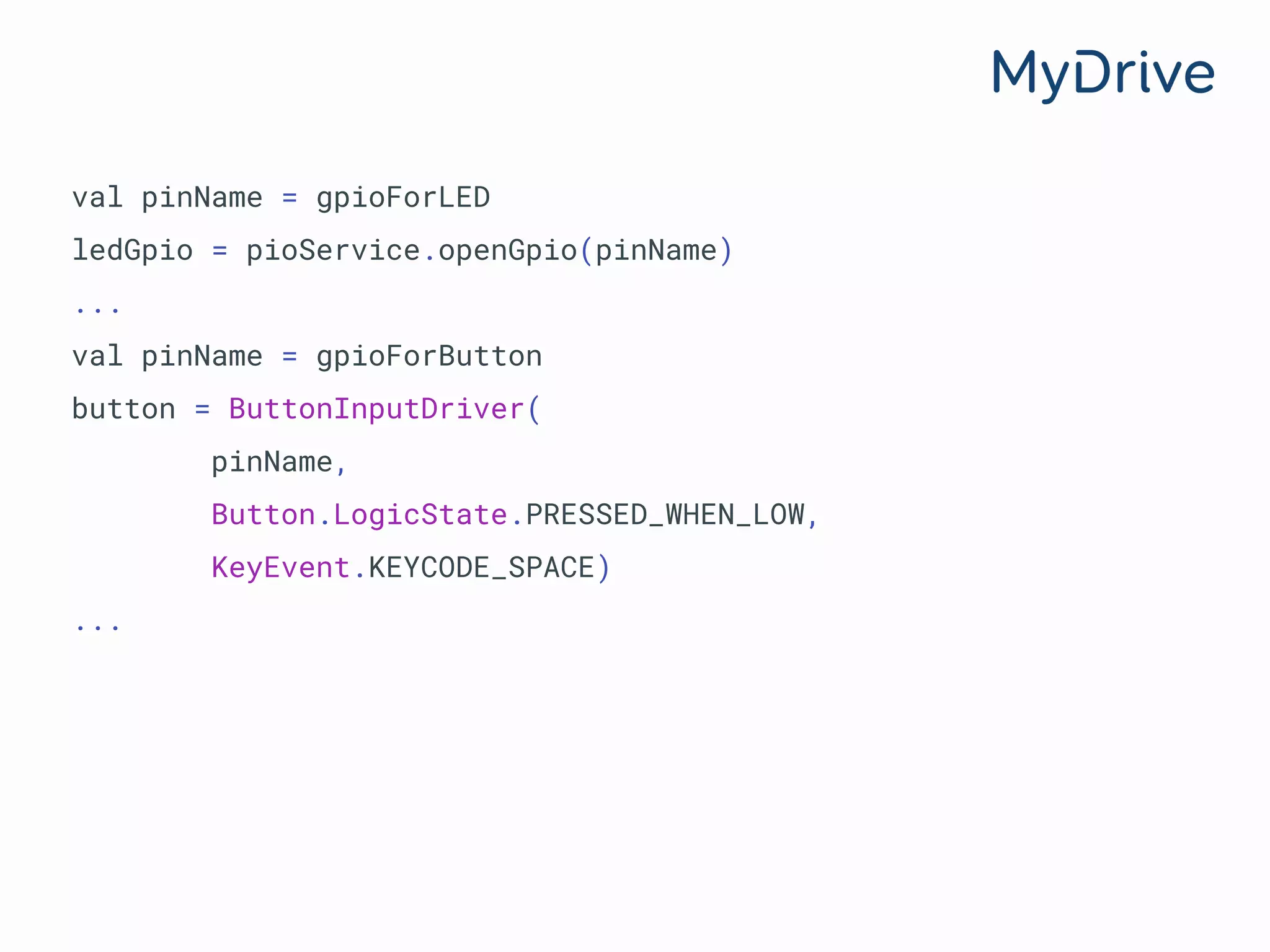
val pinName = gpioForLED
ledGpio = pioService.openGpio(pinName)
...
val pinName = gpioForButton
button = ButtonInputDriver(
pinName,
Button.LogicState.PRESSED_WHEN_LOW,
KeyEvent.KEYCODE_SPACE)
...
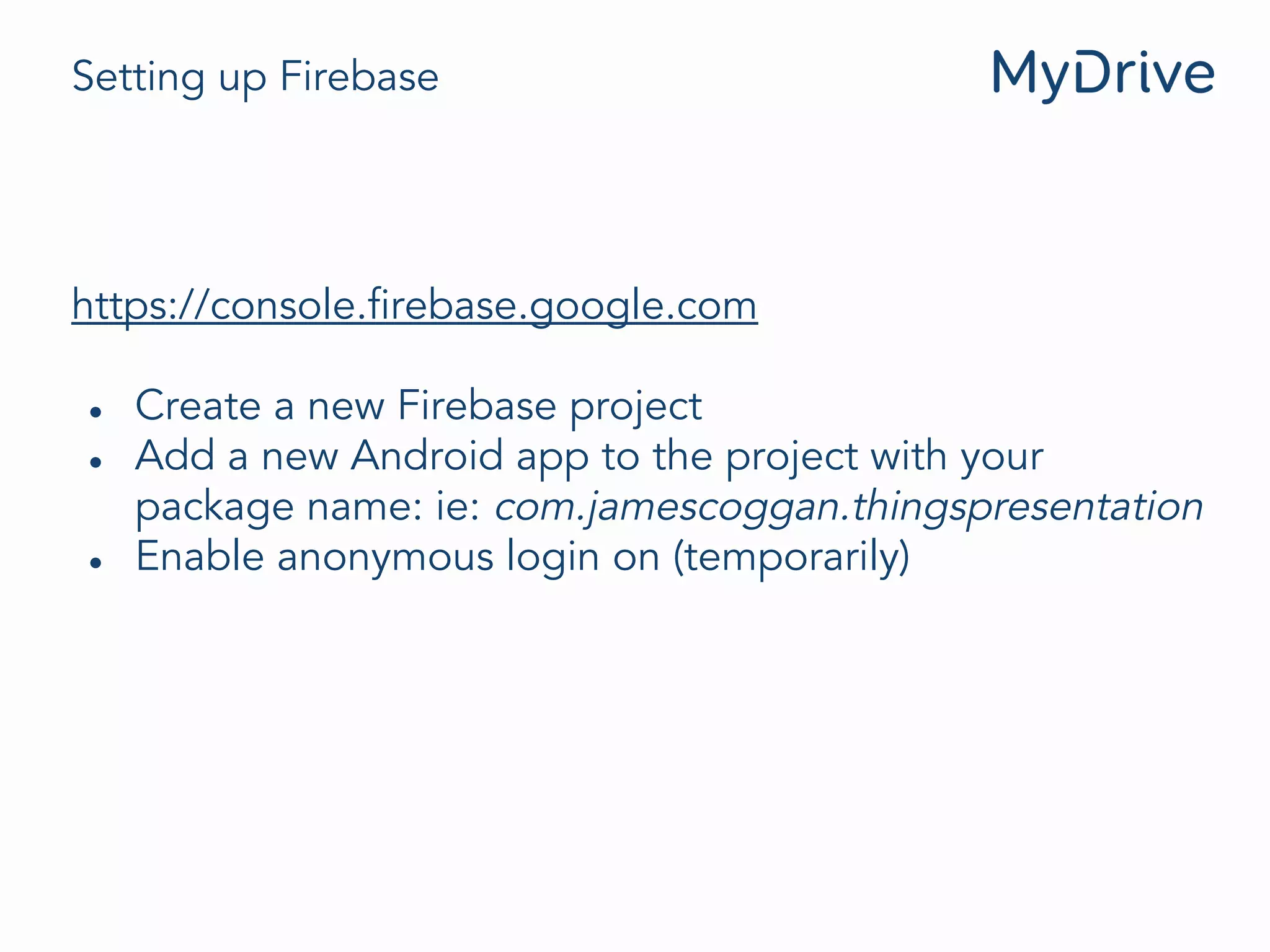
Setting up Firebase
https://console.firebase.google.com
● Create a new Firebase project
● Add a new Android app to the project with your
package name: ie: com.jamescoggan.thingspresentation
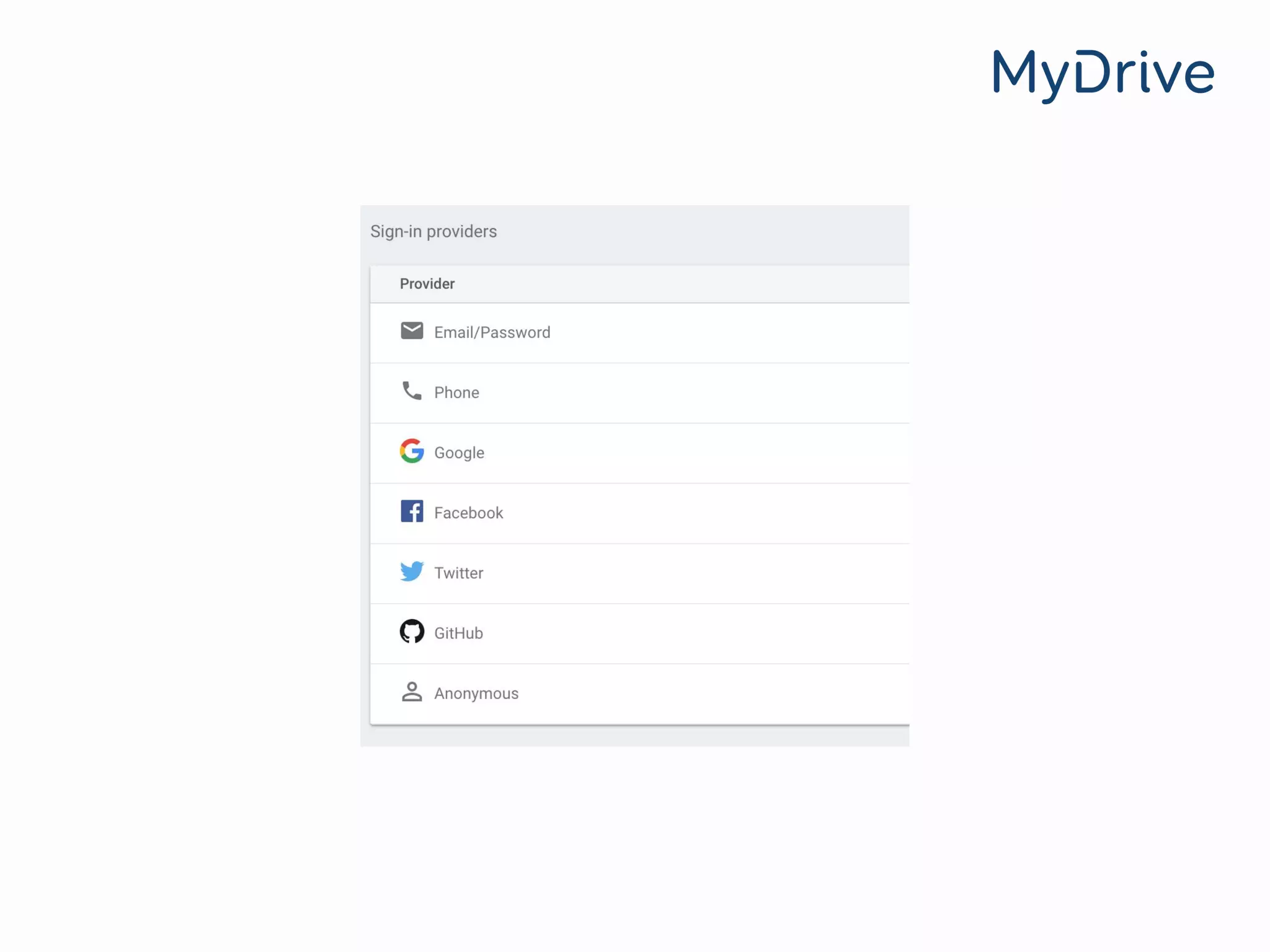
● Enable anonymous login on (temporarily)
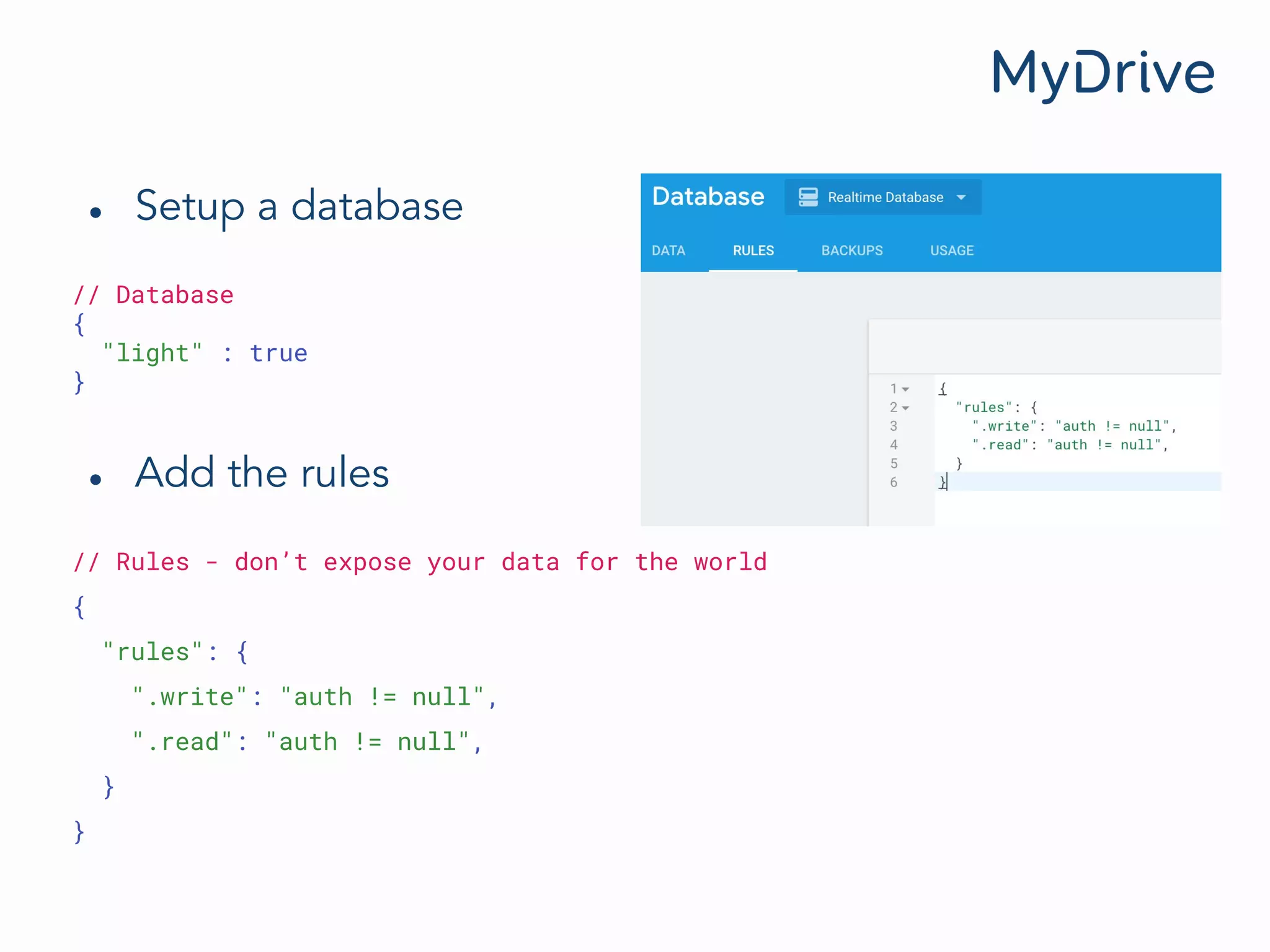
● Setup a database
// Database
{
"light" : true
}
● Add the rules
// Rules - don’t expose your data for the world
{
"rules": {
".write": "auth != null",
".read": "auth != null",
}
}
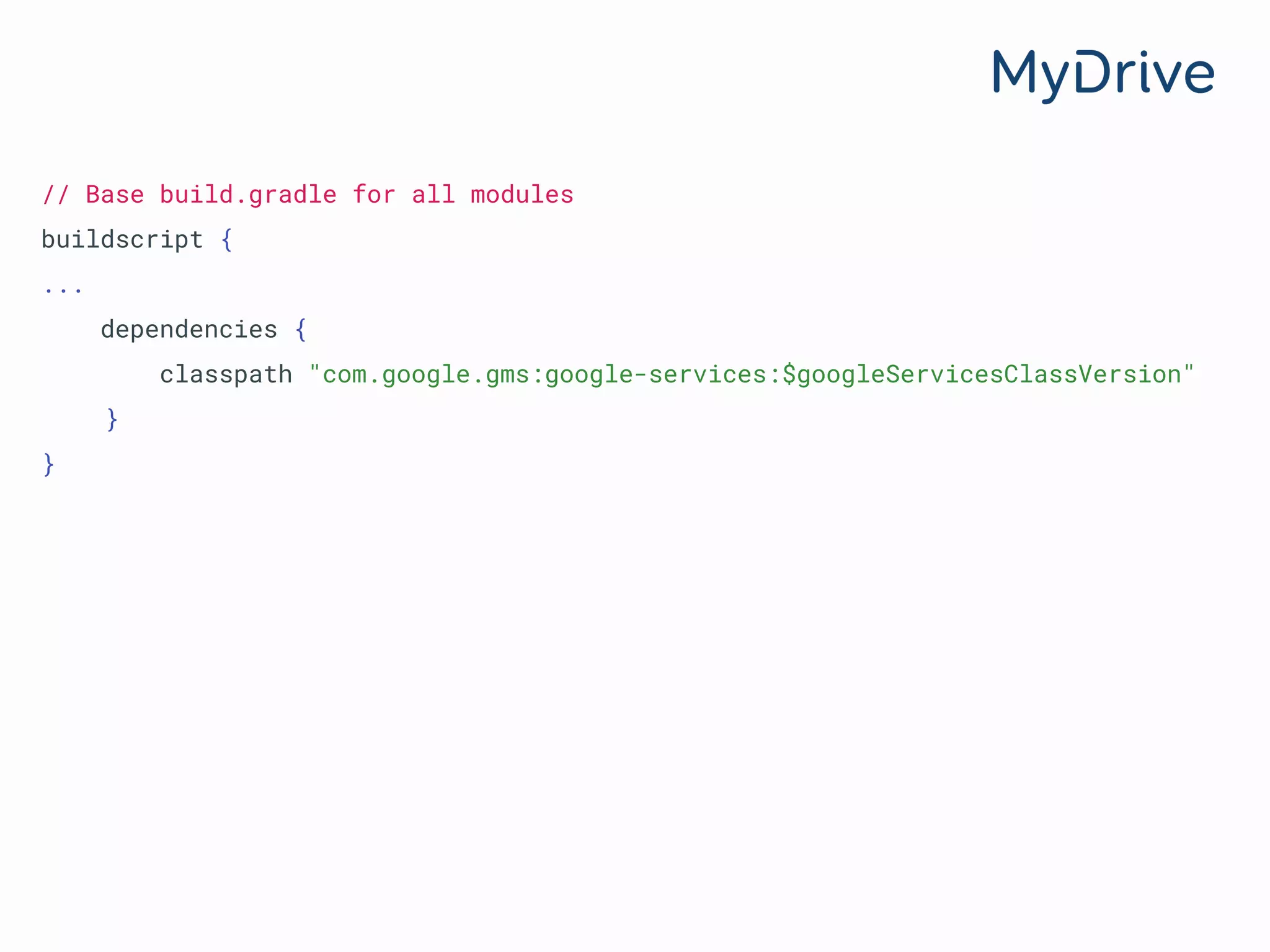
// Base build.gradle for all modules
buildscript {
...
dependencies {
classpath "com.google.gms:google-services:$googleServicesClassVersion"
}
}
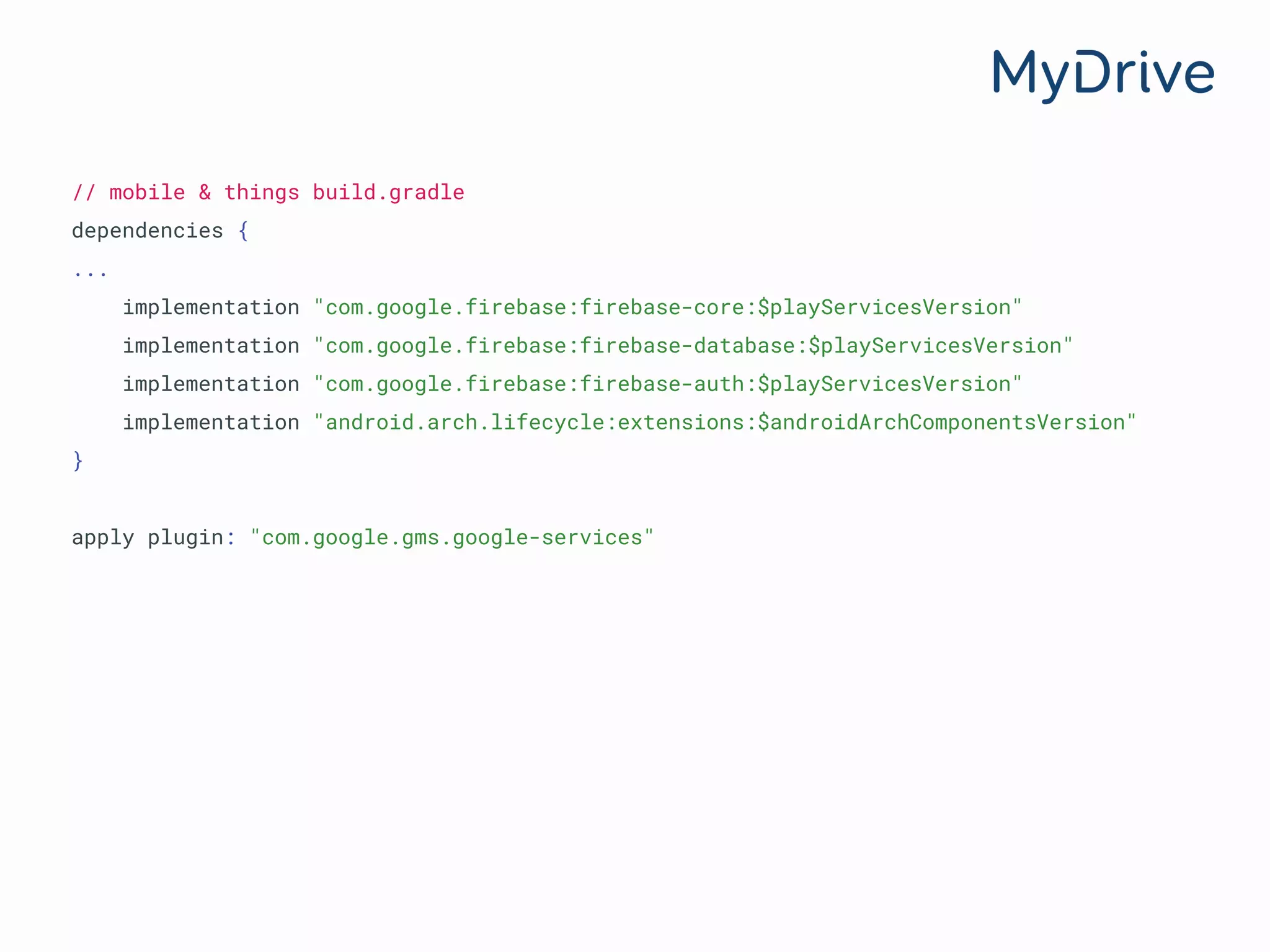
// mobile & things build.gradle
dependencies {
...
implementation "com.google.firebase:firebase-core:$playServicesVersion"
implementation "com.google.firebase:firebase-database:$playServicesVersion"
implementation "com.google.firebase:firebase-auth:$playServicesVersion"
implementation "android.arch.lifecycle:extensions:$androidArchComponentsVersion"
}
apply plugin: "com.google.gms.google-services"
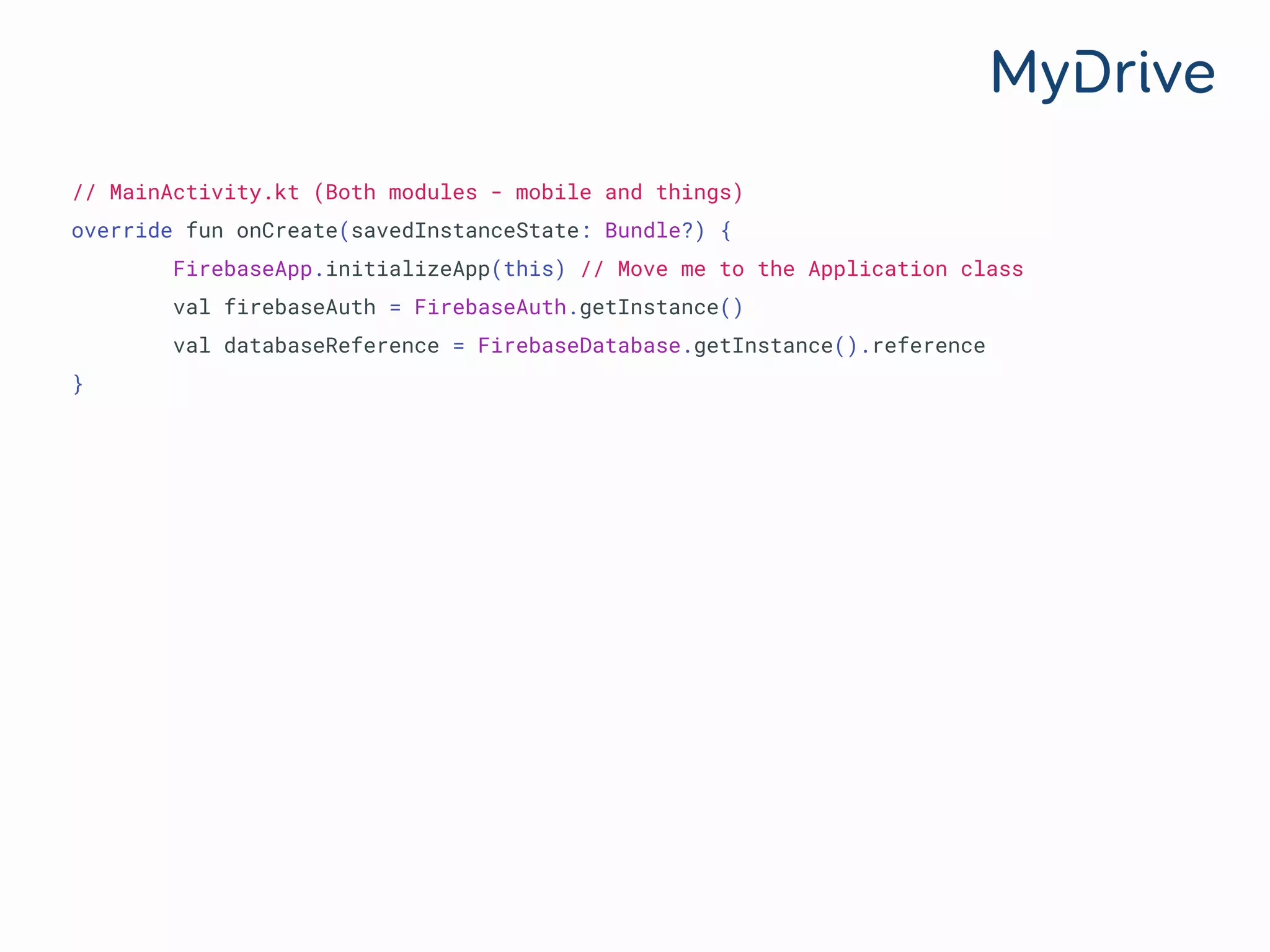
// MainActivity.kt (Both modules - mobile and things)
override fun onCreate(savedInstanceState: Bundle?) {
FirebaseApp.initializeApp(this) // Move me to the Application class
val firebaseAuth = FirebaseAuth.getInstance()
val databaseReference = FirebaseDatabase.getInstance().reference
}
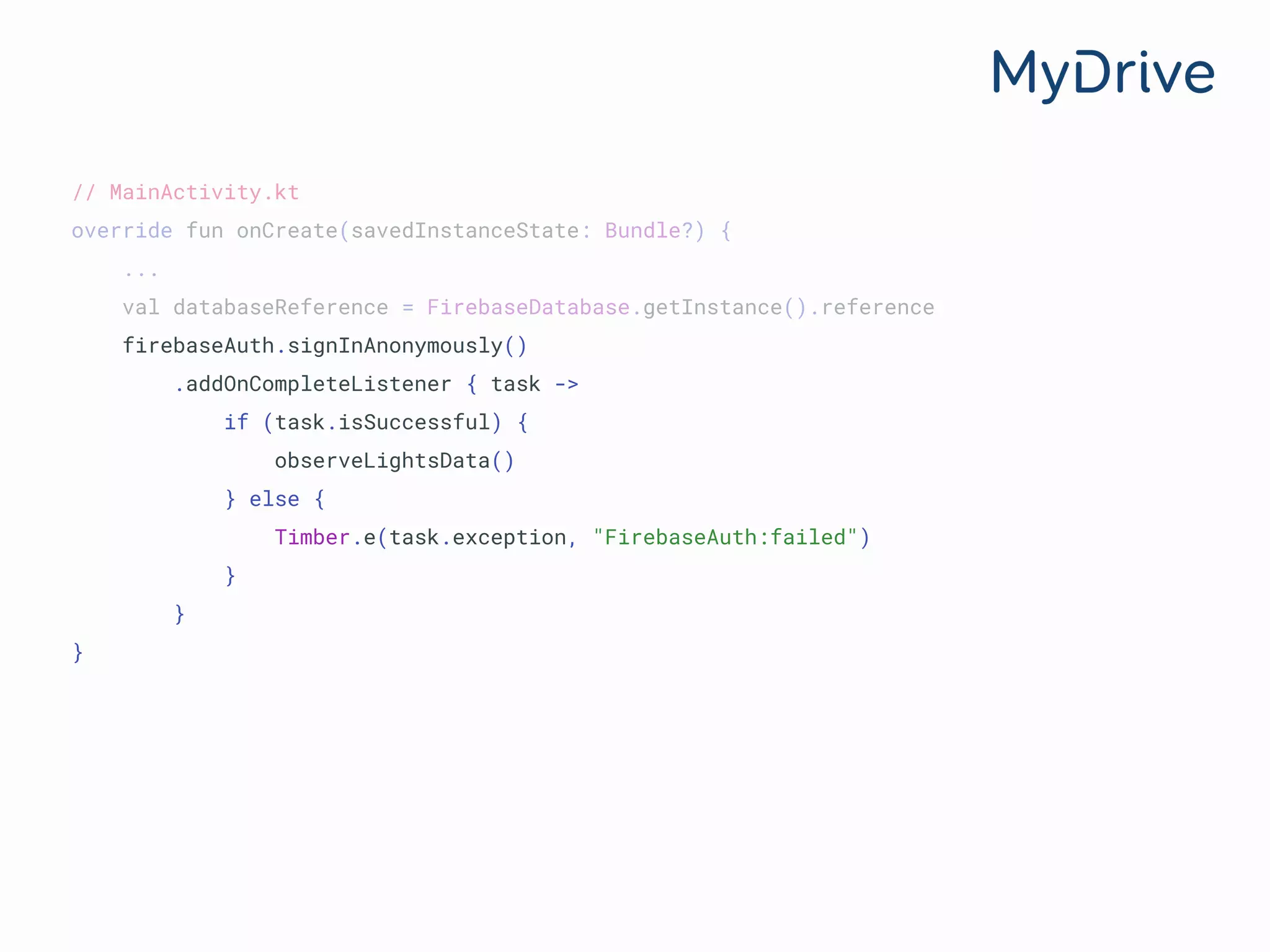
// MainActivity.kt
override fun onCreate(savedInstanceState: Bundle?) {
...
val databaseReference = FirebaseDatabase.getInstance().reference
firebaseAuth.signInAnonymously()
.addOnCompleteListener { task ->
if (task.isSuccessful) {
observeLightsData()
} else {
Timber.e(task.exception, "FirebaseAuth:failed")
}
}
}
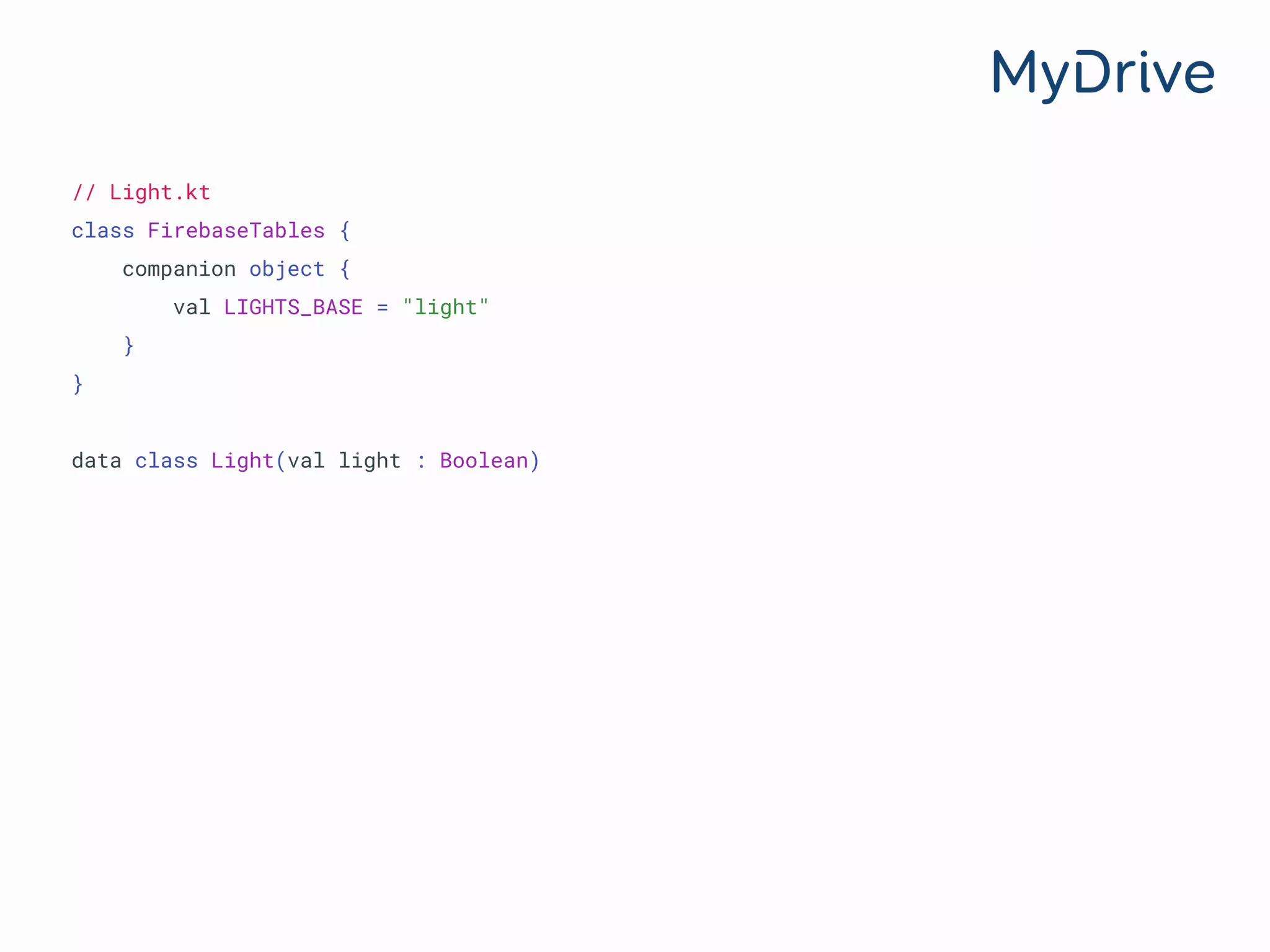
// Light.kt
class FirebaseTables {
companion object {
val LIGHTS_BASE = "light"
}
}
data class Light(val light : Boolean)
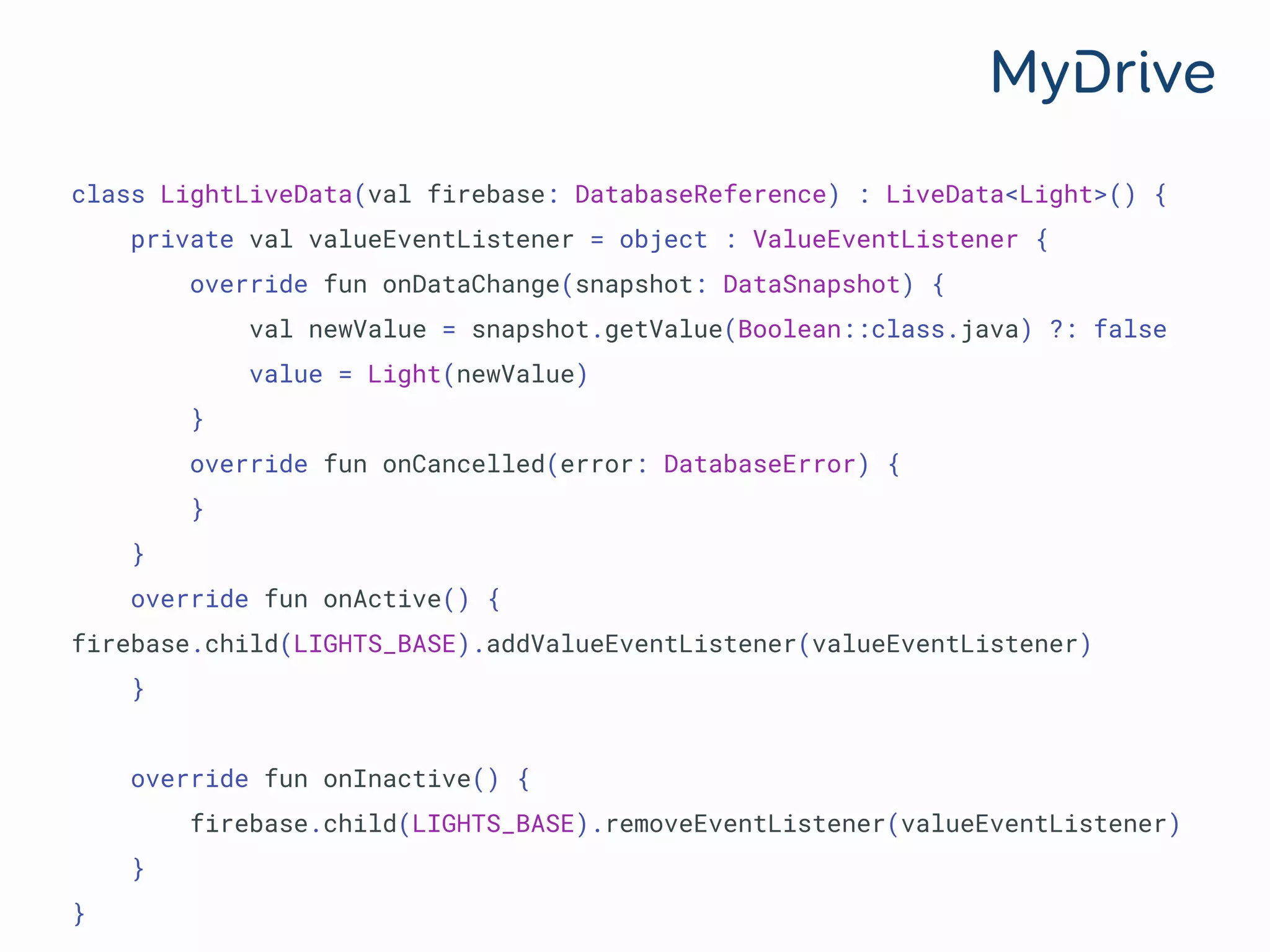
class LightLiveData(val firebase: DatabaseReference) : LiveData<Light>() {
private val valueEventListener = object : ValueEventListener {
override fun onDataChange(snapshot: DataSnapshot) {
val newValue = snapshot.getValue(Boolean::class.java) ?: false
value = Light(newValue)
}
override fun onCancelled(error: DatabaseError) {
}
}
override fun onActive() {
firebase.child(LIGHTS_BASE).addValueEventListener(valueEventListener)
}
override fun onInactive() {
firebase.child(LIGHTS_BASE).removeEventListener(valueEventListener)
}
}
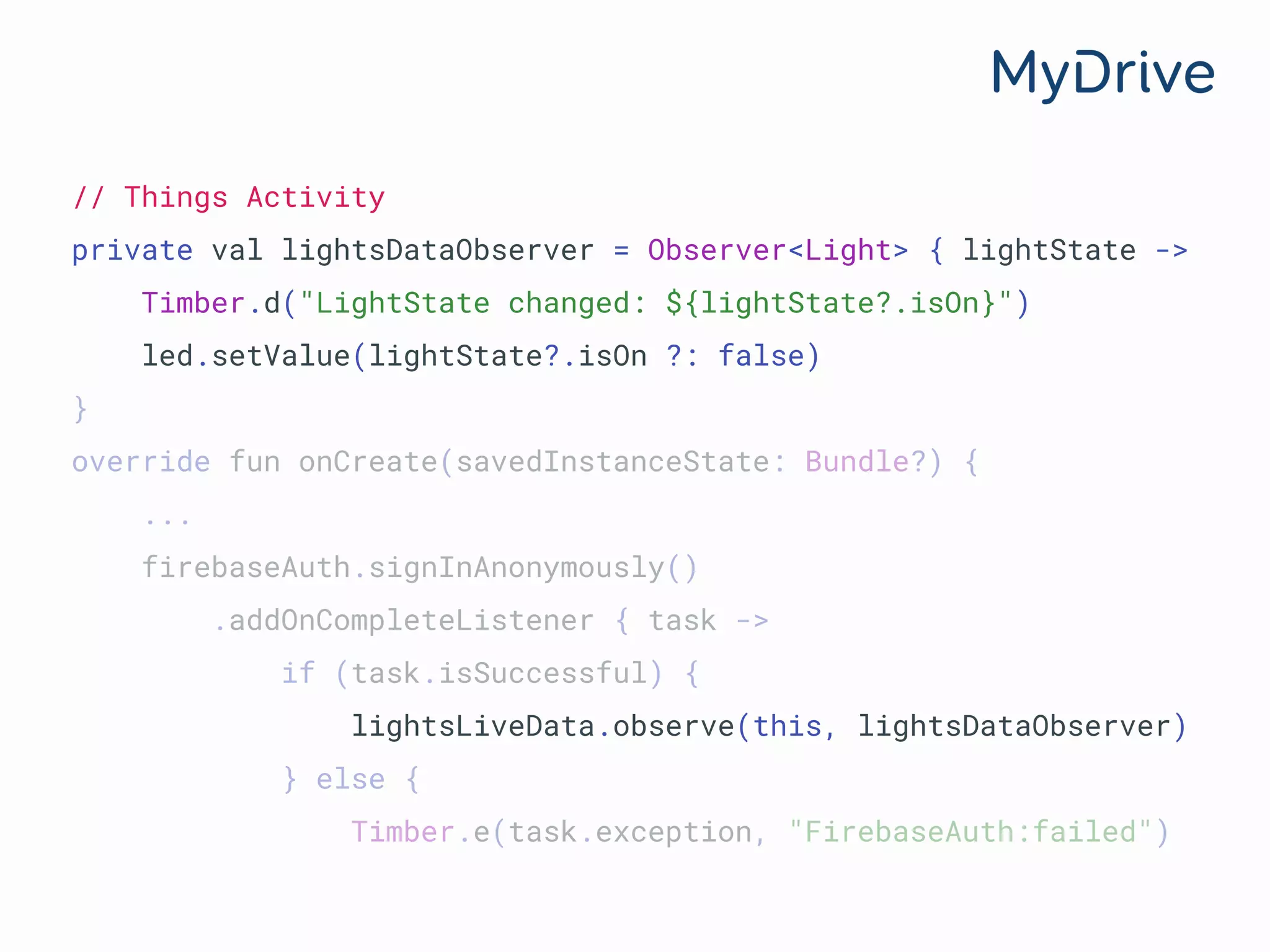
// Things Activity
private val lightsDataObserver = Observer<Light> { lightState ->
Timber.d("LightState changed: ${lightState?.isOn}")
led.setValue(lightState?.isOn ?: false)
}
override fun onCreate(savedInstanceState: Bundle?) {
...
firebaseAuth.signInAnonymously()
.addOnCompleteListener { task ->
if (task.isSuccessful) {
lightsLiveData.observe(this, lightsDataObserver)
} else {
Timber.e(task.exception, "FirebaseAuth:failed")
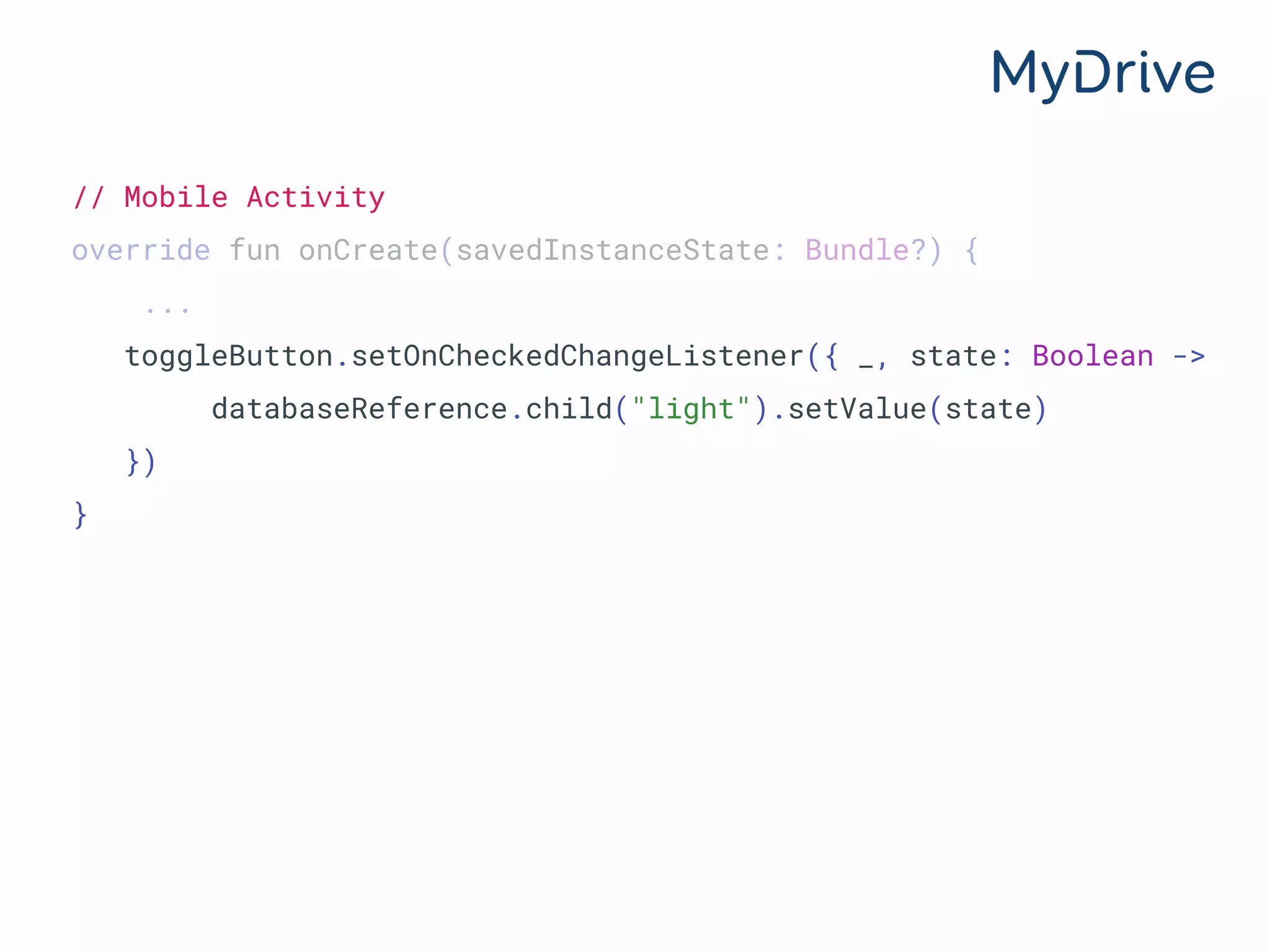
// Mobile Activity
override fun onCreate(savedInstanceState: Bundle?) {
...
toggleButton.setOnCheckedChangeListener({ _, state: Boolean ->
databaseReference.child("light").setValue(state)
})
}
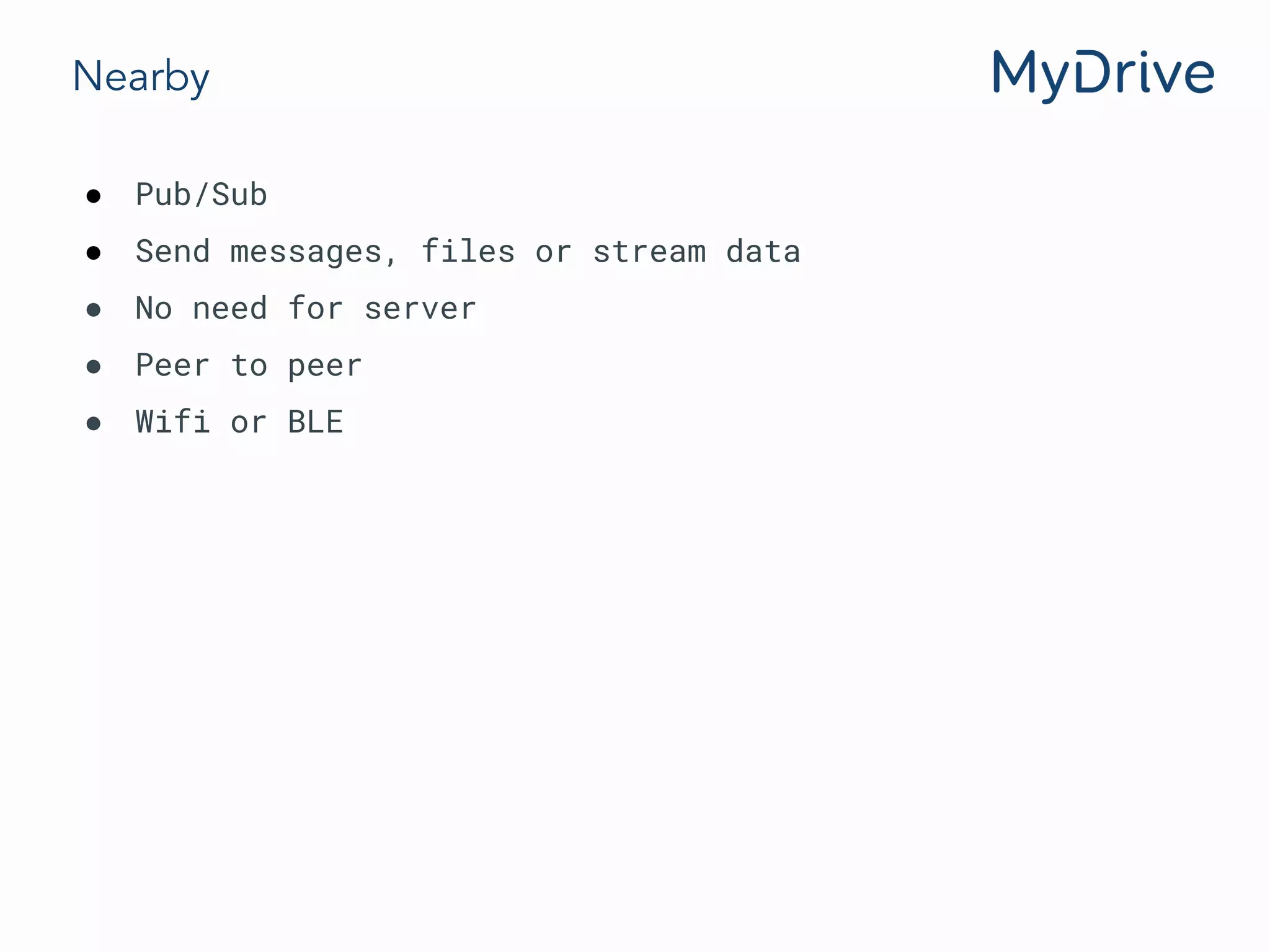
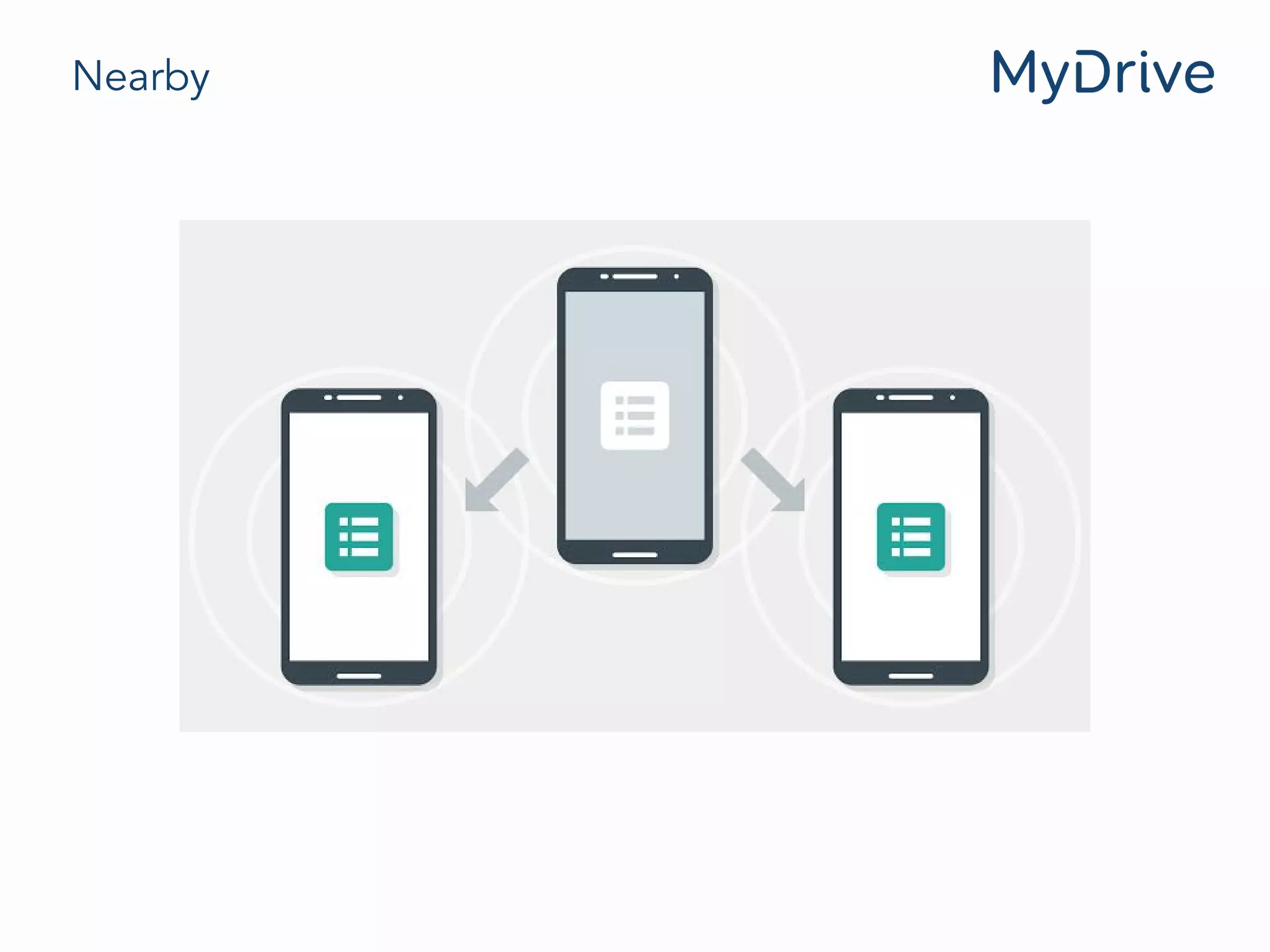
Nearby
● Pub/Sub
● Send messages, files or stream data
● No need for server
● Peer to peer
● Wifi or BLE
Nearby
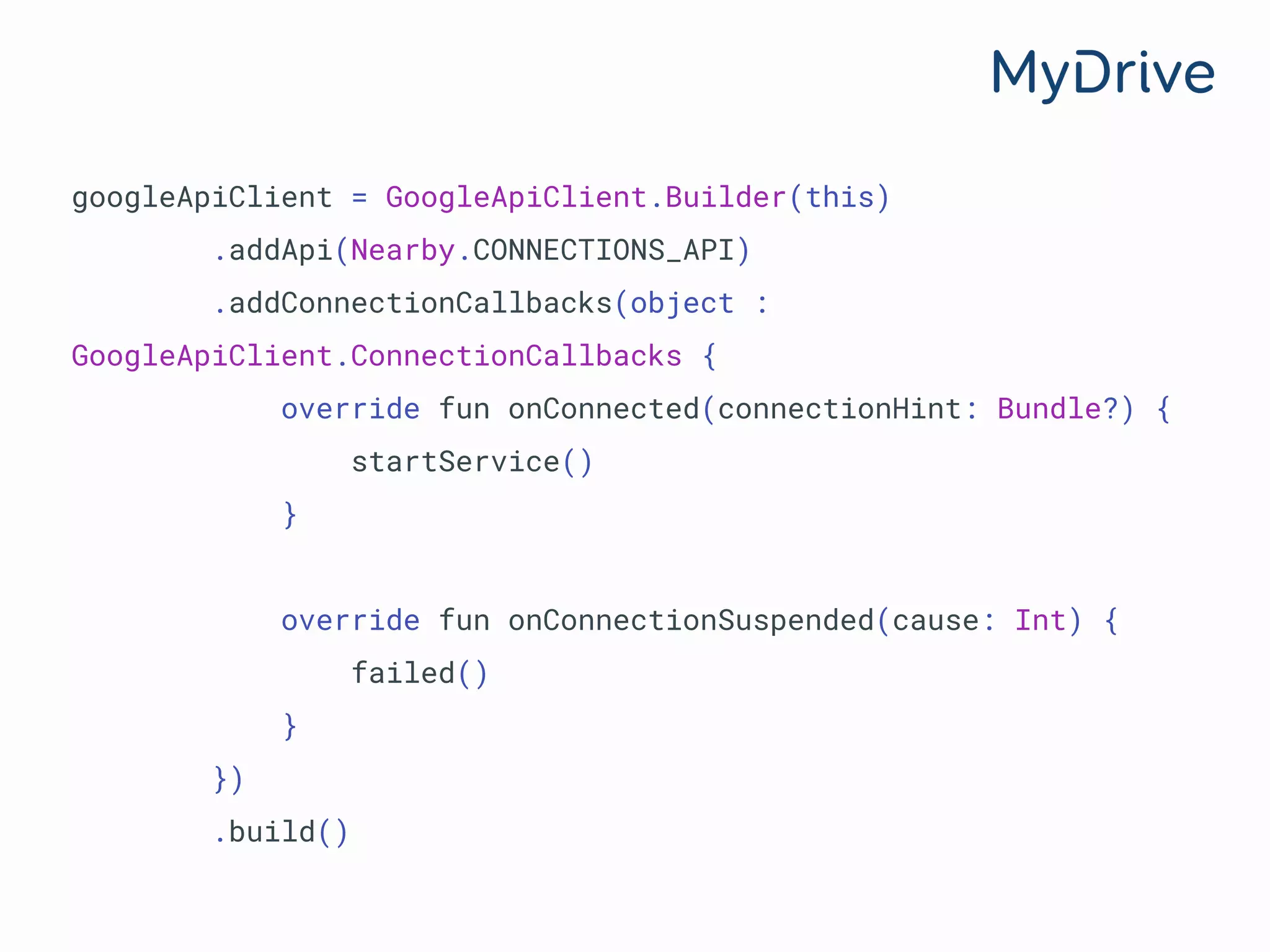
googleApiClient = GoogleApiClient.Builder(this)
.addApi(Nearby.CONNECTIONS_API)
.addConnectionCallbacks(object :
GoogleApiClient.ConnectionCallbacks {
override fun onConnected(connectionHint: Bundle?) {
startService()
}
override fun onConnectionSuspended(cause: Int) {
failed()
}
})
.build()
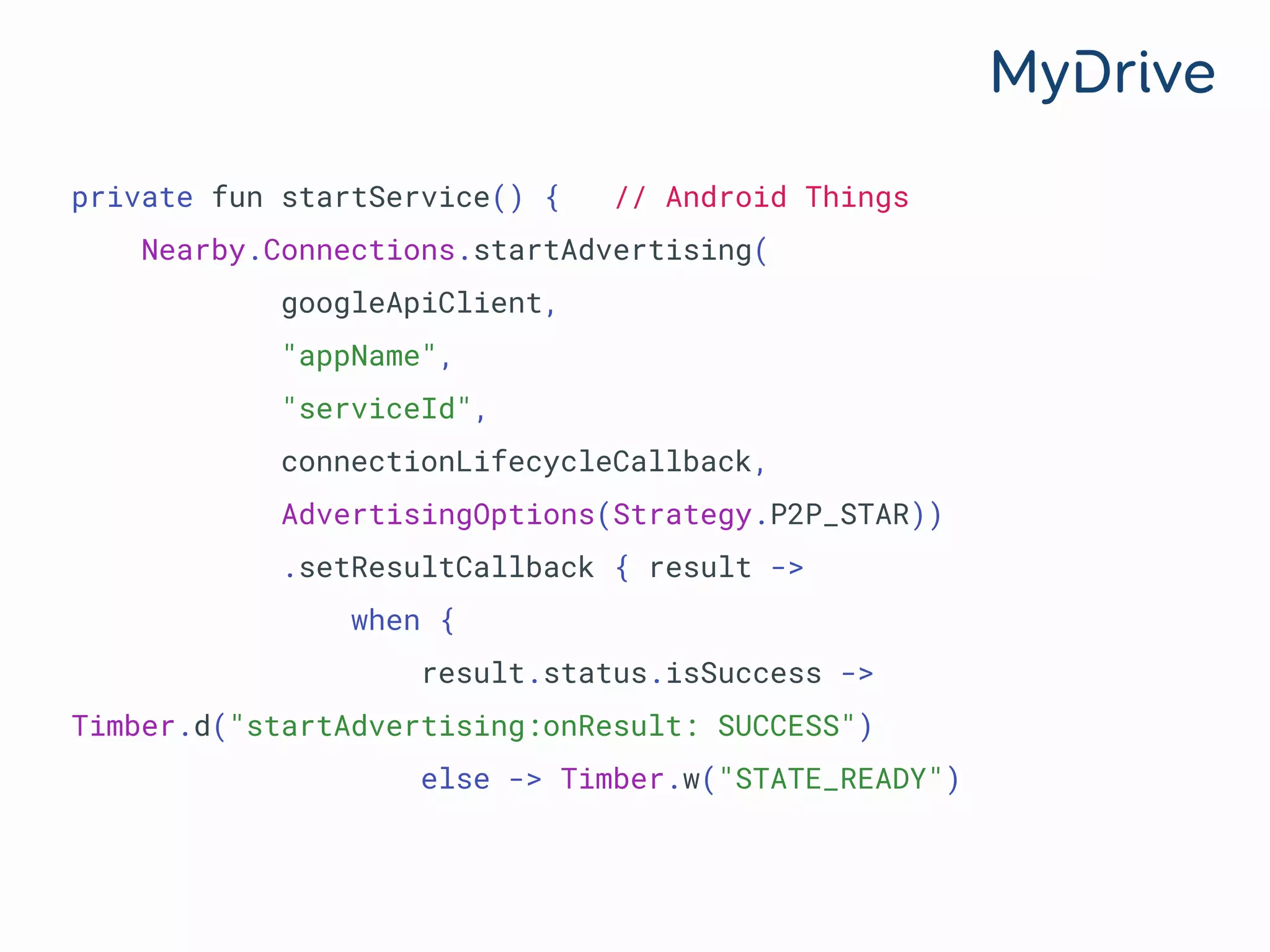
private fun startService() { // Android Things
Nearby.Connections.startAdvertising(
googleApiClient,
"appName",
"serviceId",
connectionLifecycleCallback,
AdvertisingOptions(Strategy.P2P_STAR))
.setResultCallback { result ->
when {
result.status.isSuccess ->
Timber.d("startAdvertising:onResult: SUCCESS")
else -> Timber.w("STATE_READY")
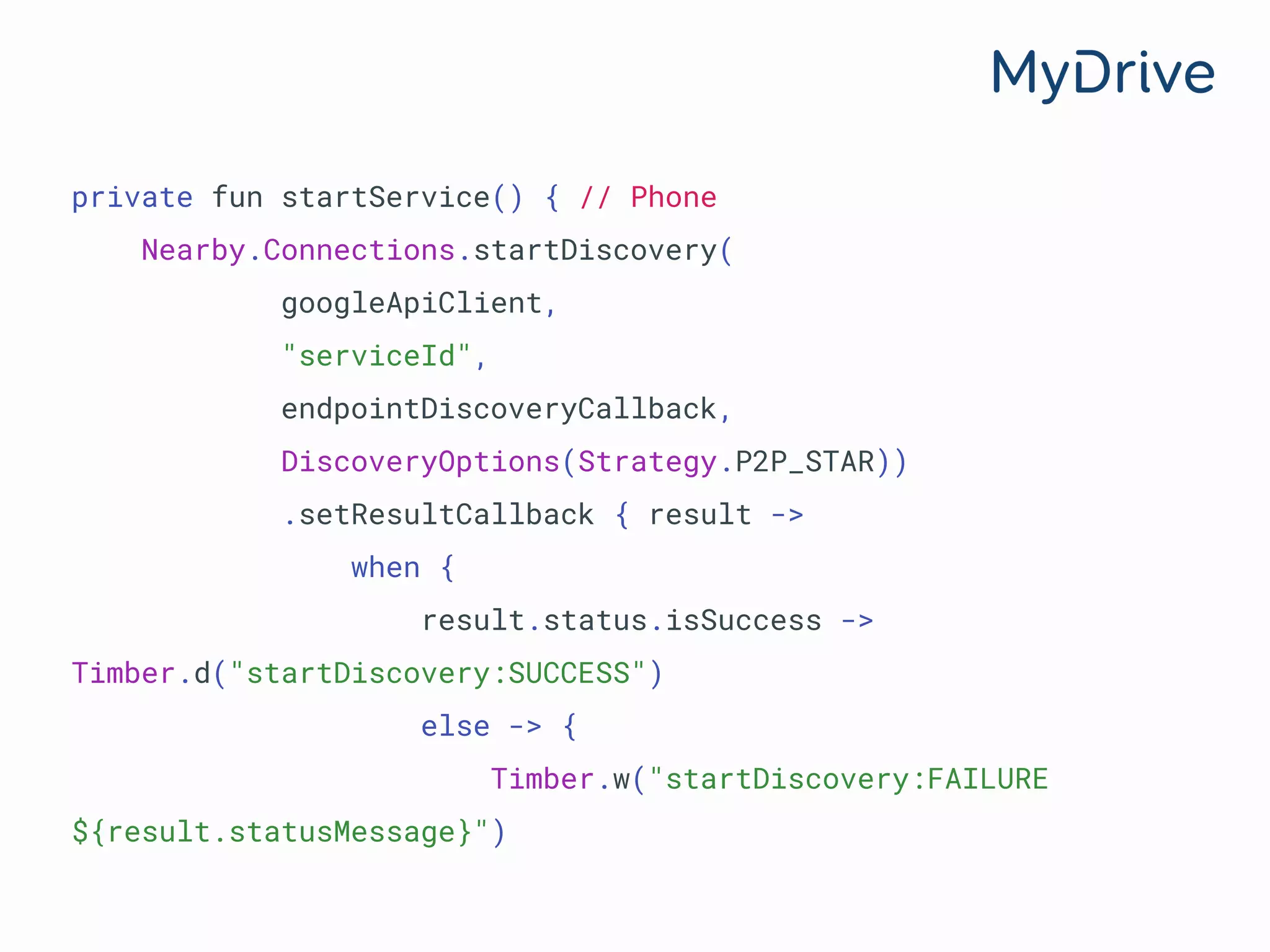
private fun startService() { // Phone
Nearby.Connections.startDiscovery(
googleApiClient,
"serviceId",
endpointDiscoveryCallback,
DiscoveryOptions(Strategy.P2P_STAR))
.setResultCallback { result ->
when {
result.status.isSuccess ->
Timber.d("startDiscovery:SUCCESS")
else -> {
Timber.w("startDiscovery:FAILURE
${result.statusMessage}")
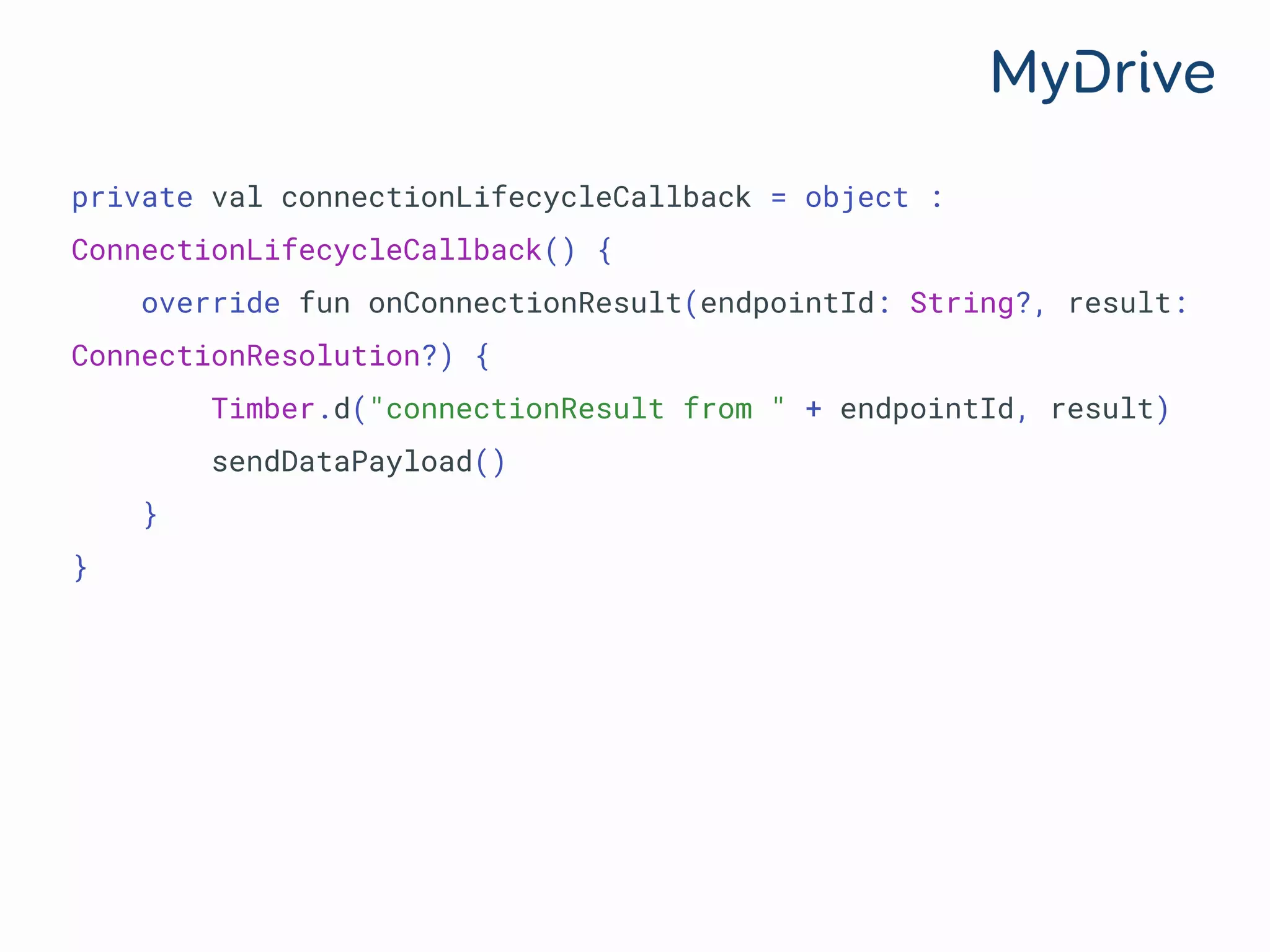
private val connectionLifecycleCallback = object :
ConnectionLifecycleCallback() {
override fun onConnectionResult(endpointId: String?, result:
ConnectionResolution?) {
Timber.d("connectionResult from " + endpointId, result)
sendDataPayload()
}
}
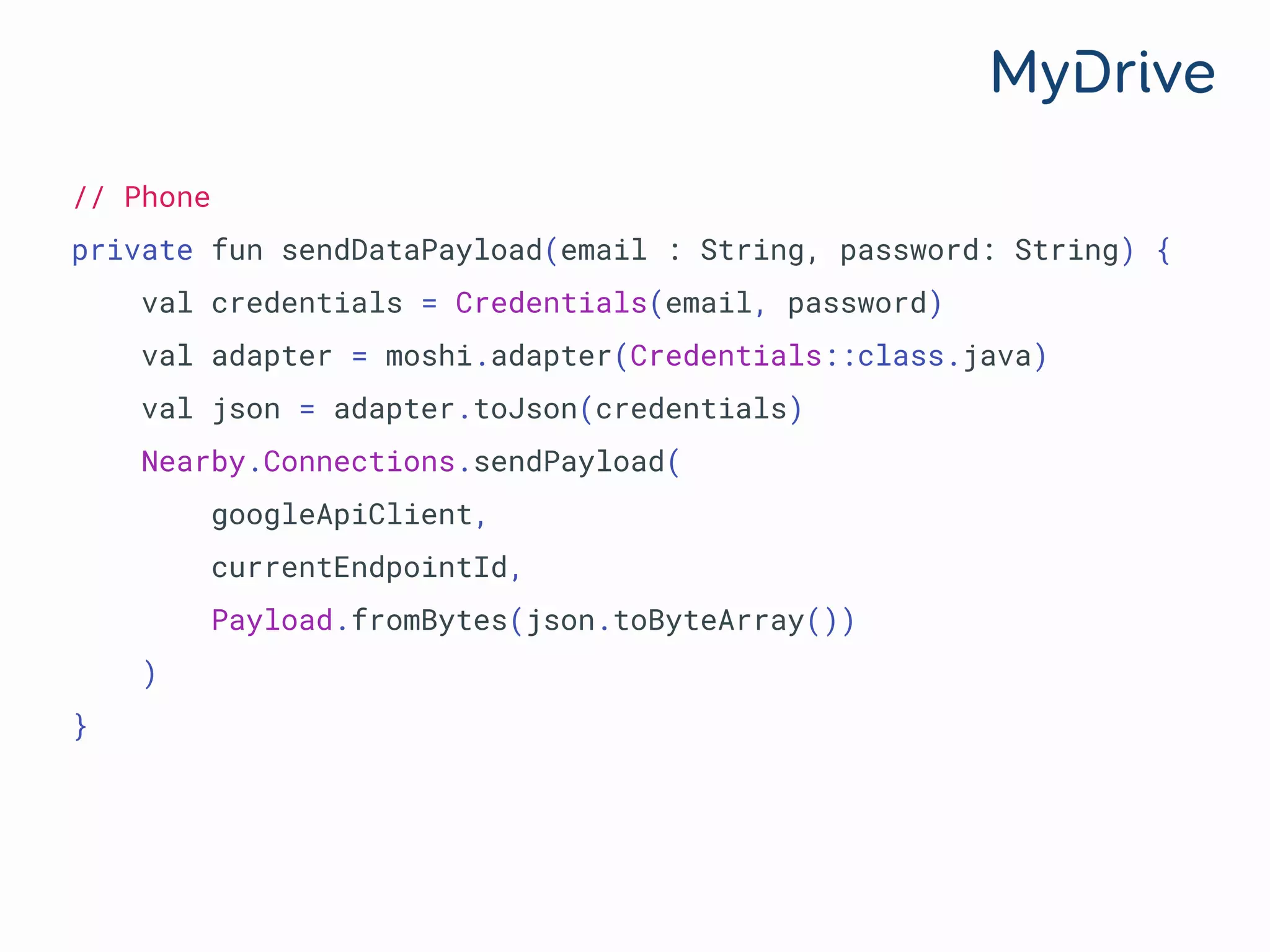
// Phone
private fun sendDataPayload(email : String, password: String) {
val credentials = Credentials(email, password)
val adapter = moshi.adapter(Credentials::class.java)
val json = adapter.toJson(credentials)
Nearby.Connections.sendPayload(
googleApiClient,
currentEndpointId,
Payload.fromBytes(json.toByteArray())
)
}
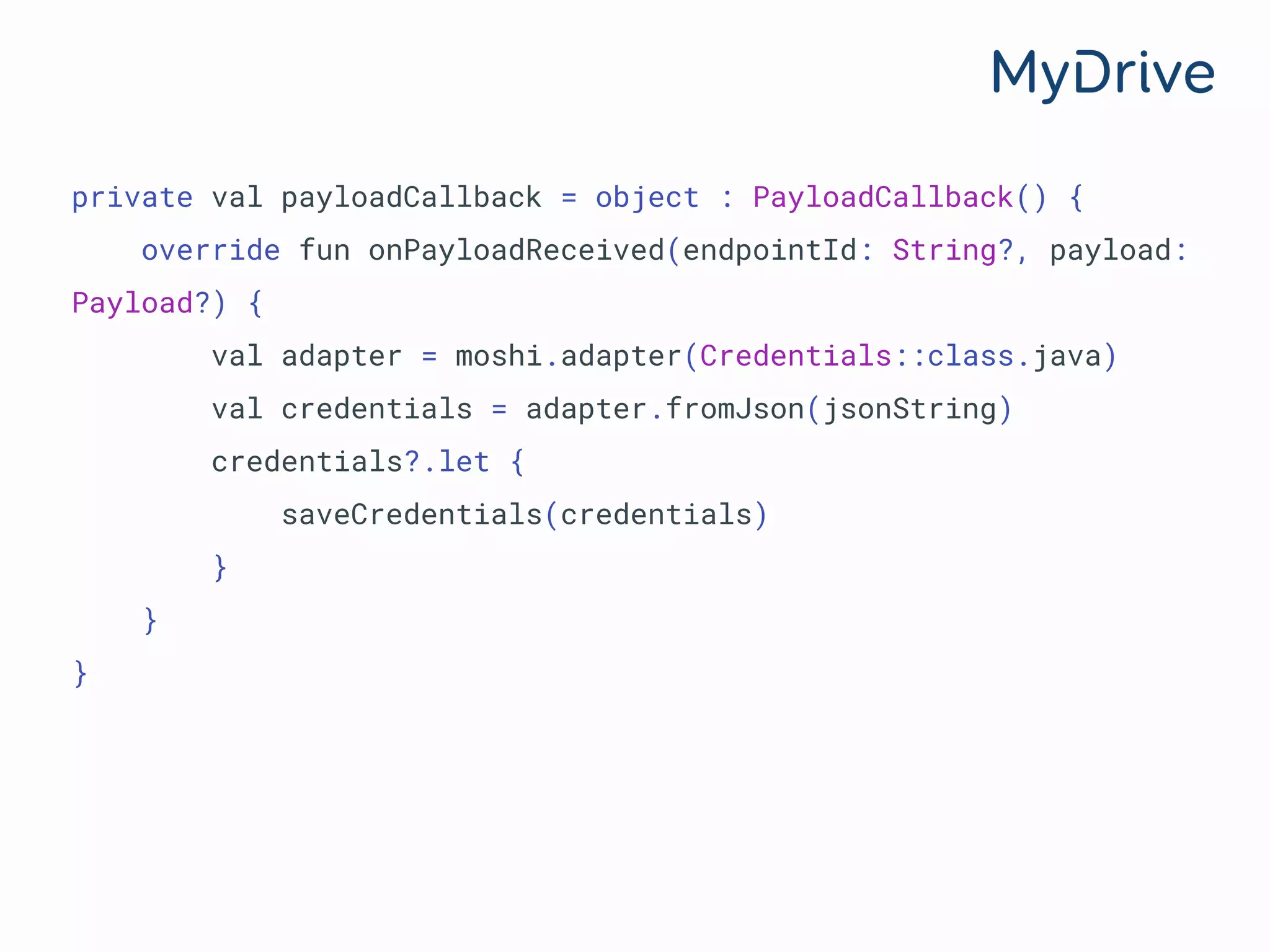
private val payloadCallback = object : PayloadCallback() {
override fun onPayloadReceived(endpointId: String?, payload:
Payload?) {
val adapter = moshi.adapter(Credentials::class.java)
val credentials = adapter.fromJson(jsonString)
credentials?.let {
saveCredentials(credentials)
}
}
}
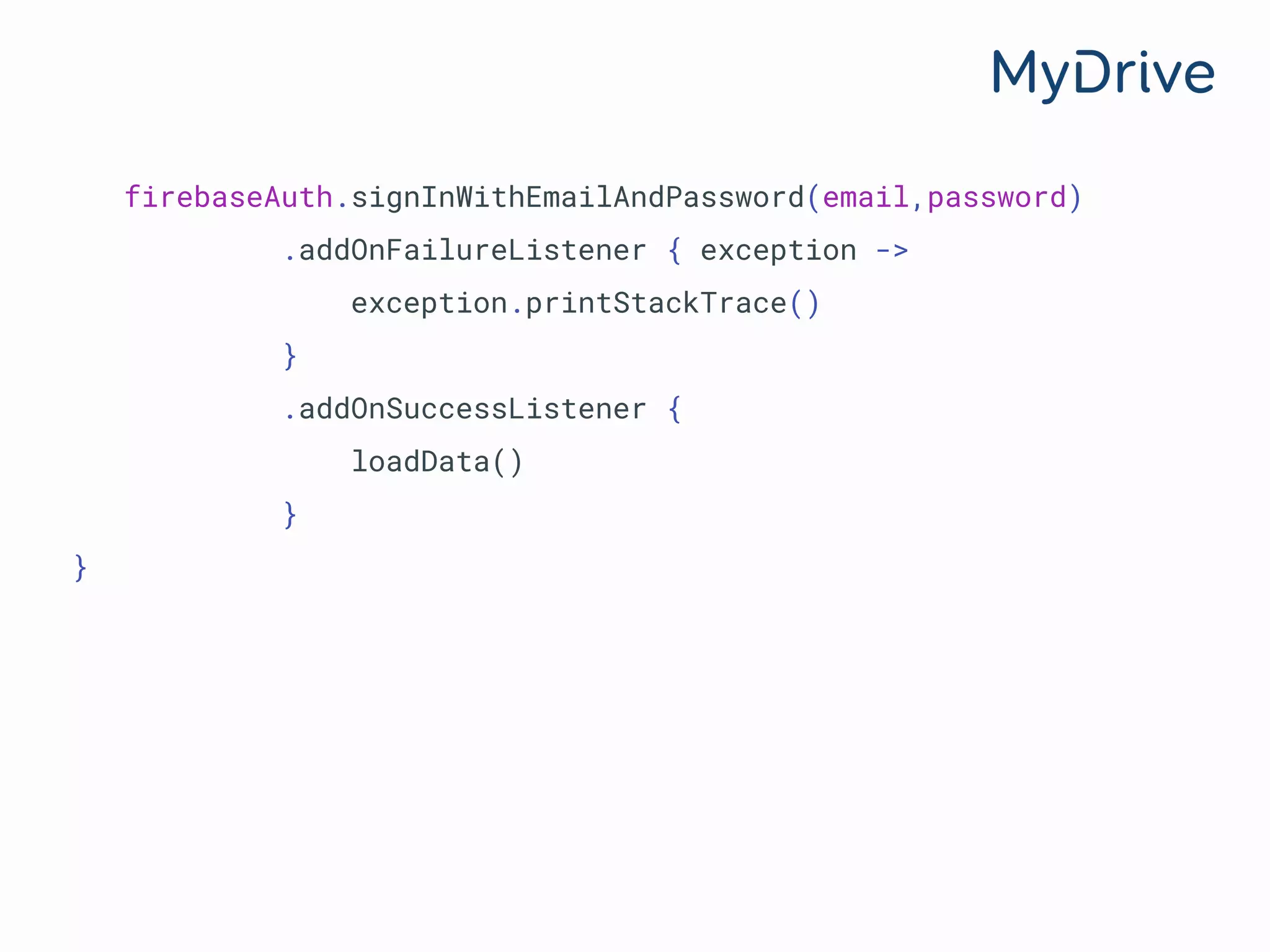
firebaseAuth.signInWithEmailAndPassword(email,password)
.addOnFailureListener { exception ->
exception.printStackTrace()
}
.addOnSuccessListener {
loadData()
}
}
Success!!
https://github.com/jamescoggan/thingspresentationn
● Common code in shared module
● Nearby
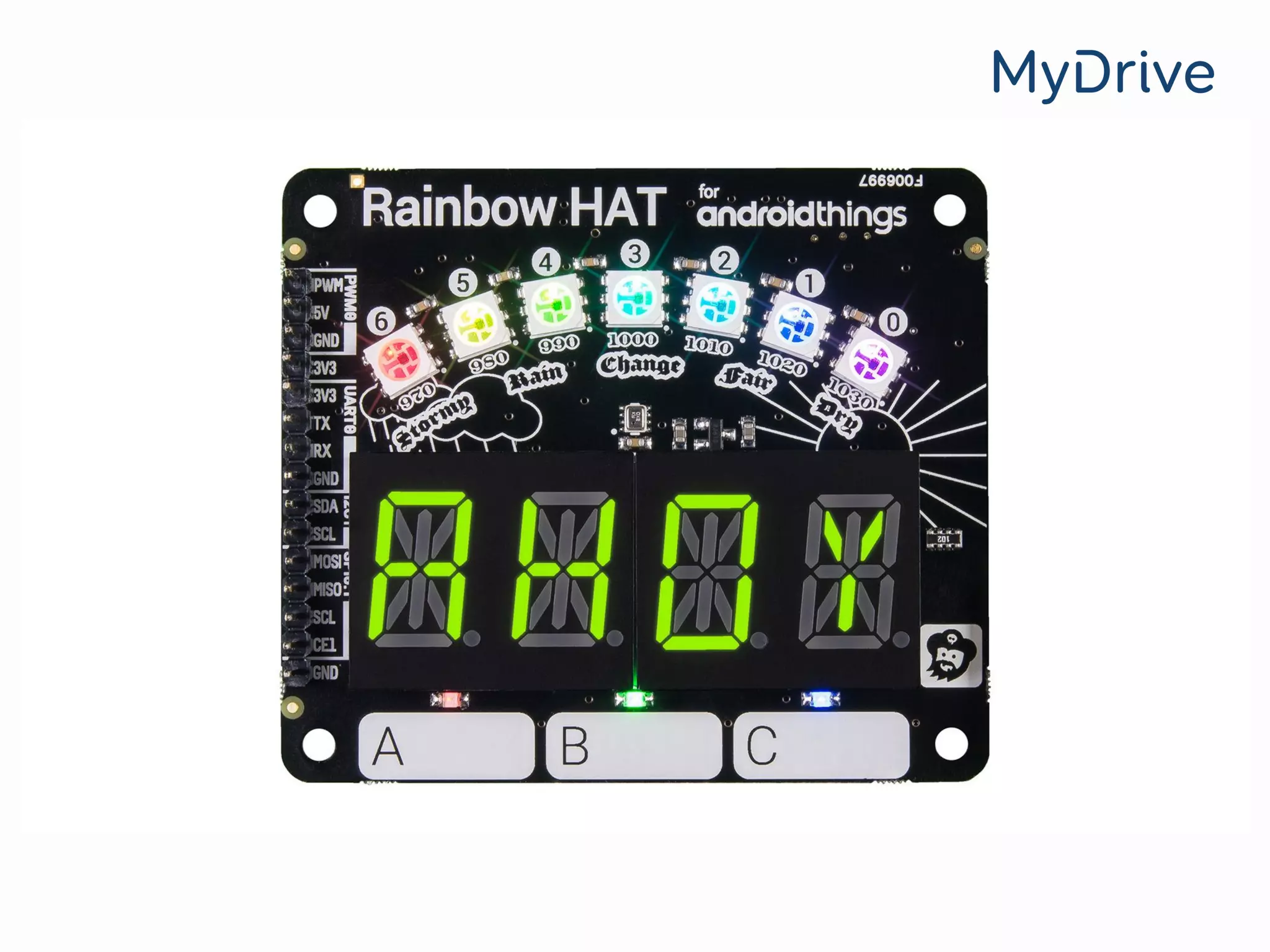
● RainbowHat:
○ Sensors
○ Led
○ Button
● Philips Hue (in progress)
Q&A
sli.do
#thingstelaviv
Feedback:
https://goo.gl/gwPxpY
Thank you!
https://jamescoggan.com
@mad_team

Connecting your phone and home with firebase and android things - James Coggan, MyDrive

  • 1.
    James Coggan, MyDriveSolutions Connect your Phone and Home with Firebase and Android Things We are hiring! https://www.mydrivesolutions.com/jobs Q&A sli.do #thingstelaviv
  • 2.
    A little bitabout me.. James Coggan Android tech lead https://jamescoggan.com @mad_team
  • 4.
  • 5.
    Android + Internetof ThingsAndroid Things
  • 6.
    The hardware NXP Picoi.MX7D Raspberry Pi 3 NXP Argon i.MX6UL NXP Pico i.MX6UL
  • 7.
    Development kits NXP Picoi.MX7D Raspberry pi kit
  • 8.
  • 9.
  • 10.
    What Android Thingsdoes support
  • 11.
    What Android Thingsdoesn’t support
  • 12.
    Good to know ●Main application started on boot ● Permissions are free and set on reboot ● adb connect 192.168.1.111:5555
  • 13.
    Why Android Things? ●Kotlin :) ● Maintained by Google ● OTA updates ● Android community ● Hardware agnostic ● Relatively cheap hardware ● Reusable code
  • 14.
  • 15.
  • 16.
  • 17.
    Supported I/Os ● GeneralPurpose Input/Output (GPIO): Binary ● Pulse Width Modulation (PWM): Servo motors, DC motors ● Inter-Integrated Circuit(I2C) ● Serial Peripheral Interface (SPI) ● Universal Asynchronous Receiver Transmitter (UART)
  • 20.
  • 21.
    val pioService =PeripheralManagerService() try { val pinName = "BCM6" ledGpio = pioService.openGpio(pinName) ledGpio?.setDirection(Gpio.DIRECTION_OUT_INITIALLY_LOW) } catch (e: IOException) { e.printStackTrace() }
  • 22.
    val pioService =PeripheralManagerService() try { val pinName = "BCM21" button = ButtonInputDriver( pinName, Button.LogicState.PRESSED_WHEN_LOW, KeyEvent.KEYCODE_SPACE) button?.register() } catch (e: IOException) { e.printStackTrace() }
  • 23.
    override fun onKeyDown(keyCode:Int, event: KeyEvent): Boolean { if (keyCode == KeyEvent.KEYCODE_SPACE) { setLedValue(true) return true } return super.onKeyDown(keyCode, event) }
  • 24.
    override fun onKeyUp(keyCode:Int, event: KeyEvent): Boolean { if (keyCode == KeyEvent.KEYCODE_SPACE) { setLedValue(false) return true } return super.onKeyUp(keyCode, event) }
  • 25.
    val gpioForLED: String// Pin 31 get() { return when (Build.DEVICE) { DEVICE_RPI3 -> "BCM6" DEVICE_IMX6UL_PICO -> "GPIO4_IO22" DEVICE_IMX7D_PICO -> "GPIO2_IO02" else -> throw IllegalStateException("Unknown Build.DEVICE " + Build.DEVICE) } }
  • 26.
    val gpioForButton: String// Pin 40 get() { return when (Build.DEVICE) { DEVICE_RPI3 -> "BCM21" DEVICE_IMX6UL_PICO -> "GPIO2_IO03" DEVICE_IMX7D_PICO -> "GPIO6_IO14" else -> throw IllegalStateException("Unknown Build.DEVICE " + Build.DEVICE) } }
  • 27.
    val pinName =gpioForLED ledGpio = pioService.openGpio(pinName) ... val pinName = gpioForButton button = ButtonInputDriver( pinName, Button.LogicState.PRESSED_WHEN_LOW, KeyEvent.KEYCODE_SPACE) ...
  • 31.
    Setting up Firebase https://console.firebase.google.com ●Create a new Firebase project ● Add a new Android app to the project with your package name: ie: com.jamescoggan.thingspresentation ● Enable anonymous login on (temporarily)
  • 32.
    ● Setup adatabase // Database { "light" : true } ● Add the rules // Rules - don’t expose your data for the world { "rules": { ".write": "auth != null", ".read": "auth != null", } }
  • 33.
    // Base build.gradlefor all modules buildscript { ... dependencies { classpath "com.google.gms:google-services:$googleServicesClassVersion" } }
  • 34.
    // mobile &things build.gradle dependencies { ... implementation "com.google.firebase:firebase-core:$playServicesVersion" implementation "com.google.firebase:firebase-database:$playServicesVersion" implementation "com.google.firebase:firebase-auth:$playServicesVersion" implementation "android.arch.lifecycle:extensions:$androidArchComponentsVersion" } apply plugin: "com.google.gms.google-services"
  • 35.
    // MainActivity.kt (Bothmodules - mobile and things) override fun onCreate(savedInstanceState: Bundle?) { FirebaseApp.initializeApp(this) // Move me to the Application class val firebaseAuth = FirebaseAuth.getInstance() val databaseReference = FirebaseDatabase.getInstance().reference }
  • 36.
    // MainActivity.kt override funonCreate(savedInstanceState: Bundle?) { ... val databaseReference = FirebaseDatabase.getInstance().reference firebaseAuth.signInAnonymously() .addOnCompleteListener { task -> if (task.isSuccessful) { observeLightsData() } else { Timber.e(task.exception, "FirebaseAuth:failed") } } }
  • 37.
    // Light.kt class FirebaseTables{ companion object { val LIGHTS_BASE = "light" } } data class Light(val light : Boolean)
  • 38.
    class LightLiveData(val firebase:DatabaseReference) : LiveData<Light>() { private val valueEventListener = object : ValueEventListener { override fun onDataChange(snapshot: DataSnapshot) { val newValue = snapshot.getValue(Boolean::class.java) ?: false value = Light(newValue) } override fun onCancelled(error: DatabaseError) { } } override fun onActive() { firebase.child(LIGHTS_BASE).addValueEventListener(valueEventListener) } override fun onInactive() { firebase.child(LIGHTS_BASE).removeEventListener(valueEventListener) } }
  • 39.
    // Things Activity privateval lightsDataObserver = Observer<Light> { lightState -> Timber.d("LightState changed: ${lightState?.isOn}") led.setValue(lightState?.isOn ?: false) } override fun onCreate(savedInstanceState: Bundle?) { ... firebaseAuth.signInAnonymously() .addOnCompleteListener { task -> if (task.isSuccessful) { lightsLiveData.observe(this, lightsDataObserver) } else { Timber.e(task.exception, "FirebaseAuth:failed")
  • 40.
    // Mobile Activity overridefun onCreate(savedInstanceState: Bundle?) { ... toggleButton.setOnCheckedChangeListener({ _, state: Boolean -> databaseReference.child("light").setValue(state) }) }
  • 44.
    Nearby ● Pub/Sub ● Sendmessages, files or stream data ● No need for server ● Peer to peer ● Wifi or BLE
  • 45.
  • 46.
    googleApiClient = GoogleApiClient.Builder(this) .addApi(Nearby.CONNECTIONS_API) .addConnectionCallbacks(object: GoogleApiClient.ConnectionCallbacks { override fun onConnected(connectionHint: Bundle?) { startService() } override fun onConnectionSuspended(cause: Int) { failed() } }) .build()
  • 47.
    private fun startService(){ // Android Things Nearby.Connections.startAdvertising( googleApiClient, "appName", "serviceId", connectionLifecycleCallback, AdvertisingOptions(Strategy.P2P_STAR)) .setResultCallback { result -> when { result.status.isSuccess -> Timber.d("startAdvertising:onResult: SUCCESS") else -> Timber.w("STATE_READY")
  • 48.
    private fun startService(){ // Phone Nearby.Connections.startDiscovery( googleApiClient, "serviceId", endpointDiscoveryCallback, DiscoveryOptions(Strategy.P2P_STAR)) .setResultCallback { result -> when { result.status.isSuccess -> Timber.d("startDiscovery:SUCCESS") else -> { Timber.w("startDiscovery:FAILURE ${result.statusMessage}")
  • 49.
    private val connectionLifecycleCallback= object : ConnectionLifecycleCallback() { override fun onConnectionResult(endpointId: String?, result: ConnectionResolution?) { Timber.d("connectionResult from " + endpointId, result) sendDataPayload() } }
  • 50.
    // Phone private funsendDataPayload(email : String, password: String) { val credentials = Credentials(email, password) val adapter = moshi.adapter(Credentials::class.java) val json = adapter.toJson(credentials) Nearby.Connections.sendPayload( googleApiClient, currentEndpointId, Payload.fromBytes(json.toByteArray()) ) }
  • 51.
    private val payloadCallback= object : PayloadCallback() { override fun onPayloadReceived(endpointId: String?, payload: Payload?) { val adapter = moshi.adapter(Credentials::class.java) val credentials = adapter.fromJson(jsonString) credentials?.let { saveCredentials(credentials) } } }
  • 52.
    firebaseAuth.signInWithEmailAndPassword(email,password) .addOnFailureListener { exception-> exception.printStackTrace() } .addOnSuccessListener { loadData() } }
  • 53.
  • 54.
    https://github.com/jamescoggan/thingspresentationn ● Common codein shared module ● Nearby ● RainbowHat: ○ Sensors ○ Led ○ Button ● Philips Hue (in progress)
  • 55.
  • 56.