Agenda
1. Overview and BLE Basics
2. Arduino
3. Android
4. Demo + Q&A
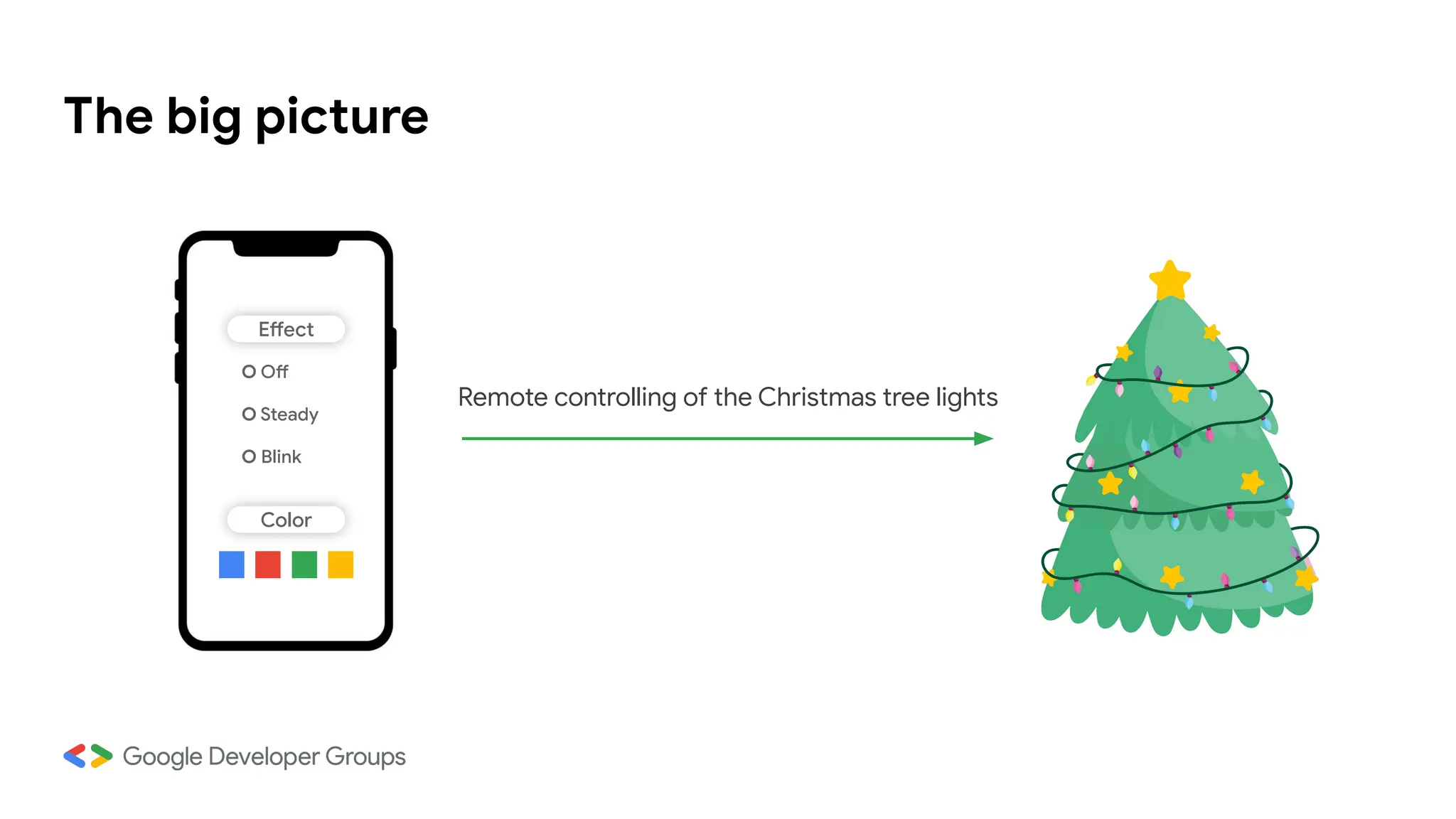
The big picture
Effect
Color
O Off
O Steady
O Blink
Remote controlling of the Christmas tree lights
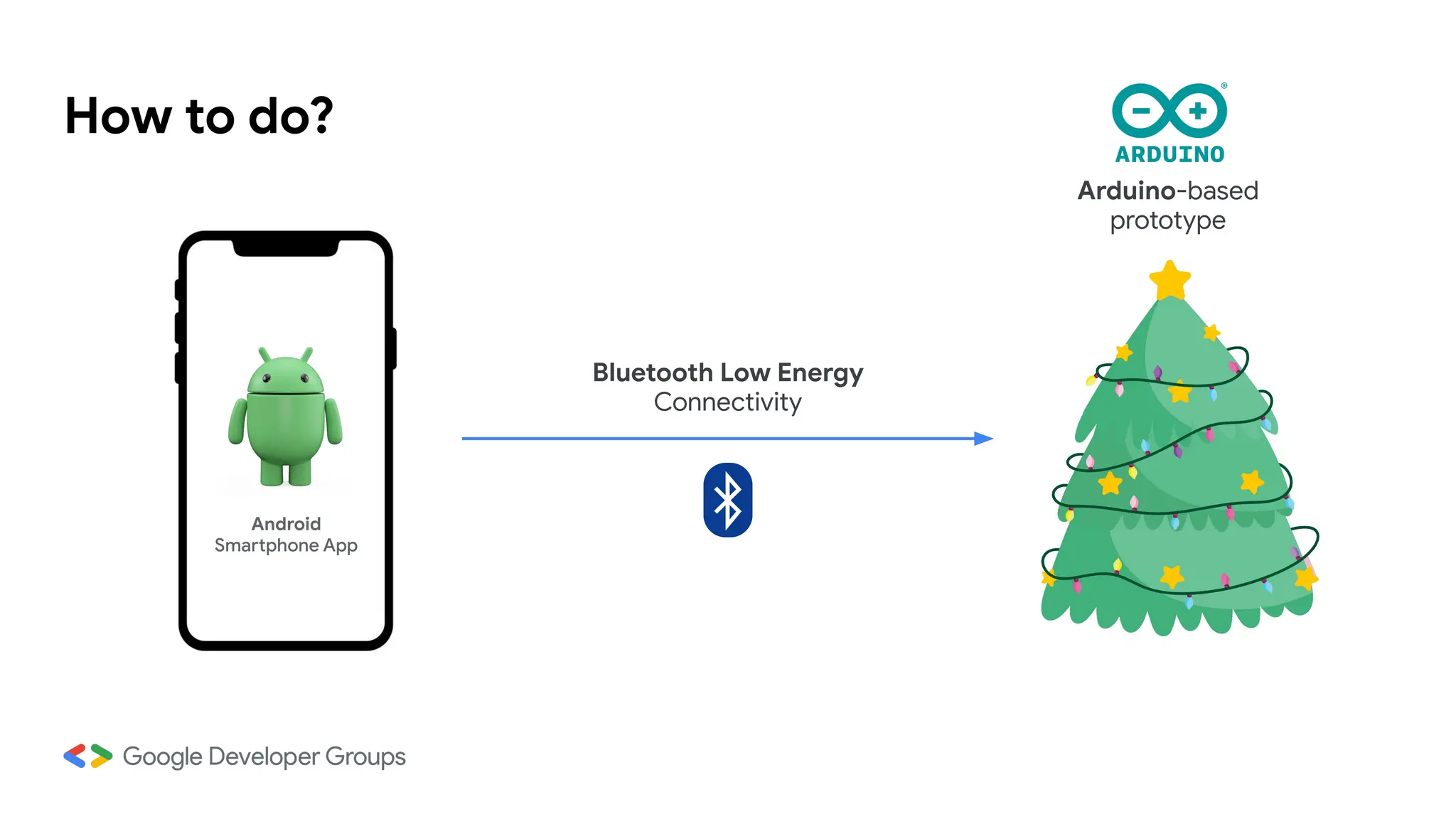
How to do?
Android
Smartphone App
Bluetooth Low Energy
Connectivity
Arduino-based
prototype
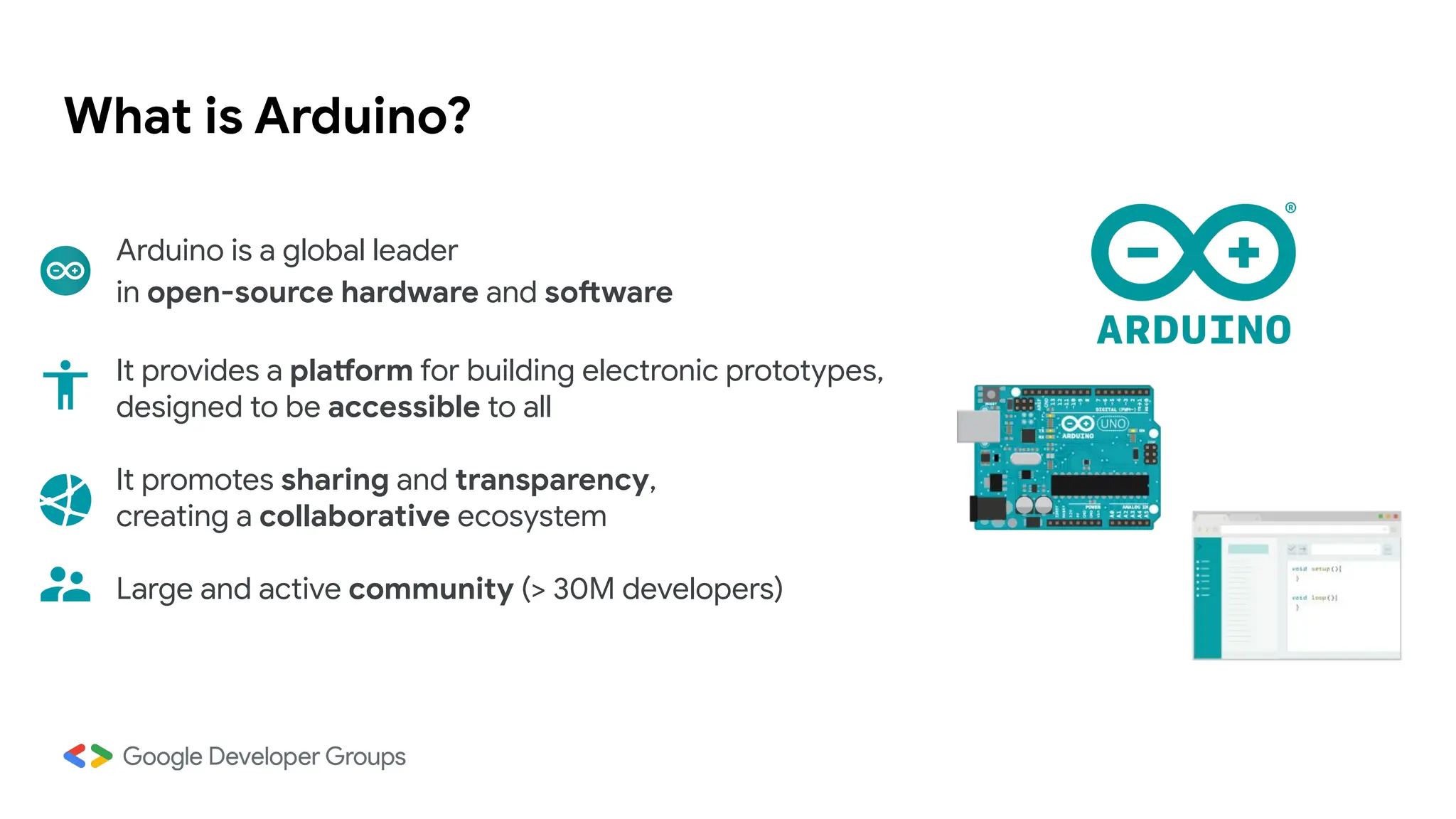
What is Arduino?
Arduino is a global leader
in open-source hardware and software
It provides a platform for building electronic prototypes,
designed to be accessible to all
It promotes sharing and transparency,
creating a collaborative ecosystem
Large and active community (> 30M developers)
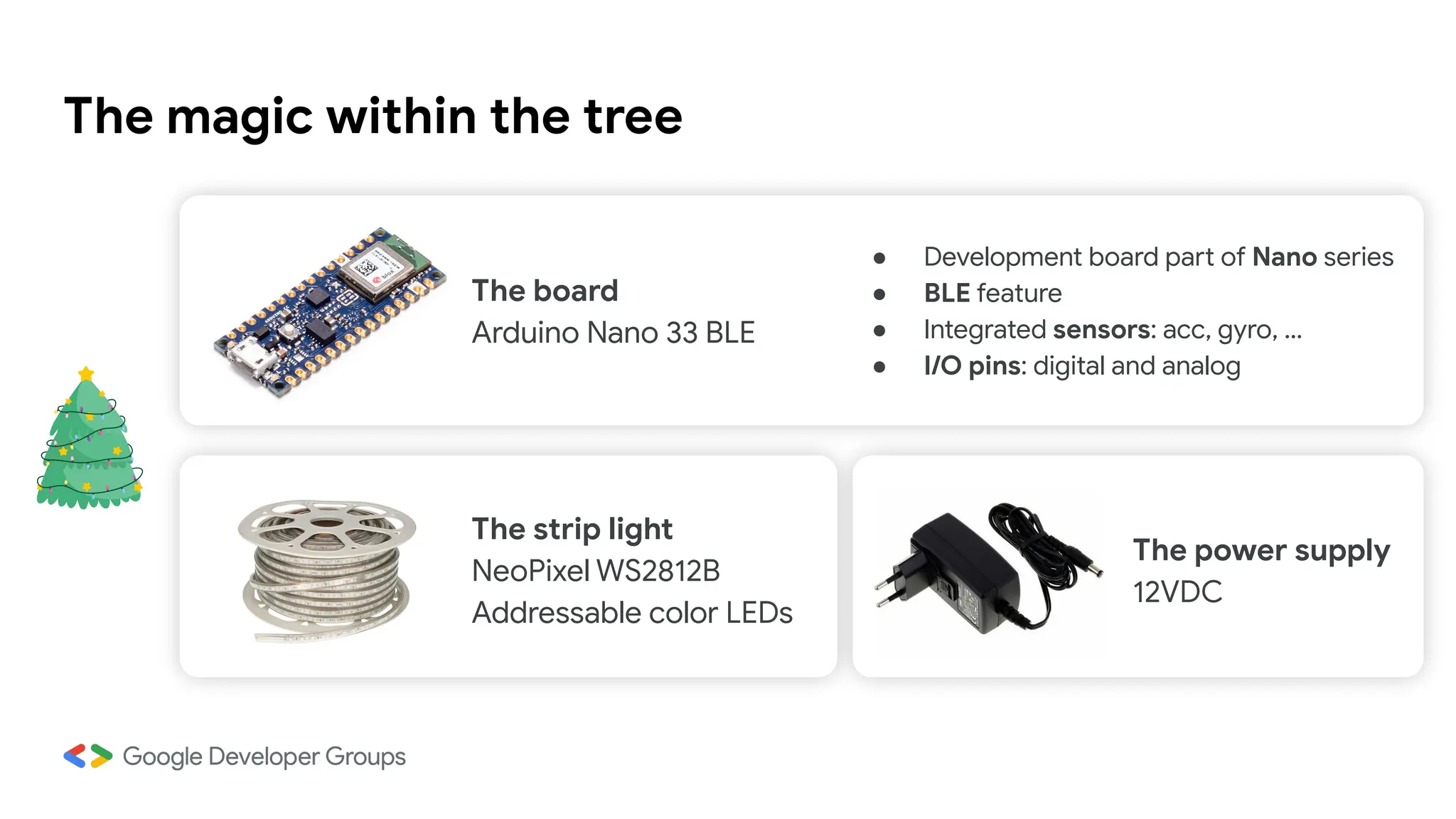
The magic within the tree
The board
Arduino Nano 33 BLE
The strip light
NeoPixel WS2812B
Addressable color LEDs
The power supply
12VDC
● Development board part of Nano series
● BLE feature
● Integrated sensors: acc, gyro, …
● I/O pins: digital and analog
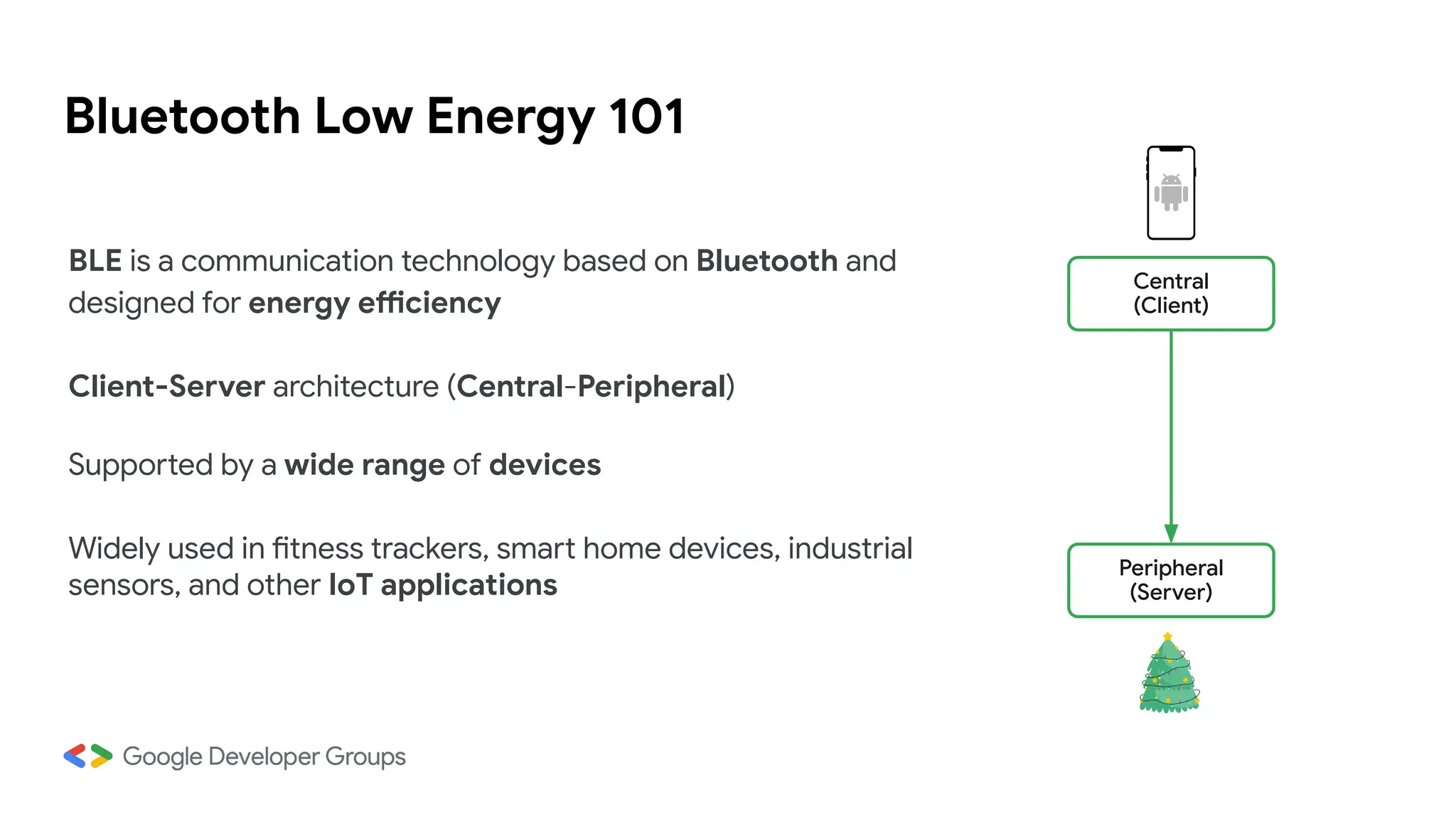
Bluetooth Low Energy 101
BLE is a communication technology based on Bluetooth and
designed for energy efficiency
Client-Server architecture (Central-Peripheral)
Supported by a wide range of devices
Widely used in fitness trackers, smart home devices, industrial
sensors, and other IoT applications
Central
(Client)
Peripheral
(Server)
BLE: Services & Characteristics
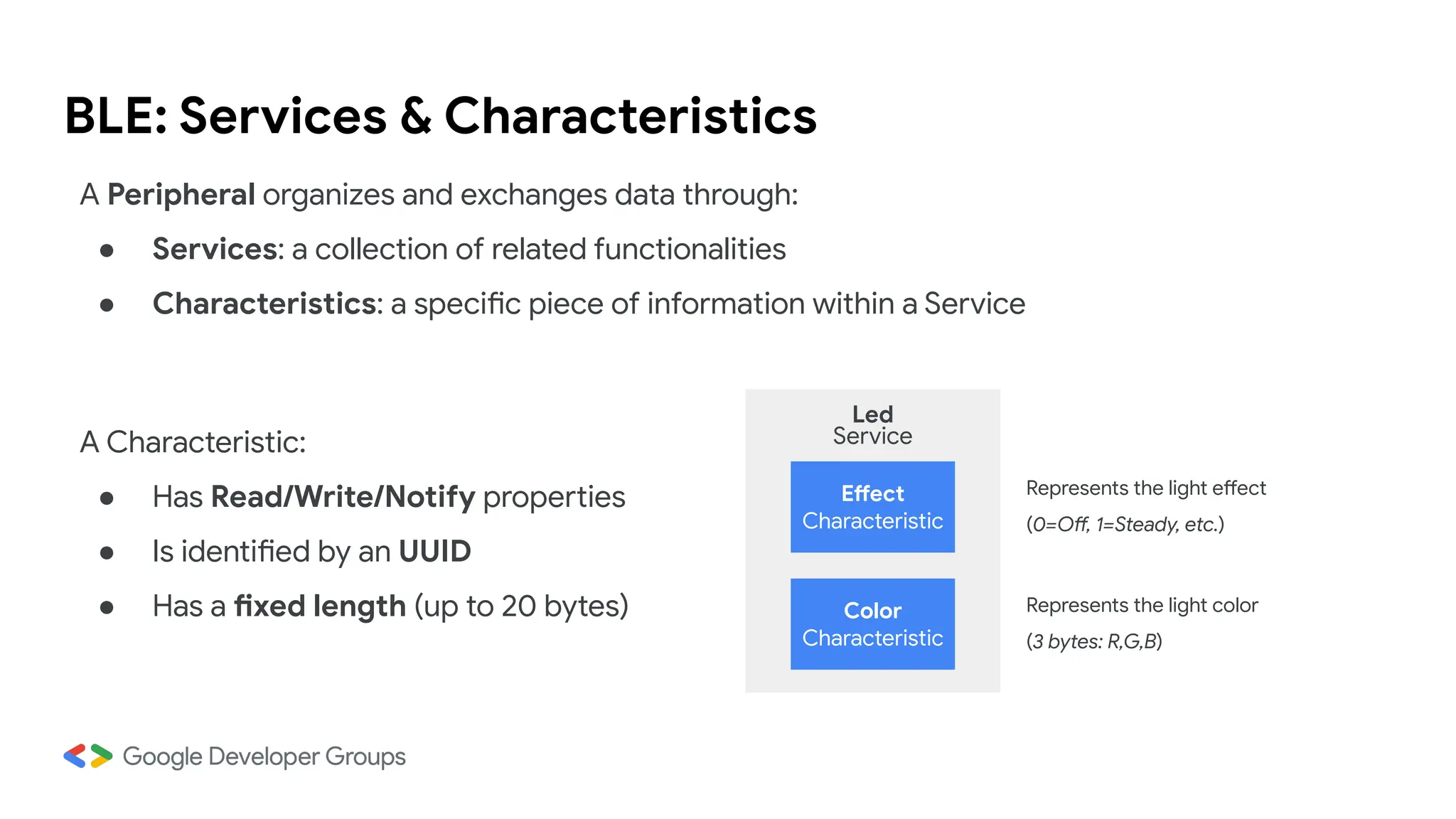
A Peripheral organizes and exchanges data through:
● Services: a collection of related functionalities
● Characteristics: a specific piece of information within a Service
Effect
Characteristic
Color
Characteristic
Led
Service
A Characteristic:
● Has Read/Write/Notify properties
● Is identified by an UUID
● Has a fixed length (up to 20 bytes)
Represents the light effect
(0=Off, 1=Steady, etc.)
Represents the light color
(3 bytes: R,G,B)
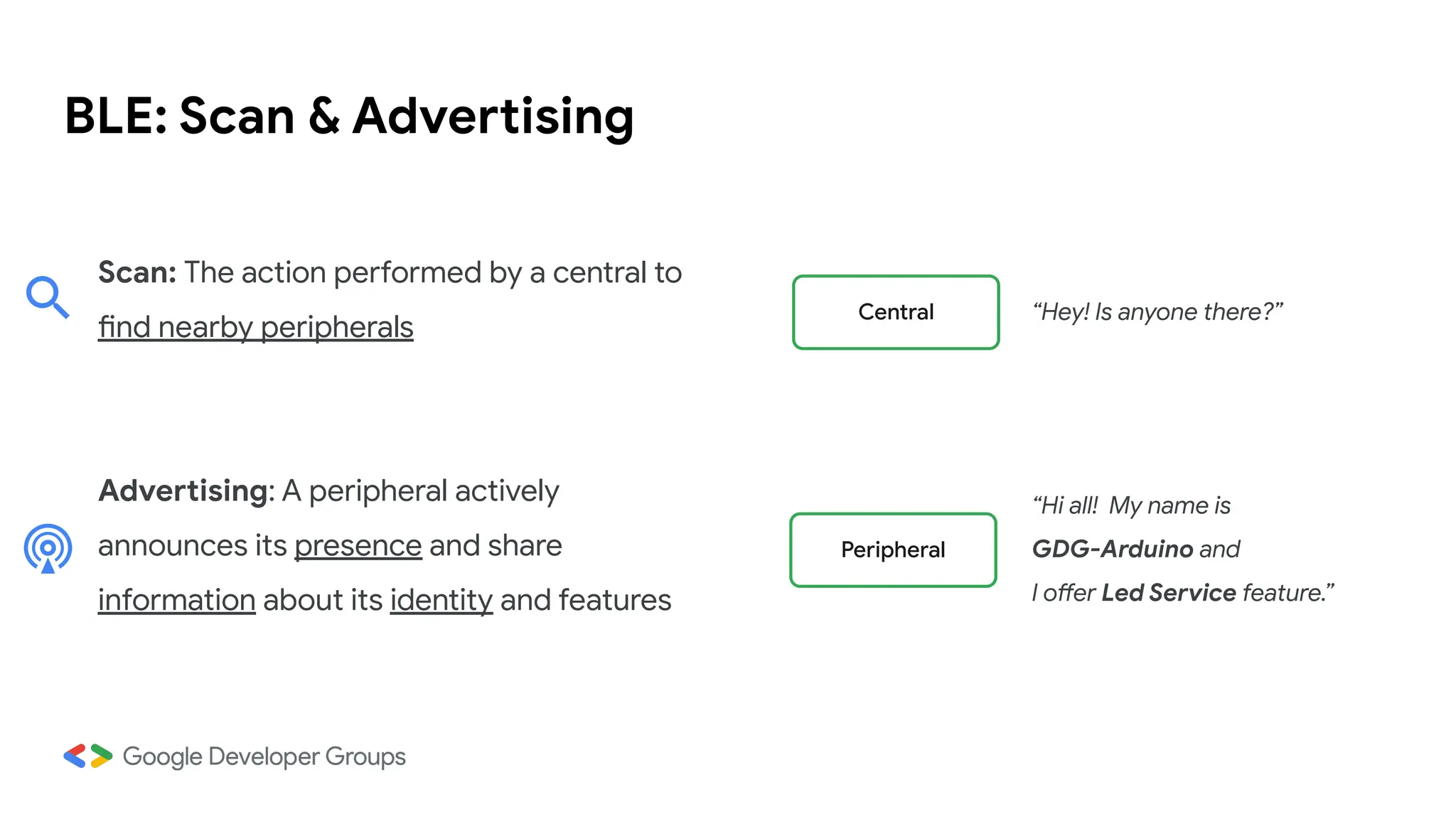
BLE: Scan & Advertising
Scan: The action performed by a central to
find nearby peripherals
Advertising: A peripheral actively
announces its presence and share
information about its identity and features
Central
Peripheral
“Hi all! My name is
GDG-Arduino and
I offer Led Service feature.”
“Hey! Is anyone there?”
Arduino: Let’s code!
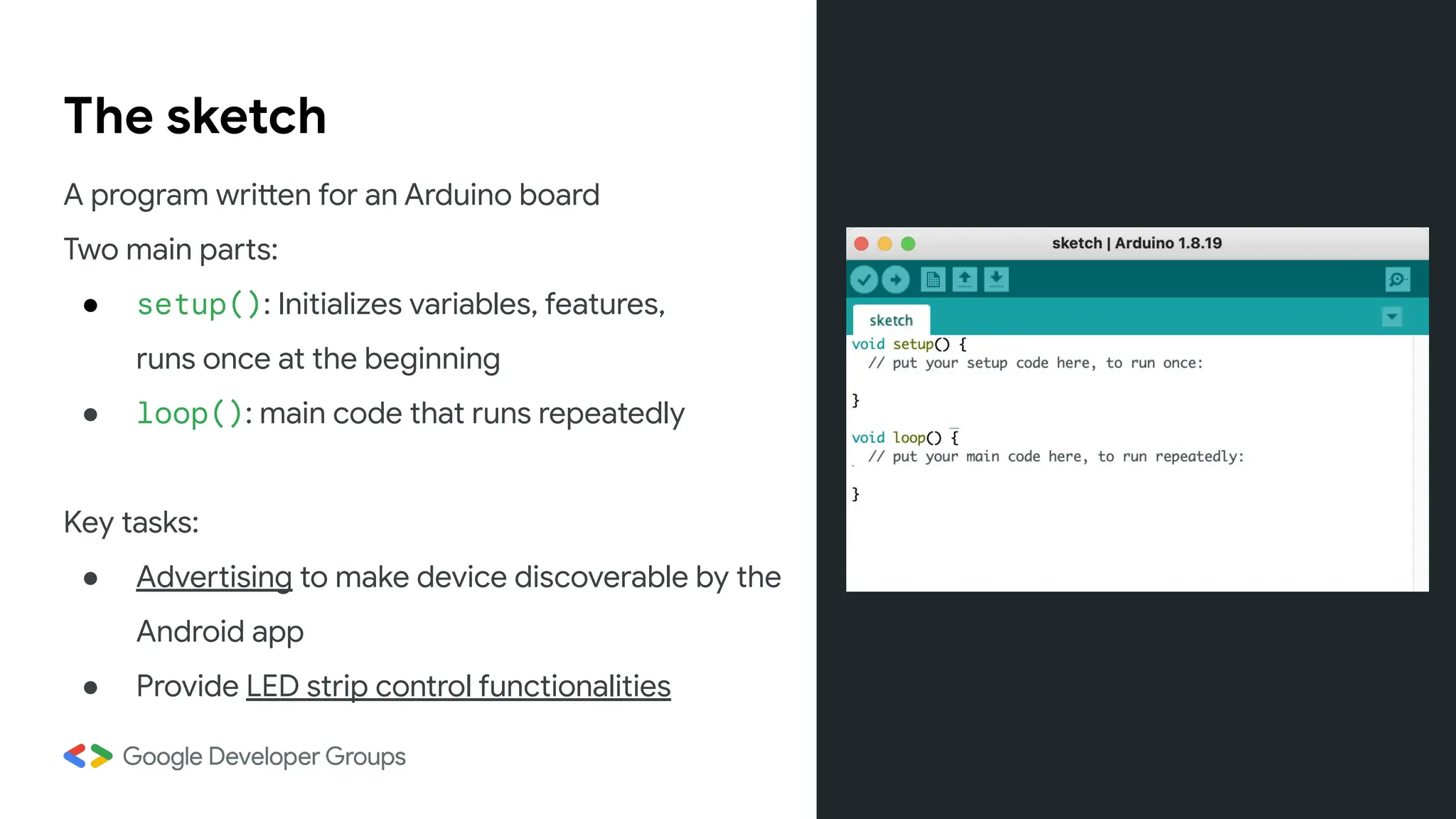
The sketch
A program written for an Arduino board
Two main parts:
● setup(): Initializes variables, features,
runs once at the beginning
● loop(): main code that runs repeatedly
Key tasks:
● Advertising to make device discoverable by the
Android app
● Provide LED strip control functionalities
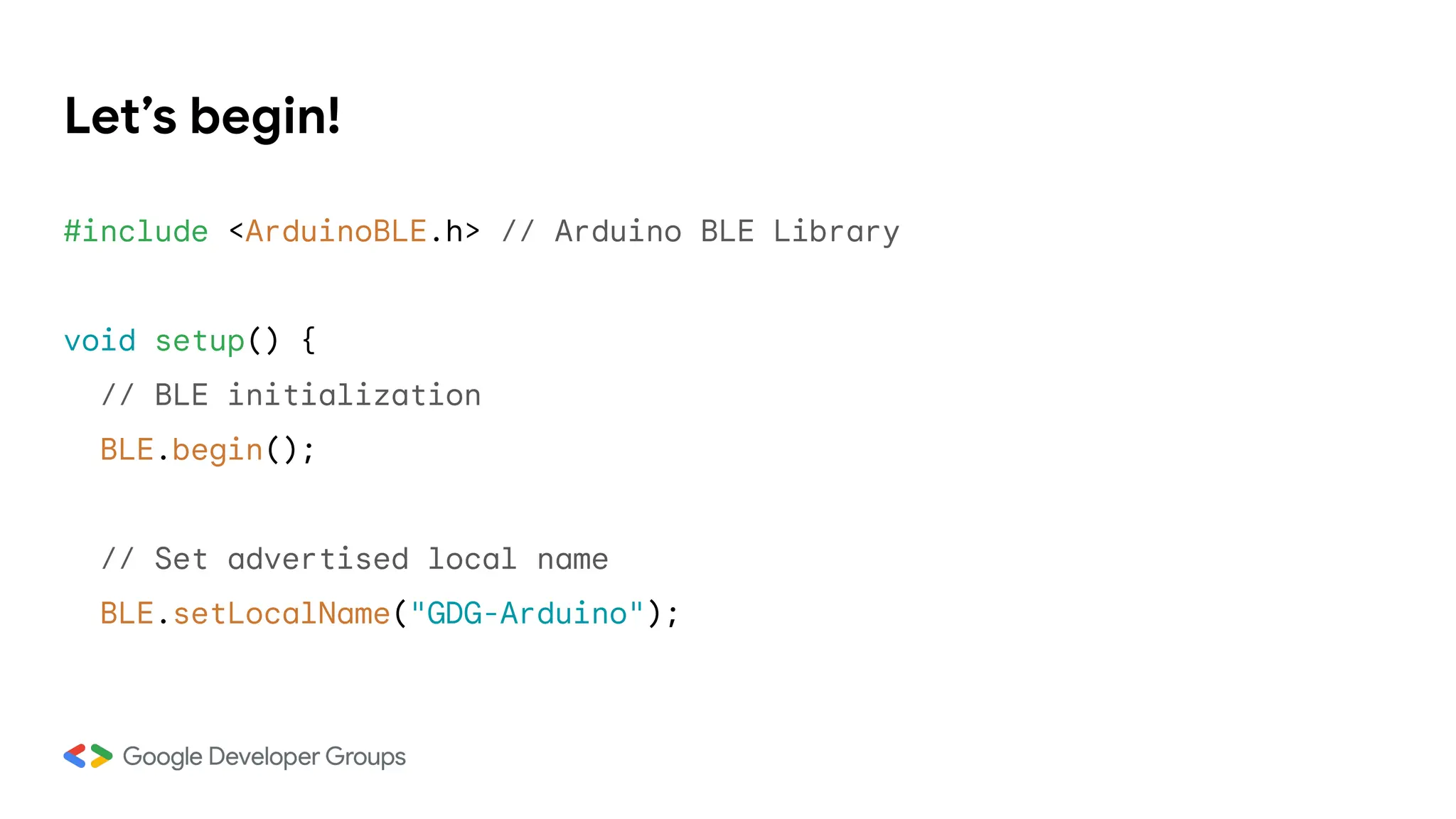
Let’s begin!
#include <ArduinoBLE.h> // Arduino BLE Library
void setup() {
// BLE initialization
BLE.begin();
// Set advertised local name
BLE.setLocalName("GDG-Arduino");
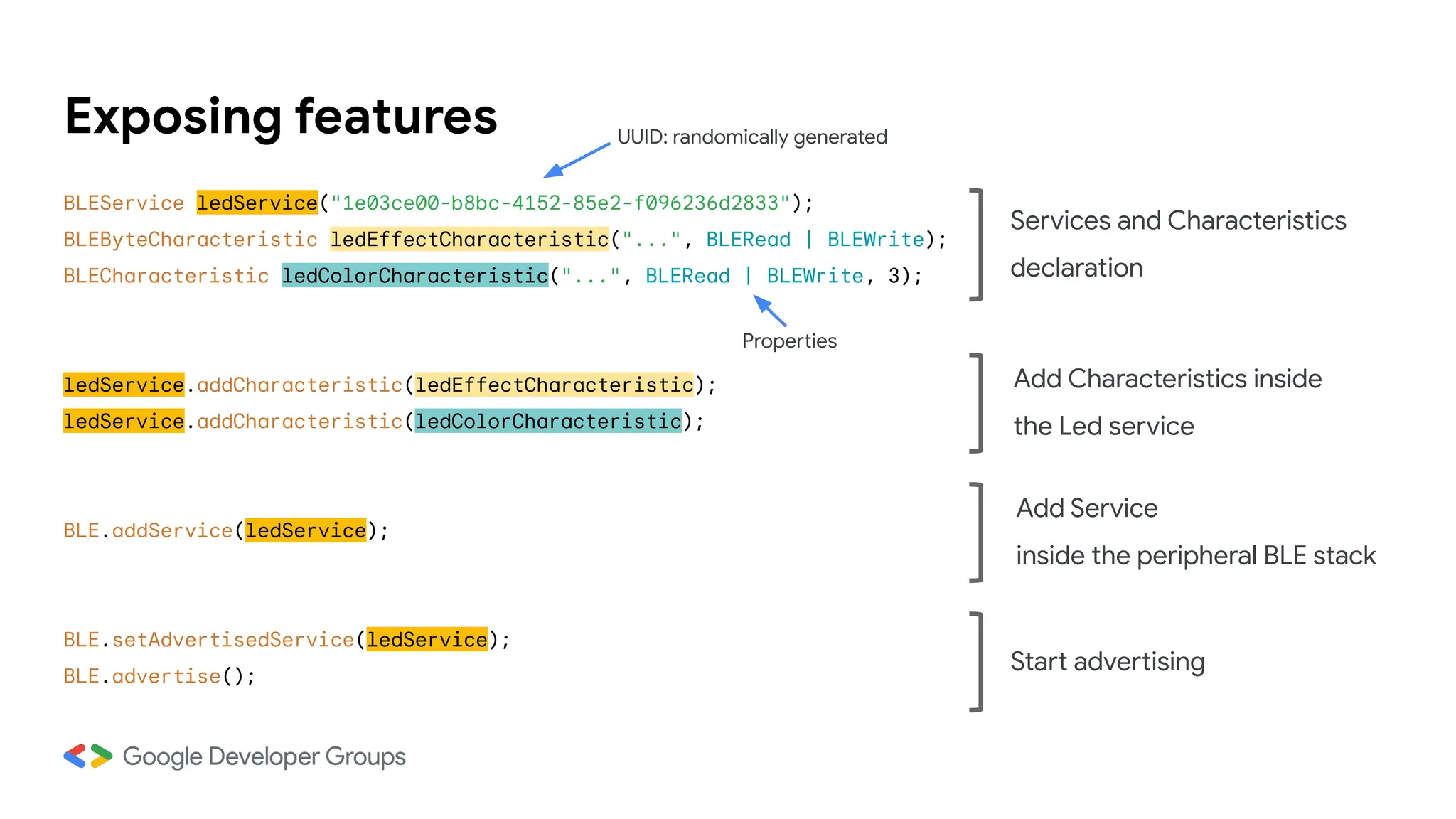
Exposing features
BLEService ledService("1e03ce00-b8bc-4152-85e2-f096236d2833");
BLEByteCharacteristic ledEffectCharacteristic("...", BLERead | BLEWrite);
BLECharacteristic ledColorCharacteristic("...", BLERead | BLEWrite, 3);
ledService.addCharacteristic(ledEffectCharacteristic);
ledService.addCharacteristic(ledColorCharacteristic);
BLE.addService(ledService);
BLE.setAdvertisedService(ledService);
BLE.advertise();
Add Characteristics inside
the Led service
Services and Characteristics
declaration
Add Service
inside the peripheral BLE stack
Start advertising
UUID: randomically generated
Properties
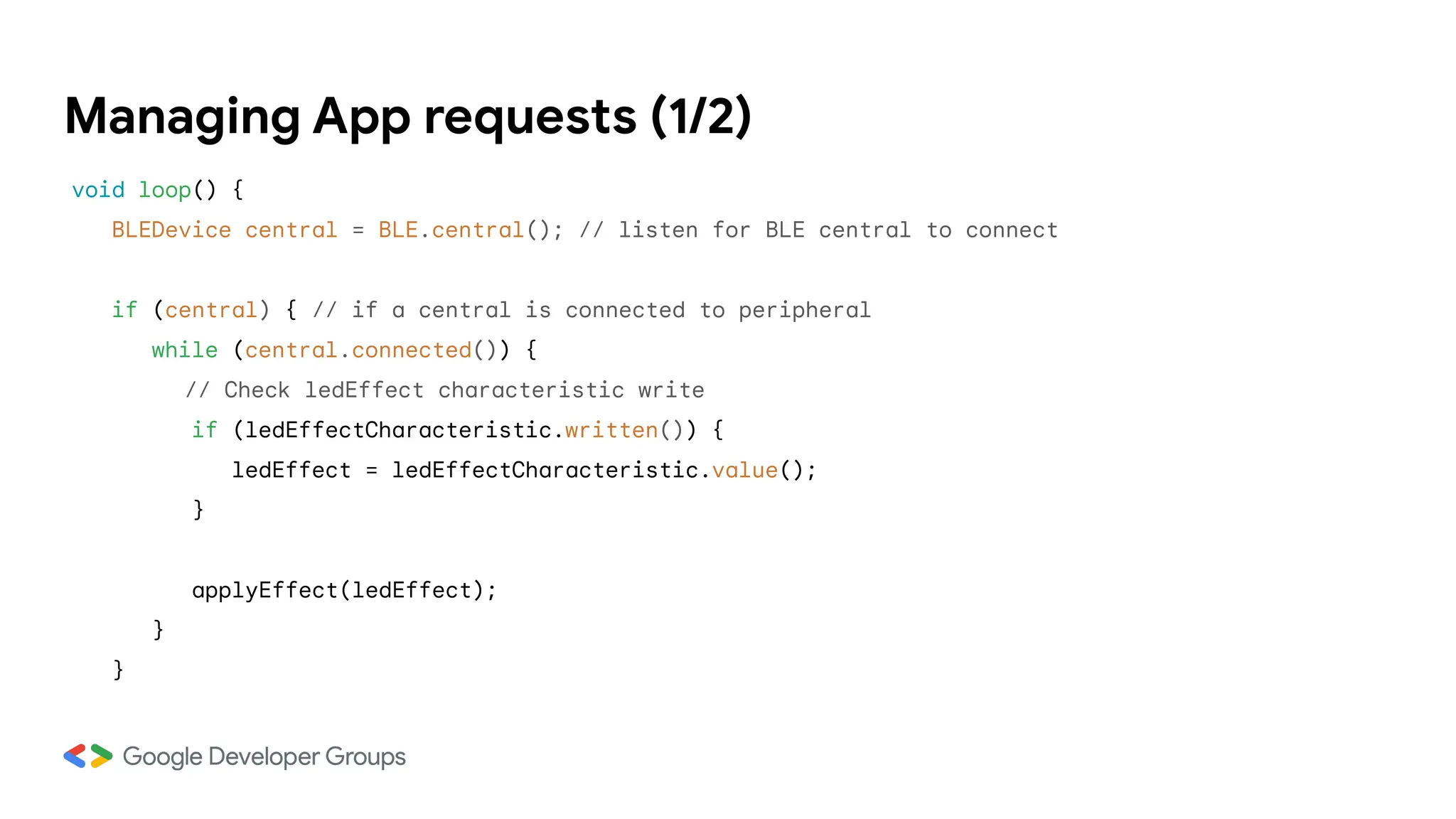
Managing App requests (1/2)
void loop() {
BLEDevice central = BLE.central(); // listen for BLE central to connect
if (central) { // if a central is connected to peripheral
while (central.connected()) {
// Check ledEffect characteristic write
if (ledEffectCharacteristic.written()) {
ledEffect = ledEffectCharacteristic.value();
}
applyEffect(ledEffect);
}
}
ledStrip is an instance of the library
<Adafruit_NeoPixel.h> used to simplify the
control of NeoPixel RGB LED strips
Managing App requests (2/2)
void applyEffect(byte effect) {
…
switch(effect) {
case OFF_EFFECT:
ledStrip.clear();
ledStrip.show();
break;
case STEADY_EFFECT:
// Set all pixels to the specified color
for (int i = 0; i < LED_NUM; i++) {
ledStrip.setPixelColor(i, ledColor[0], ledColor[1], ledColor[2]);
}
ledStrip.show();
break;
…
Use BLE on Android
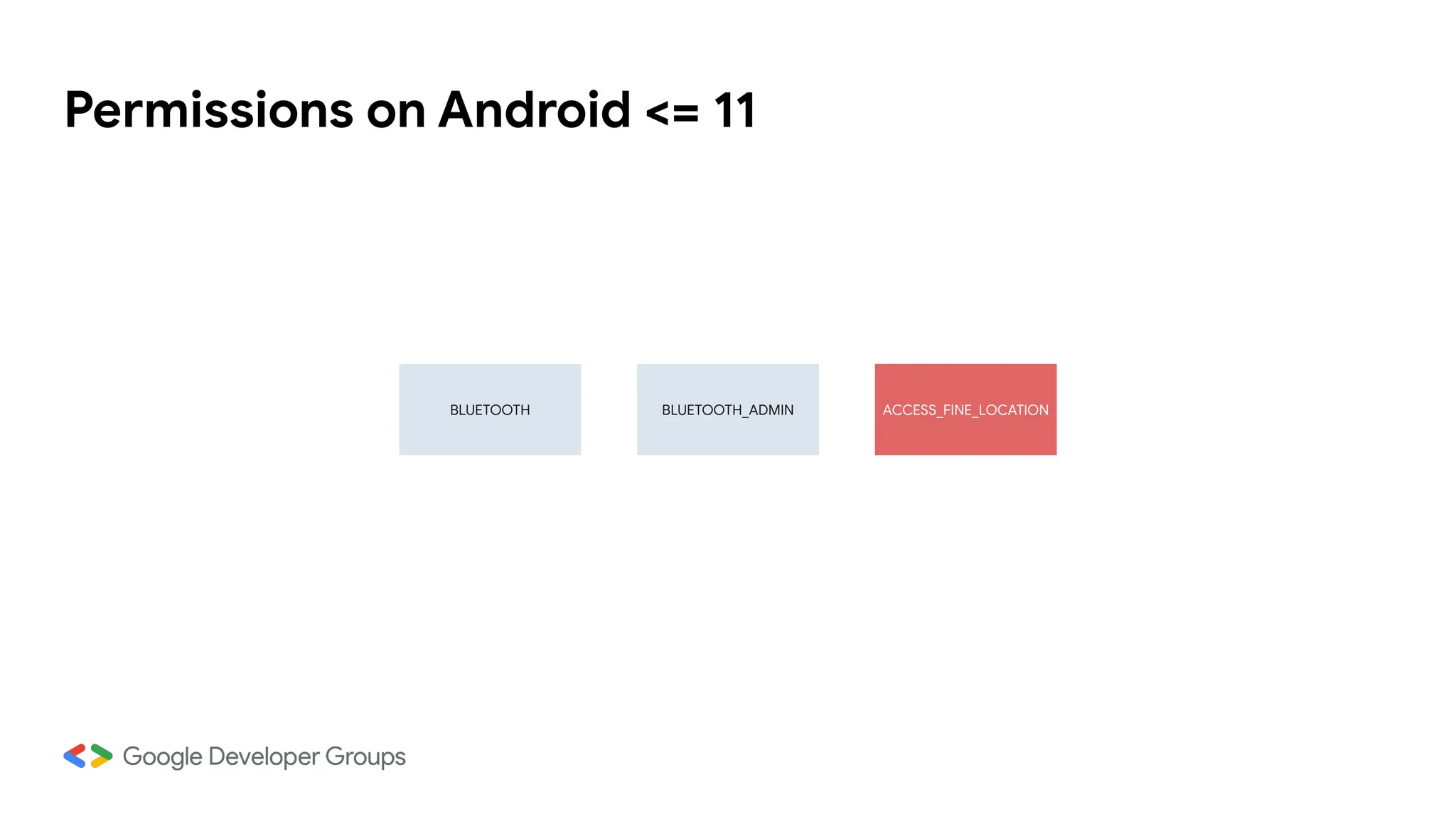
Permissions on Android <= 11
ACCESS_FINE_LOCATION
BLUETOOTH BLUETOOTH_ADMIN
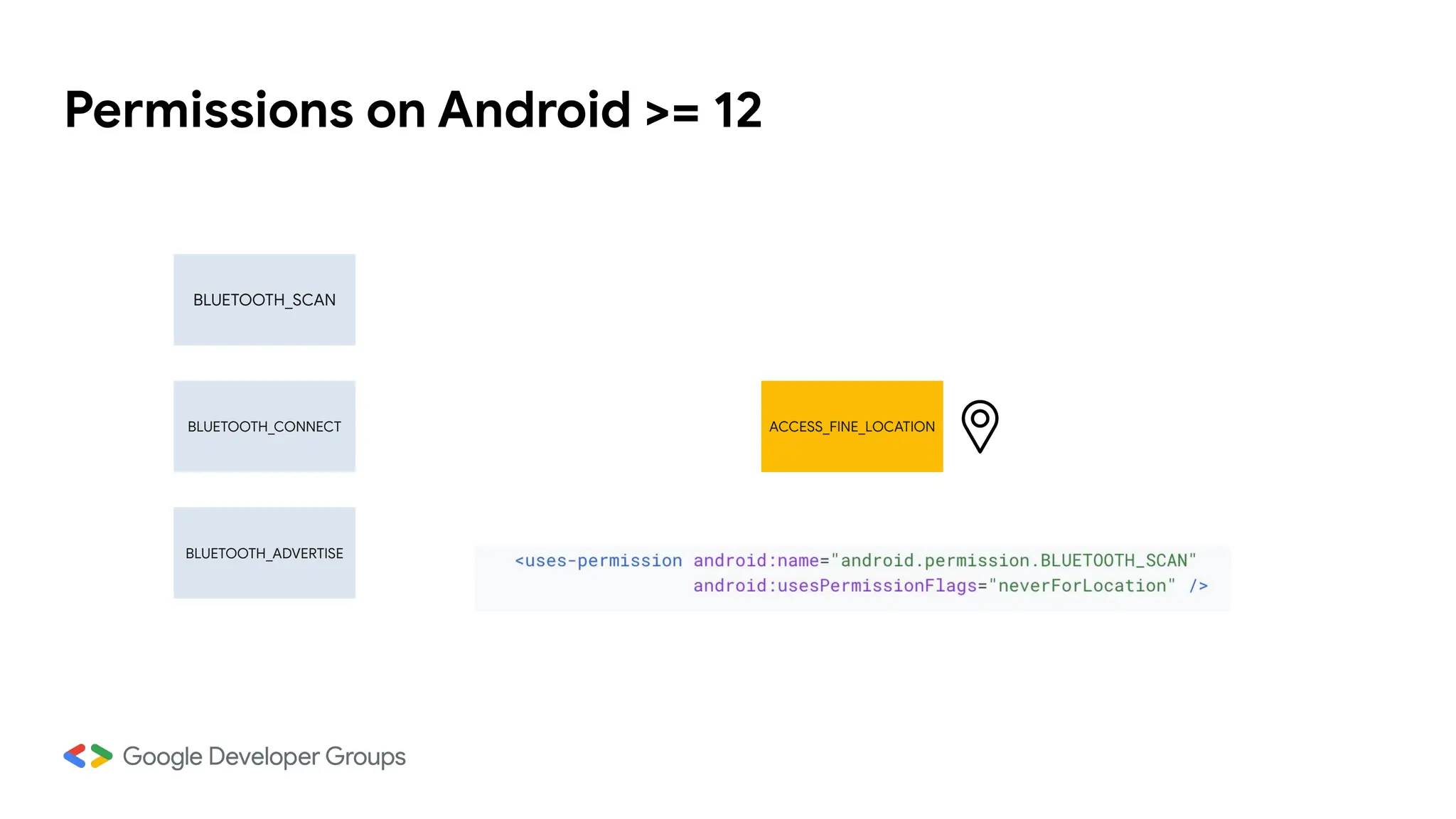
Permissions on Android >= 12
BLUETOOTH_SCAN
BLUETOOTH_ADVERTISE
BLUETOOTH_CONNECT ACCESS_FINE_LOCATION
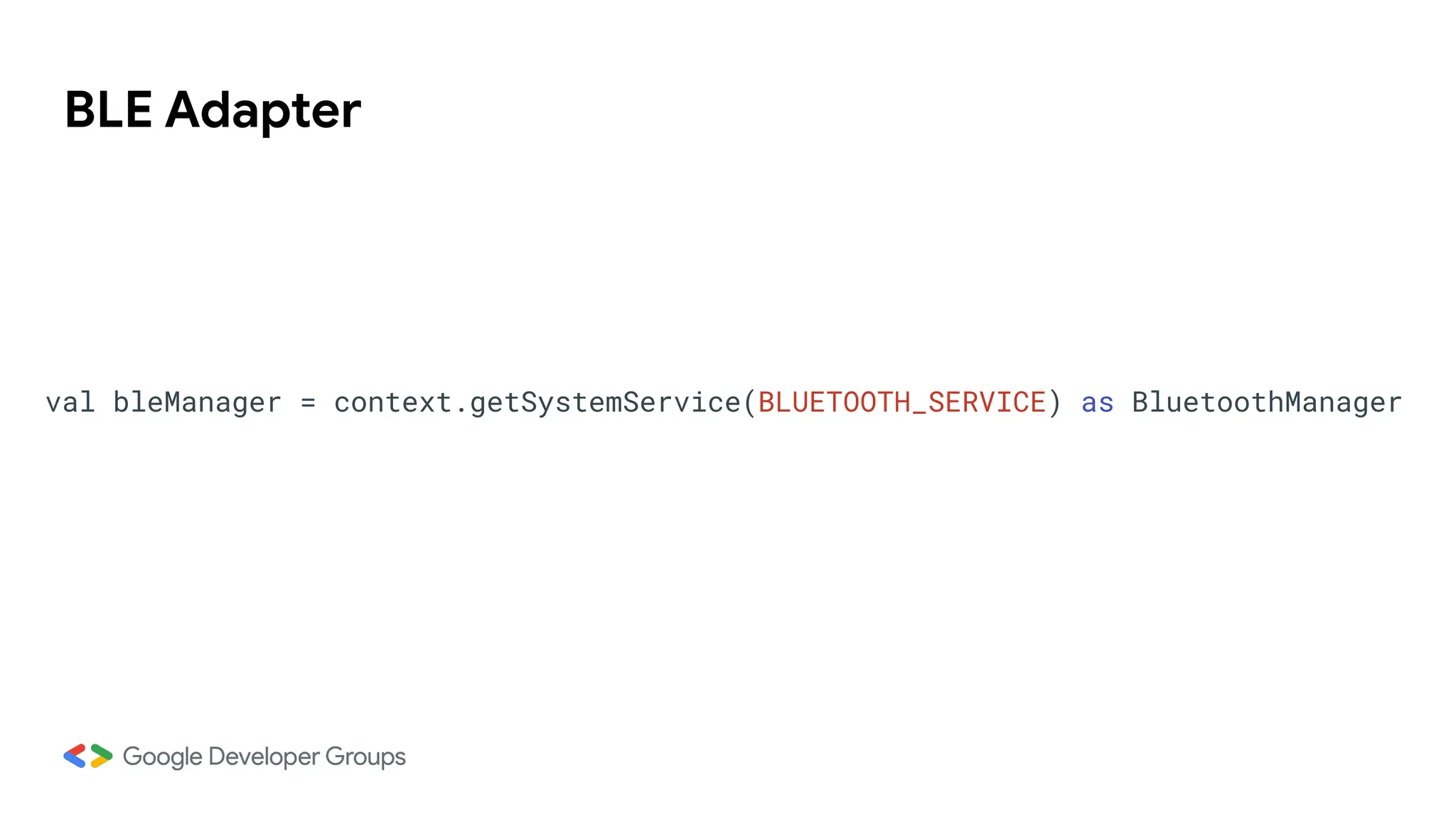
BLE Adapter
val bleManager = context.getSystemService(BLUETOOTH_SERVICE) as BluetoothManager
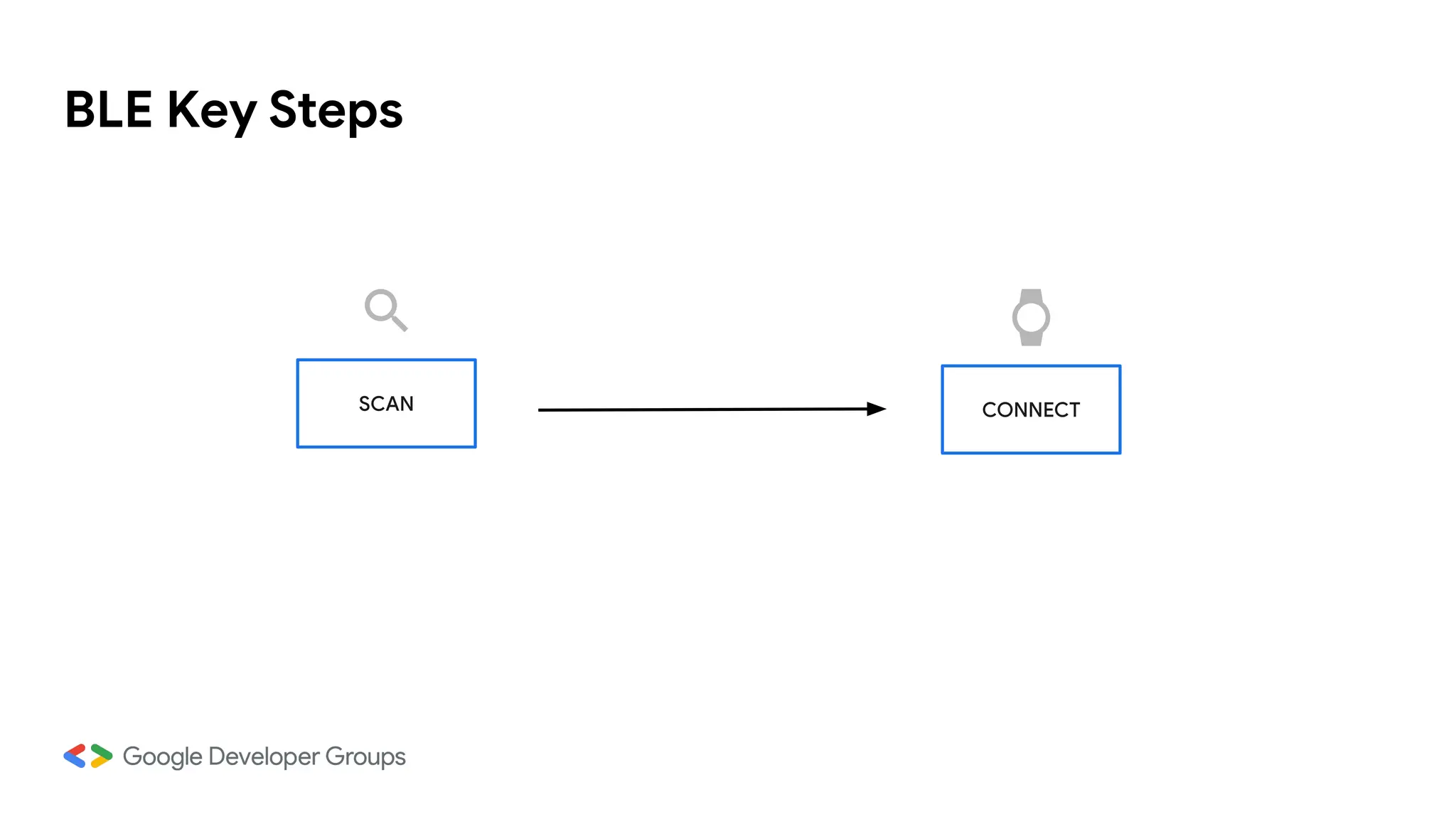
BLE Key Steps
SCAN CONNECT
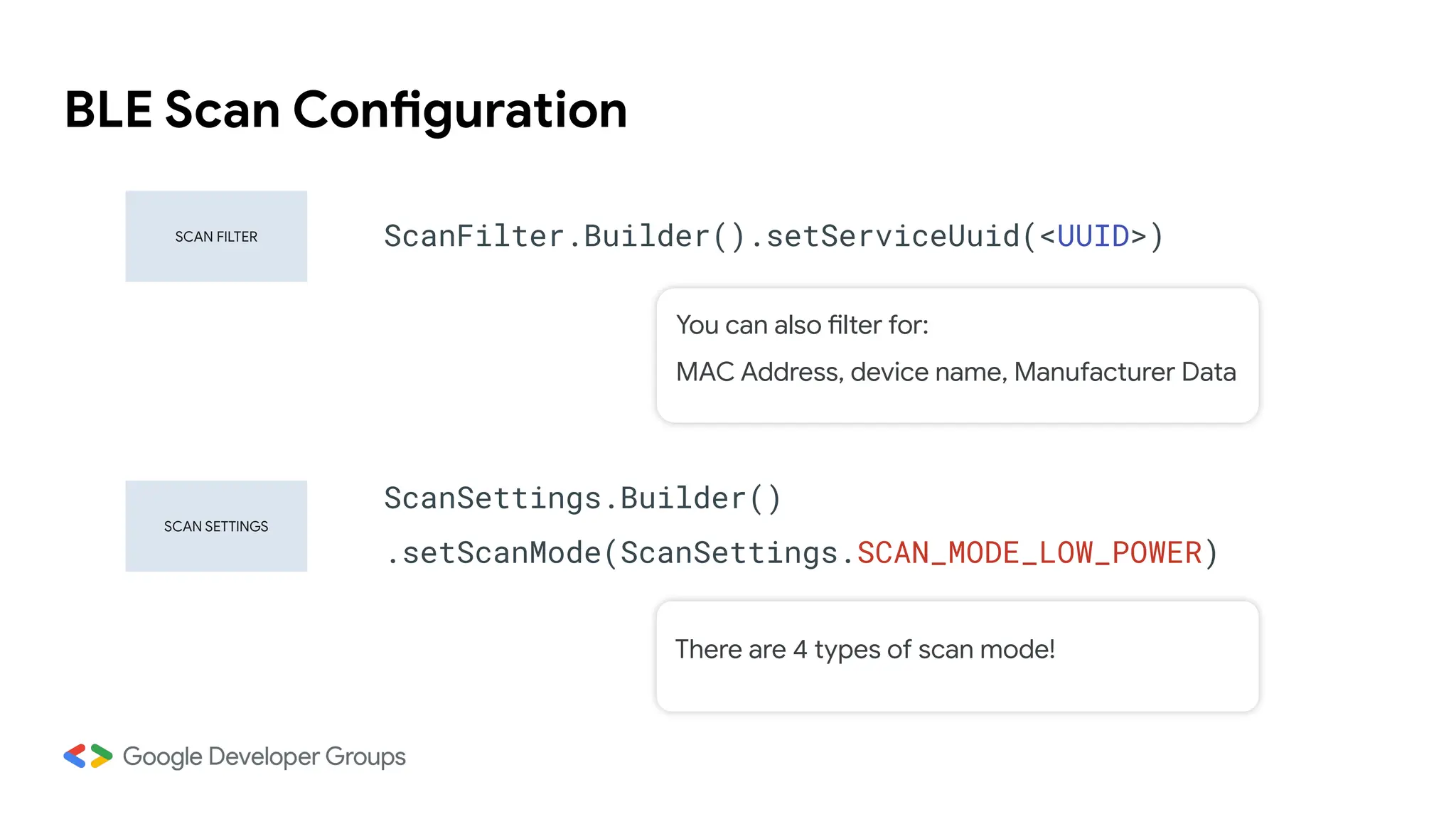
BLE Scan Configuration
SCAN SETTINGS
SCAN FILTER ScanFilter.Builder().setServiceUuid(<UUID>)
ScanSettings.Builder()
.setScanMode(ScanSettings.SCAN_MODE_LOW_POWER)
You can also filter for:
MAC Address, device name, Manufacturer Data
There are 4 types of scan mode!
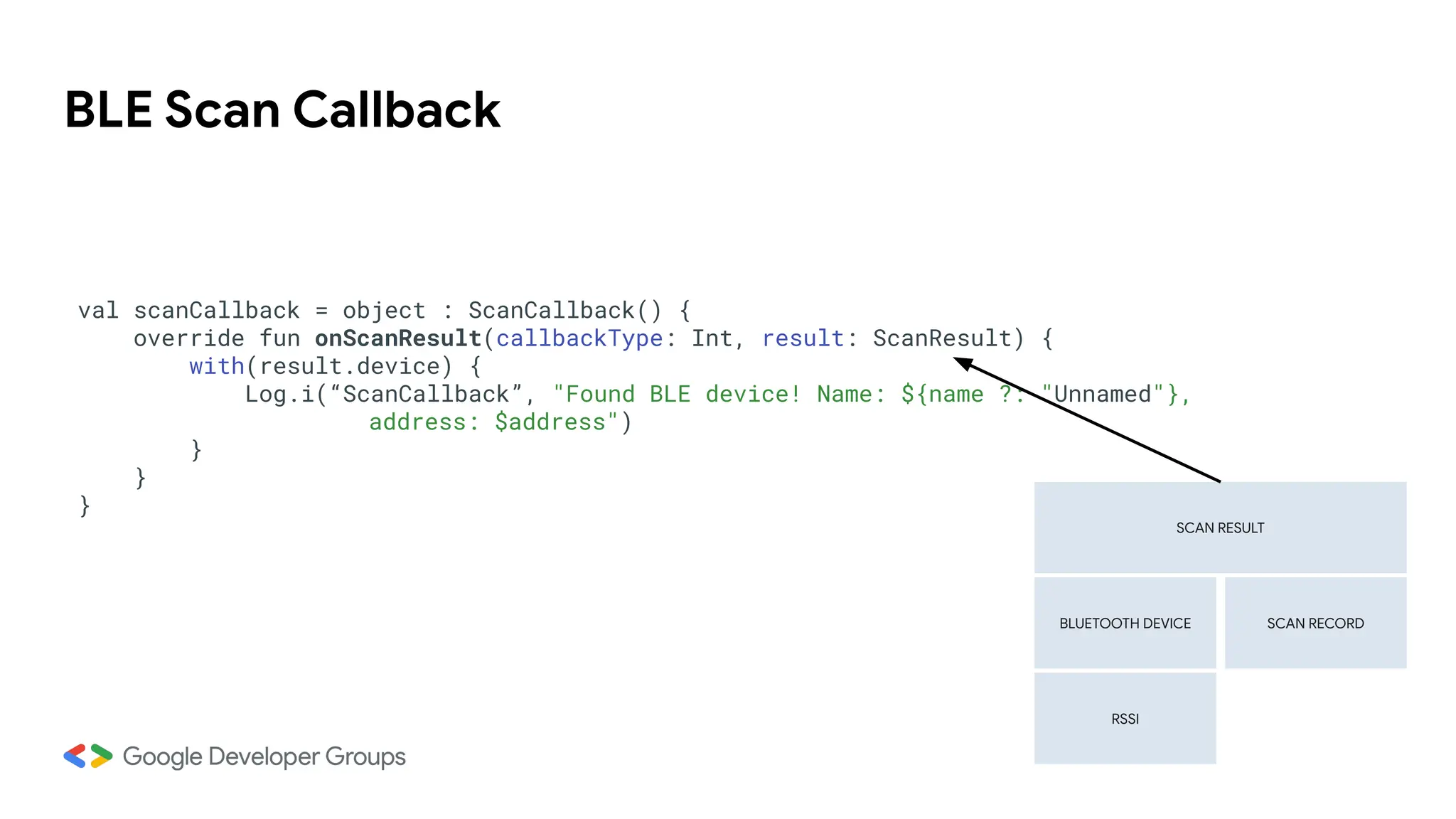
BLE Scan Callback
val scanCallback = object : ScanCallback() {
override fun onScanResult(callbackType: Int, result: ScanResult) {
with(result.device) {
Log.i(“ScanCallback”, "Found BLE device! Name: ${name ?: "Unnamed"},
address: $address")
}
}
}
SCAN RESULT
BLUETOOTH DEVICE
RSSI
SCAN RECORD
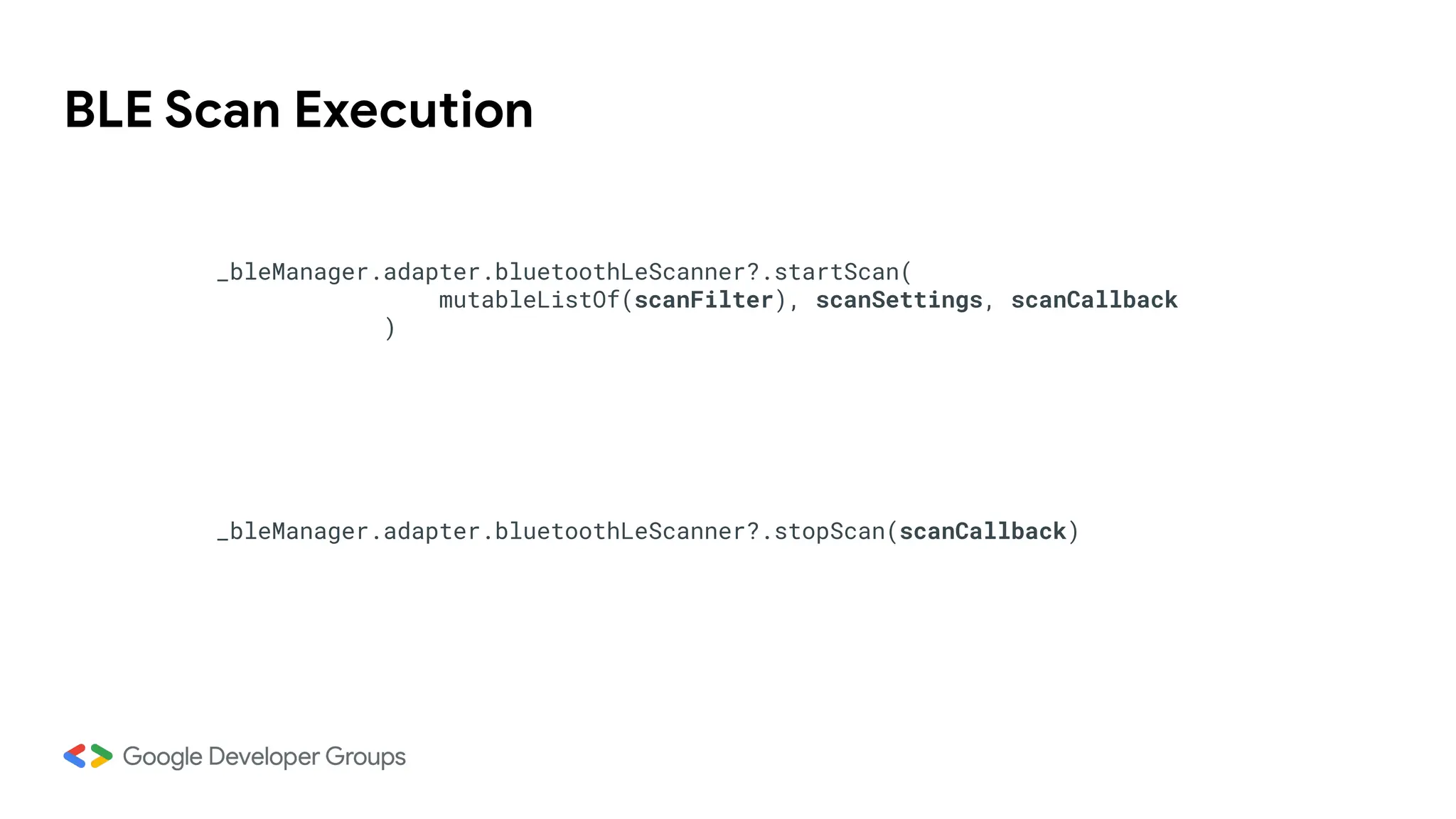
BLE Scan Execution
_bleManager.adapter.bluetoothLeScanner?.startScan(
mutableListOf(scanFilter), scanSettings, scanCallback
)
_bleManager.adapter.bluetoothLeScanner?.stopScan(scanCallback)
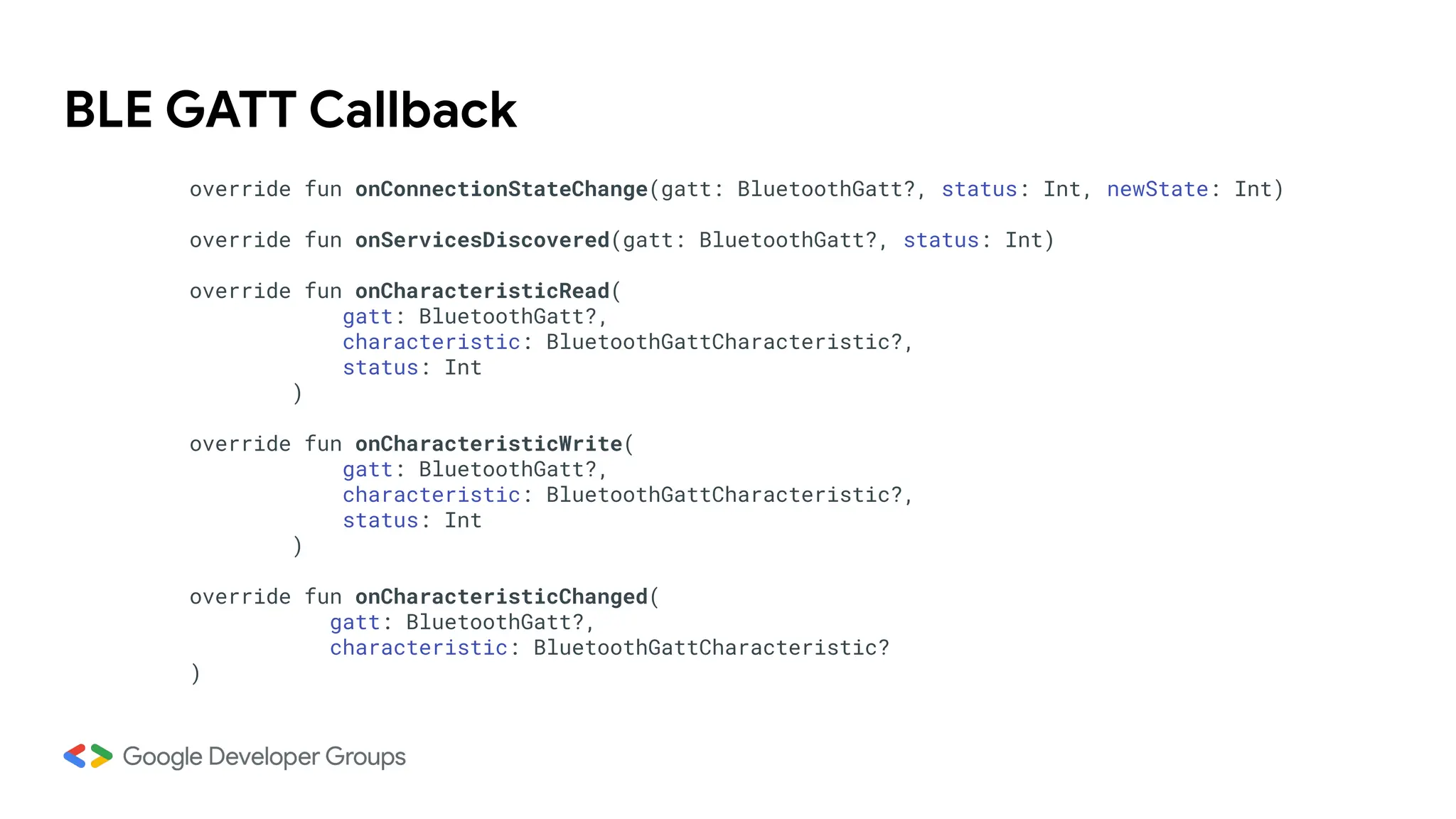
BLE GATT Callback
override fun onConnectionStateChange(gatt: BluetoothGatt?, status: Int, newState: Int)
override fun onServicesDiscovered(gatt: BluetoothGatt?, status: Int)
override fun onCharacteristicRead(
gatt: BluetoothGatt?,
characteristic: BluetoothGattCharacteristic?,
status: Int
)
override fun onCharacteristicWrite(
gatt: BluetoothGatt?,
characteristic: BluetoothGattCharacteristic?,
status: Int
)
override fun onCharacteristicChanged(
gatt: BluetoothGatt?,
characteristic: BluetoothGattCharacteristic?
)
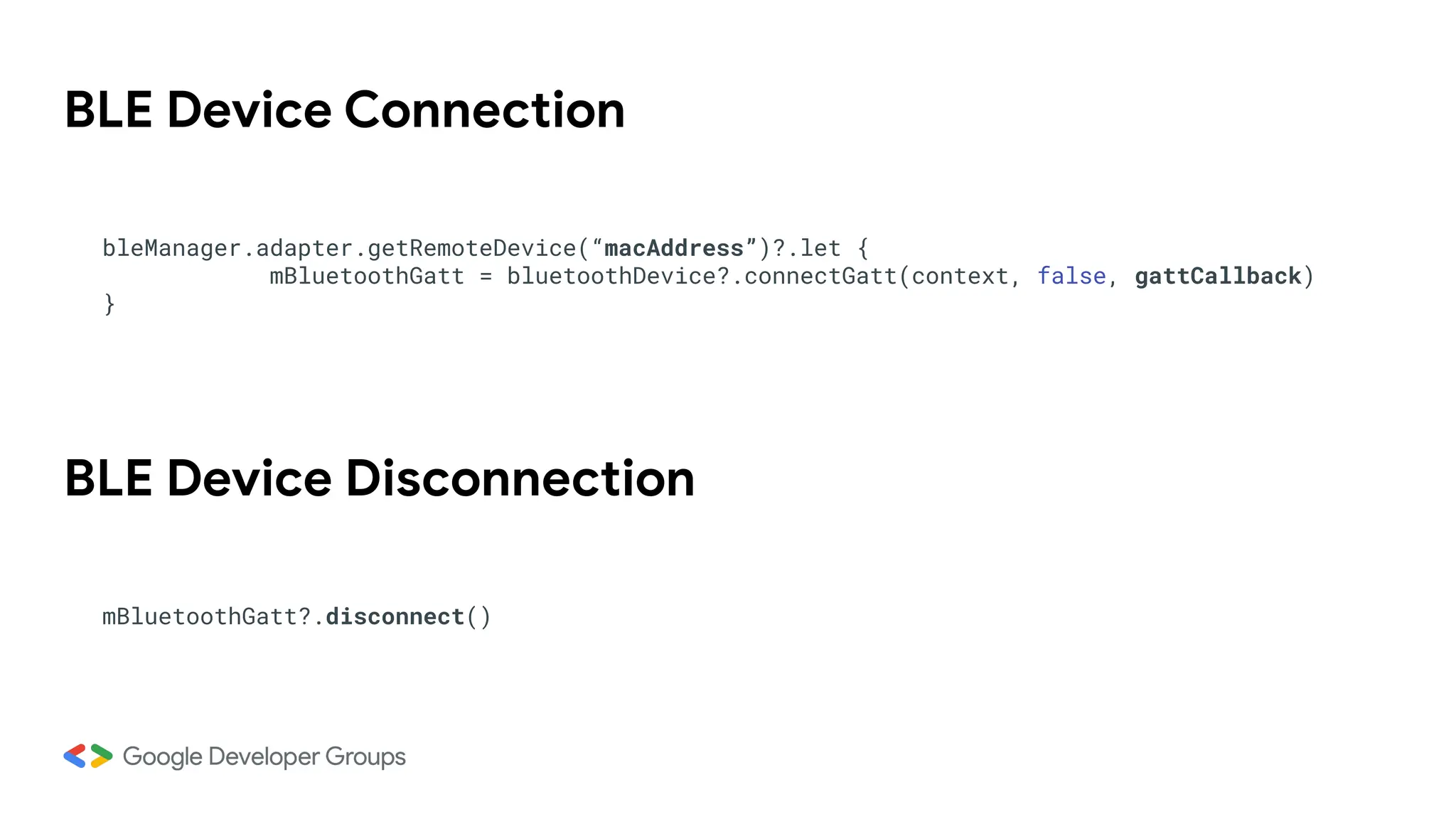
BLE Device Connection
bleManager.adapter.getRemoteDevice(“macAddress”)?.let {
mBluetoothGatt = bluetoothDevice?.connectGatt(context, false, gattCallback)
}
BLE Device Disconnection
mBluetoothGatt?.disconnect()
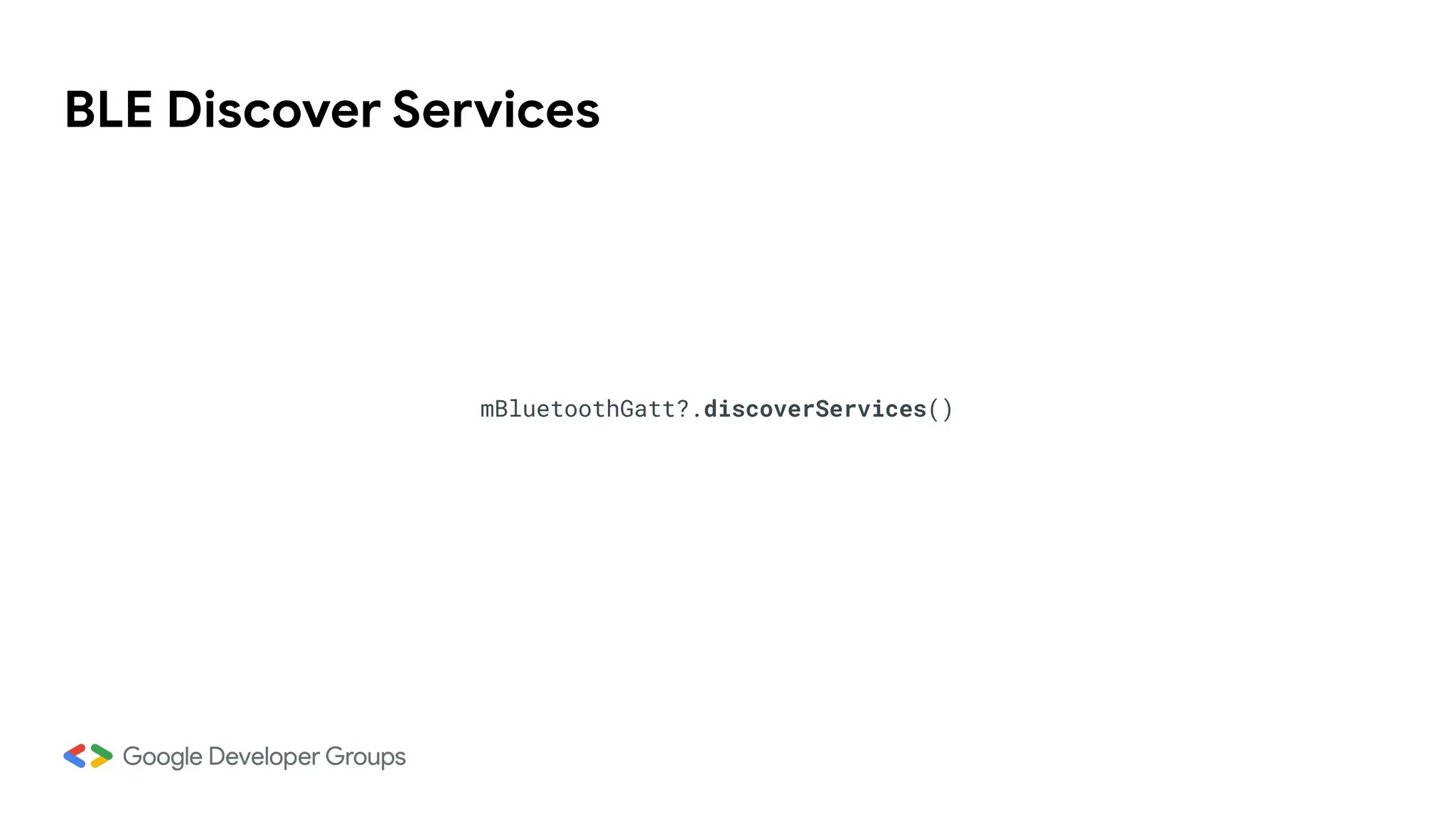
BLE Discover Services
mBluetoothGatt?.discoverServices()
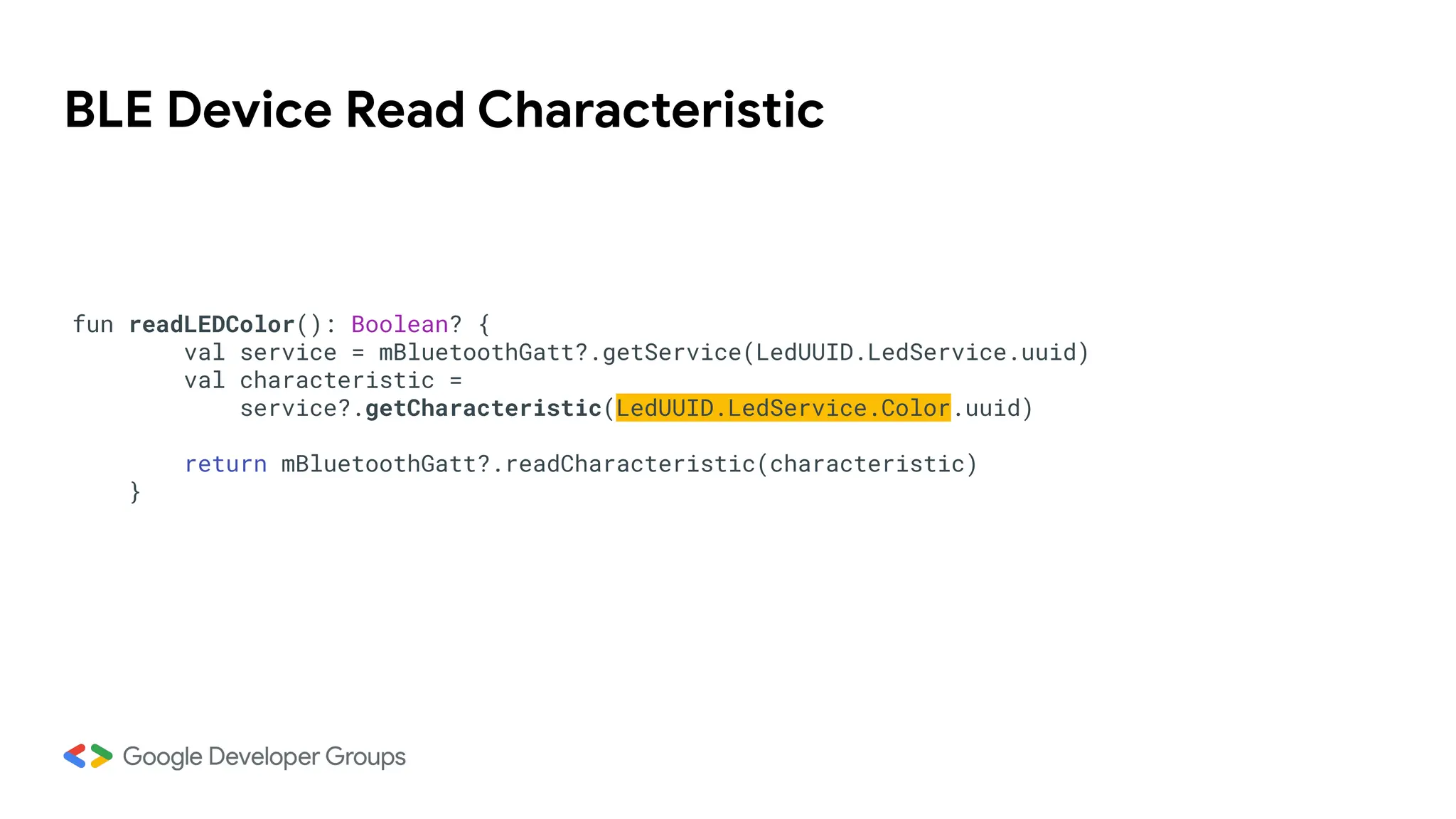
BLE Device Read Characteristic
fun readLEDColor(): Boolean? {
val service = mBluetoothGatt?.getService(LedUUID.LedService.uuid)
val characteristic =
service?.getCharacteristic(LedUUID.LedService.Color.uuid)
return mBluetoothGatt?.readCharacteristic(characteristic)
}
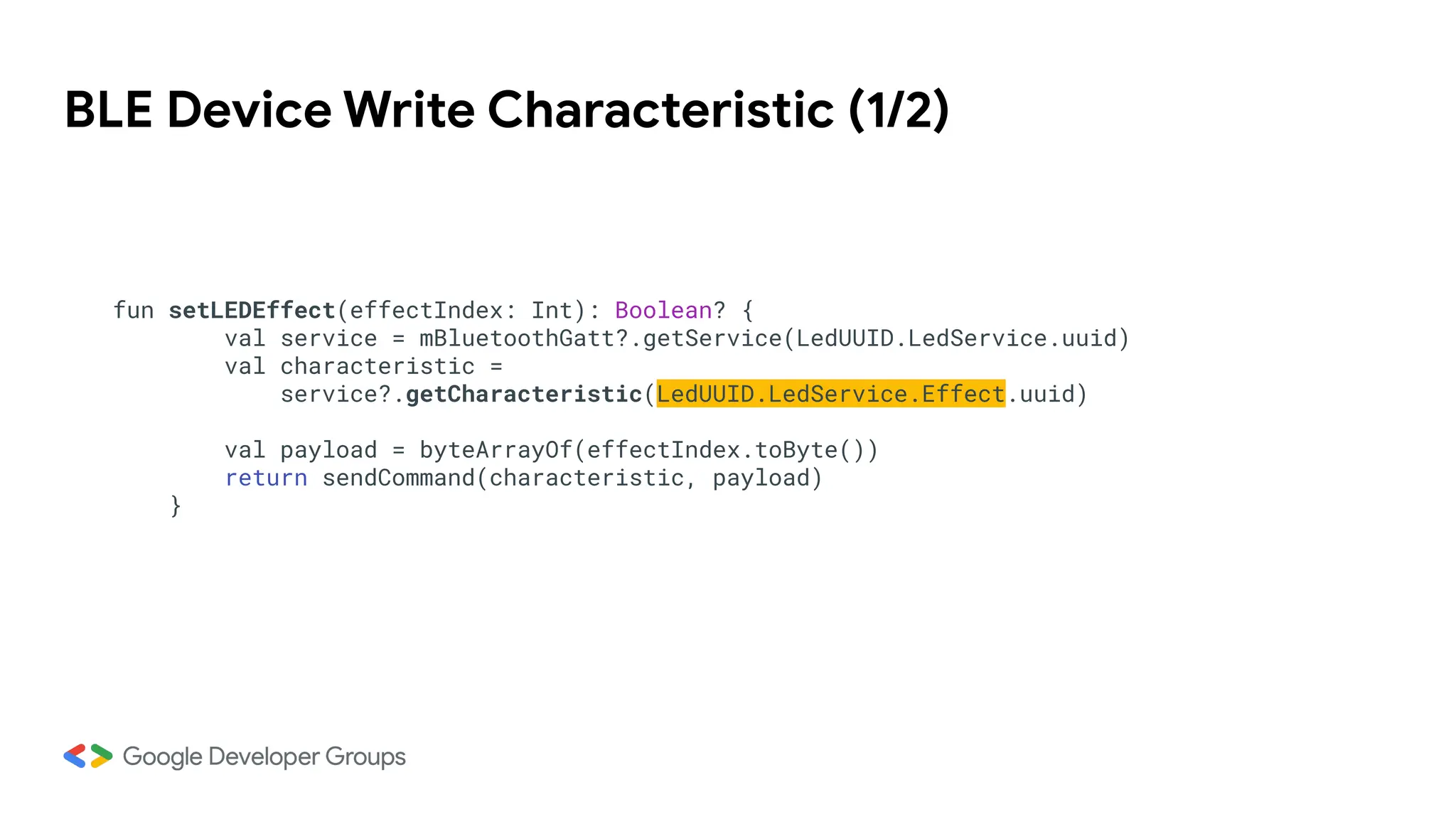
BLE Device Write Characteristic (1/2)
fun setLEDEffect(effectIndex: Int): Boolean? {
val service = mBluetoothGatt?.getService(LedUUID.LedService.uuid)
val characteristic =
service?.getCharacteristic(LedUUID.LedService.Effect.uuid)
val payload = byteArrayOf(effectIndex.toByte())
return sendCommand(characteristic, payload)
}
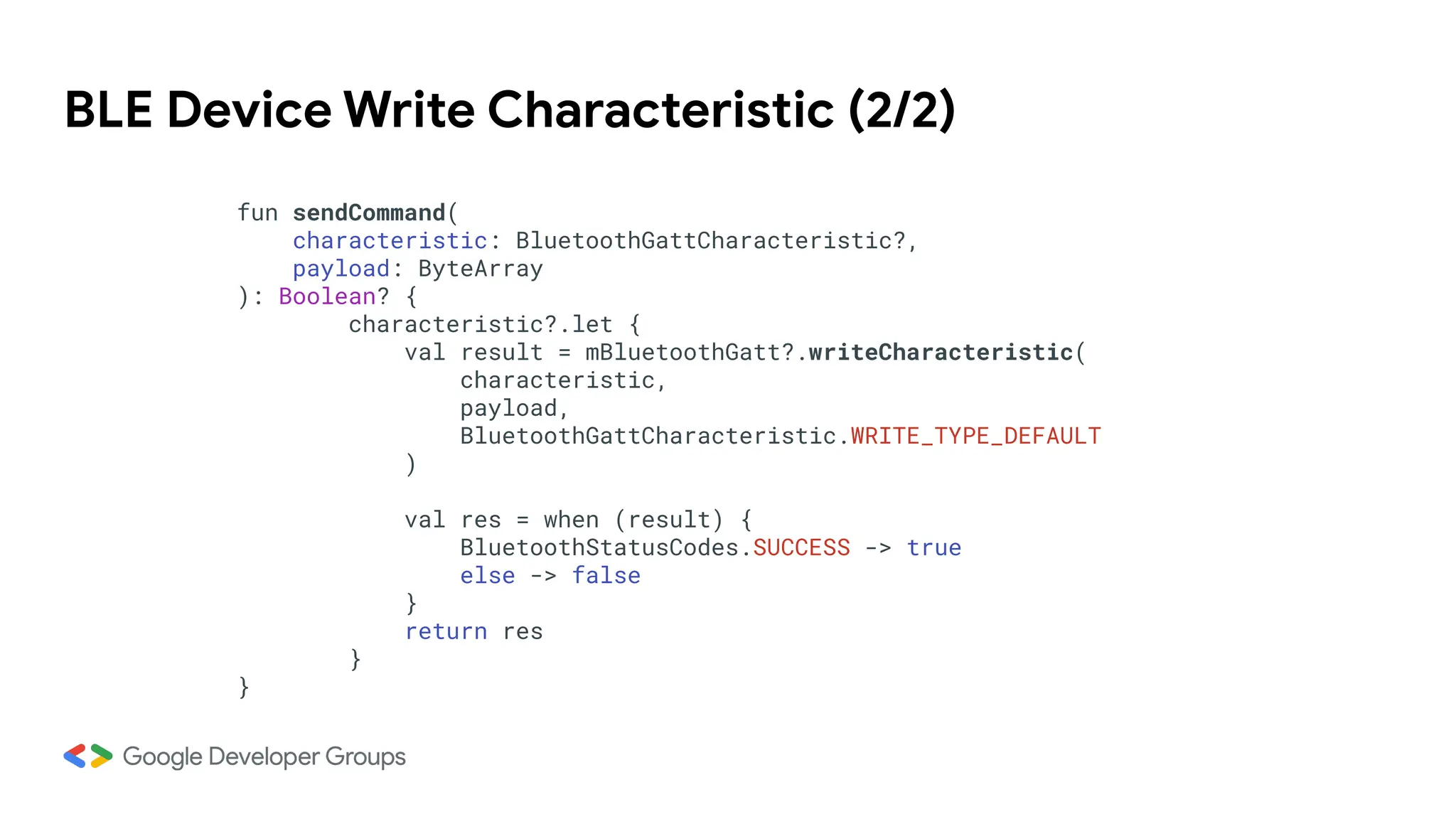
BLE Device Write Characteristic (2/2)
fun sendCommand(
characteristic: BluetoothGattCharacteristic?,
payload: ByteArray
): Boolean? {
characteristic?.let {
val result = mBluetoothGatt?.writeCharacteristic(
characteristic,
payload,
BluetoothGattCharacteristic.WRITE_TYPE_DEFAULT
)
val res = when (result) {
BluetoothStatusCodes.SUCCESS -> true
else -> false
}
return res
}
}
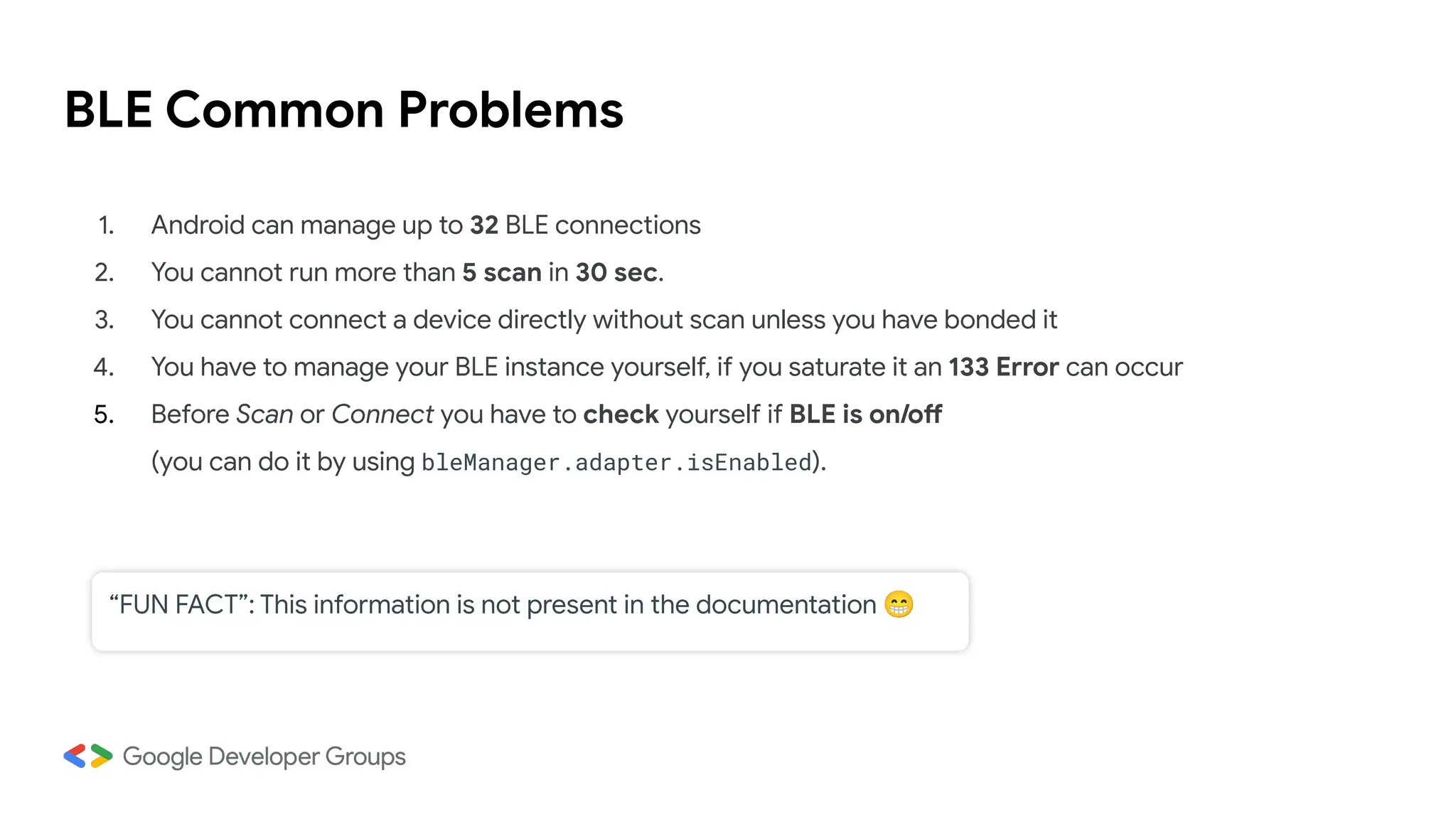
BLE Common Problems
1. Android can manage up to 32 BLE connections
2. You cannot run more than 5 scan in 30 sec.
3. You cannot connect a device directly without scan unless you have bonded it
4. You have to manage your BLE instance yourself, if you saturate it an 133 Error can occur
5. Before Scan or Connect you have to check yourself if BLE is on/off
(you can do it by using bleManager.adapter.isEnabled).
“FUN FACT”: This information is not present in the documentation 😁
Q&A
DEMO TIME
Android Code: https://github.com/appersiano/GDG_LedStripTree_Android
Arduino Code: https://github.com/leonardocavagnis/GDG_LedStripTree_Arduino
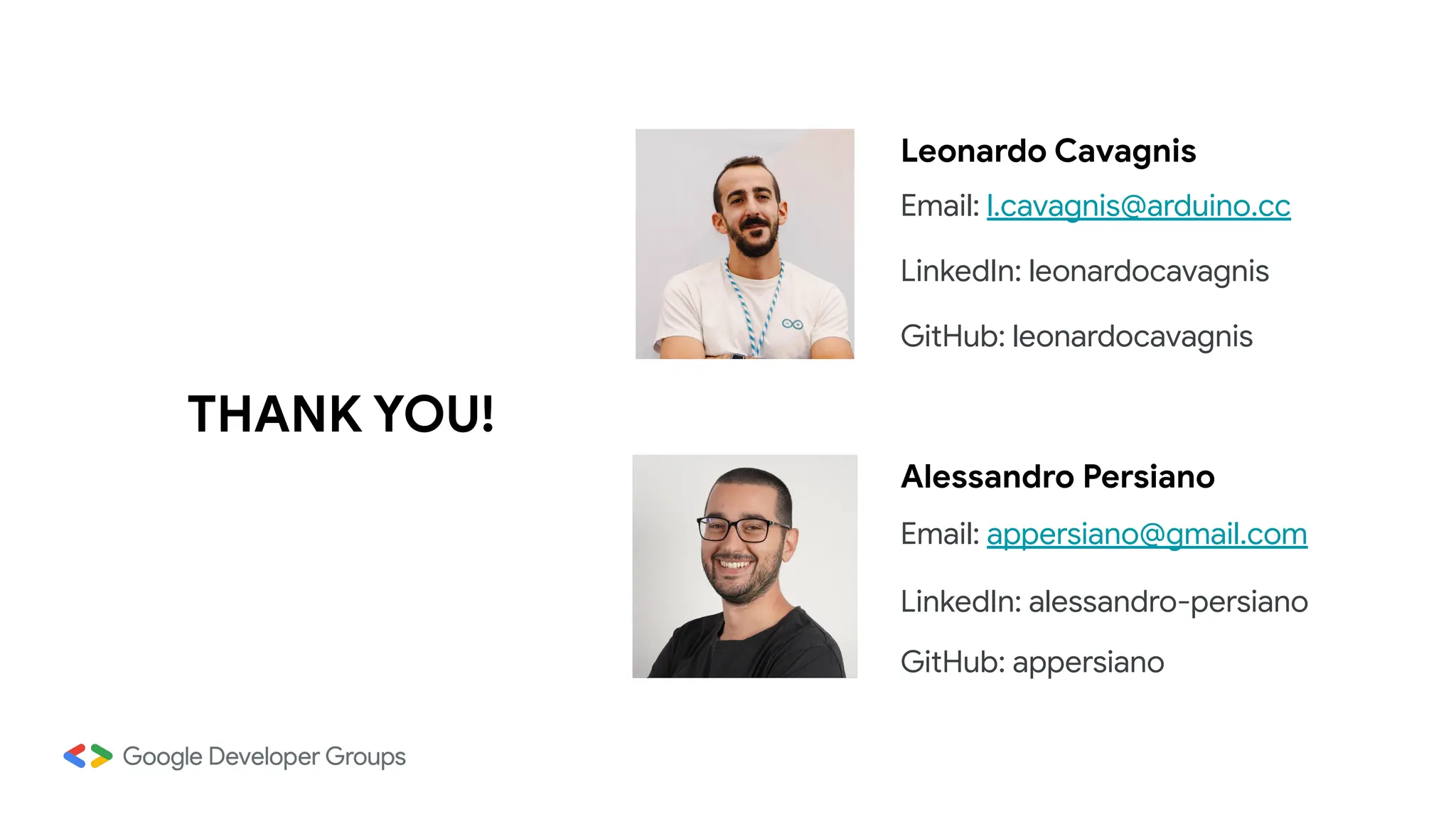
THANK YOU!
Alessandro Persiano
Email: appersiano@gmail.com
LinkedIn: alessandro-persiano
GitHub: appersiano
Leonardo Cavagnis
Email: l.cavagnis@arduino.cc
LinkedIn: leonardocavagnis
GitHub: leonardocavagnis
CHALLENGE TIME!
https://kahoot.it

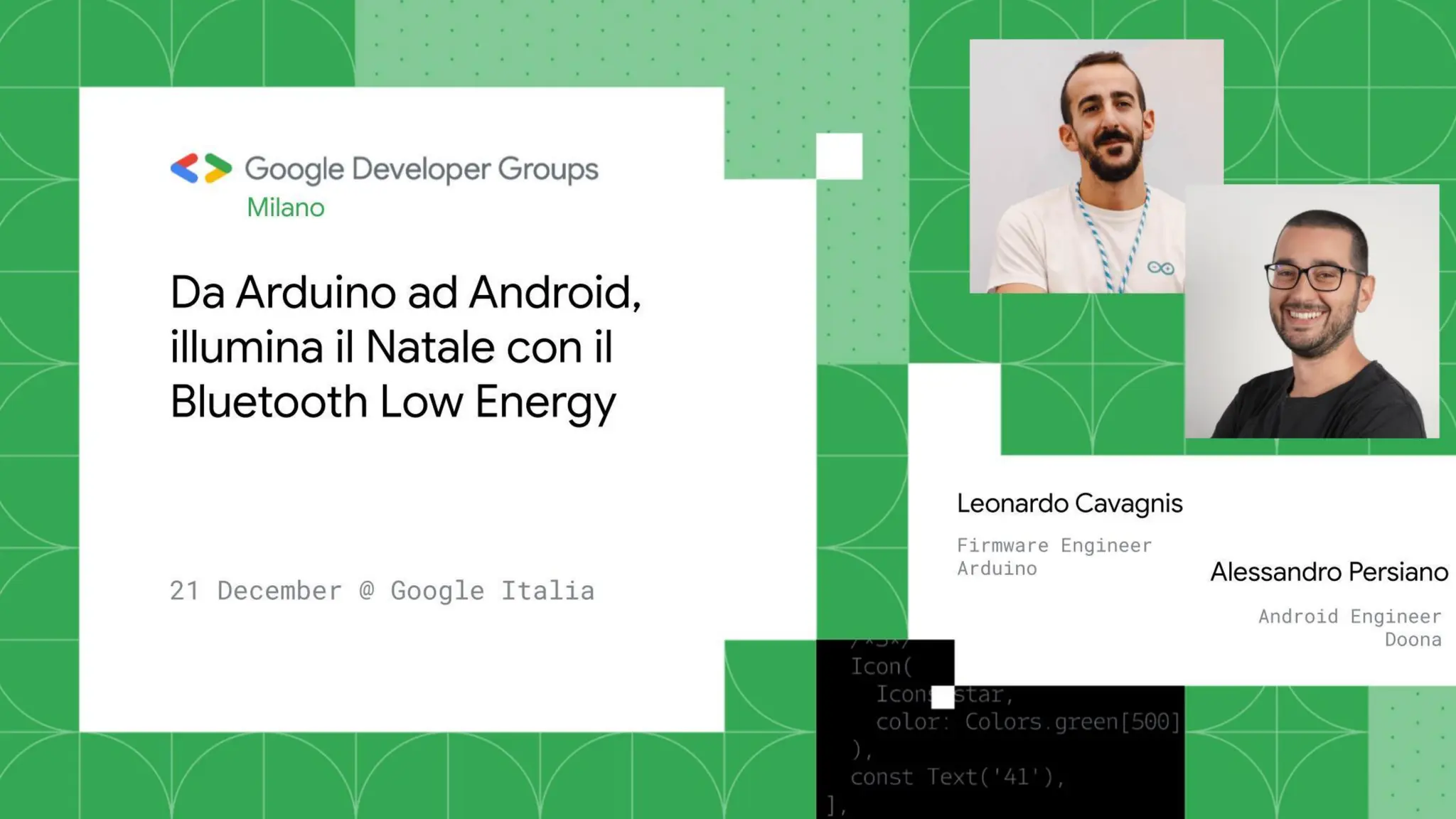
Da Arduino ad Android_ illumina il Natale con il BLE

  • 2.
    Agenda 1. Overview andBLE Basics 2. Arduino 3. Android 4. Demo + Q&A
  • 3.
    The big picture Effect Color OOff O Steady O Blink Remote controlling of the Christmas tree lights
  • 4.
    How to do? Android SmartphoneApp Bluetooth Low Energy Connectivity Arduino-based prototype
  • 5.
    What is Arduino? Arduinois a global leader in open-source hardware and software It provides a platform for building electronic prototypes, designed to be accessible to all It promotes sharing and transparency, creating a collaborative ecosystem Large and active community (> 30M developers)
  • 6.
    The magic withinthe tree The board Arduino Nano 33 BLE The strip light NeoPixel WS2812B Addressable color LEDs The power supply 12VDC ● Development board part of Nano series ● BLE feature ● Integrated sensors: acc, gyro, … ● I/O pins: digital and analog
  • 7.
    Bluetooth Low Energy101 BLE is a communication technology based on Bluetooth and designed for energy efficiency Client-Server architecture (Central-Peripheral) Supported by a wide range of devices Widely used in fitness trackers, smart home devices, industrial sensors, and other IoT applications Central (Client) Peripheral (Server)
  • 8.
    BLE: Services &Characteristics A Peripheral organizes and exchanges data through: ● Services: a collection of related functionalities ● Characteristics: a specific piece of information within a Service Effect Characteristic Color Characteristic Led Service A Characteristic: ● Has Read/Write/Notify properties ● Is identified by an UUID ● Has a fixed length (up to 20 bytes) Represents the light effect (0=Off, 1=Steady, etc.) Represents the light color (3 bytes: R,G,B)
  • 9.
    BLE: Scan &Advertising Scan: The action performed by a central to find nearby peripherals Advertising: A peripheral actively announces its presence and share information about its identity and features Central Peripheral “Hi all! My name is GDG-Arduino and I offer Led Service feature.” “Hey! Is anyone there?”
  • 10.
  • 11.
    The sketch A programwritten for an Arduino board Two main parts: ● setup(): Initializes variables, features, runs once at the beginning ● loop(): main code that runs repeatedly Key tasks: ● Advertising to make device discoverable by the Android app ● Provide LED strip control functionalities
  • 12.
    Let’s begin! #include <ArduinoBLE.h>// Arduino BLE Library void setup() { // BLE initialization BLE.begin(); // Set advertised local name BLE.setLocalName("GDG-Arduino");
  • 13.
    Exposing features BLEService ledService("1e03ce00-b8bc-4152-85e2-f096236d2833"); BLEByteCharacteristicledEffectCharacteristic("...", BLERead | BLEWrite); BLECharacteristic ledColorCharacteristic("...", BLERead | BLEWrite, 3); ledService.addCharacteristic(ledEffectCharacteristic); ledService.addCharacteristic(ledColorCharacteristic); BLE.addService(ledService); BLE.setAdvertisedService(ledService); BLE.advertise(); Add Characteristics inside the Led service Services and Characteristics declaration Add Service inside the peripheral BLE stack Start advertising UUID: randomically generated Properties
  • 14.
    Managing App requests(1/2) void loop() { BLEDevice central = BLE.central(); // listen for BLE central to connect if (central) { // if a central is connected to peripheral while (central.connected()) { // Check ledEffect characteristic write if (ledEffectCharacteristic.written()) { ledEffect = ledEffectCharacteristic.value(); } applyEffect(ledEffect); } }
  • 15.
    ledStrip is aninstance of the library <Adafruit_NeoPixel.h> used to simplify the control of NeoPixel RGB LED strips Managing App requests (2/2) void applyEffect(byte effect) { … switch(effect) { case OFF_EFFECT: ledStrip.clear(); ledStrip.show(); break; case STEADY_EFFECT: // Set all pixels to the specified color for (int i = 0; i < LED_NUM; i++) { ledStrip.setPixelColor(i, ledColor[0], ledColor[1], ledColor[2]); } ledStrip.show(); break; …
  • 16.
    Use BLE onAndroid
  • 17.
    Permissions on Android<= 11 ACCESS_FINE_LOCATION BLUETOOTH BLUETOOTH_ADMIN
  • 18.
    Permissions on Android>= 12 BLUETOOTH_SCAN BLUETOOTH_ADVERTISE BLUETOOTH_CONNECT ACCESS_FINE_LOCATION
  • 19.
    BLE Adapter val bleManager= context.getSystemService(BLUETOOTH_SERVICE) as BluetoothManager
  • 20.
  • 21.
    BLE Scan Configuration SCANSETTINGS SCAN FILTER ScanFilter.Builder().setServiceUuid(<UUID>) ScanSettings.Builder() .setScanMode(ScanSettings.SCAN_MODE_LOW_POWER) You can also filter for: MAC Address, device name, Manufacturer Data There are 4 types of scan mode!
  • 22.
    BLE Scan Callback valscanCallback = object : ScanCallback() { override fun onScanResult(callbackType: Int, result: ScanResult) { with(result.device) { Log.i(“ScanCallback”, "Found BLE device! Name: ${name ?: "Unnamed"}, address: $address") } } } SCAN RESULT BLUETOOTH DEVICE RSSI SCAN RECORD
  • 23.
    BLE Scan Execution _bleManager.adapter.bluetoothLeScanner?.startScan( mutableListOf(scanFilter),scanSettings, scanCallback ) _bleManager.adapter.bluetoothLeScanner?.stopScan(scanCallback)
  • 24.
    BLE GATT Callback overridefun onConnectionStateChange(gatt: BluetoothGatt?, status: Int, newState: Int) override fun onServicesDiscovered(gatt: BluetoothGatt?, status: Int) override fun onCharacteristicRead( gatt: BluetoothGatt?, characteristic: BluetoothGattCharacteristic?, status: Int ) override fun onCharacteristicWrite( gatt: BluetoothGatt?, characteristic: BluetoothGattCharacteristic?, status: Int ) override fun onCharacteristicChanged( gatt: BluetoothGatt?, characteristic: BluetoothGattCharacteristic? )
  • 25.
    BLE Device Connection bleManager.adapter.getRemoteDevice(“macAddress”)?.let{ mBluetoothGatt = bluetoothDevice?.connectGatt(context, false, gattCallback) } BLE Device Disconnection mBluetoothGatt?.disconnect()
  • 26.
  • 27.
    BLE Device ReadCharacteristic fun readLEDColor(): Boolean? { val service = mBluetoothGatt?.getService(LedUUID.LedService.uuid) val characteristic = service?.getCharacteristic(LedUUID.LedService.Color.uuid) return mBluetoothGatt?.readCharacteristic(characteristic) }
  • 28.
    BLE Device WriteCharacteristic (1/2) fun setLEDEffect(effectIndex: Int): Boolean? { val service = mBluetoothGatt?.getService(LedUUID.LedService.uuid) val characteristic = service?.getCharacteristic(LedUUID.LedService.Effect.uuid) val payload = byteArrayOf(effectIndex.toByte()) return sendCommand(characteristic, payload) }
  • 29.
    BLE Device WriteCharacteristic (2/2) fun sendCommand( characteristic: BluetoothGattCharacteristic?, payload: ByteArray ): Boolean? { characteristic?.let { val result = mBluetoothGatt?.writeCharacteristic( characteristic, payload, BluetoothGattCharacteristic.WRITE_TYPE_DEFAULT ) val res = when (result) { BluetoothStatusCodes.SUCCESS -> true else -> false } return res } }
  • 30.
    BLE Common Problems 1.Android can manage up to 32 BLE connections 2. You cannot run more than 5 scan in 30 sec. 3. You cannot connect a device directly without scan unless you have bonded it 4. You have to manage your BLE instance yourself, if you saturate it an 133 Error can occur 5. Before Scan or Connect you have to check yourself if BLE is on/off (you can do it by using bleManager.adapter.isEnabled). “FUN FACT”: This information is not present in the documentation 😁
  • 31.
  • 32.
    DEMO TIME Android Code:https://github.com/appersiano/GDG_LedStripTree_Android Arduino Code: https://github.com/leonardocavagnis/GDG_LedStripTree_Arduino
  • 33.
    THANK YOU! Alessandro Persiano Email:appersiano@gmail.com LinkedIn: alessandro-persiano GitHub: appersiano Leonardo Cavagnis Email: l.cavagnis@arduino.cc LinkedIn: leonardocavagnis GitHub: leonardocavagnis
  • 34.