Rebecca Franks
riggaroo.co.za
@riggaroo
The	IoT	platform	for	everyone
Hello
Rebecca Franks
Android Engineering Lead at
Dynamic Visual Technologies
Google Developer Expert for Android
riggaroo.co.za
@riggaroo
Expectation vs Reality
What is Android Things?
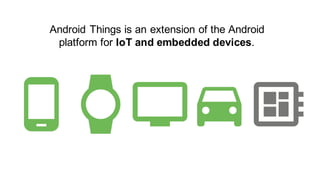
Android Things is an extension of the Android
platform for IoT and embedded devices.
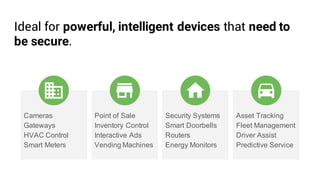
Cameras
Gateways
HVAC Control
Smart Meters
Point of Sale
Inventory Control
Interactive Ads
Vending Machines
Security Systems
Smart Doorbells
Routers
Energy Monitors
Asset Tracking
Fleet Management
Driver Assist
Predictive Service
Ideal for powerful, intelligent devices that need to
be secure.
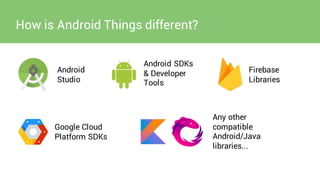
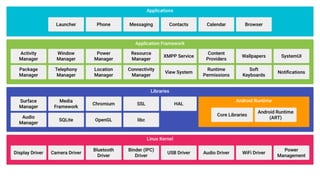
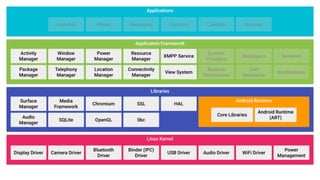
How is Android Things different?
Android
Studio
Android SDKs
& Developer
Tools
Firebase
Libraries
Google Cloud
Platform SDKs
Any other
compatible
Android/Java
libraries...
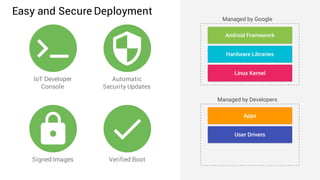
IoT Developer
Console
Automatic
Security Updates
Signed Images Verified Boot
Easy and Secure Deployment
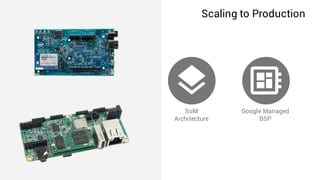
SoM
Architecture
Google Managed
BSP
Scaling to Production
Android Things for Developers
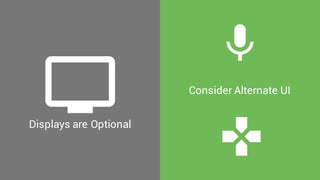
Displays are Optional
Consider Alternate UI
Cons
● Only Dev Preview
● Weave not yet available for Android Things
● Very new - Not many examples online - mostly Python
● Some APIs not supported - ie hardwareAcceleration
● Closed Source
Electronics Basics
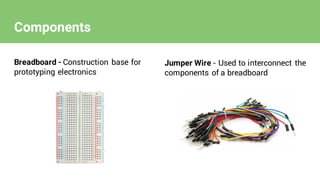
Components
Breadboard - Construction base for
prototyping electronics
Jumper Wire - Used to interconnect the
components of a breadboard
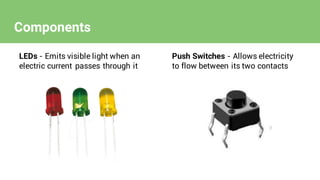
LEDs - Emits visible light when an
electric current passes through it
Push Switches - Allows electricity
to flow between its two contacts
Components
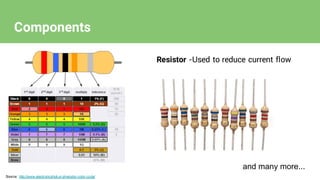
Resistor -Used to reduce current flow
Source: http://www.electronicshub.or g/resistor-color-code/
Components
and many more...
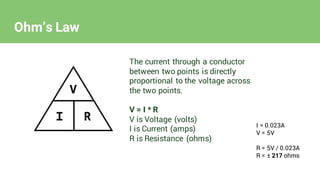
Ohm’s Law
The current through a conductor
between two points is directly
proportional to the voltage across
the two points.
V = I * R
V is Voltage (volts)
I is Current (amps)
R is Resistance (ohms)
I = 0.023A
V = 5V
R = 5V / 0.023A
R = ± 217 ohms
Building an Android Things app
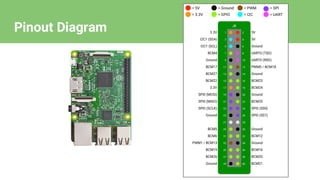
Pinout Diagram
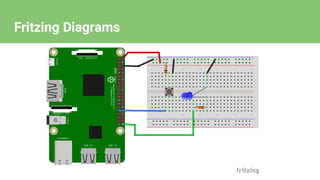
Fritzing Diagrams
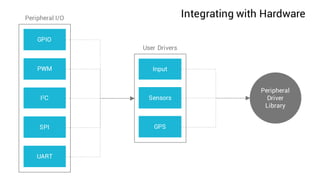
Integrating with Hardware
GPIO
PWM
I2C
SPI
UART
Input
Sensors
GPS
Peripheral
Driver
Library
Peripheral I/O
User Drivers
Let’s try live coding..
In case of emergency
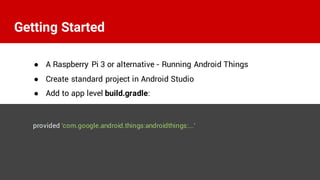
● A Raspberry Pi 3 or alternative - Running Android Things
● Create standard project in Android Studio
● Add to app level build.gradle:
provided 'com.google.android.things:androidthings:...'
Getting Started
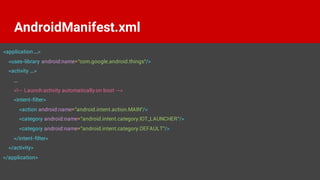
<application ...>
<uses-library android:name="com.google.android.things"/>
<activity ...>
...
<!-- Launch activity automatically on boot -->
<intent-filter>
<action android:name="android.intent.action.MAIN"/>
<category android:name="android.intent.category.IOT_LAUNCHER"/>
<category android:name="android.intent.category.DEFAULT"/>
</intent-filter>
</activity>
</application>
AndroidManifest.xml
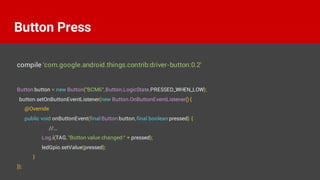
Button button = new Button("BCM6",Button.LogicState.PRESSED_WHEN_LOW);
button.setOnButtonEventListener(new Button.OnButtonEventListener() {
@Override
public void onButtonEvent(final Button button,final boolean pressed) {
//...
Log.i(TAG, "Button value changed:" + pressed);
ledGpio.setValue(pressed);
}
});
Button Press
compile 'com.google.android.things.contrib:driver-button:0.2'
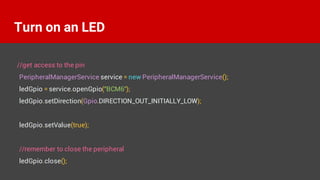
//get access to the pin
PeripheralManagerService service = new PeripheralManagerService();
ledGpio = service.openGpio("BCM6");
ledGpio.setDirection(Gpio.DIRECTION_OUT_INITIALLY_LOW);
ledGpio.setValue(true);
//remember to close the peripheral
ledGpio.close();
Turn on an LED
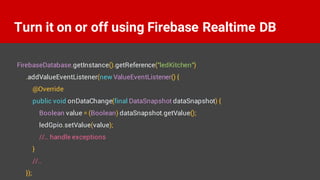
Turn it on or off using Firebase Realtime DB
FirebaseDatabase.getInstance().getReference("ledKitchen")
.addValueEventListener(new ValueEventListener() {
@Override
public void onDataChange(final DataSnapshot dataSnapshot) {
Boolean value = (Boolean) dataSnapshot.getValue();
ledGpio.setValue(value);
//.. handle exceptions
}
//..
});
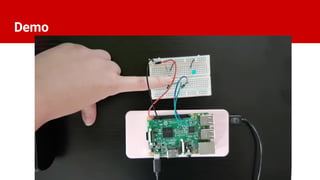
Demo
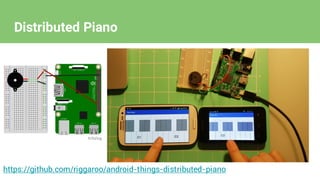
Other Examples
https://github.com/riggaroo/android-things-distributed-piano
Distributed Piano
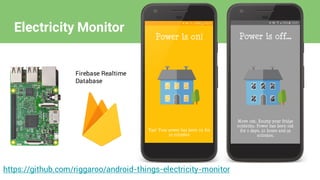
https://github.com/riggaroo/android-things-electricity-monitor
Firebase Realtime
Database
Electricity Monitor
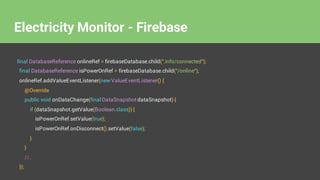
final DatabaseReference onlineRef = firebaseDatabase.child(".info/connected");
final DatabaseReference isPowerOnRef = firebaseDatabase.child("/online");
onlineRef.addValueEventListener(new ValueEventListener() {
@Override
public void onDataChange(final DataSnapshot dataSnapshot) {
if (dataSnapshot.getValue(Boolean.class)) {
isPowerOnRef.setValue(true);
isPowerOnRef.onDisconnect().setValue(false);
}
}
//..
});
Electricity Monitor - Firebase
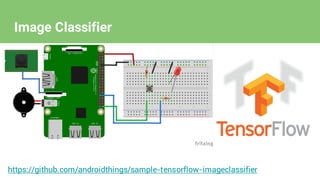
https://github.com/androidthings/sample-tensorflow-imageclassifier
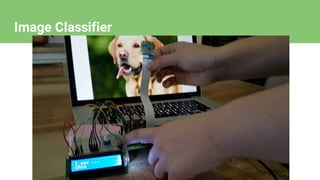
Image Classifier
Image Classifier
Rebecca Franks
riggaroo.co.za
@riggaroo
Google's IoT Developers Community
https://g.co/iotdev
Google's IoT Solutions
https://iot.google.com
Android Things SDK
https://developer.android.com/things
Rebecca Franks
riggaroo.co.za
@riggaroo
www.devconf.co.za/rate
● https://www.myelectronicslab.com/tutorial/raspberry-pi-3-gpio-model-b-
block-pinout/
● https://developers.google.com/weave/
● https://techcrunch.com/2015/10/24/why-iot-security-is-so-critical/
● https://github.com/androidthings/sample-simplepio/
● https://developer.android.com/things/index.html
● https://github.com/riggaroo/android-things-electricity-monitor
● https://github.com/riggaroo/android-things-distributed-piano
● https://github.com/riggaroo/android-things-button-examples
Links & References

Android Things - The IoT platform for everyone.