1
Doing Work in the Background: Where
Implementation meets Theory
Darryn Campbell
SW Architect, Zebra Technologies
@darryncampbell
December 19th, 2019
ZEBRA TECHNOLOGIES @darryncampbell | darryncampbell.co.uk
Doing work in the background: Where implementation meets theory
Who am I?
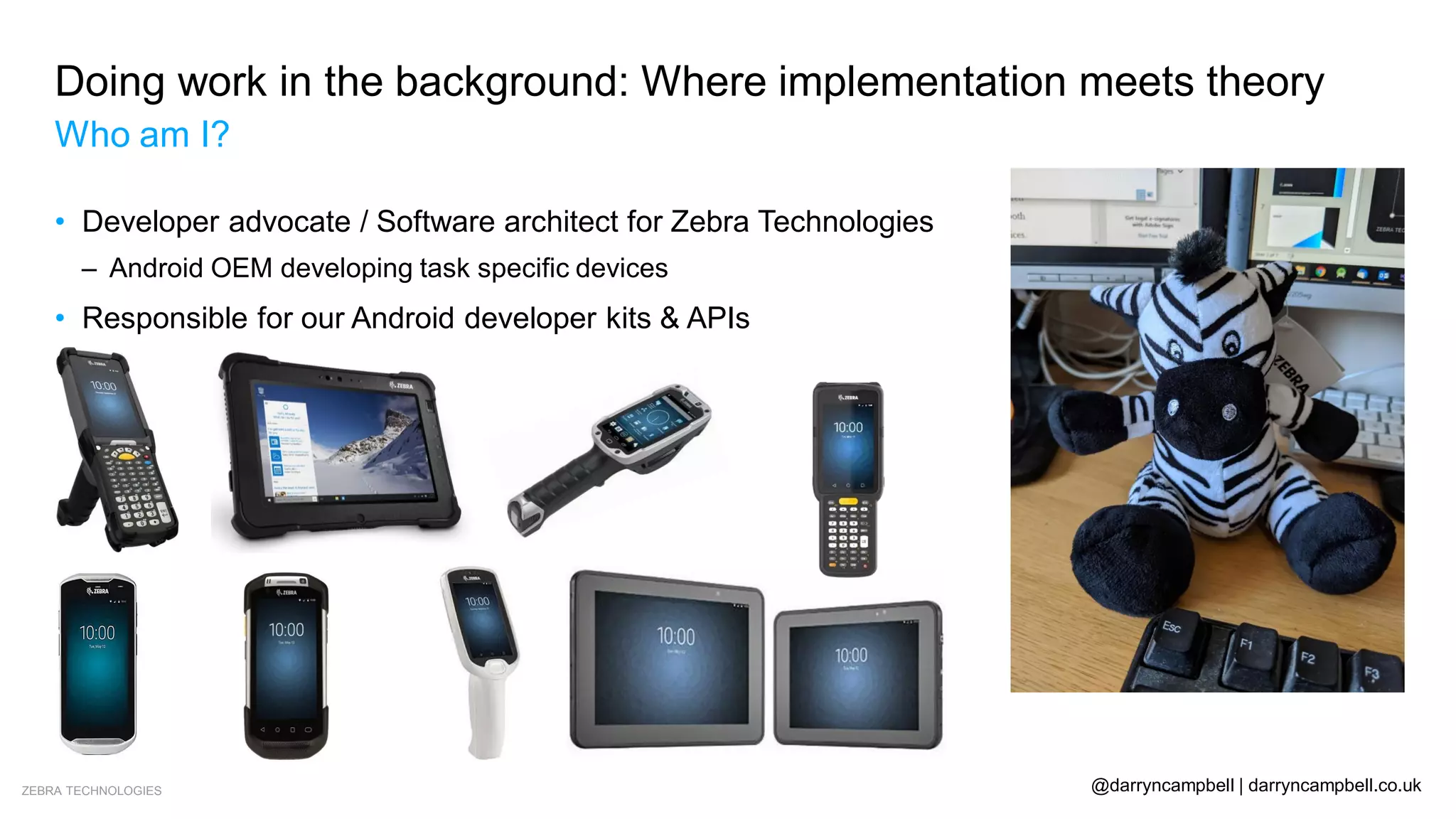
• Developer advocate / Software architect for Zebra Technologies
– Android OEM developing task specific devices
• Responsible for our Android developer kits & APIs
ZEBRA TECHNOLOGIES @darryncampbell | darryncampbell.co.uk
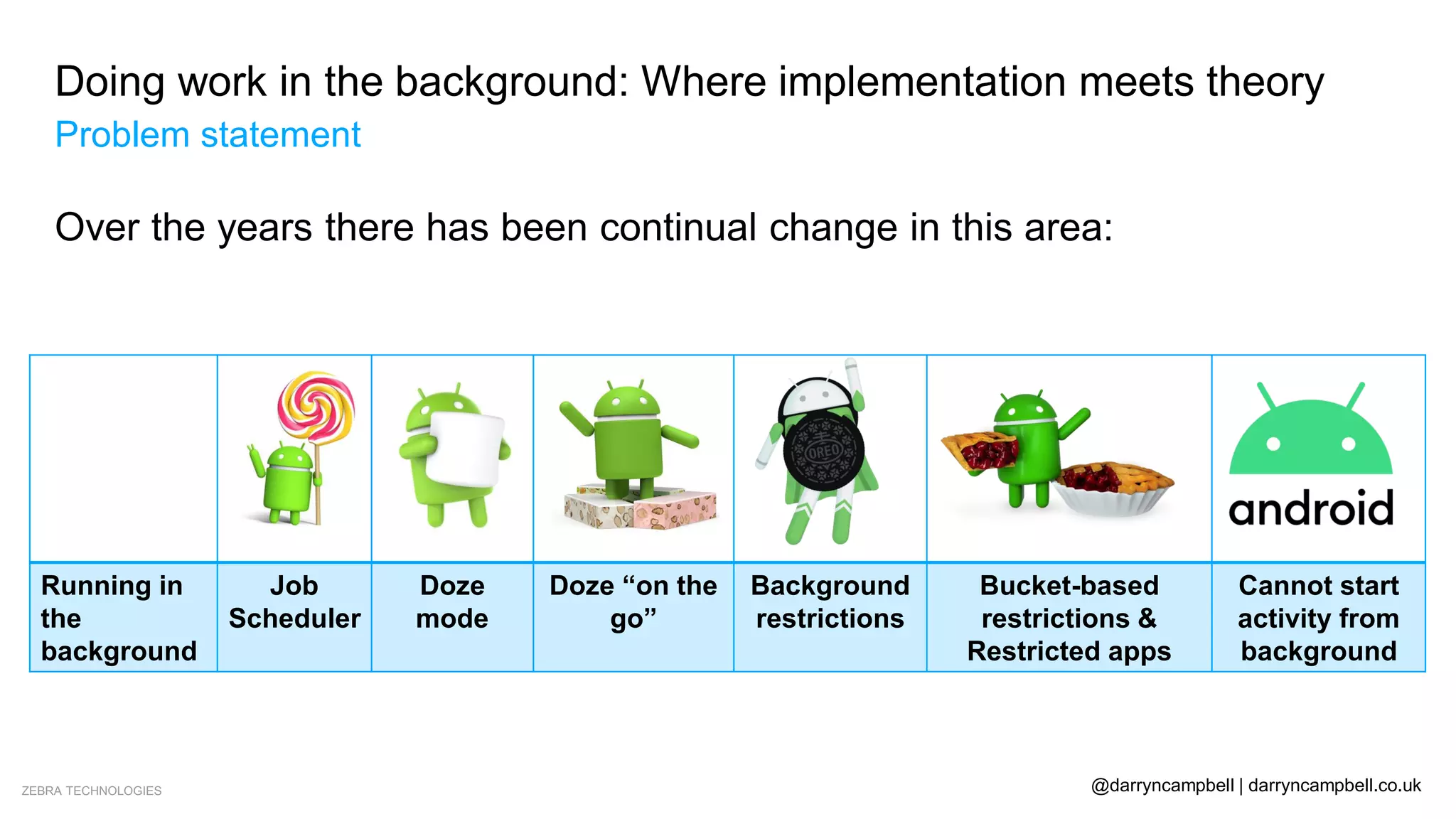
Over the years there has been continual change in this area:
Running in
the
background
Job
Scheduler
Doze
mode
Doze “on the
go”
Background
restrictions
Bucket-based
restrictions &
Restricted apps
Cannot start
activity from
background
Doing work in the background: Where implementation meets theory
Problem statement
ZEBRA TECHNOLOGIES @darryncampbell | darryncampbell.co.uk
Doing work in the background: Where implementation meets theory
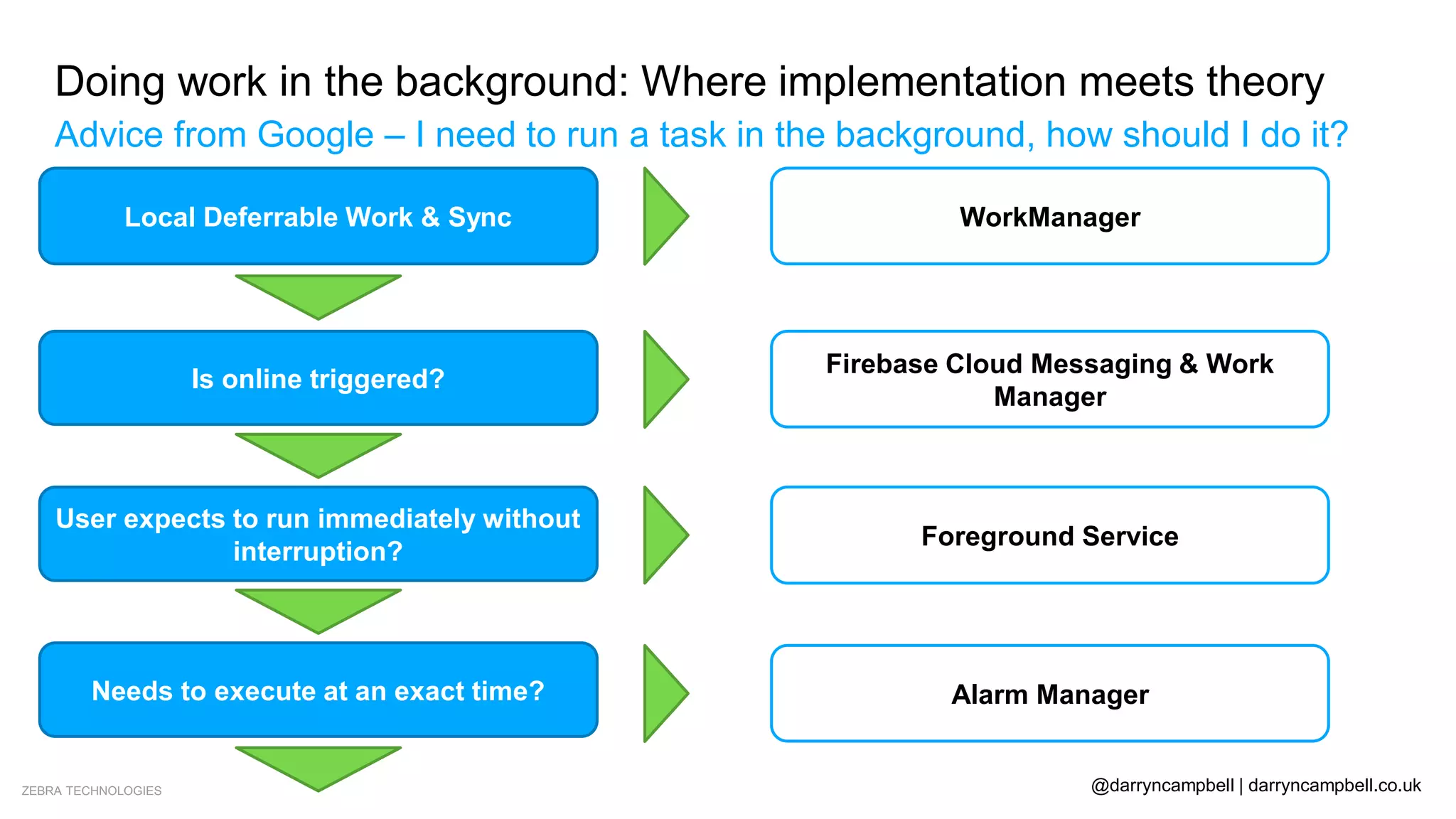
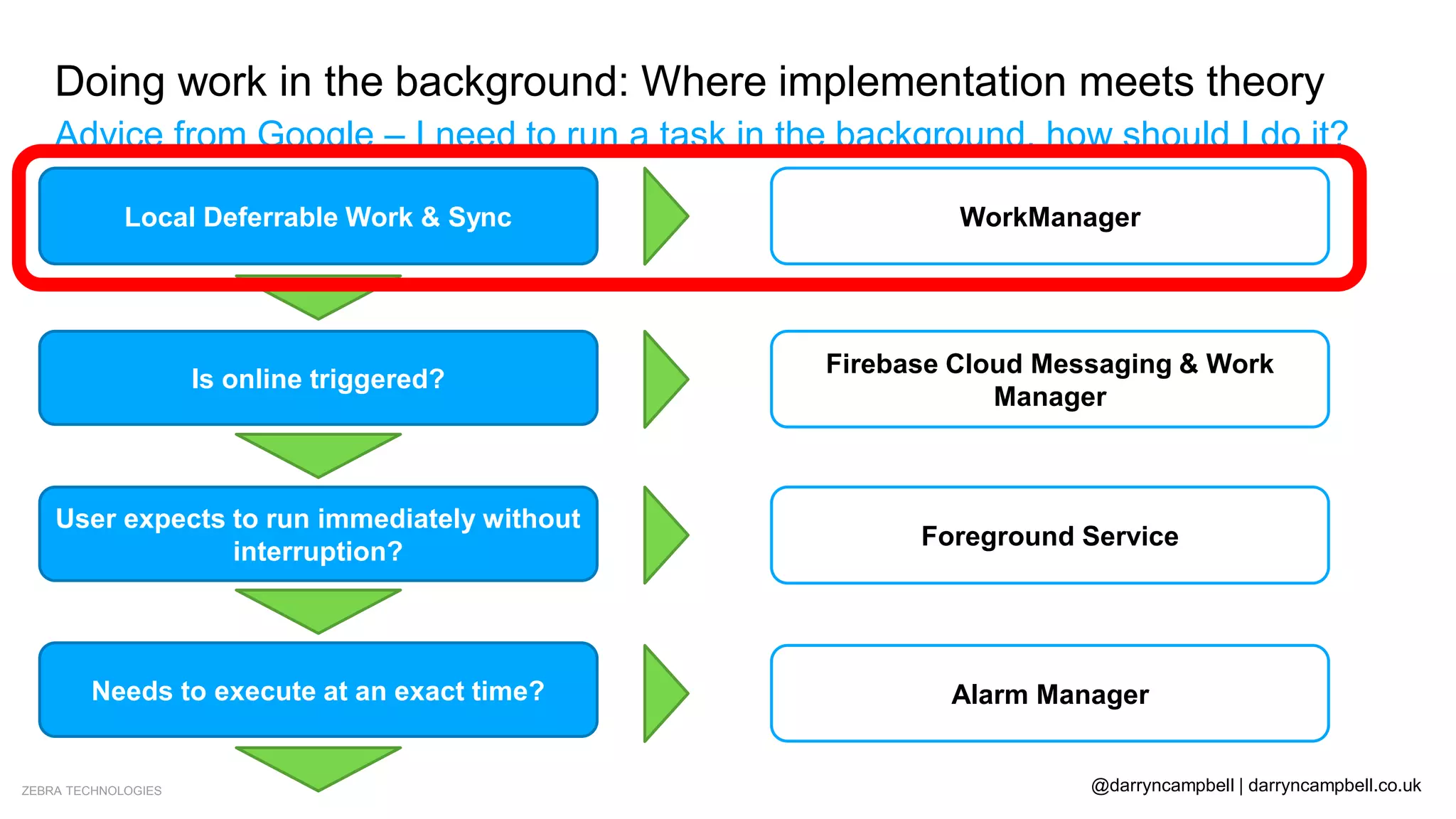
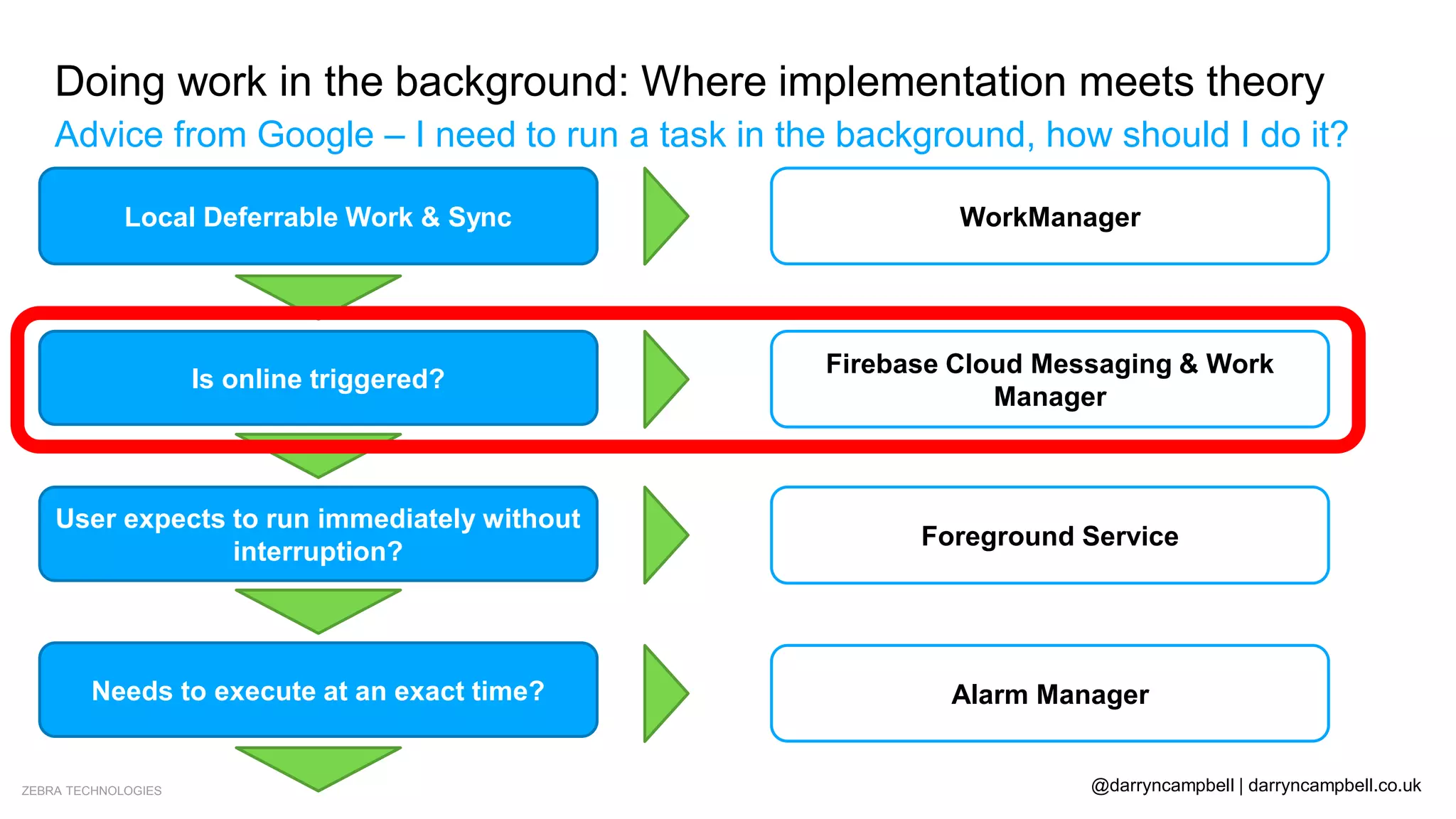
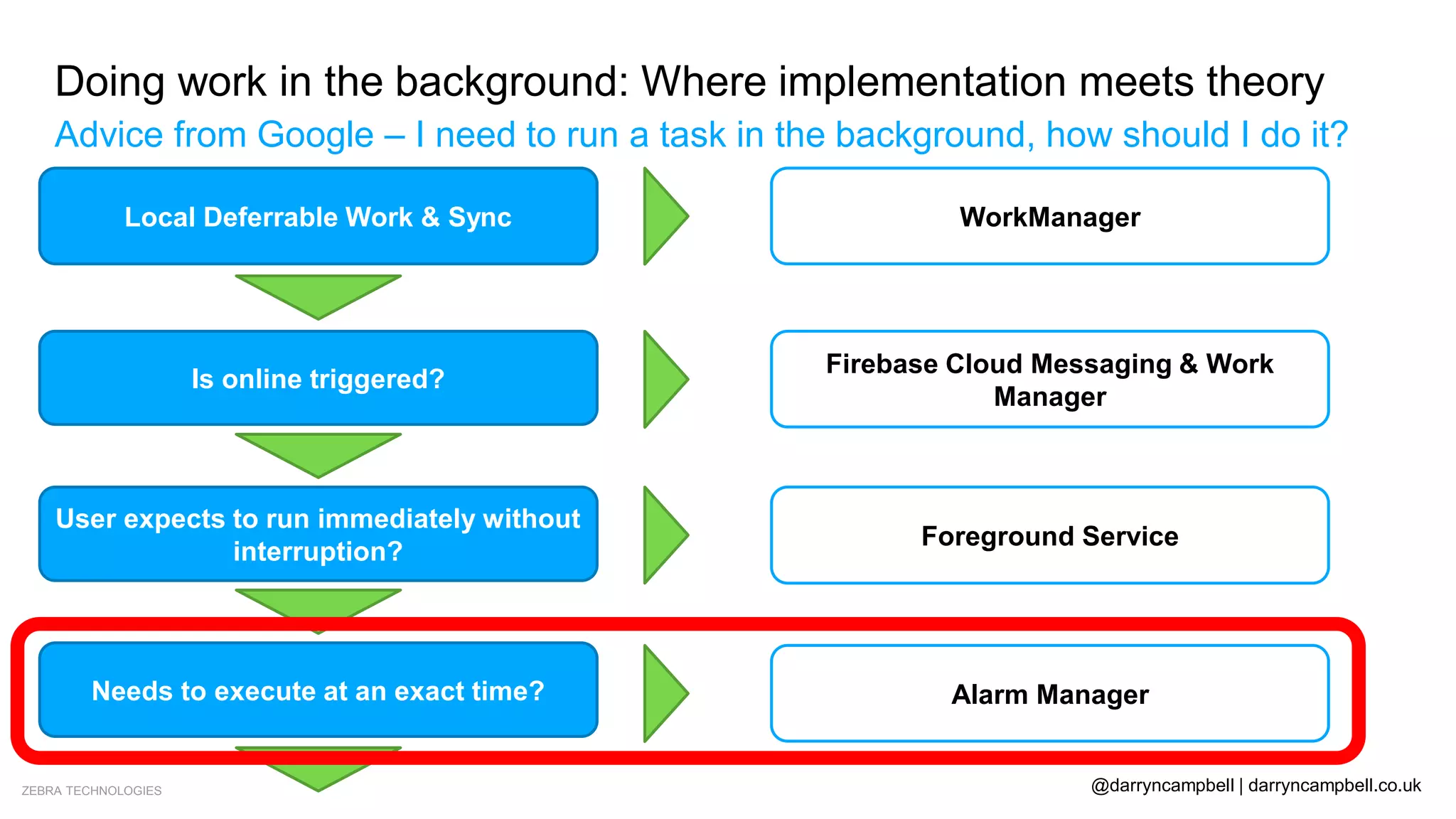
Advice from Google – I need to run a task in the background, how should I do it?
Local Deferrable Work & Sync
Is online triggered?
User expects to run immediately without
interruption?
Needs to execute at an exact time?
No
No
No
Don’t do as background work
Yes WorkManager
Yes
Firebase Cloud Messaging & Work
Manager
Yes Foreground Service
Yes Alarm Manager
ZEBRA TECHNOLOGIES @darryncampbell | darryncampbell.co.uk
Doing work in the background: Where implementation meets theory
Advice from Google – I need to run a task in the background, how should I do it?
Local Deferrable Work & Sync
Is online triggered?
User expects to run immediately without
interruption?
Needs to execute at an exact time?
No
No
No
Don’t do as background work
Yes WorkManager
Yes
Firebase Cloud Messaging & Work
Manager
Yes Foreground Service
Yes Alarm Manager
ZEBRA TECHNOLOGIES @darryncampbell | darryncampbell.co.uk
Doing work in the background: Where implementation meets theory
Customer 1: Warehouse device tracker
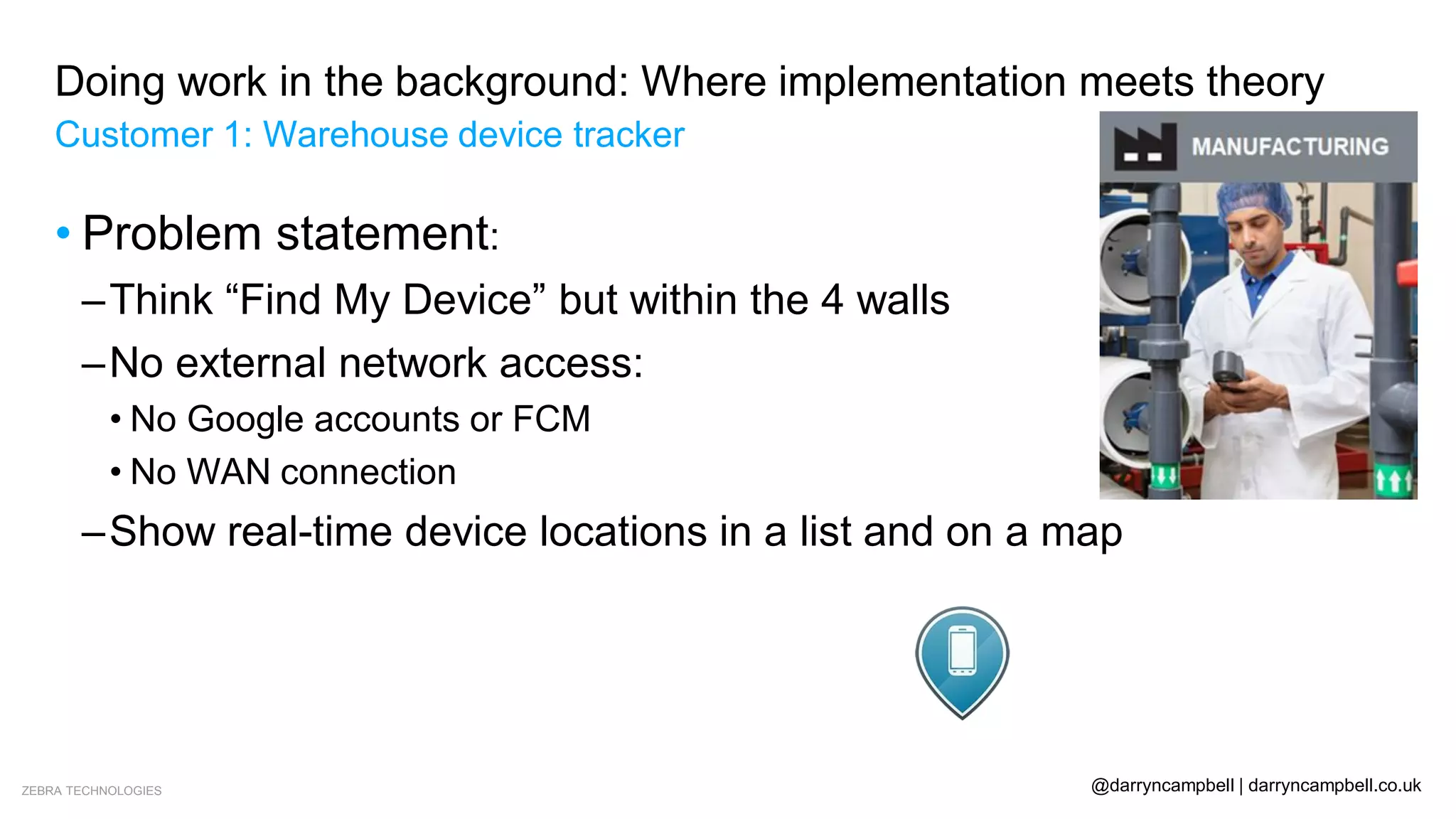
• Problem statement:
–Think “Find My Device” but within the 4 walls
–No external network access:
• No Google accounts or FCM
• No WAN connection
–Show real-time device locations in a list and on a map
ZEBRA TECHNOLOGIES @darryncampbell | darryncampbell.co.uk
Doing work in the background: Where implementation meets theory
Customer 1: Warehouse device tracker
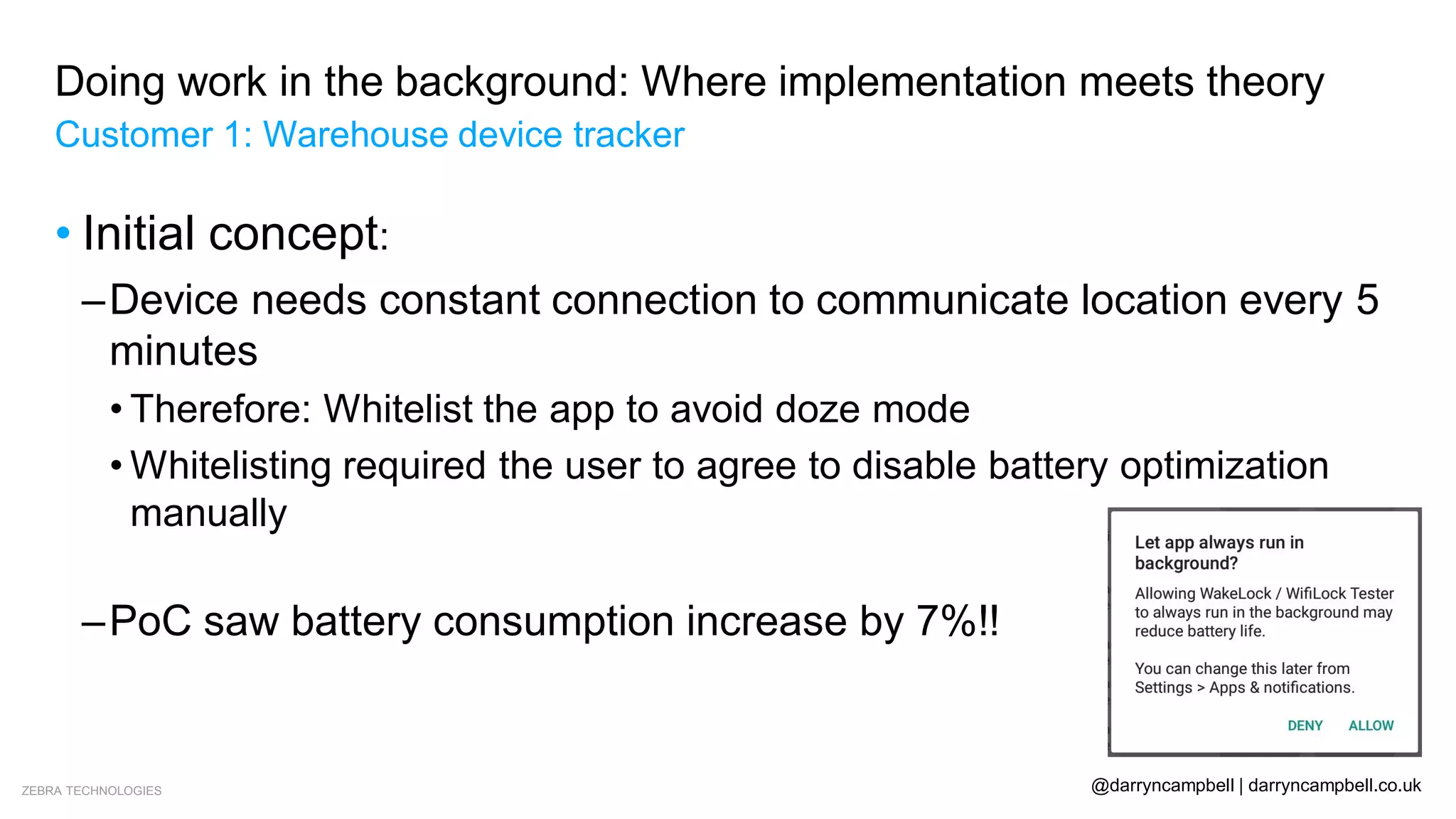
• Initial concept:
–Device needs constant connection to communicate location every 5
minutes
• Therefore: Whitelist the app to avoid doze mode
• Whitelisting required the user to agree to disable battery optimization
manually
• What if the user provision the device clicks ‘Deny’?
–PoC saw battery consumption increase by 7%!!
ZEBRA TECHNOLOGIES @darryncampbell | darryncampbell.co.uk
Doing work in the background: Where implementation meets theory
Customer 1: Warehouse device tracker
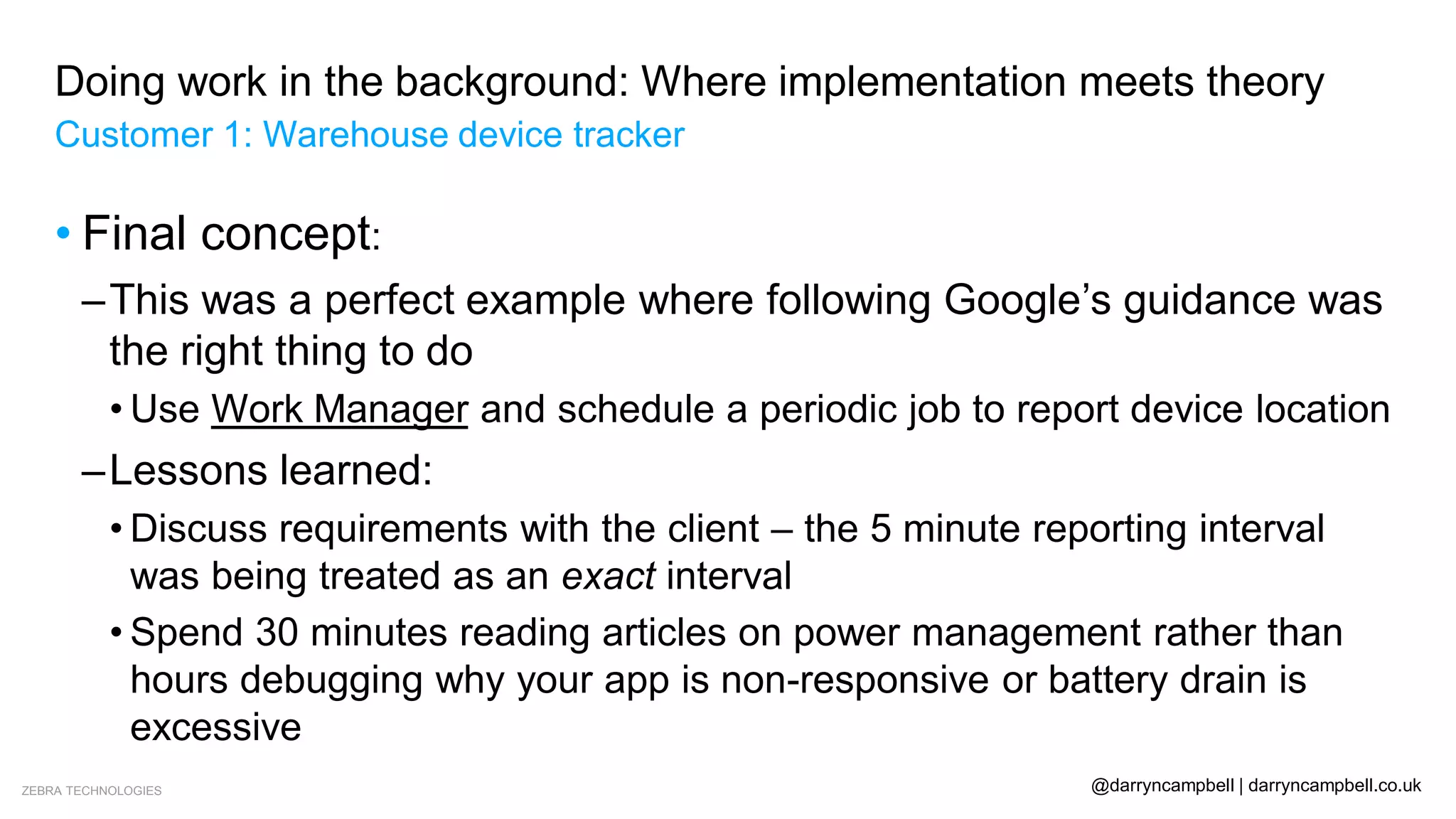
• Final concept:
ZEBRA TECHNOLOGIES @darryncampbell | darryncampbell.co.uk
Doing work in the background: Where implementation meets theory
Customer 1: Warehouse device tracker
• Final concept:
–This was a perfect example where following Google’s guidance was
the right thing to do
• Use Work Manager and schedule a periodic job to report device location
–Lessons learned:
• Discuss requirements with the client – the 5 minute reporting interval
was being treated as an exact interval
• Spend 30 minutes reading articles on power management rather than
hours debugging why your app is non-responsive or battery drain is
excessive
ZEBRA TECHNOLOGIES @darryncampbell | darryncampbell.co.uk
Doing work in the background: Where implementation meets theory
Customer 1: Warehouse device tracker
• Segue: WorkManager
– Great getting started guides at
https://developer.android.com/topic/libraries/architecture/workmanager
– This is not a presentation about Work Manager – Google have some great
presentations on YouTube for that.
ZEBRA TECHNOLOGIES @darryncampbell | darryncampbell.co.uk
Doing work in the background: Where implementation meets theory
Customer 1: Warehouse device tracker
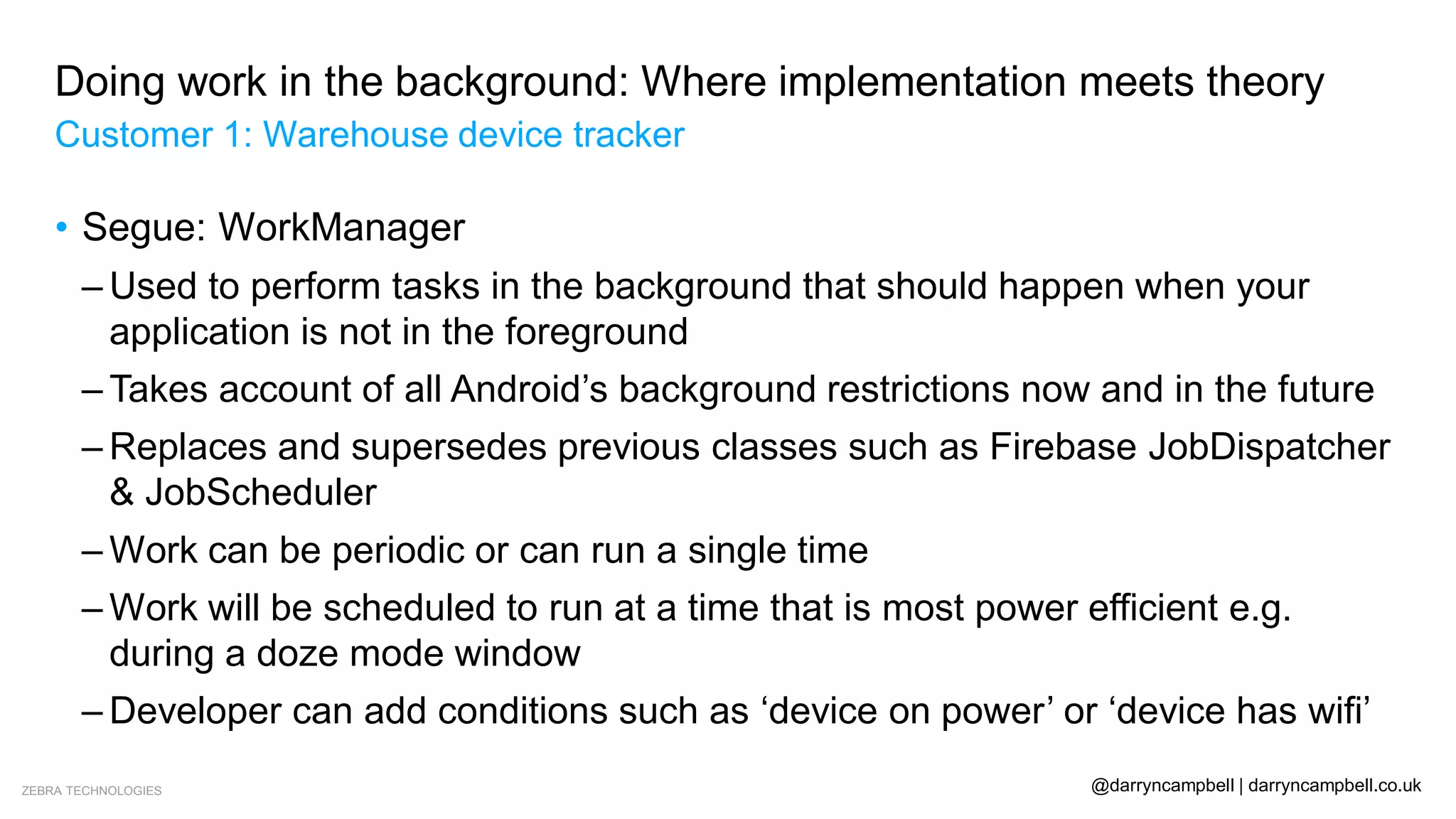
• Segue: WorkManager
– Used to perform tasks in the background that should happen when your
application is not in the foreground
– Takes account of all Android’s background restrictions now and in the future
– Replaces and supersedes previous classes such as Firebase JobDispatcher
& JobScheduler
– Work can be periodic or can run a single time
– Work will be scheduled to run at a time that is most power efficient e.g.
during a doze mode window
– Developer can add conditions such as ‘device on power’ or ‘device has wifi’
ZEBRA TECHNOLOGIES @darryncampbell | darryncampbell.co.uk
Doing work in the background: Where implementation meets theory
Customer 1: Warehouse device tracker
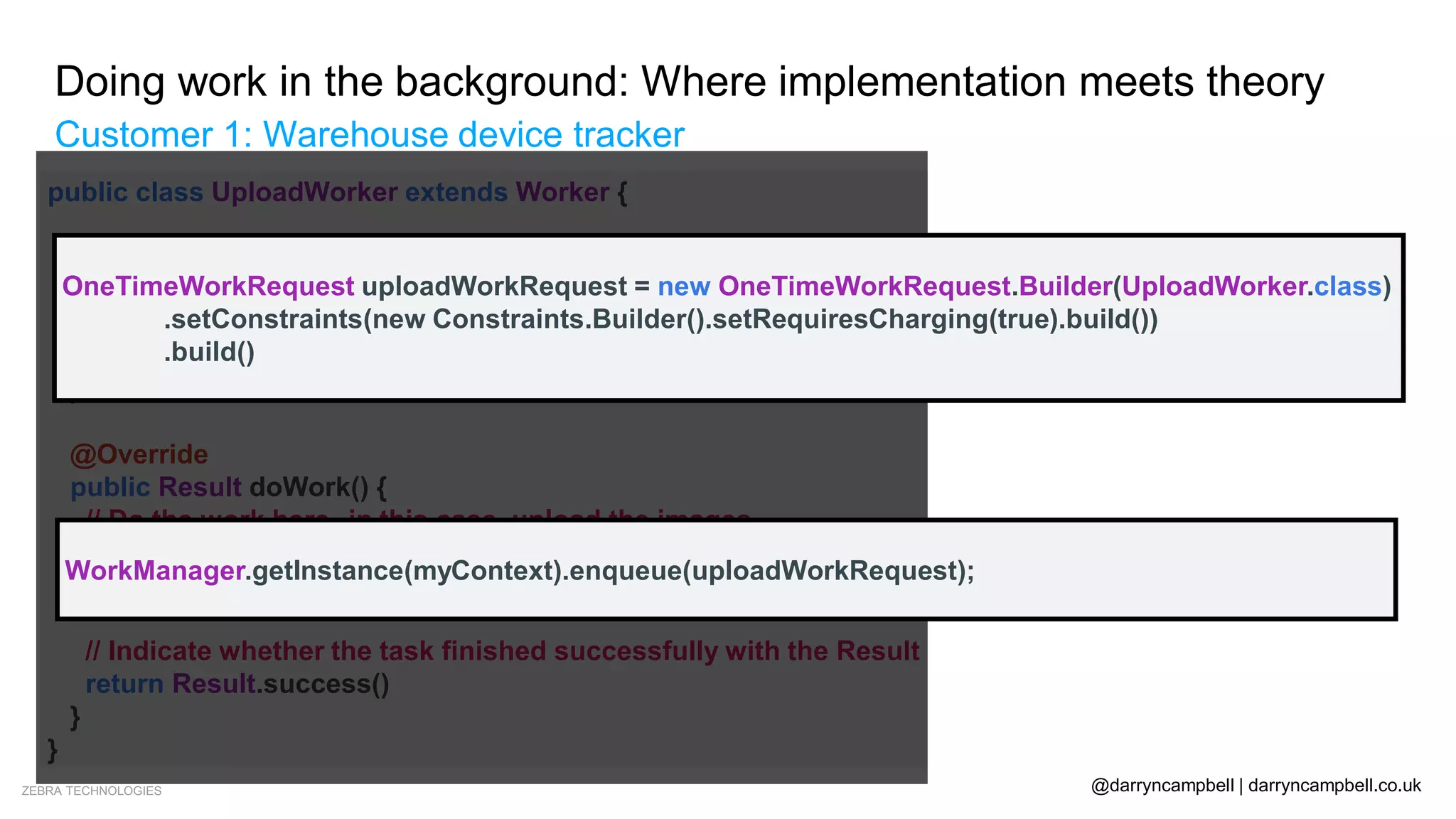
• Segue: WorkManager
public class UploadWorker extends Worker {
public UploadWorker(
@NonNull Context context,
@NonNull WorkerParameters params) {
super(context, params);
}
@Override
public Result doWork() {
// Do the work here--in this case, upload the images.
uploadImages()
// Indicate whether the task finished successfully with the Result
return Result.success()
}
}
OneTimeWorkRequest uploadWorkRequest = new OneTimeWorkRequest.Builder(UploadWorker.class)
.setConstraints(new Constraints.Builder().setRequiresCharging(true).build())
.build()
WorkManager.getInstance(myContext).enqueue(uploadWorkRequest);
ZEBRA TECHNOLOGIES @darryncampbell | darryncampbell.co.uk
Doing work in the background: Where implementation meets theory
Advice from Google – I need to run a task in the background, how should I do it?
Local Deferrable Work & Sync
Is online triggered?
User expects to run immediately without
interruption?
Needs to execute at an exact time?
No
No
No
Don’t do as background work
Yes WorkManager
Yes
Firebase Cloud Messaging & Work
Manager
Yes Foreground Service
Yes Alarm Manager
ZEBRA TECHNOLOGIES @darryncampbell | darryncampbell.co.uk
Doing work in the background: Where implementation meets theory
Customer 2: Device update in the field
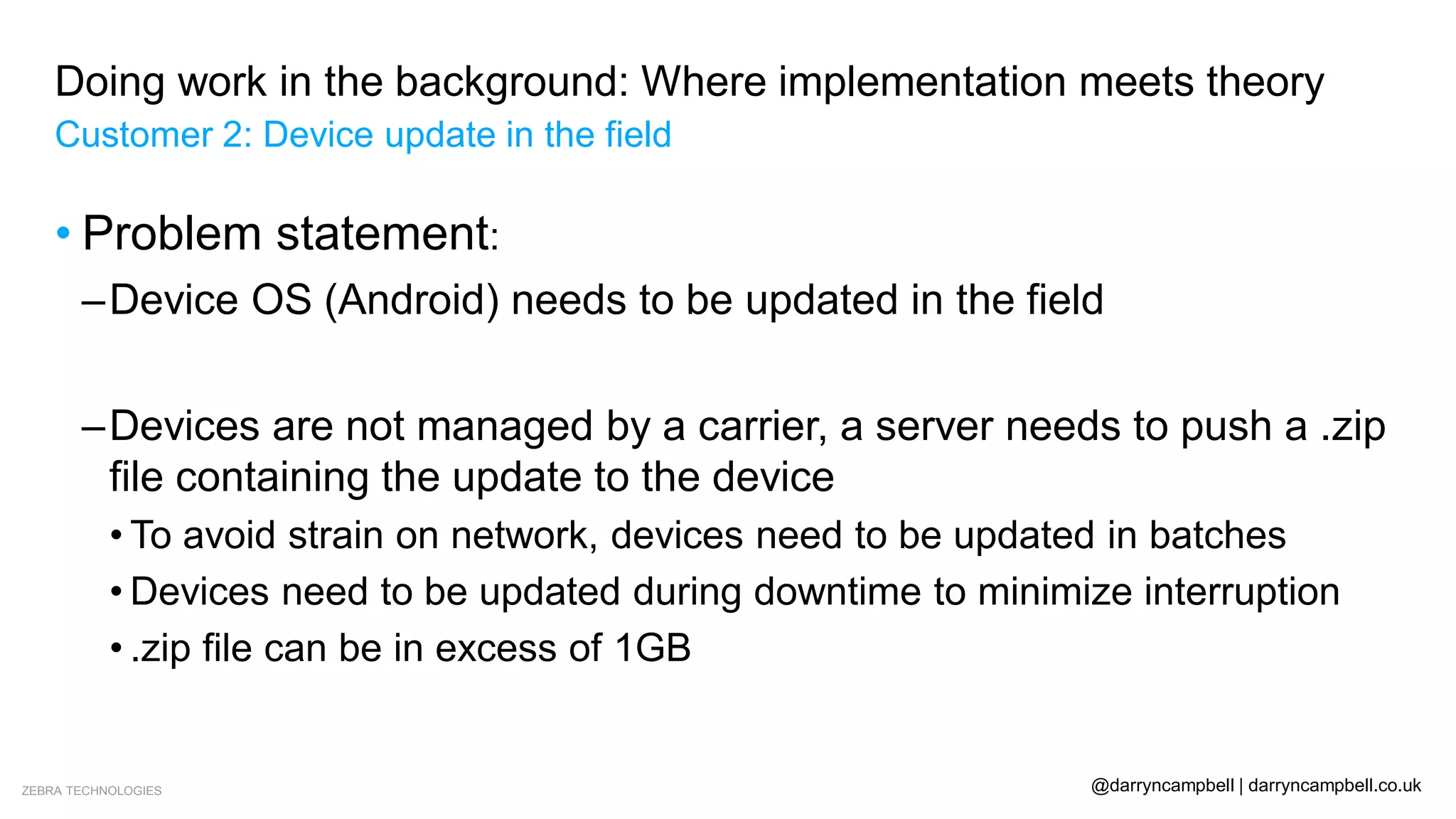
• Problem statement:
–Device OS (Android) needs to be updated in the field
–Devices are not managed by a carrier, a server needs to push a .zip
file containing the update to the device
• To avoid strain on network, devices need to be updated in batches
• Devices need to be updated during downtime to minimize interruption
• .zip file can be in excess of 1GB
ZEBRA TECHNOLOGIES @darryncampbell | darryncampbell.co.uk
Doing work in the background: Where implementation meets theory
Customer 2: Device update in the field
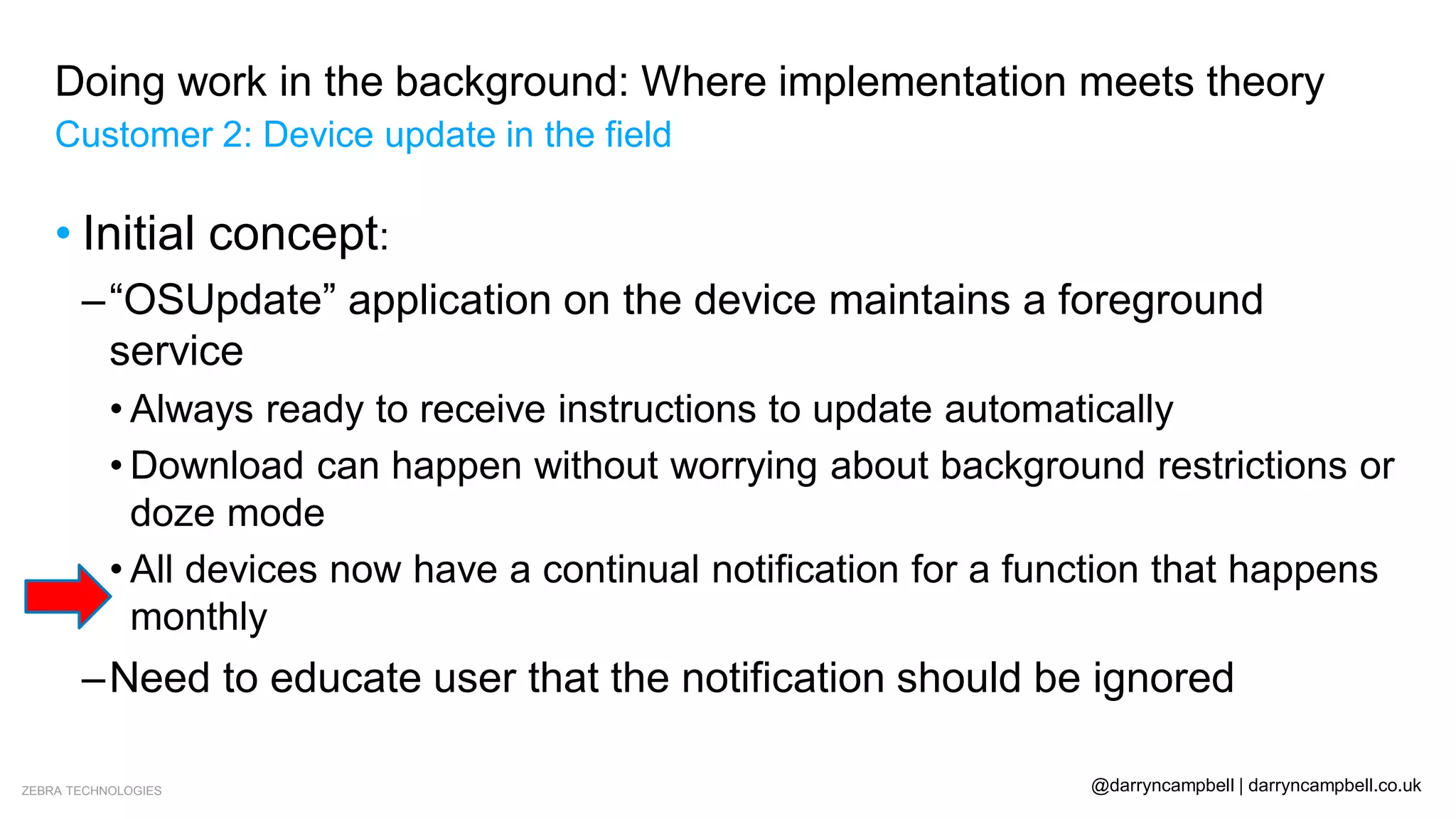
• Initial concept:
–“OSUpdate” application on the device maintains a foreground
service
• Always ready to receive instructions to update automatically
• Download can happen without worrying about background restrictions or
doze mode
• All devices now have a continual notification for a function that happens
monthly
–Need to educate user that the notification should be ignored
ZEBRA TECHNOLOGIES @darryncampbell | darryncampbell.co.uk
Doing work in the background: Where implementation meets theory
Customer 2: Device update in the field
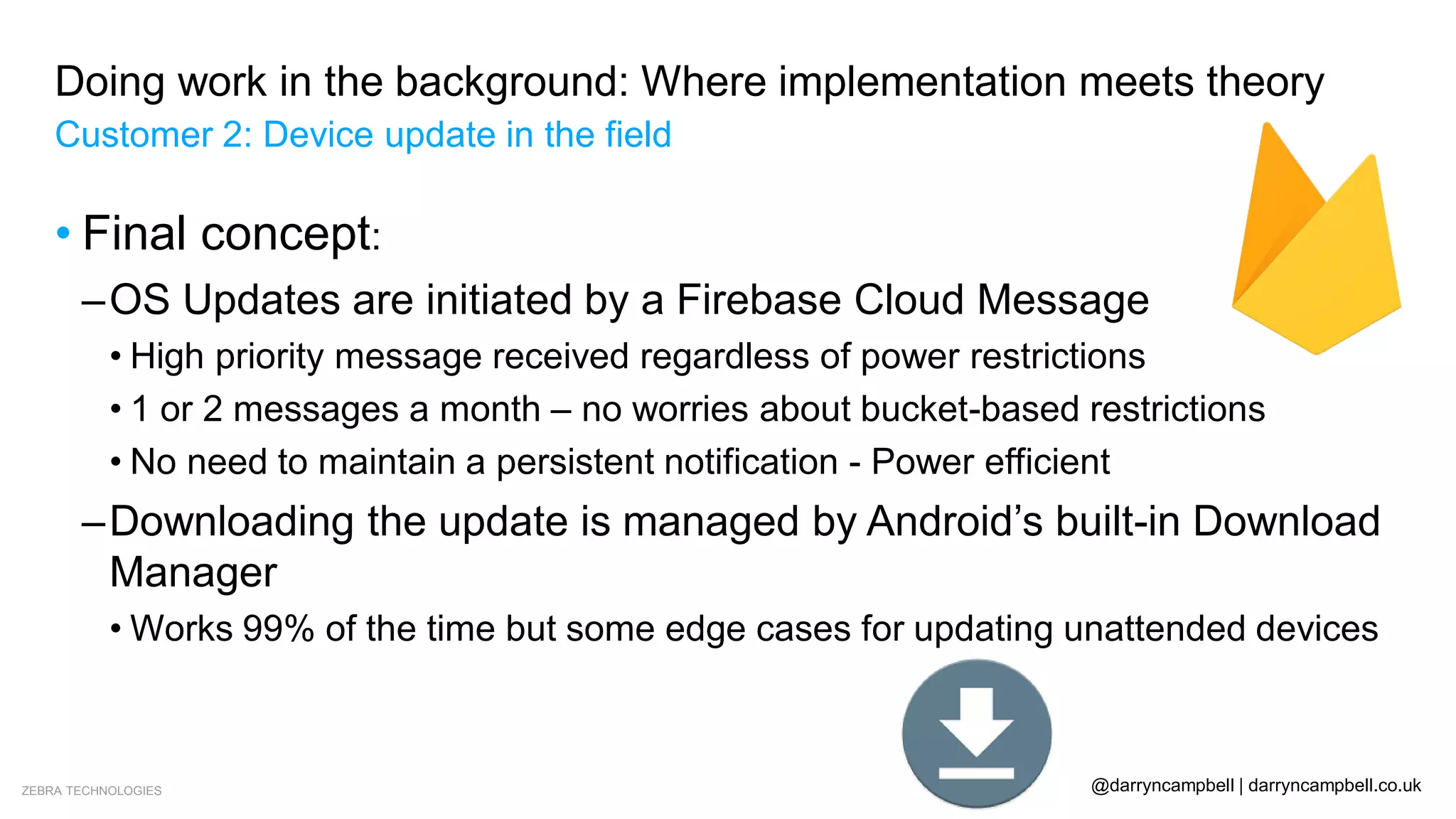
• Final concept:
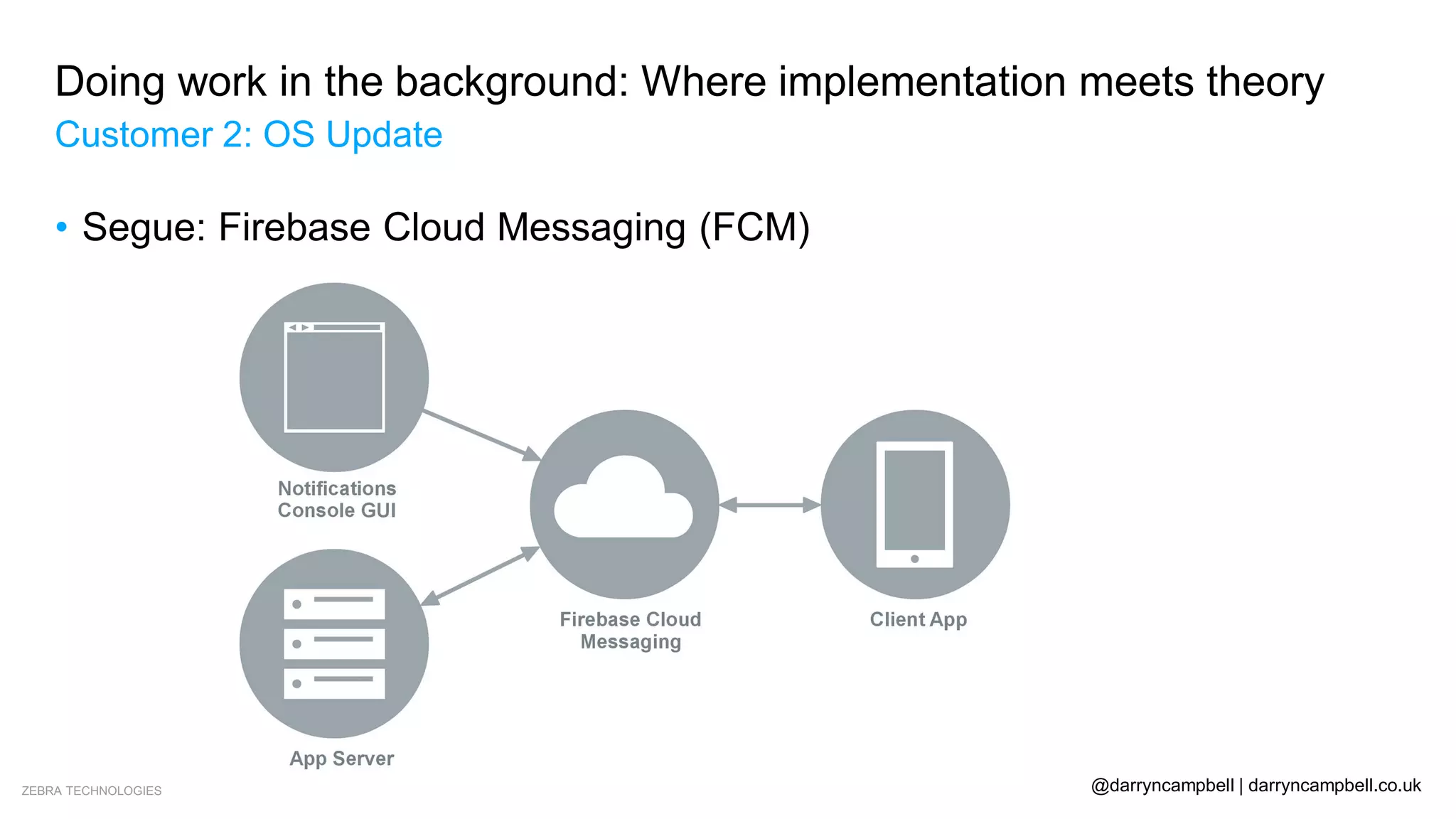
–OS Updates are initiated by a Firebase Cloud Message
• High priority message received regardless of power restrictions
• 1 or 2 messages a month – no worries about bucket-based restrictions
• No need to maintain a persistent notification - Power efficient
–Downloading the update is managed by Android’s built-in Download
Manager
• Works 99% of the time but some edge cases for updating unattended devices
ZEBRA TECHNOLOGIES @darryncampbell | darryncampbell.co.uk
Doing work in the background: Where implementation meets theory
Customer 2: OS Update
• Segue: Firebase Cloud Messaging (FCM)
ZEBRA TECHNOLOGIES @darryncampbell | darryncampbell.co.uk
Doing work in the background: Where implementation meets theory
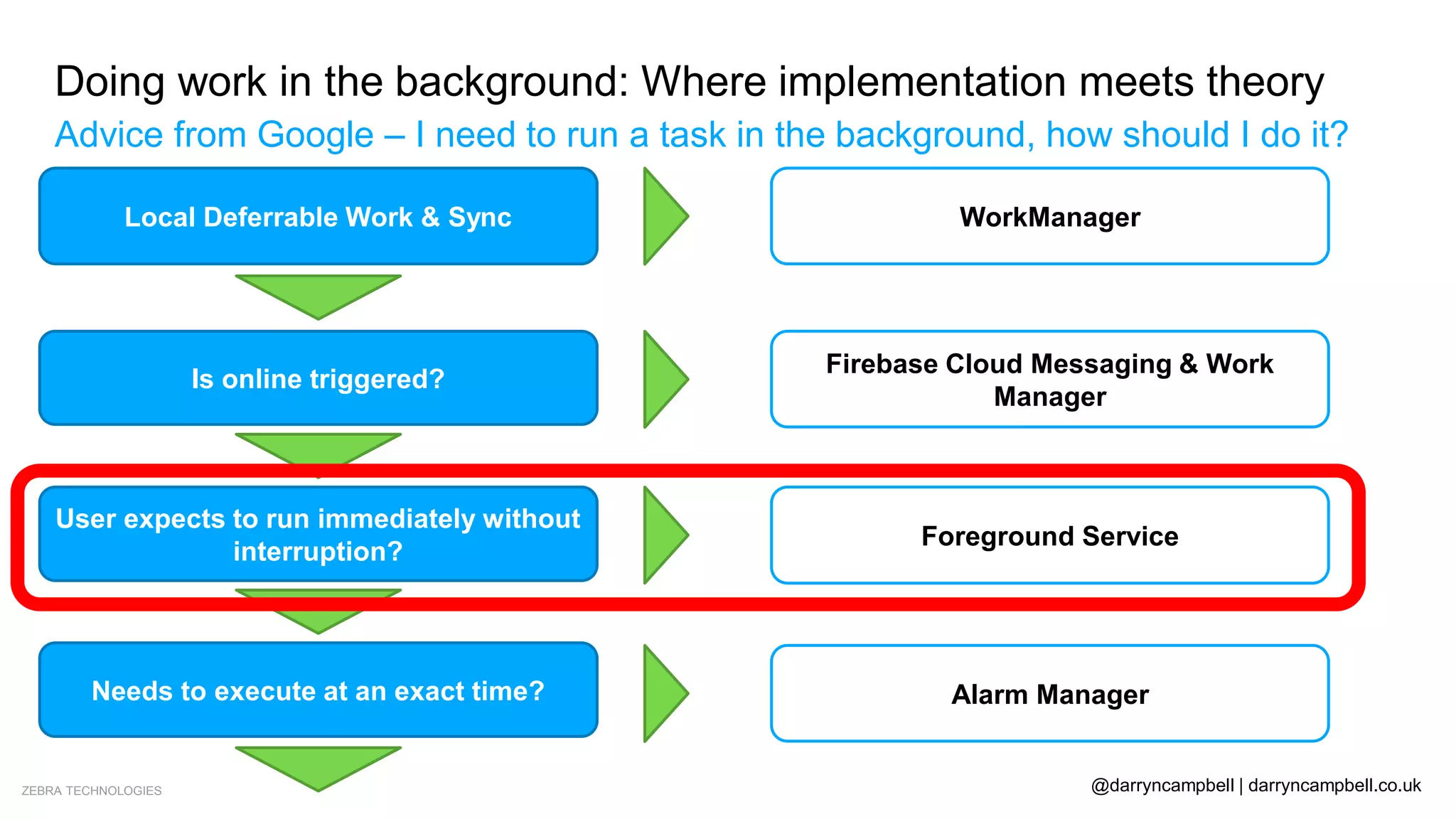
Advice from Google – I need to run a task in the background, how should I do it?
Local Deferrable Work & Sync
Is online triggered?
User expects to run immediately without
interruption?
Needs to execute at an exact time?
No
No
No
Don’t do as background work
Yes WorkManager
Yes
Firebase Cloud Messaging & Work
Manager
Yes Foreground Service
Yes Alarm Manager
ZEBRA TECHNOLOGIES @darryncampbell | darryncampbell.co.uk
Doing work in the background: Where implementation meets theory
Customer 3: Healthcare task assignment system
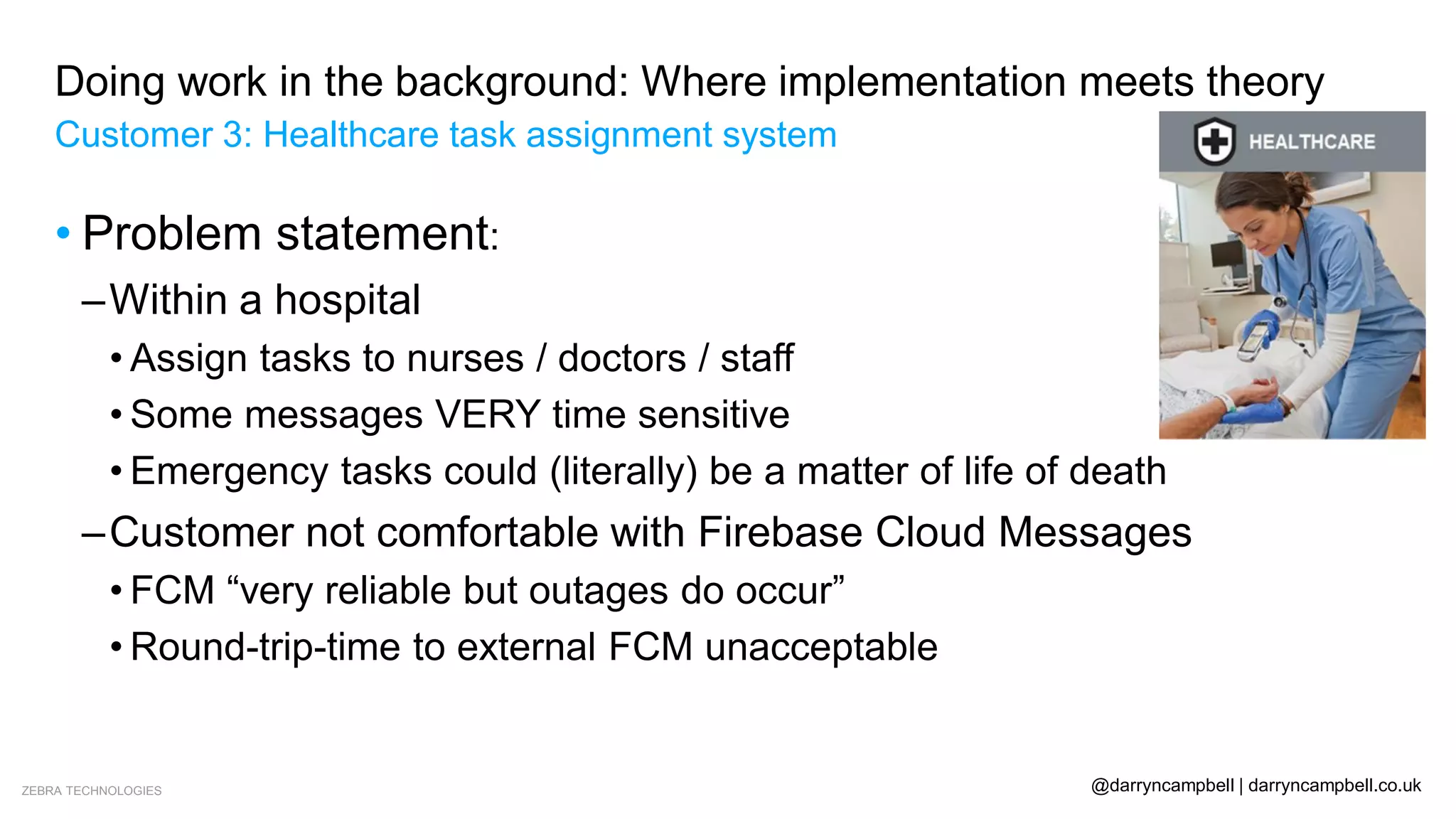
• Problem statement:
–Within a hospital
• Assign tasks to nurses / doctors / staff
• Some messages VERY time sensitive
• Emergency tasks could (literally) be a matter of life of death
–Customer not comfortable with Firebase Cloud Messages
• FCM “very reliable but outages do occur”
• Round-trip-time to external FCM unacceptable
ZEBRA TECHNOLOGIES @darryncampbell | darryncampbell.co.uk
Doing work in the background: Where implementation meets theory
Customer 3: Healthcare task assignment system
• Initial concept:
–System deployed and working well under Lollipop
–Uptime guaranteed by hospital IT administrator
–Any changes to software / hardware seen as risk
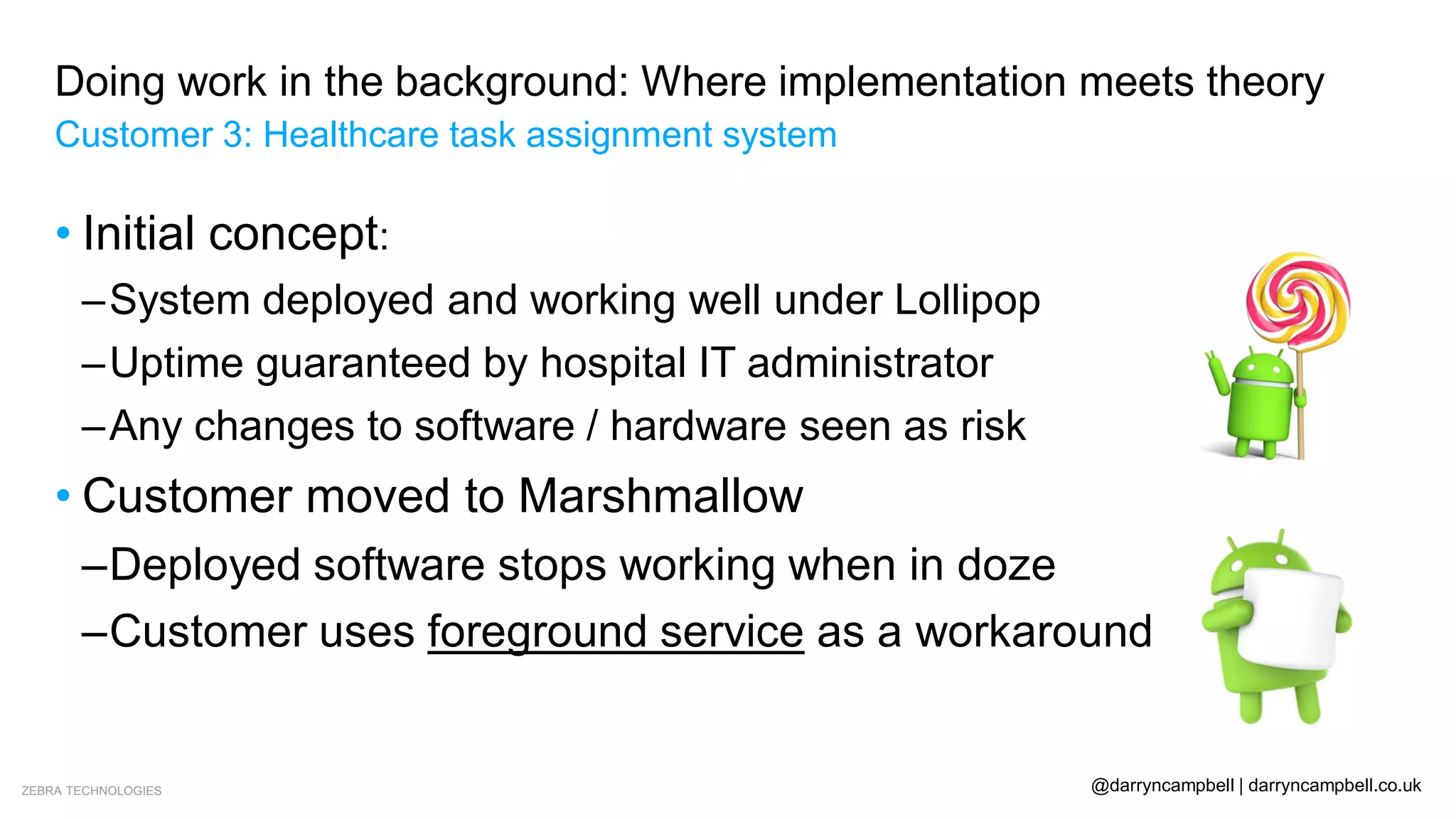
• Customer moved to Marshmallow
–Deployed software stops working when in doze
–Customer uses foreground service as a workaround
ZEBRA TECHNOLOGIES @darryncampbell | darryncampbell.co.uk
Doing work in the background: Where implementation meets theory
Customer 3: Healthcare task assignment system
• Final concept:
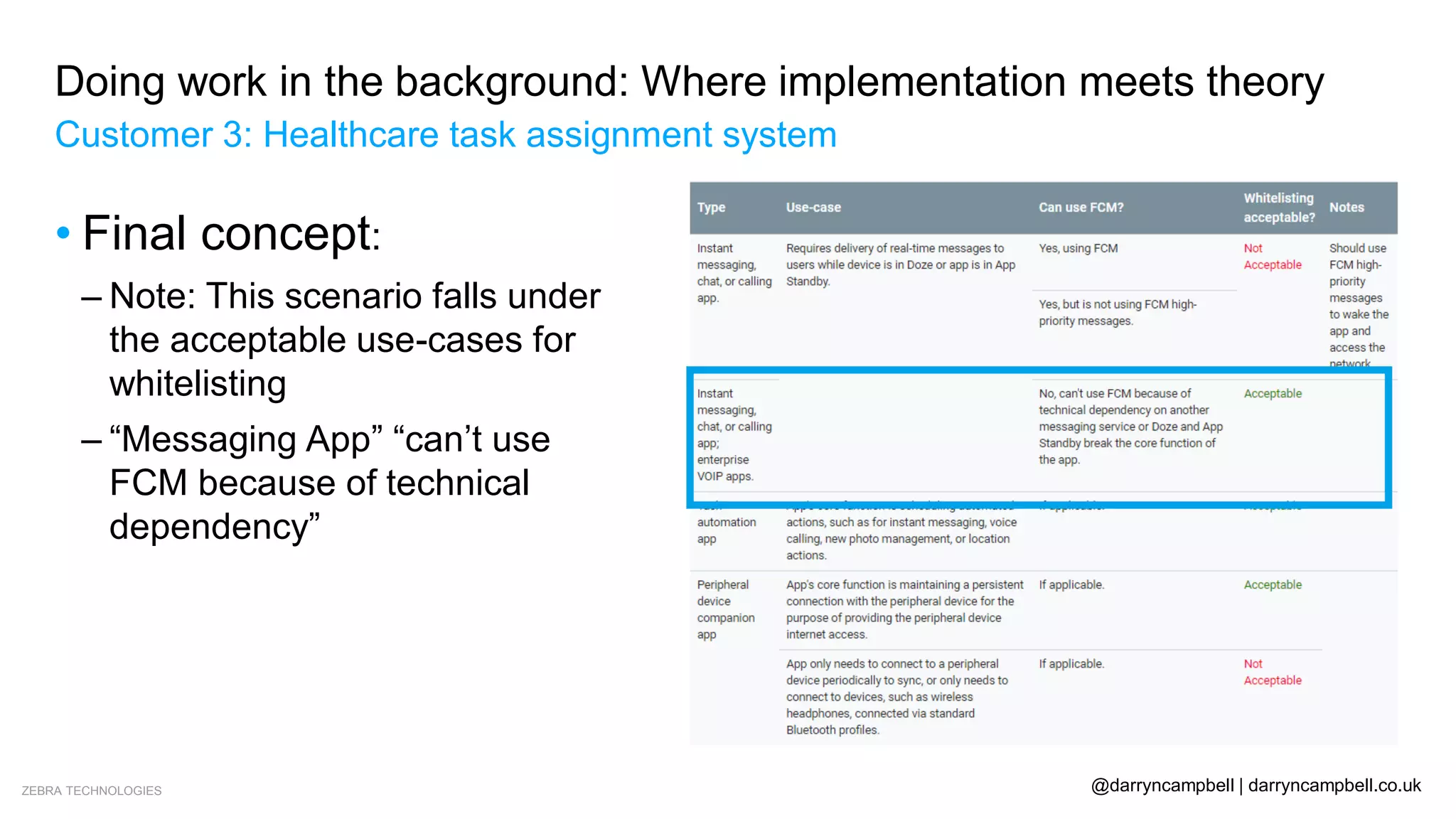
– Note: This scenario falls under
the acceptable use-cases for
whitelisting
– “Messaging App” “can’t use
FCM because of technical
dependency”
ZEBRA TECHNOLOGIES @darryncampbell | darryncampbell.co.uk
Doing work in the background: Where implementation meets theory
Customer 3: Healthcare task assignment system
• Final concept:
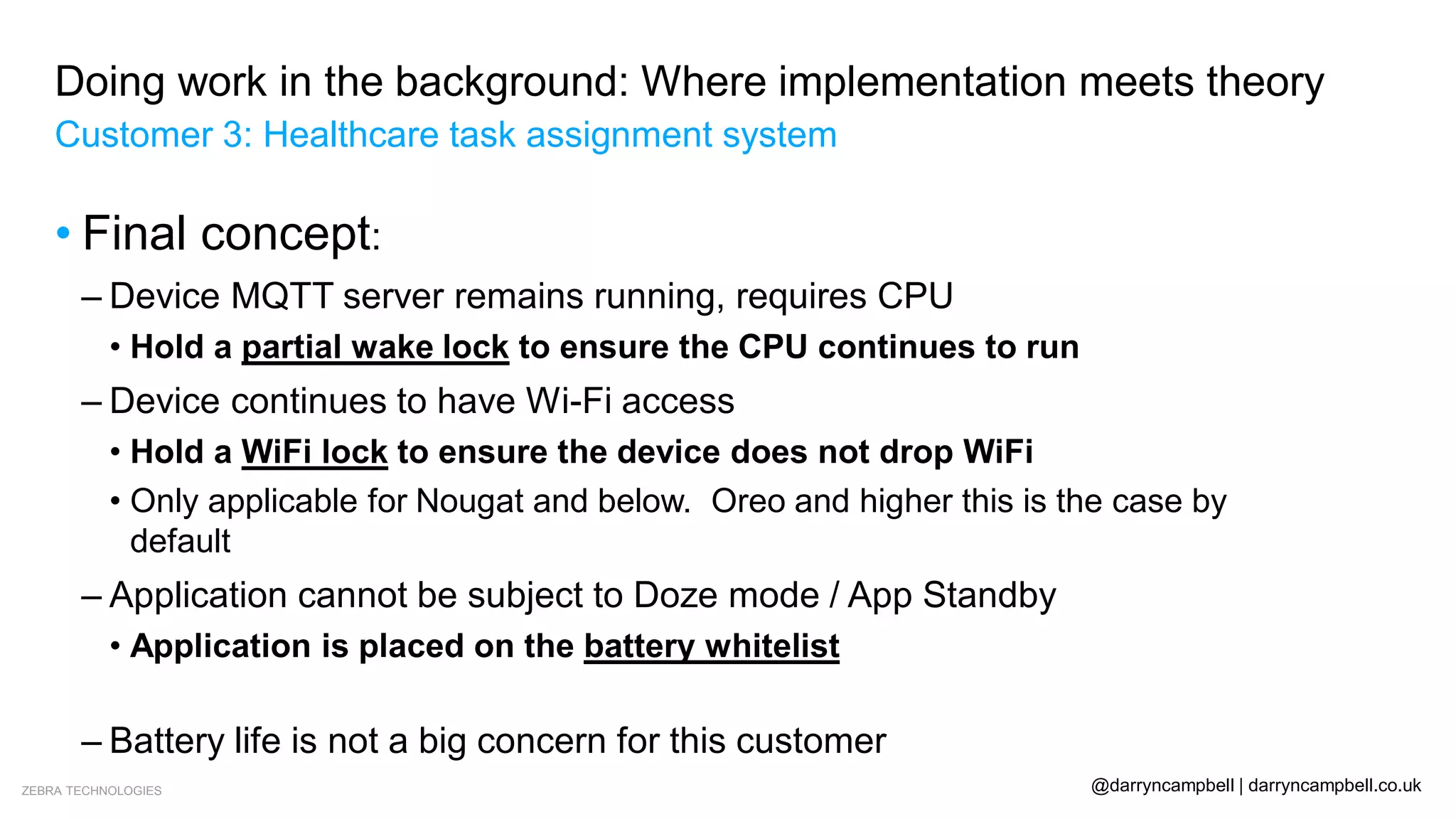
– Device MQTT server remains running, requires CPU
• Hold a partial wake lock to ensure the CPU continues to run
– Device continues to have Wi-Fi access
• Hold a WiFi lock to ensure the device does not drop WiFi
• Only applicable for Nougat and below. Oreo and higher this is the case by
default
– Application cannot be subject to Doze mode / App Standby
• Application is placed on the battery whitelist
• Customer is side-loading the application
– Battery life is not a big concern for this customer
ZEBRA TECHNOLOGIES @darryncampbell | darryncampbell.co.uk
Doing work in the background: Where implementation meets theory
Customer 3: Healthcare task assignment system
• Final concept:
–Is this sustainable??
• Android Nougat introduced enhanced doze mode
• Android Oreo introduced background restrictions
• Android Pie introduced additional restrictions
• Android 10 introduced additional, though unrelated restrictions
–Application needs extensive testing (& potential rework) with
each Android version
ZEBRA TECHNOLOGIES @darryncampbell | darryncampbell.co.uk
Doing work in the background: Where implementation meets theory
Customer 3: Healthcare task assignment system
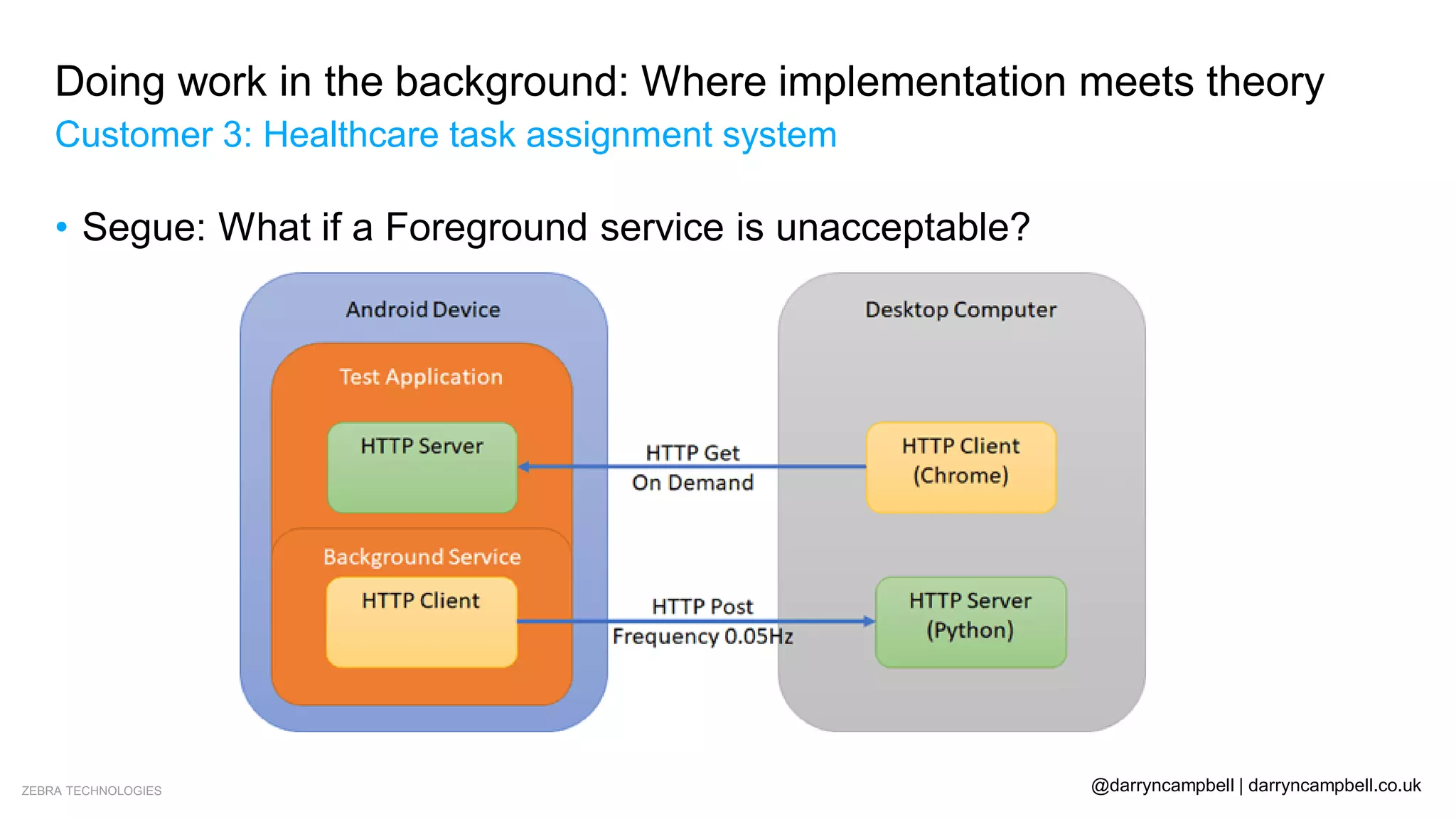
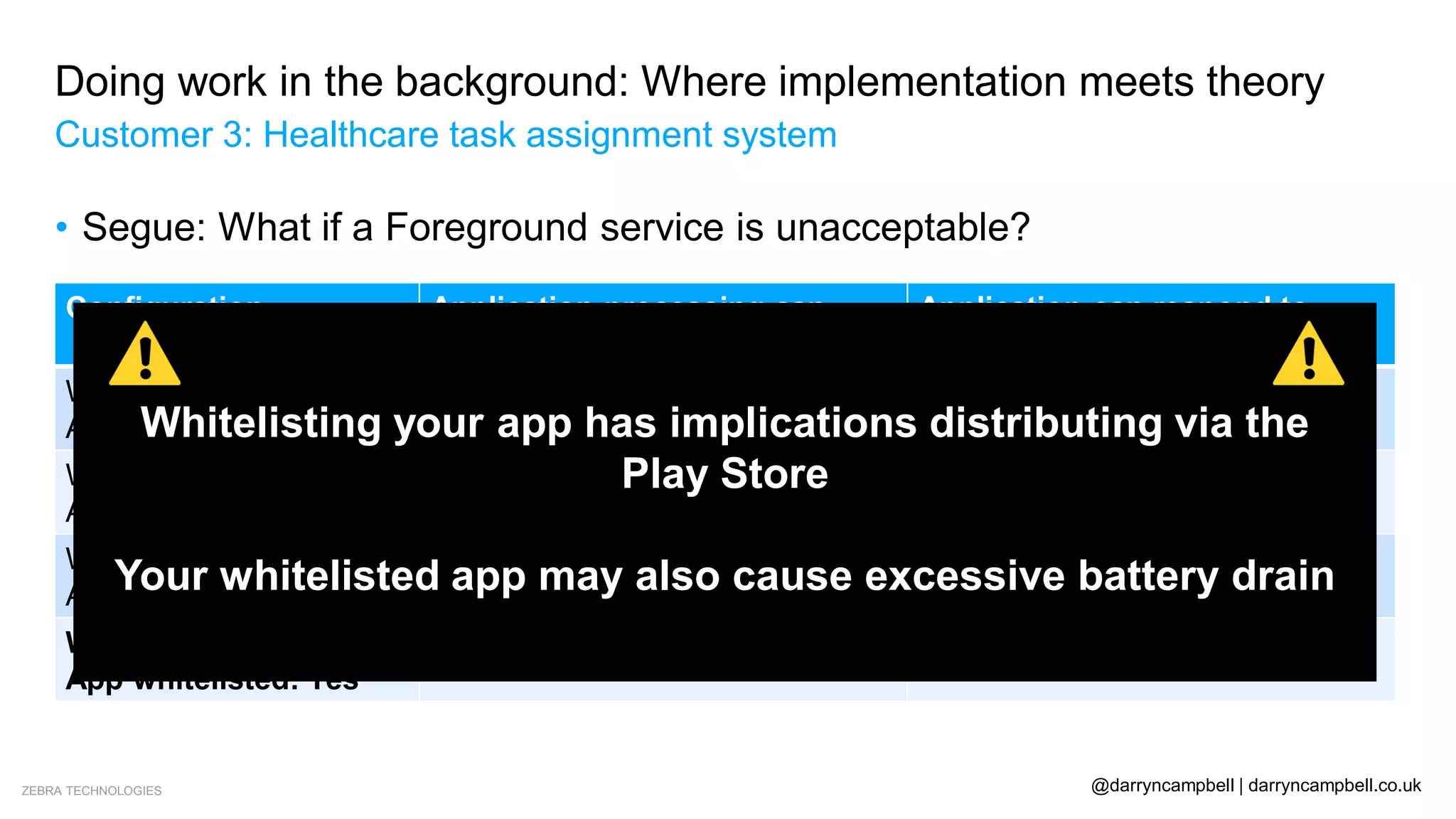
• Segue: What if a Foreground service is unacceptable?
ZEBRA TECHNOLOGIES @darryncampbell | darryncampbell.co.uk
Doing work in the background: Where implementation meets theory
Customer 3: Healthcare task assignment system
• Segue: What if a Foreground service is unacceptable?
Configuration Application processing can
continue? (HTTP POST)
Application can respond to
network requests (HTTP GET)
Wake lock: Not acquired
App whitelisted: No
No – Stops after a few seconds No – Stops after a few minutes
Wake lock: Acquired
App whitelisted: No
No – Stops after about 60
seconds
No – Stops after a few minutes
Wake lock: Not acquired
App whitelisted: Yes
No – Stops after a few seconds Yes – Continues indefinitely
Wake lock: Acquired
App whitelisted: Yes
Yes – Continues indefinitely Yes – Continues indefinitely
Whitelisting your app has implications distributing via the
Play Store
Your whitelisted app may also cause excessive battery drain
ZEBRA TECHNOLOGIES @darryncampbell | darryncampbell.co.uk
Doing work in the background: Where implementation meets theory
Advice from Google – I need to run a task in the background, how should I do it?
Local Deferrable Work & Sync
Is online triggered?
User expects to run immediately without
interruption?
Needs to execute at an exact time?
No
No
No
Don’t do as background work
Yes WorkManager
Yes
Firebase Cloud Messaging & Work
Manager
Yes Foreground Service
Yes Alarm Manager
ZEBRA TECHNOLOGIES @darryncampbell | darryncampbell.co.uk
Doing work in the background: Where implementation meets theory
“Customer 4”: My own experience
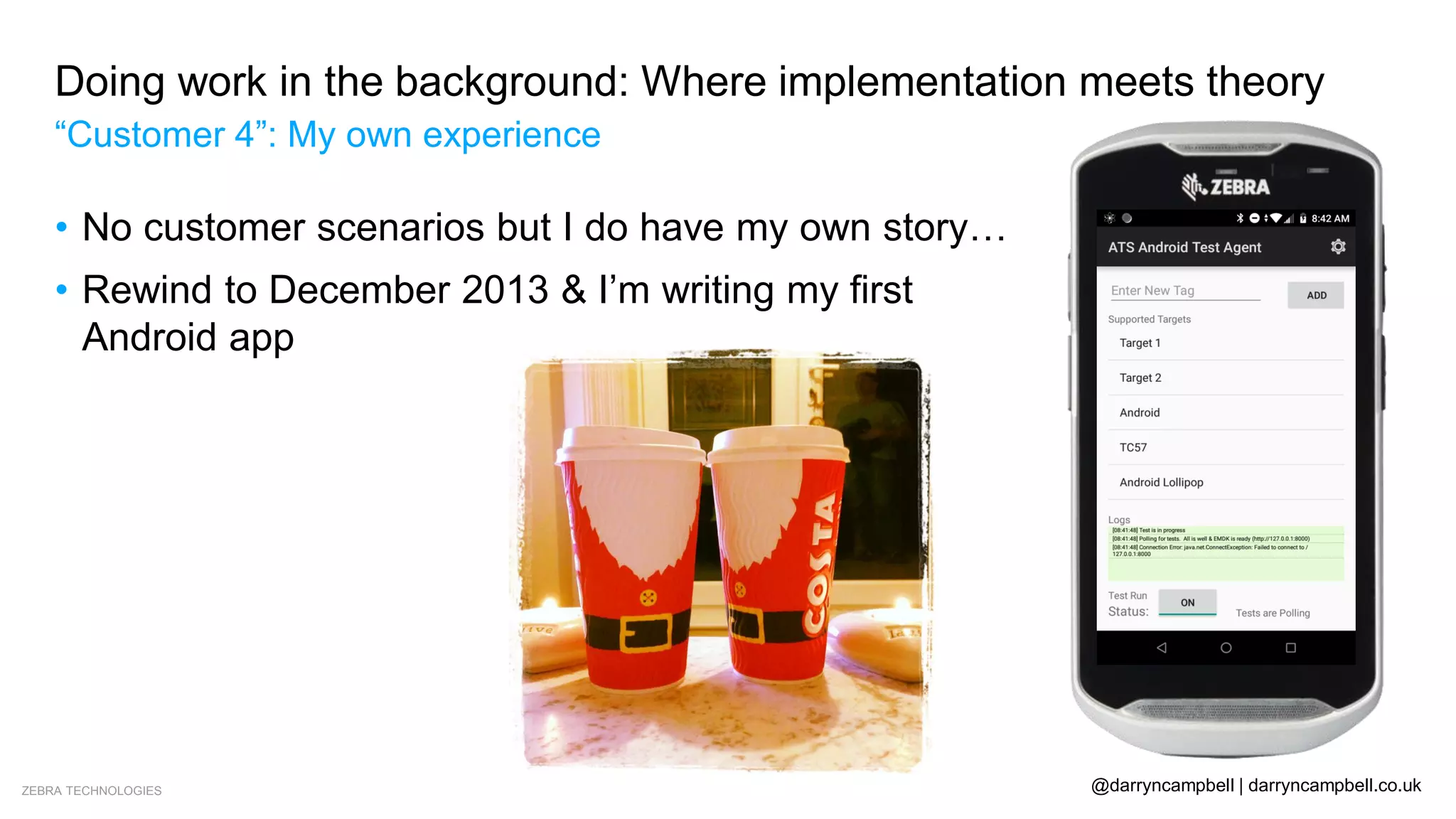
• No customer scenarios but I do have my own story…
• Rewind to December 2013 & I’m writing my first
Android app
ZEBRA TECHNOLOGIES @darryncampbell | darryncampbell.co.uk
Doing work in the background: Where implementation meets theory
“Customer 4”: My own experience
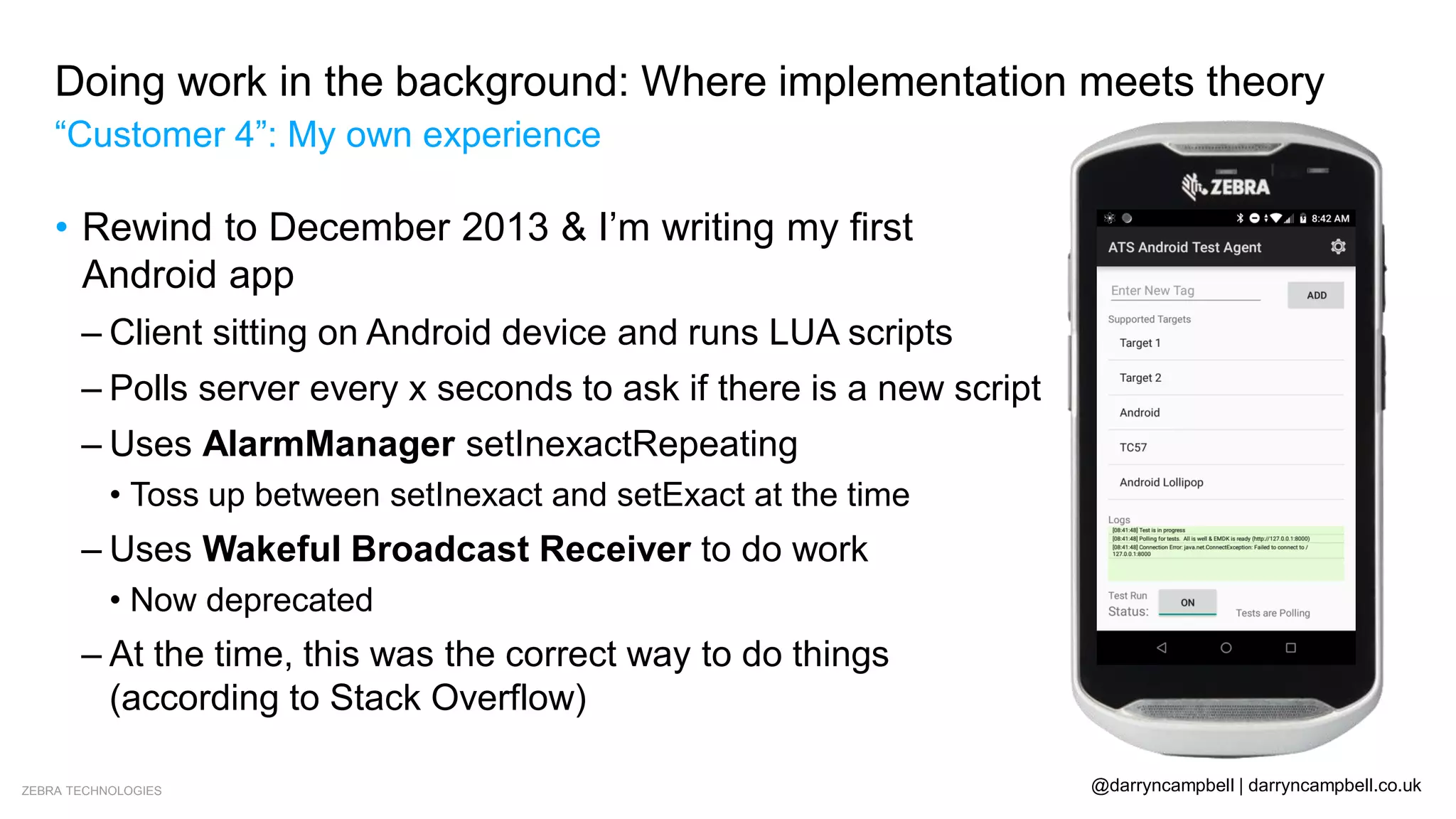
• Rewind to December 2013 & I’m writing my first
Android app
– Client sitting on Android device and runs LUA scripts
– Polls server every x seconds to ask if there is a new script
– Uses AlarmManager setInexactRepeating
• Toss up between setInexact and setExact at the time
– Uses Wakeful Broadcast Receiver to do work
• Now deprecated
– At the time, this was the correct way to do things
(according to Stack Overflow)
ZEBRA TECHNOLOGIES @darryncampbell | darryncampbell.co.uk
Doing work in the background: Where implementation meets theory
“Customer 4”: My own experience
• What is my point??
– AlarmManager has been around since API level 1
• Long history and lots of experience using the API amongst the community
– Early way of specifying an exact time to execute
– Still underlying implementation of WorkManager on API 14 – 22
– API 23 introduced setExactAndAllowWhileIdle()
• Minimum period of 15 minutes
• No benefits over WorkManager, “may take [..] liberties when scheduling in
order to optimize for battery life”
– Alarm Manager should only be used for a single task that needs to happen
at a specific time, like an Alarm
ZEBRA TECHNOLOGIES @darryncampbell | darryncampbell.co.uk
Doing work in the background: Where implementation meets theory
Conclusions: Battery Historian
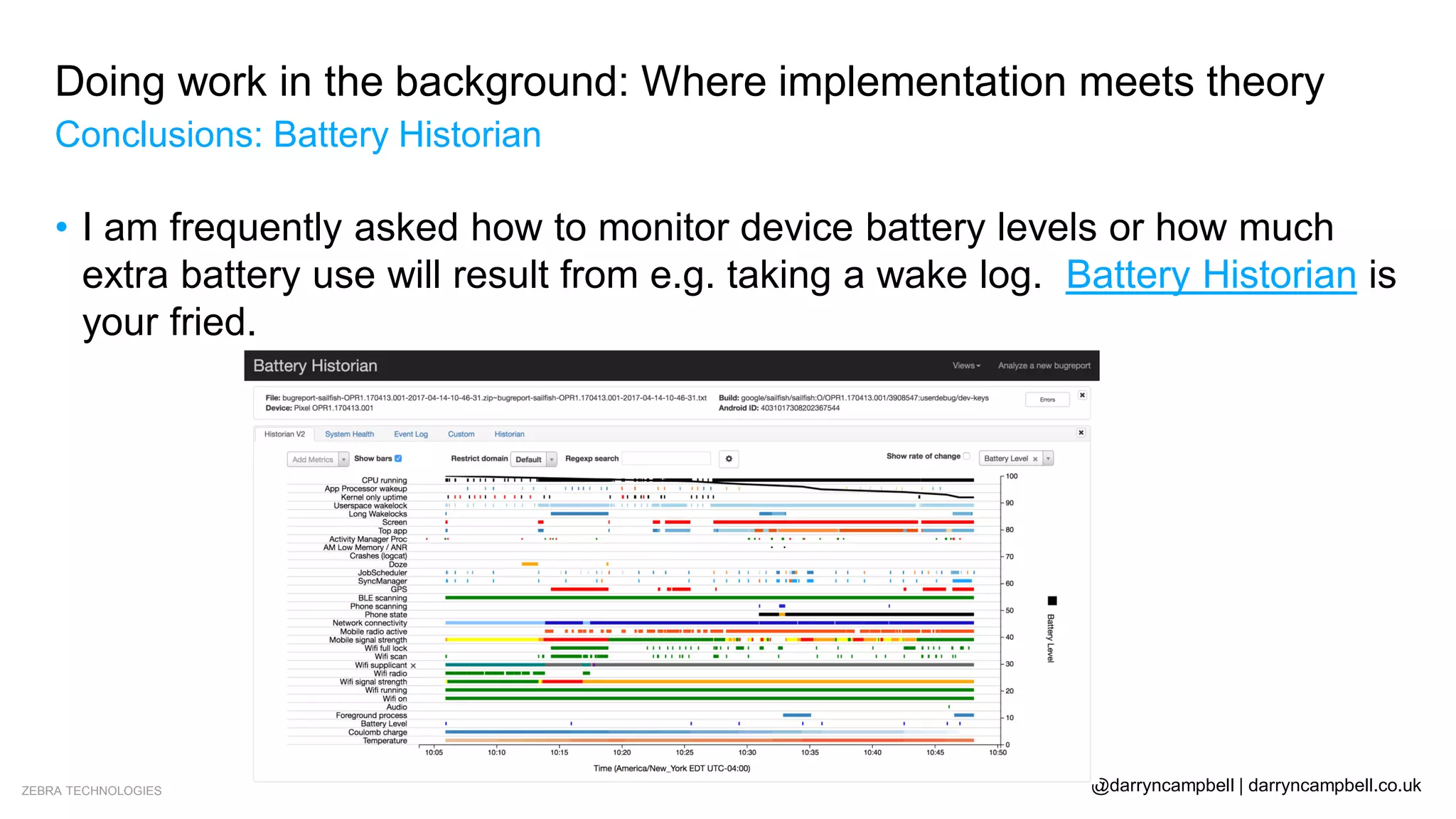
• I am frequently asked how to monitor device battery levels or how much
extra battery use will result from e.g. taking a wake log. Battery Historian is
your fried.
ZEBRA TECHNOLOGIES @darryncampbell | darryncampbell.co.uk
Doing work in the background: Where implementation meets theory
Further reading
• Google series of blogs on Power management features: https://android-
developers.googleblog.com/search/label/Power%20series
• My own blogs on background restrictions:
– Pie / 10: http://www.darryncampbell.co.uk/tag/background-restrictions/
– Oreo / Nougat / Marshmallow: https://developer.zebra.com/blog/keeping-your-
android-application-running-when-device-wants-sleep-updated-android-oreo
• My own test app for background behaviour:
https://github.com/darryncampbell/WakeLock_WifiLock_Exerciser
ZEBRA TECHNOLOGIES @darryncampbell | darryncampbell.co.uk
Doing work in the background: Where implementation meets theory
Questions?
http://developer.zebra.com
Thank You
ZEBRA and the stylized Zebra head are trademarks of Zebra Technologies Corp., registered in many jurisdictions worldwide. All other trademarks are the
property of their respective owners. ©2019 Zebra Technologies Corp. and/or its affiliates. All rights reserved.
33

Doing work in the background - Darryn Campbell, Zebra Technologies

  • 1.
    1 Doing Work inthe Background: Where Implementation meets Theory Darryn Campbell SW Architect, Zebra Technologies @darryncampbell December 19th, 2019
  • 2.
    ZEBRA TECHNOLOGIES @darryncampbell| darryncampbell.co.uk Doing work in the background: Where implementation meets theory Who am I? • Developer advocate / Software architect for Zebra Technologies – Android OEM developing task specific devices • Responsible for our Android developer kits & APIs
  • 3.
    ZEBRA TECHNOLOGIES @darryncampbell| darryncampbell.co.uk Over the years there has been continual change in this area: Running in the background Job Scheduler Doze mode Doze “on the go” Background restrictions Bucket-based restrictions & Restricted apps Cannot start activity from background Doing work in the background: Where implementation meets theory Problem statement
  • 4.
    ZEBRA TECHNOLOGIES @darryncampbell| darryncampbell.co.uk Doing work in the background: Where implementation meets theory Advice from Google – I need to run a task in the background, how should I do it? Local Deferrable Work & Sync Is online triggered? User expects to run immediately without interruption? Needs to execute at an exact time? No No No Don’t do as background work Yes WorkManager Yes Firebase Cloud Messaging & Work Manager Yes Foreground Service Yes Alarm Manager
  • 5.
    ZEBRA TECHNOLOGIES @darryncampbell| darryncampbell.co.uk Doing work in the background: Where implementation meets theory Advice from Google – I need to run a task in the background, how should I do it? Local Deferrable Work & Sync Is online triggered? User expects to run immediately without interruption? Needs to execute at an exact time? No No No Don’t do as background work Yes WorkManager Yes Firebase Cloud Messaging & Work Manager Yes Foreground Service Yes Alarm Manager
  • 6.
    ZEBRA TECHNOLOGIES @darryncampbell| darryncampbell.co.uk Doing work in the background: Where implementation meets theory Customer 1: Warehouse device tracker • Problem statement: –Think “Find My Device” but within the 4 walls –No external network access: • No Google accounts or FCM • No WAN connection –Show real-time device locations in a list and on a map
  • 7.
    ZEBRA TECHNOLOGIES @darryncampbell| darryncampbell.co.uk Doing work in the background: Where implementation meets theory Customer 1: Warehouse device tracker • Initial concept: –Device needs constant connection to communicate location every 5 minutes • Therefore: Whitelist the app to avoid doze mode • Whitelisting required the user to agree to disable battery optimization manually • What if the user provision the device clicks ‘Deny’? –PoC saw battery consumption increase by 7%!!
  • 8.
    ZEBRA TECHNOLOGIES @darryncampbell| darryncampbell.co.uk Doing work in the background: Where implementation meets theory Customer 1: Warehouse device tracker • Final concept:
  • 9.
    ZEBRA TECHNOLOGIES @darryncampbell| darryncampbell.co.uk Doing work in the background: Where implementation meets theory Customer 1: Warehouse device tracker • Final concept: –This was a perfect example where following Google’s guidance was the right thing to do • Use Work Manager and schedule a periodic job to report device location –Lessons learned: • Discuss requirements with the client – the 5 minute reporting interval was being treated as an exact interval • Spend 30 minutes reading articles on power management rather than hours debugging why your app is non-responsive or battery drain is excessive
  • 10.
    ZEBRA TECHNOLOGIES @darryncampbell| darryncampbell.co.uk Doing work in the background: Where implementation meets theory Customer 1: Warehouse device tracker • Segue: WorkManager – Great getting started guides at https://developer.android.com/topic/libraries/architecture/workmanager – This is not a presentation about Work Manager – Google have some great presentations on YouTube for that.
  • 11.
    ZEBRA TECHNOLOGIES @darryncampbell| darryncampbell.co.uk Doing work in the background: Where implementation meets theory Customer 1: Warehouse device tracker • Segue: WorkManager – Used to perform tasks in the background that should happen when your application is not in the foreground – Takes account of all Android’s background restrictions now and in the future – Replaces and supersedes previous classes such as Firebase JobDispatcher & JobScheduler – Work can be periodic or can run a single time – Work will be scheduled to run at a time that is most power efficient e.g. during a doze mode window – Developer can add conditions such as ‘device on power’ or ‘device has wifi’
  • 12.
    ZEBRA TECHNOLOGIES @darryncampbell| darryncampbell.co.uk Doing work in the background: Where implementation meets theory Customer 1: Warehouse device tracker • Segue: WorkManager public class UploadWorker extends Worker { public UploadWorker( @NonNull Context context, @NonNull WorkerParameters params) { super(context, params); } @Override public Result doWork() { // Do the work here--in this case, upload the images. uploadImages() // Indicate whether the task finished successfully with the Result return Result.success() } } OneTimeWorkRequest uploadWorkRequest = new OneTimeWorkRequest.Builder(UploadWorker.class) .setConstraints(new Constraints.Builder().setRequiresCharging(true).build()) .build() WorkManager.getInstance(myContext).enqueue(uploadWorkRequest);
  • 13.
    ZEBRA TECHNOLOGIES @darryncampbell| darryncampbell.co.uk Doing work in the background: Where implementation meets theory Advice from Google – I need to run a task in the background, how should I do it? Local Deferrable Work & Sync Is online triggered? User expects to run immediately without interruption? Needs to execute at an exact time? No No No Don’t do as background work Yes WorkManager Yes Firebase Cloud Messaging & Work Manager Yes Foreground Service Yes Alarm Manager
  • 14.
    ZEBRA TECHNOLOGIES @darryncampbell| darryncampbell.co.uk Doing work in the background: Where implementation meets theory Customer 2: Device update in the field • Problem statement: –Device OS (Android) needs to be updated in the field –Devices are not managed by a carrier, a server needs to push a .zip file containing the update to the device • To avoid strain on network, devices need to be updated in batches • Devices need to be updated during downtime to minimize interruption • .zip file can be in excess of 1GB
  • 15.
    ZEBRA TECHNOLOGIES @darryncampbell| darryncampbell.co.uk Doing work in the background: Where implementation meets theory Customer 2: Device update in the field • Initial concept: –“OSUpdate” application on the device maintains a foreground service • Always ready to receive instructions to update automatically • Download can happen without worrying about background restrictions or doze mode • All devices now have a continual notification for a function that happens monthly –Need to educate user that the notification should be ignored
  • 16.
    ZEBRA TECHNOLOGIES @darryncampbell| darryncampbell.co.uk Doing work in the background: Where implementation meets theory Customer 2: Device update in the field • Final concept: –OS Updates are initiated by a Firebase Cloud Message • High priority message received regardless of power restrictions • 1 or 2 messages a month – no worries about bucket-based restrictions • No need to maintain a persistent notification - Power efficient –Downloading the update is managed by Android’s built-in Download Manager • Works 99% of the time but some edge cases for updating unattended devices
  • 17.
    ZEBRA TECHNOLOGIES @darryncampbell| darryncampbell.co.uk Doing work in the background: Where implementation meets theory Customer 2: OS Update • Segue: Firebase Cloud Messaging (FCM)
  • 18.
    ZEBRA TECHNOLOGIES @darryncampbell| darryncampbell.co.uk Doing work in the background: Where implementation meets theory Advice from Google – I need to run a task in the background, how should I do it? Local Deferrable Work & Sync Is online triggered? User expects to run immediately without interruption? Needs to execute at an exact time? No No No Don’t do as background work Yes WorkManager Yes Firebase Cloud Messaging & Work Manager Yes Foreground Service Yes Alarm Manager
  • 19.
    ZEBRA TECHNOLOGIES @darryncampbell| darryncampbell.co.uk Doing work in the background: Where implementation meets theory Customer 3: Healthcare task assignment system • Problem statement: –Within a hospital • Assign tasks to nurses / doctors / staff • Some messages VERY time sensitive • Emergency tasks could (literally) be a matter of life of death –Customer not comfortable with Firebase Cloud Messages • FCM “very reliable but outages do occur” • Round-trip-time to external FCM unacceptable
  • 20.
    ZEBRA TECHNOLOGIES @darryncampbell| darryncampbell.co.uk Doing work in the background: Where implementation meets theory Customer 3: Healthcare task assignment system • Initial concept: –System deployed and working well under Lollipop –Uptime guaranteed by hospital IT administrator –Any changes to software / hardware seen as risk • Customer moved to Marshmallow –Deployed software stops working when in doze –Customer uses foreground service as a workaround
  • 21.
    ZEBRA TECHNOLOGIES @darryncampbell| darryncampbell.co.uk Doing work in the background: Where implementation meets theory Customer 3: Healthcare task assignment system • Final concept: – Note: This scenario falls under the acceptable use-cases for whitelisting – “Messaging App” “can’t use FCM because of technical dependency”
  • 22.
    ZEBRA TECHNOLOGIES @darryncampbell| darryncampbell.co.uk Doing work in the background: Where implementation meets theory Customer 3: Healthcare task assignment system • Final concept: – Device MQTT server remains running, requires CPU • Hold a partial wake lock to ensure the CPU continues to run – Device continues to have Wi-Fi access • Hold a WiFi lock to ensure the device does not drop WiFi • Only applicable for Nougat and below. Oreo and higher this is the case by default – Application cannot be subject to Doze mode / App Standby • Application is placed on the battery whitelist • Customer is side-loading the application – Battery life is not a big concern for this customer
  • 23.
    ZEBRA TECHNOLOGIES @darryncampbell| darryncampbell.co.uk Doing work in the background: Where implementation meets theory Customer 3: Healthcare task assignment system • Final concept: –Is this sustainable?? • Android Nougat introduced enhanced doze mode • Android Oreo introduced background restrictions • Android Pie introduced additional restrictions • Android 10 introduced additional, though unrelated restrictions –Application needs extensive testing (& potential rework) with each Android version
  • 24.
    ZEBRA TECHNOLOGIES @darryncampbell| darryncampbell.co.uk Doing work in the background: Where implementation meets theory Customer 3: Healthcare task assignment system • Segue: What if a Foreground service is unacceptable?
  • 25.
    ZEBRA TECHNOLOGIES @darryncampbell| darryncampbell.co.uk Doing work in the background: Where implementation meets theory Customer 3: Healthcare task assignment system • Segue: What if a Foreground service is unacceptable? Configuration Application processing can continue? (HTTP POST) Application can respond to network requests (HTTP GET) Wake lock: Not acquired App whitelisted: No No – Stops after a few seconds No – Stops after a few minutes Wake lock: Acquired App whitelisted: No No – Stops after about 60 seconds No – Stops after a few minutes Wake lock: Not acquired App whitelisted: Yes No – Stops after a few seconds Yes – Continues indefinitely Wake lock: Acquired App whitelisted: Yes Yes – Continues indefinitely Yes – Continues indefinitely Whitelisting your app has implications distributing via the Play Store Your whitelisted app may also cause excessive battery drain
  • 26.
    ZEBRA TECHNOLOGIES @darryncampbell| darryncampbell.co.uk Doing work in the background: Where implementation meets theory Advice from Google – I need to run a task in the background, how should I do it? Local Deferrable Work & Sync Is online triggered? User expects to run immediately without interruption? Needs to execute at an exact time? No No No Don’t do as background work Yes WorkManager Yes Firebase Cloud Messaging & Work Manager Yes Foreground Service Yes Alarm Manager
  • 27.
    ZEBRA TECHNOLOGIES @darryncampbell| darryncampbell.co.uk Doing work in the background: Where implementation meets theory “Customer 4”: My own experience • No customer scenarios but I do have my own story… • Rewind to December 2013 & I’m writing my first Android app
  • 28.
    ZEBRA TECHNOLOGIES @darryncampbell| darryncampbell.co.uk Doing work in the background: Where implementation meets theory “Customer 4”: My own experience • Rewind to December 2013 & I’m writing my first Android app – Client sitting on Android device and runs LUA scripts – Polls server every x seconds to ask if there is a new script – Uses AlarmManager setInexactRepeating • Toss up between setInexact and setExact at the time – Uses Wakeful Broadcast Receiver to do work • Now deprecated – At the time, this was the correct way to do things (according to Stack Overflow)
  • 29.
    ZEBRA TECHNOLOGIES @darryncampbell| darryncampbell.co.uk Doing work in the background: Where implementation meets theory “Customer 4”: My own experience • What is my point?? – AlarmManager has been around since API level 1 • Long history and lots of experience using the API amongst the community – Early way of specifying an exact time to execute – Still underlying implementation of WorkManager on API 14 – 22 – API 23 introduced setExactAndAllowWhileIdle() • Minimum period of 15 minutes • No benefits over WorkManager, “may take [..] liberties when scheduling in order to optimize for battery life” – Alarm Manager should only be used for a single task that needs to happen at a specific time, like an Alarm
  • 30.
    ZEBRA TECHNOLOGIES @darryncampbell| darryncampbell.co.uk Doing work in the background: Where implementation meets theory Conclusions: Battery Historian • I am frequently asked how to monitor device battery levels or how much extra battery use will result from e.g. taking a wake log. Battery Historian is your fried.
  • 31.
    ZEBRA TECHNOLOGIES @darryncampbell| darryncampbell.co.uk Doing work in the background: Where implementation meets theory Further reading • Google series of blogs on Power management features: https://android- developers.googleblog.com/search/label/Power%20series • My own blogs on background restrictions: – Pie / 10: http://www.darryncampbell.co.uk/tag/background-restrictions/ – Oreo / Nougat / Marshmallow: https://developer.zebra.com/blog/keeping-your- android-application-running-when-device-wants-sleep-updated-android-oreo • My own test app for background behaviour: https://github.com/darryncampbell/WakeLock_WifiLock_Exerciser
  • 32.
    ZEBRA TECHNOLOGIES @darryncampbell| darryncampbell.co.uk Doing work in the background: Where implementation meets theory Questions? http://developer.zebra.com
  • 33.
    Thank You ZEBRA andthe stylized Zebra head are trademarks of Zebra Technologies Corp., registered in many jurisdictions worldwide. All other trademarks are the property of their respective owners. ©2019 Zebra Technologies Corp. and/or its affiliates. All rights reserved. 33