Configuring Sage 500
for Performance
RKL Performance Team
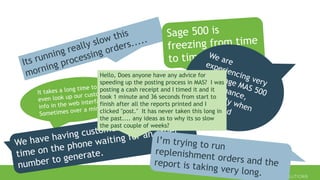
Hello, Does anyone have any advice for
speeding up the posting process in MAS? I was
posting a cash receipt and I timed it and it
took 1 minute and 36 seconds from start to
finish after all the reports printed and I
clicked "post." It has never taken this long in
the past.... any ideas as to why its so slow
the past couple of weeks?
Mid-Market Performance Tuning:
Zero human wait time…
for humans doing the right things
John Puttman - 2020
 IT Professionals Supporting Sage 500 Systems
 Sage 500 Functional Understanding
 SQL Server Administration
 Server Administration
 Business Professionals
 Will provide references for use by IT Professionals
Target Audience
 Sage 500 Specific Configuration – 16 Items
 VM and Server Configuration – 8 Items
 SQL Server Configuration – 5 Items
 Database Configuration – 5 Items
Agenda
Sage 500
SPECIFIC CONFIGURATIONS
#1 - TRUNCATE WORK TABLES
https://www.rklesolutions.com/blog/how-to-truncate-wrk-tables-in-sage-500-erp
• Primarily Defined by suffix of “wrk”
• Not always properly cleaned
• Create Nightly SQL Agent Job – Truncate Work Tables
#2 – MAINTAIN tglPosting
• Used in Pre-Posting process to create pending GL records
• When Posted will be removed from tglPosting and moved to tglTransaction
• Have found years of orphaned records
• Remove records that are more than one year old
• Remove records from periods that are closed
• To reduce risk – place records into archive table
#3 – MAINTAIN LOGGING TABLES
• tciDBActivityLog
• tciMaintAuditLog
#4 – Remove Orphaned Picklist Records
• tsoPickList
• Weekly SQL Agent Job
#5 – TURN OFF AUTO LOAD OF BUSINESS INSIGHTS VIEWS AND
LOOKUPS
https://www.rklesolutions.com/blog/sage-500-disable-auto-load
#6 – CONVERT STOCK STATUS BIE to STORED PROCEDURE
https://www.rklesolutions.com/blog/sage-500-disable-auto-load
• Use Dynamic SQL to handle Filtering
• Ensure that the final select includes CompanyID and all the
columns required for the view
#7 – REFACTOR spimIMSQtyAvail
https://www.rklesolutions.com/blog/sage-500-process-replenishment-orders
• Especially important when using Inventory Replenishment
• Native Logic for Quantity on Hand, Pending Increase and Pending Decrease has 3
overflow checks and the query
• Refactor to 1 query with try catch and 2nd query for overflow checks
• Decreased Create Suggested Orders runtime 5 – 10 times
SHOW DEMO SCRIPT – Refactor spimIMSQtyAvail.sql
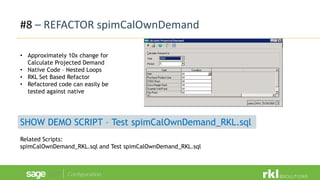
#8 – REFACTOR spimCalOwnDemand
• Approximately 10x change for
Calculate Projected Demand
• Native Code – Nested Loops
• RKL Set Based Refactor
• Refactored code can easily be
tested against native
SHOW DEMO SCRIPT – Test spimCalOwnDemand_RKL.sql
Related Scripts:
spimCalOwnDemand_RKL.sql and Test spimCalOwnDemand_RKL.sql
#9 – REFACTOR LOGIC LOCK CLEANUP
• Assists in Shipment Commit Process
• Courtesy of Filipe Miranda – a DBA at one of RKL’s customers
• Refactor spsmLogicalLockCleanup
• Add SQL Agent Job to asynchronously cleanup locks
• Did not see this procedure called by any other processes or with a different lock
type.
SHOW DEMO SCRIPT:
spsmLogicalLockCleanup – New Version.sql
#10 – Automate Customer and Vendor Aging
• Courtesy of Russ Griffith – RKL’s Sage 500 Practice Manager
https://www.rklesolutions.com/blog/sage500-automate-aging-recalc
#11 – Automate Shipment Commit Process
• Courtesy of Dan Perrigan – RKL Sr Sage 500 Developer
• Implemented at several Sage 500 customers
• Can be scheduled to run throughout the day or in the evenings
• Can include or exclude invoice posting
• Saves operator time in committing shipments and or posting invoices
Contact RKL eSolutions Consulting for quote
#12 – Consider Running on a Newer Version of SQL Server
• Sage 500 7.2 running on SQL 2014
• Sage 500 7.4 running on SQL 2017
• SQL 2016 Benefits
• Query Store
• SQL 2019 Benefits
• Adaptive Query Processing
• Script to correct version checking – Turn off SQL Version Ckg-force version.sql
(Note – 7.6 with O2 Mobile has code issue with SQL 2012+)
https://www.rklesolutions.com/blog/running-sage-500-7-2-on-sql-server-2014
#13 – eBusiness Suite – Sales Order Search
• Older versions of eBS – The main sales order search query has a few non sargable
predicates causing table scans on several tables and resulting in > 20 second return
times.
• Modifying to use a dynamic sql improves performance to < 1 second return times
SHOW DEMO SCRIPT:
eBS – SPSOSEARCHORDER_dynamic_RKL.sql
#14 – eBusiness Suite – Customer Search
• Older versions of eBS – One query has a few non sargable predicates causing table
scans on several tables and resulting in > 10 second return times.
• Modifying to use a dynamic sql improves performance to < 1 second return times
SHOW DEMO SCRIPT:
eBS – SPARGETCUST_RKL.sql
#15 – eBusiness Suite – Sales Order Insert
• Older versions of eBS – sales order insert has a check for existing address. It has
non sargable predicates. Insert times can be > 10 seconds
• Modifying to use a CTE and improve times to < 2 seconds
SHOW DEMO SCRIPT:
eBS – SPSOINSERTSTGORDERBASIC_RKL.sql
#16 – O2 Mobile Implementations: Maintain toaEvent
• In some versions of O2 mobile toaEvent doesn’t empty
• Some customers have > 3 million rows in the table
• Adding new rows to the table can take 4 seconds to complete do to a lookup
• Add SQL Agent Job to remove old records to speed performance
VM & Server
CONFIGURATION
#17 – BIOS CONFIGURATION
• Power Management Settings – Disabled
• Disable C-States
• HyperThreading - Enabled
#18 – VMWare Guest OS Configuration
• Compute
• CPU configuration to match physical Host
• If possible stay within one NUMA node
• Hot CPU – OFF
• Make sure to configure change default of one socket per vCPU
• Memory
• Stay within one NUMA Node
• Reserve all guest memory
• Network
• Turn off the “Allow the computer to save power setting”
• Turn on Receive Side Scaling
#19 – VMWare Guest Storage Configuration
• SCSI Adapters – use the VMWare Paravirtual Adpaters (PVSCSI)
• Spread Drives across multiple adapters
Drive Controller /
Location
Purpose
C: 0:0 Operating System
D: 1:0 SQL Data Files
L: 2:0 SQL Log Files
T: 3:0 TempDB Data and Log Files
Z: 0:1 Backup
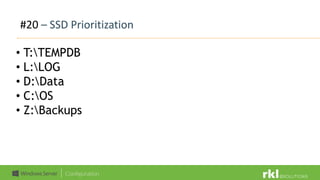
#20 – SSD Prioritization
• T:TEMPDB
• L:LOG
• D:Data
• C:OS
• Z:Backups
#21 – Service Accounts
• Use Group Managed Service Account or Managed
Service Account
• Domain Account as alternative
• Use separate accounts for Dev, Staging and
Production
Microsoft Guide to gMSA: https://bit.ly/3e6drsO
#22 – Windows Power Options
• Use High Performance
#23 – Group Polices
• Add SQL Server Service Account to:
• Lock Pages In Memory
• Perform Volume Maintenance Tasks
#24 – Anti Virus Exclusions
• Configure any AV software to exclude SQL Server Files
• Binaries
• Data Files (.mdf, .ndf)
• Log Files (.ldf)
• Backup Files (.bak, .trn)
• Extended Events or Trace Files (.xel, .trc)
Microsoft SQL Server Guidance on Anti-Virus: https://bit.ly/2ypXxdC
SQL Server
CONFIGURATIONS
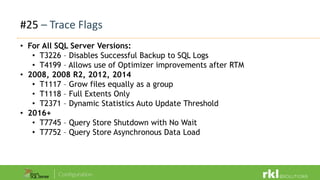
#25 – Trace Flags
• For All SQL Server Versions:
• T3226 – Disables Successful Backup to SQL Logs
• T4199 – Allows use of Optimizer improvements after RTM
• 2008, 2008 R2, 2012, 2014
• T1117 – Grow files equally as a group
• T1118 – Full Extents Only
• T2371 – Dynamic Statistics Auto Update Threshold
• 2016+
• T7745 – Query Store Shutdown with No Wait
• T7752 – Query Store Asynchronous Data Load
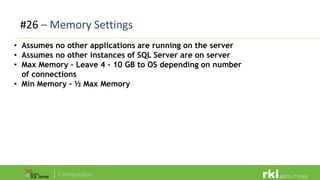
#26 – Memory Settings
• Assumes no other applications are running on the server
• Assumes no other instances of SQL Server are on server
• Max Memory – Leave 4 – 10 GB to OS depending on number
of connections
• Min Memory – ½ Max Memory
#27 – Parallelism Settings
• Cost Threshold for Parallelism: 30 – 50
• MAXDOP: Equal to number of CPUs on one NUMA Node
#28 – Other Server Settings
• Compress Backup by default: checked
• Optimize for Ad Hoc Workloads: True
#29 – TempDB
• Start with number of data files = number of processors / or 8 whichever is less
• Expand as needed by groups of 4 data files
• 80/10 Principle for avoiding intermittent growth
• 80% of tempdb disk space to data files
• 10% of tempdb disk space to tempDB log file
Sage 500 Database
CONFIGURATIONS
#30 – Statistics Generation
• Auto Create Statistics = True
• Auto Update Statistics = True
• Auto Update Statistics Asynchronously = True
#31 – Query Store
• SQL Server 2016+
• Operation Mode: Read Write
• Max Size – 2048 MB
• All other settings default
#32 – Missing Indexes
#33 – Index Fragmentation
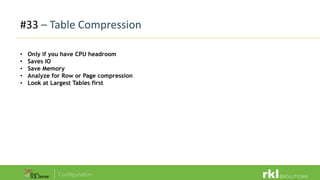
#33 – Table Compression
• Only if you have CPU headroom
• Saves IO
• Save Memory
• Analyze for Row or Page compression
• Look at Largest Tables first
Questions?

Configuring Sage 500 for Performance

  • 1.
    Configuring Sage 500 forPerformance RKL Performance Team
  • 2.
    Hello, Does anyonehave any advice for speeding up the posting process in MAS? I was posting a cash receipt and I timed it and it took 1 minute and 36 seconds from start to finish after all the reports printed and I clicked "post." It has never taken this long in the past.... any ideas as to why its so slow the past couple of weeks?
  • 3.
    Mid-Market Performance Tuning: Zerohuman wait time… for humans doing the right things John Puttman - 2020
  • 4.
     IT ProfessionalsSupporting Sage 500 Systems  Sage 500 Functional Understanding  SQL Server Administration  Server Administration  Business Professionals  Will provide references for use by IT Professionals Target Audience
  • 5.
     Sage 500Specific Configuration – 16 Items  VM and Server Configuration – 8 Items  SQL Server Configuration – 5 Items  Database Configuration – 5 Items Agenda
  • 6.
  • 7.
    #1 - TRUNCATEWORK TABLES https://www.rklesolutions.com/blog/how-to-truncate-wrk-tables-in-sage-500-erp • Primarily Defined by suffix of “wrk” • Not always properly cleaned • Create Nightly SQL Agent Job – Truncate Work Tables
  • 8.
    #2 – MAINTAINtglPosting • Used in Pre-Posting process to create pending GL records • When Posted will be removed from tglPosting and moved to tglTransaction • Have found years of orphaned records • Remove records that are more than one year old • Remove records from periods that are closed • To reduce risk – place records into archive table
  • 9.
    #3 – MAINTAINLOGGING TABLES • tciDBActivityLog • tciMaintAuditLog
  • 10.
    #4 – RemoveOrphaned Picklist Records • tsoPickList • Weekly SQL Agent Job
  • 11.
    #5 – TURNOFF AUTO LOAD OF BUSINESS INSIGHTS VIEWS AND LOOKUPS https://www.rklesolutions.com/blog/sage-500-disable-auto-load
  • 12.
    #6 – CONVERTSTOCK STATUS BIE to STORED PROCEDURE https://www.rklesolutions.com/blog/sage-500-disable-auto-load • Use Dynamic SQL to handle Filtering • Ensure that the final select includes CompanyID and all the columns required for the view
  • 13.
    #7 – REFACTORspimIMSQtyAvail https://www.rklesolutions.com/blog/sage-500-process-replenishment-orders • Especially important when using Inventory Replenishment • Native Logic for Quantity on Hand, Pending Increase and Pending Decrease has 3 overflow checks and the query • Refactor to 1 query with try catch and 2nd query for overflow checks • Decreased Create Suggested Orders runtime 5 – 10 times SHOW DEMO SCRIPT – Refactor spimIMSQtyAvail.sql
  • 14.
    #8 – REFACTORspimCalOwnDemand • Approximately 10x change for Calculate Projected Demand • Native Code – Nested Loops • RKL Set Based Refactor • Refactored code can easily be tested against native SHOW DEMO SCRIPT – Test spimCalOwnDemand_RKL.sql Related Scripts: spimCalOwnDemand_RKL.sql and Test spimCalOwnDemand_RKL.sql
  • 15.
    #9 – REFACTORLOGIC LOCK CLEANUP • Assists in Shipment Commit Process • Courtesy of Filipe Miranda – a DBA at one of RKL’s customers • Refactor spsmLogicalLockCleanup • Add SQL Agent Job to asynchronously cleanup locks • Did not see this procedure called by any other processes or with a different lock type. SHOW DEMO SCRIPT: spsmLogicalLockCleanup – New Version.sql
  • 16.
    #10 – AutomateCustomer and Vendor Aging • Courtesy of Russ Griffith – RKL’s Sage 500 Practice Manager https://www.rklesolutions.com/blog/sage500-automate-aging-recalc
  • 17.
    #11 – AutomateShipment Commit Process • Courtesy of Dan Perrigan – RKL Sr Sage 500 Developer • Implemented at several Sage 500 customers • Can be scheduled to run throughout the day or in the evenings • Can include or exclude invoice posting • Saves operator time in committing shipments and or posting invoices Contact RKL eSolutions Consulting for quote
  • 18.
    #12 – ConsiderRunning on a Newer Version of SQL Server • Sage 500 7.2 running on SQL 2014 • Sage 500 7.4 running on SQL 2017 • SQL 2016 Benefits • Query Store • SQL 2019 Benefits • Adaptive Query Processing • Script to correct version checking – Turn off SQL Version Ckg-force version.sql (Note – 7.6 with O2 Mobile has code issue with SQL 2012+) https://www.rklesolutions.com/blog/running-sage-500-7-2-on-sql-server-2014
  • 19.
    #13 – eBusinessSuite – Sales Order Search • Older versions of eBS – The main sales order search query has a few non sargable predicates causing table scans on several tables and resulting in > 20 second return times. • Modifying to use a dynamic sql improves performance to < 1 second return times SHOW DEMO SCRIPT: eBS – SPSOSEARCHORDER_dynamic_RKL.sql
  • 20.
    #14 – eBusinessSuite – Customer Search • Older versions of eBS – One query has a few non sargable predicates causing table scans on several tables and resulting in > 10 second return times. • Modifying to use a dynamic sql improves performance to < 1 second return times SHOW DEMO SCRIPT: eBS – SPARGETCUST_RKL.sql
  • 21.
    #15 – eBusinessSuite – Sales Order Insert • Older versions of eBS – sales order insert has a check for existing address. It has non sargable predicates. Insert times can be > 10 seconds • Modifying to use a CTE and improve times to < 2 seconds SHOW DEMO SCRIPT: eBS – SPSOINSERTSTGORDERBASIC_RKL.sql
  • 22.
    #16 – O2Mobile Implementations: Maintain toaEvent • In some versions of O2 mobile toaEvent doesn’t empty • Some customers have > 3 million rows in the table • Adding new rows to the table can take 4 seconds to complete do to a lookup • Add SQL Agent Job to remove old records to speed performance
  • 23.
  • 24.
    #17 – BIOSCONFIGURATION • Power Management Settings – Disabled • Disable C-States • HyperThreading - Enabled
  • 25.
    #18 – VMWareGuest OS Configuration • Compute • CPU configuration to match physical Host • If possible stay within one NUMA node • Hot CPU – OFF • Make sure to configure change default of one socket per vCPU • Memory • Stay within one NUMA Node • Reserve all guest memory • Network • Turn off the “Allow the computer to save power setting” • Turn on Receive Side Scaling
  • 26.
    #19 – VMWareGuest Storage Configuration • SCSI Adapters – use the VMWare Paravirtual Adpaters (PVSCSI) • Spread Drives across multiple adapters Drive Controller / Location Purpose C: 0:0 Operating System D: 1:0 SQL Data Files L: 2:0 SQL Log Files T: 3:0 TempDB Data and Log Files Z: 0:1 Backup
  • 27.
    #20 – SSDPrioritization • T:TEMPDB • L:LOG • D:Data • C:OS • Z:Backups
  • 28.
    #21 – ServiceAccounts • Use Group Managed Service Account or Managed Service Account • Domain Account as alternative • Use separate accounts for Dev, Staging and Production Microsoft Guide to gMSA: https://bit.ly/3e6drsO
  • 29.
    #22 – WindowsPower Options • Use High Performance
  • 30.
    #23 – GroupPolices • Add SQL Server Service Account to: • Lock Pages In Memory • Perform Volume Maintenance Tasks
  • 31.
    #24 – AntiVirus Exclusions • Configure any AV software to exclude SQL Server Files • Binaries • Data Files (.mdf, .ndf) • Log Files (.ldf) • Backup Files (.bak, .trn) • Extended Events or Trace Files (.xel, .trc) Microsoft SQL Server Guidance on Anti-Virus: https://bit.ly/2ypXxdC
  • 32.
  • 33.
    #25 – TraceFlags • For All SQL Server Versions: • T3226 – Disables Successful Backup to SQL Logs • T4199 – Allows use of Optimizer improvements after RTM • 2008, 2008 R2, 2012, 2014 • T1117 – Grow files equally as a group • T1118 – Full Extents Only • T2371 – Dynamic Statistics Auto Update Threshold • 2016+ • T7745 – Query Store Shutdown with No Wait • T7752 – Query Store Asynchronous Data Load
  • 34.
    #26 – MemorySettings • Assumes no other applications are running on the server • Assumes no other instances of SQL Server are on server • Max Memory – Leave 4 – 10 GB to OS depending on number of connections • Min Memory – ½ Max Memory
  • 35.
    #27 – ParallelismSettings • Cost Threshold for Parallelism: 30 – 50 • MAXDOP: Equal to number of CPUs on one NUMA Node
  • 36.
    #28 – OtherServer Settings • Compress Backup by default: checked • Optimize for Ad Hoc Workloads: True
  • 37.
    #29 – TempDB •Start with number of data files = number of processors / or 8 whichever is less • Expand as needed by groups of 4 data files • 80/10 Principle for avoiding intermittent growth • 80% of tempdb disk space to data files • 10% of tempdb disk space to tempDB log file
  • 38.
  • 39.
    #30 – StatisticsGeneration • Auto Create Statistics = True • Auto Update Statistics = True • Auto Update Statistics Asynchronously = True
  • 40.
    #31 – QueryStore • SQL Server 2016+ • Operation Mode: Read Write • Max Size – 2048 MB • All other settings default
  • 41.
  • 42.
    #33 – IndexFragmentation
  • 43.
    #33 – TableCompression • Only if you have CPU headroom • Saves IO • Save Memory • Analyze for Row or Page compression • Look at Largest Tables first
  • 44.

Editor's Notes

  • #8 Estimated Time: 01:10
  • #10 Estimated Time: tciDBActivityLog is for non recognized applications making changes to sage tables. Sage support has used this table in the past to determine if there is non-standard activity in order to redirect support requests to the proper developer. We recommend only keeping 30 days worth of data in this table. If risk averse, archive additional data to a separate table. tciMaintAuditLog – this is used for some change tracking within the Sage 500 database. We recommend determining the reason that this change tracking is enabled. Disable if possible. If not possible only retain the required data.
  • #11 Estimated Time:
  • #12 Estimated Time: 01:45
  • #13 Estimated Time: 02:11
  • #14 Estimated Time: 01:45
  • #15 Estimated Time: Can take > 10 minutes for some customers Has two nested loops Outer loop goes item by item Inner loop for each period used in demand calculation RKL Refactored Code is set based Refactored Code can easily be compared to native to validate See Script for spimCalOwnDemand_RKL for refactored code and test script. Contact RKL eSolutions performance team for assistance.
  • #16 Estimated Time: Called during the Shipment Commit process Create a loop of all orphaned logical locks Creates an explicit transaction within the loop of the locks while it trying to delete the locks Thus this is not performant code and slows down the commit process Refactored code bypasses the clean up for Shipment Commits Add call to code in SQL Agent Job with Lock type = 99 and run it periodically – every hour
  • #17 Estimated Time:
  • #18 Estimated Time:
  • #19 Estimated Time:
  • #20 Estimated Time:
  • #21 Estimated Time:
  • #22 Estimated Time:
  • #23 Estimated Time:
  • #25 Estimated Time: Power Management Options – Disabled – windows will handle power management CStates is a CPU state that allows for a lowered powered option – this should be disabled so that the CPU is always running with full power Enabling Hyper threading at the BIOS level will allow for the spreading of workload amongst processors more granularly
  • #26 Estimated Time: HOT CPU ADD – Turning this off allows SQL Server to be NUMA aware Memory on one NUMA – allows SQL to stay to not make remote memory access calls RSS – allows incoming traffic to be processed by many CPU’s. Without this enabled received packets will only be processed on one CPU Usually do 1 socket x 8 CPU. VMWare will default to 1 socket per. SQL standard licensing is 4 sockets or 16 cores, whichever is less.
  • #27 Estimated Time: HOT CPU ADD – Turning this off allows SQL Server to be NUMA aware Memory on one NUMA – allows SQL to stay to not make remote memory access calls RSS – allows incoming traffic to be processed by many CPU’s. Without this enabled received packets will only be processed on one CPU
  • #28 Estimated Time: Goal is sub 20ms read or write latency on any drive
  • #29 Estimated Time: Active Directory manages gMSA and MSA accounts They are tied to specific machines They are non-inactive accounts for security purposes
  • #30 Estimated Time: Active Directory manages gMSA and MSA accounts They are tied to specific machines They are non-inactive accounts for security purposes
  • #31 Estimated Time: Lock Pages In Memory allows SQL Server to keep the OS from moving SQL data to the paging file. The only reason to not allow this setting is when VM memory balloon is allowed. Perform Volume Maintenance tasks allows SQL to grow files without zeroing out the new address locations. This helps decrease file growth performance overhead.
  • #32 Estimated Time: Lock Pages In Memory allows SQL Server to keep the OS from moving SQL data to the paging file. The only reason to not allow this setting is when VM memory balloon is allowed. Perform Volume Maintenance tasks allows SQL to grow files without zeroing out the new address locations. This helps decrease file growth performance overhead.
  • #34 Estimated Time:
  • #35 Estimated Time: Active Directory manages gMSA and MSA accounts They are tied to specific machines They are non-inactive accounts for security purposes
  • #36 Estimated Time: Active Directory manages gMSA and MSA accounts They are tied to specific machines They are non-inactive accounts for security purposes
  • #37 Estimated Time: Active Directory manages gMSA and MSA accounts They are tied to specific machines They are non-inactive accounts for security purposes
  • #38 Estimated Time: Active Directory manages gMSA and MSA accounts They are tied to specific machines They are non-inactive accounts for security purposes
  • #40 Estimated Time: Auto Create - When the optimizer hits a query with a column in a predicate without a statistic it will create it Auto Update – Based on the number of rows modified in the table since the statistic was created – will re-calculate it Auto Update Asynchronously – Will run the query that recognizes an update is required and then will update later. Good for OLTP
  • #41 Estimated Time: This is great for performance tuning Can zero in on bad plans at a certain time. Watch for dropping to Read only mode, indicates that Max size is not high enough Ensure that Trace Flags – 7745 and 7752 are set, especially for HA configurations
  • #42 Estimated Time:
  • #43 Estimated Time:
  • #44 Estimated Time: