Sage HRMS - Employee
Self Service
Danny Martinez
Valeria Miller
Sage HRMS Field Sales Engineer
Agenda
• Introduction to Sage HRMS
• Self Service Portal & Paperless HR
• Sage Alerts & Workflow Automation
• Employee Self Service Solution Overview
• Q&A
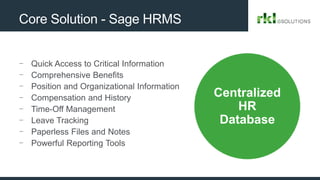
Core Solution - Sage HRMS
- Quick Access to Critical Information
- Comprehensive Benefits
- Position and Organizational Information
- Compensation and History
- Time-Off Management
- Leave Tracking
- Paperless Files and Notes
- Powerful Reporting Tools
Centralized
HR
Database
© 2018 The Sage Group plc or its licensors. All rights reserved.
5
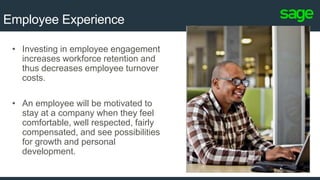
Employee Experience
• Investing in employee engagement
increases workforce retention and
thus decreases employee turnover
costs.
• An employee will be motivated to
stay at a company when they feel
comfortable, well respected, fairly
compensated, and see possibilities
for growth and personal
development.
Sage Employee Self Service
6
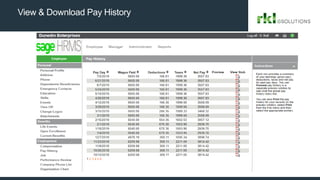
View & Download Pay History
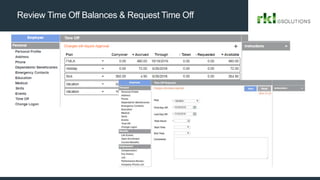
Review Time Off Balances & Request Time Off
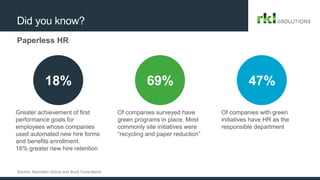
Did you know?
Paperless HR
18% 69% 47%
Source: Aberdeen Group and Buck Consultants
Greater achievement of first
performance goals for
employees whose companies
used automated new hire forms
and benefits enrollment.
16% greater new hire retention
Of companies surveyed have
green programs in place. Most
commonly site initiatives were
“recycling and paper reduction”
Of companies with green
initiatives have HR as the
responsible department
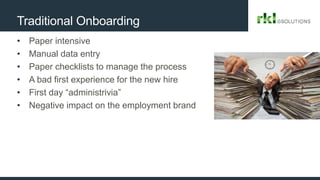
Traditional Onboarding
• Paper intensive
• Manual data entry
• Paper checklists to manage the process
• A bad first experience for the new hire
• First day “administrivia”
• Negative impact on the employment brand
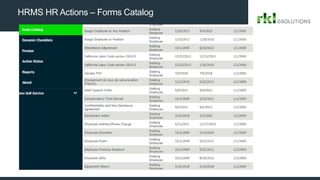
HRMS HR Actions – Forms Catalog
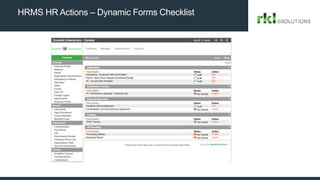
HRMS HR Actions – Dynamic Forms Checklist
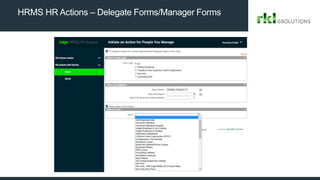
HRMS HR Actions – Delegate Forms/Manager Forms
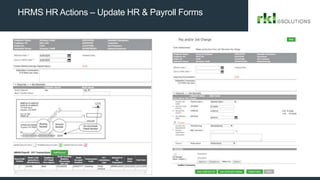
HRMS HR Actions – Update HR & Payroll Forms
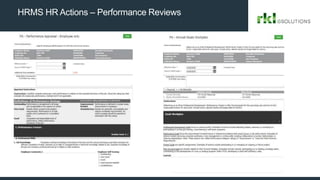
HRMS HR Actions – Performance Reviews
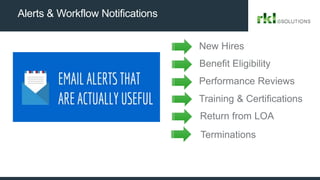
Alerts & Workflow Notifications
New Hires
Benefit Eligibility
Training & Certifications
Return from LOA
Terminations
Performance Reviews
17
Solution Overview
Q & A
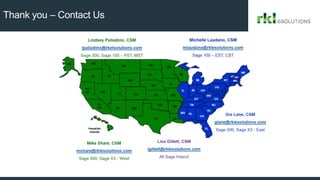
Thank you – Contact Us

Sage HRMS - Employee Self Service

  • 1.
    Sage HRMS -Employee Self Service Danny Martinez Valeria Miller Sage HRMS Field Sales Engineer
  • 2.
    Agenda • Introduction toSage HRMS • Self Service Portal & Paperless HR • Sage Alerts & Workflow Automation • Employee Self Service Solution Overview • Q&A
  • 3.
    Core Solution -Sage HRMS - Quick Access to Critical Information - Comprehensive Benefits - Position and Organizational Information - Compensation and History - Time-Off Management - Leave Tracking - Paperless Files and Notes - Powerful Reporting Tools Centralized HR Database
  • 4.
    © 2018 TheSage Group plc or its licensors. All rights reserved.
  • 5.
    5 Employee Experience • Investingin employee engagement increases workforce retention and thus decreases employee turnover costs. • An employee will be motivated to stay at a company when they feel comfortable, well respected, fairly compensated, and see possibilities for growth and personal development.
  • 6.
  • 7.
    View & DownloadPay History
  • 8.
    Review Time OffBalances & Request Time Off
  • 9.
    Did you know? PaperlessHR 18% 69% 47% Source: Aberdeen Group and Buck Consultants Greater achievement of first performance goals for employees whose companies used automated new hire forms and benefits enrollment. 16% greater new hire retention Of companies surveyed have green programs in place. Most commonly site initiatives were “recycling and paper reduction” Of companies with green initiatives have HR as the responsible department
  • 10.
    Traditional Onboarding • Paperintensive • Manual data entry • Paper checklists to manage the process • A bad first experience for the new hire • First day “administrivia” • Negative impact on the employment brand
  • 11.
    HRMS HR Actions– Forms Catalog
  • 12.
    HRMS HR Actions– Dynamic Forms Checklist
  • 13.
    HRMS HR Actions– Delegate Forms/Manager Forms
  • 14.
    HRMS HR Actions– Update HR & Payroll Forms
  • 15.
    HRMS HR Actions– Performance Reviews
  • 16.
    Alerts & WorkflowNotifications New Hires Benefit Eligibility Training & Certifications Return from LOA Terminations Performance Reviews
  • 17.
  • 18.
  • 19.
    Thank you –Contact Us

Editor's Notes

  • #3 Today, we want to cover an overview of our core solution, Sage HRMS and how some of our other modules and extensions can help you automate and become more paperless. So, I just have a few slides first and I will show you these modules. Please feel free to ask questions as we go thru the presentation. Danny will be monitoring questions and we should have some time at the end to address them as well.
  • #4 With our core HR module, our goal is to centralize your different systems, maybe Excel files and have all the information you need at your fingertips. When we look up an emlokyee, you will be able to see information about key dates, hire dates, benefits, time off plans and accruals, certifications and training info and be able to report on all these metrics.
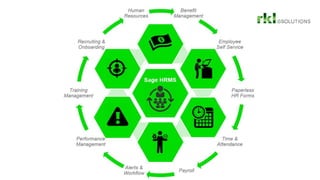
  • #5 AS you can see here, the core module is central and key for all the other pieces to work. So once we have the core module, we can enhance some of these options like integrating with your Payroll system, or I will show you the options for Self Service Portal and Paperless forms. We can track your performance reviews key dates but also have options to complete the forms online by employees and the managers.
  • #6 What kind of experiences are you offering to your employees? Why are we talking about going Paperless? There are proven facts that investing in employee engagement tools increases employee engagement and workforce retention. How we treat our employees and what we invest in our employees has a huge influence on the bottom line. Investing in and managing your Human Capital has in many cases a larger effect than investments in marketing or R&D
  • #7 Enable your employees to request time off, review pay history, update contact information, and more—with just a few mouse clicks. Instead of calling the HR department with routine inquiries, employees and managers can access and review information regarding time off, current benefits, and current job details—anytime, anyplace over the Internet or company intranet.
  • #8 Here is a screenshot of information integrated with Payroll. It could be your Sage 300 payroll stubs. You don’t have to print them anymore or possibly email them separately.
  • #10 According to some studies done by Aberdeen consulting group, if a company is trying to go paperless, 47% of these companies select HR as the responsible department. Or automating onboarding forms and performance reviews have shown 18% increase in getting them done in time since it is easier to track it and have alerts built in rather than following a paper trail.
  • #11 For example, when it comes to onboarding, it is quite common to talk to our customers who have over 10-15 forms, we even have a customer with over 32 onboarding forms an employee had to fill in. Traditional onboarding is paper intersive, manual, prone to errors.
  • #12 On Demand forms – you can complete any forms you design and make available from a catalog. It comes with over 30 samples forms and you can add your own forms. If you look at the top, we can also group them by areas like all new hire forms, or leave forms. Or managers can see forms to do on behalf of their employees.
  • #13 HR Actions is our module to transform your paper forms into web forms. We can configure checklist or group of forms as you see here. For example, I have 5 checklist here for the employee. Mostly since this was from my demo and I want to show multiple forms. But the checklist can have conditions or logic so you can show specific forms based on a date rante, or based on their job, so employees and managers can have different checklist.
  • #16 On Demand forms – you can complete any forms you design and make available from a catalog. It comes with over 30 samples forms and you can add your own forms. If you look at the top, we can also group them by areas like all new hire forms, or leave forms. Or managers can see forms to do on behalf of their employees.
  • #17 Another great tool to go more paperless is implementing our alerts and workflow module. This might save you on some your sticky notes laying around your computer monitor.
  • #18 A company is as good as its employees. We are used to talking about a company as if the organization itself is a person. But an organization does not have ideas, does not give service, and is by itself not efficient or productive. The people in the organization do and are.