STEP UP TO DASHBOARDS ON
YOUR ADAPTIVE INSIGHTS
CUSTOMER JOURNEY
ADAM FEGLEY
RKL Adaptive Insights Specialist
• This webinar will be recorded and made available at a later date.
• NASBA CPE Requirements: In order to receive CPE for this webinar:
• Participants must be connected to the session (both audio and presentation) for its
entirety.
• Participants must answer three questions/elements of engagement.
• One (1) hour of CPE in the field of Computer Software and Applications will be
granted if you meet these requirements
Housekeeping Items
Prerequisites: None | Advanced Preparation: None | Program Level: Basic | Delivery Method: Group Internet-Based
For information regarding our complaint policy, contact RKL’s HR department at 717.394.5666.
RKL LLP is registered with the National Association of State Boards of Accountancy (NASBA) as a sponsor of continuing
professional education on the National Registry of CPE Sponsors. State boards of accountancy have the final authority
on the acceptance of individual courses for CPE credit. Complaints regarding registered sponsors may be submitted to
the National Registry of CPE Sponsors through its website: www.nasbaregistry.org.
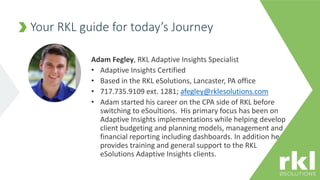
Adam Fegley, RKL Adaptive Insights Specialist
• Adaptive Insights Certified
• Based in the RKL eSolutions, Lancaster, PA office
• 717.735.9109 ext. 1281; afegley@rklesolutions.com
• Adam started his career on the CPA side of RKL before
switching to eSoultions. His primary focus has been on
Adaptive Insights implementations while helping develop
client budgeting and planning models, management and
financial reporting including dashboards. In addition he
provides training and general support to the RKL
eSolutions Adaptive Insights clients.
Your RKL guide for today’s Journey
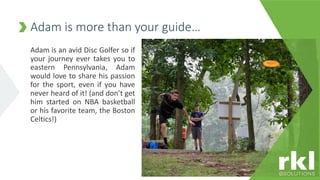
Adam is an avid Disc Golfer so if
your journey ever takes you to
eastern Pennsylvania, Adam
would love to share his passion
for the sport, even if you have
never heard of it! (and don’t get
him started on NBA basketball
or his favorite team, the Boston
Celtics!)
Adam is more than your guide…
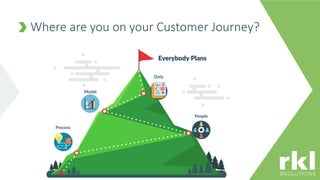
Where are you on your Customer Journey?
• Learn how Dashboards are Easy, Powerful, Fast
• Review Dashboard basics
• Create Perspectives and Dashboards
• Understand chart types and learn best practices
• Interact with charts and leverage new features
• Q&A
• Earn CPE!
Today’s roadmap
To be eligible for CPE, all polling
questions must be answered.
POLLING QUESTION #1
• Learn the terminology
• Create your first perspective and
dashboard with the ease of drag and drop
• Determine who has access
• Understand your model and where
dashboards fit in
• Keep it simple
Where to start?
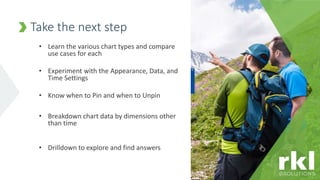
• Learn the various chart types and compare
use cases for each
• Experiment with the Appearance, Data, and
Time Settings
• Know when to Pin and when to Unpin
• Breakdown chart data by dimensions other
than time
• Drilldown to explore and find answers
Take the next step
To be eligible for CPE, all polling
questions must be answered.
POLLING QUESTION #2
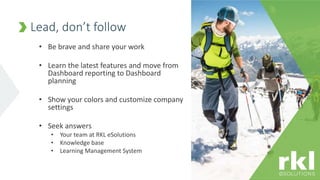
• Be brave and share your work
• Learn the latest features and move from
Dashboard reporting to Dashboard
planning
• Show your colors and customize company
settings
• Seek answers
• Your team at RKL eSolutions
• Knowledge base
• Learning Management System
Lead, don’t follow
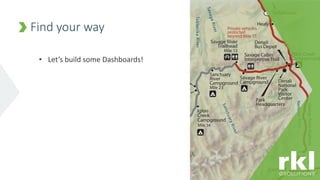
• Let’s build some Dashboards!
Find your way
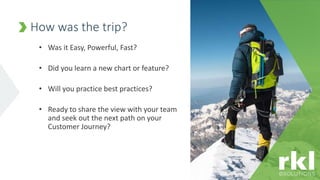
• Was it Easy, Powerful, Fast?
• Did you learn a new chart or feature?
• Will you practice best practices?
• Ready to share the view with your team
and seek out the next path on your
Customer Journey?
How was the trip?
To be eligible for CPE, all polling
questions must be answered.
POLLING QUESTION #3
• Questions?
Q&A
FOCUSED.
ON YOU.

Adaptive Insights Dashboards

  • 1.
    STEP UP TODASHBOARDS ON YOUR ADAPTIVE INSIGHTS CUSTOMER JOURNEY ADAM FEGLEY RKL Adaptive Insights Specialist
  • 2.
    • This webinarwill be recorded and made available at a later date. • NASBA CPE Requirements: In order to receive CPE for this webinar: • Participants must be connected to the session (both audio and presentation) for its entirety. • Participants must answer three questions/elements of engagement. • One (1) hour of CPE in the field of Computer Software and Applications will be granted if you meet these requirements Housekeeping Items Prerequisites: None | Advanced Preparation: None | Program Level: Basic | Delivery Method: Group Internet-Based For information regarding our complaint policy, contact RKL’s HR department at 717.394.5666. RKL LLP is registered with the National Association of State Boards of Accountancy (NASBA) as a sponsor of continuing professional education on the National Registry of CPE Sponsors. State boards of accountancy have the final authority on the acceptance of individual courses for CPE credit. Complaints regarding registered sponsors may be submitted to the National Registry of CPE Sponsors through its website: www.nasbaregistry.org.
  • 3.
    Adam Fegley, RKLAdaptive Insights Specialist • Adaptive Insights Certified • Based in the RKL eSolutions, Lancaster, PA office • 717.735.9109 ext. 1281; afegley@rklesolutions.com • Adam started his career on the CPA side of RKL before switching to eSoultions. His primary focus has been on Adaptive Insights implementations while helping develop client budgeting and planning models, management and financial reporting including dashboards. In addition he provides training and general support to the RKL eSolutions Adaptive Insights clients. Your RKL guide for today’s Journey
  • 4.
    Adam is anavid Disc Golfer so if your journey ever takes you to eastern Pennsylvania, Adam would love to share his passion for the sport, even if you have never heard of it! (and don’t get him started on NBA basketball or his favorite team, the Boston Celtics!) Adam is more than your guide…
  • 5.
    Where are youon your Customer Journey?
  • 6.
    • Learn howDashboards are Easy, Powerful, Fast • Review Dashboard basics • Create Perspectives and Dashboards • Understand chart types and learn best practices • Interact with charts and leverage new features • Q&A • Earn CPE! Today’s roadmap
  • 7.
    To be eligiblefor CPE, all polling questions must be answered. POLLING QUESTION #1
  • 8.
    • Learn theterminology • Create your first perspective and dashboard with the ease of drag and drop • Determine who has access • Understand your model and where dashboards fit in • Keep it simple Where to start?
  • 9.
    • Learn thevarious chart types and compare use cases for each • Experiment with the Appearance, Data, and Time Settings • Know when to Pin and when to Unpin • Breakdown chart data by dimensions other than time • Drilldown to explore and find answers Take the next step
  • 10.
    To be eligiblefor CPE, all polling questions must be answered. POLLING QUESTION #2
  • 11.
    • Be braveand share your work • Learn the latest features and move from Dashboard reporting to Dashboard planning • Show your colors and customize company settings • Seek answers • Your team at RKL eSolutions • Knowledge base • Learning Management System Lead, don’t follow
  • 12.
    • Let’s buildsome Dashboards! Find your way
  • 13.
    • Was itEasy, Powerful, Fast? • Did you learn a new chart or feature? • Will you practice best practices? • Ready to share the view with your team and seek out the next path on your Customer Journey? How was the trip?
  • 14.
    To be eligiblefor CPE, all polling questions must be answered. POLLING QUESTION #3
  • 15.
  • 16.