Real Time Simulation Model (HEC‐RTS)
Sam Crampton, P.E., CFM
Real Time Simulation
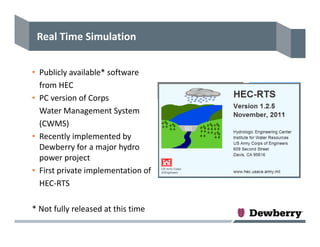
• Publicly available* software 
from HEC
• PC version of Corps
Water Management System 
(CWMS)
• Recently implemented by 
Dewberry for a major hydro 
power project
• First private implementation of 
HEC‐RTS
* Not fully released at this time
Why RTS?
• Has an interface to receive and process real‐time and forecast 
meteorological data for real time hydrologic and hydraulic 
simulations
• Provides a system to integrate different models including:
– HEC‐HMS, rainfall‐runoff model to develop hydrographs
– HEC‐ResSim, reservoir operation model (spillway releases, pumped 
storage, power generation, operating rules etc)
– HEC‐RAS, hydraulics model to predict river stages
– HEC‐FIA, flood impact analysis (not implemented in this project)
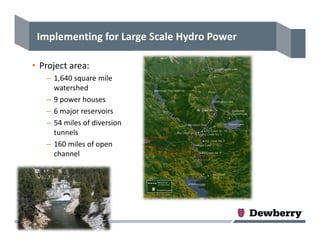
Implementing for Large Scale Hydro Power
• Project area:
– 1,640 square mile 
watershed
– 9 power houses
– 6 major reservoirs
– 54 miles of diversion 
tunnels
– 160 miles of open 
channel
HEC‐RTS Setup for Hydro Power project
• HEC‐RTS simulation runs every 6 hours automatically
– 2 weeks of “lookback” using observed data
– 1 week of “forecast” using weather forecast services
• Uses HEC‐HMS, HEC‐ResSim and HEC‐RAS models
– These models can be accessed through HEC‐RTS interface
• HEC‐HMS includes snowmelt modeling
• Scripts written that allow inclusion of diversions and outage 
schedule without having to open the RTS model
• Custom reports are generated and sent to the Managers and 
Operators as an email attachment for decision support.
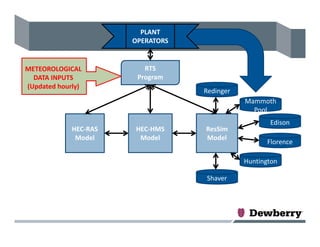
HEC‐HMS
Model
ResSim
Model
HEC‐RAS
Model
RTS
Program
Edison
Mammoth 
Pool
Redinger
Florence
Huntington
Shaver
METEOROLOGICAL 
DATA INPUTS
(Updated hourly)
PLANT 
OPERATORS
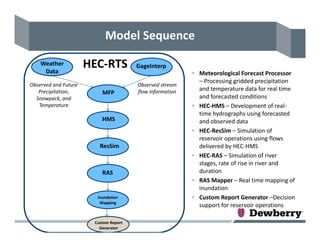
RAS
ResSim
HMS
Weather 
Data
GageInterp
MFP
Inundation 
Mapping
Model Sequence
Observed and Future 
Precipitation, 
Snowpack, and 
Temperature
Custom Report 
Generator
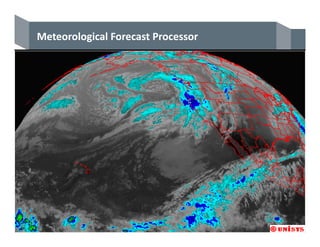
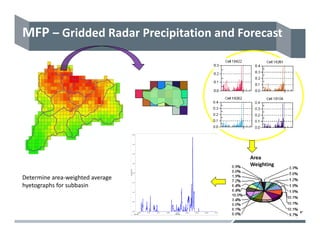
• Meteorological Forecast Processor 
– Processing gridded precipitation 
and temperature data for real time 
and forecasted conditions
• HEC‐HMS – Development of real‐
time hydrographs using forecasted 
and observed data
• HEC‐ResSim – Simulation of 
reservoir operations using flows 
delivered by HEC‐HMS
• HEC‐RAS – Simulation of river 
stages, rate of rise in river and 
duration
• RAS Mapper – Real time mapping of 
inundation
• Custom Report Generator –Decision 
support for reservoir operations
HEC‐RTS
Observed stream 
flow information
Meteorological Forecast Processor
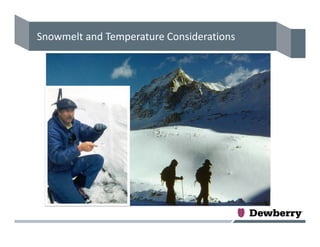
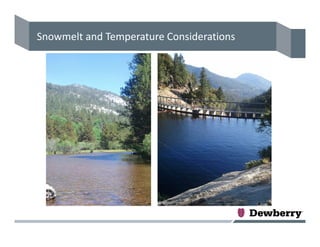
Snowmelt and Temperature Considerations
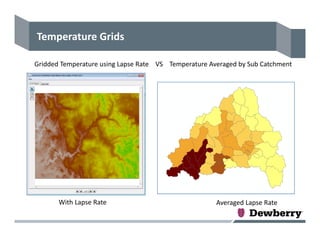
Temperature Grids
Gridded Temperature using Lapse Rate    VS    Temperature Averaged by Sub Catchment
Averaged Lapse RateWith Lapse Rate
Area 
Weighting
Determine area‐weighted average 
hyetographs for subbasin
MFP – Gridded Radar Precipitation and Forecast
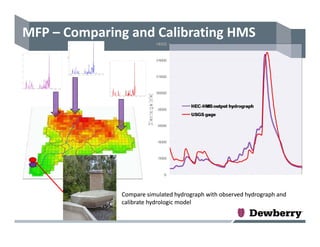
Compare simulated hydrograph with observed hydrograph and 
calibrate hydrologic model
Compare simulated hydrograph with observed hydrograph and 
calibrate hydrologic model
MFP – Comparing and Calibrating HMS
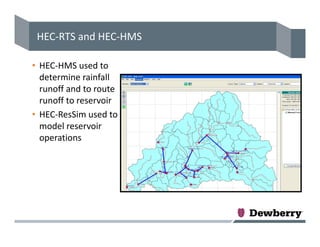
HEC‐RTS and HEC‐HMS
• HEC‐HMS used to 
determine rainfall 
runoff and to route 
runoff to reservoir
• HEC‐ResSim used to 
model reservoir 
operations
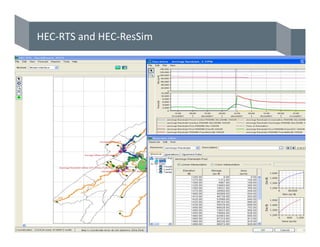
HEC‐RTS and HEC‐ResSim
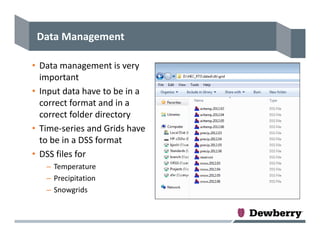
Data Management
• Data management is very 
important
• Input data have to be in a 
correct format and in a 
correct folder directory
• Time‐series and Grids have 
to be in a DSS format
• DSS files for 
– Temperature
– Precipitation
– Snowgrids
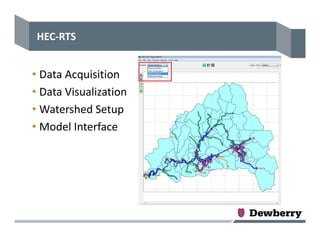
HEC‐RTS
• Data Acquisition
• Data Visualization
• Watershed Setup
• Model Interface
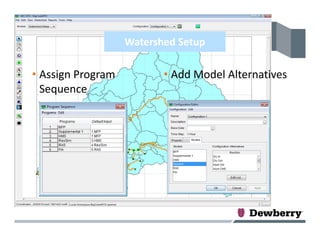
Watershed Setup
• Assign Program 
Sequence
• Add Model Alternatives
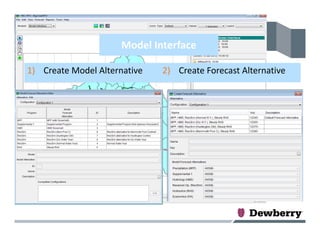
Model Interface
1) Create Model Alternative 2) Create Forecast Alternative
Model Interface
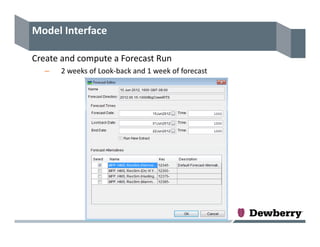
Create and compute a Forecast Run
– 2 weeks of Look‐back and 1 week of forecast
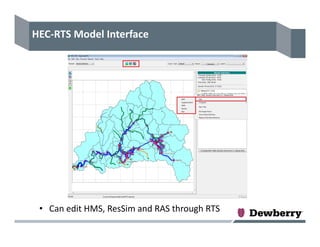
HEC‐RTS Model Interface
• Can edit HMS, ResSim and RAS through RTS
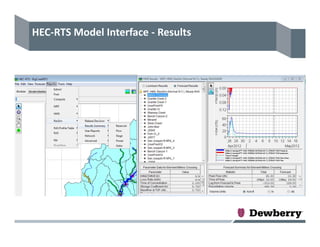
HEC‐RTS Model Interface ‐ Results
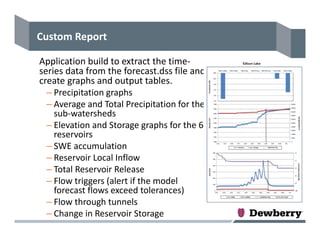
Custom Report
Application build to extract the time‐
series data from the forecast.dss file and 
create graphs and output tables.
– Precipitation graphs
– Average and Total Precipitation for the 
sub‐watersheds
– Elevation and Storage graphs for the 6 
reservoirs
– SWE accumulation
– Reservoir Local Inflow
– Total Reservoir Release
– Flow triggers (alert if the model 
forecast flows exceed tolerances)
– Flow through tunnels
– Change in Reservoir Storage
Challenges
• Current version of RTS does not take forecast temperature 
grids so a supplemental program added to transfer the 
forecast temperature grids to the forecast.dss file
• Snowmelt modeling requires temperature and 5 snow‐
related grids (SWE, Cold Content, Liquid Water, ATI Melt 
and Cold Content ATI)
• Application built to transfer the 5 snow‐related grids after 
the end of each simulation
• Scripts written to update diversion and outage schedule 
without opening the RTS model
• Application built to generate a custom report that is used 
for decision support
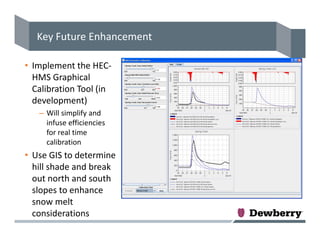
Key Future Enhancement 
• Implement the HEC‐
HMS Graphical 
Calibration Tool (in 
development)
– Will simplify and 
infuse efficiencies 
for real time 
calibration
• Use GIS to determine 
hill shade and break 
out north and south 
slopes to enhance 
snow melt 
considerations
Questions???

Concurrent session 7 hec rts