Presented to: Sir Hafiz Ejaz
Presented by: Group A
• A computer is an electronic device that
processes and stores information using
binary digits (0s and 1s). It performs
calculations, executes instructions, and
enables data manipulation and
communication. Computers have
become essential tools in various
fields, revolutionizing industries and
improving productivity.
•History of Computers
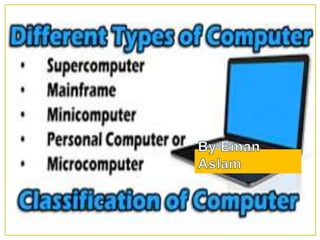
•Types of Computers
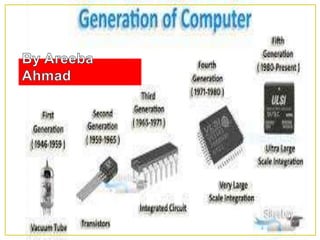
•Generations of Computers
• Early Calculating Devices: The history of computers
dates back to ancient times when humans used counting
tools like the abacus and the Antikythera mechanism for
basic calculations.
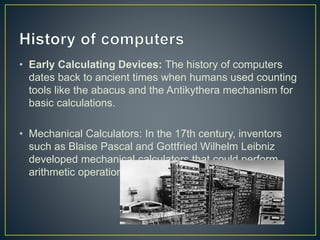
• Mechanical Calculators: In the 17th century, inventors
such as Blaise Pascal and Gottfried Wilhelm Leibniz
developed mechanical calculators that could perform
arithmetic operations.
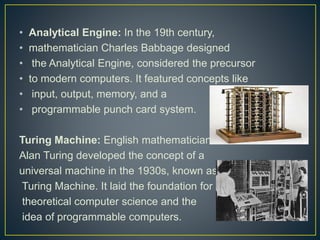
• Analytical Engine: In the 19th century,
• mathematician Charles Babbage designed
• the Analytical Engine, considered the precursor
• to modern computers. It featured concepts like
• input, output, memory, and a
• programmable punch card system.
Turing Machine: English mathematician
Alan Turing developed the concept of a
universal machine in the 1930s, known as the
Turing Machine. It laid the foundation for
theoretical computer science and the
idea of programmable computers.
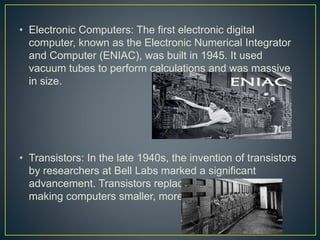
• Electronic Computers: The first electronic digital
computer, known as the Electronic Numerical Integrator
and Computer (ENIAC), was built in 1945. It used
vacuum tubes to perform calculations and was massive
in size.
• Transistors: In the late 1940s, the invention of transistors
by researchers at Bell Labs marked a significant
advancement. Transistors replaced vacuum tubes,
making computers smaller, more reliable, and faster.
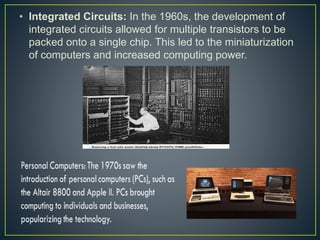
• Integrated Circuits: In the 1960s, the development of
integrated circuits allowed for multiple transistors to be
packed onto a single chip. This led to the miniaturization
of computers and increased computing power.
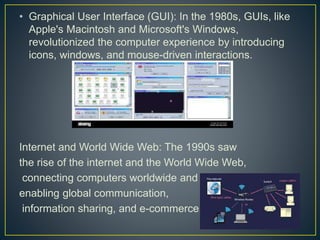
• Graphical User Interface (GUI): In the 1980s, GUIs, like
Apple's Macintosh and Microsoft's Windows,
revolutionized the computer experience by introducing
icons, windows, and mouse-driven interactions.
Internet and World Wide Web: The 1990s saw
the rise of the internet and the World Wide Web,
connecting computers worldwide and
enabling global communication,
information sharing, and e-commerce.
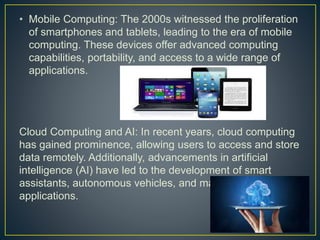
• Mobile Computing: The 2000s witnessed the proliferation
of smartphones and tablets, leading to the era of mobile
computing. These devices offer advanced computing
capabilities, portability, and access to a wide range of
applications.
Cloud Computing and AI: In recent years, cloud computing
has gained prominence, allowing users to access and store
data remotely. Additionally, advancements in artificial
intelligence (AI) have led to the development of smart
assistants, autonomous vehicles, and machine learning
applications.
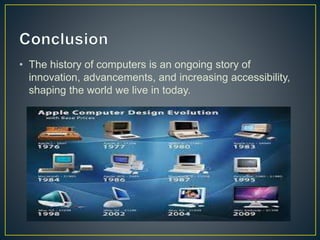
• The history of computers is an ongoing story of
innovation, advancements, and increasing accessibility,
shaping the world we live in today.
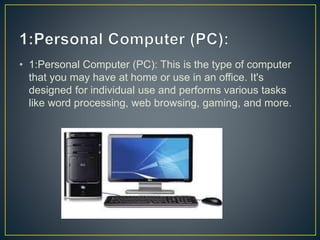
• 1:Personal Computer (PC): This is the type of computer
that you may have at home or use in an office. It's
designed for individual use and performs various tasks
like word processing, web browsing, gaming, and more.
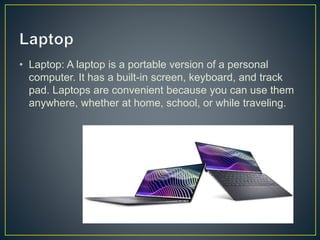
• Laptop: A laptop is a portable version of a personal
computer. It has a built-in screen, keyboard, and track
pad. Laptops are convenient because you can use them
anywhere, whether at home, school, or while traveling.
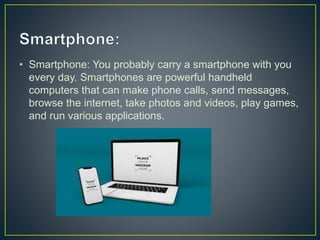
• Smartphone: You probably carry a smartphone with you
every day. Smartphones are powerful handheld
computers that can make phone calls, send messages,
browse the internet, take photos and videos, play games,
and run various applications.
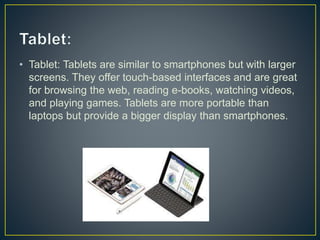
• Tablet: Tablets are similar to smartphones but with larger
screens. They offer touch-based interfaces and are great
for browsing the web, reading e-books, watching videos,
and playing games. Tablets are more portable than
laptops but provide a bigger display than smartphones.
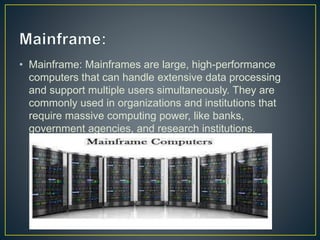
• Mainframe: Mainframes are large, high-performance
computers that can handle extensive data processing
and support multiple users simultaneously. They are
commonly used in organizations and institutions that
require massive computing power, like banks,
government agencies, and research institutions.
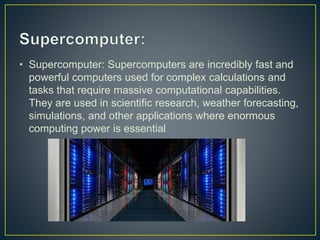
• Supercomputer: Supercomputers are incredibly fast and
powerful computers used for complex calculations and
tasks that require massive computational capabilities.
They are used in scientific research, weather forecasting,
simulations, and other applications where enormous
computing power is essential
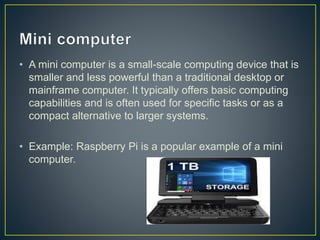
• A mini computer is a small-scale computing device that is
smaller and less powerful than a traditional desktop or
mainframe computer. It typically offers basic computing
capabilities and is often used for specific tasks or as a
compact alternative to larger systems.
• Example: Raspberry Pi is a popular example of a mini
computer.
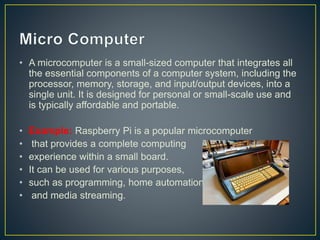
• A microcomputer is a small-sized computer that integrates all
the essential components of a computer system, including the
processor, memory, storage, and input/output devices, into a
single unit. It is designed for personal or small-scale use and
is typically affordable and portable.
• Example: Raspberry Pi is a popular microcomputer
• that provides a complete computing
• experience within a small board.
• It can be used for various purposes,
• such as programming, home automation,
• and media streaming.
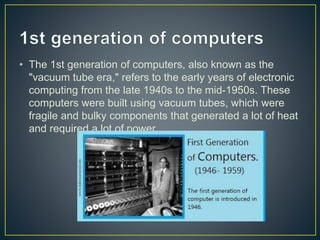
• The 1st generation of computers, also known as the
"vacuum tube era," refers to the early years of electronic
computing from the late 1940s to the mid-1950s. These
computers were built using vacuum tubes, which were
fragile and bulky components that generated a lot of heat
and required a lot of power.
• The 1st generation of computers were mainly used for
scientific and military applications, such as calculations
for the development of atomic weapons and the
prediction of weather patterns. They were typically large
and expensive, occupying entire rooms, and were
programmed using punched cards or plugboards
• Some notable examples of 1st generation computers
include the ENIAC (Electronic Numerical Integrator and
Computer), the first general-purpose electronic computer,
and the UNIVAC (Universal Automatic Computer), the
first commercially available computer
• They were the first electronic computers that paved the
way for modern computing.
• They were faster than the previous generation of
mechanical computers.
• They were more reliable than mechanical computers.
• They allowed for the automation of complex calculations
and data processing.
• They were very large and heavy, requiring dedicated
rooms for installation and operation.
• They consumed a lot of power and generated a lot of
heat.
• They were very expensive to build and maintain.
• They had limited memory and processing power
compared to modern computers.
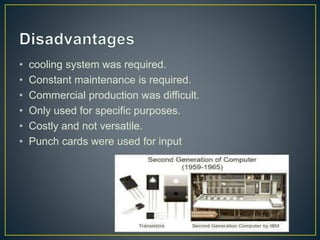
• The second generation of computers refers to the era of
computing from approximately 1955 to1964. These
computers used transistors instead of vacuum tubes for
their logic circuits, which allowed them to be smaller,
faster, and more reliable than their predecessors.
• Examples
• Some notable second-generation computers include the
IBM 7090, the UNIVAC 1107, and the DEC PDP-1
• Second-generation computers were
• more reliable.
• Used less energy and were not heated as much as a
first-generation computer.
• Wider commercial use. Better portability as compared to
the first-generation computers
• cooling system was required.
• Constant maintenance is required.
• Commercial production was difficult.
• Only used for specific purposes.
• Costly and not versatile.
• Punch cards were used for input
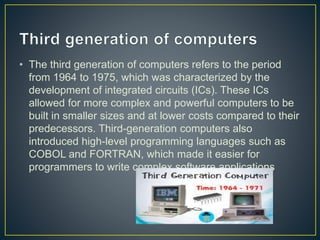
• The third generation of computers refers to the period
from 1964 to 1975, which was characterized by the
development of integrated circuits (ICs). These ICs
allowed for more complex and powerful computers to be
built in smaller sizes and at lower costs compared to their
predecessors. Third-generation computers also
introduced high-level programming languages such as
COBOL and FORTRAN, which made it easier for
programmers to write complex software applications
• Other features of third-generation computers included
improved operating systems, faster processing speeds,
and the use of magnetic core memory
• Some of the notable third-generation computers include
the IBM System/360, the DEC PDP-8, and the Honeywell
6000 series. These computers were used in a variety of
applications such as scientific research, business, and
military operations.
• Third-generation computers used integrated circuits in
place of transistors.
• With the use of integrated circuits, these computers
became reliable,
• generated less heat,
• were small in size, fast,
• very less maintenance,
• and were inexpensive
• t required air conditioning for the cooling purposes in the
mainframes.
• The technology used was highly sophisticated for the
manufacturing purpose of integrated circuits.
• The integrated circuits were difficult to repair.
• The computers were costly.
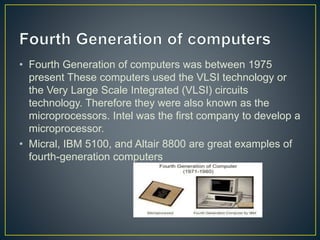
• Fourth Generation of computers was between 1975
present These computers used the VLSI technology or
the Very Large Scale Integrated (VLSI) circuits
technology. Therefore they were also known as the
microprocessors. Intel was the first company to develop a
microprocessor.
• Micral, IBM 5100, and Altair 8800 are great examples of
fourth-generation computers
• Fourth-generation computers were faster and reliable
than their predecessors.
• Computers were compact in size and could easily fit on a
desk.
• Fourth-generation computers were somewhat cheaper
than previous generations' computers.
• The fourth generation's computer used microprocessors
which are complex in manufacturing.
• VLSI circuit needs more advanced technology.
• Due to network connectivity spread, harmful viruses and
malware are found.
• Heavily dependent on the internet.
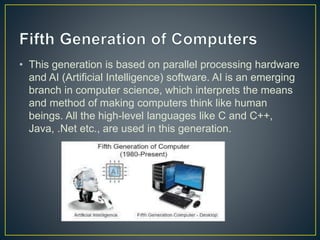
• This generation is based on parallel processing hardware
and AI (Artificial Intelligence) software. AI is an emerging
branch in computer science, which interprets the means
and method of making computers think like human
beings. All the high-level languages like C and C++,
Java, .Net etc., are used in this generation.
• Param 1000, Intel P4, IBM laptops, notebooks, and PCs
of Pentium are examples of fifth-generation computers.
• Laptop.
• Desktop.
• Notebook.
• Touchpad.
• Chrome Book.
• Ultrabook.
• These computers are much faster than other generation
computers. »
• It is easier to repair these computers. »
• They are portable and easy to handle. »
• Development of true artificial intelligence.
• Excessive use of the fifth Generation of computers can
make humans over-dependent on them.
• They can spy easily.
• Overuse can have a bad impact on health
IT PRESENTATION.pptx

IT PRESENTATION.pptx

  • 1.
    Presented to: SirHafiz Ejaz Presented by: Group A
  • 2.
    • A computeris an electronic device that processes and stores information using binary digits (0s and 1s). It performs calculations, executes instructions, and enables data manipulation and communication. Computers have become essential tools in various fields, revolutionizing industries and improving productivity.
  • 3.
    •History of Computers •Typesof Computers •Generations of Computers
  • 4.
    • Early CalculatingDevices: The history of computers dates back to ancient times when humans used counting tools like the abacus and the Antikythera mechanism for basic calculations. • Mechanical Calculators: In the 17th century, inventors such as Blaise Pascal and Gottfried Wilhelm Leibniz developed mechanical calculators that could perform arithmetic operations.
  • 5.
    • Analytical Engine:In the 19th century, • mathematician Charles Babbage designed • the Analytical Engine, considered the precursor • to modern computers. It featured concepts like • input, output, memory, and a • programmable punch card system. Turing Machine: English mathematician Alan Turing developed the concept of a universal machine in the 1930s, known as the Turing Machine. It laid the foundation for theoretical computer science and the idea of programmable computers.
  • 6.
    • Electronic Computers:The first electronic digital computer, known as the Electronic Numerical Integrator and Computer (ENIAC), was built in 1945. It used vacuum tubes to perform calculations and was massive in size. • Transistors: In the late 1940s, the invention of transistors by researchers at Bell Labs marked a significant advancement. Transistors replaced vacuum tubes, making computers smaller, more reliable, and faster.
  • 7.
    • Integrated Circuits:In the 1960s, the development of integrated circuits allowed for multiple transistors to be packed onto a single chip. This led to the miniaturization of computers and increased computing power.
  • 8.
    • Graphical UserInterface (GUI): In the 1980s, GUIs, like Apple's Macintosh and Microsoft's Windows, revolutionized the computer experience by introducing icons, windows, and mouse-driven interactions. Internet and World Wide Web: The 1990s saw the rise of the internet and the World Wide Web, connecting computers worldwide and enabling global communication, information sharing, and e-commerce.
  • 9.
    • Mobile Computing:The 2000s witnessed the proliferation of smartphones and tablets, leading to the era of mobile computing. These devices offer advanced computing capabilities, portability, and access to a wide range of applications. Cloud Computing and AI: In recent years, cloud computing has gained prominence, allowing users to access and store data remotely. Additionally, advancements in artificial intelligence (AI) have led to the development of smart assistants, autonomous vehicles, and machine learning applications.
  • 10.
    • The historyof computers is an ongoing story of innovation, advancements, and increasing accessibility, shaping the world we live in today.
  • 12.
    • 1:Personal Computer(PC): This is the type of computer that you may have at home or use in an office. It's designed for individual use and performs various tasks like word processing, web browsing, gaming, and more.
  • 13.
    • Laptop: Alaptop is a portable version of a personal computer. It has a built-in screen, keyboard, and track pad. Laptops are convenient because you can use them anywhere, whether at home, school, or while traveling.
  • 14.
    • Smartphone: Youprobably carry a smartphone with you every day. Smartphones are powerful handheld computers that can make phone calls, send messages, browse the internet, take photos and videos, play games, and run various applications.
  • 15.
    • Tablet: Tabletsare similar to smartphones but with larger screens. They offer touch-based interfaces and are great for browsing the web, reading e-books, watching videos, and playing games. Tablets are more portable than laptops but provide a bigger display than smartphones.
  • 16.
    • Mainframe: Mainframesare large, high-performance computers that can handle extensive data processing and support multiple users simultaneously. They are commonly used in organizations and institutions that require massive computing power, like banks, government agencies, and research institutions.
  • 17.
    • Supercomputer: Supercomputersare incredibly fast and powerful computers used for complex calculations and tasks that require massive computational capabilities. They are used in scientific research, weather forecasting, simulations, and other applications where enormous computing power is essential
  • 18.
    • A minicomputer is a small-scale computing device that is smaller and less powerful than a traditional desktop or mainframe computer. It typically offers basic computing capabilities and is often used for specific tasks or as a compact alternative to larger systems. • Example: Raspberry Pi is a popular example of a mini computer.
  • 19.
    • A microcomputeris a small-sized computer that integrates all the essential components of a computer system, including the processor, memory, storage, and input/output devices, into a single unit. It is designed for personal or small-scale use and is typically affordable and portable. • Example: Raspberry Pi is a popular microcomputer • that provides a complete computing • experience within a small board. • It can be used for various purposes, • such as programming, home automation, • and media streaming.
  • 21.
    • The 1stgeneration of computers, also known as the "vacuum tube era," refers to the early years of electronic computing from the late 1940s to the mid-1950s. These computers were built using vacuum tubes, which were fragile and bulky components that generated a lot of heat and required a lot of power.
  • 22.
    • The 1stgeneration of computers were mainly used for scientific and military applications, such as calculations for the development of atomic weapons and the prediction of weather patterns. They were typically large and expensive, occupying entire rooms, and were programmed using punched cards or plugboards
  • 23.
    • Some notableexamples of 1st generation computers include the ENIAC (Electronic Numerical Integrator and Computer), the first general-purpose electronic computer, and the UNIVAC (Universal Automatic Computer), the first commercially available computer
  • 24.
    • They werethe first electronic computers that paved the way for modern computing. • They were faster than the previous generation of mechanical computers. • They were more reliable than mechanical computers. • They allowed for the automation of complex calculations and data processing.
  • 25.
    • They werevery large and heavy, requiring dedicated rooms for installation and operation. • They consumed a lot of power and generated a lot of heat. • They were very expensive to build and maintain. • They had limited memory and processing power compared to modern computers.
  • 26.
    • The secondgeneration of computers refers to the era of computing from approximately 1955 to1964. These computers used transistors instead of vacuum tubes for their logic circuits, which allowed them to be smaller, faster, and more reliable than their predecessors. • Examples • Some notable second-generation computers include the IBM 7090, the UNIVAC 1107, and the DEC PDP-1
  • 27.
    • Second-generation computerswere • more reliable. • Used less energy and were not heated as much as a first-generation computer. • Wider commercial use. Better portability as compared to the first-generation computers
  • 28.
    • cooling systemwas required. • Constant maintenance is required. • Commercial production was difficult. • Only used for specific purposes. • Costly and not versatile. • Punch cards were used for input
  • 29.
    • The thirdgeneration of computers refers to the period from 1964 to 1975, which was characterized by the development of integrated circuits (ICs). These ICs allowed for more complex and powerful computers to be built in smaller sizes and at lower costs compared to their predecessors. Third-generation computers also introduced high-level programming languages such as COBOL and FORTRAN, which made it easier for programmers to write complex software applications
  • 30.
    • Other featuresof third-generation computers included improved operating systems, faster processing speeds, and the use of magnetic core memory
  • 31.
    • Some ofthe notable third-generation computers include the IBM System/360, the DEC PDP-8, and the Honeywell 6000 series. These computers were used in a variety of applications such as scientific research, business, and military operations.
  • 32.
    • Third-generation computersused integrated circuits in place of transistors. • With the use of integrated circuits, these computers became reliable, • generated less heat, • were small in size, fast, • very less maintenance, • and were inexpensive
  • 33.
    • t requiredair conditioning for the cooling purposes in the mainframes. • The technology used was highly sophisticated for the manufacturing purpose of integrated circuits. • The integrated circuits were difficult to repair. • The computers were costly.
  • 34.
    • Fourth Generationof computers was between 1975 present These computers used the VLSI technology or the Very Large Scale Integrated (VLSI) circuits technology. Therefore they were also known as the microprocessors. Intel was the first company to develop a microprocessor. • Micral, IBM 5100, and Altair 8800 are great examples of fourth-generation computers
  • 35.
    • Fourth-generation computerswere faster and reliable than their predecessors. • Computers were compact in size and could easily fit on a desk. • Fourth-generation computers were somewhat cheaper than previous generations' computers.
  • 36.
    • The fourthgeneration's computer used microprocessors which are complex in manufacturing. • VLSI circuit needs more advanced technology. • Due to network connectivity spread, harmful viruses and malware are found. • Heavily dependent on the internet.
  • 37.
    • This generationis based on parallel processing hardware and AI (Artificial Intelligence) software. AI is an emerging branch in computer science, which interprets the means and method of making computers think like human beings. All the high-level languages like C and C++, Java, .Net etc., are used in this generation.
  • 38.
    • Param 1000,Intel P4, IBM laptops, notebooks, and PCs of Pentium are examples of fifth-generation computers. • Laptop. • Desktop. • Notebook. • Touchpad. • Chrome Book. • Ultrabook.
  • 39.
    • These computersare much faster than other generation computers. » • It is easier to repair these computers. » • They are portable and easy to handle. » • Development of true artificial intelligence.
  • 40.
    • Excessive useof the fifth Generation of computers can make humans over-dependent on them. • They can spy easily. • Overuse can have a bad impact on health