What is Computer Forensics ?
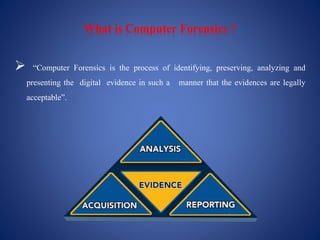
 “Computer Forensics is the process of identifying, preserving, analyzing and
presenting the digital evidence in such a manner that the evidences are legally
acceptable”.
Objective of Computer Forensics
 The main objective is to find the criminal which is directly or indirectly related to
cyber world.
 To find out the digital evidences.
 Presenting evidences in a manner that leads to legal action of the criminal.
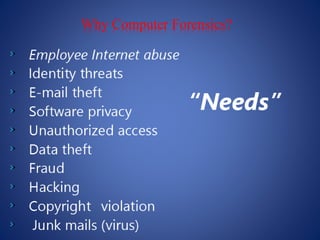
Why Computer Forensics?
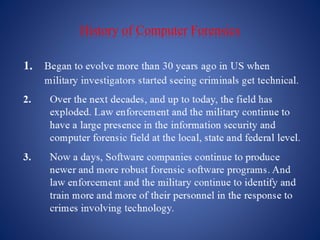
History of Computer Forensics
WHO USES COMPUTER FORENSICS?
 Criminal Prosecutors - Rely on evidence obtained from a computer to prosecute
suspects and use as evidence.
 Civil Litigations - Personal and business data discovered on a computer can be
used in fraud, harassment, or discrimination cases.
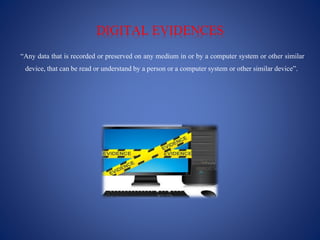
DIGITAL EVIDENCES
“Any data that is recorded or preserved on any medium in or by a computer system or other similar
device, that can be read or understandby a person or a computer system or other similar device”.
TYPE OF DIGITAL EVIDENCES
 PERSISTANT DATA- Data that remains
unaffected when the computer is turned off.
 Example- Hard Drives & storage media.
 VOLATILE DATA- Data that would be lost if the
computer is turned off.
 Example-Deleted files, computer history, the
computer's registry, temporary files and web
browsing history.
RULES FOR DIGITAL EVIDENCES
 Admissible-Must be able to be used in court or elsewhere.
 Authentic-Evidence must be relevant to the case.
 Complete-Must not lack any information.
 Reliable-No question about authenticity.
 Believable-Clear, easy to understand, and believable by a jury.
Steps of Collection of Evidence
 Find the evidence; where is it stored.
 Find relevant data – recovery.
 Create order of volatility.
 Collect evidence – use tools.
 Good documentationof all the actions.
Steps of Investigation in Live Analysis
 Acquisition: Physically or remotely obtaining possession of the computer and external
physical storagedevices.
 Identification: This step involves identifying what data could be recovered and electronically
retrieving it by runningvarious Computer Forensic tools and software suites.
 Evaluation: Evaluating the data recovered to determine if and how it could be used again the
suspect for prosecution in court.
 Presentation: Presentation of evidence discovered in a manner which is understood by
lawyers, non-technicallystaff/management, and suitable as evidence asdetermined by laws.
What not to be done during investigation?
 Avoid changingdate/time stamps (of files for example)or changingdata itself.
 Overwriting of unallocatedspace (which can happen on re-boot for example).
Computer Forensics Tools
 Disk imaging software.
 Hashing tools.
 File recovery programs.
 Encryption decoding software.
 Password cracking software.
COMPUTER FORENSICS APPLICATION
 Financial fraud detection.
 Corporate security policy.
 Criminal prosecution.
SKILLLS REQUIRED FOR COMPUTER FORENSICS
 Proper knowledge of computer.
 Strong computer science fundamentals.
 Strong system administrative skills.
 Knowledge of the latest forensic tools.
Advantages
 Digital Forensics help to protect from and solve cases involving:
 Theft of intellectual property- This is related to any act that allows access to
customer data and any confidential information.
 Financial Fraud- This is related to anything that uses fraudulent purchase of
victims information to conduct fraudulent transactions.
Disadvantages
 Digital evidence accepted into court must prove that there is no tampering.
 Costs- producing electronic records & preserving them is extremely costly.
 Legal practitioners must have extensivecomputer knowledge.
Conclusion
 This field will enable crucial electronic evidence to be found, whether it was lost, deleted,
damaged, or hidden, and used to prosecute individuals that believe they have successfully
beaten the system.
Thank You

Computer forensic

  • 4.
    What is ComputerForensics ?  “Computer Forensics is the process of identifying, preserving, analyzing and presenting the digital evidence in such a manner that the evidences are legally acceptable”.
  • 5.
    Objective of ComputerForensics  The main objective is to find the criminal which is directly or indirectly related to cyber world.  To find out the digital evidences.  Presenting evidences in a manner that leads to legal action of the criminal.
  • 6.
  • 7.
  • 8.
    WHO USES COMPUTERFORENSICS?  Criminal Prosecutors - Rely on evidence obtained from a computer to prosecute suspects and use as evidence.  Civil Litigations - Personal and business data discovered on a computer can be used in fraud, harassment, or discrimination cases.
  • 9.
    DIGITAL EVIDENCES “Any datathat is recorded or preserved on any medium in or by a computer system or other similar device, that can be read or understandby a person or a computer system or other similar device”.
  • 10.
    TYPE OF DIGITALEVIDENCES  PERSISTANT DATA- Data that remains unaffected when the computer is turned off.  Example- Hard Drives & storage media.  VOLATILE DATA- Data that would be lost if the computer is turned off.  Example-Deleted files, computer history, the computer's registry, temporary files and web browsing history.
  • 11.
    RULES FOR DIGITALEVIDENCES  Admissible-Must be able to be used in court or elsewhere.  Authentic-Evidence must be relevant to the case.  Complete-Must not lack any information.  Reliable-No question about authenticity.  Believable-Clear, easy to understand, and believable by a jury.
  • 12.
    Steps of Collectionof Evidence  Find the evidence; where is it stored.  Find relevant data – recovery.  Create order of volatility.  Collect evidence – use tools.  Good documentationof all the actions.
  • 13.
    Steps of Investigationin Live Analysis  Acquisition: Physically or remotely obtaining possession of the computer and external physical storagedevices.  Identification: This step involves identifying what data could be recovered and electronically retrieving it by runningvarious Computer Forensic tools and software suites.
  • 14.
     Evaluation: Evaluatingthe data recovered to determine if and how it could be used again the suspect for prosecution in court.  Presentation: Presentation of evidence discovered in a manner which is understood by lawyers, non-technicallystaff/management, and suitable as evidence asdetermined by laws.
  • 15.
    What not tobe done during investigation?  Avoid changingdate/time stamps (of files for example)or changingdata itself.  Overwriting of unallocatedspace (which can happen on re-boot for example).
  • 16.
    Computer Forensics Tools Disk imaging software.  Hashing tools.  File recovery programs.  Encryption decoding software.  Password cracking software.
  • 17.
    COMPUTER FORENSICS APPLICATION Financial fraud detection.  Corporate security policy.  Criminal prosecution.
  • 18.
    SKILLLS REQUIRED FORCOMPUTER FORENSICS  Proper knowledge of computer.  Strong computer science fundamentals.  Strong system administrative skills.  Knowledge of the latest forensic tools.
  • 19.
    Advantages  Digital Forensicshelp to protect from and solve cases involving:  Theft of intellectual property- This is related to any act that allows access to customer data and any confidential information.  Financial Fraud- This is related to anything that uses fraudulent purchase of victims information to conduct fraudulent transactions.
  • 20.
    Disadvantages  Digital evidenceaccepted into court must prove that there is no tampering.  Costs- producing electronic records & preserving them is extremely costly.  Legal practitioners must have extensivecomputer knowledge.
  • 21.
    Conclusion  This fieldwill enable crucial electronic evidence to be found, whether it was lost, deleted, damaged, or hidden, and used to prosecute individuals that believe they have successfully beaten the system.
  • 22.