OUTPUT
HARDWARE
Presenter: MARK PRIAN P. IPOSADA
Course Title: INFORMATION TECHNOLOGY FOR ADMINISTRATOR
Course Code: ED 611
Professorial Lecturer: DR. GARY KEN N. ROBLES
Date:
Output Hardware
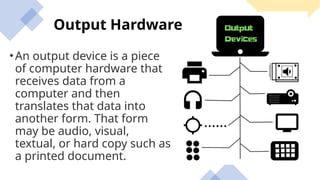
•An output device is a piece
of computer hardware that
receives data from a
computer and then
translates that data into
another form. That form
may be audio, visual,
textual, or hard copy such as
a printed document.
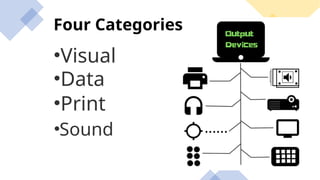
Four Categories
•Visual
•Print
•Data
•Sound
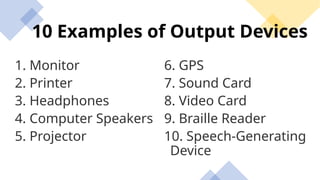
10 Examples of Output Devices
1. Monitor
2. Printer
3. Headphones
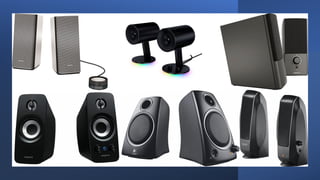
4. Computer Speakers
5. Projector
6. GPS
7. Sound Card
8. Video Card
9. Braille Reader
10. Speech-Generating
Device
Monitor
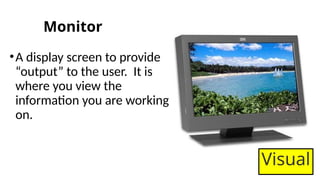
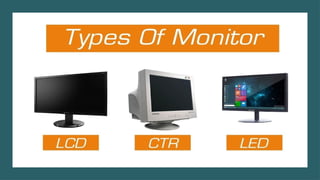
•A display screen to provide
“output” to the user. It is
where you view the
information you are working
on.
Visual
Printer
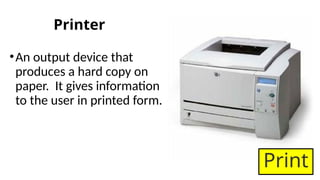
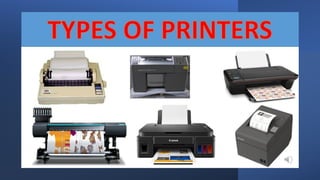
•An output device that
produces a hard copy on
paper. It gives information
to the user in printed form.
Print
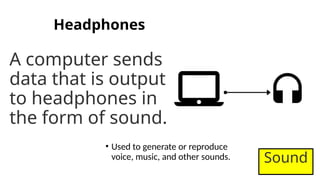
Headphones
A computer sends
data that is output
to headphones in
the form of sound.
• Used to generate or reproduce
voice, music, and other sounds. Sound
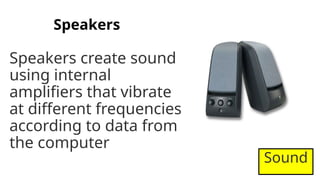
Speakers
Speakers create sound
using internal
amplifiers that vibrate
at different frequencies
according to data from
the computer
Sound
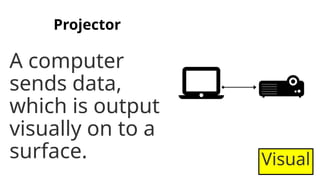
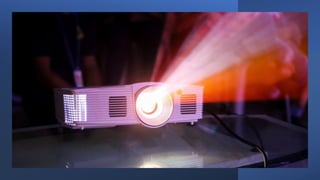
Projector
A computer
sends data,
which is output
visually on to a
surface. Visual
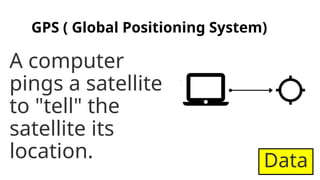
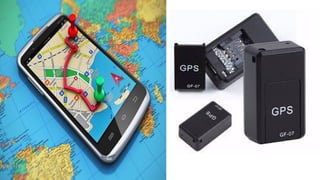
GPS ( Global Positioning System)
A computer
pings a satellite
to "tell" the
satellite its
location. Data
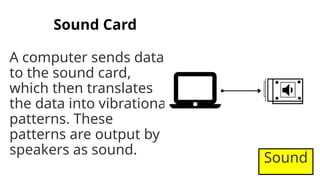
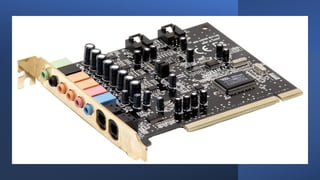
Sound Card
A computer sends data
to the sound card,
which then translates
the data into vibrational
patterns. These
patterns are output by
speakers as sound.
Sound
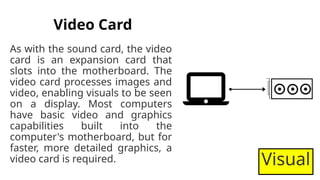
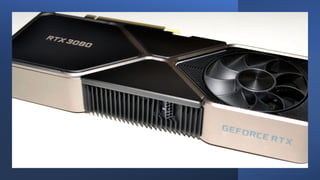
Video Card
As with the sound card, the video
card is an expansion card that
slots into the motherboard. The
video card processes images and
video, enabling visuals to be seen
on a display. Most computers
have basic video and graphics
capabilities built into the
computer's motherboard, but for
faster, more detailed graphics, a
video card is required. Visual
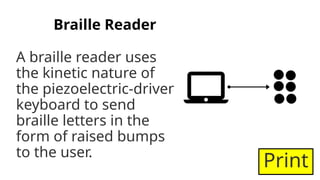
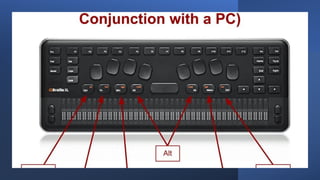
Braille Reader
A braille reader uses
the kinetic nature of
the piezoelectric-driven
keyboard to send
braille letters in the
form of raised bumps
to the user.
Print
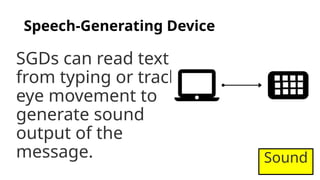
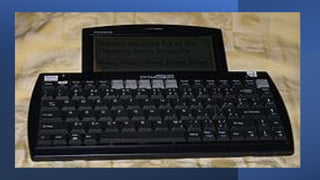
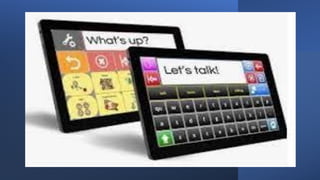
Speech-Generating Device
SGDs can read text
from typing or track
eye movement to
generate sound
output of the
message. Sound
Can a computer run without
hardware?
"Ideas are worthless until you
get them out of your head to
see what they can do."

COMPUTER EDUCATION 611 Output Hardware.pptx

  • 1.
    OUTPUT HARDWARE Presenter: MARK PRIANP. IPOSADA Course Title: INFORMATION TECHNOLOGY FOR ADMINISTRATOR Course Code: ED 611 Professorial Lecturer: DR. GARY KEN N. ROBLES Date:
  • 2.
    Output Hardware •An outputdevice is a piece of computer hardware that receives data from a computer and then translates that data into another form. That form may be audio, visual, textual, or hard copy such as a printed document.
  • 3.
  • 4.
    10 Examples ofOutput Devices 1. Monitor 2. Printer 3. Headphones 4. Computer Speakers 5. Projector 6. GPS 7. Sound Card 8. Video Card 9. Braille Reader 10. Speech-Generating Device
  • 5.
    Monitor •A display screento provide “output” to the user. It is where you view the information you are working on. Visual
  • 7.
    Printer •An output devicethat produces a hard copy on paper. It gives information to the user in printed form. Print
  • 9.
    Headphones A computer sends datathat is output to headphones in the form of sound. • Used to generate or reproduce voice, music, and other sounds. Sound
  • 11.
    Speakers Speakers create sound usinginternal amplifiers that vibrate at different frequencies according to data from the computer Sound
  • 13.
    Projector A computer sends data, whichis output visually on to a surface. Visual
  • 15.
    GPS ( GlobalPositioning System) A computer pings a satellite to "tell" the satellite its location. Data
  • 17.
    Sound Card A computersends data to the sound card, which then translates the data into vibrational patterns. These patterns are output by speakers as sound. Sound
  • 19.
    Video Card As withthe sound card, the video card is an expansion card that slots into the motherboard. The video card processes images and video, enabling visuals to be seen on a display. Most computers have basic video and graphics capabilities built into the computer's motherboard, but for faster, more detailed graphics, a video card is required. Visual
  • 21.
    Braille Reader A braillereader uses the kinetic nature of the piezoelectric-driven keyboard to send braille letters in the form of raised bumps to the user. Print
  • 23.
    Speech-Generating Device SGDs canread text from typing or track eye movement to generate sound output of the message. Sound
  • 26.
    Can a computerrun without hardware?
  • 27.
    "Ideas are worthlessuntil you get them out of your head to see what they can do."

Editor's Notes

  • #2 Some examples of output devices are : I) Monitor II) Printer III) Speaker IV) Headphones V) Projector VI) GPS VII) Sound Card VIII) Video Card IX) OMR X) Braille reader The key distinction between an input device and an output device is that an input device sends data to the computer, whereas an output device receives data from the computer. For example, using a microphone to record a podcast is an example of using an input device. Listening to the recorded podcast through a connected speaker is an example of using an output device. Both output and input devices are examples of auxiliary or peripheral devices.
  • #3 Some examples of output devices are : I) Monitor II) Printer III) Speaker IV) Headphones V) Projector VI) GPS VII) Sound Card VIII) Video Card IX) OMR X) Braille reader
  • #4 Some examples of output devices are : I) Monitor II) Printer III) Speaker IV) Headphones V) Projector VI) GPS VII) Sound Card VIII) Video Card IX) OMR X) Braille reader
  • #5 Some examples of output devices are : I) Monitor II) Printer III) Speaker IV) Headphones V) Projector VI) GPS VII) Sound Card VIII) Video Card IX) OMR X) Braille reader
  • #7 Some examples of output devices are : I) Monitor II) Printer III) Speaker IV) Headphones V) Projector VI) GPS VII) Sound Card VIII) Video Card IX) OMR X) Braille reader
  • #9 Some examples of output devices are : I) Monitor II) Printer III) Speaker IV) Headphones V) Projector VI) GPS VII) Sound Card VIII) Video Card IX) OMR X) Braille reader
  • #11 Some examples of output devices are : I) Monitor II) Printer III) Speaker IV) Headphones V) Projector VI) GPS VII) Sound Card VIII) Video Card IX) OMR X) Braille reader
  • #13 Some examples of output devices are : I) Monitor II) Printer III) Speaker IV) Headphones V) Projector VI) GPS VII) Sound Card VIII) Video Card IX) OMR X) Braille reader
  • #15 Some examples of output devices are : I) Monitor II) Printer III) Speaker IV) Headphones V) Projector VI) GPS VII) Sound Card VIII) Video Card IX) OMR X) Braille reader
  • #17 Some examples of output devices are : I) Monitor II) Printer III) Speaker IV) Headphones V) Projector VI) GPS VII) Sound Card VIII) Video Card IX) OMR X) Braille reader
  • #19 Some examples of output devices are : I) Monitor II) Printer III) Speaker IV) Headphones V) Projector VI) GPS VII) Sound Card VIII) Video Card IX) OMR X) Braille reader
  • #21 Some examples of output devices are : I) Monitor II) Printer III) Speaker IV) Headphones V) Projector VI) GPS VII) Sound Card VIII) Video Card IX) OMR X) Braille reader
  • #23 Some examples of output devices are : I) Monitor II) Printer III) Speaker IV) Headphones V) Projector VI) GPS VII) Sound Card VIII) Video Card IX) OMR X) Braille reader