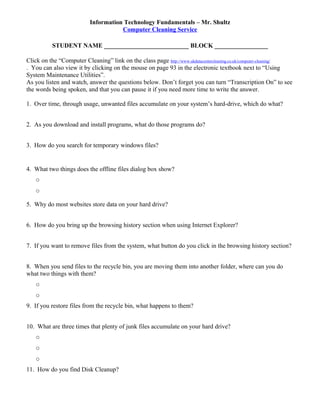
Information Technology Fundamentals – Mr. Shultz
Computer Cleaning Service
STUDENT NAME ___________________________ BLOCK _________________
Click on the “Computer Cleaning” link on the class page http://www.ukdatacentercleaning.co.uk/computer-cleaning/
. You can also view it by clicking on the mouse on page 93 in the electronic textbook next to “Using
System Maintenance Utilities”.
As you listen and watch, answer the questions below. Don’t forget you can turn “Transcription On” to see
the words being spoken, and that you can pause it if you need more time to write the answer.
1. Over time, through usage, unwanted files accumulate on your system’s hard-drive, which do what?
2. As you download and install programs, what do those programs do?
3. How do you search for temporary windows files?
4. What two things does the offline files dialog box show?
o
o
5. Why do most websites store data on your hard drive?
6. How do you bring up the browsing history section when using Internet Explorer?
7. If you want to remove files from the system, what button do you click in the browsing history section?
8. When you send files to the recycle bin, you are moving them into another folder, where can you do
what two things with them?
o
o
9. If you restore files from the recycle bin, what happens to them?
10. What are three times that plenty of junk files accumulate on your hard drive?
o
o
o
11. How do you find Disk Cleanup?
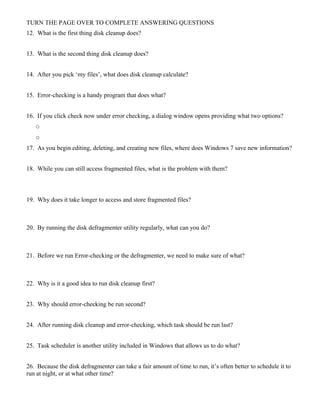
TURN THE PAGE OVER TO COMPLETE ANSWERING QUESTIONS
12. What is the first thing disk cleanup does?
13. What is the second thing disk cleanup does?
14. After you pick ‘my files’, what does disk cleanup calculate?
15. Error-checking is a handy program that does what?
16. If you click check now under error checking, a dialog window opens providing what two options?
o
o
17. As you begin editing, deleting, and creating new files, where does Windows 7 save new information?
18. While you can still access fragmented files, what is the problem with them?
19. Why does it take longer to access and store fragmented files?
20. By running the disk defragmenter utility regularly, what can you do?
21. Before we run Error-checking or the defragmenter, we need to make sure of what?
22. Why is it a good idea to run disk cleanup first?
23. Why should error-checking be run second?
24. After running disk cleanup and error-checking, which task should be run last?
25. Task scheduler is another utility included in Windows that allows us to do what?
26. Because the disk defragmenter can take a fair amount of time to run, it’s often better to schedule it to
run at night, or at what other time?
Computer cleaning

Computer cleaning

  • 1.
    Information Technology Fundamentals– Mr. Shultz Computer Cleaning Service STUDENT NAME ___________________________ BLOCK _________________ Click on the “Computer Cleaning” link on the class page http://www.ukdatacentercleaning.co.uk/computer-cleaning/ . You can also view it by clicking on the mouse on page 93 in the electronic textbook next to “Using System Maintenance Utilities”. As you listen and watch, answer the questions below. Don’t forget you can turn “Transcription On” to see the words being spoken, and that you can pause it if you need more time to write the answer. 1. Over time, through usage, unwanted files accumulate on your system’s hard-drive, which do what? 2. As you download and install programs, what do those programs do? 3. How do you search for temporary windows files? 4. What two things does the offline files dialog box show? o o 5. Why do most websites store data on your hard drive? 6. How do you bring up the browsing history section when using Internet Explorer? 7. If you want to remove files from the system, what button do you click in the browsing history section? 8. When you send files to the recycle bin, you are moving them into another folder, where can you do what two things with them? o o 9. If you restore files from the recycle bin, what happens to them? 10. What are three times that plenty of junk files accumulate on your hard drive? o o o 11. How do you find Disk Cleanup?
  • 2.
    TURN THE PAGEOVER TO COMPLETE ANSWERING QUESTIONS 12. What is the first thing disk cleanup does? 13. What is the second thing disk cleanup does? 14. After you pick ‘my files’, what does disk cleanup calculate? 15. Error-checking is a handy program that does what? 16. If you click check now under error checking, a dialog window opens providing what two options? o o 17. As you begin editing, deleting, and creating new files, where does Windows 7 save new information? 18. While you can still access fragmented files, what is the problem with them? 19. Why does it take longer to access and store fragmented files? 20. By running the disk defragmenter utility regularly, what can you do? 21. Before we run Error-checking or the defragmenter, we need to make sure of what? 22. Why is it a good idea to run disk cleanup first? 23. Why should error-checking be run second? 24. After running disk cleanup and error-checking, which task should be run last? 25. Task scheduler is another utility included in Windows that allows us to do what? 26. Because the disk defragmenter can take a fair amount of time to run, it’s often better to schedule it to run at night, or at what other time?