








Topic
COMPUTER AIDED SOFTWARE ENGINEERING (CASE)
Presented By
Faisal Ali
Contents
 History
 Definition CASE
 Need of CASE Tools
 Why CASE Tools are developed?
 How organizations use CASE Tools?
 Categories of CASE Tools
 Diagram tools
 Project Management tools
 Documentation tools
 Web Development tools
 Quality Assurance tools
 Maintenance tools
 Advantages & Disadvantages
Change……
 Nowadays everything has to go faster. Because of the increasing speed of
changing market-demands new products replace old ones much earlier
than before.
 Thus the production lines have to be developed faster too.
 A very important role in this development is software engineering.
 In past, software systems were build using traditional development
techniques.
 This is too much costly and time consuming.
Computer Aided Software Engineering
(CASE)
 To speed up the software system building process, a new concept of
designing software is introduced in the 70’s, called Computer Aided
Software Engineering (CASE).
 Computer Aided Software Engineering (CASE) is the use of software tools
to help in the development and maintenance of software.
 Software systems that are intended to provide Automated Support for
software process activities.
 Automated Support is that we use some software to develop another software.
Need of CASE tools:
 Software developers always looking for such CASE tools that help them in
many different ways during the different development stages of software.
 They can understand the software and prepare a good end product that
efficiently fulfill the user requirements.
 CASE tools provide the ways that can fulfill the requirements of software
developers.
 These tools provide computerized setting to software developers to
analyze a problem and then design its system model.
CASE (Continue…)
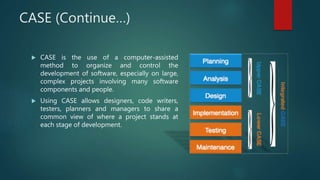
 CASE is the use of a computer-assisted
method to organize and control the
development of software, especially on large,
complex projects involving many software
components and people.
 Using CASE allows designers, code writers,
testers, planners and managers to share a
common view of where a project stands at
each stage of development.
Why CASE Tools are developed?
 Main purpose of the CASE tools is to decrease the development time and
cost and increase the quality of software.
 CASE tools are developed for the following reasons:
 Firstly Quick Installation
 Time saving by reducing coding and testing time.
 Enrich graphical techniques and data flow.
 Enhanced analysis and design development.
 Create and manipulate documentation
 The speed during the system development increased.
How organization uses CASE tools?
 To standardize the development process
 Rapid Application Development (RAD):
 To improve the speed and quality of system development.
 Testing:
 It help in improving the testing process through automated checking &
simplified program maintenance.
 Documentation:
 It improve the quality and uniformity & ensure the completeness of
documentation.
Continue…
 Project Management:
 It improves project management activity and to some extent automates various
activities.
 Reduce the maintenance cost:
 Use of CASE tools makes the software easy to maintain and reduce the
maintenance costs.
 Increase productivity
 Automation of various activities of system development and management
processes increases productivity of the development team.
CASE Tools
 Major categories of CASE tools are:
 Diagram tools
 Project Management tools
 Documentation tools
 Web Development tools
 Quality Assurance tools
 Maintenance tools
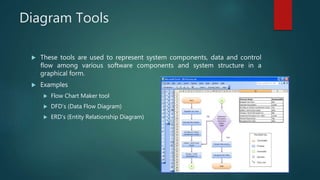
Diagram Tools
 These tools are used to represent system components, data and control
flow among various software components and system structure in a
graphical form.
 Examples
 Flow Chart Maker tool
 DFD’s (Data Flow Diagram)
 ERD’s (Entity Relationship Diagram)
Project Management Tools
 These tools are used for project planning, cost and effort estimation,
project scheduling and resource planning.
 Examples
 Creative Pro Office
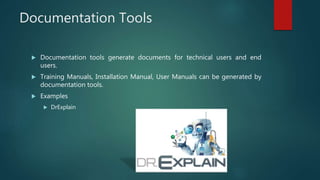
Documentation Tools
 Documentation tools generate documents for technical users and end
users.
 Training Manuals, Installation Manual, User Manuals can be generated by
documentation tools.
 Examples
 DrExplain
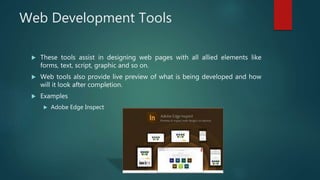
Web Development Tools
 These tools assist in designing web pages with all allied elements like
forms, text, script, graphic and so on.
 Web tools also provide live preview of what is being developed and how
will it look after completion.
 Examples
 Adobe Edge Inspect
Quality Assurance Tools
 Quality assurance in a software organization is monitoring the engineering
process and methods adopted to develop the software product in order to
ensure conformance of quality as per organization standards.
 Examples
 JMeter
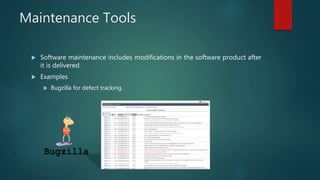
Maintenance Tools
 Software maintenance includes modifications in the software product after
it is delivered.
 Examples
 Bugzilla for defect tracking.
Advantages
 CASE tools improve quality and productivity of software.
 Produces system that more closely meet user needs and requirements.
 Produces system with excellent documentation.
 Tools are more effective for large scales systems.
 Produce more flexible system.
 CASE tools reduce the time for error correction and maintenance.
Disadvantages
 Very Complex
 Not easily maintainable
 Good quality CASE tools are very expensive.
 Require training of maintenance staff.
 May be difficult to use with existing system.
Computer Aided Software Engineering

Computer Aided Software Engineering

  • 1.
    Topic COMPUTER AIDED SOFTWAREENGINEERING (CASE) Presented By Faisal Ali
  • 2.
    Contents  History  DefinitionCASE  Need of CASE Tools  Why CASE Tools are developed?  How organizations use CASE Tools?  Categories of CASE Tools  Diagram tools  Project Management tools  Documentation tools  Web Development tools  Quality Assurance tools  Maintenance tools  Advantages & Disadvantages
  • 3.
    Change……  Nowadays everythinghas to go faster. Because of the increasing speed of changing market-demands new products replace old ones much earlier than before.  Thus the production lines have to be developed faster too.  A very important role in this development is software engineering.  In past, software systems were build using traditional development techniques.  This is too much costly and time consuming.
  • 4.
    Computer Aided SoftwareEngineering (CASE)  To speed up the software system building process, a new concept of designing software is introduced in the 70’s, called Computer Aided Software Engineering (CASE).  Computer Aided Software Engineering (CASE) is the use of software tools to help in the development and maintenance of software.  Software systems that are intended to provide Automated Support for software process activities.  Automated Support is that we use some software to develop another software.
  • 5.
    Need of CASEtools:  Software developers always looking for such CASE tools that help them in many different ways during the different development stages of software.  They can understand the software and prepare a good end product that efficiently fulfill the user requirements.  CASE tools provide the ways that can fulfill the requirements of software developers.  These tools provide computerized setting to software developers to analyze a problem and then design its system model.
  • 6.
    CASE (Continue…)  CASEis the use of a computer-assisted method to organize and control the development of software, especially on large, complex projects involving many software components and people.  Using CASE allows designers, code writers, testers, planners and managers to share a common view of where a project stands at each stage of development.
  • 7.
    Why CASE Toolsare developed?  Main purpose of the CASE tools is to decrease the development time and cost and increase the quality of software.  CASE tools are developed for the following reasons:  Firstly Quick Installation  Time saving by reducing coding and testing time.  Enrich graphical techniques and data flow.  Enhanced analysis and design development.  Create and manipulate documentation  The speed during the system development increased.
  • 8.
    How organization usesCASE tools?  To standardize the development process  Rapid Application Development (RAD):  To improve the speed and quality of system development.  Testing:  It help in improving the testing process through automated checking & simplified program maintenance.  Documentation:  It improve the quality and uniformity & ensure the completeness of documentation.
  • 9.
    Continue…  Project Management: It improves project management activity and to some extent automates various activities.  Reduce the maintenance cost:  Use of CASE tools makes the software easy to maintain and reduce the maintenance costs.  Increase productivity  Automation of various activities of system development and management processes increases productivity of the development team.
  • 10.
    CASE Tools  Majorcategories of CASE tools are:  Diagram tools  Project Management tools  Documentation tools  Web Development tools  Quality Assurance tools  Maintenance tools
  • 11.
    Diagram Tools  Thesetools are used to represent system components, data and control flow among various software components and system structure in a graphical form.  Examples  Flow Chart Maker tool  DFD’s (Data Flow Diagram)  ERD’s (Entity Relationship Diagram)
  • 12.
    Project Management Tools These tools are used for project planning, cost and effort estimation, project scheduling and resource planning.  Examples  Creative Pro Office
  • 13.
    Documentation Tools  Documentationtools generate documents for technical users and end users.  Training Manuals, Installation Manual, User Manuals can be generated by documentation tools.  Examples  DrExplain
  • 14.
    Web Development Tools These tools assist in designing web pages with all allied elements like forms, text, script, graphic and so on.  Web tools also provide live preview of what is being developed and how will it look after completion.  Examples  Adobe Edge Inspect
  • 15.
    Quality Assurance Tools Quality assurance in a software organization is monitoring the engineering process and methods adopted to develop the software product in order to ensure conformance of quality as per organization standards.  Examples  JMeter
  • 16.
    Maintenance Tools  Softwaremaintenance includes modifications in the software product after it is delivered.  Examples  Bugzilla for defect tracking.
  • 17.
    Advantages  CASE toolsimprove quality and productivity of software.  Produces system that more closely meet user needs and requirements.  Produces system with excellent documentation.  Tools are more effective for large scales systems.  Produce more flexible system.  CASE tools reduce the time for error correction and maintenance.
  • 18.
    Disadvantages  Very Complex Not easily maintainable  Good quality CASE tools are very expensive.  Require training of maintenance staff.  May be difficult to use with existing system.