Computer
Input-Output devices
By
Khan Alisha
Javeed
Content
What is computer system?
Major parts of computer
Types of computer
Application of computer
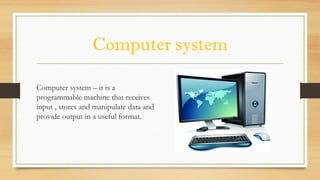
Computer system
Computer system – it is a
programmable machine that receives
input , stores and manipulate data and
provide output in a useful format.
Parts of Computer
 Input devices
 Keyboard
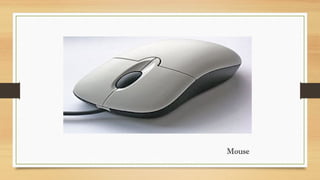
 Mouse
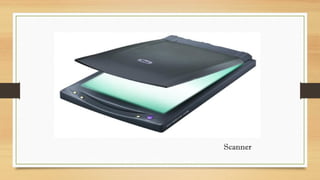
 Scanner
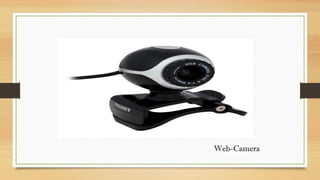
 Web-Camera
 Joysticks
 Output devices
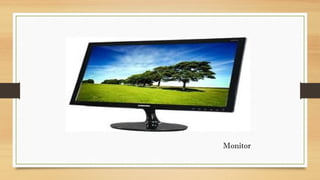
 Monitor
 Projector
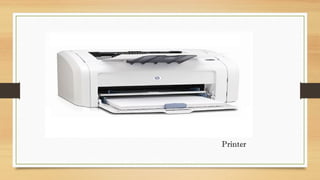
 Printer
 Speaker
 Headphones
Mouse
Web-Camera
Scanner
Monitor
Projector
Printer
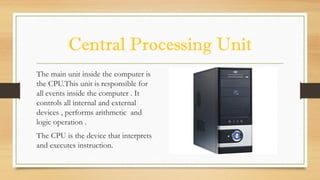
Central Processing Unit
The main unit inside the computer is
the CPU.This unit is responsible for
all events inside the computer . It
controls all internal and external
devices , performs arithmetic and
logic operation .
The CPU is the device that interprets
and executes instruction.
Types of computer
o Super Computer
o Mainframe Computer
o Mini Computer
o Micro Computer
• Desktop Computer
• Laptop Computer
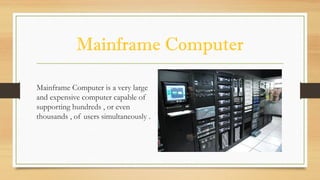
Mainframe Computer
Mainframe Computer is a very large
and expensive computer capable of
supporting hundreds , or even
thousands , of users simultaneously .
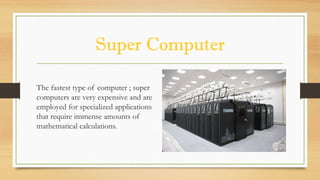
Super Computer
The fastest type of computer ; super
computers are very expensive and are
employed for specialized applications
that require immense amounts of
mathematical calculations.
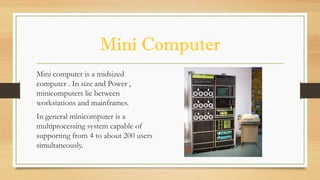
Mini Computer
Mini computer is a midsized
computer . In size and Power ,
minicomputers lie between
workstations and mainframes.
In general minicomputer is a
multiprocessing system capable of
supporting from 4 to about 200 users
simultaneously.
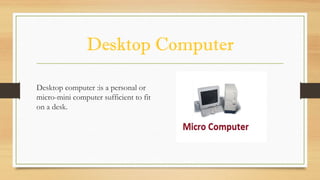
Desktop Computer
Desktop computer :is a personal or
micro-mini computer sufficient to fit
on a desk.
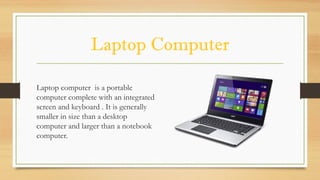
Laptop Computer
Laptop computer is a portable
computer complete with an integrated
screen and keyboard . It is generally
smaller in size than a desktop
computer and larger than a notebook
computer.
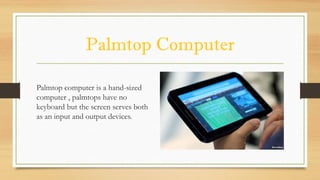
Palmtop Computer
Palmtop computer is a hand-sized
computer , palmtops have no
keyboard but the screen serves both
as an input and output devices.
Application Of Computer
 Desktop publishing –with desktop publishing , you can create page layouts for entire books on your
personal computer.
 Computers in medicine - you can diagnose diseases. you can learn the cure.
 Banks –All financial transactions are done by computer software. They provide security ,speed and
convenience.
 Travel –One can book air tickets or railway ticket and make hotel reservations online .
 Examination – You can give online exams and get instant results. You can check your examination results
online .
 News – There are many websites through which you can read the latest or old news.
 Robotics – Robots are controlled by software .
 Airplanes – Pilots train on software , which simulates flying.
 Sports – Software is used for making umpiring decisions .
 Weather analysis – Supercomputers are used to analyze and predict weather.
 E-Learning – Instead of a book it is easier to learn from an E-learning software .
Thank
You…..

Computer

  • 1.
  • 2.
    Content What is computersystem? Major parts of computer Types of computer Application of computer
  • 3.
    Computer system Computer system– it is a programmable machine that receives input , stores and manipulate data and provide output in a useful format.
  • 4.
    Parts of Computer Input devices  Keyboard  Mouse  Scanner  Web-Camera  Joysticks  Output devices  Monitor  Projector  Printer  Speaker  Headphones
  • 5.
  • 6.
  • 7.
  • 8.
  • 9.
  • 10.
  • 11.
    Central Processing Unit Themain unit inside the computer is the CPU.This unit is responsible for all events inside the computer . It controls all internal and external devices , performs arithmetic and logic operation . The CPU is the device that interprets and executes instruction.
  • 12.
    Types of computer oSuper Computer o Mainframe Computer o Mini Computer o Micro Computer • Desktop Computer • Laptop Computer
  • 13.
    Mainframe Computer Mainframe Computeris a very large and expensive computer capable of supporting hundreds , or even thousands , of users simultaneously .
  • 14.
    Super Computer The fastesttype of computer ; super computers are very expensive and are employed for specialized applications that require immense amounts of mathematical calculations.
  • 15.
    Mini Computer Mini computeris a midsized computer . In size and Power , minicomputers lie between workstations and mainframes. In general minicomputer is a multiprocessing system capable of supporting from 4 to about 200 users simultaneously.
  • 16.
    Desktop Computer Desktop computer:is a personal or micro-mini computer sufficient to fit on a desk.
  • 17.
    Laptop Computer Laptop computeris a portable computer complete with an integrated screen and keyboard . It is generally smaller in size than a desktop computer and larger than a notebook computer.
  • 18.
    Palmtop Computer Palmtop computeris a hand-sized computer , palmtops have no keyboard but the screen serves both as an input and output devices.
  • 19.
    Application Of Computer Desktop publishing –with desktop publishing , you can create page layouts for entire books on your personal computer.  Computers in medicine - you can diagnose diseases. you can learn the cure.  Banks –All financial transactions are done by computer software. They provide security ,speed and convenience.  Travel –One can book air tickets or railway ticket and make hotel reservations online .
  • 20.
     Examination –You can give online exams and get instant results. You can check your examination results online .  News – There are many websites through which you can read the latest or old news.  Robotics – Robots are controlled by software .  Airplanes – Pilots train on software , which simulates flying.  Sports – Software is used for making umpiring decisions .  Weather analysis – Supercomputers are used to analyze and predict weather.  E-Learning – Instead of a book it is easier to learn from an E-learning software .
  • 21.