Maintaining Internet Safety
Unit 1 – Lesson 1
At the end of the lesson, we should be
able to:
• Discuss possible threats to safety when
surfing the Internet
• Identify possible ways of avoiding such
threats online
Lets start with –
“Common Online Threats”
• Phishing – this is a threat that tricks the user
into giving his or her information like username
or password.
• Malware – threat that download viruses, Trojan
horses, spyware and other harmful software
into our computers
• Cyberbullying – usually happen in social sites in
groups, chats or discussion board who would
want to say mean and hurtful things
How can we avoid those threats from
Internet?
• These are some practical ways to avoid;
– Think before we click.
– Leave unknown sites
– Do not post personal information
– Only be friends with the people we know
– Be careful with the people that we meet
online
– Do not talk back to cyberbullies
– Have the latest anti-virus software
installed.
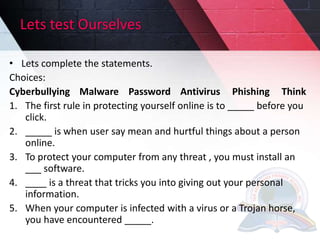
Lets test Ourselves
• Lets complete the statements.
Choices:
Cyberbullying Malware Password Antivirus Phishing Think
1. The first rule in protecting yourself online is to _____ before you
click.
2. _____ is when user say mean and hurtful things about a person
online.
3. To protect your computer from any threat , you must install an
___ software.
4. ____ is a threat that tricks you into giving out your personal
information.
5. When your computer is infected with a virus or a Trojan horse,
you have encountered _____.
Com 6 u1 L1 Maintaining internet safety

Com 6 u1 L1 Maintaining internet safety

  • 1.
  • 2.
    At the endof the lesson, we should be able to: • Discuss possible threats to safety when surfing the Internet • Identify possible ways of avoiding such threats online
  • 3.
    Lets start with– “Common Online Threats” • Phishing – this is a threat that tricks the user into giving his or her information like username or password. • Malware – threat that download viruses, Trojan horses, spyware and other harmful software into our computers • Cyberbullying – usually happen in social sites in groups, chats or discussion board who would want to say mean and hurtful things
  • 4.
    How can weavoid those threats from Internet? • These are some practical ways to avoid; – Think before we click. – Leave unknown sites – Do not post personal information – Only be friends with the people we know – Be careful with the people that we meet online – Do not talk back to cyberbullies – Have the latest anti-virus software installed.
  • 5.
    Lets test Ourselves •Lets complete the statements. Choices: Cyberbullying Malware Password Antivirus Phishing Think 1. The first rule in protecting yourself online is to _____ before you click. 2. _____ is when user say mean and hurtful things about a person online. 3. To protect your computer from any threat , you must install an ___ software. 4. ____ is a threat that tricks you into giving out your personal information. 5. When your computer is infected with a virus or a Trojan horse, you have encountered _____.