LET’S DO IT THE WIKI WAY! SUSAN DREGER
WHAT IS A WIKI? Wiki wiki  means "quick" in Hawaiian. The first wiki was created by Ward Cunningham in 1995. A  ‘wiki’  is a website where users can add, remove, and edit every page using a web browser. It's so easy for people to jump in and revise pages that wikis are becoming known as the tool of choice for either small or large, multiple-participant projects.  A  wiki  allows a group of people to collaboratively develop a website with no knowledge of HTML.
ADVANTAGES OF  INTRODUCING A WIKI Easier Communication Within Groups Better Sharing Of Knowledge Easier Assessment Of Student Contribution Greater Student Responsibility Motivating Dynamic Flexible
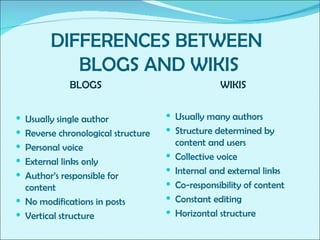
DIFFERENCES BETWEEN  BLOGS AND WIKIS BLOGS WIKIS Usually single author  Reverse chronological structure  Personal voice External links only Author’s responsible for content No modifications in posts Vertical structure Usually many authors  Structure determined by content and users  Collective voice Internal and external links  Co-responsibility of content Constant editing Horizontal structure
Factors  T hat  E nhance C ollaboration
VISIBILITY OF EVERYONE’S WORK comparing  one’s  own work with the work of others  learning from better groups getting new ideas learning from the mistakes of others more motivating
THE TEACHER’S PROMPT RESPONSE AND FEEDBACK more interaction regular  feedback more courage to ask for help
ACCESSIBILITY OF MATERIALS Easy access to materials through links Material organised according to needs and interests Internal search to help locate materials
USER FRIENDLINESS Easy editing Better forming of  a  group identity Possibility to add many dynamic features without technological knowledge
Recommendations for improving collaboration in the wiki Select user-friendly wiki software Organise the wiki clearly   and logically Provide all the necessary resources  Make students aware that their contributions are  being  assessed or ‘observed’. Build a positive relationship with the students Encourage that they ask for help Make all the groups ’  work visible and easily accessible Offer prompt feedback Praise your students’ contributions
FEATURES TO LOOK OUT FOR IN WIKIS Collaborative Page Editing  Document management & file sharing Complete history and audit trail Easily invite others to collaborate Notifications by RSS and email Access Controls  Tags and Folders  Automatic Backups Storage Space  Customizable Templates Possibility for ad-free site
SUGGESTIONS FOR CHOOSING YOUR WIKI SITE WETPAINT.COM PB WIKI.COM WIKISPACES.COM
 

Collaborative Learning The Wiki Way

  • 1.
    LET’S DO ITTHE WIKI WAY! SUSAN DREGER
  • 2.
    WHAT IS AWIKI? Wiki wiki means "quick" in Hawaiian. The first wiki was created by Ward Cunningham in 1995. A ‘wiki’ is a website where users can add, remove, and edit every page using a web browser. It's so easy for people to jump in and revise pages that wikis are becoming known as the tool of choice for either small or large, multiple-participant projects. A wiki allows a group of people to collaboratively develop a website with no knowledge of HTML.
  • 3.
    ADVANTAGES OF INTRODUCING A WIKI Easier Communication Within Groups Better Sharing Of Knowledge Easier Assessment Of Student Contribution Greater Student Responsibility Motivating Dynamic Flexible
  • 4.
    DIFFERENCES BETWEEN BLOGS AND WIKIS BLOGS WIKIS Usually single author Reverse chronological structure Personal voice External links only Author’s responsible for content No modifications in posts Vertical structure Usually many authors Structure determined by content and users Collective voice Internal and external links Co-responsibility of content Constant editing Horizontal structure
  • 5.
    Factors That E nhance C ollaboration
  • 6.
    VISIBILITY OF EVERYONE’SWORK comparing one’s own work with the work of others learning from better groups getting new ideas learning from the mistakes of others more motivating
  • 7.
    THE TEACHER’S PROMPTRESPONSE AND FEEDBACK more interaction regular feedback more courage to ask for help
  • 8.
    ACCESSIBILITY OF MATERIALSEasy access to materials through links Material organised according to needs and interests Internal search to help locate materials
  • 9.
    USER FRIENDLINESS Easyediting Better forming of a group identity Possibility to add many dynamic features without technological knowledge
  • 10.
    Recommendations for improvingcollaboration in the wiki Select user-friendly wiki software Organise the wiki clearly and logically Provide all the necessary resources Make students aware that their contributions are being assessed or ‘observed’. Build a positive relationship with the students Encourage that they ask for help Make all the groups ’ work visible and easily accessible Offer prompt feedback Praise your students’ contributions
  • 11.
    FEATURES TO LOOKOUT FOR IN WIKIS Collaborative Page Editing Document management & file sharing Complete history and audit trail Easily invite others to collaborate Notifications by RSS and email Access Controls Tags and Folders Automatic Backups Storage Space Customizable Templates Possibility for ad-free site
  • 12.
    SUGGESTIONS FOR CHOOSINGYOUR WIKI SITE WETPAINT.COM PB WIKI.COM WIKISPACES.COM
  • 13.