
What are
collaborative tools?
Collaborative tools are software
that can allow efficient team
communication, project
management and create a well-
organized workplace
environment. These tools are
used to assign roles, apply
schedules, keep track of tasks,
deadlines, resources, and much
more. File and data sharing is
also a prominent feature that
helps your team become more
productive and complete tasks in
a timely and efficient manner.
How do such tools
boost communication
& efficiency
Well, most platforms have
integrated communication
features such as webchat and
video chat. This can help team
members to stay in touch, give
updates, or discuss tasks that
need to be completed. Remote
team members are able to stay in
the loop, meetings and other
discussions can be easily
conferenced.
Why
Collaborative
tools?
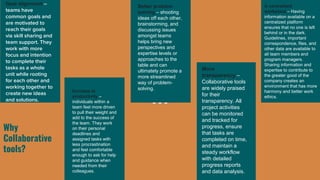
Goal alignment –
teams have
common goals and
are motivated to
reach their goals
via skill sharing and
team support. They
work with more
focus and intention
to complete their
tasks as a whole
unit while rooting
for each other and
working together to
create new ideas
and solutions.
Increase in
productivity –
individuals within a
team feel more driven
to pull their weight and
add to the success of
the team. They work
on their personal
deadlines and
assigned tasks with
less procrastination
and feel comfortable
enough to ask for help
and guidance when
needed from their
colleagues.
Better problem
solving – shooting
ideas off each other,
brainstorming, and
discussing issues
amongst teams
helps bring new
perspectives and
expertise levels or
approaches to the
table and can
ultimately promote a
more streamlined
way of problem-
solving.
More
transparency –
Collaborative tools
are widely praised
for their
transparency. All
project activities
can be monitored
and tracked for
progress, ensure
that tasks are
completed on time,
and maintain a
steady workflow
with detailed
progress reports
and data analysis.
A centralized
workplace – Having
information available on a
centralized platform
ensures that no one is left
behind or in the dark.
Guidelines, important
correspondence, files, and
other data are available to
all team members and
program managers.
Sharing information and
expertise to contribute to
the greater good of the
company creates an
environment that has more
harmony and better work
ethics.
Helping you become better and productive
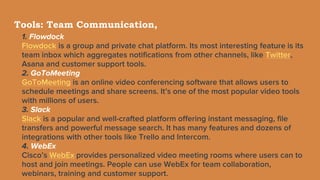
Tools: Team Communication,
1. Flowdock
Flowdock is a group and private chat platform. Its most interesting feature is its
team inbox which aggregates notifications from other channels, like Twitter,
Asana and customer support tools.
2. GoToMeeting
GoToMeeting is an online video conferencing software that allows users to
schedule meetings and share screens. It’s one of the most popular video tools
with millions of users.
3. Slack
Slack is a popular and well-crafted platform offering instant messaging, file
transfers and powerful message search. It has many features and dozens of
integrations with other tools like Trello and Intercom.
4. WebEx
Cisco’s WebEx provides personalized video meeting rooms where users can to
host and join meetings. People can use WebEx for team collaboration,
webinars, training and customer support.
Tools: Manage Projects and Tasks
5. Asana
One of the most well-known project management tools, Asana allows users to
assign tasks to other members, add followers to projects and monitor
deadlines. It’s very useful as a to-do list or calendar for strategic planning.
6. Dapulse
Dapulse is a collaboration tool that helps you communicate, set objectives and
assign tasks. Its big advantage: it has a great visual design so it’s easy to
understand and work with.
7. ProofHub
ProofHub is a work management tool that offers a comprehensive suite of
collaboration and project management functions. On this platform, you can
organize files, plan and monitor projects and discuss with colleagues and
stakeholders. ProofHub also lets you review and approve files through an
online proofing tool.
Tools: Manage Projects and Tasks…
8. Redbooth
Redbooth is an easy-to-use project management tool. Its platform allows users to plan
and collaborate through many functions from video conferencing to creating Gantt
charts.
9. Trello
Trello has an intriguing interface that resembles solitaire (you can even drag task cards
across columns, just like you would playing cards). It’s easy to learn and works well for
monitoring projects and assigning tasks..
10. Wimi
Wimi offers users their own ‘unified workspaces’ where teams can manage projects and
share files and calendars. You can control access in each workspace with a rights-based
system. Wimi Drive, their file syncing software, helps you make the most out of cloud
technology.
11. Milanote
Milanote is one of the qualified tools that can be used for serving numerous purposes
including blogging. Using this tool, you can organize creative projects and place them
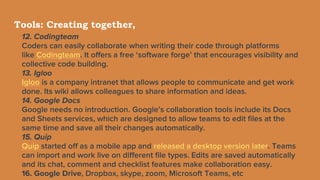
Tools: Creating together,
12. Codingteam
Coders can easily collaborate when writing their code through platforms
like Codingteam. It offers a free ‘software forge’ that encourages visibility and
collective code building.
13. Igloo
Igloo is a company intranet that allows people to communicate and get work
done. Its wiki allows colleagues to share information and ideas.
14. Google Docs
Google needs no introduction. Google’s collaboration tools include its Docs
and Sheets services, which are designed to allow teams to edit files at the
same time and save all their changes automatically.
15. Quip
Quip started off as a mobile app and released a desktop version later. Teams
can import and work live on different file types. Edits are saved automatically
and its chat, comment and checklist features make collaboration easy.
16. Google Drive, Dropbox, skype, zoom, Microsoft Teams, etc
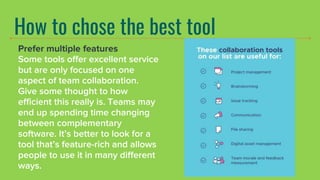
How to chose the best tool
Prefer multiple features
Some tools offer excellent service
but are only focused on one
aspect of team collaboration.
Give some thought to how
efficient this really is. Teams may
end up spending time changing
between complementary
software. It’s better to look for a
tool that’s feature-rich and allows
people to use it in many different
ways.
Look for ease of use This is obviously one of the
most important criteria. If a
service works but takes a lot of
time to get used to, it won’t
help teams (especially fast-
growing teams.) Request a
demo and keep an eye out for
an intuitive interface and
simple navigation.
Pay attention to
privacy options
Collaborating with teams
doesn’t mean all
conversations and files
should be public.
Sometimes, you’ll want
team members to have
private conversations or
work on sensitive projects.
Make sure you look at
privacy options before you
choose a service.
Cost/ suitable price
Yes, collaboration software can be
an investment in your company’s
success. But what about the
pricing? Some team software
developers add features and
benefits that you may not need in
your business model. Extensive
integrations are great if you have
the resources to use them, but
unnecessary if they’re not
applicable to you. The cost of team
software is something that remains
an important issue for small
businesses. Can you justify the
expenditure with good business
case?
Team Communication
is a must
The first tip is pretty obvious –
communication is a must. We
all know that your team won’t
be able to collaborate if they
can’t properly communicate.
Communication is an essential
part of any team, especially if
there is a number of people
who are working on a single
project. A strong team can
have amazing results and one
weak link in this chain may
result in the failure of this
project.
Better control over
your projects
The project management feature
will help you and your team
leaders in organizing their teams
working on multiple projects. It will
allow all the team members to
work together, share ideas, solve
problems and make strategic
decisions about the project. The
right collaboration tool with
a project management feature
should help your company to
easily manage projects, allocate
tasks to the team members,
resolve conflicts between team
members and get updates about
project status in real-time.
Set actionable goals
After you have evaluated the
above factors, you can set
clear goals concerning the
operation of your organization.
With these goals, you will have
an idea of the features and
functionalities to look for in
your team collaboration tool.
E.g streamlining the document
sharing process, improving
peer to peer communication,
bettering inter departmental
updates, etc.
How many people can
use it? There will come a time you
need more support and this is
when it becomes critical that
you have implemented
something like collaboration
software. The key point is that
you should think about the
options available to you if you
need to work with a larger
number of people at any one
time..
How to chose the best tool
• Enterprise content search
capabilities
• Integration capabilities with third-
party apps
• Calendar integration
• Conferencing feature
• Screen-sharing capability
How to chose the best tool
● Shared workspaces and dashboards: Team members need a central location
where they can find information as well as post and organize information related
to their projects and tasks. Workspaces let team members post and share such
things as project and team notes, files, and videos.
● The best project collaboration tools also include dashboards that update team
members about what information they need to know and when they need to know
it. A single dashboard view lets team members view all their real-time project data,
see what others are working on, see how much time team members spend on
tasks, and ensure they meet their deadlines.
● Advanced messaging options: The top project collaboration tools give team
members and project managers various ways to communicate with each other.
The best collaboration tools enable them to make decisions, offer feedback, and
hold conversations through a variety of messaging features, including @mentions,
which allow team leaders to notify members about important updates, questions,
or activities, so they can work faster.
How to chose the best tool
● Project planning and tracking: Project collaboration tools should include project
planning and tracking features, such as Kanban boards, Gantt charts, timelines,
calendars, time-tracking tools, and tables.
● Discussion forums: These forums enable team members to share opinions,
expertise, and feedback. The best tools let teams add discussion forums to
workspaces or pages, which members can use to ask questions on a particular
subject or get comments on an idea.
● Document management: This feature enables team members to draft and store
project-related documents that they can easily access and edit. The ability to edit
a document with other team members in real time maximizes collaboration. This
feature should also offer real-time syncing to ensure that every change that’s
made is reflected on each members’ device. The best project collaboration tools
also let team members track the history of each change through versioning.
● Appropriateness: What are the current greatest challenges in project
management , what features are most important in a project management
solution. How many users will use the tool
How to chose the best tool
● Workflows and forms: Using workflows and forms, team
members can collect, review, and approve work processes.
Teams can work more efficiently and make faster decisions
when they use forms to collaborate, collect data, and
expedite approvals. The best collaboration software lets
teams create custom workflows that complement best
practices and enable team members to work together more
transparently and efficiently.
● Videoconferencing: Videoconferencing capabilities should
include schedulable virtual meetings with screen sharing for
large and small groups, as well as one-on-one calls for spur-
Opt for cloud
Cloud-based technology
has many advantages. It
can solve your version
control headaches by
allowing you to see recent
edits and activity. All
information is stored
online so everyone can be
on the same page, no
matter where they are.
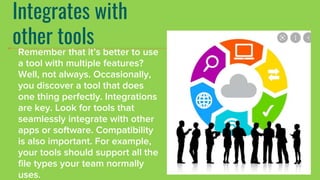
Integrates with
other tools
Remember that it’s better to use
a tool with multiple features?
Well, not always. Occasionally,
you discover a tool that does
one thing perfectly. Integrations
are key. Look for tools that
seamlessly integrate with other
apps or software. Compatibility
is also important. For example,
your tools should support all the
file types your team normally
uses.
Conclusion
Pick one that brings
out the best for your
teams. These tools
are increasingly
making every kind of
organisation likely to
be successful.
Collaborative communication tools .pptx

Collaborative communication tools .pptx

  • 2.
    What are collaborative tools? Collaborativetools are software that can allow efficient team communication, project management and create a well- organized workplace environment. These tools are used to assign roles, apply schedules, keep track of tasks, deadlines, resources, and much more. File and data sharing is also a prominent feature that helps your team become more productive and complete tasks in a timely and efficient manner.
  • 3.
    How do suchtools boost communication & efficiency Well, most platforms have integrated communication features such as webchat and video chat. This can help team members to stay in touch, give updates, or discuss tasks that need to be completed. Remote team members are able to stay in the loop, meetings and other discussions can be easily conferenced.
  • 4.
    Why Collaborative tools? Goal alignment – teamshave common goals and are motivated to reach their goals via skill sharing and team support. They work with more focus and intention to complete their tasks as a whole unit while rooting for each other and working together to create new ideas and solutions. Increase in productivity – individuals within a team feel more driven to pull their weight and add to the success of the team. They work on their personal deadlines and assigned tasks with less procrastination and feel comfortable enough to ask for help and guidance when needed from their colleagues. Better problem solving – shooting ideas off each other, brainstorming, and discussing issues amongst teams helps bring new perspectives and expertise levels or approaches to the table and can ultimately promote a more streamlined way of problem- solving. More transparency – Collaborative tools are widely praised for their transparency. All project activities can be monitored and tracked for progress, ensure that tasks are completed on time, and maintain a steady workflow with detailed progress reports and data analysis. A centralized workplace – Having information available on a centralized platform ensures that no one is left behind or in the dark. Guidelines, important correspondence, files, and other data are available to all team members and program managers. Sharing information and expertise to contribute to the greater good of the company creates an environment that has more harmony and better work ethics.
  • 8.
    Helping you becomebetter and productive
  • 9.
    Tools: Team Communication, 1.Flowdock Flowdock is a group and private chat platform. Its most interesting feature is its team inbox which aggregates notifications from other channels, like Twitter, Asana and customer support tools. 2. GoToMeeting GoToMeeting is an online video conferencing software that allows users to schedule meetings and share screens. It’s one of the most popular video tools with millions of users. 3. Slack Slack is a popular and well-crafted platform offering instant messaging, file transfers and powerful message search. It has many features and dozens of integrations with other tools like Trello and Intercom. 4. WebEx Cisco’s WebEx provides personalized video meeting rooms where users can to host and join meetings. People can use WebEx for team collaboration, webinars, training and customer support.
  • 10.
    Tools: Manage Projectsand Tasks 5. Asana One of the most well-known project management tools, Asana allows users to assign tasks to other members, add followers to projects and monitor deadlines. It’s very useful as a to-do list or calendar for strategic planning. 6. Dapulse Dapulse is a collaboration tool that helps you communicate, set objectives and assign tasks. Its big advantage: it has a great visual design so it’s easy to understand and work with. 7. ProofHub ProofHub is a work management tool that offers a comprehensive suite of collaboration and project management functions. On this platform, you can organize files, plan and monitor projects and discuss with colleagues and stakeholders. ProofHub also lets you review and approve files through an online proofing tool.
  • 11.
    Tools: Manage Projectsand Tasks… 8. Redbooth Redbooth is an easy-to-use project management tool. Its platform allows users to plan and collaborate through many functions from video conferencing to creating Gantt charts. 9. Trello Trello has an intriguing interface that resembles solitaire (you can even drag task cards across columns, just like you would playing cards). It’s easy to learn and works well for monitoring projects and assigning tasks.. 10. Wimi Wimi offers users their own ‘unified workspaces’ where teams can manage projects and share files and calendars. You can control access in each workspace with a rights-based system. Wimi Drive, their file syncing software, helps you make the most out of cloud technology. 11. Milanote Milanote is one of the qualified tools that can be used for serving numerous purposes including blogging. Using this tool, you can organize creative projects and place them
  • 12.
    Tools: Creating together, 12.Codingteam Coders can easily collaborate when writing their code through platforms like Codingteam. It offers a free ‘software forge’ that encourages visibility and collective code building. 13. Igloo Igloo is a company intranet that allows people to communicate and get work done. Its wiki allows colleagues to share information and ideas. 14. Google Docs Google needs no introduction. Google’s collaboration tools include its Docs and Sheets services, which are designed to allow teams to edit files at the same time and save all their changes automatically. 15. Quip Quip started off as a mobile app and released a desktop version later. Teams can import and work live on different file types. Edits are saved automatically and its chat, comment and checklist features make collaboration easy. 16. Google Drive, Dropbox, skype, zoom, Microsoft Teams, etc
  • 13.
    How to chosethe best tool Prefer multiple features Some tools offer excellent service but are only focused on one aspect of team collaboration. Give some thought to how efficient this really is. Teams may end up spending time changing between complementary software. It’s better to look for a tool that’s feature-rich and allows people to use it in many different ways.
  • 14.
    Look for easeof use This is obviously one of the most important criteria. If a service works but takes a lot of time to get used to, it won’t help teams (especially fast- growing teams.) Request a demo and keep an eye out for an intuitive interface and simple navigation.
  • 15.
    Pay attention to privacyoptions Collaborating with teams doesn’t mean all conversations and files should be public. Sometimes, you’ll want team members to have private conversations or work on sensitive projects. Make sure you look at privacy options before you choose a service.
  • 16.
    Cost/ suitable price Yes,collaboration software can be an investment in your company’s success. But what about the pricing? Some team software developers add features and benefits that you may not need in your business model. Extensive integrations are great if you have the resources to use them, but unnecessary if they’re not applicable to you. The cost of team software is something that remains an important issue for small businesses. Can you justify the expenditure with good business case?
  • 17.
    Team Communication is amust The first tip is pretty obvious – communication is a must. We all know that your team won’t be able to collaborate if they can’t properly communicate. Communication is an essential part of any team, especially if there is a number of people who are working on a single project. A strong team can have amazing results and one weak link in this chain may result in the failure of this project.
  • 18.
    Better control over yourprojects The project management feature will help you and your team leaders in organizing their teams working on multiple projects. It will allow all the team members to work together, share ideas, solve problems and make strategic decisions about the project. The right collaboration tool with a project management feature should help your company to easily manage projects, allocate tasks to the team members, resolve conflicts between team members and get updates about project status in real-time.
  • 19.
    Set actionable goals Afteryou have evaluated the above factors, you can set clear goals concerning the operation of your organization. With these goals, you will have an idea of the features and functionalities to look for in your team collaboration tool. E.g streamlining the document sharing process, improving peer to peer communication, bettering inter departmental updates, etc.
  • 20.
    How many peoplecan use it? There will come a time you need more support and this is when it becomes critical that you have implemented something like collaboration software. The key point is that you should think about the options available to you if you need to work with a larger number of people at any one time..
  • 21.
    How to chosethe best tool • Enterprise content search capabilities • Integration capabilities with third- party apps • Calendar integration • Conferencing feature • Screen-sharing capability
  • 22.
    How to chosethe best tool ● Shared workspaces and dashboards: Team members need a central location where they can find information as well as post and organize information related to their projects and tasks. Workspaces let team members post and share such things as project and team notes, files, and videos. ● The best project collaboration tools also include dashboards that update team members about what information they need to know and when they need to know it. A single dashboard view lets team members view all their real-time project data, see what others are working on, see how much time team members spend on tasks, and ensure they meet their deadlines. ● Advanced messaging options: The top project collaboration tools give team members and project managers various ways to communicate with each other. The best collaboration tools enable them to make decisions, offer feedback, and hold conversations through a variety of messaging features, including @mentions, which allow team leaders to notify members about important updates, questions, or activities, so they can work faster.
  • 23.
    How to chosethe best tool ● Project planning and tracking: Project collaboration tools should include project planning and tracking features, such as Kanban boards, Gantt charts, timelines, calendars, time-tracking tools, and tables. ● Discussion forums: These forums enable team members to share opinions, expertise, and feedback. The best tools let teams add discussion forums to workspaces or pages, which members can use to ask questions on a particular subject or get comments on an idea. ● Document management: This feature enables team members to draft and store project-related documents that they can easily access and edit. The ability to edit a document with other team members in real time maximizes collaboration. This feature should also offer real-time syncing to ensure that every change that’s made is reflected on each members’ device. The best project collaboration tools also let team members track the history of each change through versioning. ● Appropriateness: What are the current greatest challenges in project management , what features are most important in a project management solution. How many users will use the tool
  • 24.
    How to chosethe best tool ● Workflows and forms: Using workflows and forms, team members can collect, review, and approve work processes. Teams can work more efficiently and make faster decisions when they use forms to collaborate, collect data, and expedite approvals. The best collaboration software lets teams create custom workflows that complement best practices and enable team members to work together more transparently and efficiently. ● Videoconferencing: Videoconferencing capabilities should include schedulable virtual meetings with screen sharing for large and small groups, as well as one-on-one calls for spur-
  • 25.
    Opt for cloud Cloud-basedtechnology has many advantages. It can solve your version control headaches by allowing you to see recent edits and activity. All information is stored online so everyone can be on the same page, no matter where they are.
  • 26.
    Integrates with other tools Rememberthat it’s better to use a tool with multiple features? Well, not always. Occasionally, you discover a tool that does one thing perfectly. Integrations are key. Look for tools that seamlessly integrate with other apps or software. Compatibility is also important. For example, your tools should support all the file types your team normally uses.
  • 27.
    Conclusion Pick one thatbrings out the best for your teams. These tools are increasingly making every kind of organisation likely to be successful.