 What is Drupal
 Installation
 Simplicity
 Themes and Plugging
 Blogging
 Comparison table
 Final Words
 Drupal is a free open source CMS that allows everyone to build
websites and other complex web projects. With the CMS, you can
create blogs, personal or business sites, forums, online stores,
intranets and even social networking sites. Although it can be
used both by beginners and professional, Drupal is more suitable
for experienced users who know a thing or two about web
technologies and coding. As you can imagine, building a social
networking site from scratch can’t be categorized as easy.
 Drupal supports content management, collaborative
authoring, podcasts image galleries, p2p networking, and much
more. It allows easy extensions in the form of modules, but
although everything sounds very similar to WordPress, there are
still crucial differences that will help you choose one over the
other.
 Although the following video shows older versions of WordPress
and Drupal, the basic features haven’t changed that much.
Because of that, the comparison is valid for the new versions of the
two CMS As well.
 Wordpress : WordPress.org is famous for
its five-minute installation process. Since most
of the web hosting companies already offer
installation scripts, users just have to open
them and follow on-screen instructions.
Depending on a script, users may completely
avoid setting up databases and other things
that might be confusing to beginners.
If you decide to install WordPress manually, it
will take a few more extra steps, but the
process will still be quick to complete.
 Drupal : Just like WordPress, the
installation is pretty much straightforward.
Users just have to download the latest version
from the official site and follow the installation
guide. It takes a few minutes more to install
Drupal, but you shouldn’t have problems
during the process.
The interesting part about the installation is
that Drupal offers special installation packages.
So, in case you already know what type of site
you are going for, you can automatically install
particular modules with Drupal.
 Wordpress : WordPress is beginner-friendly and
easy to understand. Even if you’re a complete
newbie, you will still be able to create a blog on
your own and publish posts without problems.
Just by investigating user interfaces, going
through menus and options, you will be able to
modify the look & feel of your new website.
Once you decide to do more with your blog, you
will have to learn new things about WordPress.
But with so many online resources it won’t take
much until you start using the platform like a
pro.
 Drupal
Drupal is not suitable for beginners. The CMS is complex at it will
require at least some basic skills in HTML, CSS, and PHP just in
order to manage the site. If you decide to develop more
sophisticated websites, better prepare your programming guides
as you will not get everything with a visual editor (like some other
platforms offer).
 WordPress
The popular CMS offers thousands of WordPress
themes and plugins that help users extend their regular
website. Without any technical knowledge, everyone
gets to add and modify features of their personal blogs.
Since there are so many available extensions, it is
possible to find practically anything that you need for
your site.
There are even thousands more premium items which
are usually coded better and come with professional
support. So, with WordPress, you really can’t say you
are missing something.
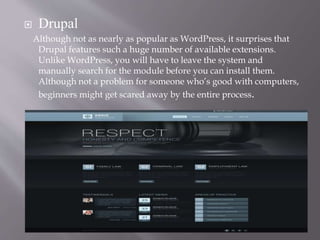
 Drupal
Although not as nearly as popular as WordPress, it surprises that
Drupal features such a huge number of available extensions.
Unlike WordPress, you will have to leave the system and
manually search for the module before you can install them.
Although not a problem for someone who’s good with computers,
beginners might get scared away by the entire process.
 WordPress
There’s nothing you can’t do about your blog with
WordPress, and the great part is that you don’t have to
prepare anything or mess with the code.
After installing WordPress, you can have your first post
published in a matter of minutes. While the Visual
editor will let you enjoy writing and media
management, the Text editor will help you include the
HTML and CSS code if needed. The entire content
management area is user-friendly, and you will have
no problems operating the blog even if you’re a
newbie.
 Drupal
On the other hand, Drupal isn’t specifically
made for blogging. That’s why you will have to
enable the module before you can even start
writing the first post. Although you get to use
the text editor to write the content and insert
media files, it just doesn’t feel as good as the
WordPress counterpart.
From the first time you open the blogging
module, it will be evident that blogging is just a
part of the system, and not something it has
been built for.
WordPress Durpal
Installation: 5min installation 10min; there are special
installation packages
Appearance and
extensions
Tens of thousands of
extensions
Good number of
extensions, harder to
install
Blogging: Perfect blogging
platform
Blogging module; not as
good as WP
Support: Community, pay for
support
Community,
Marketplace
Security: Frequently updated,
security plugins
Frequently updated,
security plugins
Multilingual options: Should use 3rd party
services
Activate language
modules
 If you are looking for a blogging platform that will allow you to
manage your site without much technical knowledge, you should
install WordPress. The popular platform will help you build
smaller websites, customize them on your own and extend with
thousands of amazing themes and plugins. It will be much easier
to find help and hire professionals if you decide to go for features
you can’t create on your own.
 On the other hand, Drupal is the perfect choice for more complex
websites and other web projects that WordPress simply can’t
handle that well. But in order to utilize all that power, you will
have to know HTML, CSS, and PHP just in order to manage the
site well. If you are interested in building complex websites with
Drupal, better be a professional programmer.
 Both Drupal and WordPress have their strengths and weaknesses,
but depending on your goals, the choice should be very easy
Drupal vs wordpess

Drupal vs wordpess

  • 2.
     What isDrupal  Installation  Simplicity  Themes and Plugging  Blogging  Comparison table  Final Words
  • 3.
     Drupal isa free open source CMS that allows everyone to build websites and other complex web projects. With the CMS, you can create blogs, personal or business sites, forums, online stores, intranets and even social networking sites. Although it can be used both by beginners and professional, Drupal is more suitable for experienced users who know a thing or two about web technologies and coding. As you can imagine, building a social networking site from scratch can’t be categorized as easy.  Drupal supports content management, collaborative authoring, podcasts image galleries, p2p networking, and much more. It allows easy extensions in the form of modules, but although everything sounds very similar to WordPress, there are still crucial differences that will help you choose one over the other.  Although the following video shows older versions of WordPress and Drupal, the basic features haven’t changed that much. Because of that, the comparison is valid for the new versions of the two CMS As well.
  • 4.
     Wordpress :WordPress.org is famous for its five-minute installation process. Since most of the web hosting companies already offer installation scripts, users just have to open them and follow on-screen instructions. Depending on a script, users may completely avoid setting up databases and other things that might be confusing to beginners. If you decide to install WordPress manually, it will take a few more extra steps, but the process will still be quick to complete.
  • 5.
     Drupal :Just like WordPress, the installation is pretty much straightforward. Users just have to download the latest version from the official site and follow the installation guide. It takes a few minutes more to install Drupal, but you shouldn’t have problems during the process. The interesting part about the installation is that Drupal offers special installation packages. So, in case you already know what type of site you are going for, you can automatically install particular modules with Drupal.
  • 6.
     Wordpress :WordPress is beginner-friendly and easy to understand. Even if you’re a complete newbie, you will still be able to create a blog on your own and publish posts without problems. Just by investigating user interfaces, going through menus and options, you will be able to modify the look & feel of your new website. Once you decide to do more with your blog, you will have to learn new things about WordPress. But with so many online resources it won’t take much until you start using the platform like a pro.
  • 7.
     Drupal Drupal isnot suitable for beginners. The CMS is complex at it will require at least some basic skills in HTML, CSS, and PHP just in order to manage the site. If you decide to develop more sophisticated websites, better prepare your programming guides as you will not get everything with a visual editor (like some other platforms offer).
  • 8.
     WordPress The popularCMS offers thousands of WordPress themes and plugins that help users extend their regular website. Without any technical knowledge, everyone gets to add and modify features of their personal blogs. Since there are so many available extensions, it is possible to find practically anything that you need for your site. There are even thousands more premium items which are usually coded better and come with professional support. So, with WordPress, you really can’t say you are missing something.
  • 9.
     Drupal Although notas nearly as popular as WordPress, it surprises that Drupal features such a huge number of available extensions. Unlike WordPress, you will have to leave the system and manually search for the module before you can install them. Although not a problem for someone who’s good with computers, beginners might get scared away by the entire process.
  • 10.
     WordPress There’s nothingyou can’t do about your blog with WordPress, and the great part is that you don’t have to prepare anything or mess with the code. After installing WordPress, you can have your first post published in a matter of minutes. While the Visual editor will let you enjoy writing and media management, the Text editor will help you include the HTML and CSS code if needed. The entire content management area is user-friendly, and you will have no problems operating the blog even if you’re a newbie.
  • 11.
     Drupal On theother hand, Drupal isn’t specifically made for blogging. That’s why you will have to enable the module before you can even start writing the first post. Although you get to use the text editor to write the content and insert media files, it just doesn’t feel as good as the WordPress counterpart.
  • 12.
    From the firsttime you open the blogging module, it will be evident that blogging is just a part of the system, and not something it has been built for.
  • 13.
    WordPress Durpal Installation: 5mininstallation 10min; there are special installation packages Appearance and extensions Tens of thousands of extensions Good number of extensions, harder to install Blogging: Perfect blogging platform Blogging module; not as good as WP Support: Community, pay for support Community, Marketplace Security: Frequently updated, security plugins Frequently updated, security plugins Multilingual options: Should use 3rd party services Activate language modules
  • 14.
     If youare looking for a blogging platform that will allow you to manage your site without much technical knowledge, you should install WordPress. The popular platform will help you build smaller websites, customize them on your own and extend with thousands of amazing themes and plugins. It will be much easier to find help and hire professionals if you decide to go for features you can’t create on your own.  On the other hand, Drupal is the perfect choice for more complex websites and other web projects that WordPress simply can’t handle that well. But in order to utilize all that power, you will have to know HTML, CSS, and PHP just in order to manage the site well. If you are interested in building complex websites with Drupal, better be a professional programmer.  Both Drupal and WordPress have their strengths and weaknesses, but depending on your goals, the choice should be very easy