
WordPress Workshop
PRESENTED BY
NADINE WILDMANN, MEEPLE COMMUNICATIONS
JUNE 13, 2014
What is WordPress?
 Web publishing platform
 Easy to learn and use Content Management System (CMS)
 Open source, community support
 Powerful blogging tool
 A way for non-programmers to create professional websites and
blogs
2
3The World of WordPress
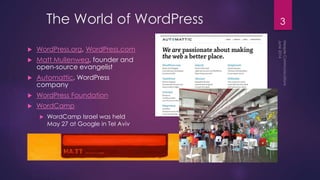
 WordPress.org, WordPress.com
 Matt Mullenweg, founder and
open-source evangelist
 Automattic, WordPress
company
 WordPress Foundation
 WordCamp
 WordCamp Israel was held
May 27 at Google in Tel Aviv
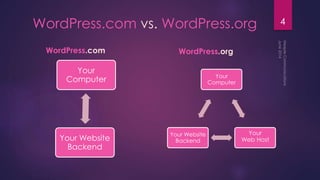
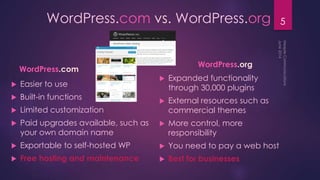
4WordPress.com vs. WordPress.org
WordPress.com WordPress.org
Your
Computer
Your
Web Host
Your Website
Backend
Your
Computer
Your Website
Backend
5WordPress.com vs. WordPress.org
WordPress.com
 Easier to use
 Built-in functions
 Limited customization
 Paid upgrades available, such as
your own domain name
 Exportable to self-hosted WP
 Free hosting and maintenance
WordPress.org
 Expanded functionality
through 30,000 plugins
 External resources such as
commercial themes
 More control, more
responsibility
 You need to pay a web host
 Best for businesses
Website Elements
wordpress.org = Self-hosted
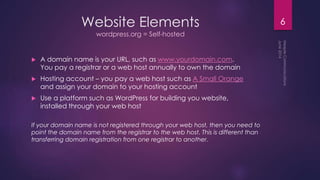
 A domain name is your URL, such as www.yourdomain.com.
You pay a registrar or a web host annually to own the domain
 Hosting account – you pay a web host such as A Small Orange
and assign your domain to your hosting account
 Use a platform such as WordPress for building you website,
installed through your web host
If your domain name is not registered through your web host, then you need to
point the domain name from the registrar to the web host. This is different than
transferring domain registration from one registrar to another.
6
Self-hosted WordPress
wordpress.org
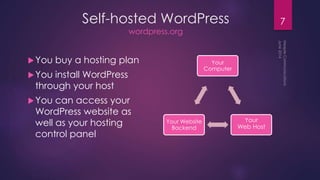
You buy a hosting plan
You install WordPress
through your host
You can access your
WordPress website as
well as your hosting
control panel
7
Your
Computer
Your
Web Host
Your Website
Backend
8
Websites and Blogs
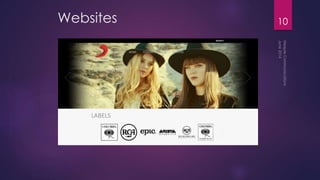
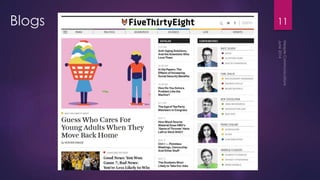
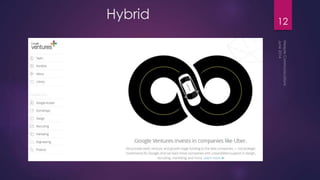
9Types of WordPress Websites
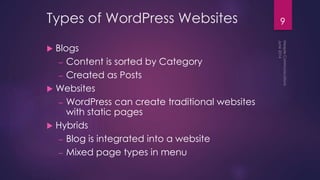
 Blogs
– Content is sorted by Category
– Created as Posts
 Websites
– WordPress can create traditional websites
with static pages
 Hybrids
– Blog is integrated into a website
– Mixed page types in menu
10Websites
11Blogs
12
Hybrid
13
Inside WordPress
14WordPress Elements
 Core / Loop
 Content – Text, Images, Media
 Theme – Design, Functionality
 Plugins – Added functionality
 Widgets
 Menu
 Dashboard Settings
Web Pages vs. Blog Posts
Page
 Static
 Updated rarely
 Accessed from main menu
Post
 Dynamically generated
 Displayed in reverse
chronological order
 Can show up in multiple
locations
 On the Home page
 On one or more Category pages
 In sidebars or sections of pages
 As full posts or excerpts
 With or without thumbnail images
 Excerpt links to full post
 Individual posts are normally
not accessed from main menu
15
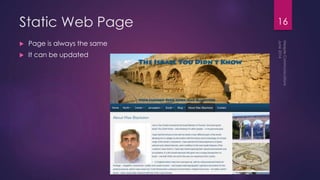
Static Web Page
 Page is always the same
 It can be updated
16
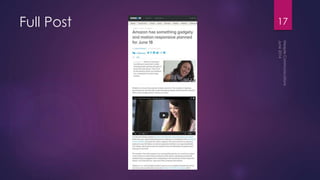
Full Post 17
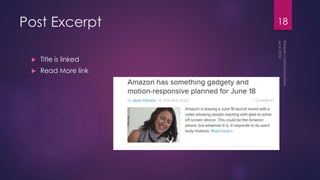
Post Excerpt
 Title is linked
 Read More link
18
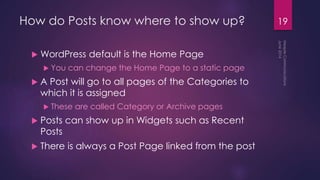
How do Posts know where to show up?
 WordPress default is the Home Page
 You can change the Home Page to a static page
 A Post will go to all pages of the Categories to
which it is assigned
 These are called Category or Archive pages
 Posts can show up in Widgets such as Recent
Posts
 There is always a Post Page linked from the post
19
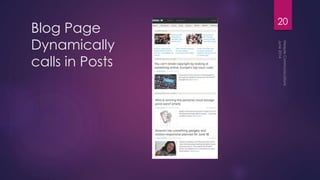
Blog Page
Dynamically
calls in Posts
20
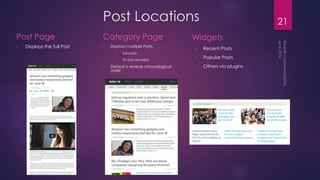
Post Locations
Post Page
• Displays the full Post
Category Page
• Displays multiple Posts
• Full posts
• Or post excerpts
• Default is reverse chronological
order
Widgets
• Recent Posts
• Popular Posts
• Others via plugins
21
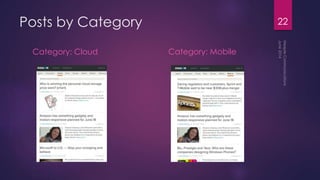
Posts by Category
Category: Cloud Category: Mobile
22
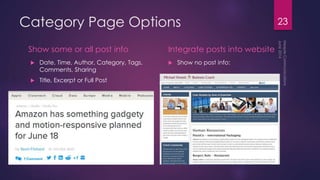
Category Page Options
Show some or all post info
 Date, Time, Author, Category, Tags,
Comments, Sharing
 Title, Excerpt or Full Post
Integrate posts into website
 Show no post info:
23
Theme Selection
24
Theme Sources
 WordPress.org Free Themes
Tested
Popular | New | Featured
Remember to install directly through Dashboard
 Other Free
Risky, evaluate source and reason for free offer
 Commercial
http://wordpress.org/themes/commercial/
are usually fine
Theme Forest - investigate developer reputation
25
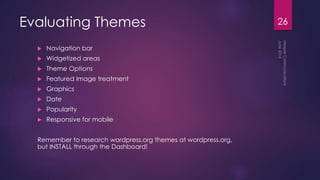
Evaluating Themes
 Navigation bar
 Widgetized areas
 Theme Options
 Featured Image treatment
 Graphics
 Date
 Popularity
 Responsive for mobile
Remember to research wordpress.org themes at wordpress.org,
but INSTALL through the Dashboard!
26
Theme
Customization
27
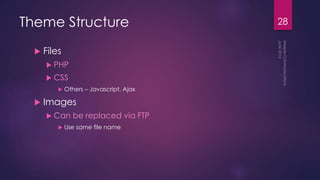
Theme Structure
 Files
 PHP
 CSS
 Others – Javascript, Ajax
 Images
 Can be replaced via FTP
 Use same file name
28
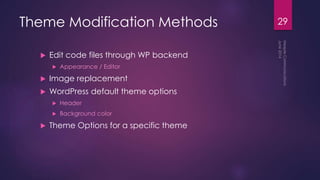
Theme Modification Methods
 Edit code files through WP backend
 Appearance / Editor
 Image replacement
 WordPress default theme options
 Header
 Background color
 Theme Options for a specific theme
29
Themes With Extensive Options
 Weaver II
 Atahualpa
 Montezuma
They allow detailed customization – a good way to
become familiar with CSS.
30
Plugins
 WordPress has over 30,000 plugins.
You can usually find one to do what you need.
 Evaluation is similar to Themes – Date, Popularity
 Try them out
 Research at wordpress.org, INSTALL through the Dashboard
31
32Content Management
 User-friendly content management
– Formatting
– Media
– Drafts and Reviewing
– Page Preview
– Category and Tag labeling
 Visual Editor and HTML views
 Permalinks - WordPress makes it easy to control
the url links that Google sees
Widgets
 Widget Sources
 WordPress
 WordPress comes with standard default widgets
 Widgets are managed in Appearance / Widgets
 Plugins
 Many Plugins will install widgets
 Plugin widgets will be added to Appearance / Widgets
 Widget Display Areas
 Themes come with one or more widgetized areas
 Common areas are sidebars, footer, home page
 In Appearance / Widgets you select the display area for each widget
 Widgetized areas are relevant when selecting a theme
33
Dashboard
A look at –
 Screen Options
 Settings / Reading / Discussion / Media / Permalinks
 Posts
 Media
 Pages
 Appearance / Themes / Widgets / Menus / Header / Background
 Plugins
34
35Menus
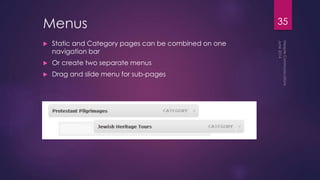
 Static and Category pages can be combined on one
navigation bar
 Or create two separate menus
 Drag and slide menu for sub-pages
WordPress Resources
 LinkedIn WordPress Group
 Facebook WordPress Help and Share
 Popular Plugins
 WordPress Lessons
 Matt
 Automattic
36
Web Resources
 Web Hosting
 Web Designer Depot
 Smashing Magazine
 Mashable Social Media News
and Web Tips
 W3Schools Coding Education
 Open Web Graphics Backgrounds
 Windows Mac Fonts
 Favicons
 Free Logo Design
 Fonts
 Stock Photos
 WDL Seamless Patterns
 Free Flat Icons
37
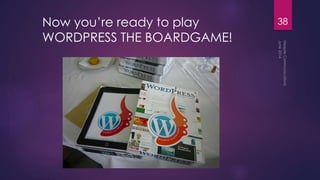
Now you’re ready to play
WORDPRESS THE BOARDGAME!
38
Thank You!
Nadine Wildmann
Meeple Communications
www.meeplecom.com
nadine@meeplecom.com
(A Meeple is a human or animal shaped
wooden token used in board games.)
39
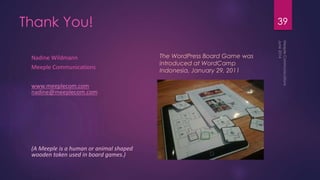
The WordPress Board Game was
introduced at WordCamp
Indonesia, January 29, 2011

Introduction to WordPress

  • 1.
    WordPress Workshop PRESENTED BY NADINEWILDMANN, MEEPLE COMMUNICATIONS JUNE 13, 2014
  • 2.
    What is WordPress? Web publishing platform  Easy to learn and use Content Management System (CMS)  Open source, community support  Powerful blogging tool  A way for non-programmers to create professional websites and blogs 2
  • 3.
    3The World ofWordPress  WordPress.org, WordPress.com  Matt Mullenweg, founder and open-source evangelist  Automattic, WordPress company  WordPress Foundation  WordCamp  WordCamp Israel was held May 27 at Google in Tel Aviv
  • 4.
    4WordPress.com vs. WordPress.org WordPress.comWordPress.org Your Computer Your Web Host Your Website Backend Your Computer Your Website Backend
  • 5.
    5WordPress.com vs. WordPress.org WordPress.com Easier to use  Built-in functions  Limited customization  Paid upgrades available, such as your own domain name  Exportable to self-hosted WP  Free hosting and maintenance WordPress.org  Expanded functionality through 30,000 plugins  External resources such as commercial themes  More control, more responsibility  You need to pay a web host  Best for businesses
  • 6.
    Website Elements wordpress.org =Self-hosted  A domain name is your URL, such as www.yourdomain.com. You pay a registrar or a web host annually to own the domain  Hosting account – you pay a web host such as A Small Orange and assign your domain to your hosting account  Use a platform such as WordPress for building you website, installed through your web host If your domain name is not registered through your web host, then you need to point the domain name from the registrar to the web host. This is different than transferring domain registration from one registrar to another. 6
  • 7.
    Self-hosted WordPress wordpress.org You buya hosting plan You install WordPress through your host You can access your WordPress website as well as your hosting control panel 7 Your Computer Your Web Host Your Website Backend
  • 8.
  • 9.
    9Types of WordPressWebsites  Blogs – Content is sorted by Category – Created as Posts  Websites – WordPress can create traditional websites with static pages  Hybrids – Blog is integrated into a website – Mixed page types in menu
  • 10.
  • 11.
  • 12.
  • 13.
  • 14.
    14WordPress Elements  Core/ Loop  Content – Text, Images, Media  Theme – Design, Functionality  Plugins – Added functionality  Widgets  Menu  Dashboard Settings
  • 15.
    Web Pages vs.Blog Posts Page  Static  Updated rarely  Accessed from main menu Post  Dynamically generated  Displayed in reverse chronological order  Can show up in multiple locations  On the Home page  On one or more Category pages  In sidebars or sections of pages  As full posts or excerpts  With or without thumbnail images  Excerpt links to full post  Individual posts are normally not accessed from main menu 15
  • 16.
    Static Web Page Page is always the same  It can be updated 16
  • 17.
  • 18.
    Post Excerpt  Titleis linked  Read More link 18
  • 19.
    How do Postsknow where to show up?  WordPress default is the Home Page  You can change the Home Page to a static page  A Post will go to all pages of the Categories to which it is assigned  These are called Category or Archive pages  Posts can show up in Widgets such as Recent Posts  There is always a Post Page linked from the post 19
  • 20.
  • 21.
    Post Locations Post Page •Displays the full Post Category Page • Displays multiple Posts • Full posts • Or post excerpts • Default is reverse chronological order Widgets • Recent Posts • Popular Posts • Others via plugins 21
  • 22.
    Posts by Category Category:Cloud Category: Mobile 22
  • 23.
    Category Page Options Showsome or all post info  Date, Time, Author, Category, Tags, Comments, Sharing  Title, Excerpt or Full Post Integrate posts into website  Show no post info: 23
  • 24.
  • 25.
    Theme Sources  WordPress.orgFree Themes Tested Popular | New | Featured Remember to install directly through Dashboard  Other Free Risky, evaluate source and reason for free offer  Commercial http://wordpress.org/themes/commercial/ are usually fine Theme Forest - investigate developer reputation 25
  • 26.
    Evaluating Themes  Navigationbar  Widgetized areas  Theme Options  Featured Image treatment  Graphics  Date  Popularity  Responsive for mobile Remember to research wordpress.org themes at wordpress.org, but INSTALL through the Dashboard! 26
  • 27.
  • 28.
    Theme Structure  Files PHP  CSS  Others – Javascript, Ajax  Images  Can be replaced via FTP  Use same file name 28
  • 29.
    Theme Modification Methods Edit code files through WP backend  Appearance / Editor  Image replacement  WordPress default theme options  Header  Background color  Theme Options for a specific theme 29
  • 30.
    Themes With ExtensiveOptions  Weaver II  Atahualpa  Montezuma They allow detailed customization – a good way to become familiar with CSS. 30
  • 31.
    Plugins  WordPress hasover 30,000 plugins. You can usually find one to do what you need.  Evaluation is similar to Themes – Date, Popularity  Try them out  Research at wordpress.org, INSTALL through the Dashboard 31
  • 32.
    32Content Management  User-friendlycontent management – Formatting – Media – Drafts and Reviewing – Page Preview – Category and Tag labeling  Visual Editor and HTML views  Permalinks - WordPress makes it easy to control the url links that Google sees
  • 33.
    Widgets  Widget Sources WordPress  WordPress comes with standard default widgets  Widgets are managed in Appearance / Widgets  Plugins  Many Plugins will install widgets  Plugin widgets will be added to Appearance / Widgets  Widget Display Areas  Themes come with one or more widgetized areas  Common areas are sidebars, footer, home page  In Appearance / Widgets you select the display area for each widget  Widgetized areas are relevant when selecting a theme 33
  • 34.
    Dashboard A look at–  Screen Options  Settings / Reading / Discussion / Media / Permalinks  Posts  Media  Pages  Appearance / Themes / Widgets / Menus / Header / Background  Plugins 34
  • 35.
    35Menus  Static andCategory pages can be combined on one navigation bar  Or create two separate menus  Drag and slide menu for sub-pages
  • 36.
    WordPress Resources  LinkedInWordPress Group  Facebook WordPress Help and Share  Popular Plugins  WordPress Lessons  Matt  Automattic 36
  • 37.
    Web Resources  WebHosting  Web Designer Depot  Smashing Magazine  Mashable Social Media News and Web Tips  W3Schools Coding Education  Open Web Graphics Backgrounds  Windows Mac Fonts  Favicons  Free Logo Design  Fonts  Stock Photos  WDL Seamless Patterns  Free Flat Icons 37
  • 38.
    Now you’re readyto play WORDPRESS THE BOARDGAME! 38
  • 39.
    Thank You! Nadine Wildmann MeepleCommunications www.meeplecom.com nadine@meeplecom.com (A Meeple is a human or animal shaped wooden token used in board games.) 39 The WordPress Board Game was introduced at WordCamp Indonesia, January 29, 2011