
P.SRAVANI
14KT1A0585
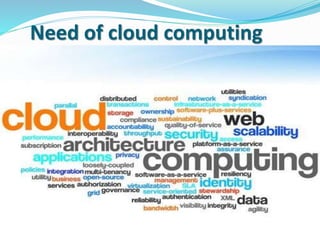
Need of cloud computing
Cloud Computing is a general term used to describe a new class
of network based computing that takes place over the Internet,
•Cloud computing refers to on demand delivery of it resources
via the internet with pay as you go process.
•Using the Internet for communication and transport provides
hardware, software and networking services to clients
•Cloud computing is a platform as well as a software
application.
Who invented”Cloud computing”??
John McCarthy however opined "computation
may someday be organized as a public
utility”.
Massive development took place in the 90’s.
There is no sole inventor.
Who introduced it??
 Salesforce.com in 1999.
 Delivered enterprise applications via a simple website
 Amazon Web Services in 2002.
 Provided a suite of cloud-based services including storage,
computation and even human intelligence through the
Amazon mechanical trunk
 Amazon Elastic Compute cloud (EC2/S3) (2006) was the first
widely accessible cloud computing infrastructure service.
 Another big milestone came in 2009, as Web 2.0.
How??
On supply and demand basis.
This “supply and demand” stuff is nothing but
“cloud computing”.
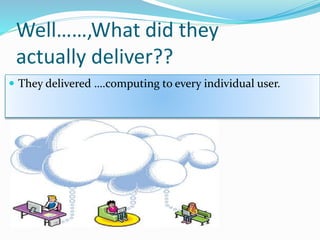
Well……,What did they
actually deliver??
 They delivered ….computing to every individual user.
So, what is cloud computing
actually???
Let me explain….
Cloud computing provides the following services
 Infrastructure as a service.
 IAAS
 Platform as a service.
 PAAS
 Software as a service.
 SAAS
Infrastructure as a service (IAAS)
It mainly provides:
 Servers(physical and virtual)
 Storage(data base)
 Maintenance
Provides infrastructure for individuals and companies.
Companies offering IAAS through cloud computing
 Amazon
 GOGRID
 Go grid
 Sun
B-hive
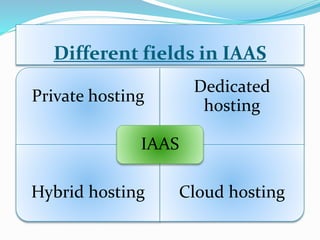
Different fields in IAAS
Private hosting
Dedicated
hosting
Hybrid hosting Cloud hosting
IAAS
 Secure and safe
 Private cloud
 Specific number of servers
Dedicated hosting
 Supply and demand.
Private hosting
 Physical and virtual servers are hired and used.
 Hourly basis usage of virtual servers by users.
Hybrid hosting
Cloud hosting
Platform as a service(PAAS)
 Provides environment and set of tools for creating new
online apps.
 Users can create their own apps using coding languages
 Google app engine
 Microsoft azure platform
 Sales force-”force.com”.
Companies offering PAAS
Software as a service (SAAS)
Features of SAAS
 Free or paid via subscription
 Accessible from any computer
 Facilitates collaborative working
Allows user to run existing online apps
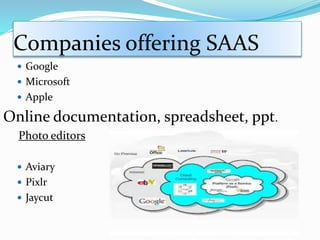
Companies offering SAAS
 Google
 Microsoft
 Apple
Online documentation, spreadsheet, ppt.
Photo editors
 Aviary
 Pixlr
 Jaycut
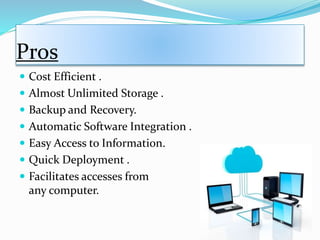
Pros
 Cost Efficient .
 Almost Unlimited Storage .
 Backup and Recovery.
 Automatic Software Integration .
 Easy Access to Information.
 Quick Deployment .
 Facilitates accesses from
any computer.
 Rapid development at low rate.
 Pay as you use.
 Efficiency in providing services to vendors.
 Smart phone apps.
 Google goggles.
 Google translate.
 visual search.
Cons
 Technical Issues
 Security in the Cloud
 Prone to Attack .
 Risk of vendor lock in.
 Limitation of languages and tools.
 Generic apps are not always useful for business use.
conclusion
Any queries?
Thank you

Cloud computing

  • 1.
  • 2.
    Need of cloudcomputing
  • 3.
    Cloud Computing isa general term used to describe a new class of network based computing that takes place over the Internet, •Cloud computing refers to on demand delivery of it resources via the internet with pay as you go process. •Using the Internet for communication and transport provides hardware, software and networking services to clients •Cloud computing is a platform as well as a software application.
  • 4.
    Who invented”Cloud computing”?? JohnMcCarthy however opined "computation may someday be organized as a public utility”. Massive development took place in the 90’s. There is no sole inventor.
  • 5.
    Who introduced it?? Salesforce.com in 1999.  Delivered enterprise applications via a simple website  Amazon Web Services in 2002.  Provided a suite of cloud-based services including storage, computation and even human intelligence through the Amazon mechanical trunk
  • 6.
     Amazon ElasticCompute cloud (EC2/S3) (2006) was the first widely accessible cloud computing infrastructure service.  Another big milestone came in 2009, as Web 2.0.
  • 7.
    How?? On supply anddemand basis. This “supply and demand” stuff is nothing but “cloud computing”.
  • 8.
    Well……,What did they actuallydeliver??  They delivered ….computing to every individual user.
  • 9.
    So, what iscloud computing actually??? Let me explain….
  • 10.
    Cloud computing providesthe following services  Infrastructure as a service.  IAAS  Platform as a service.  PAAS  Software as a service.  SAAS
  • 11.
    Infrastructure as aservice (IAAS) It mainly provides:  Servers(physical and virtual)  Storage(data base)  Maintenance Provides infrastructure for individuals and companies.
  • 12.
    Companies offering IAASthrough cloud computing  Amazon  GOGRID  Go grid
  • 13.
  • 14.
    Different fields inIAAS Private hosting Dedicated hosting Hybrid hosting Cloud hosting IAAS
  • 15.
     Secure andsafe  Private cloud  Specific number of servers Dedicated hosting  Supply and demand. Private hosting
  • 16.
     Physical andvirtual servers are hired and used.  Hourly basis usage of virtual servers by users. Hybrid hosting Cloud hosting
  • 17.
    Platform as aservice(PAAS)  Provides environment and set of tools for creating new online apps.  Users can create their own apps using coding languages  Google app engine  Microsoft azure platform  Sales force-”force.com”. Companies offering PAAS
  • 18.
    Software as aservice (SAAS) Features of SAAS  Free or paid via subscription  Accessible from any computer  Facilitates collaborative working Allows user to run existing online apps
  • 19.
    Companies offering SAAS Google  Microsoft  Apple Online documentation, spreadsheet, ppt. Photo editors  Aviary  Pixlr  Jaycut
  • 20.
    Pros  Cost Efficient.  Almost Unlimited Storage .  Backup and Recovery.  Automatic Software Integration .  Easy Access to Information.  Quick Deployment .  Facilitates accesses from any computer.
  • 21.
     Rapid developmentat low rate.  Pay as you use.  Efficiency in providing services to vendors.  Smart phone apps.  Google goggles.  Google translate.  visual search.
  • 22.
    Cons  Technical Issues Security in the Cloud  Prone to Attack .  Risk of vendor lock in.  Limitation of languages and tools.  Generic apps are not always useful for business use.
  • 23.
  • 24.
  • 25.