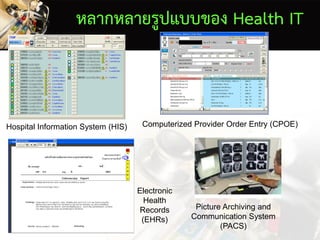
หลากหลายรูปแบบของ Health IT
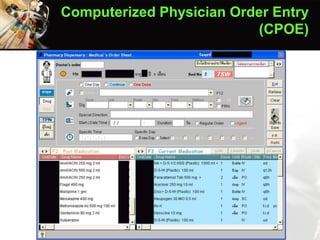
HospitalInformation System (HIS) Computerized Provider Order Entry (CPOE)
Electronic
Health
Records
(EHRs)
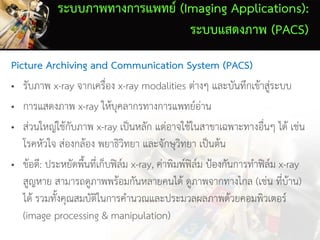
Picture Archiving and
Communication System
(PACS)
11.
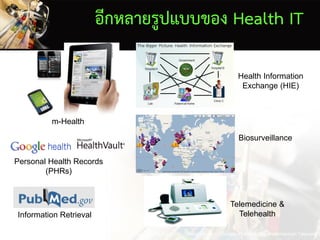
อีกหลายรูปแบบของ Health IT
m-Health
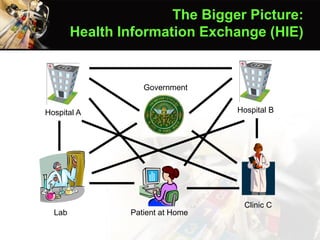
HealthInformation
Exchange (HIE)
Biosurveillance
Information Retrieval
Telemedicine &
Telehealth
Images from Apple Inc., Geekzone.co.nz, Google, PubMed.gov, and American Telecare, In
Personal Health Records
(PHRs)
Front Office
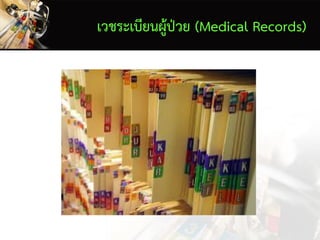
• ระบบงานบริการผู้ป่วย(Front Office)
– ระบบเวชระเบียนอิเล็กทรอนิกส์ (Electronic Medical Records
หรือ Electronic Health Records)
– ระบบสารสนเทศโรงพยาบาล (Hospital Information System)
หรือระบบสารสนเทศทางคลินิก (Clinical Information System)
– ระบบงานย่อยๆ ของหน่วยบริการภายในโรงพยาบาล
14.
Back Office
• ระบบงานบริหารจัดการที่ไม่เกี่ยวกับงานบริการ (Back Office)
– ระบบสารสนเทศเพื่อการบริหาร (Management Information Systems
หรือ MIS)
– ระบบบริหารจัดการทรัพยากรองค์กร (Enterprise Resource Planning
หรือ ERP)
– ระบบสารสนเทศการวิจัยและการศึกษา
– เว็บไซต์ และอินทราเน็ตภายในองค์กร
– ระบบงานสารบรรณ (การเวียนเอกสาร)
• Clinical DecisionSupport (CDS) “is a process for enhancing
health-related decisions and actions with pertinent, organized
clinical knowledge and patient information to improve health and
healthcare delivery” (Including both computer-based & non-
computer-based CDS)
(Osheroff et al., 2012)
What Is A CDS?
37.
• Computer-based clinicaldecision support (CDS): “Use of the
computer [ICT] to bring relevant knowledge to bear on the health
care and well being of a patient.”
(Greenes, 2007)
What Is A CDS?
38.
• The realplace where most of the values
of health IT can be achieved
• There are a variety of forms and nature
of CDS
Clinical Decision Support
Systems (CDS)
39.
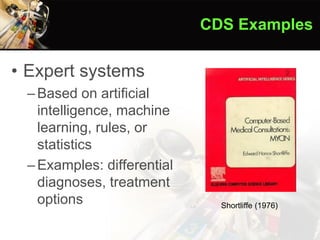
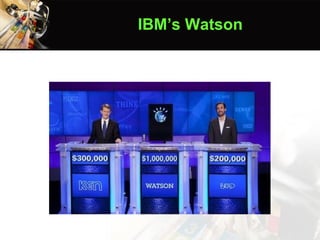
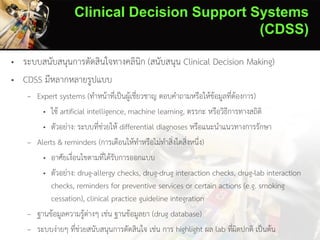
• Expert systems
–Basedon artificial
intelligence, machine
learning, rules, or
statistics
–Examples: differential
diagnoses, treatment
options
CDS Examples
Shortliffe (1976)
40.
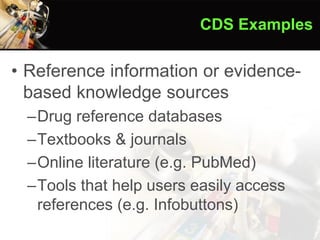
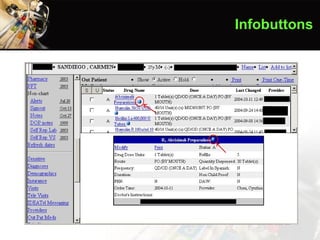
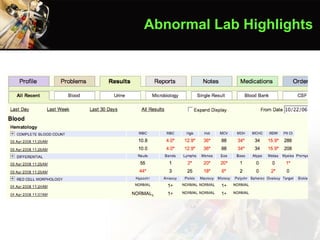
• Alerts &reminders
–Based on specified logical conditions
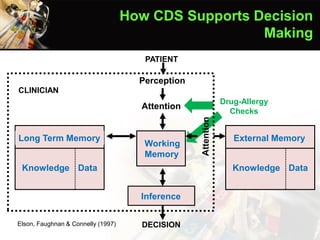
• Drug-allergy checks
• Drug-drug interaction checks
• Drug-lab interaction checks
• Drug-formulary checks
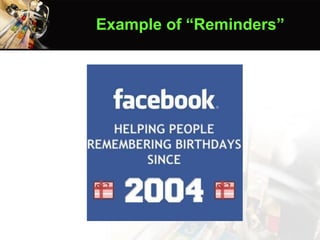
• Reminders for preventive services or certain actions (e.g.
smoking cessation)
• Clinical practice guideline integration (e.g. best practices
for chronic disease patients)
CDS Examples
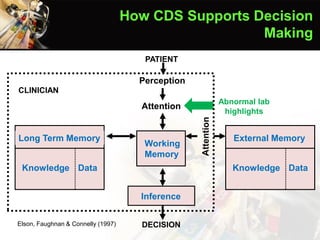
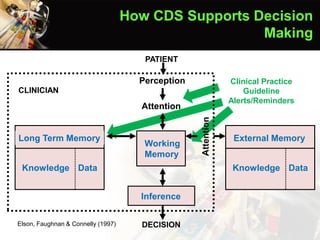
External Memory
Knowledge Data
LongTerm Memory
Knowledge Data
Inference
DECISION
PATIENT
Perception
Attention
Working
Memory
CLINICIAN
Elson, Faughnan & Connelly (1997)
How CDS Supports Decision
Making
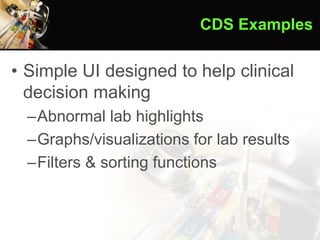
Abnormal lab
highlights
48.
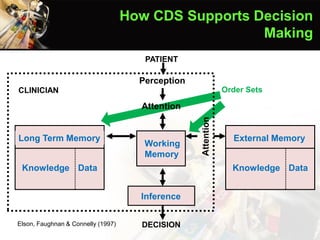
External Memory
Knowledge Data
LongTerm Memory
Knowledge Data
Inference
DECISION
PATIENT
Perception
Attention
Working
Memory
CLINICIAN
Elson, Faughnan & Connelly (1997)
How CDS Supports Decision
Making
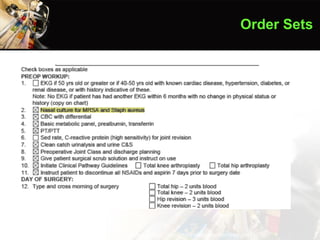
Order Sets
49.
External Memory
Knowledge Data
LongTerm Memory
Knowledge Data
Inference
DECISION
PATIENT
Perception
Attention
Working
Memory
CLINICIAN
Elson, Faughnan & Connelly (1997)
How CDS Supports Decision
Making
Drug-Allergy
Checks
50.
External Memory
Knowledge Data
LongTerm Memory
Knowledge Data
Inference
DECISION
PATIENT
Perception
Attention
Working
Memory
CLINICIAN
Elson, Faughnan & Connelly (1997)
How CDS Supports Decision
Making
Clinical Practice
Guideline
Alerts/Reminders
51.
External Memory
Knowledge Data
LongTerm Memory
Knowledge Data
Inference
DECISION
PATIENT
Perception
Attention
Working
Memory
CLINICIAN
Elson, Faughnan & Connelly (1997)
How CDS Supports Decision
Making
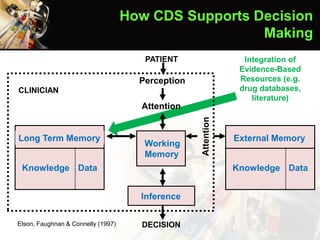
Integration of
Evidence-Based
Resources (e.g.
drug databases,
literature)
52.
External Memory
Knowledge Data
LongTerm Memory
Knowledge Data
Inference
DECISION
PATIENT
Perception
Attention
Working
Memory
CLINICIAN
Elson, Faughnan & Connelly (1997)
How CDS Supports Decision
Making
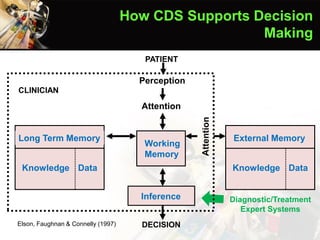
Diagnostic/Treatment
Expert Systems
Issues
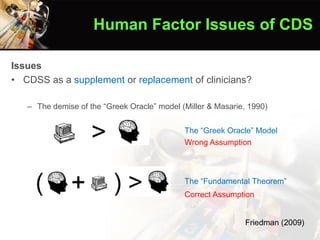
• CDSS asa supplement or replacement of clinicians?
– The demise of the “Greek Oracle” model (Miller & Masarie, 1990)
The “Greek Oracle” Model
The “Fundamental Theorem”
Friedman (2009)
Human Factor Issues of CDS
Wrong Assumption
Correct Assumption
56.
• Features withimproved clinical practice
(Kawamoto et al., 2005)
– Automatic provision of decision support as part of
clinician workflow
– Provision of recommendations rather than just
assessments
– Provision of decision support at the time and location of
decision making
– Computer based decision support
• Usability & impact on productivity
Human Factor Issues of CDS
• “Unanticipated andunwanted effect of health IT
implementation” (www.ucguide.org)
• Resources
– www.ucguide.org
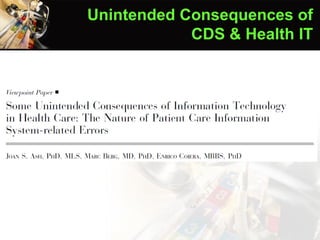
– Ash et al. (2004)
– Campbell et al. (2006)
– Koppel et al. (2005)
Unintended Consequences of
CDS & Health IT
60.
Ash et al.(2004)
Unintended Consequences of
CDS & Health IT
61.
• Errors inthe process of entering and retrieving information
– A human-computer interface that is not suitable for a highly
interruptive use context
– Causing cognitive overload by overemphasizing structured
and “complete” information entry or retrieval
• Structure
• Fragmentation
• Overcompleteness
Ash et al. (2004)
Unintended Consequences of
CDS & Health IT
62.
• Errors incommunication & coordination
– Misrepresenting collective, interactive work as a linear,
clearcut, and predictable workflow
• Inflexibility
• Urgency
• Workarounds
• Transfers of patients
– Misrepresenting communication as information transfer
• Loss of communication
• Loss of feedback
• Decision support overload
• Catching errors
Ash et al. (2004)
Unintended Consequences of
CDS & Health IT
63.
The Bigger Picture:
HealthInformation Exchange (HIE)
Hospital A Hospital B
Clinic C
Government
Lab Patient at Home




![• Computer-based clinical decision support (CDS): “Use of the
computer [ICT] to bring relevant knowledge to bear on the health
care and well being of a patient.”
(Greenes, 2007)
What Is A CDS?](https://image.slidesharecdn.com/clinicalinformationsystems-161009035952/85/Clinical-Information-Systems-October-9-2016-37-320.jpg)