Classroom Procedures
1. Entering the classroom   Seat yourself at your computer station. Review the daily agenda in Calendar.  Check the board or email for Startup Activity. Begin Startup Activity (first 10 minutes). Seat yourself at your desk.
2. Startup Activity These exercises will be included in the daily agenda and should be completed the  first ten minutes  of class everyday.  Do not turn exercises in unless otherwise instructed.  Please check board or email for Startup Activity. You may begin as soon as you have reviewed the daily agenda.
3. Briefing After the startup Activity and all students have returned to their desk, Mr. Murry will brief the class regarding assignments and agenda.
4. Daily Agenda/Calendar The Daily Agenda is available on the class website on the calendar page CLASS WEBSITE HERE – www.
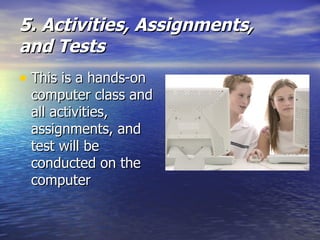
5. Activities, Assignments,  and Tests This is a hands-on computer class and all activities, assignments, and test will be conducted on the computer
6. Grades Students are responsible for recording grades in Excel.  Grades will be discussed after class or at teacher’s discretion.  Students receiving a C or below should schedule an appointment with teacher to get extra help.
7. Grading Scale A 90% - 100% B 80% - 89% C 70% - 79% D 60% - 69% F 59% and below The  Final  will be 10% of your grade Startup Activities  will be 10% of your grade
8. Please be on time to Class If you are tardy, use the following procedure.  Sign you name and hour on the sign-in sheet Each Tardy will count as one hall pass If applicable, fill out a detention form for me to sign
9. Makeup Work You are responsible for obtaining  assignments when you have been absent Please check your email and class calendar for misses assignments Makeup work can be done after school from 3-4 pm. Please schedule an appointment with Mr. Murry
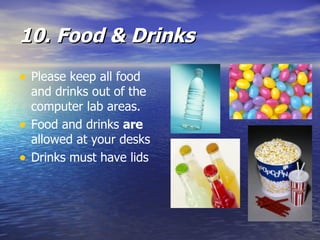
10. Food & Drinks Please keep all food and drinks out of the computer lab areas. Food and drinks  are  allowed at your desks Drinks must have lids
11. Cell Phones/Electronics Cell phones must be  turned off  and out of sight Electronics are  not  allowed in the school building.  Any of these devises seen will be given to the appropriate assistant principal
12. Questions or Comments During class Briefings or lectures, please raise your hand to ask a question or make a comment
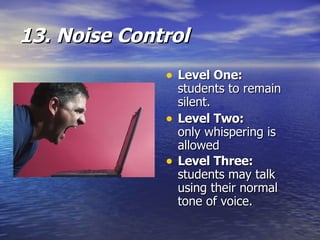
13. Noise Control Level One: students to remain silent.  Level Two: only whispering is allowed  Level Three:   students may talk using their normal tone of voice.
14. Working in Groups Mr. Murry will assign groups Group grades will be issued rather than individual grades.  Please inform teacher if a student is not contributing.  Students are not allowed to change groups.
15. Assistance Please raise hand when you need assistance. If Mr. Murry is busy or occupied, please wait patiently until he can offer assistance
16. Leaving desk or computer Students may leave their seat to perform assignment related tasks   Please raise you hand and wait for permission to leave work area
17. Finishing Early completing class assignments early,  Please see class calendar for the next day’s assignment Begin working on assignment
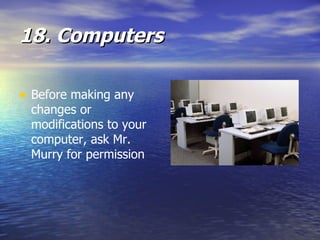
18. Computers Before making any changes or modifications to your computer, ask Mr. Murry for permission
19. Exiting the Classroom During the last five (5) minutes of class, you should: Log-off your computer Clean work station Return to desk Wait to be dismissed by Mr. Murry
20. Supplies Pencil or Pen Paper One or more diskettes (optional)
21. Classroom Behavior Keyword:  RESPECT Control your own behavior Follow the Classroom Expectations
22. Classroom Expectations I will respect myself, all others, and the classroom I will provide Mr. Murry the opportunity to teach I will provide others the opportunity to learn
23. Unacceptable Behavior Redirect Recognize behavior and correct it Loss of Computer privileges Detention Lunch After School Referral to Principal
Thank you for your patience

Classroom Procedures Uih

  • 1.
  • 2.
    1. Entering theclassroom Seat yourself at your computer station. Review the daily agenda in Calendar. Check the board or email for Startup Activity. Begin Startup Activity (first 10 minutes). Seat yourself at your desk.
  • 3.
    2. Startup ActivityThese exercises will be included in the daily agenda and should be completed the first ten minutes of class everyday. Do not turn exercises in unless otherwise instructed. Please check board or email for Startup Activity. You may begin as soon as you have reviewed the daily agenda.
  • 4.
    3. Briefing Afterthe startup Activity and all students have returned to their desk, Mr. Murry will brief the class regarding assignments and agenda.
  • 5.
    4. Daily Agenda/CalendarThe Daily Agenda is available on the class website on the calendar page CLASS WEBSITE HERE – www.
  • 6.
    5. Activities, Assignments, and Tests This is a hands-on computer class and all activities, assignments, and test will be conducted on the computer
  • 7.
    6. Grades Studentsare responsible for recording grades in Excel. Grades will be discussed after class or at teacher’s discretion. Students receiving a C or below should schedule an appointment with teacher to get extra help.
  • 8.
    7. Grading ScaleA 90% - 100% B 80% - 89% C 70% - 79% D 60% - 69% F 59% and below The Final will be 10% of your grade Startup Activities will be 10% of your grade
  • 9.
    8. Please beon time to Class If you are tardy, use the following procedure. Sign you name and hour on the sign-in sheet Each Tardy will count as one hall pass If applicable, fill out a detention form for me to sign
  • 10.
    9. Makeup WorkYou are responsible for obtaining assignments when you have been absent Please check your email and class calendar for misses assignments Makeup work can be done after school from 3-4 pm. Please schedule an appointment with Mr. Murry
  • 11.
    10. Food &Drinks Please keep all food and drinks out of the computer lab areas. Food and drinks are allowed at your desks Drinks must have lids
  • 12.
    11. Cell Phones/ElectronicsCell phones must be turned off and out of sight Electronics are not allowed in the school building. Any of these devises seen will be given to the appropriate assistant principal
  • 13.
    12. Questions orComments During class Briefings or lectures, please raise your hand to ask a question or make a comment
  • 14.
    13. Noise ControlLevel One: students to remain silent. Level Two: only whispering is allowed Level Three: students may talk using their normal tone of voice.
  • 15.
    14. Working inGroups Mr. Murry will assign groups Group grades will be issued rather than individual grades. Please inform teacher if a student is not contributing. Students are not allowed to change groups.
  • 16.
    15. Assistance Pleaseraise hand when you need assistance. If Mr. Murry is busy or occupied, please wait patiently until he can offer assistance
  • 17.
    16. Leaving deskor computer Students may leave their seat to perform assignment related tasks Please raise you hand and wait for permission to leave work area
  • 18.
    17. Finishing Earlycompleting class assignments early, Please see class calendar for the next day’s assignment Begin working on assignment
  • 19.
    18. Computers Beforemaking any changes or modifications to your computer, ask Mr. Murry for permission
  • 20.
    19. Exiting theClassroom During the last five (5) minutes of class, you should: Log-off your computer Clean work station Return to desk Wait to be dismissed by Mr. Murry
  • 21.
    20. Supplies Pencilor Pen Paper One or more diskettes (optional)
  • 22.
    21. Classroom BehaviorKeyword: RESPECT Control your own behavior Follow the Classroom Expectations
  • 23.
    22. Classroom ExpectationsI will respect myself, all others, and the classroom I will provide Mr. Murry the opportunity to teach I will provide others the opportunity to learn
  • 24.
    23. Unacceptable BehaviorRedirect Recognize behavior and correct it Loss of Computer privileges Detention Lunch After School Referral to Principal
  • 25.
    Thank you foryour patience