CIO’s Security Checklist 
for Cloud Backup 
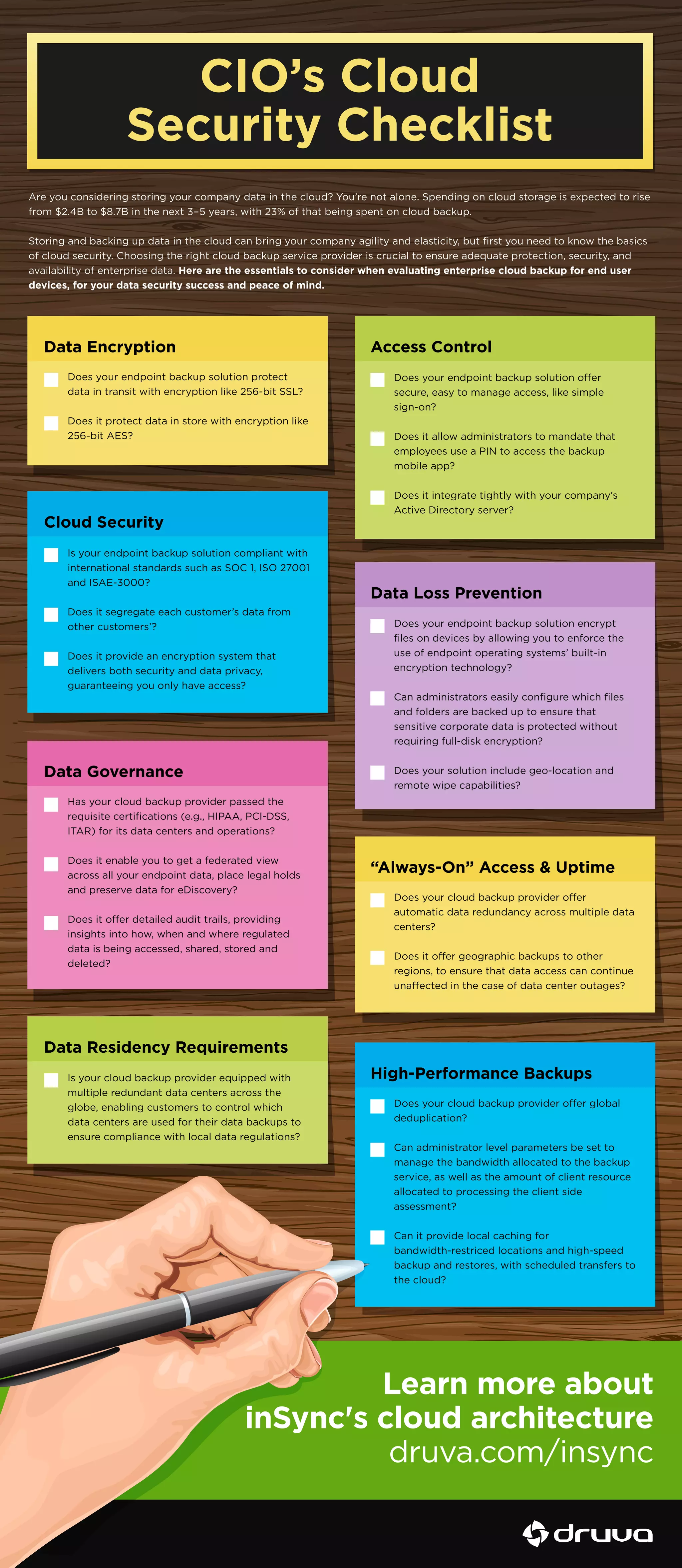
Are you considering storing your company data in the cloud? You’re not alone. Spending on cloud storage is expected to rise 
from $2.4B to $8.7B in the next 3–5 years, with 23% of that being spent on cloud backup. 
Storing and backing up data in the cloud can bring your company agility and elasticity, but first you need to know the basics 
of cloud security. Choosing the right cloud backup service provider is crucial to ensure adequate protection, security, and 
availability of enterprise data. Here are the essentials to consider when evaluating enterprise cloud backup for end user 
devices, for your data security success and peace of mind. 
Data Encryption Access Control 
Does your endpoint backup solution oer 
secure, easy to manage access, like simple 
sign-on? 
Does it allow administrators to mandate that 
employees use a PIN to access the backup 
mobile app? 
Does it integrate tightly with your company’s 
Active Directory server? 
Data Loss Prevention 
Does your endpoint backup solution encrypt 
files on devices by allowing you to enforce the 
use of endpoint operating systems’ built-in 
encryption technology? 
Can administrators easily configure which files 
and folders are backed up to ensure that 
sensitive corporate data is protected without 
requiring full-disk encryption? 
Does your solution include geo-location and 
remote wipe capabilities? 
“Always-On” Access  Uptime 
Does your cloud backup provider oer 
automatic data redundancy across multiple data 
centers? 
Does it oer geographic backups to other 
regions, to ensure that data access can continue 
unaected in the case of data center outages? 
High-Performance Backups 
Does your endpoint backup solution protect 
data in transit with encryption like 256-bit SSL? 
Does it protect data in store with encryption like 
256-bit AES? 
Data Governance 
Has your cloud backup provider passed the 
requisite certifications (e.g., HIPAA, PCI-DSS, 
ITAR) for its data centers and operations? 
Does it enable you to get a federated view 
across all your endpoint data, place legal holds 
and preserve data for eDiscovery? 
Does it oer detailed audit trails, providing 
insights into how, when and where regulated 
data is being accessed, shared, stored and 
deleted? 
Data Residency Requirements 
Is your cloud backup provider equipped with 
multiple redundant data centers across the 
globe, enabling customers to control which 
data centers are used for their data backups to 
ensure compliance with local data regulations? 
Does your cloud backup provider oer global 
deduplication? 
Can administrator level parameters be set to 
manage the bandwidth allocated to the backup 
service, as well as the amount of client resource 
allocated to processing the client side 
assessment? 
Can it provide local caching for 
bandwidth-restriced locations and high-speed 
backup and restores, with scheduled transfers to 
the cloud? 
Cloud Security 
Is your endpoint backup solution compliant with 
international standards such as SOC 1, ISO 27001 
and ISAE-3000? 
Does it segregate each customer’s data from 
other customers’? 
Does it provide an encryption system that 
delivers both security and data privacy, 
guaranteeing you only have access? 
Learn more about 
inSync's cloud architecture 
druva.com/insync

CIO Cloud Security Checklist

  • 1.
    CIO’s Security Checklist for Cloud Backup Are you considering storing your company data in the cloud? You’re not alone. Spending on cloud storage is expected to rise from $2.4B to $8.7B in the next 3–5 years, with 23% of that being spent on cloud backup. Storing and backing up data in the cloud can bring your company agility and elasticity, but first you need to know the basics of cloud security. Choosing the right cloud backup service provider is crucial to ensure adequate protection, security, and availability of enterprise data. Here are the essentials to consider when evaluating enterprise cloud backup for end user devices, for your data security success and peace of mind. Data Encryption Access Control Does your endpoint backup solution oer secure, easy to manage access, like simple sign-on? Does it allow administrators to mandate that employees use a PIN to access the backup mobile app? Does it integrate tightly with your company’s Active Directory server? Data Loss Prevention Does your endpoint backup solution encrypt files on devices by allowing you to enforce the use of endpoint operating systems’ built-in encryption technology? Can administrators easily configure which files and folders are backed up to ensure that sensitive corporate data is protected without requiring full-disk encryption? Does your solution include geo-location and remote wipe capabilities? “Always-On” Access Uptime Does your cloud backup provider oer automatic data redundancy across multiple data centers? Does it oer geographic backups to other regions, to ensure that data access can continue unaected in the case of data center outages? High-Performance Backups Does your endpoint backup solution protect data in transit with encryption like 256-bit SSL? Does it protect data in store with encryption like 256-bit AES? Data Governance Has your cloud backup provider passed the requisite certifications (e.g., HIPAA, PCI-DSS, ITAR) for its data centers and operations? Does it enable you to get a federated view across all your endpoint data, place legal holds and preserve data for eDiscovery? Does it oer detailed audit trails, providing insights into how, when and where regulated data is being accessed, shared, stored and deleted? Data Residency Requirements Is your cloud backup provider equipped with multiple redundant data centers across the globe, enabling customers to control which data centers are used for their data backups to ensure compliance with local data regulations? Does your cloud backup provider oer global deduplication? Can administrator level parameters be set to manage the bandwidth allocated to the backup service, as well as the amount of client resource allocated to processing the client side assessment? Can it provide local caching for bandwidth-restriced locations and high-speed backup and restores, with scheduled transfers to the cloud? Cloud Security Is your endpoint backup solution compliant with international standards such as SOC 1, ISO 27001 and ISAE-3000? Does it segregate each customer’s data from other customers’? Does it provide an encryption system that delivers both security and data privacy, guaranteeing you only have access? Learn more about inSync's cloud architecture druva.com/insync