1
The Rising Tide of Ransomware
John Shier
Senior Security Advisor
@john_shier
2
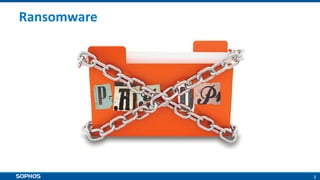
Ransomware
3
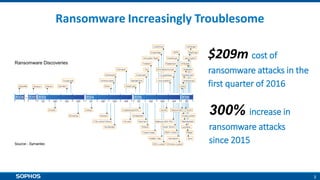
Ransomware Increasingly Troublesome
$209m cost of
ransomware attacks in the
first quarter of 2016
300% increase in
ransomware attacks
since 2015Source - Symantec
Ransomware Discoveries
4
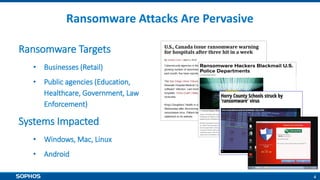
Ransomware Attacks Are Pervasive
Ransomware Targets
• Businesses (Retail)
• Public agencies (Education,
Healthcare, Government, Law
Enforcement)
Systems Impacted
• Windows, Mac, Linux
• Android
5
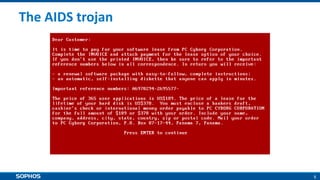
The AIDS trojan
6
Fake AV
7
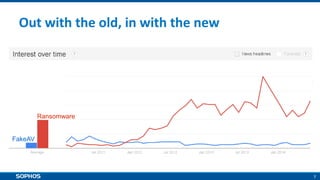
Out with the old, in with the new
FakeAV
Ransomware
8
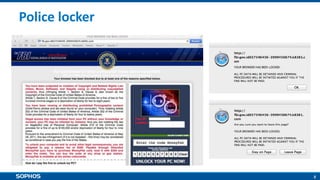
Police locker
9
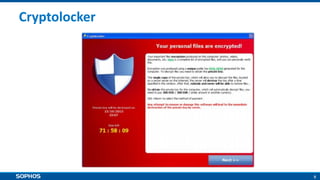
Cryptolocker
10
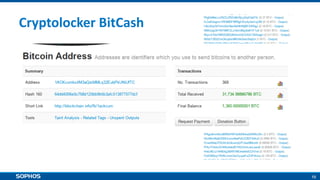
Cryptolocker BitCash
11
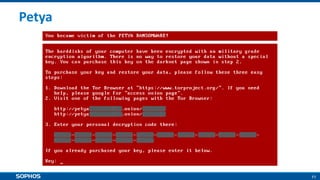
Petya
12
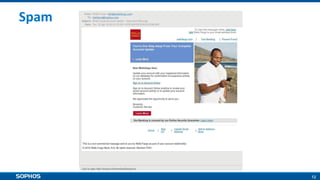
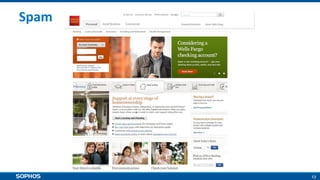
Spam
13
Spam
14
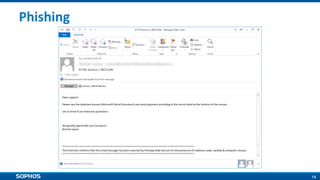
Phishing
15
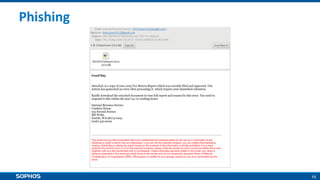
Phishing
16
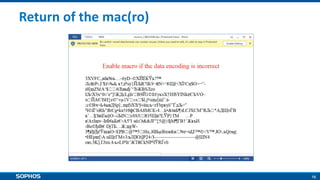
Return of the mac(ro)
17
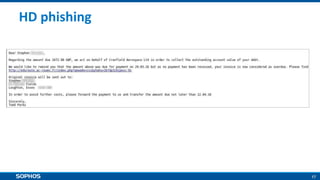
HD phishing
18
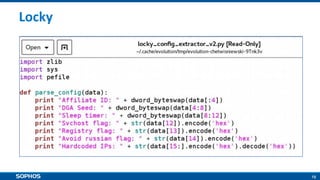
Locky
19
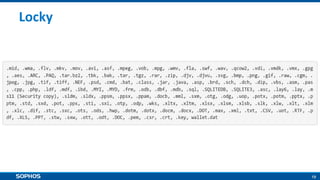
Locky
20
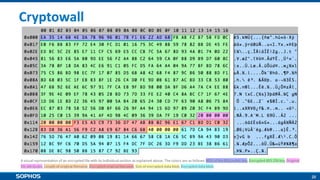
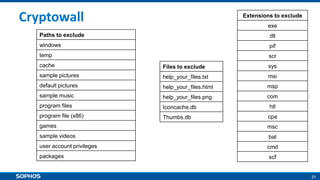
Cryptowall
21
Paths to exclude
windows
temp
cache
sample pictures
default pictures
sample music
program files
program file (x86)
games
sample videos
user account privileges
packages
Files to exclude
help_your_files.txt
help_your_files.html
help_your_files.png
Iconcache.db
Thumbs.db
Extensions to exclude
exe
dll
pif
scr
sys
msi
msp
com
htl
cpa
msc
bat
cmd
scf
Cryptowall
22
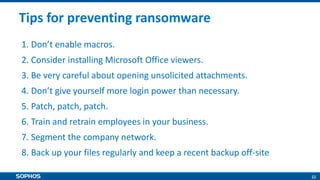
Tips for preventing ransomware
1. Don’t enable macros.
2. Consider installing Microsoft Office viewers.
3. Be very careful about opening unsolicited attachments.
4. Don’t give yourself more login power than necessary.
5. Patch, patch, patch.
6. Train and retrain employees in your business.
7. Segment the company network.
8. Back up your files regularly and keep a recent backup off-site
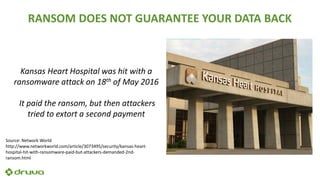
RANSOM DOES NOT GUARANTEE YOUR DATA BACK
Kansas Heart Hospital was hit with a
ransomware attack on 18th of May 2016
It paid the ransom, but then attackers
tried to extort a second payment
Source: Network World
http://www.networkworld.com/article/3073495/security/kansas-heart-
hospital-hit-with-ransomware-paid-but-attackers-demanded-2nd-
ransom.html
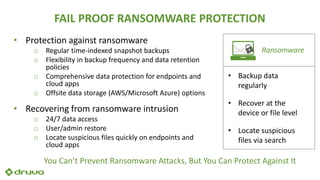
FAIL PROOF RANSOMWARE PROTECTION
• Protection against ransomware
o Regular time-indexed snapshot backups
o Flexibility in backup frequency and data retention
policies
o Comprehensive data protection for endpoints and
cloud apps
o Offsite data storage (AWS/Microsoft Azure) options
• Recovering from ransomware intrusion
o 24/7 data access
o User/admin restore
o Locate suspicious files quickly on endpoints and
cloud apps
Ransomware
• Backup data
regularly
• Recover at the
device or file level
• Locate suspicious
files via search
You Can’t Prevent Ransomware Attacks, But You Can Protect Against It
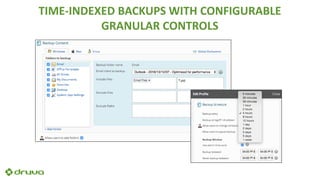
TIME-INDEXED BACKUPS WITH CONFIGURABLE
GRANULAR CONTROLS
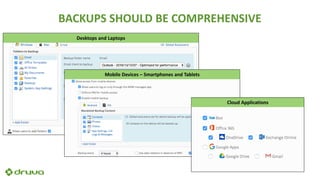
BACKUPS SHOULD BE COMPREHENSIVE
Mobile Devices – Smartphones and Tablets
Desktops and Laptops
Cloud Applications
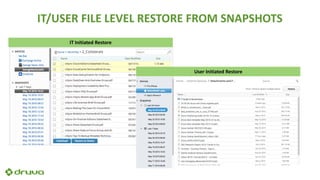
IT/USER FILE LEVEL RESTORE FROM SNAPSHOTS
IT Initiated Restore
User Initiated Restore
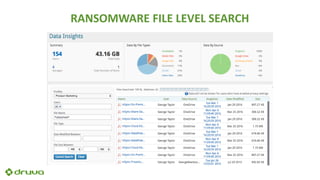
RANSOMWARE FILE LEVEL SEARCH
SUMMARY AND KEY TAKEAWAYS
• Update your security software
o Anti-virus and anti-malware software
o Operating systems for all endpoints including desktops, laptops and
smartphones
o Patch, patch, patch.
• End-user awareness and education
• Protection against ransomware
o Proactive: Regular time-indexed snapshot backups
o Remediation: File level restore and search for infected files
• Trusted by over 4,000 enterprises
• Headquartered in Silicon Valley
• Worldwide offices and 24x7 support
• Among fastest growing data protection providers
30
ABOUT DRUVA
Taking a Proactive Approach to Combat Ransomware [Druva Webinar]

Taking a Proactive Approach to Combat Ransomware [Druva Webinar]

  • 1.
    1 The Rising Tideof Ransomware John Shier Senior Security Advisor @john_shier
  • 2.
  • 3.
    3 Ransomware Increasingly Troublesome $209mcost of ransomware attacks in the first quarter of 2016 300% increase in ransomware attacks since 2015Source - Symantec Ransomware Discoveries
  • 4.
    4 Ransomware Attacks ArePervasive Ransomware Targets • Businesses (Retail) • Public agencies (Education, Healthcare, Government, Law Enforcement) Systems Impacted • Windows, Mac, Linux • Android
  • 5.
  • 6.
  • 7.
    7 Out with theold, in with the new FakeAV Ransomware
  • 8.
  • 9.
  • 10.
  • 11.
  • 12.
  • 13.
  • 14.
  • 15.
  • 16.
  • 17.
  • 18.
  • 19.
  • 20.
  • 21.
    21 Paths to exclude windows temp cache samplepictures default pictures sample music program files program file (x86) games sample videos user account privileges packages Files to exclude help_your_files.txt help_your_files.html help_your_files.png Iconcache.db Thumbs.db Extensions to exclude exe dll pif scr sys msi msp com htl cpa msc bat cmd scf Cryptowall
  • 22.
    22 Tips for preventingransomware 1. Don’t enable macros. 2. Consider installing Microsoft Office viewers. 3. Be very careful about opening unsolicited attachments. 4. Don’t give yourself more login power than necessary. 5. Patch, patch, patch. 6. Train and retrain employees in your business. 7. Segment the company network. 8. Back up your files regularly and keep a recent backup off-site
  • 23.
    RANSOM DOES NOTGUARANTEE YOUR DATA BACK Kansas Heart Hospital was hit with a ransomware attack on 18th of May 2016 It paid the ransom, but then attackers tried to extort a second payment Source: Network World http://www.networkworld.com/article/3073495/security/kansas-heart- hospital-hit-with-ransomware-paid-but-attackers-demanded-2nd- ransom.html
  • 24.
    FAIL PROOF RANSOMWAREPROTECTION • Protection against ransomware o Regular time-indexed snapshot backups o Flexibility in backup frequency and data retention policies o Comprehensive data protection for endpoints and cloud apps o Offsite data storage (AWS/Microsoft Azure) options • Recovering from ransomware intrusion o 24/7 data access o User/admin restore o Locate suspicious files quickly on endpoints and cloud apps Ransomware • Backup data regularly • Recover at the device or file level • Locate suspicious files via search You Can’t Prevent Ransomware Attacks, But You Can Protect Against It
  • 25.
    TIME-INDEXED BACKUPS WITHCONFIGURABLE GRANULAR CONTROLS
  • 26.
    BACKUPS SHOULD BECOMPREHENSIVE Mobile Devices – Smartphones and Tablets Desktops and Laptops Cloud Applications
  • 27.
    IT/USER FILE LEVELRESTORE FROM SNAPSHOTS IT Initiated Restore User Initiated Restore
  • 28.
  • 29.
    SUMMARY AND KEYTAKEAWAYS • Update your security software o Anti-virus and anti-malware software o Operating systems for all endpoints including desktops, laptops and smartphones o Patch, patch, patch. • End-user awareness and education • Protection against ransomware o Proactive: Regular time-indexed snapshot backups o Remediation: File level restore and search for infected files
  • 30.
    • Trusted byover 4,000 enterprises • Headquartered in Silicon Valley • Worldwide offices and 24x7 support • Among fastest growing data protection providers 30 ABOUT DRUVA