Fundamentals of Multimedia
Chapter 1 : Introduction and Multimedia Data
Representations
2nd Edition 2014
Ze-Nian Li
Mark S. Drew
Jiangchuan Liu
 This chapter considers what
multimedia is.
 It also supplies an overview of
multimedia software tools, such as
video editors and digital audio
programs
2
1.1 The term “multimedia “.
 applications that use multiple
modalities, including text, images,
drawings (graphics), animation, video,
sound including speech, and
interactivity.
3
1.1 Multimedia and Computer
Science
 Graphics, HCI, visualization, computer
vision, data compression, graph
theory, networking, database systems
--- all have important contributions to
make in multimedia at the present
time.
4
Components of Multimedia
5
 Multimedia involves multiple
modalities of text, audio, images,
drawings, animation, and video.
 Examples of how these modalities are
put to use:
1. Video teleconferencing.
2. Distributed lectures for higher
education.
3. Tele-medicine.
4. Co-operative work environments.
6
5. Searching in (very) large video and
image databases for target visual
objects.
6. " Augmented" reality: placing real-
appearing computer graphics and
video objects into scenes.
7. Including audio cues for where video-
conference participants are located.
8. Building searchable features into new
video, and enabling very high- to very
low-bit-rate use of new, scalable
multimedia products. 7
9. Making multimedia components
editable.
10. Building "inverse-Hollywood"
applications that can recreate the
process by which a video was made.
11. Using voice-recognition to build an
interactive environment, say a kitchen-
wall web browser.
8
1.2 Multimedia and Hypermedia
9
History of Multimedia:
1. Newspaper: perhaps the first mass
communication medium, uses text,
graphics, and images.
2. Motion pictures: conceived of in 1830's
in order to observe motion too rapid for
perception by the human eye.
3. Wireless radio transmission: Guglielmo
Marconi, at Pontecchio, Italy, in 1895.
4. Television: the new medium for the 20th
century, established video as a commonly
available medium and has since changed
the world of mass communications.
10
History of Multimedia:
5. The connection between computers and
ideas about multimedia covers what is
actually only a short period:
 1945 - Vannevar Bush wrote a landmark
article describing what amounts to a
hypermedia system called Memex.
 1960 -Ted Nelson coined the term
hypertext.
 2000 - WWW size was estimated at over 1
billion pages.
11
Hypermedia and Multimedia
 A hypertext system: meant to be read
nonlinearly, by following links that point to
other parts of the document, or to other
documents
 HyperMedia: not constrained to be text-
based, can include other media, e.g.,
graphics, images, and especially the
continuous media | sound and video.
◦ The World Wide Web (WWW) | the best example of
a hypermedia application.
 Multimedia means that computer information
can be represented through audio, graphics,
images, video, and animation in addition to
traditional media.
12
SMIL (Synchronized Multimedia
Integration Language)
 SMIL: pronounced "smile“ -- a particular
application of XML (globally predefined
DTD) that allows for specification of
interaction among any media types and
user input, in a temporally scripted manner.
13
SMIL
 Purpose of SMIL: it is also desirable to be
able to publish multimedia presentations
using a markup language.
 A multimedia markup language needs to
enable scheduling and synchronization of
different multimedia elements, and define
their interactivity with the user.
 SMIL 2.0 is specified in XML using a
modularization approach similar to the one
used in xhtml:
14
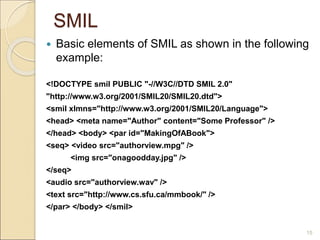
SMIL
 Basic elements of SMIL as shown in the following
example:
<!DOCTYPE smil PUBLIC "-//W3C//DTD SMIL 2.0"
"http://www.w3.org/2001/SMIL20/SMIL20.dtd">
<smil xlmns="http://www.w3.org/2001/SMIL20/Language">
<head> <meta name="Author" content="Some Professor" />
</head> <body> <par id="MakingOfABook">
<seq> <video src="authorview.mpg" />
<img src="onagoodday.jpg" />
</seq>
<audio src="authorview.wav" />
<text src="http://www.cs.sfu.ca/mmbook/" />
</par> </body> </smil>
15
1.3 Overview of Multimedia
Software Tools
 software tools available for carrying out tasks in
multimedia are:
1. Music Sequencing and Notation
2. Digital Audio
3. Graphics and Image Editing
4. Video Editing
5. Animation
6. Multimedia Authoring
16
1.Music Sequencing and Notation
 Cakewalk: now called Pro Audio.
- The term sequencer comes from older devices that
stored sequences of notes ("events", in MIDI [Musical
Instrument Digital Interface]).
- It is also possible to insert WAV files and Windows MCI
commands (for animation and video) into music tracks
(MCI is a ubiquitous component of the Windows API.)
 Cubase: another sequencing/editing program, with
capabilities similar to those of Cakewalk. It includes some
digital audio editing tools.
 Macromedia Soundedit: mature program for
creating audio for multimedia projects and the web
that integrates well with other Macromedia products
such as Flash and Director.
17
2.Digital Audio
 tools deal with accessing and editing the actual
sampled sounds that make up audio:
- Adobe Audition (formerly Cool Edit) is a powerful,
popular digital audio toolkit that emulate a professional
audio studio, including multitrack productions and
sound file editing, along with digital signal processing
effects.
- Sound Forge Like Audition, Sound Forge is a
sophisticated PC-based program for editing WAV files.
 Pro Tools: a high-end integrated audio production and
editing environment . It offers MIDI creation and
manipulation; powerful audio mixing, recording, and
editing software.
18
3. Graphics and Image Editing
 Adobe Illustrator: a powerful publishing tool from
Adobe. Uses vector graphics; graphics can be exported to
Web.
 Adobe Photoshop: the standard in a graphics, image
processing and manipulation tool.
◦ Allows layers of images, graphics, and text that can be
separately manipulated for maximum flexibility.
◦ Filter factory permits creation of sophisticated lighting-effects
filters
 Macromedia Fireworks: software for making graphics
specifically for the web.
 Macromedia Freehand: a text and web graphics
editing tool that supports many bitmap formats such as
GIF, PNG, and JPEG.
19
4. Video Editing
 Adobe Premiere: an intuitive, simple video editing tool
for nonlinear editing, i.e., putting video clips into any order:
- Video and audio are arranged in "tracks".
- Provides a large number of video and audio tracks, super-
impositions and virtual clips.
- A large library of built-in transitions, filters and motions for
clips => effective multimedia productions with little effort.
 Adobe After Effects: a powerful video editing tool
that enables users to add and change existing
movies. Can add many effects: lighting, shadows,
motion blurring; layers.
20
4. Video Editing
 Final Cut Pro: a video editing tool by Apple;
Macintosh only.
 CyberLink PowerDirector: PowerDirector produced
by CyberLink Corp.
◦ is by far the most popular nonlinear video editing software.
◦ It provides a rich selection of audio and video features and
special effects
◦ easy to use.
◦ It supports all modern video formats (AVCHD 2.0, 4K Ultra HD,
and 3D video)
◦ It supports 64-bit video processing
◦ it is not as “programmable” as Premiere.
21
5. Animation
 Multimedia APIs:
- Java3D: API used by Java to construct and render
3D graphics, similar to the way in which the Java
Media Framework is used for handling media files.
1. Provides a basic set of object primitives
(cube, splines, etc.) for building scenes.
2. It is an abstraction layer built on top of
OpenGL or DirectX (the user can select which).
 DirectX : Windows API that supports video, images,
audio and 3-D animation
 OpenGL: the highly portable, most popular 3-D API.
22
5. Animation
 Animation Software (Rendering Tools):
- 3D Studio Max: rendering tool that includes a number of
very high-end professional tools for character animation,
game development, and visual effects production.
 Softimage XSI: a powerful modeling, animation, and
rendering package used for animation and special effects
in films and games.
 Maya: competing product to Softimage; as well, it is a
complete modeling package.
 RenderMan: rendering package created by Pixar.
23
5. Animation
 GIF Animation Packages :
- simpler approach to animation, allows very quick
development of effective small animations for the
web.
- GIFs can contain several images, and looping through
them creates a simple animation.
- Linux also provides some simple animation tools, such as
animate.
24
6. Multimedia Authoring
 Tools that provide the capability for creating a complete
multimedia presentation, including interactive user
control, are called authoring programs.
- Macromedia Flash: allows users to create interactive
movies by using the score metaphor, i.e., a timeline
arranged in parallel event sequences.
- Macromedia Director: uses a movie metaphor to create
interactive presentations. It is very powerful and includes
a built in scripting language, Lingo, that allows creation
of complex interactive movies.
25
6. Multimedia Authoring
- Authorware: a mature, well-supported authoring
product based on the Iconic/Flow-control metaphor.
- Quest: similar to Authorware in many ways, uses a type
of flowcharting metaphor. However, the flowchart nodes
can encapsulate information in a more abstract way
(called frames) than simply subroutine levels.
26
End of Chapter 1
Introduction and Multimedia Data Representations
27

chapter1.ppt

  • 1.
    Fundamentals of Multimedia Chapter1 : Introduction and Multimedia Data Representations 2nd Edition 2014 Ze-Nian Li Mark S. Drew Jiangchuan Liu
  • 2.
     This chapterconsiders what multimedia is.  It also supplies an overview of multimedia software tools, such as video editors and digital audio programs 2
  • 3.
    1.1 The term“multimedia “.  applications that use multiple modalities, including text, images, drawings (graphics), animation, video, sound including speech, and interactivity. 3
  • 4.
    1.1 Multimedia andComputer Science  Graphics, HCI, visualization, computer vision, data compression, graph theory, networking, database systems --- all have important contributions to make in multimedia at the present time. 4
  • 5.
  • 6.
     Multimedia involvesmultiple modalities of text, audio, images, drawings, animation, and video.  Examples of how these modalities are put to use: 1. Video teleconferencing. 2. Distributed lectures for higher education. 3. Tele-medicine. 4. Co-operative work environments. 6
  • 7.
    5. Searching in(very) large video and image databases for target visual objects. 6. " Augmented" reality: placing real- appearing computer graphics and video objects into scenes. 7. Including audio cues for where video- conference participants are located. 8. Building searchable features into new video, and enabling very high- to very low-bit-rate use of new, scalable multimedia products. 7
  • 8.
    9. Making multimediacomponents editable. 10. Building "inverse-Hollywood" applications that can recreate the process by which a video was made. 11. Using voice-recognition to build an interactive environment, say a kitchen- wall web browser. 8
  • 9.
    1.2 Multimedia andHypermedia 9
  • 10.
    History of Multimedia: 1.Newspaper: perhaps the first mass communication medium, uses text, graphics, and images. 2. Motion pictures: conceived of in 1830's in order to observe motion too rapid for perception by the human eye. 3. Wireless radio transmission: Guglielmo Marconi, at Pontecchio, Italy, in 1895. 4. Television: the new medium for the 20th century, established video as a commonly available medium and has since changed the world of mass communications. 10
  • 11.
    History of Multimedia: 5.The connection between computers and ideas about multimedia covers what is actually only a short period:  1945 - Vannevar Bush wrote a landmark article describing what amounts to a hypermedia system called Memex.  1960 -Ted Nelson coined the term hypertext.  2000 - WWW size was estimated at over 1 billion pages. 11
  • 12.
    Hypermedia and Multimedia A hypertext system: meant to be read nonlinearly, by following links that point to other parts of the document, or to other documents  HyperMedia: not constrained to be text- based, can include other media, e.g., graphics, images, and especially the continuous media | sound and video. ◦ The World Wide Web (WWW) | the best example of a hypermedia application.  Multimedia means that computer information can be represented through audio, graphics, images, video, and animation in addition to traditional media. 12
  • 13.
    SMIL (Synchronized Multimedia IntegrationLanguage)  SMIL: pronounced "smile“ -- a particular application of XML (globally predefined DTD) that allows for specification of interaction among any media types and user input, in a temporally scripted manner. 13
  • 14.
    SMIL  Purpose ofSMIL: it is also desirable to be able to publish multimedia presentations using a markup language.  A multimedia markup language needs to enable scheduling and synchronization of different multimedia elements, and define their interactivity with the user.  SMIL 2.0 is specified in XML using a modularization approach similar to the one used in xhtml: 14
  • 15.
    SMIL  Basic elementsof SMIL as shown in the following example: <!DOCTYPE smil PUBLIC "-//W3C//DTD SMIL 2.0" "http://www.w3.org/2001/SMIL20/SMIL20.dtd"> <smil xlmns="http://www.w3.org/2001/SMIL20/Language"> <head> <meta name="Author" content="Some Professor" /> </head> <body> <par id="MakingOfABook"> <seq> <video src="authorview.mpg" /> <img src="onagoodday.jpg" /> </seq> <audio src="authorview.wav" /> <text src="http://www.cs.sfu.ca/mmbook/" /> </par> </body> </smil> 15
  • 16.
    1.3 Overview ofMultimedia Software Tools  software tools available for carrying out tasks in multimedia are: 1. Music Sequencing and Notation 2. Digital Audio 3. Graphics and Image Editing 4. Video Editing 5. Animation 6. Multimedia Authoring 16
  • 17.
    1.Music Sequencing andNotation  Cakewalk: now called Pro Audio. - The term sequencer comes from older devices that stored sequences of notes ("events", in MIDI [Musical Instrument Digital Interface]). - It is also possible to insert WAV files and Windows MCI commands (for animation and video) into music tracks (MCI is a ubiquitous component of the Windows API.)  Cubase: another sequencing/editing program, with capabilities similar to those of Cakewalk. It includes some digital audio editing tools.  Macromedia Soundedit: mature program for creating audio for multimedia projects and the web that integrates well with other Macromedia products such as Flash and Director. 17
  • 18.
    2.Digital Audio  toolsdeal with accessing and editing the actual sampled sounds that make up audio: - Adobe Audition (formerly Cool Edit) is a powerful, popular digital audio toolkit that emulate a professional audio studio, including multitrack productions and sound file editing, along with digital signal processing effects. - Sound Forge Like Audition, Sound Forge is a sophisticated PC-based program for editing WAV files.  Pro Tools: a high-end integrated audio production and editing environment . It offers MIDI creation and manipulation; powerful audio mixing, recording, and editing software. 18
  • 19.
    3. Graphics andImage Editing  Adobe Illustrator: a powerful publishing tool from Adobe. Uses vector graphics; graphics can be exported to Web.  Adobe Photoshop: the standard in a graphics, image processing and manipulation tool. ◦ Allows layers of images, graphics, and text that can be separately manipulated for maximum flexibility. ◦ Filter factory permits creation of sophisticated lighting-effects filters  Macromedia Fireworks: software for making graphics specifically for the web.  Macromedia Freehand: a text and web graphics editing tool that supports many bitmap formats such as GIF, PNG, and JPEG. 19
  • 20.
    4. Video Editing Adobe Premiere: an intuitive, simple video editing tool for nonlinear editing, i.e., putting video clips into any order: - Video and audio are arranged in "tracks". - Provides a large number of video and audio tracks, super- impositions and virtual clips. - A large library of built-in transitions, filters and motions for clips => effective multimedia productions with little effort.  Adobe After Effects: a powerful video editing tool that enables users to add and change existing movies. Can add many effects: lighting, shadows, motion blurring; layers. 20
  • 21.
    4. Video Editing Final Cut Pro: a video editing tool by Apple; Macintosh only.  CyberLink PowerDirector: PowerDirector produced by CyberLink Corp. ◦ is by far the most popular nonlinear video editing software. ◦ It provides a rich selection of audio and video features and special effects ◦ easy to use. ◦ It supports all modern video formats (AVCHD 2.0, 4K Ultra HD, and 3D video) ◦ It supports 64-bit video processing ◦ it is not as “programmable” as Premiere. 21
  • 22.
    5. Animation  MultimediaAPIs: - Java3D: API used by Java to construct and render 3D graphics, similar to the way in which the Java Media Framework is used for handling media files. 1. Provides a basic set of object primitives (cube, splines, etc.) for building scenes. 2. It is an abstraction layer built on top of OpenGL or DirectX (the user can select which).  DirectX : Windows API that supports video, images, audio and 3-D animation  OpenGL: the highly portable, most popular 3-D API. 22
  • 23.
    5. Animation  AnimationSoftware (Rendering Tools): - 3D Studio Max: rendering tool that includes a number of very high-end professional tools for character animation, game development, and visual effects production.  Softimage XSI: a powerful modeling, animation, and rendering package used for animation and special effects in films and games.  Maya: competing product to Softimage; as well, it is a complete modeling package.  RenderMan: rendering package created by Pixar. 23
  • 24.
    5. Animation  GIFAnimation Packages : - simpler approach to animation, allows very quick development of effective small animations for the web. - GIFs can contain several images, and looping through them creates a simple animation. - Linux also provides some simple animation tools, such as animate. 24
  • 25.
    6. Multimedia Authoring Tools that provide the capability for creating a complete multimedia presentation, including interactive user control, are called authoring programs. - Macromedia Flash: allows users to create interactive movies by using the score metaphor, i.e., a timeline arranged in parallel event sequences. - Macromedia Director: uses a movie metaphor to create interactive presentations. It is very powerful and includes a built in scripting language, Lingo, that allows creation of complex interactive movies. 25
  • 26.
    6. Multimedia Authoring -Authorware: a mature, well-supported authoring product based on the Iconic/Flow-control metaphor. - Quest: similar to Authorware in many ways, uses a type of flowcharting metaphor. However, the flowchart nodes can encapsulate information in a more abstract way (called frames) than simply subroutine levels. 26
  • 27.
    End of Chapter1 Introduction and Multimedia Data Representations 27