© 2009 EMC Corporation. All rights reserved.
EMC Proven Professional
The #1 Certification Program in the information storage
and management industry
Storage Area Network
Chapter 6
Section 2 : Storage Networking Technologies and Virtualization
© 2009 EMC Corporation. All rights reserved.
Chapter Objectives
Upon completion of this chapter, you will be able to:
o Describe SAN and its benefits
o Discuss components of SAN
o Describe connectivity options of SAN
o Describe FC protocol stack and FC addressing
o List common FC topologies
© 2009 EMC Corporation. All rights reserved.
Lesson - Fibre Channel SAN
Upon completion of this lesson, you will be able to:
o Define Storage Area Network and its benefits
o Define Fibre Channel
o List the component of SAN
o Describe three FC interconnectivity options
o List different FC port types
© 2009 EMC Corporation. All rights reserved.
Business Needs and Technology Challenges
o Just-in-time information to business users
o Integration of information infrastructure with business
processes
o Flexible and resilient storage architecture
o DAS is inefficient to meet these challenges
o Storage Networking emerged as a solution
o FC SAN
o NAS
o IP SAN
© 2009 EMC Corporation. All rights reserved.
What is a SAN ?
o Dedicated high speed network of
servers and shared storage devices
o Provide block level data access
o Resource Consolidation
o Centralized storage and management
o Scalability
o Theoretical limit: Appx. 15 million devices
o Secure Access
Storage ArrayStorage Array
Servers
FC SAN
Additional Task
Research on Bladed Switch
Technology
© 2009 EMC Corporation. All rights reserved.
Understanding Fibre Channel
o Fibre Channel is a high-speed network technology that uses:
o Optical fiber cables (for front end connectivity)
o Serial copper cables (for back end connectivity)
o Latest FC implementations support 8Gb/s
Users and
Application
Clients
Storage and
Application
Data
Servers and
Applications
FC SANIP
network
o Servers are attached to 2 distinct networks
© 2009 EMC Corporation. All rights reserved.
FC SAN Evolution
SAN Islands
FC Arbitrated Loop
Storage Array
Interconnected SANs
FC Switched Fabric
Enterprise SANs
FC Switched Fabric
Fibre Channel SAN Evolution
Server
FC Switch
FC Switch
FC Switch
FC Switch
FC Switch
Servers
Storage Arrays
FC Switch
FC Switch
FC Hub
FC Hub
Servers
Storage Arrays
© 2009 EMC Corporation. All rights reserved.
Components of SAN: Node ports
o Examples of nodes
o Hosts, storage and tape library
o Ports are available on:
o HBA in host
o Front-end adapters in storage
o Each port has transmit (Tx) link and
receive (Rx) link
o HBAs perform low-level interface
functions automatically to minimize
impact on host performance
Link
Port 0 Rx
Tx
Node
Port 0
Port 1
Port n
© 2009 EMC Corporation. All rights reserved.
Components of SAN: Cabling
o SAN implementation uses:
o Copper cables for short distance
o Optical fiber cables for long distance
o Two types of optical cables
o Single-mode
o Can carry single beams of light
o Distance up to 10 KM
o Multi-mode
o Can carry multiple beams of light
simultaneously
o Distance up to 500 meters
© 2009 EMC Corporation. All rights reserved.
Components of SAN: Cabling (Connectors)
Node Connectors:
o SC Duplex Connectors
o LC Duplex Connectors
Patch panel Connectors
o ST Simplex Connectors
ST Connector
LC Connector
SC Connector
© 2009 EMC Corporation. All rights reserved.
Components of SAN: Interconnecting devices
o Basis for SAN communication
o Hubs
o Switches and
o Directors
FC HUB FC Switch
Director
© 2009 EMC Corporation. All rights reserved.
Components of SAN: Storage array
o Provides storage consolidation and
centralization
o Features of an array
o High Availability/Redundancy
o Performance
o Business Continuity
o Multiple host connect
Servers
Arrays
FC SANHBA
HBA
HBA
© 2009 EMC Corporation. All rights reserved.
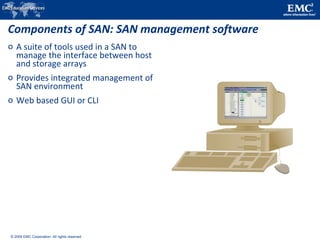
Components of SAN: SAN management software
o A suite of tools used in a SAN to
manage the interface between host
and storage arrays
o Provides integrated management of
SAN environment
o Web based GUI or CLI
© 2009 EMC Corporation. All rights reserved.
SAN Interconnectivity Options: Point to Point
Point to point (Pt-to-Pt)
o Direct connection between devices
o Limited connectivity
Servers
Storage Array
© 2009 EMC Corporation. All rights reserved.
SAN Interconnectivity Options: FC-AL
o Fibre Channel Arbitrated Loop (FC-AL)
o Devices must arbitrate to gain control
o Devices are connected via hubs
o Supports up to 127 devices
Servers
Storage Array
FC Hub
© 2009 EMC Corporation. All rights reserved.
FC-AL Transmission
Transmit
Transmit
Receive
Receive
Receive
Transmit
Receive
Transmit
Byp
Byp
Byp
Byp
Hub_Pt Hub_Pt
Hub_Pt Hub_Pt
Node A
Node B Node C
Node D
Byp
Byp
NL_Port #4
HBA
NL_Port #4
Array Port
NL_Port
#1
HBA
NL_Port
#1
HBA
NL_Port
#3
FA
NL_Port
#3
HBA
NL_Port
#2
HBA
NL_Port
#2
HBA
Byp
Byp
© 2009 EMC Corporation. All rights reserved.
SAN Interconnectivity Options: FC-SW
o Fabric connect (FC-SW)
o Dedicated bandwidth between devices
o Support up to 15 million devices
o Higher availability than hubs
Servers
Storage Array
© 2009 EMC Corporation. All rights reserved.
Port
FC-SW Transmission
Transmit
Transmit
Receive
Receive
Receive
Transmit
Receive
Transmit
NL_Port
#1
HBA
NL_Port
#4
HBA
NL_Port
#2
HBA
N_Port #1
HBA
Port
N_Port #4
HBA
N_Port #2
Storage
Port
Port
Port
Node A
Node B Node C
Node D
N_Port #3
Storage Port
© 2009 EMC Corporation. All rights reserved.
Port Types
Host
N-Port
FC Switch
F-Port
Tape Library
Host
Host
FC Hub
FL-Port
NL-Port
NL-Port
NL-Port
FC Switch
Storage Array
N-Port
F-PortE-Port E-Port
Storage Array
N-Port
F-Port
?
? ?
?
? ?
?
?
? ?
?
?
© 2009 EMC Corporation. All rights reserved.
Inter Switch Links (ISL)
o ISL connects two or more FC switches to each other using E-
Ports
o ISLs are used to transfer host-to-storage data as well as the
fabric management traffic from one switch to another
o ISL is also one of the scaling mechanisms in SAN connectivity
Multimode Fiber
1Gb=500m 2Gb=300m
Single-mode Fiber
up to10 km
FC Switch
FC SwitchFC Switch
FC Switch
© 2009 EMC Corporation. All rights reserved.
Login Types in a Switched Network
Extended Link Services that are defined in the standards:
o FLOGI - Fabric login
o Between N_Port to F_Port
o PLOGI - Port login
o Between N_Port to N_Port
o N_Port establishes a session with another N_Port
o PRLI - Process login
o Between N_Port to N_Port
o To share information about the upper layer protocol type in use
o And recognizing device as the SCSI initiator, or target
© 2009 EMC Corporation. All rights reserved.
Lesson Summary
Key topics covered in this lesson:
o FC SAN and its components
o SAN Interconnectivity Options
o Port types and inter switch links
Additional Task
Research on working of
FC Hub & Switch
Additional Task
Research on concept of channel &
network Technology
© 2009 EMC Corporation. All rights reserved.
Lesson: Fibre Channel Architecture
Upon completion of this lesson, you will be able to:
o Describe layers of FC
o Describe FC protocol stack
o Discuss FC addressing
o Define WWN addressing
o Discuss structure and organization of FC Data
Additional Task
Research on Flow Control & Class
of FC Services
© 2009 EMC Corporation. All rights reserved.
FC Architecture Overview
o FC uses channel technology
o Provide high performance with low protocol overheads
o FCP is SCSI-3 over FC network
o Sustained transmission bandwidth over long distances
o Provides speeds up to 8 Gb/s (8 GFC)
o FCP has five layers:
o FC-4
o FC-2
o FC-1
o FC-0
*FC-3 is not yet implemented 1 Gb/s 2 Gb/s 4 Gb/s 8 Gb/s
FC-4
FC-2
FC-1
FC-0
Application
SCSI HIPPI ESCON ATM IP
Framing/Flow Control
Encode/Decode
© 2009 EMC Corporation. All rights reserved.
Fibre Channel Protocol Stack
FC layer Function SAN relevant features specified by FC layer
FC-4 Mapping
interface
Mapping upper layer protocol (e.g. SCSI-3 to FC
transport
FC-3 Common servicesNot implemented
FC-2 Routing, flow
control
Frame structure, ports, FC addressing, buffer
credits
FC-1 Encode/decode 8b/10b encoding, bit and frame synchronization
FC-0 Physical layer Media, cables, connector
© 2009 EMC Corporation. All rights reserved.
Fibre Channel Addressing
o FC Address is assigned during Fabric Login
o Used to communicate between nodes within SAN
o Similar in functionality to an IP address on NICs
o Address Format:
o 24 bit address, dynamically assigned
o Contents of the three bytes depend on the type of N-Port
o For an N_Port or a public NL_Port:
o switch maintains mapping of WWN to FC-Address via the Name Server
© 2009 EMC Corporation. All rights reserved.
World Wide Names
o Unique 64 bit identifier
o Static to the port
o Used to physically identify ports or nodes within SAN
o Similar to NIC’s MAC address
World Wide Name - Array
5
0101
0
0000
0
0000
6
0110
0
0000
1
0001
6
0110
0
0000
0
0000
0
0000
6
0110
0
0000
0
0000
1
0001
B
1011
2
0010
Company ID
24 bits
Port Model Seed
32 bits
World Wide Name - HBA
1 0 0 0 0 0 0 0 c 9 2 0 d c 4 0
Reserved
12 bits
Company ID
24 bits
Company Specific
24 bits
© 2009 EMC Corporation. All rights reserved.
Structure and Organization of FC Data
o FC data is organized as:
o Exchange operations
o Enables two N_ports to identify and
manage a set of information units
o Maps to sequence
o Sequence
o Contiguous set of frames sent from one
port to another
o Frames
o Fundamental unit of data transfer
o Each frame can contain up to 2112 bytes
of payload
SOF
4 Bytes
Data Field
0 - 2112 Bytes
CRC
4 Bytes
EOF
4 Bytes
Frame Header
24 Bytes
© 2009 EMC Corporation. All rights reserved.
Lesson Summary
Key topics covered in this lesson:
o Fibre Channel Protocol Stack
o Fibre Channel Addressing
o Data Organization: Frame, Sequence and Exchange
© 2009 EMC Corporation. All rights reserved.
Lesson: FC Topologies and Management
Upon completion of this lesson, you will be able to:
o Define FC fabric topologies
o Describe different types of zoning
© 2009 EMC Corporation. All rights reserved.
Fabric Topology: Core-Edge Fabric
o Can be two or three tiers
o Single Core Tier
o One or two Edge Tiers
o In a two tier topology, storage is
usually connected to the Core
o Benefits
o High Availability
o Medium Scalability
o Medium to maximum Connectivity
Single-core topology
Dual-core topology
FC Switch FC Switch FC Switch
Storage Array
DirectorCore Tier
Edge Tier
FC Switch FC Switch FC Switch
Storage Array
DirectorCore Tier
Edge Tier
Director
Server
Server
© 2009 EMC Corporation. All rights reserved.
Fabric Topology: Mesh
o Can be either partial or full mesh
o All switches are connected to each other
o Host and Storage can be located anywhere in the fabric
o Host and Storage can be localized to a single switch
Server
FC Switches
Partial Mesh
Storage Array
Server
FC Switches
Full Mesh
Storage Array
© 2009 EMC Corporation. All rights reserved.
Fabric Management: Zoning
Storage Array
FC SAN
Servers
Array port
HBA
© 2009 EMC Corporation. All rights reserved.
Zoning Components
Zone set
Zone Zone Zone
Member Member Member Member Member Member
Zone sets
(Library)
Zone
(Library)
Member
WWN's
© 2009 EMC Corporation. All rights reserved.
Types of Zoning
Zone 2
Zone 1
Zone 3
Port 7
Port 9
Port 1
Port 5
WWN 10:00:00:00:C9:20:DC:40
WWN 10:00:00:00:C9:20:DC:56
WWN 10:00:00:00:C9:20:DC:82
WWN 50:06:04:82:E8:91:2B:9E
Zone 1 (WWN Zone) = 10:00:00:00:C9:20:DC:82 ; 50:06:04:82:E8:91:2B:9E
Zone 2 (Port Zone) = 15,5 ; 15,7
Zone 3 (Mixed Zone) = 10:00:00:00:C9:20:DC:56 ; 15,12
Servers
Storage Array
FC Switch
Switch Domain ID = 15
Port 12
© 2009 EMC Corporation. All rights reserved.
Lesson Summary
Key topics covered in this lesson:
o FC SAN Topologies
o Core-Edge
o Mesh
o Fabric management by zoning
Additional Task
Research on Fan-in & Fan-out
concepts
© 2009 EMC Corporation. All rights reserved.
Chapter Summary
Key topics covered in this chapter:
o SAN features and benefits
o SAN connectivity options
o Port types and inter switch links
o FC protocol stack and addressing
o FC fabric topologies
o Fabric management by zoning
© 2009 EMC Corporation. All rights reserved.
#1 IT
company
For more information visit http://education.EMC.com

Chapter 6

  • 1.
    © 2009 EMCCorporation. All rights reserved. EMC Proven Professional The #1 Certification Program in the information storage and management industry Storage Area Network Chapter 6 Section 2 : Storage Networking Technologies and Virtualization
  • 2.
    © 2009 EMCCorporation. All rights reserved. Chapter Objectives Upon completion of this chapter, you will be able to: o Describe SAN and its benefits o Discuss components of SAN o Describe connectivity options of SAN o Describe FC protocol stack and FC addressing o List common FC topologies
  • 3.
    © 2009 EMCCorporation. All rights reserved. Lesson - Fibre Channel SAN Upon completion of this lesson, you will be able to: o Define Storage Area Network and its benefits o Define Fibre Channel o List the component of SAN o Describe three FC interconnectivity options o List different FC port types
  • 4.
    © 2009 EMCCorporation. All rights reserved. Business Needs and Technology Challenges o Just-in-time information to business users o Integration of information infrastructure with business processes o Flexible and resilient storage architecture o DAS is inefficient to meet these challenges o Storage Networking emerged as a solution o FC SAN o NAS o IP SAN
  • 5.
    © 2009 EMCCorporation. All rights reserved. What is a SAN ? o Dedicated high speed network of servers and shared storage devices o Provide block level data access o Resource Consolidation o Centralized storage and management o Scalability o Theoretical limit: Appx. 15 million devices o Secure Access Storage ArrayStorage Array Servers FC SAN Additional Task Research on Bladed Switch Technology
  • 6.
    © 2009 EMCCorporation. All rights reserved. Understanding Fibre Channel o Fibre Channel is a high-speed network technology that uses: o Optical fiber cables (for front end connectivity) o Serial copper cables (for back end connectivity) o Latest FC implementations support 8Gb/s Users and Application Clients Storage and Application Data Servers and Applications FC SANIP network o Servers are attached to 2 distinct networks
  • 7.
    © 2009 EMCCorporation. All rights reserved. FC SAN Evolution SAN Islands FC Arbitrated Loop Storage Array Interconnected SANs FC Switched Fabric Enterprise SANs FC Switched Fabric Fibre Channel SAN Evolution Server FC Switch FC Switch FC Switch FC Switch FC Switch Servers Storage Arrays FC Switch FC Switch FC Hub FC Hub Servers Storage Arrays
  • 8.
    © 2009 EMCCorporation. All rights reserved. Components of SAN: Node ports o Examples of nodes o Hosts, storage and tape library o Ports are available on: o HBA in host o Front-end adapters in storage o Each port has transmit (Tx) link and receive (Rx) link o HBAs perform low-level interface functions automatically to minimize impact on host performance Link Port 0 Rx Tx Node Port 0 Port 1 Port n
  • 9.
    © 2009 EMCCorporation. All rights reserved. Components of SAN: Cabling o SAN implementation uses: o Copper cables for short distance o Optical fiber cables for long distance o Two types of optical cables o Single-mode o Can carry single beams of light o Distance up to 10 KM o Multi-mode o Can carry multiple beams of light simultaneously o Distance up to 500 meters
  • 10.
    © 2009 EMCCorporation. All rights reserved. Components of SAN: Cabling (Connectors) Node Connectors: o SC Duplex Connectors o LC Duplex Connectors Patch panel Connectors o ST Simplex Connectors ST Connector LC Connector SC Connector
  • 11.
    © 2009 EMCCorporation. All rights reserved. Components of SAN: Interconnecting devices o Basis for SAN communication o Hubs o Switches and o Directors FC HUB FC Switch Director
  • 12.
    © 2009 EMCCorporation. All rights reserved. Components of SAN: Storage array o Provides storage consolidation and centralization o Features of an array o High Availability/Redundancy o Performance o Business Continuity o Multiple host connect Servers Arrays FC SANHBA HBA HBA
  • 13.
    © 2009 EMCCorporation. All rights reserved. Components of SAN: SAN management software o A suite of tools used in a SAN to manage the interface between host and storage arrays o Provides integrated management of SAN environment o Web based GUI or CLI
  • 14.
    © 2009 EMCCorporation. All rights reserved. SAN Interconnectivity Options: Point to Point Point to point (Pt-to-Pt) o Direct connection between devices o Limited connectivity Servers Storage Array
  • 15.
    © 2009 EMCCorporation. All rights reserved. SAN Interconnectivity Options: FC-AL o Fibre Channel Arbitrated Loop (FC-AL) o Devices must arbitrate to gain control o Devices are connected via hubs o Supports up to 127 devices Servers Storage Array FC Hub
  • 16.
    © 2009 EMCCorporation. All rights reserved. FC-AL Transmission Transmit Transmit Receive Receive Receive Transmit Receive Transmit Byp Byp Byp Byp Hub_Pt Hub_Pt Hub_Pt Hub_Pt Node A Node B Node C Node D Byp Byp NL_Port #4 HBA NL_Port #4 Array Port NL_Port #1 HBA NL_Port #1 HBA NL_Port #3 FA NL_Port #3 HBA NL_Port #2 HBA NL_Port #2 HBA Byp Byp
  • 17.
    © 2009 EMCCorporation. All rights reserved. SAN Interconnectivity Options: FC-SW o Fabric connect (FC-SW) o Dedicated bandwidth between devices o Support up to 15 million devices o Higher availability than hubs Servers Storage Array
  • 18.
    © 2009 EMCCorporation. All rights reserved. Port FC-SW Transmission Transmit Transmit Receive Receive Receive Transmit Receive Transmit NL_Port #1 HBA NL_Port #4 HBA NL_Port #2 HBA N_Port #1 HBA Port N_Port #4 HBA N_Port #2 Storage Port Port Port Node A Node B Node C Node D N_Port #3 Storage Port
  • 19.
    © 2009 EMCCorporation. All rights reserved. Port Types Host N-Port FC Switch F-Port Tape Library Host Host FC Hub FL-Port NL-Port NL-Port NL-Port FC Switch Storage Array N-Port F-PortE-Port E-Port Storage Array N-Port F-Port ? ? ? ? ? ? ? ? ? ? ? ?
  • 20.
    © 2009 EMCCorporation. All rights reserved. Inter Switch Links (ISL) o ISL connects two or more FC switches to each other using E- Ports o ISLs are used to transfer host-to-storage data as well as the fabric management traffic from one switch to another o ISL is also one of the scaling mechanisms in SAN connectivity Multimode Fiber 1Gb=500m 2Gb=300m Single-mode Fiber up to10 km FC Switch FC SwitchFC Switch FC Switch
  • 21.
    © 2009 EMCCorporation. All rights reserved. Login Types in a Switched Network Extended Link Services that are defined in the standards: o FLOGI - Fabric login o Between N_Port to F_Port o PLOGI - Port login o Between N_Port to N_Port o N_Port establishes a session with another N_Port o PRLI - Process login o Between N_Port to N_Port o To share information about the upper layer protocol type in use o And recognizing device as the SCSI initiator, or target
  • 22.
    © 2009 EMCCorporation. All rights reserved. Lesson Summary Key topics covered in this lesson: o FC SAN and its components o SAN Interconnectivity Options o Port types and inter switch links Additional Task Research on working of FC Hub & Switch Additional Task Research on concept of channel & network Technology
  • 23.
    © 2009 EMCCorporation. All rights reserved. Lesson: Fibre Channel Architecture Upon completion of this lesson, you will be able to: o Describe layers of FC o Describe FC protocol stack o Discuss FC addressing o Define WWN addressing o Discuss structure and organization of FC Data Additional Task Research on Flow Control & Class of FC Services
  • 24.
    © 2009 EMCCorporation. All rights reserved. FC Architecture Overview o FC uses channel technology o Provide high performance with low protocol overheads o FCP is SCSI-3 over FC network o Sustained transmission bandwidth over long distances o Provides speeds up to 8 Gb/s (8 GFC) o FCP has five layers: o FC-4 o FC-2 o FC-1 o FC-0 *FC-3 is not yet implemented 1 Gb/s 2 Gb/s 4 Gb/s 8 Gb/s FC-4 FC-2 FC-1 FC-0 Application SCSI HIPPI ESCON ATM IP Framing/Flow Control Encode/Decode
  • 25.
    © 2009 EMCCorporation. All rights reserved. Fibre Channel Protocol Stack FC layer Function SAN relevant features specified by FC layer FC-4 Mapping interface Mapping upper layer protocol (e.g. SCSI-3 to FC transport FC-3 Common servicesNot implemented FC-2 Routing, flow control Frame structure, ports, FC addressing, buffer credits FC-1 Encode/decode 8b/10b encoding, bit and frame synchronization FC-0 Physical layer Media, cables, connector
  • 26.
    © 2009 EMCCorporation. All rights reserved. Fibre Channel Addressing o FC Address is assigned during Fabric Login o Used to communicate between nodes within SAN o Similar in functionality to an IP address on NICs o Address Format: o 24 bit address, dynamically assigned o Contents of the three bytes depend on the type of N-Port o For an N_Port or a public NL_Port: o switch maintains mapping of WWN to FC-Address via the Name Server
  • 27.
    © 2009 EMCCorporation. All rights reserved. World Wide Names o Unique 64 bit identifier o Static to the port o Used to physically identify ports or nodes within SAN o Similar to NIC’s MAC address World Wide Name - Array 5 0101 0 0000 0 0000 6 0110 0 0000 1 0001 6 0110 0 0000 0 0000 0 0000 6 0110 0 0000 0 0000 1 0001 B 1011 2 0010 Company ID 24 bits Port Model Seed 32 bits World Wide Name - HBA 1 0 0 0 0 0 0 0 c 9 2 0 d c 4 0 Reserved 12 bits Company ID 24 bits Company Specific 24 bits
  • 28.
    © 2009 EMCCorporation. All rights reserved. Structure and Organization of FC Data o FC data is organized as: o Exchange operations o Enables two N_ports to identify and manage a set of information units o Maps to sequence o Sequence o Contiguous set of frames sent from one port to another o Frames o Fundamental unit of data transfer o Each frame can contain up to 2112 bytes of payload SOF 4 Bytes Data Field 0 - 2112 Bytes CRC 4 Bytes EOF 4 Bytes Frame Header 24 Bytes
  • 29.
    © 2009 EMCCorporation. All rights reserved. Lesson Summary Key topics covered in this lesson: o Fibre Channel Protocol Stack o Fibre Channel Addressing o Data Organization: Frame, Sequence and Exchange
  • 30.
    © 2009 EMCCorporation. All rights reserved. Lesson: FC Topologies and Management Upon completion of this lesson, you will be able to: o Define FC fabric topologies o Describe different types of zoning
  • 31.
    © 2009 EMCCorporation. All rights reserved. Fabric Topology: Core-Edge Fabric o Can be two or three tiers o Single Core Tier o One or two Edge Tiers o In a two tier topology, storage is usually connected to the Core o Benefits o High Availability o Medium Scalability o Medium to maximum Connectivity Single-core topology Dual-core topology FC Switch FC Switch FC Switch Storage Array DirectorCore Tier Edge Tier FC Switch FC Switch FC Switch Storage Array DirectorCore Tier Edge Tier Director Server Server
  • 32.
    © 2009 EMCCorporation. All rights reserved. Fabric Topology: Mesh o Can be either partial or full mesh o All switches are connected to each other o Host and Storage can be located anywhere in the fabric o Host and Storage can be localized to a single switch Server FC Switches Partial Mesh Storage Array Server FC Switches Full Mesh Storage Array
  • 33.
    © 2009 EMCCorporation. All rights reserved. Fabric Management: Zoning Storage Array FC SAN Servers Array port HBA
  • 34.
    © 2009 EMCCorporation. All rights reserved. Zoning Components Zone set Zone Zone Zone Member Member Member Member Member Member Zone sets (Library) Zone (Library) Member WWN's
  • 35.
    © 2009 EMCCorporation. All rights reserved. Types of Zoning Zone 2 Zone 1 Zone 3 Port 7 Port 9 Port 1 Port 5 WWN 10:00:00:00:C9:20:DC:40 WWN 10:00:00:00:C9:20:DC:56 WWN 10:00:00:00:C9:20:DC:82 WWN 50:06:04:82:E8:91:2B:9E Zone 1 (WWN Zone) = 10:00:00:00:C9:20:DC:82 ; 50:06:04:82:E8:91:2B:9E Zone 2 (Port Zone) = 15,5 ; 15,7 Zone 3 (Mixed Zone) = 10:00:00:00:C9:20:DC:56 ; 15,12 Servers Storage Array FC Switch Switch Domain ID = 15 Port 12
  • 36.
    © 2009 EMCCorporation. All rights reserved. Lesson Summary Key topics covered in this lesson: o FC SAN Topologies o Core-Edge o Mesh o Fabric management by zoning Additional Task Research on Fan-in & Fan-out concepts
  • 37.
    © 2009 EMCCorporation. All rights reserved. Chapter Summary Key topics covered in this chapter: o SAN features and benefits o SAN connectivity options o Port types and inter switch links o FC protocol stack and addressing o FC fabric topologies o Fabric management by zoning
  • 38.
    © 2009 EMCCorporation. All rights reserved. #1 IT company For more information visit http://education.EMC.com

Editor's Notes

  • #2 Copyright © 2009 EMC Corporation. Do not Copy - All Rights Reserved. Chapter 6 – Storage Area Network
  • #3 Copyright © 2009 EMC Corporation. Do not Copy - All Rights Reserved.
  • #4 Copyright © 2009 EMC Corporation. Do not Copy - All Rights Reserved.
  • #5 Copyright © 2009 EMC Corporation. Do not Copy - All Rights Reserved.
  • #6 Copyright © 2009 EMC Corporation. Do not Copy - All Rights Reserved.
  • #7 Copyright © 2009 EMC Corporation. Do not Copy - All Rights Reserved.
  • #8 Copyright © 2009 EMC Corporation. Do not Copy - All Rights Reserved.
  • #9 Copyright © 2009 EMC Corporation. Do not Copy - All Rights Reserved.
  • #10 Copyright © 2009 EMC Corporation. Do not Copy - All Rights Reserved.
  • #11 Copyright © 2009 EMC Corporation. Do not Copy - All Rights Reserved.
  • #12 Copyright © 2009 EMC Corporation. Do not Copy - All Rights Reserved.
  • #13 Copyright © 2009 EMC Corporation. Do not Copy - All Rights Reserved.
  • #14 Copyright © 2009 EMC Corporation. Do not Copy - All Rights Reserved.
  • #15 Copyright © 2009 EMC Corporation. Do not Copy - All Rights Reserved.
  • #16 Copyright © 2009 EMC Corporation. Do not Copy - All Rights Reserved.
  • #17 Copyright © 2009 EMC Corporation. Do not Copy - All Rights Reserved. 24
  • #18 Copyright © 2009 EMC Corporation. Do not Copy - All Rights Reserved.
  • #19 Copyright © 2009 EMC Corporation. Do not Copy - All Rights Reserved.
  • #20 Copyright © 2009 EMC Corporation. Do not Copy - All Rights Reserved.
  • #21 Copyright © 2009 EMC Corporation. Do not Copy - All Rights Reserved.
  • #22 Copyright © 2009 EMC Corporation. Do not Copy - All Rights Reserved.
  • #23 Copyright © 2009 EMC Corporation. Do not Copy - All Rights Reserved.
  • #24 Copyright © 2009 EMC Corporation. Do not Copy - All Rights Reserved.
  • #25 Copyright © 2009 EMC Corporation. Do not Copy - All Rights Reserved.
  • #26 Copyright © 2009 EMC Corporation. Do not Copy - All Rights Reserved.
  • #27 Copyright © 2009 EMC Corporation. Do not Copy - All Rights Reserved.
  • #28 Copyright © 2009 EMC Corporation. Do not Copy - All Rights Reserved.
  • #29 Copyright © 2009 EMC Corporation. Do not Copy - All Rights Reserved.
  • #30 Copyright © 2009 EMC Corporation. Do not Copy - All Rights Reserved.
  • #31 Copyright © 2009 EMC Corporation. Do not Copy - All Rights Reserved.
  • #32 Copyright © 2009 EMC Corporation. Do not Copy - All Rights Reserved.
  • #33 Copyright © 2009 EMC Corporation. Do not Copy - All Rights Reserved.
  • #34 Copyright © 2009 EMC Corporation. Do not Copy - All Rights Reserved.
  • #35 Copyright © 2009 EMC Corporation. Do not Copy - All Rights Reserved.
  • #36 Copyright © 2009 EMC Corporation. Do not Copy - All Rights Reserved.
  • #37 Copyright © 2009 EMC Corporation. Do not Copy - All Rights Reserved.
  • #38 Copyright © 2009 EMC Corporation. Do not Copy - All Rights Reserved.
  • #39 Copyright © 2009 EMC Corporation. Do not Copy - All Rights Reserved.