JSS MAHAVIDYAPEETA, MYSORE-04
JSS INSTITUTE OF EDUCATION
saklesshpur
Subject: Techniques, methods and approaches of pedagogy
Seminar on: Educational software
Submitted by:
Kruthika G S
U29YH23E0064
JSS Institute of Education
Sakleshpur
Submitted to:
Dr. Prabhuswamy M
Assistant Professor
JSS Institute of Education
Sakleshpur
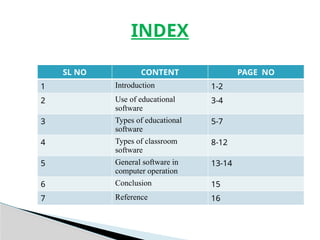
SL NO CONTENT PAGE NO
1 Introduction 1-2
2 Use of educational
software
3-4
3 Types of educational
software
5-7
4 Types of classroom
software
8-12
5 General software in
computer operation
13-14
6 Conclusion 15
7 Reference 16
INDEX
Software is a tool that ease your work in particular works management
data storage allows you to create a virtual study platform for students to
provide with the better and humongous criteria of related subjects for
study
Educational software is meant to make the school and classroom
management task similar for educational institutions be it college
Education software or computer applications developed for the purpose
of teaching and learning ,arrived with virtually the first developed
desktop computer .Education professionals recognized this potential
early, and many schools acquired computers long before they were found
in most American homes. Educational applications then greatly
increased.
INTRODUCTION
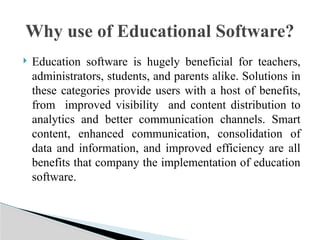
 Education software is hugely beneficial for teachers,
administrators, students, and parents alike. Solutions in
these categories provide users with a host of benefits,
from improved visibility and content distribution to
analytics and better communication channels. Smart
content, enhanced communication, consolidation of
data and information, and improved efficiency are all
benefits that company the implementation of education
software.
Why use of Educational Software?
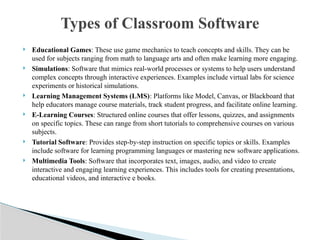
 Educational Games: These use game mechanics to teach concepts and skills. They can be
used for subjects ranging from math to language arts and often make learning more engaging.
 Simulations: Software that mimics real-world processes or systems to help users understand
complex concepts through interactive experiences. Examples include virtual labs for science
experiments or historical simulations.
 Learning Management Systems (LMS): Platforms like Model, Canvas, or Blackboard that
help educators manage course materials, track student progress, and facilitate online learning.
 E-Learning Courses: Structured online courses that offer lessons, quizzes, and assignments
on specific topics. These can range from short tutorials to comprehensive courses on various
subjects.
 Tutorial Software: Provides step-by-step instruction on specific topics or skills. Examples
include software for learning programming languages or mastering new software applications.
 Multimedia Tools: Software that incorporates text, images, audio, and video to create
interactive and engaging learning experiences. This includes tools for creating presentations,
educational videos, and interactive e books.
Types of Classroom Software
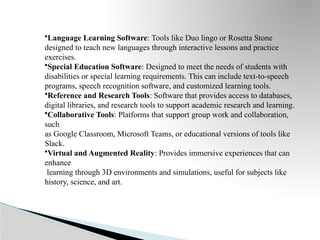
•Language Learning Software: Tools like Duo lingo or Rosetta Stone
designed to teach new languages through interactive lessons and practice
exercises.
•Special Education Software: Designed to meet the needs of students with
disabilities or special learning requirements. This can include text-to-speech
programs, speech recognition software, and customized learning tools.
•Reference and Research Tools: Software that provides access to databases,
digital libraries, and research tools to support academic research and learning.
•Collaborative Tools: Platforms that support group work and collaboration,
such
as Google Classroom, Microsoft Teams, or educational versions of tools like
Slack.
•Virtual and Augmented Reality: Provides immersive experiences that can
enhance
learning through 3D environments and simulations, useful for subjects like
history, science, and art.
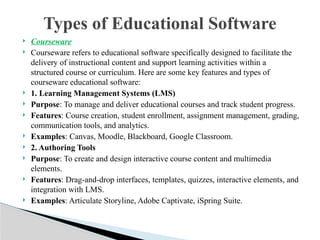
 Courseware
 Courseware refers to educational software specifically designed to facilitate the
delivery of instructional content and support learning activities within a
structured course or curriculum. Here are some key features and types of
courseware educational software:
 1. Learning Management Systems (LMS)
 Purpose: To manage and deliver educational courses and track student progress.
 Features: Course creation, student enrollment, assignment management, grading,
communication tools, and analytics.
 Examples: Canvas, Moodle, Blackboard, Google Classroom.
 2. Authoring Tools
 Purpose: To create and design interactive course content and multimedia
elements.
 Features: Drag-and-drop interfaces, templates, quizzes, interactive elements, and
integration with LMS.
 Examples: Articulate Storyline, Adobe Captivate, iSpring Suite.
Types of Educational Software
Classroom Aids
 Classroom aids in educational software refer to tools and features designed to enhance
the teaching and learning experience in a classroom setting. These aids help both
teachers and students by providing interactive, engaging, and efficient ways to manage
and facilitate learning. Here are some common classroom aids in educational software:
 1. Interactive Whiteboards
 Purpose: To display and interact with digital content in real time.
 Features: Touch screen capabilities, annotation tools, multimedia integration, and
collaborative features.
 Examples: SMART Boards, Promethean Boards.
 2. Presentation Tools
 Purpose: To create and deliver visually engaging presentations.
 Features: Slide creation, multimedia embedding, animation effects, and live polling.
 Examples: Microsoft PowerPoint, Google Slides, Prezi.
 3. Classroom Response Systems
 Purpose: To collect and analyze student responses to questions and polls.
 Features: Real-time polling, quizzes, anonymous feedback, and data analytics.
 Examples: Cahoots!, Poll Everywhere, Secretive.
 Reference educational software is designed to provide students, educators, and researchers with access to a
range of information resources and tools for academic purposes. This software typically includes digital
libraries, databases, citation management tools, and other resources that support research and learning. Here
are some common types and examples of reference educational software:
 1. Digital Libraries and Databases
 Purpose: To provide access to a vast collection of academic journals, articles, books, and other scholarly
resources.
 Examples:
◦ JSTOR: A digital library offering access to thousands of academic journals, books, and primary sources.
◦ Google Scholar: A freely accessible search engine for scholarly articles, theses, books, and conference
papers.
◦ Proudest: A comprehensive database providing access to dissertations, theses, newspapers, and other
academic resources.
◦ EBSCO host: A platform offering a wide range of databases for research in various fields.
 2. Citation Management Tools
 Purpose: To help users manage and format citations and bibliographies for research papers and projects.
 Examples:
◦ Zotero: A free tool for collecting, organizing, and citing research sources.
◦ Mendeley: Reference manager and academic social network for organizing research papers, generating
citations, and collaborating with others.
◦ End Note: Software for managing references, creating bibliographies, and organizing research sources..
Reference Software
Custom Software
 Custom platforms in education technology refer to tailored software solutions designed to meet the
unique needs of educational institutions, teachers, students, or specific educational programs. Unlike
off-the-shelf solutions, which offer a broad range of features and functionalities, custom platforms
are built from the ground up to address particular requirements. Here are some examples and
considerations for custom platforms in ed-tech:
 Examples of Custom Platforms
 Learning Management Systems (LMS)
◦ Custom LMS: Institutions might develop a custom LMS that integrates with their existing systems, offers
unique features tailored to their pedagogical approach, or supports specific types of content and assessments.
 Student Information Systems (SIS)
◦ Custom SIS: Schools may create a custom SIS to manage student records, attendance, grades, and
communication in a way that fits their administrative processes and reporting needs.
 Adaptive Learning Platforms
◦ Custom Adaptive Systems: These platforms adjust content delivery based on individual student
performance and learning style, and can be customized to align with specific curricula or teaching strategies.
 Virtual Classrooms
◦ Custom Virtual Classrooms: Some institutions build platforms that integrate live video, interactive tools,
and content management in a way that matches their teaching methods and provides a seamless experience
for users.
 Educational software plays a crucial role in modern learning
enviournments by providing interactive and personalized
learning experience an enhance engagement, track progress
and offer resource tailored to individual needs . However
effectiveness of educational software depends on
implementatiom.accessbility and integration traditional
methods. When used effectively it can compliment and enrich
the educational experience, making more accessible
and adaptable to diverse student needs.
CONCLUSION
BIBLIOGRAPHY
 BOOK NAME : TEACHING ,METHODS,AND APPROACHES OF PEDOGOGY
 AUTHOR NAME : PROF B.R RAMACHANDRAIAH AND H.G DEVIKA
 PUBLISHED BY : VISMAYA PRAKASHANA
 PAGE NUMBER : 322- 330
REFRENCE

Educational software, reference software ,

  • 1.
    JSS MAHAVIDYAPEETA, MYSORE-04 JSSINSTITUTE OF EDUCATION saklesshpur Subject: Techniques, methods and approaches of pedagogy Seminar on: Educational software Submitted by: Kruthika G S U29YH23E0064 JSS Institute of Education Sakleshpur Submitted to: Dr. Prabhuswamy M Assistant Professor JSS Institute of Education Sakleshpur
  • 2.
    SL NO CONTENTPAGE NO 1 Introduction 1-2 2 Use of educational software 3-4 3 Types of educational software 5-7 4 Types of classroom software 8-12 5 General software in computer operation 13-14 6 Conclusion 15 7 Reference 16 INDEX
  • 3.
    Software is atool that ease your work in particular works management data storage allows you to create a virtual study platform for students to provide with the better and humongous criteria of related subjects for study Educational software is meant to make the school and classroom management task similar for educational institutions be it college Education software or computer applications developed for the purpose of teaching and learning ,arrived with virtually the first developed desktop computer .Education professionals recognized this potential early, and many schools acquired computers long before they were found in most American homes. Educational applications then greatly increased. INTRODUCTION
  • 4.
     Education softwareis hugely beneficial for teachers, administrators, students, and parents alike. Solutions in these categories provide users with a host of benefits, from improved visibility and content distribution to analytics and better communication channels. Smart content, enhanced communication, consolidation of data and information, and improved efficiency are all benefits that company the implementation of education software. Why use of Educational Software?
  • 5.
     Educational Games:These use game mechanics to teach concepts and skills. They can be used for subjects ranging from math to language arts and often make learning more engaging.  Simulations: Software that mimics real-world processes or systems to help users understand complex concepts through interactive experiences. Examples include virtual labs for science experiments or historical simulations.  Learning Management Systems (LMS): Platforms like Model, Canvas, or Blackboard that help educators manage course materials, track student progress, and facilitate online learning.  E-Learning Courses: Structured online courses that offer lessons, quizzes, and assignments on specific topics. These can range from short tutorials to comprehensive courses on various subjects.  Tutorial Software: Provides step-by-step instruction on specific topics or skills. Examples include software for learning programming languages or mastering new software applications.  Multimedia Tools: Software that incorporates text, images, audio, and video to create interactive and engaging learning experiences. This includes tools for creating presentations, educational videos, and interactive e books. Types of Classroom Software
  • 6.
    •Language Learning Software:Tools like Duo lingo or Rosetta Stone designed to teach new languages through interactive lessons and practice exercises. •Special Education Software: Designed to meet the needs of students with disabilities or special learning requirements. This can include text-to-speech programs, speech recognition software, and customized learning tools. •Reference and Research Tools: Software that provides access to databases, digital libraries, and research tools to support academic research and learning. •Collaborative Tools: Platforms that support group work and collaboration, such as Google Classroom, Microsoft Teams, or educational versions of tools like Slack. •Virtual and Augmented Reality: Provides immersive experiences that can enhance learning through 3D environments and simulations, useful for subjects like history, science, and art.
  • 7.
     Courseware  Coursewarerefers to educational software specifically designed to facilitate the delivery of instructional content and support learning activities within a structured course or curriculum. Here are some key features and types of courseware educational software:  1. Learning Management Systems (LMS)  Purpose: To manage and deliver educational courses and track student progress.  Features: Course creation, student enrollment, assignment management, grading, communication tools, and analytics.  Examples: Canvas, Moodle, Blackboard, Google Classroom.  2. Authoring Tools  Purpose: To create and design interactive course content and multimedia elements.  Features: Drag-and-drop interfaces, templates, quizzes, interactive elements, and integration with LMS.  Examples: Articulate Storyline, Adobe Captivate, iSpring Suite. Types of Educational Software
  • 8.
    Classroom Aids  Classroomaids in educational software refer to tools and features designed to enhance the teaching and learning experience in a classroom setting. These aids help both teachers and students by providing interactive, engaging, and efficient ways to manage and facilitate learning. Here are some common classroom aids in educational software:  1. Interactive Whiteboards  Purpose: To display and interact with digital content in real time.  Features: Touch screen capabilities, annotation tools, multimedia integration, and collaborative features.  Examples: SMART Boards, Promethean Boards.  2. Presentation Tools  Purpose: To create and deliver visually engaging presentations.  Features: Slide creation, multimedia embedding, animation effects, and live polling.  Examples: Microsoft PowerPoint, Google Slides, Prezi.  3. Classroom Response Systems  Purpose: To collect and analyze student responses to questions and polls.  Features: Real-time polling, quizzes, anonymous feedback, and data analytics.  Examples: Cahoots!, Poll Everywhere, Secretive.
  • 9.
     Reference educationalsoftware is designed to provide students, educators, and researchers with access to a range of information resources and tools for academic purposes. This software typically includes digital libraries, databases, citation management tools, and other resources that support research and learning. Here are some common types and examples of reference educational software:  1. Digital Libraries and Databases  Purpose: To provide access to a vast collection of academic journals, articles, books, and other scholarly resources.  Examples: ◦ JSTOR: A digital library offering access to thousands of academic journals, books, and primary sources. ◦ Google Scholar: A freely accessible search engine for scholarly articles, theses, books, and conference papers. ◦ Proudest: A comprehensive database providing access to dissertations, theses, newspapers, and other academic resources. ◦ EBSCO host: A platform offering a wide range of databases for research in various fields.  2. Citation Management Tools  Purpose: To help users manage and format citations and bibliographies for research papers and projects.  Examples: ◦ Zotero: A free tool for collecting, organizing, and citing research sources. ◦ Mendeley: Reference manager and academic social network for organizing research papers, generating citations, and collaborating with others. ◦ End Note: Software for managing references, creating bibliographies, and organizing research sources.. Reference Software
  • 10.
    Custom Software  Customplatforms in education technology refer to tailored software solutions designed to meet the unique needs of educational institutions, teachers, students, or specific educational programs. Unlike off-the-shelf solutions, which offer a broad range of features and functionalities, custom platforms are built from the ground up to address particular requirements. Here are some examples and considerations for custom platforms in ed-tech:  Examples of Custom Platforms  Learning Management Systems (LMS) ◦ Custom LMS: Institutions might develop a custom LMS that integrates with their existing systems, offers unique features tailored to their pedagogical approach, or supports specific types of content and assessments.  Student Information Systems (SIS) ◦ Custom SIS: Schools may create a custom SIS to manage student records, attendance, grades, and communication in a way that fits their administrative processes and reporting needs.  Adaptive Learning Platforms ◦ Custom Adaptive Systems: These platforms adjust content delivery based on individual student performance and learning style, and can be customized to align with specific curricula or teaching strategies.  Virtual Classrooms ◦ Custom Virtual Classrooms: Some institutions build platforms that integrate live video, interactive tools, and content management in a way that matches their teaching methods and provides a seamless experience for users.
  • 11.
     Educational softwareplays a crucial role in modern learning enviournments by providing interactive and personalized learning experience an enhance engagement, track progress and offer resource tailored to individual needs . However effectiveness of educational software depends on implementatiom.accessbility and integration traditional methods. When used effectively it can compliment and enrich the educational experience, making more accessible and adaptable to diverse student needs. CONCLUSION
  • 12.
    BIBLIOGRAPHY  BOOK NAME: TEACHING ,METHODS,AND APPROACHES OF PEDOGOGY  AUTHOR NAME : PROF B.R RAMACHANDRAIAH AND H.G DEVIKA  PUBLISHED BY : VISMAYA PRAKASHANA  PAGE NUMBER : 322- 330 REFRENCE