Other IT-
Based Projects
III. GUIDED HYPERMEDIA PROJECTS
The production of self-made multimedia
project can be approach in two different
ways.
As a instructive tool, such as in the
production by students of a power-point
presentation of a selected topic.

As a communication tool, such
as when students do a
multimedia presentation (with
text, graphs, photos, audio
narration, interview, video clips,
etc., to simulate a television news
show).
IV. WEB-BASED PROJECTS
Students can be made to create
& post webpages on a given
topic. But creating webpages,
even single page webpage, may
be too sophisticated & time
consuming for the average
students.
It should be said, however, that
posting of webpages in the
internet allows the students ( now
the webpages creator) a wider
audience. They can also be linked
with other related sites in the
internet. But as of now, this
creativity project may be to
ambitious as a tool in the
teaching-learning process.
THINGS TO BE CONSIDER IN DESIGNING
AND DEVELOPING WEBSITES
From functionality and appearance to navigation
and coding integrity, a lot goes into creating an
eye-catching, user-friendly website. It doesn’t
end there, either. Web developers and
designers must work together to produce
websites that will be located by search engines,
engage customers, and stimulate conversions.
1. Choosing a Domain and Host
Great domain names say so much while
saying so little. In addition to being
memorable, a domain name needs to
accurately reflect your brand’s voice
and be nearly impossible to misspell.
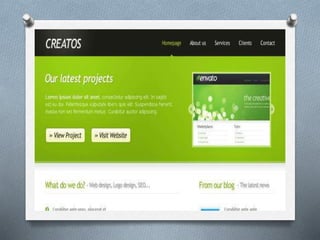
2. Clean Design
One of the most important things to
remember during the process of
website development is to create a
clean, appealing design. A quality
design is attractive and easy to read
with intuitive navigation.
3. Effective Color Scheme
Color schemes are more important
than customers realize. Different
colors have the ability to evoke
emotional responses, such as calm,
happiness, or frustration.
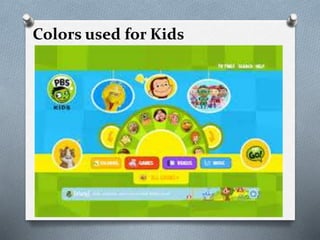
Colors used for Kids
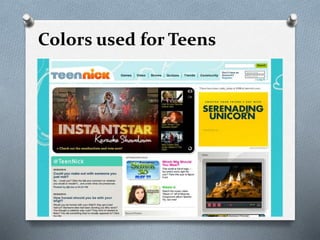
Colors used for Teens
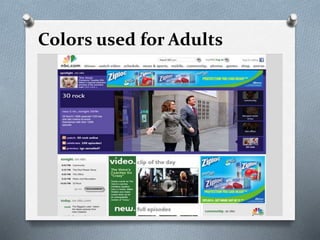
Colors used for Adults
4. Branding
Branding is important to all
businesses, both large and small. The
design and placement of your brand’s
logo contributes to a viewer’s overall
opinion. Professionally designed logos
successfully catch the customer’s eye
and provide a clear picture of the
brand’s unique voice.
5. Functionality
When thinking about functionality,
there are a few matters to consider.
Namely, is the website functional in
the literal sense? Are there loading
issues or broken links? Are the contact
forms, surveys, and customer feedback
sections of your site working properly?
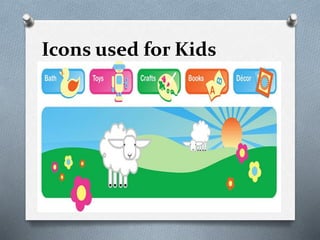
Icons used for Kids
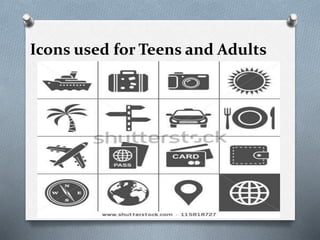
Icons used for Teens and Adults
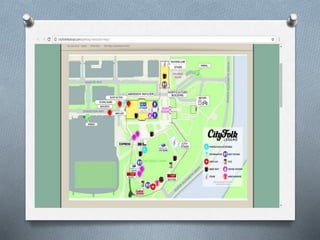
6. Navigation
If a website is confusing and
difficult to navigate, your
audience may leave and never
return. One way to improve a
visitor’s ability to navigate your
site easily is to add a site map.
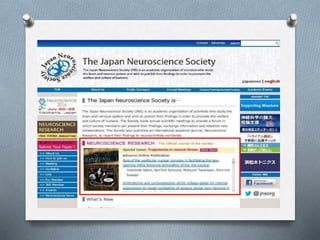
7. Usability
Websites that are easy to use are more
likely to garner audience interest and
encourage viewers. Usability can be
increased by displaying product and
service information in a clear, concise
manner. Make sure your website has
all the features a audience would need
for the site to be easily accessible.
8. Call to Action
Placing calls to action on your
website encourages customers to
contact your business. A friendly
suggestion, such as “Contact us
today!” demonstrates that your
business wants to develop a
relationship with its customers.
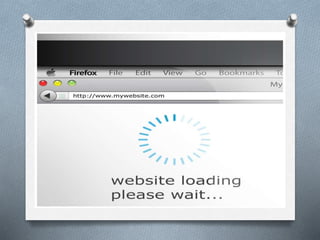
9. Short Loading Times
When looking for information
online, nothing aggravates visitors
more than slow loading times.
Viewers can be turned away
completely due to this issue.
10. Compatibility with Multiple
Browsers
As technology progresses, the number
of internet browsers is steadily
growing. From Internet Explorer and
Chrome to Firefox and Safari, it can be
frustrating to keep up with them all.
When creating a website, it’s vital to
ensure that your website is reachable
from multiple browsers.
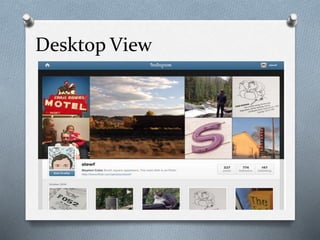
11. Mobile Sites vs. Responsive
Sites
To effectively reach this growing
population of mobile users,
owners of the websites need to be
sure that their webpages are
available from any device.
Desktop View
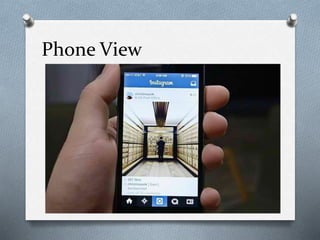
Phone View
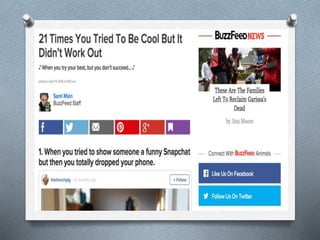
12. Integration with Social Media
Social media provides a venue in which
customers can promote your brand,
provide reviews, and stay in-the-know
about your company’s latest news. Written
and visual content, including product
images and branded video, are easily
distributed on platforms like Facebook,
Twitter, Pinterest, and LinkedIn with
the addition of social sharing buttons on
your website.
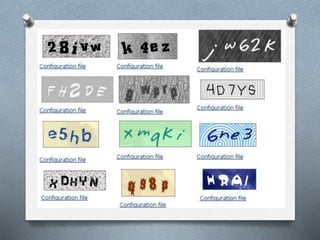
13. Captcha Tests
Spam, spam, and more spam. That’s
what some businesses receive in their
comment sections, contact forms, and
site forums that don’t have captcha
tests in place. These tests (you’ll
recognize them as the random letters
and numbers typed before submitting
a web-based form) differentiate
humans from robots.
14. Effective Security
With the evolution of technology,
newer and more advanced
security risks threaten to
compromise your website’s
integrity. From malware and
viruses to malicious apps and the
threat of hackers, websites must
prevent security breaches on both
the front ends and back ends.
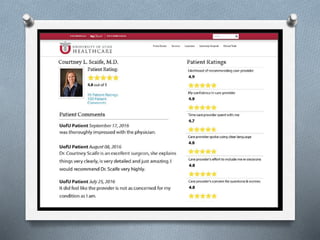
15. Customer Testimonials
Customer testimonials can be
used to promote your website. By
featuring customer testimonials
on your site, you demonstrate your
company’s skills, products, and
commitment to customers
16. Original Content
When designing a website, it is crucial
to write high quality, original content
that is relevant to your company and
products. Everything from the quality of
your content to the keywords used
affects your site’s ranking in search
engine results. Keyword research can
provide topic ideas and, if used
sparingly, will help customers quickly
locate the content they’re seeking.
CHAPTER 5 IT- BASED PROJECTS (EDUCATIONAL TECHNOLOGY 2)

CHAPTER 5 IT- BASED PROJECTS (EDUCATIONAL TECHNOLOGY 2)

  • 1.
  • 2.
    III. GUIDED HYPERMEDIAPROJECTS The production of self-made multimedia project can be approach in two different ways. As a instructive tool, such as in the production by students of a power-point presentation of a selected topic.
  • 3.
    As a communicationtool, such as when students do a multimedia presentation (with text, graphs, photos, audio narration, interview, video clips, etc., to simulate a television news show).
  • 4.
    IV. WEB-BASED PROJECTS Studentscan be made to create & post webpages on a given topic. But creating webpages, even single page webpage, may be too sophisticated & time consuming for the average students.
  • 5.
    It should besaid, however, that posting of webpages in the internet allows the students ( now the webpages creator) a wider audience. They can also be linked with other related sites in the internet. But as of now, this creativity project may be to ambitious as a tool in the teaching-learning process.
  • 6.
    THINGS TO BECONSIDER IN DESIGNING AND DEVELOPING WEBSITES From functionality and appearance to navigation and coding integrity, a lot goes into creating an eye-catching, user-friendly website. It doesn’t end there, either. Web developers and designers must work together to produce websites that will be located by search engines, engage customers, and stimulate conversions.
  • 7.
    1. Choosing aDomain and Host Great domain names say so much while saying so little. In addition to being memorable, a domain name needs to accurately reflect your brand’s voice and be nearly impossible to misspell.
  • 9.
    2. Clean Design Oneof the most important things to remember during the process of website development is to create a clean, appealing design. A quality design is attractive and easy to read with intuitive navigation.
  • 11.
    3. Effective ColorScheme Color schemes are more important than customers realize. Different colors have the ability to evoke emotional responses, such as calm, happiness, or frustration.
  • 12.
  • 13.
  • 14.
  • 15.
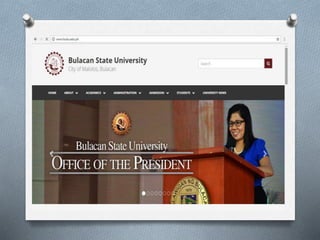
    4. Branding Branding isimportant to all businesses, both large and small. The design and placement of your brand’s logo contributes to a viewer’s overall opinion. Professionally designed logos successfully catch the customer’s eye and provide a clear picture of the brand’s unique voice.
  • 17.
    5. Functionality When thinkingabout functionality, there are a few matters to consider. Namely, is the website functional in the literal sense? Are there loading issues or broken links? Are the contact forms, surveys, and customer feedback sections of your site working properly?
  • 19.
  • 20.
    Icons used forTeens and Adults
  • 21.
    6. Navigation If awebsite is confusing and difficult to navigate, your audience may leave and never return. One way to improve a visitor’s ability to navigate your site easily is to add a site map.
  • 23.
    7. Usability Websites thatare easy to use are more likely to garner audience interest and encourage viewers. Usability can be increased by displaying product and service information in a clear, concise manner. Make sure your website has all the features a audience would need for the site to be easily accessible.
  • 25.
    8. Call toAction Placing calls to action on your website encourages customers to contact your business. A friendly suggestion, such as “Contact us today!” demonstrates that your business wants to develop a relationship with its customers.
  • 27.
    9. Short LoadingTimes When looking for information online, nothing aggravates visitors more than slow loading times. Viewers can be turned away completely due to this issue.
  • 29.
    10. Compatibility withMultiple Browsers As technology progresses, the number of internet browsers is steadily growing. From Internet Explorer and Chrome to Firefox and Safari, it can be frustrating to keep up with them all. When creating a website, it’s vital to ensure that your website is reachable from multiple browsers.
  • 31.
    11. Mobile Sitesvs. Responsive Sites To effectively reach this growing population of mobile users, owners of the websites need to be sure that their webpages are available from any device.
  • 32.
  • 33.
  • 34.
    12. Integration withSocial Media Social media provides a venue in which customers can promote your brand, provide reviews, and stay in-the-know about your company’s latest news. Written and visual content, including product images and branded video, are easily distributed on platforms like Facebook, Twitter, Pinterest, and LinkedIn with the addition of social sharing buttons on your website.
  • 36.
    13. Captcha Tests Spam,spam, and more spam. That’s what some businesses receive in their comment sections, contact forms, and site forums that don’t have captcha tests in place. These tests (you’ll recognize them as the random letters and numbers typed before submitting a web-based form) differentiate humans from robots.
  • 38.
    14. Effective Security Withthe evolution of technology, newer and more advanced security risks threaten to compromise your website’s integrity. From malware and viruses to malicious apps and the threat of hackers, websites must prevent security breaches on both the front ends and back ends.
  • 39.
    15. Customer Testimonials Customertestimonials can be used to promote your website. By featuring customer testimonials on your site, you demonstrate your company’s skills, products, and commitment to customers
  • 41.
    16. Original Content Whendesigning a website, it is crucial to write high quality, original content that is relevant to your company and products. Everything from the quality of your content to the keywords used affects your site’s ranking in search engine results. Keyword research can provide topic ideas and, if used sparingly, will help customers quickly locate the content they’re seeking.