Chapter one
Introduction to Communication Systems
and Wireless Communications
Outline
Part I
 Communication systems
Part II: wireless communications and mobile computing
 Introduction to wireless communications
 History wireless communications
 Types of services
 wireless vs mobile
 Strength and weaknesses
 Applications
Definition
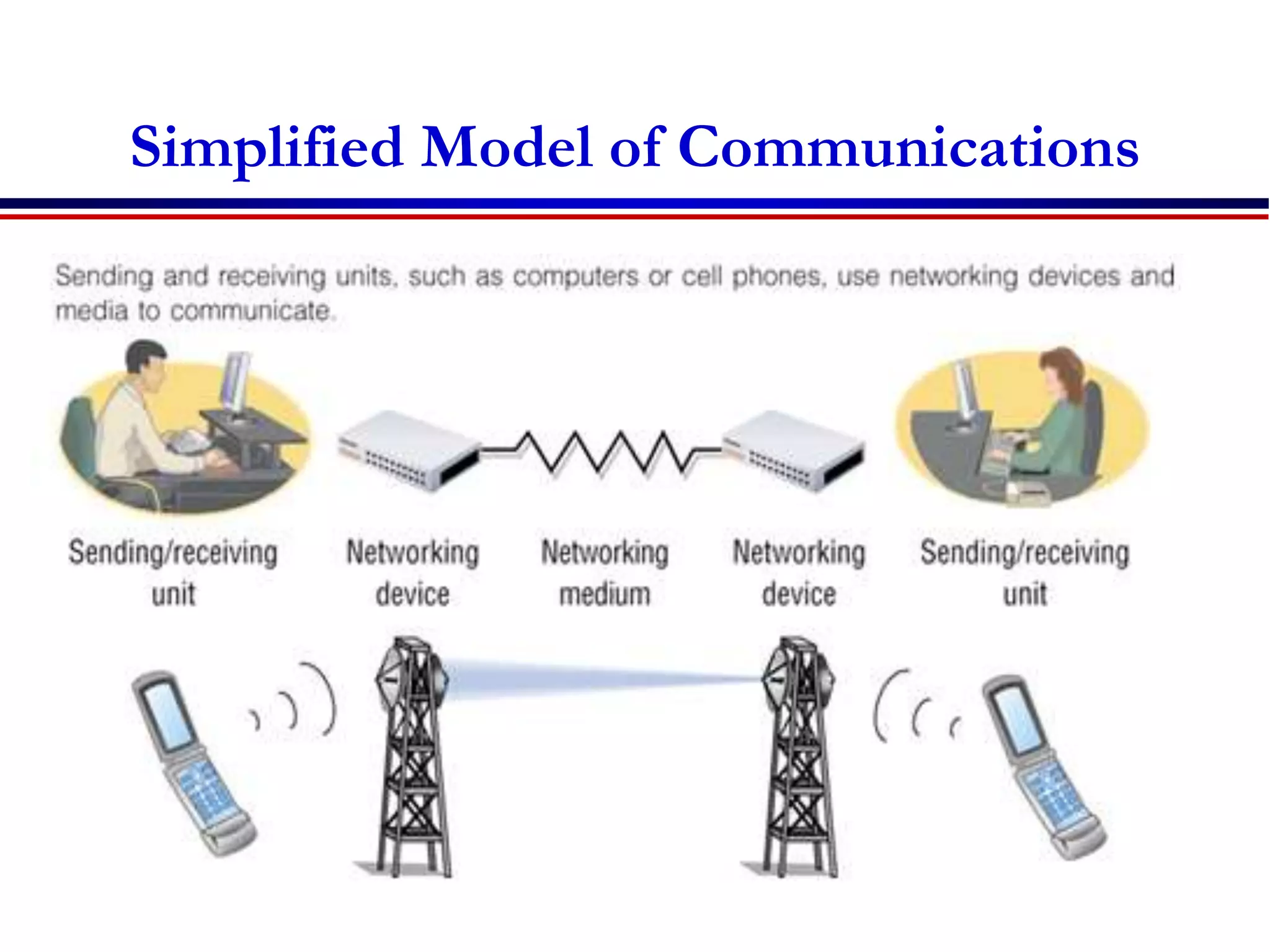
Communication
 Process that allows information to pass between a
sender and receiver
 Transfer of meaningful information between two
locations
Telecommunications
 Tele means far off or distant
 Telecommunications today means communication by
electrical or electromagnetic means, usually over a
distance
Component of a Communication
 Source of Information (Sender)
 Meaning full Information or message
 Communication channel
 Communication Protocol
 Destination (Receiver)
Simplified Model of Communications
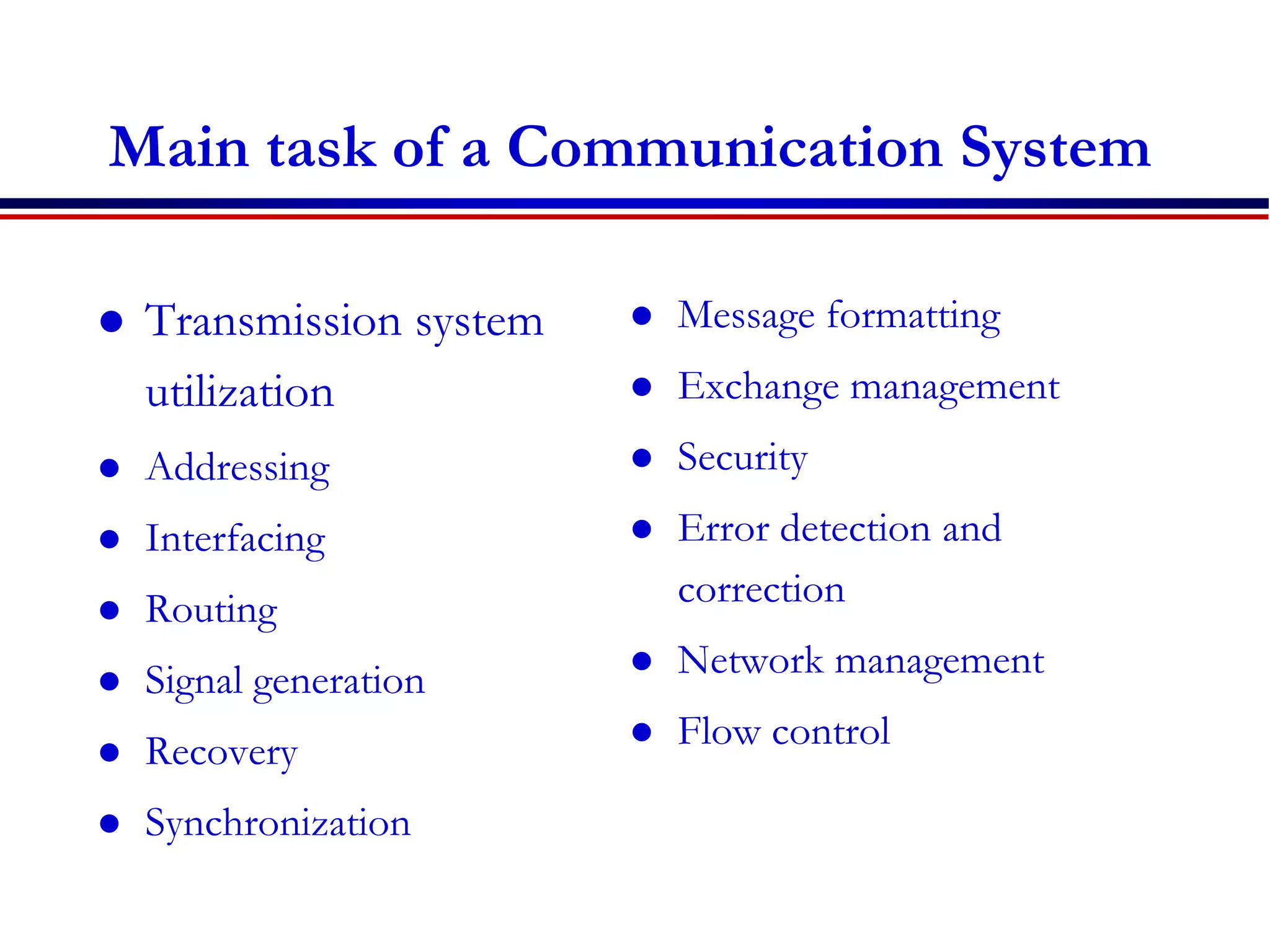
Main task of a Communication System
 Transmission system
utilization
 Addressing
 Interfacing
 Routing
 Signal generation
 Recovery
 Synchronization
 Message formatting
 Exchange management
 Security
 Error detection and
correction
 Network management
 Flow control
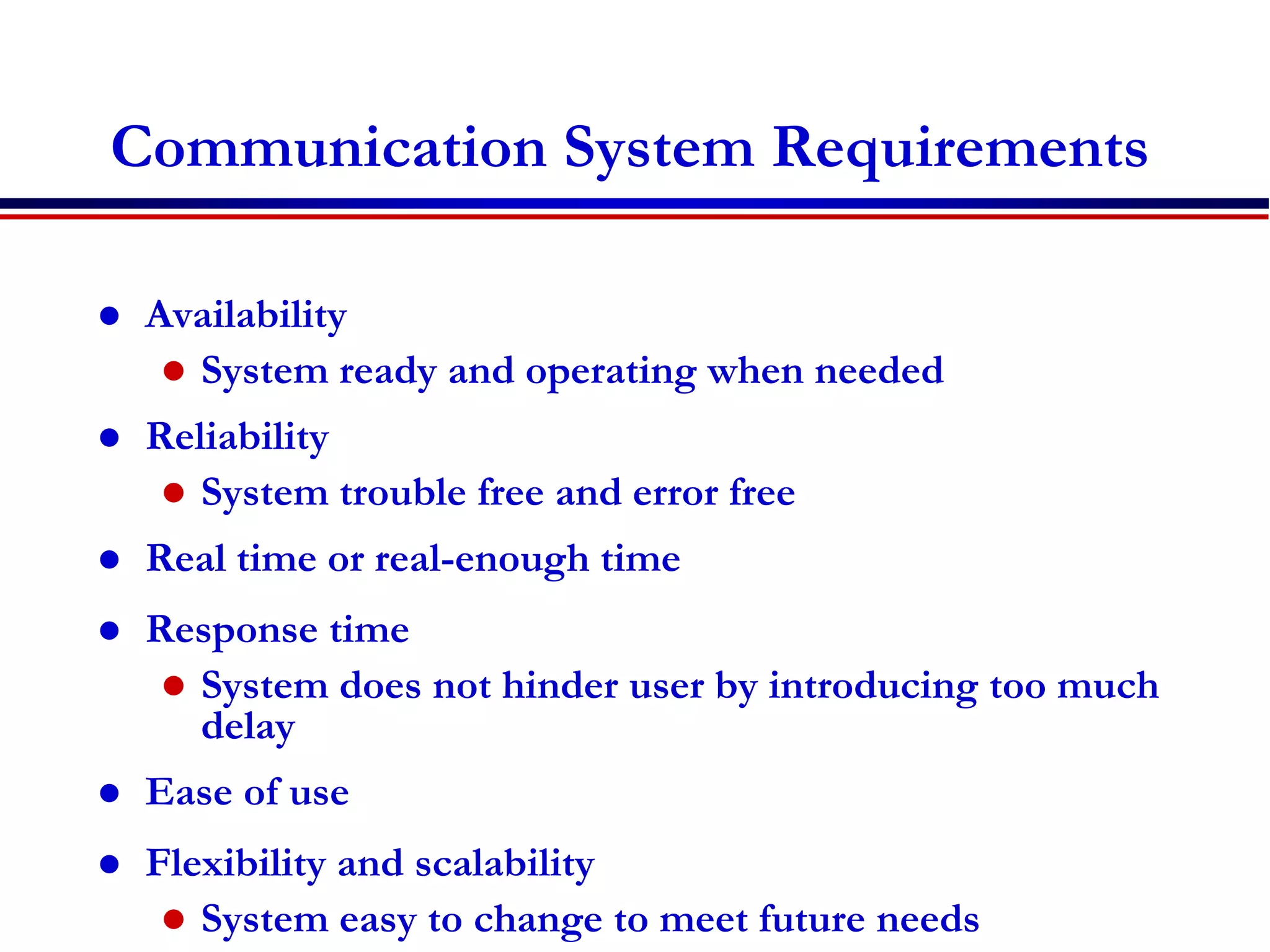
Communication System Requirements
 Availability
 System ready and operating when needed
 Reliability
 System trouble free and error free
 Real time or real-enough time
 Response time
 System does not hinder user by introducing too much
delay
 Ease of use
 Flexibility and scalability
 System easy to change to meet future needs
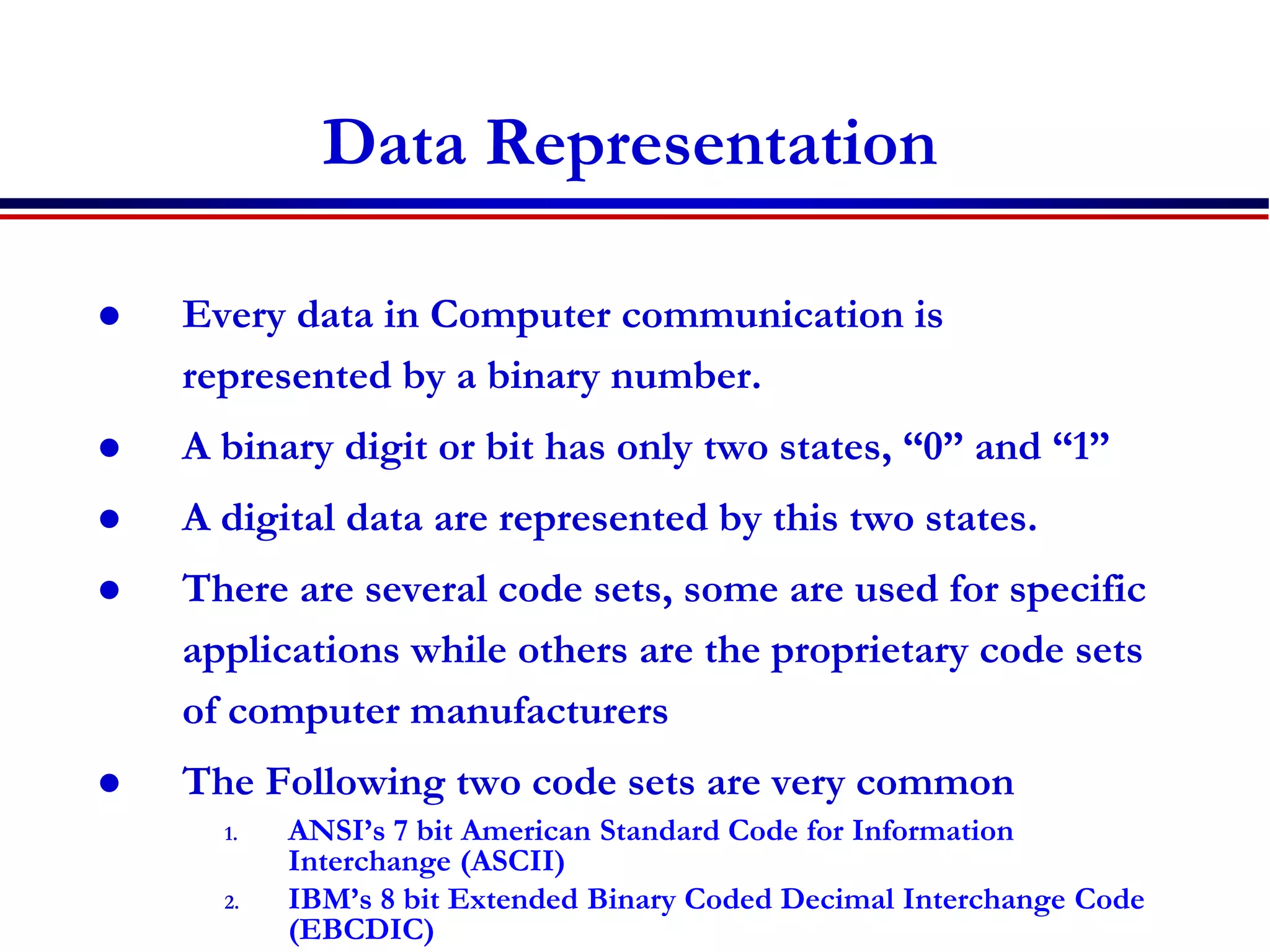
Data Representation
 Every data in Computer communication is
represented by a binary number.
 A binary digit or bit has only two states, “0” and “1”
 A digital data are represented by this two states.
 There are several code sets, some are used for specific
applications while others are the proprietary code sets
of computer manufacturers
 The Following two code sets are very common
1. ANSI’s 7 bit American Standard Code for Information
Interchange (ASCII)
2. IBM’s 8 bit Extended Binary Coded Decimal Interchange Code
(EBCDIC)
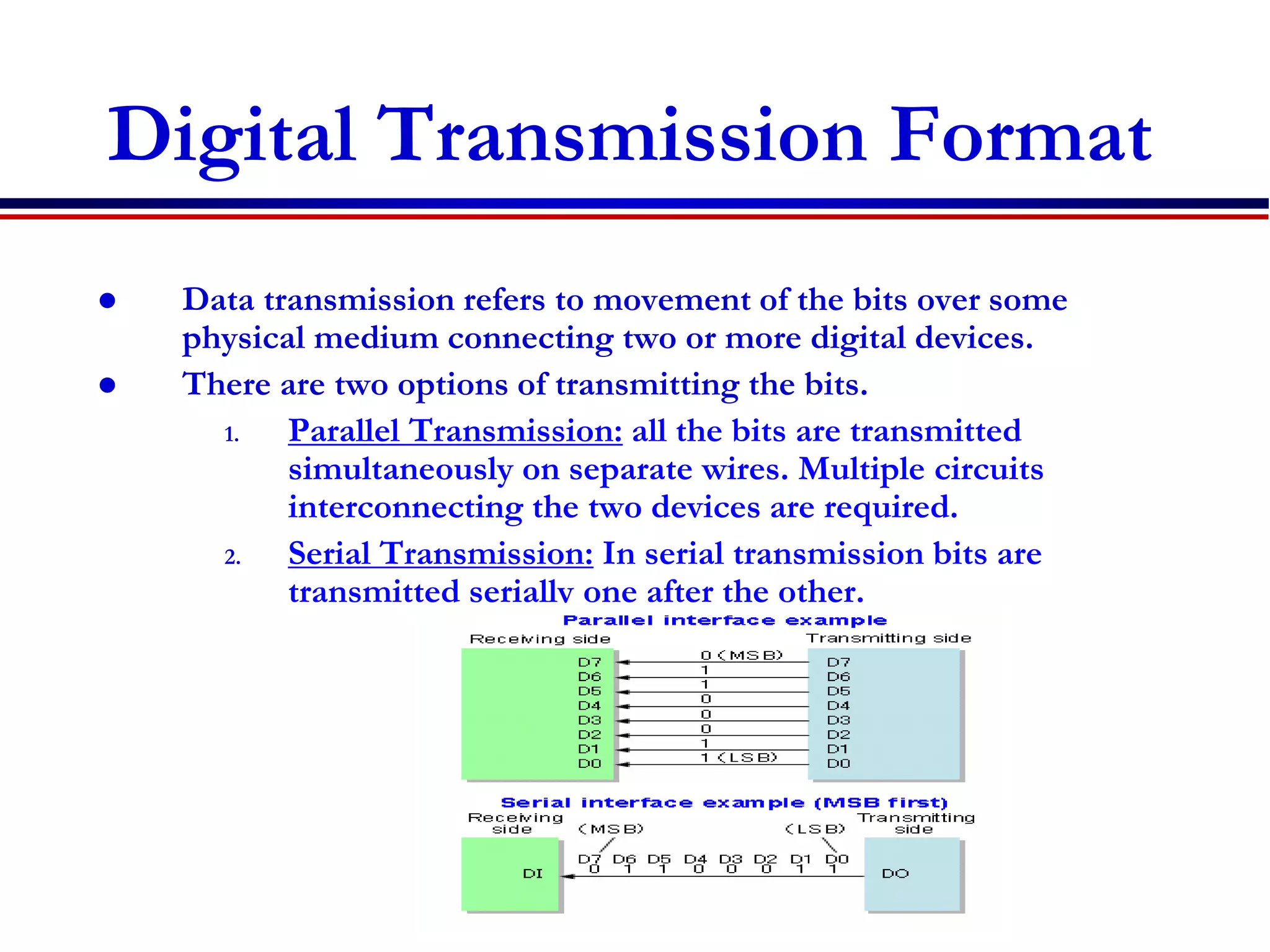
Digital Transmission Format
 Data transmission refers to movement of the bits over some
physical medium connecting two or more digital devices.
 There are two options of transmitting the bits.
1. Parallel Transmission: all the bits are transmitted
simultaneously on separate wires. Multiple circuits
interconnecting the two devices are required.
2. Serial Transmission: In serial transmission bits are
transmitted serially one after the other.
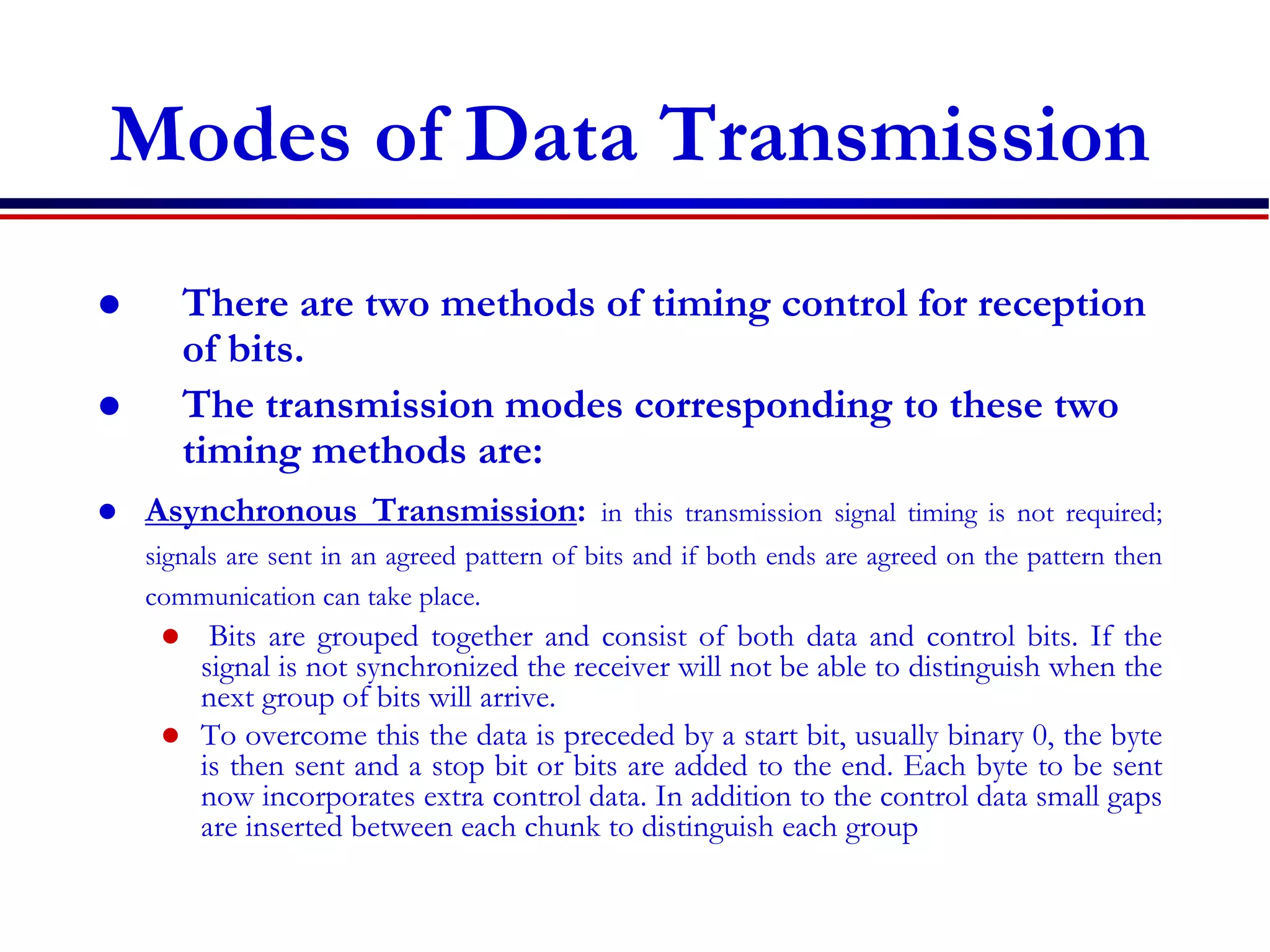
Modes of Data Transmission
 There are two methods of timing control for reception
of bits.
 The transmission modes corresponding to these two
timing methods are:
 Asynchronous Transmission: in this transmission signal timing is not required;
signals are sent in an agreed pattern of bits and if both ends are agreed on the pattern then
communication can take place.
 Bits are grouped together and consist of both data and control bits. If the
signal is not synchronized the receiver will not be able to distinguish when the
next group of bits will arrive.
 To overcome this the data is preceded by a start bit, usually binary 0, the byte
is then sent and a stop bit or bits are added to the end. Each byte to be sent
now incorporates extra control data. In addition to the control data small gaps
are inserted between each chunk to distinguish each group
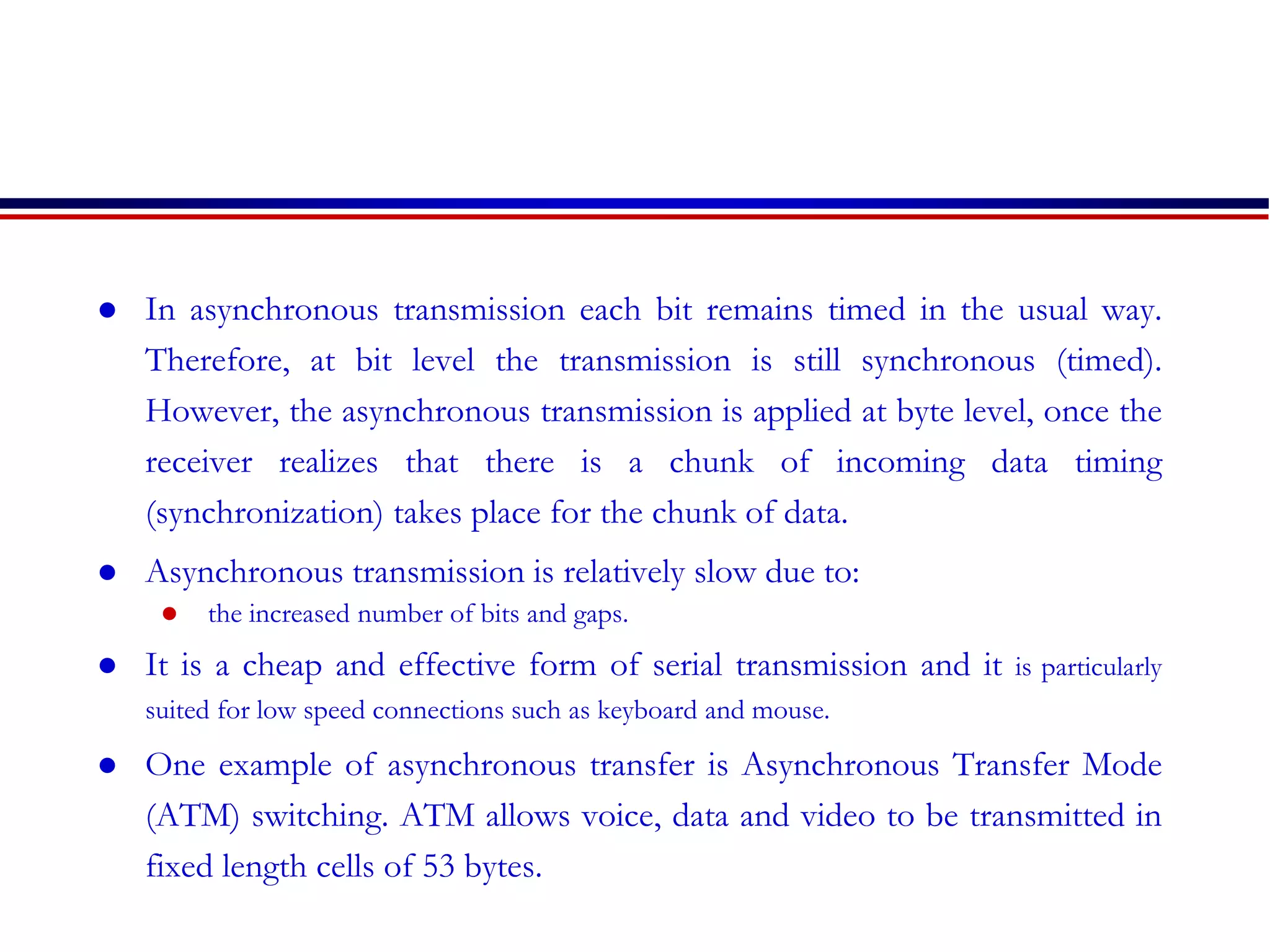
 In asynchronous transmission each bit remains timed in the usual way.
Therefore, at bit level the transmission is still synchronous (timed).
However, the asynchronous transmission is applied at byte level, once the
receiver realizes that there is a chunk of incoming data timing
(synchronization) takes place for the chunk of data.
 Asynchronous transmission is relatively slow due to:
 the increased number of bits and gaps.
 It is a cheap and effective form of serial transmission and it is particularly
suited for low speed connections such as keyboard and mouse.
 One example of asynchronous transfer is Asynchronous Transfer Mode
(ATM) switching. ATM allows voice, data and video to be transmitted in
fixed length cells of 53 bytes.
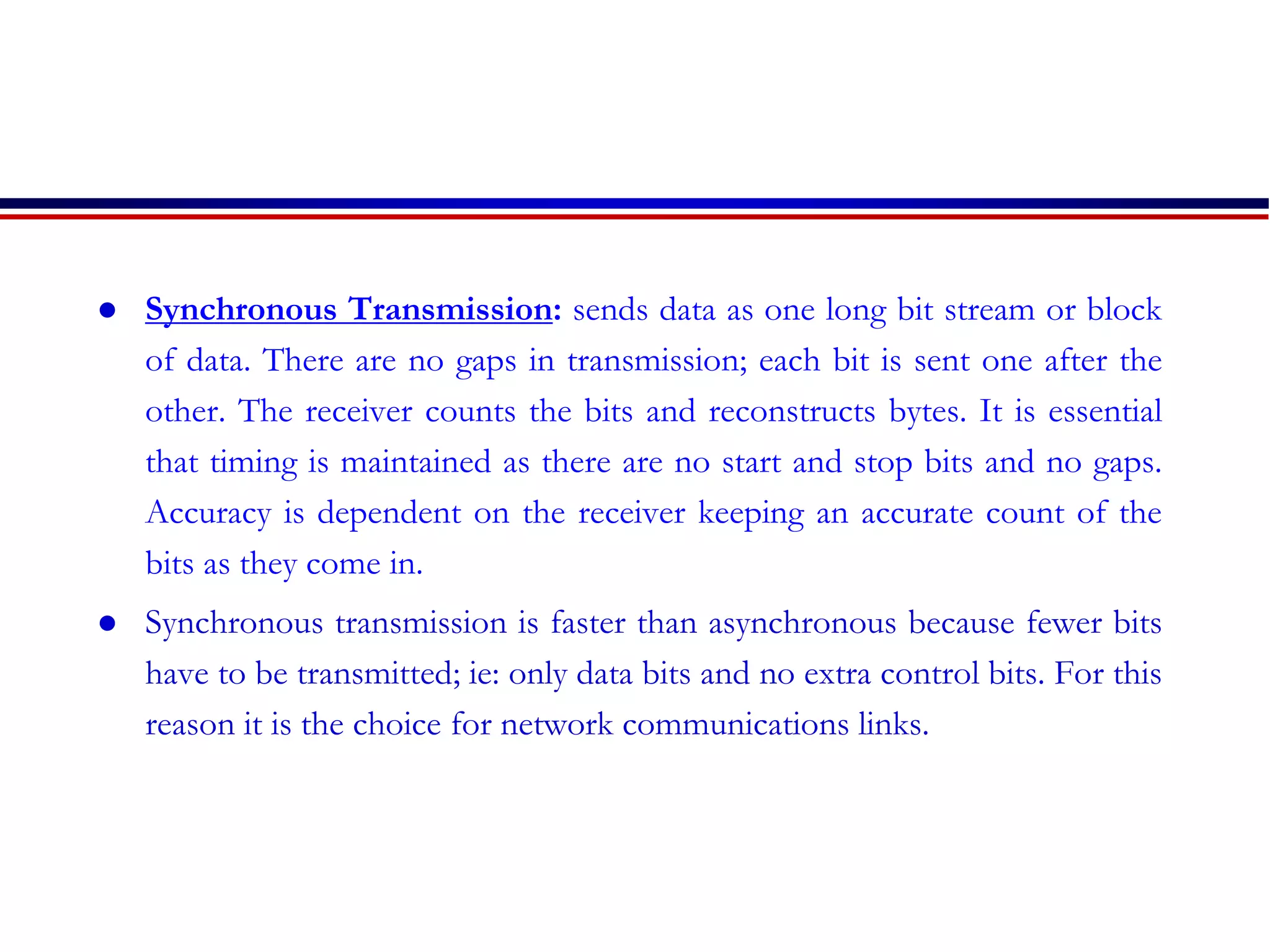
 Synchronous Transmission: sends data as one long bit stream or block
of data. There are no gaps in transmission; each bit is sent one after the
other. The receiver counts the bits and reconstructs bytes. It is essential
that timing is maintained as there are no start and stop bits and no gaps.
Accuracy is dependent on the receiver keeping an accurate count of the
bits as they come in.
 Synchronous transmission is faster than asynchronous because fewer bits
have to be transmitted; ie: only data bits and no extra control bits. For this
reason it is the choice for network communications links.
Modes of Data Communication
1. Simplex
 Data in a simplex mode is always one way. Simplex channels
are not often used because it is not possible to send back error
or control signals to the transmit end. An example of simplex
is Television, or Radio.
2. Half Duplex
• A half-duplex channel can send and receive, but not at the
same time. Only one end transmits at a time, the other end
receives. In addition, it is possible to perform error detection
and request the sender to retransmit information that arrived
corrupted.
3. Full Duplex
 Data can travel in both directions simultaneously. There is no
need to switch from transmit to receive mode like in half
duplex.
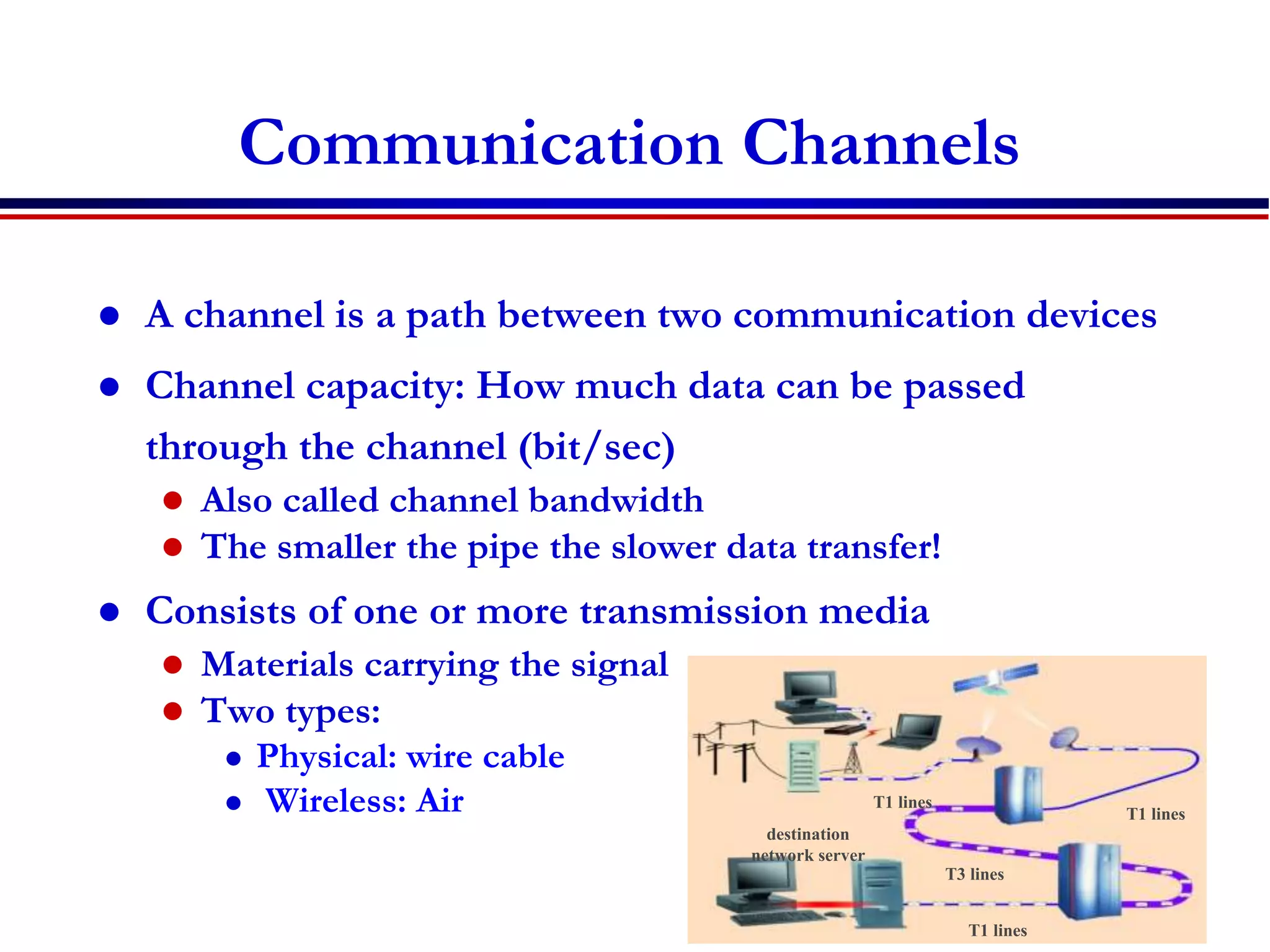
Communication Channels
 A channel is a path between two communication devices
 Channel capacity: How much data can be passed
through the channel (bit/sec)
 Also called channel bandwidth
 The smaller the pipe the slower data transfer!
 Consists of one or more transmission media
 Materials carrying the signal
 Two types:
 Physical: wire cable
 Wireless: Air
destination
network server
T1 lines
T1 lines
T1 lines
T3 lines
Physical Transmission Media
 A tangible media
 Examples: Twisted-pair cable, coaxial cable, Fiber-optics, etc.
 Twisted-pair cable:
 One or more twisted wires bundled together (why?)
 Made of copper
 Coax-Cable:
 Consists of single copper wire surrounded by three
layers of insulating and metal materials
 Typically used for cable TV
 Fiber-optics:
 Strands of glass or plastic used to transmit light
 Very high capacity, low noise, small size, less suitable to
natural disturbances
Wireless Translation Media
 Broadcast Radio
 Distribute signals through the air over long distance
 Uses an antenna
 Typically for stationary locations
 Can be short range
 Cellular Radio
 A form of broadcast radio used for mobile communication
 High frequency radio waves to transmit voice or data
 Utilizes frequency-reuse
 Microwaves
 Radio waves providing high speed transmission
 They are point-to-point (can’t be obstructed)
 Used for satellite communication
 Infrared (IR)
 Wireless transmission media that sends signals using infrared
light- waves
Part II
 wireless communication and mobile
computing
Introduction
 Mobile computing systems are computing
systems that may be easily moved physically
and whose computing capabilities may be
used while they are being moved.
 Examples are laptops, personal digital
assistants (PDAs), and mobile phones
Introduction…
 Wireless communication involves the
process of sending/reciving information
through invisible waves in the air.
Information such as text, voice, and video
are carried through the radio frequency of
the electromagnetic spectrum.
Introduction…
 Wireless communications is one of the
biggest engineering success
 market size dominating the whole economy
 e.g + 4 billion GSM subscribers of the world
 Working habits, have been changed
“anywhere, anytime.”
 mobility of workers have increased
Introduction …
 large number of applications have been
developed,
 Wireless sensor networks monitor factories,
 wireless links replace the cables between computers
and keyboards, mouse and other peripheral devices
 wireless positioning systems monitor the location of
trucks
 This variety of new applications causes the
technical challenges for the wireless engineers
to become bigger with each day.
History : How it all started
 Ancient Systems – shouts and jungle drums ,smoke
signals, light ,Carrier Pigeons,…….
 Marconi invented the wireless telegraph in 1896.
 By encoding alphanumeric characters in analog signals,
he sent telegraphic signals across the Atlantic Ocean.
 This led to a great many developments in wireless
communication networks that support radio, television,
mobile telephone, and satellite systems that have changed
our lives.
History : The First Systems
 Unidirectional information transmission
 was done for entertainment broadcasting. By the
late 1930s,
 the need for bidirectional mobile
communications emerged.
 Military ,police departments ,fire station….
 Many sophisticated military radio systems
were developed during and after WW2
History :The First Systems…
 1946, the first mobile telephone system
 have an interface to the Public Switched
Telephone Network (PSTN),
 this interface was not automated, but rather
consisted of human telephone operators.
 Has a total of six speech channels for the whole
city, the system soon met its limits.
 Led to investigations of how the number
of users could be increased.
History :The First Systems…
 Researchers at AT&T’s Bell Labs found the
answer:
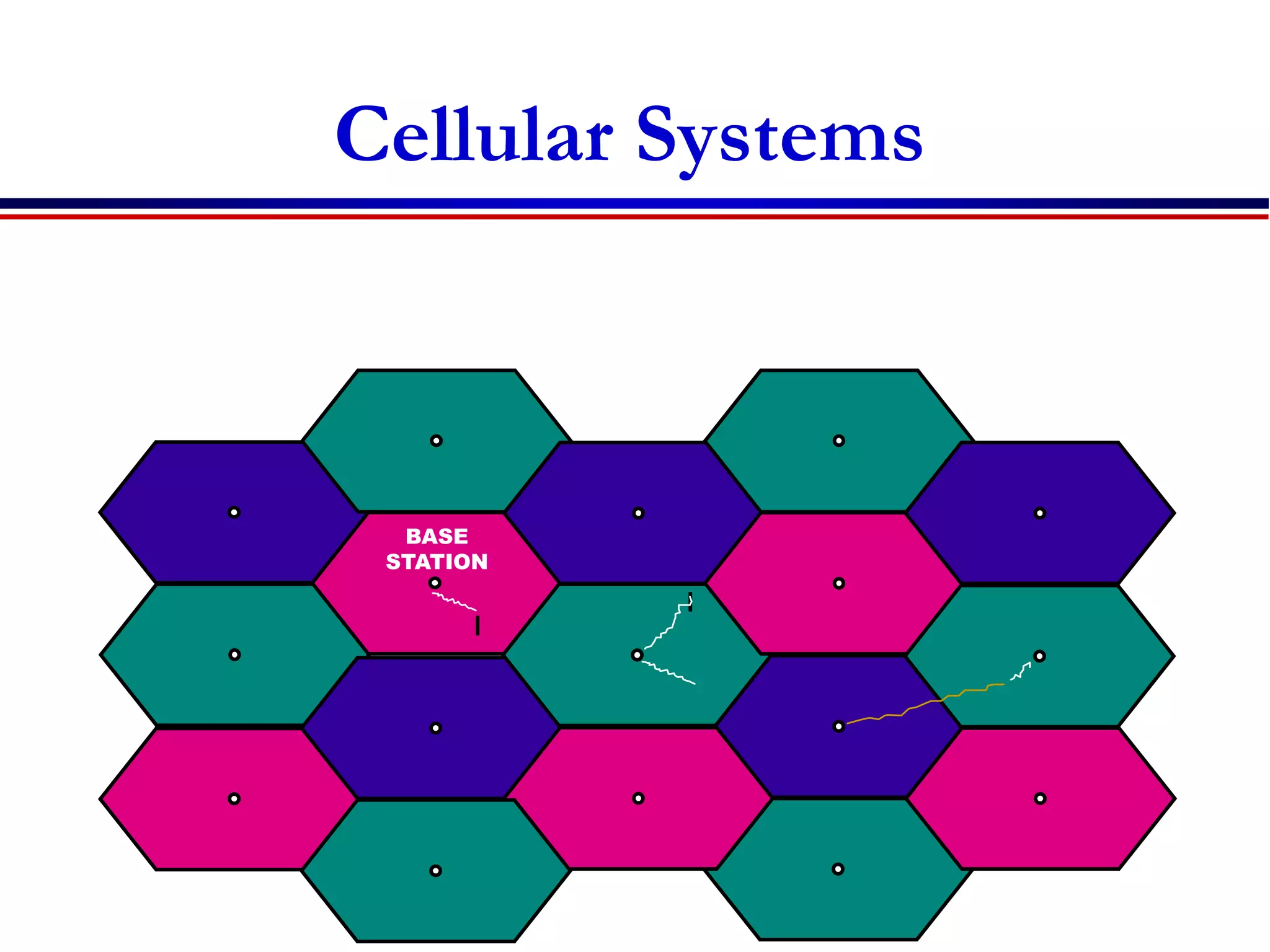
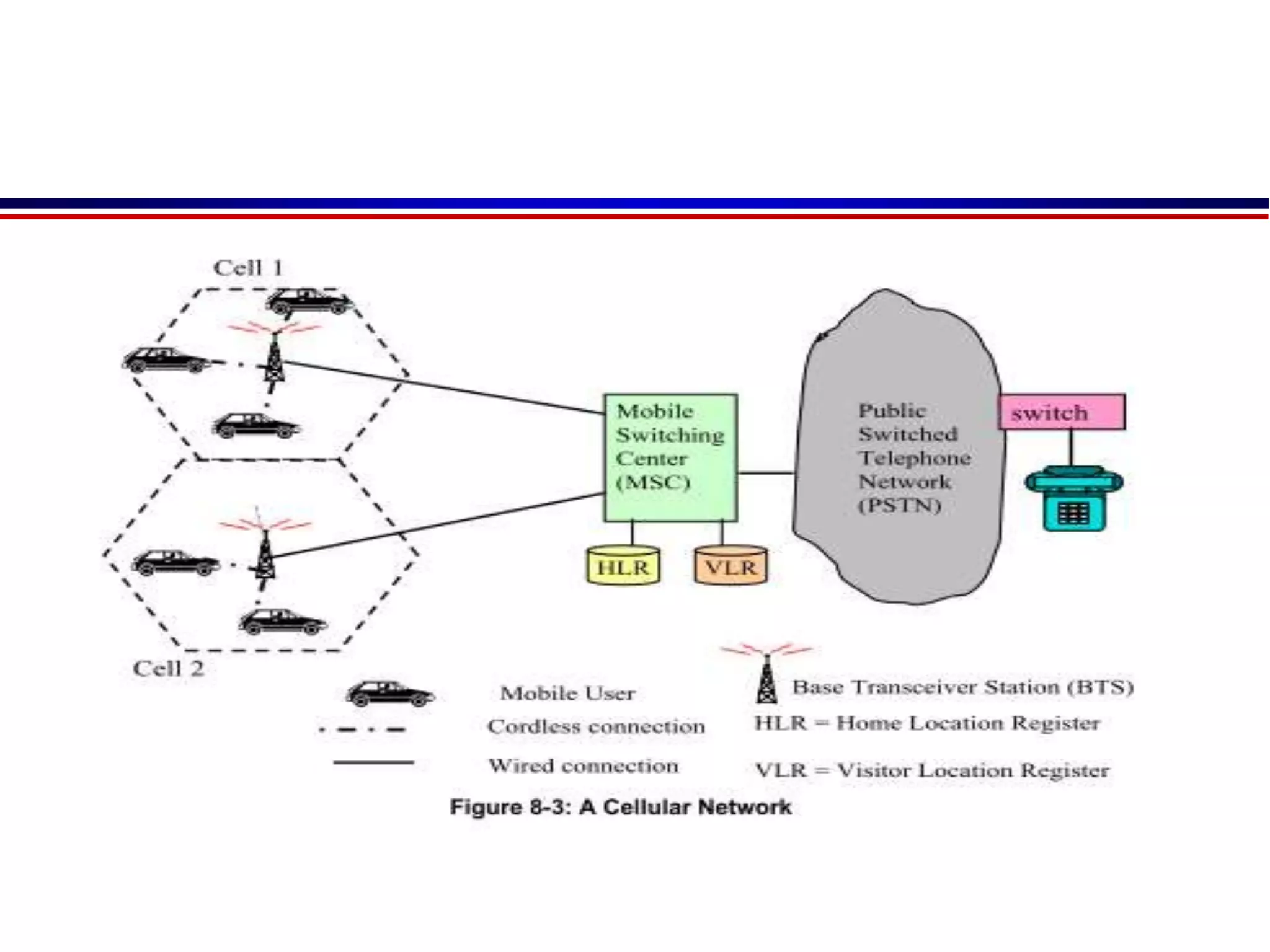
 the cellular principle, where the geographical
area is divided into cells; different cells might use
the same frequencies.
 To this day, this principle forms the basis for
the majority of wireless communications
 In 1957, the Soviet Union launched the first
satellite (Sputnik) and the U.S.A. soon followed.
Cellular Systems
BASE
STATION
History: Analog Cellular Systems
 1970s saw a revived interest in cellular communications
 Device miniaturization made the vision of “portable”
devices more realistic.
 Motorola, AT&T, Ericson
 Nordic Mobile Telephone (NMT) system
 use digital switching technology that allowed them to
combine different cells in a large area into a single network
 Advanced Mobile Phone System (AMPS).
 analog phone standards in the U.S.A
 1980s, the phones were “portable,” but definitely not
handheld.
 In most languages, they were just called “carphones,”.
 But at the end of the 1980s, handheld phones with
good speech quality and quite acceptable battery
lifetime flourish.
 The quality had become so good that in some markets
digital phones had difficulty establishing themselves.
History: GSM and the Worldwide Cellular
Revolution
 Analog phones have a bad spectral efficiency and
due to the rapid growth of the cellular market,
operators had a high interest in making room for more
customers
 In 1990s, the European Telecommunications
Standards Institute (ETSI) group came up with a
digital cellular standard that would become
mandatory throughout Europe and was later adopted
in most parts of the world:
 Global System for Mobile communications (GSM).
History: GSM and the Worldwide Cellular
Revolution
 GSM got wide acceptance with short
period
 better speech quality, and the possibility for
secure communications.
 By the year 2000, market penetration in
Western Europe and Japan had exceeded 50%
growth rates were spectacular
Overview of
Cellular communication Systems
 1G: Basic mobile telephony service
 Based on analog cellular technology
 American Mobile Phone (AMPS) and NMT in Europe
 2G: mobile telephony services for mass users with
encryption and efficient utilization of the radio spectrum
 Digital cellular technology……… GSM and CDMA
 2.5G: Mobile Internet/data services together with voice
services
 Packet switching technology adding into 2G
 Providing mobile data services over 2G networks
 GPRS (General Packet Radio Service) and EDGE
 3G: enhanced 2.5G services with improved mobile
internet services and emerging new applications
 CDMA2000 and UMTS (Universal Mobile Telecommunication System)
History :New wireless systems
 a whole range of new services was introduced in the 1990s.
 Cordless started to replace the “normal” telephones
 The first versions of these phones used analog
technology; however, digital technology proved to be
superior. Among other aspects, the possibility of
listening into analog conversations, and the possibility
for neighbors to “highjack” an analog cordless Base
Station (BS) and make calls at other people’s expense,
led to a shift to digital communications.
 While cordless phones never achieved the spectacular
market size of cell phones, they constitute a solid
market.
History :New wireless systems
 Fixed wireless access and Wireless Local
Loop (WLL) –
 Wireless local loop (WLL) service refers to the distribution of telephone
service from the nearest telephone central office to individual
customers via a wireless link. In some cases, it is referred to as “the last
mile” in a telephone network. This term is a bit misleading, though,
because the coverage area of a WLL system may extend many miles
from the central office. This is especially popular in developing
countries.
• Fiber optic cable
• Radio transmitter
Types of Services
 Broadcast
 The first wireless service was broadcast radio.
 Properties
 information is only sent in one direction
 transmitted information is the same for all users.
 information is transmitted continuously.
 Simple
 Transmitter does not need to have any knowledge or
consideration about the receivers
 Simplex
 No. of users does not matter
 Paging
 unidirectional wireless communications systems.
 Properties
 user can only receive information, but cannot transmit.
 The information is intended for, and received by, only a
single user.
 The amount of transmitted information is very small.
 used by..doctors , police allowing them to react to
emergencies in shorter time.
 better area coverage
 Cellular Telephony
 most important form of wireless
communications.
 Properties
 information flow is bidirectional.(full duplex)
 E.g. cellphone
 Trunking radio
 trunking is a method for a system to provide network access to many clients by
sharing a set of lines or frequencies instead of providing them individually.
 there is no connection between the wireless system and the PSTN;
 it allows the communications of closed user groups.
 Obvious applications include police departments, fire departments, taxis, and similar
 Services
 Group calls: several users simultaneously, or several conference call between multiple
users of the system.
 Call priorities: enable the prioritization of calls and allow dropping a low-priority call
in favor of a high-priority one.
 Relay networks: the range of the network can be extended by using each Mobile
Station (MS) as a relay station for other MSs .
 Cordless telephony
 describes a wireless link between a handset and a BS that is directly connected
to the public telephone system.
 main difference from a cellphone
 is associated with, and can communicate with, only a single BS
 thus no mobile switching center; rather, the BS is directly connected to the
PSTN.
 Properties
 no need to find out the location of the MS. Similarly, there is no need to provide
for handover between different BSs.
 There is no central system, there is no need for (and no possibility for)
frequency planning.
 there are no network operators that can charge fees for connections from the MS
to the BS; rather, the only occurring fees are the fees from the BS into the PSTN.
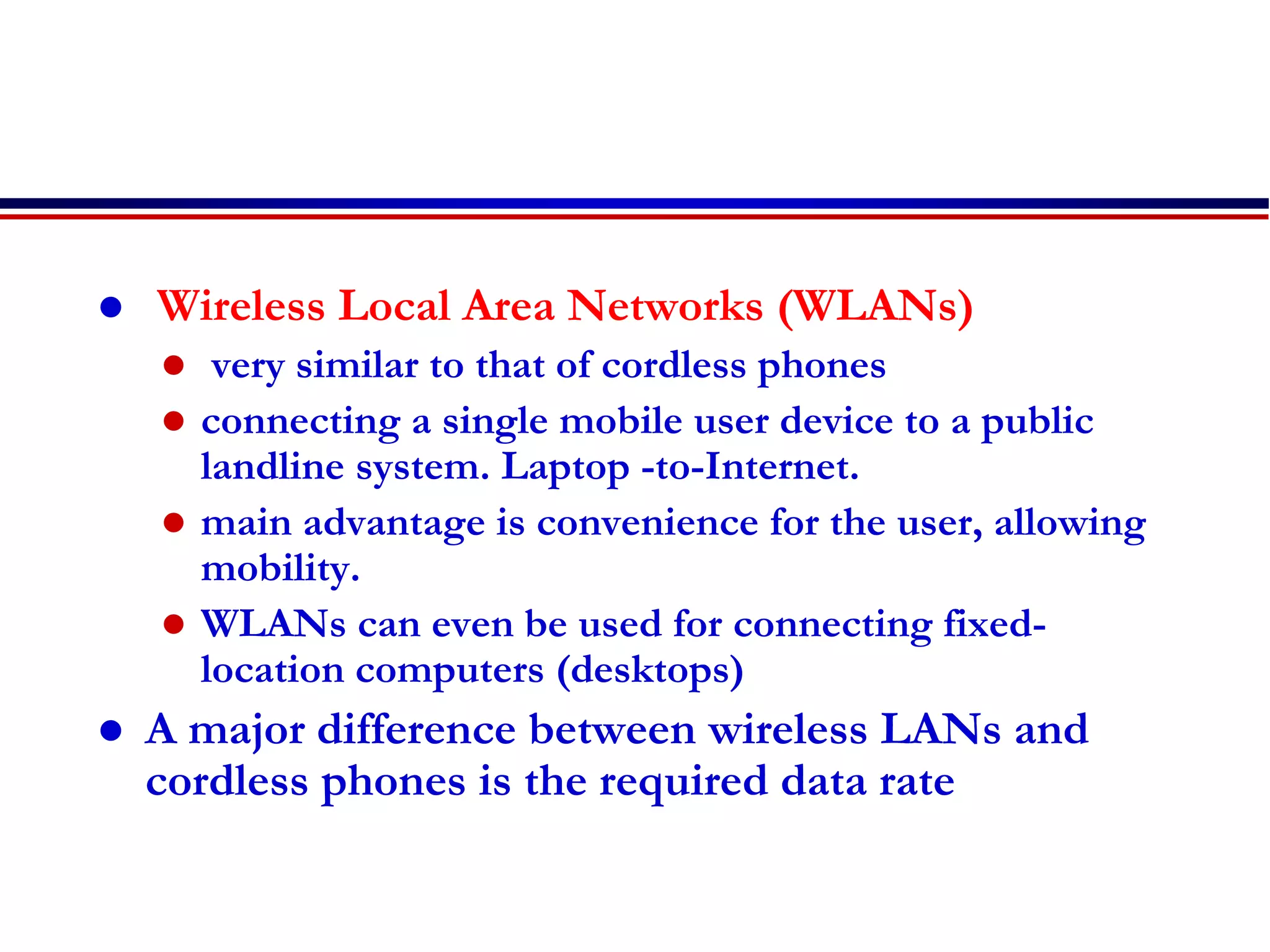
 Wireless Local Area Networks (WLANs)
 very similar to that of cordless phones
 connecting a single mobile user device to a public
landline system. Laptop -to-Internet.
 main advantage is convenience for the user, allowing
mobility.
 WLANs can even be used for connecting fixed-
location computers (desktops)
 A major difference between wireless LANs and
cordless phones is the required data rate
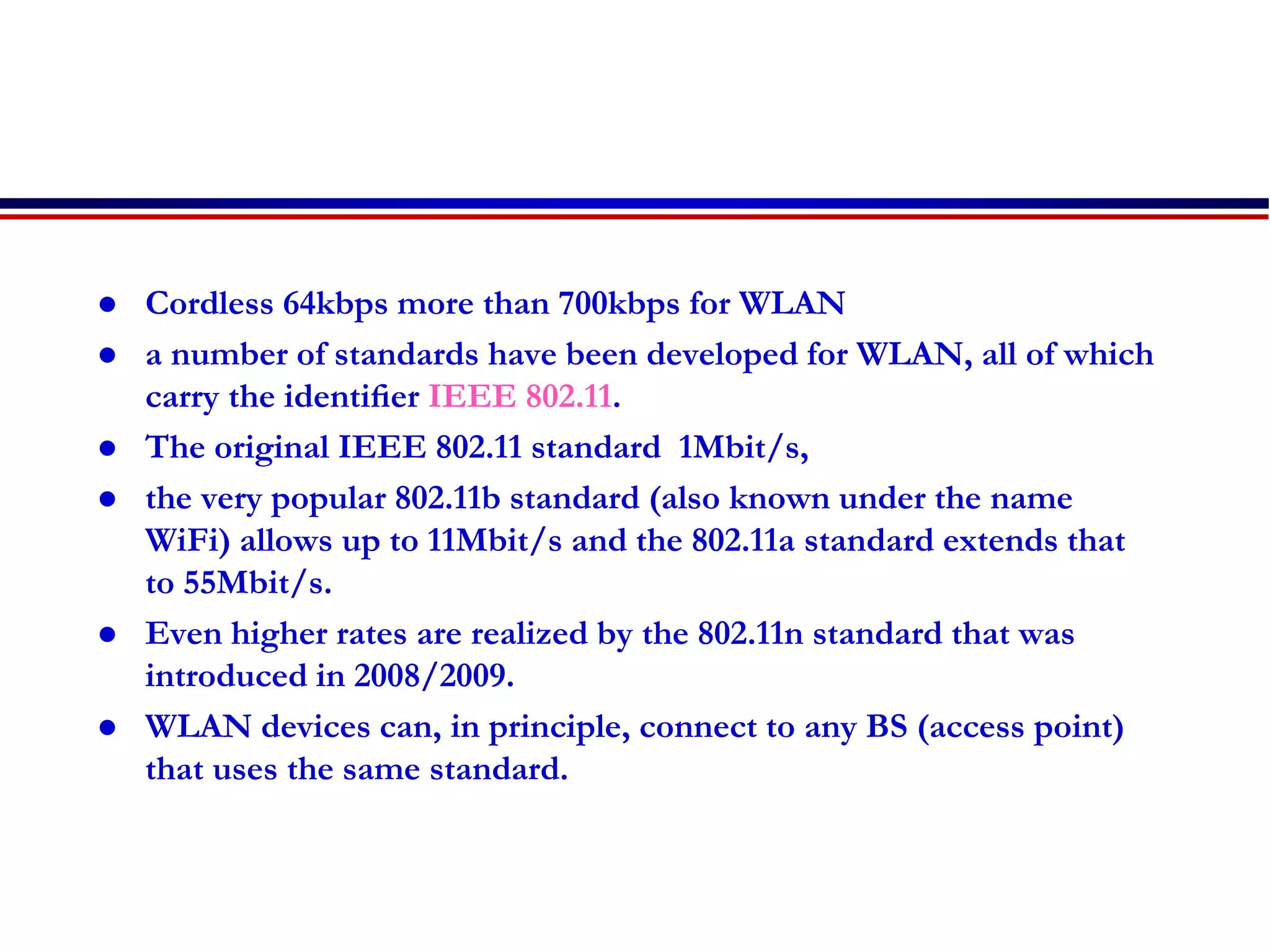
 Cordless 64kbps more than 700kbps for WLAN
 a number of standards have been developed for WLAN, all of which
carry the identifier IEEE 802.11.
 The original IEEE 802.11 standard 1Mbit/s,
 the very popular 802.11b standard (also known under the name
WiFi) allows up to 11Mbit/s and the 802.11a standard extends that
to 55Mbit/s.
 Even higher rates are realized by the 802.11n standard that was
introduced in 2008/2009.
 WLAN devices can, in principle, connect to any BS (access point)
that uses the same standard.
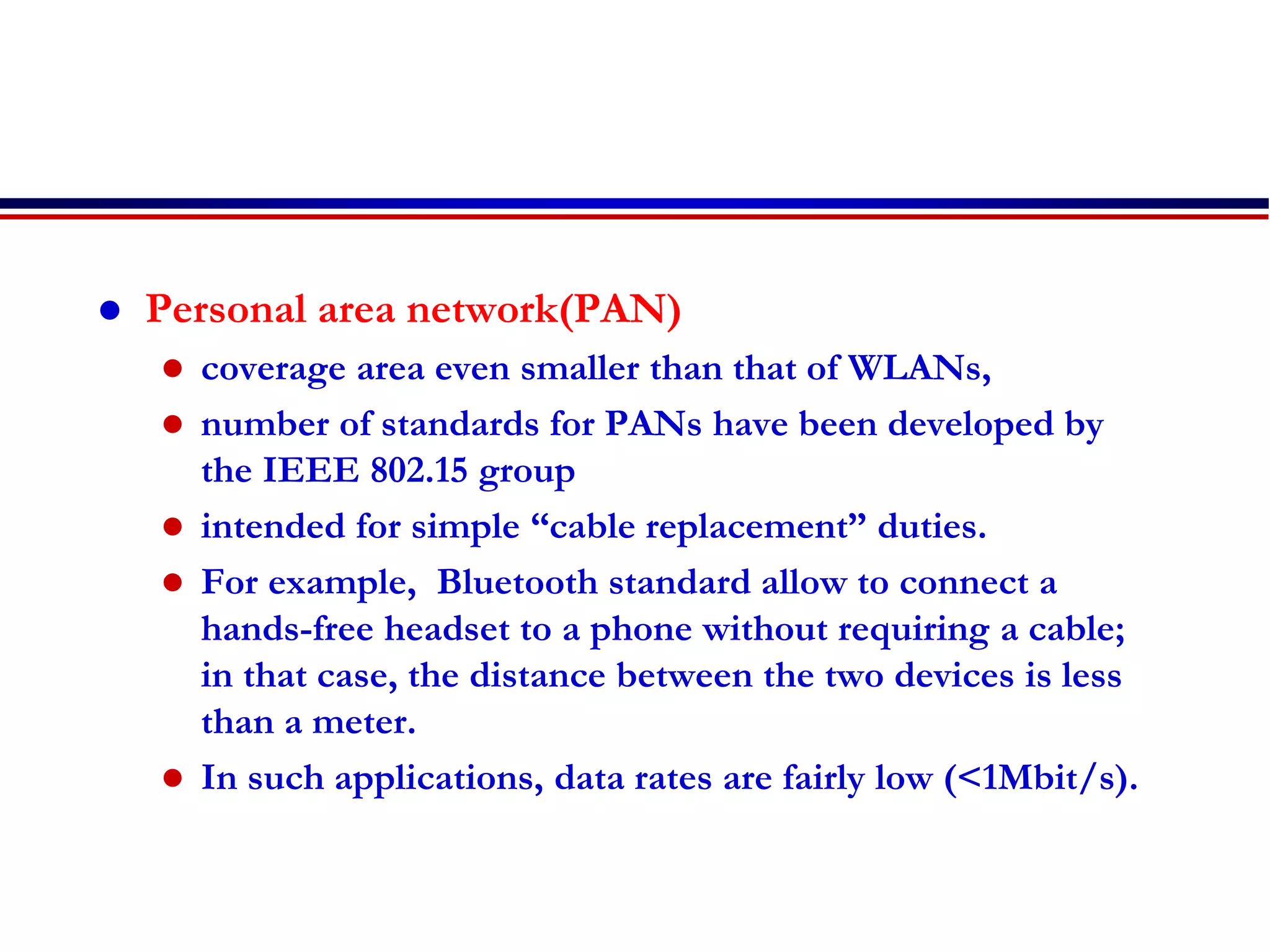
 Personal area network(PAN)
 coverage area even smaller than that of WLANs,
 number of standards for PANs have been developed by
the IEEE 802.15 group
 intended for simple “cable replacement” duties.
 For example, Bluetooth standard allow to connect a
hands-free headset to a phone without requiring a cable;
in that case, the distance between the two devices is less
than a meter.
 In such applications, data rates are fairly low (<1Mbit/s).
PAN…
 Recently, wireless communications between (DVD
player to TV), between computer and peripheral devices
(printer, mouse), and similar applications have gained
importance . data rates in excess of 100Mbit/s are used.
 Networks for even smaller distances like Body Area
Networks (BANs), which enable communications
between devices located on various parts of a user’s
body. monitoring of patients’ health and of medical
devices(e.g., pacemakers).
Services…
 Fixed Wireless Access
 essentially replacing a dedicated cable connection
between the user and the public landline system.
 no mobility of the user devices
 the distances bridged by fixed wireless access devices
are much larger (between 100m and several tens of
kilometers).
 its main market for covering rural areas, and for
establishing connections in developing countries that do
not have any wired infrastructure in place.
Services..
 Ad hoc Networks and Sensor Networks
 we have dealt with “infrastructure-based” wireless communications,
 where certain components (base stations, TV transmitters, etc.) are
intended by design to be in a fixed location, to control over the network
and interface with other networks.
 an alternative in which there is only one type of equipment, and
those devices, all of which may be mobile, organize themselves into
a network according to their location and according to necessity.
Such networks are called ad hoc networks
 There can still be “controllers” in an ad hoc network, but the choice
of which device acts as master and which as slave is done
opportunistically whenever a network is formed.
 The advantages of ad hoc networks
 low costs (because no infrastructure is required), high flexibility.
 The drawbacks
 reduced efficiency, smaller communication range, and restrictions on
the number of devices that can be included in a network.
 Ad hoc networks play a major role in the recent abundance of
sensor networks, which allow communications between machines
for the purpose of building control (controlling air conditioning,
lighting, etc., based on sensor data), factory automation,
surveillance, etc.
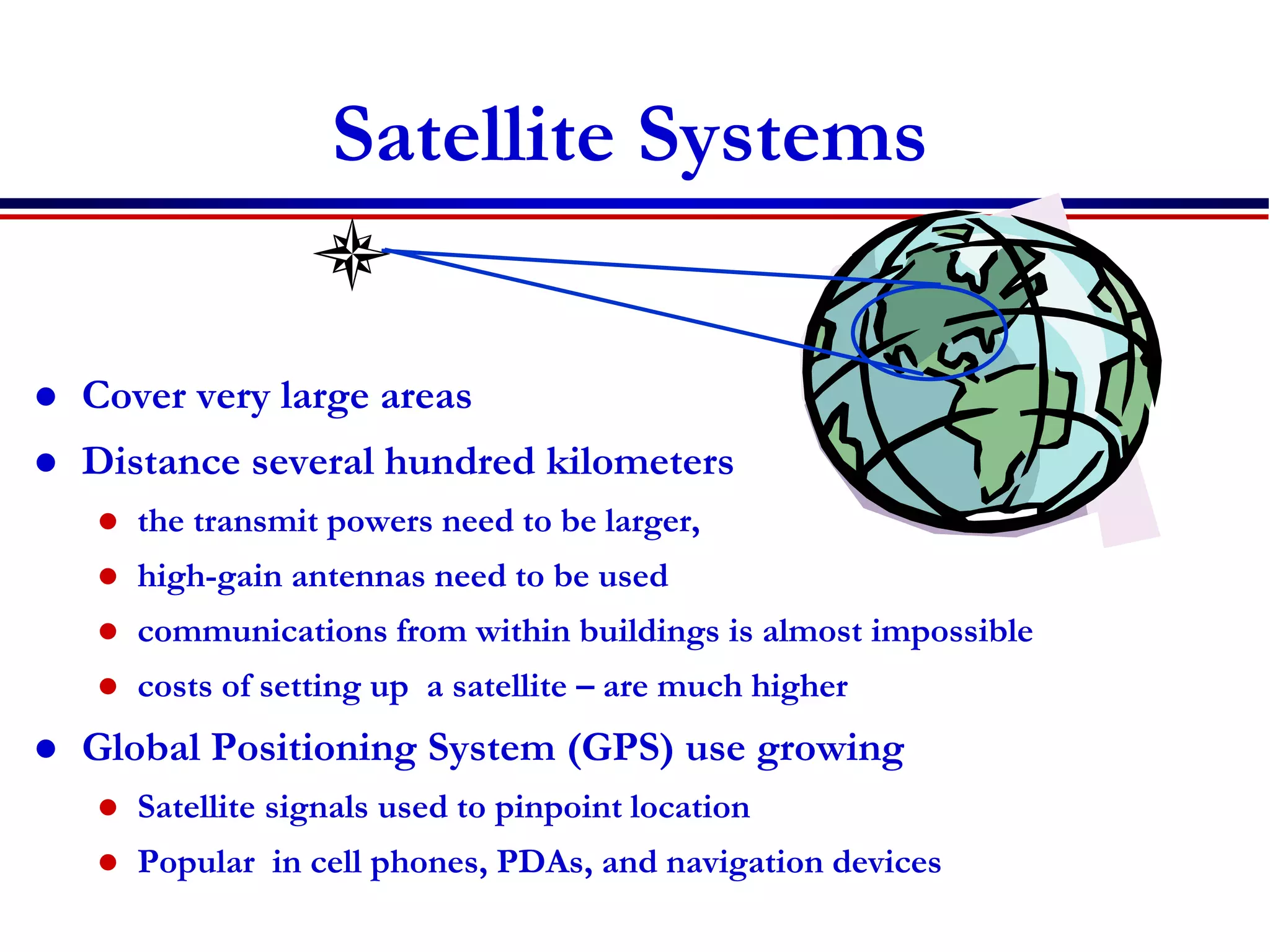
Satellite Systems
 Cover very large areas
 Distance several hundred kilometers
 the transmit powers need to be larger,
 high-gain antennas need to be used
 communications from within buildings is almost impossible
 costs of setting up a satellite – are much higher
 Global Positioning System (GPS) use growing
 Satellite signals used to pinpoint location
 Popular in cell phones, PDAs, and navigation devices
Is wireless mobile?
or
Is mobile wireless?
 A communication device can exhibit any one of the following
characteristics:
 Fixed and wired
 Example the typical desktop computer in an office. Neither
weight nor power consumption of the devices allow for mobile
usage. The devices use fixed networks for performance reasons.
 Mobile and wired:
 Many of yesterday’s laptops fall into this category; users carry
the laptop from one hotel to the next, reconnecting to the
company’s network via the telephone network and a modem.
 Fixed and wireless:
 This mode is used for installing networks, e.g., in
historical buildings to avoid damage by installing wires, or
at trade shows to ensure fast network setup.
 Mobile and wireless:
 This is the most interesting case. No cable restricts the
user, who can roam between different wireless networks.
Most technologies discussed in this course deal with this
type of device and the networks supporting them.
 Today’s most successful example for this category is GSM
with more than 4 Billion users.
 Today
Revise different types of services
Requirements for the services
Economic and social aspects
Applications
Service ?
 What are the different
types of wireless
services that we have
seen in this class?
 Broadcast
 Paging
 Cellular Telephony
 Trunking Radio
 Cordless Telephony
 Wireless LAN,PAN,BAN
 Fixed wireless access
 Ad hoc and sensor Nets
 Satellite services
Revise different types of services
Requirements for the services
Economic and social aspects
Applications
Requirements..
 Different applications
have different
requirements
 Data rate
 Range & no of users
 Mobility
 Energy consumption
 Use of spectrum
 Direction of transmissions
 Service Quality
Requirements…
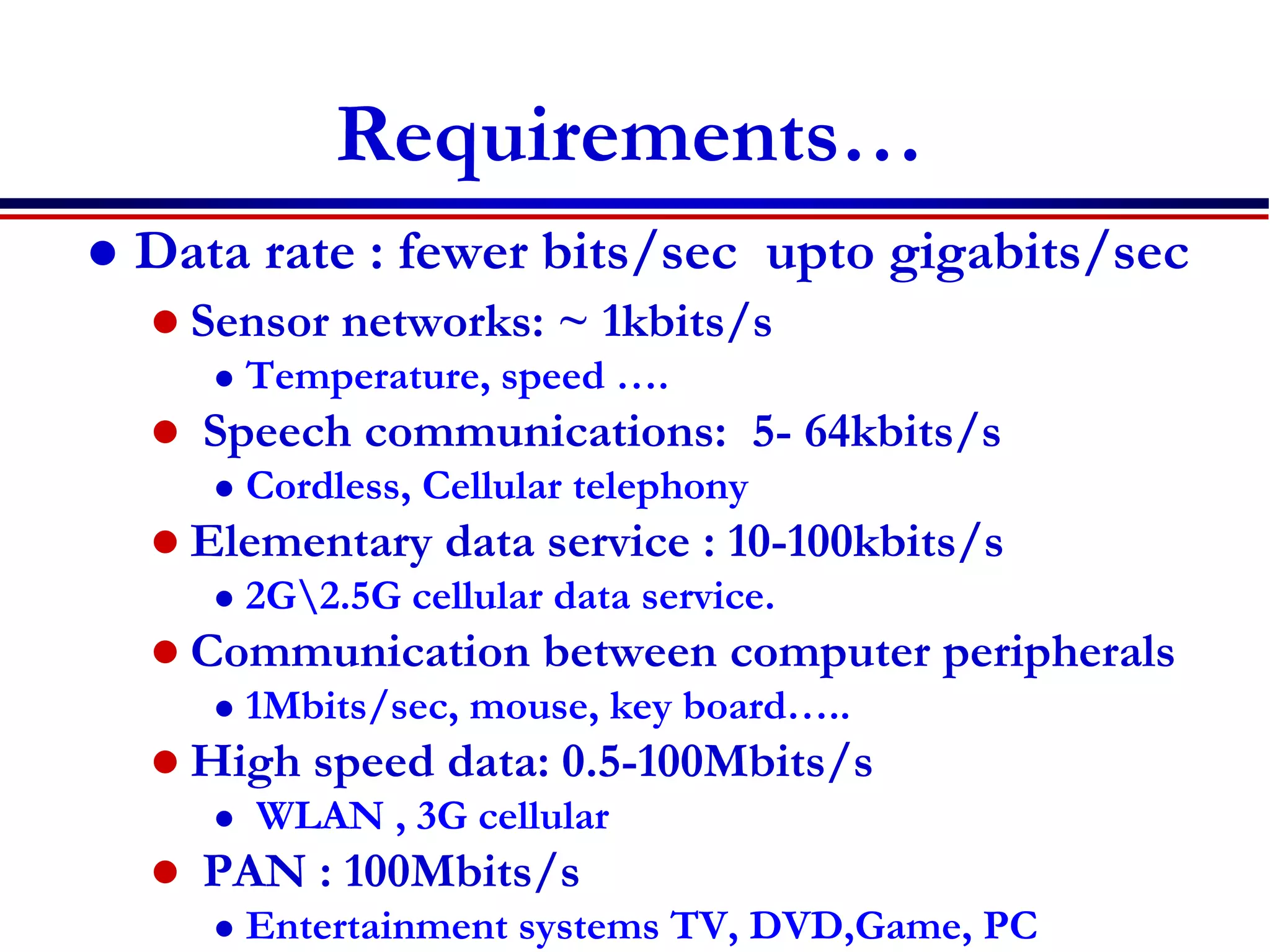
 Data rate : fewer bits/sec upto gigabits/sec
 Sensor networks: ~ 1kbits/s
 Temperature, speed ….
 Speech communications: 5- 64kbits/s
 Cordless, Cellular telephony
 Elementary data service : 10-100kbits/s
 2G2.5G cellular data service.
 Communication between computer peripherals
 1Mbits/sec, mouse, key board…..
 High speed data: 0.5-100Mbits/s
 WLAN , 3G cellular
 PAN : 100Mbits/s
 Entertainment systems TV, DVD,Game, PC
Requirements…
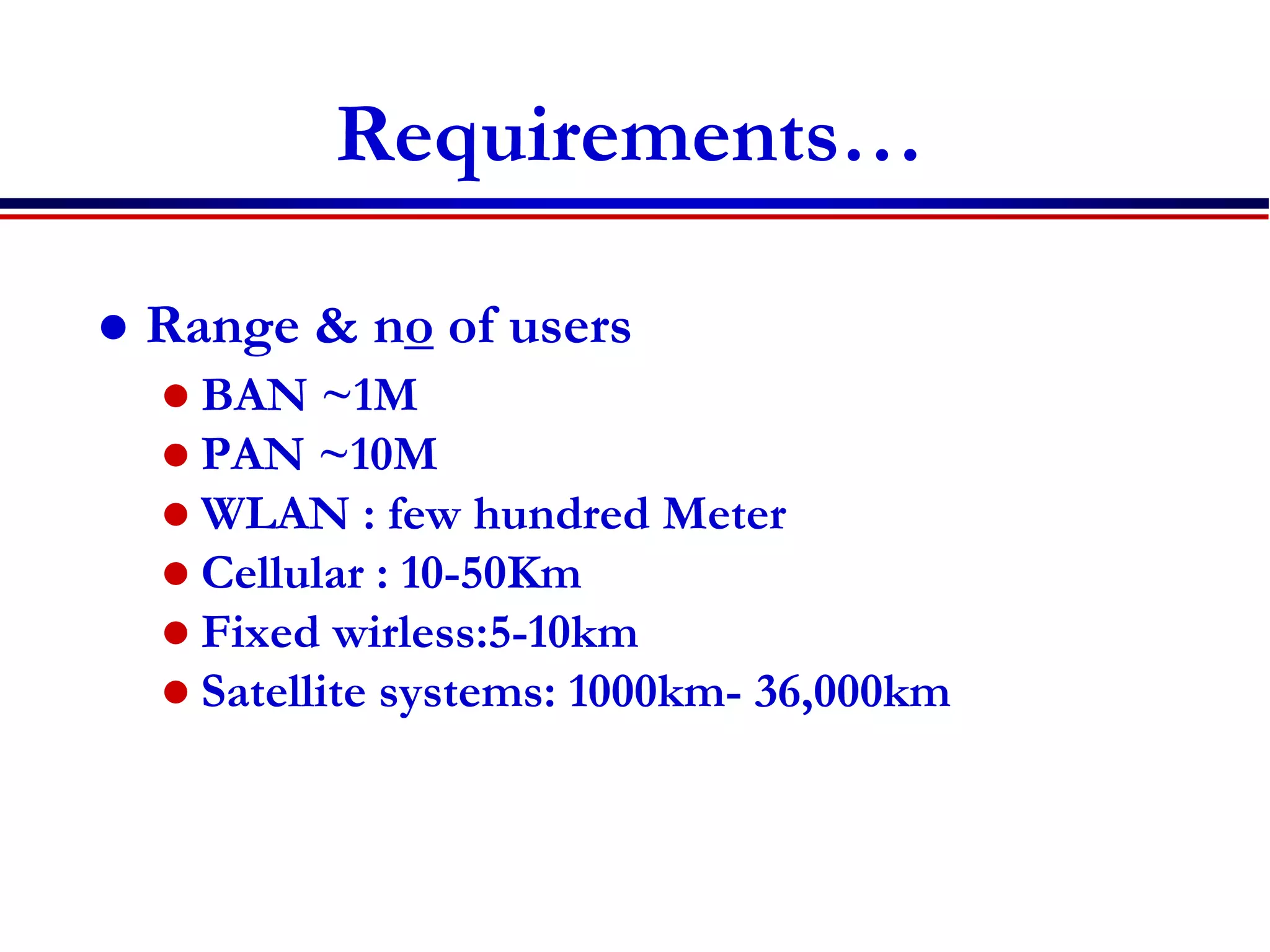
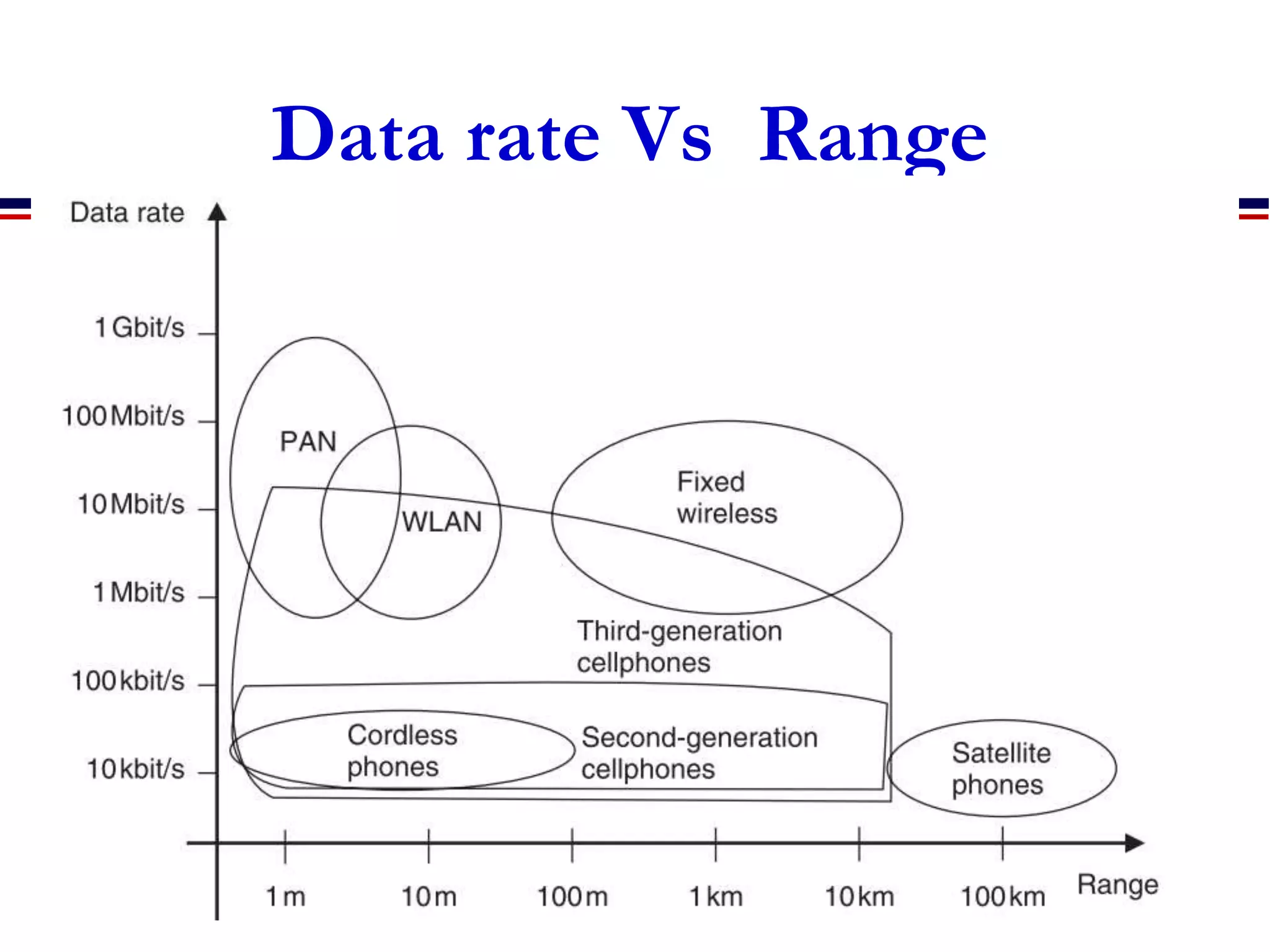
 Range & no of users
 BAN ~1M
 PAN ~10M
 WLAN : few hundred Meter
 Cellular : 10-50Km
 Fixed wirless:5-10km
 Satellite systems: 1000km- 36,000km
Data rate Vs Range
Requirements…
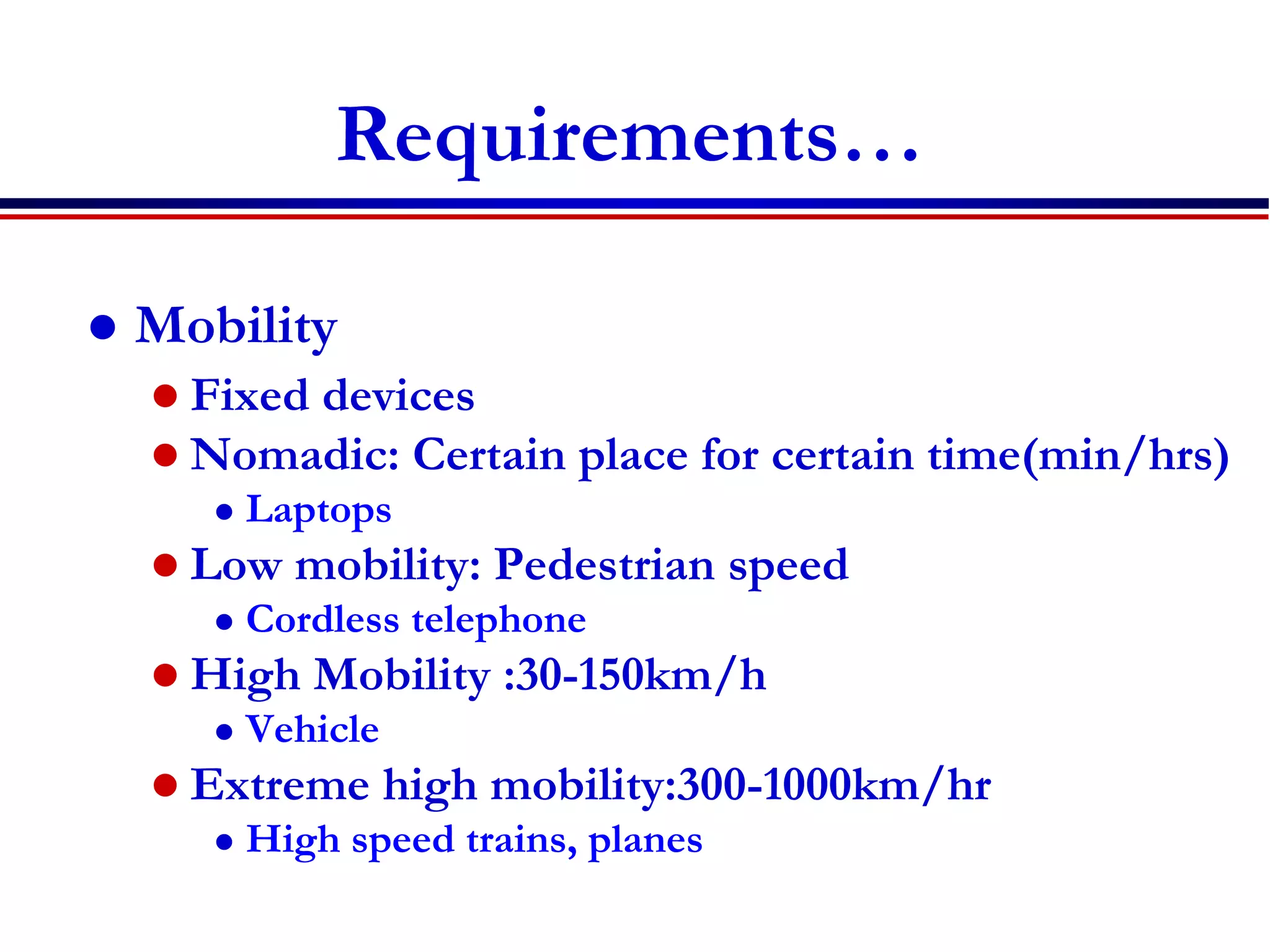
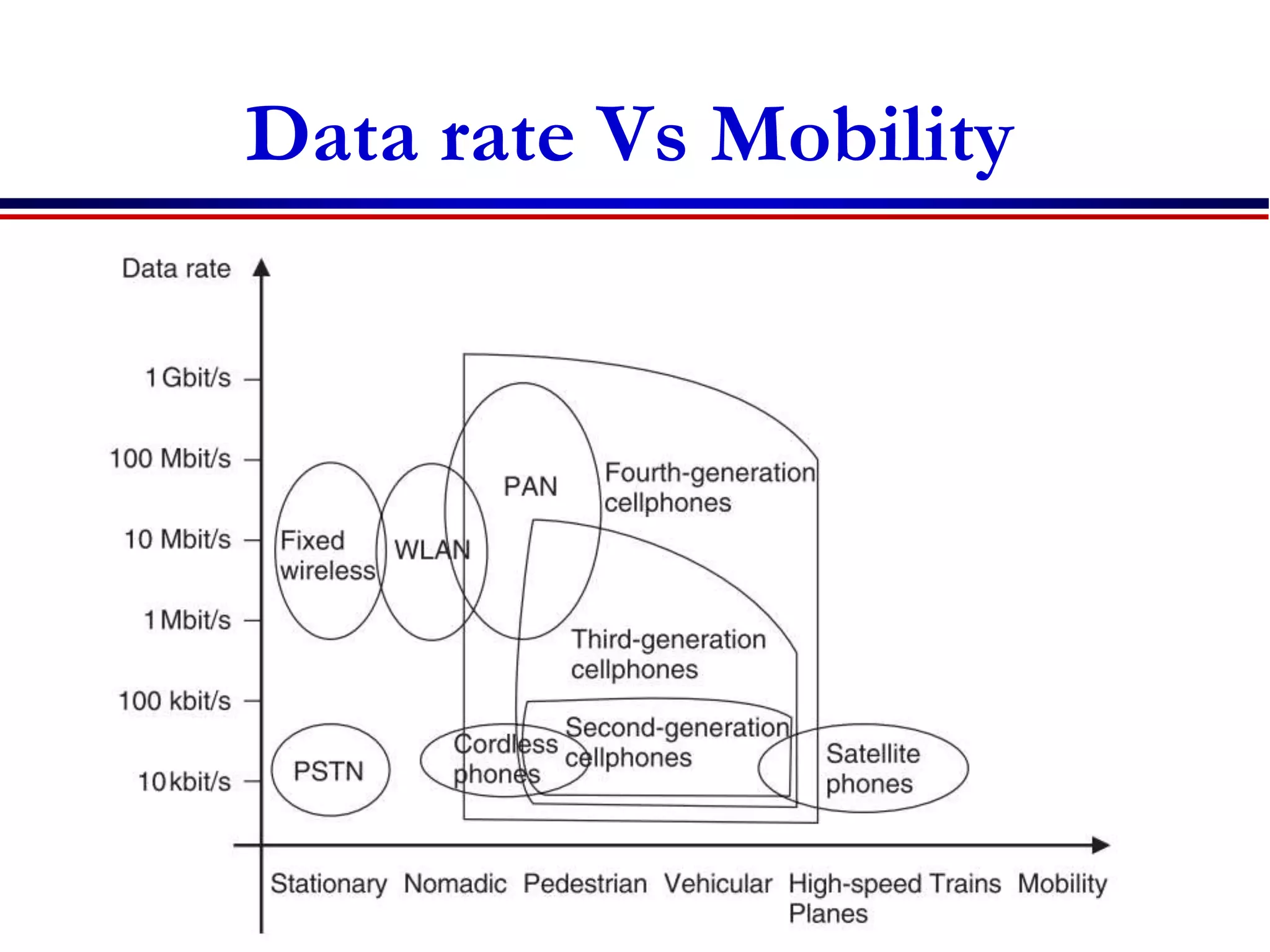
 Mobility
 Fixed devices
 Nomadic: Certain place for certain time(min/hrs)
 Laptops
 Low mobility: Pedestrian speed
 Cordless telephone
 High Mobility :30-150km/h
 Vehicle
 Extreme high mobility:300-1000km/hr
 High speed trains, planes
Data rate Vs Mobility
Requirements…
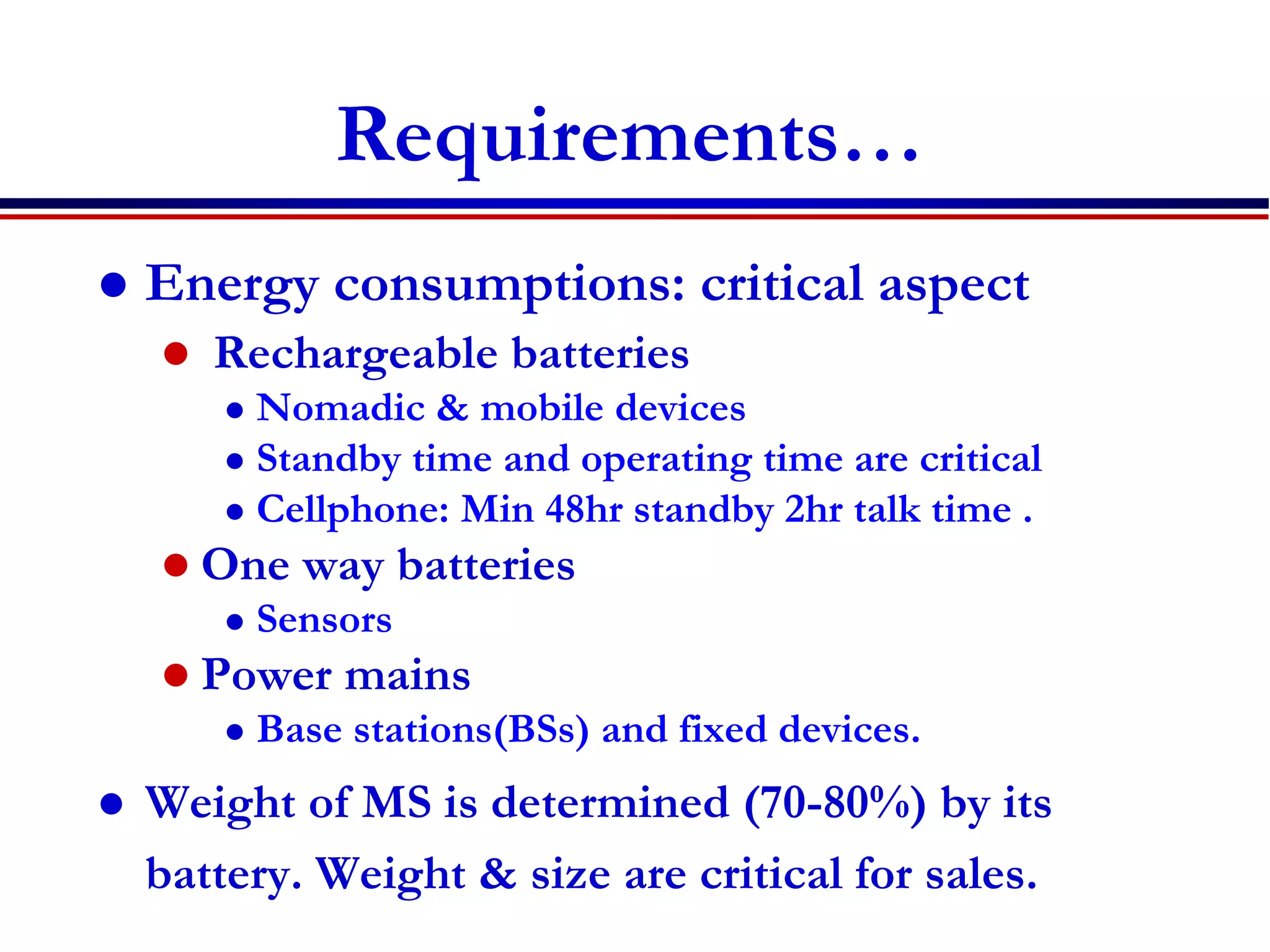
 Energy consumptions: critical aspect
 Rechargeable batteries
 Nomadic & mobile devices
 Standby time and operating time are critical
 Cellphone: Min 48hr standby 2hr talk time .
 One way batteries
 Sensors
 Power mains
 Base stations(BSs) and fixed devices.
 Weight of MS is determined (70-80%) by its
battery. Weight & size are critical for sales.
Requirements...
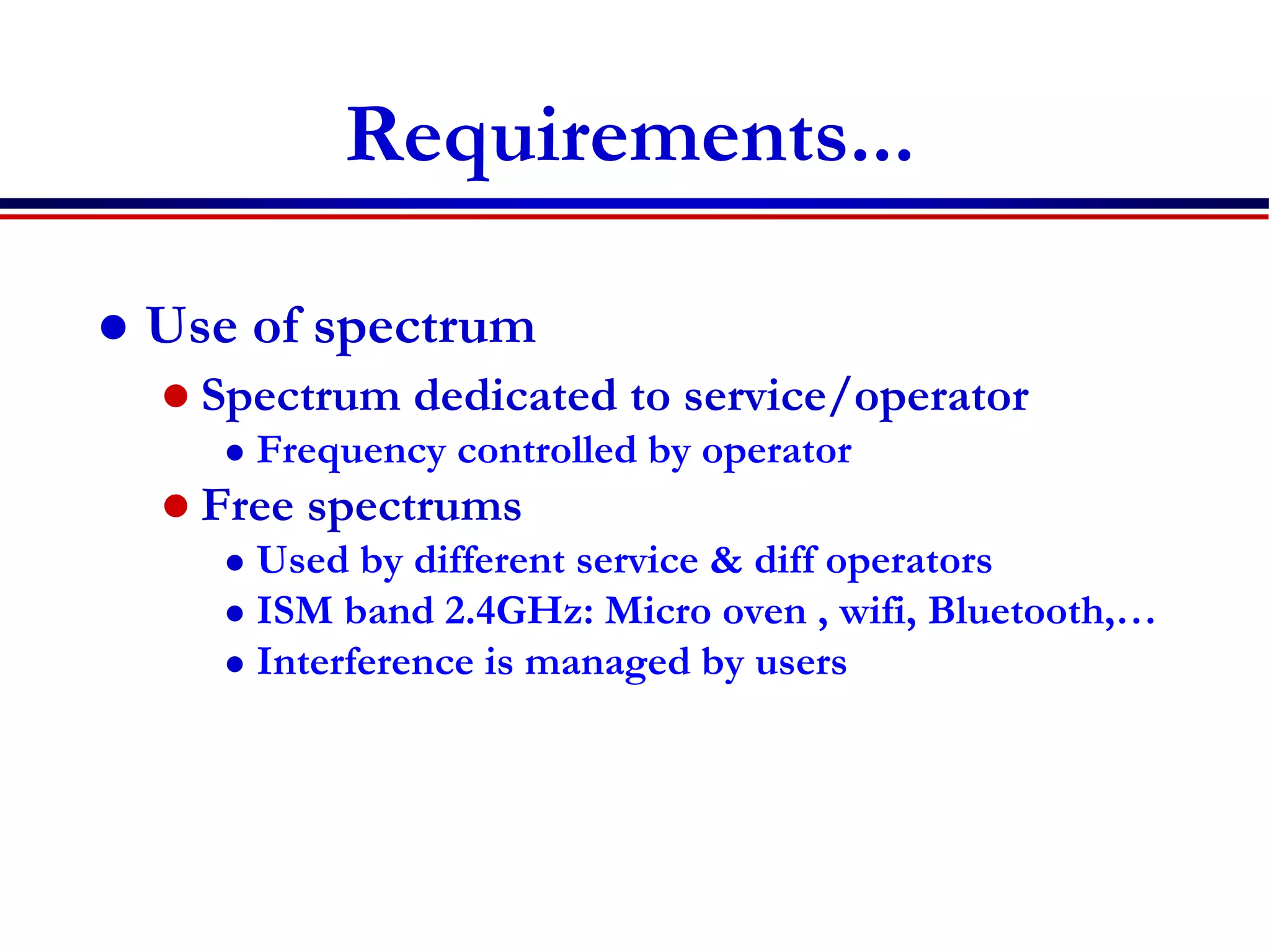
 Use of spectrum
 Spectrum dedicated to service/operator
 Frequency controlled by operator
 Free spectrums
 Used by different service & diff operators
 ISM band 2.4GHz: Micro oven , wifi, Bluetooth,…
 Interference is managed by users
Requirements…
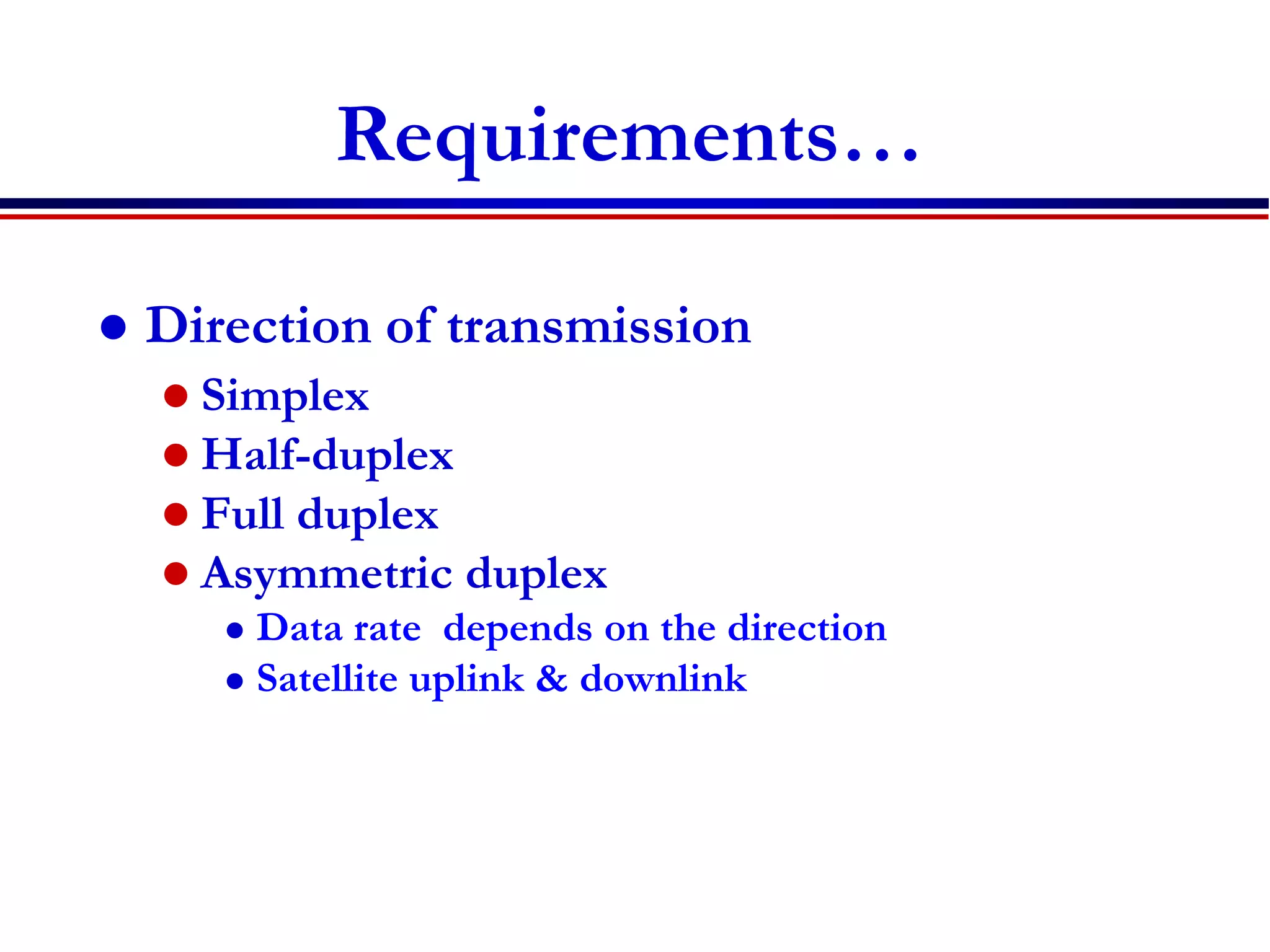
 Direction of transmission
 Simplex
 Half-duplex
 Full duplex
 Asymmetric duplex
 Data rate depends on the direction
 Satellite uplink & downlink
Requirements…
 Service Quality
 Speech quality
 Mean opinion score (MOS)
 Subjective to human judgments
 Data transmission speed : bit/s
 Service quality
 Fraction of blocked calls + 10 * fraction of
dropped calls (cellular)
 Admissible delay(latency)
 Voice less than 100ms
 Security & safety (sensors ) – latency is vital
Revise different types of services
Requirements for the services
Economic and social aspects
Applications
Economic and social aspects
 Strength
 Social & cultural factor
 Mobile life style (Anytime Anywhere)
 Increase of social communication
 Increase revenue & productivity
 Ease of setup
 Less expensive
 Development in mobile devices(dynamic)
 Weakness and issues
 Social issue
 Privacy
 Security (easy to tap)
 Health issues (Brain cancer)
 Noise pollution ,(irritation in classroom)
 Accident (use of cellphone while driving)
 Weakness…
 Technology issues
 Lack of standards
 High cost of technology
 Quality of service
 Device limitation
 Low data rates
Revise different types of services
Requirements for the services
Economic and social aspects
Applications
 List some wireless system applications in
different areas of our life?
70
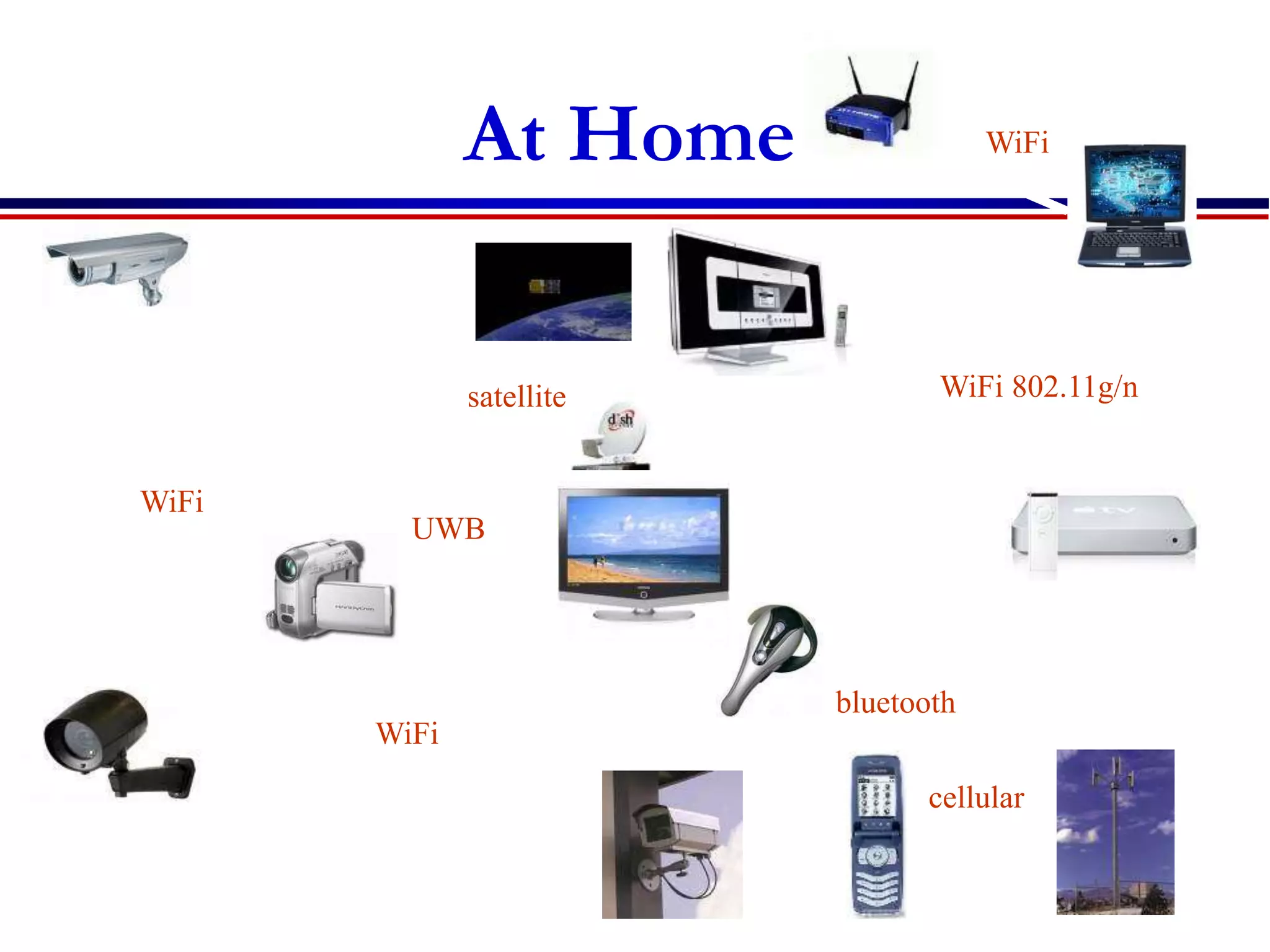
At Home
WiFi
WiFi
WiFi
cellular
bluetooth
UWB
satellite WiFi 802.11g/n
71
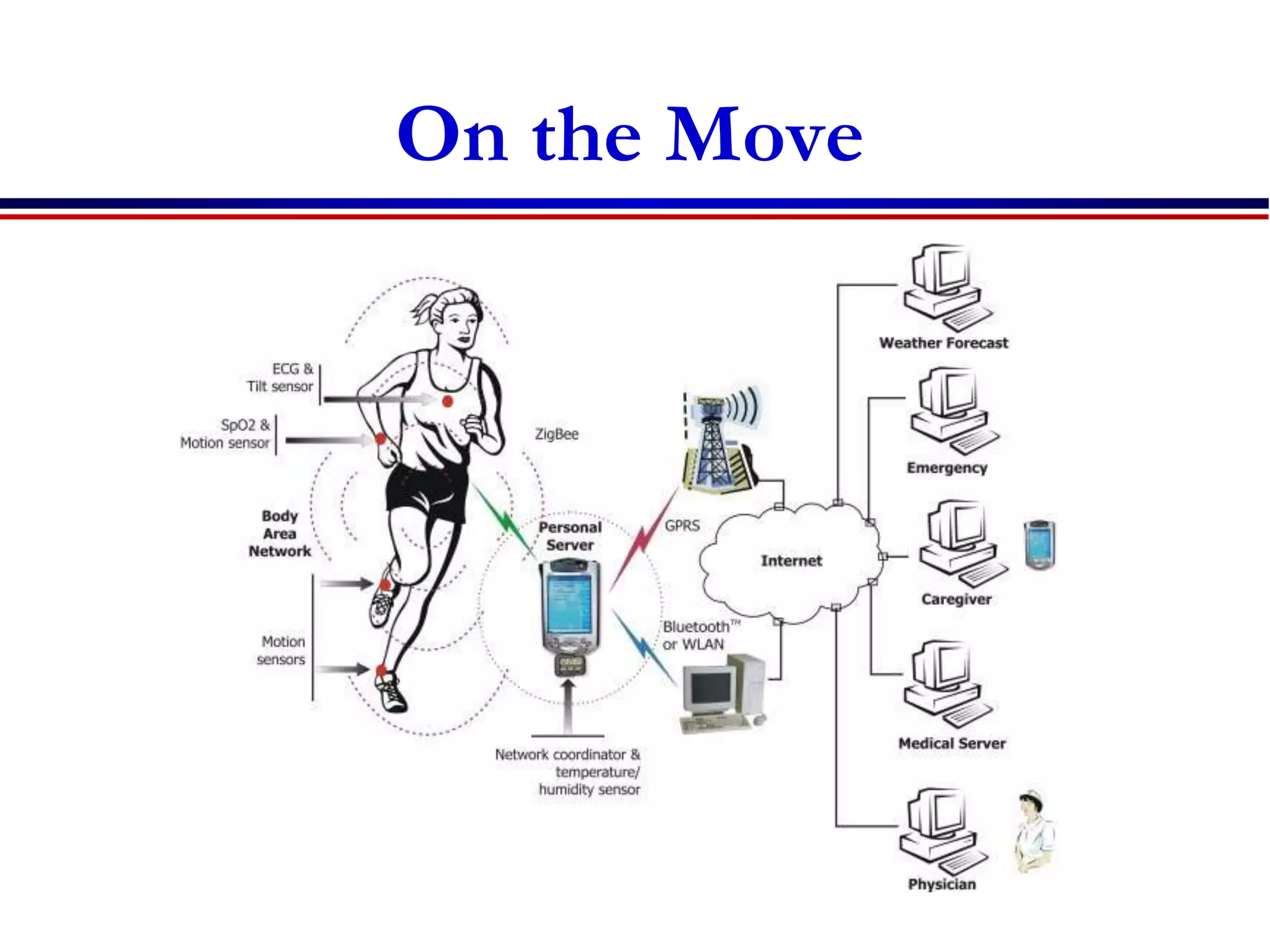
On the Move
Source: http://www.ece.uah.edu/~jovanov/whrms/
72
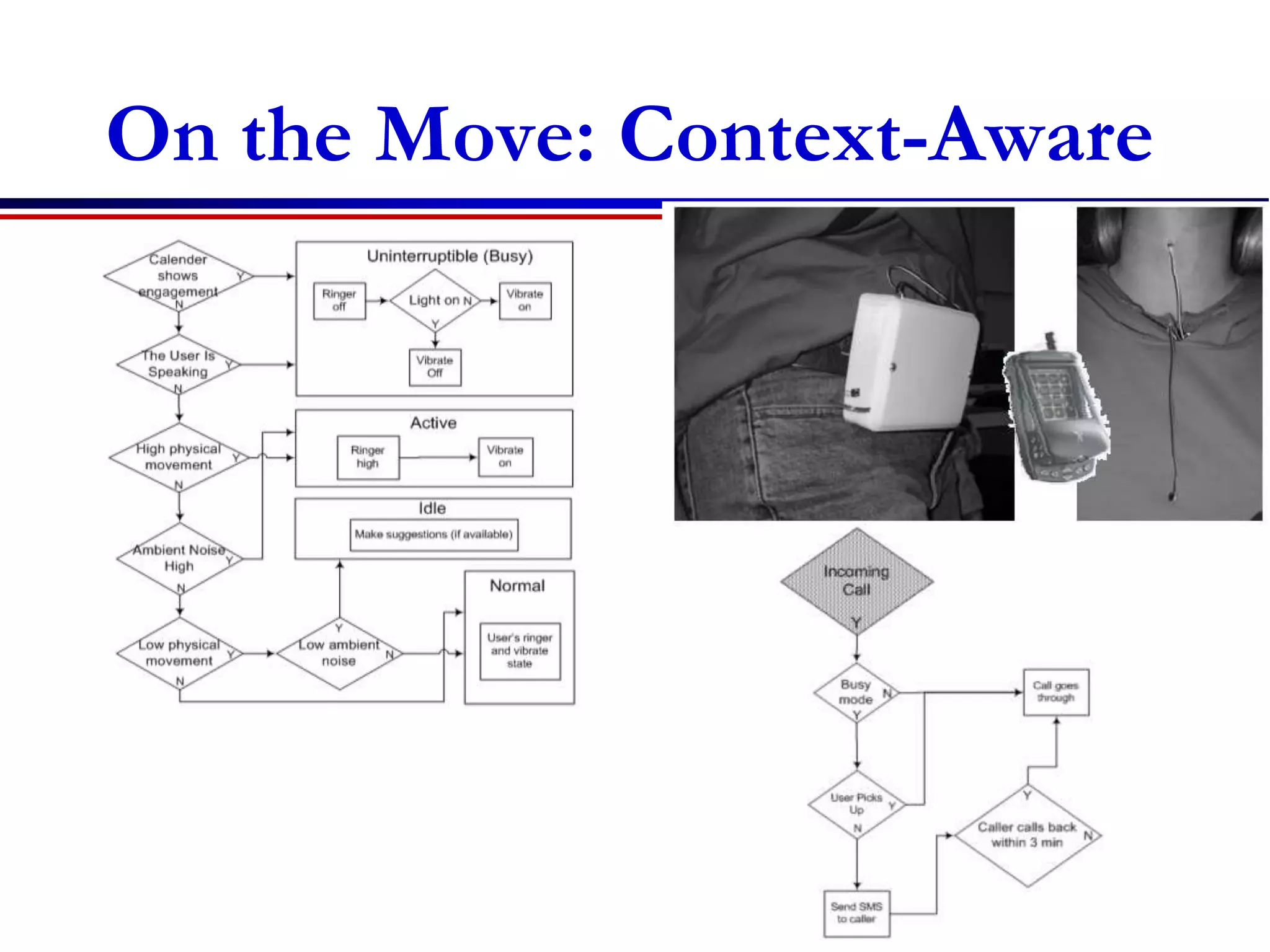
On the Move: Context-Aware
Source: http://www.cs.cmu.edu/~aura/docdir/sensay_iswc.pdf
73
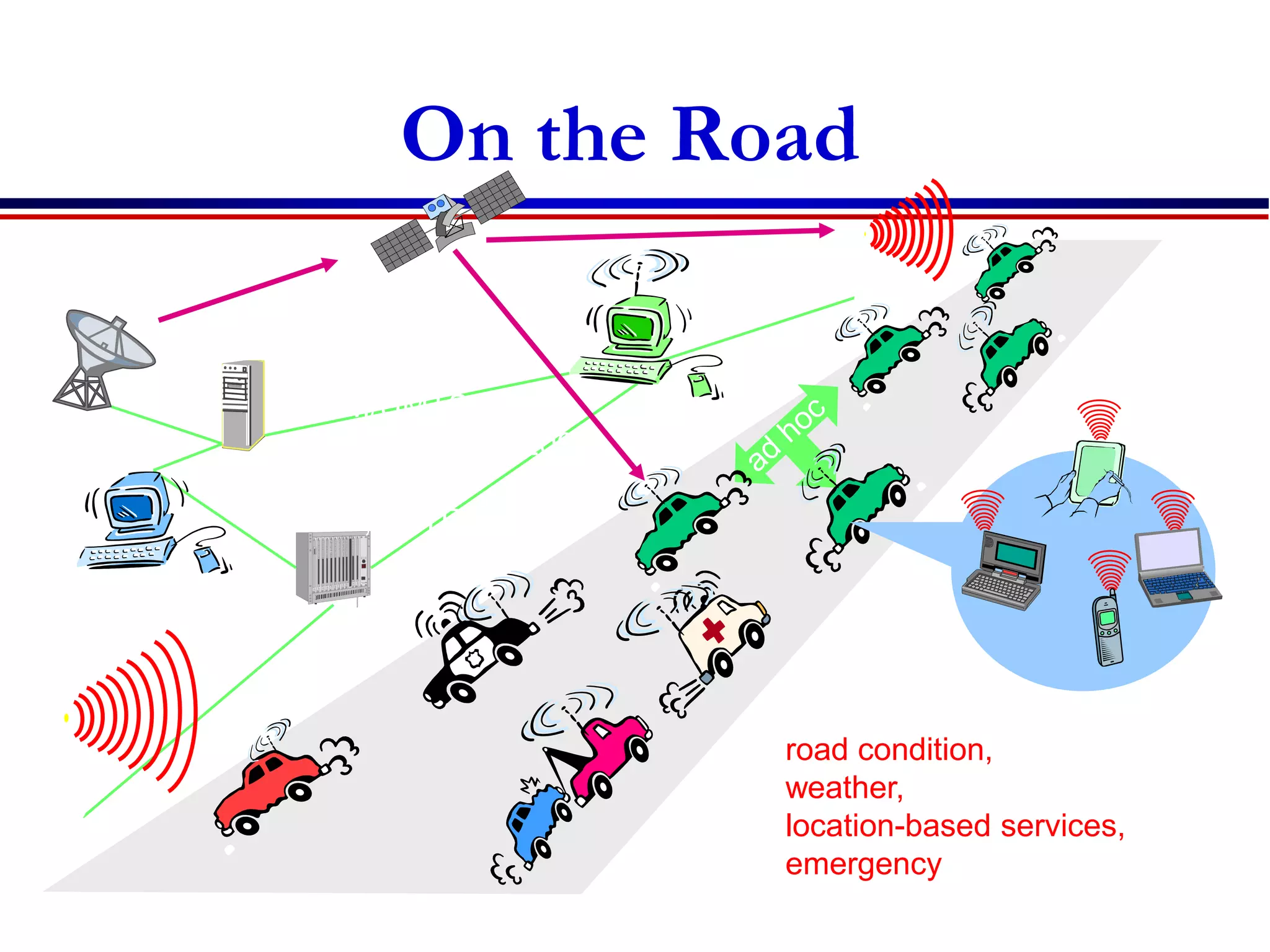
GSM/UMTS,
cdmaOne/cdma2000,
WLAN, GPS
DAB, TETRA, ...
road condition,
weather,
location-based services,
emergency
On the Road
road condition,
weather,
location-based services,
emergency
Applications
 Vehicles
 Emergencies
 Business
 Agriculture
 Replacement of wired networks
 Infotainment and more
 Location dependent services
 Vehicles
 Navigation , tracking(GPS)
 Music, news, weather report (DAB)
 Collision avoidance(wireless sensors)
 Accident reporting , Traffic reporting (Ad-
hoc)
76
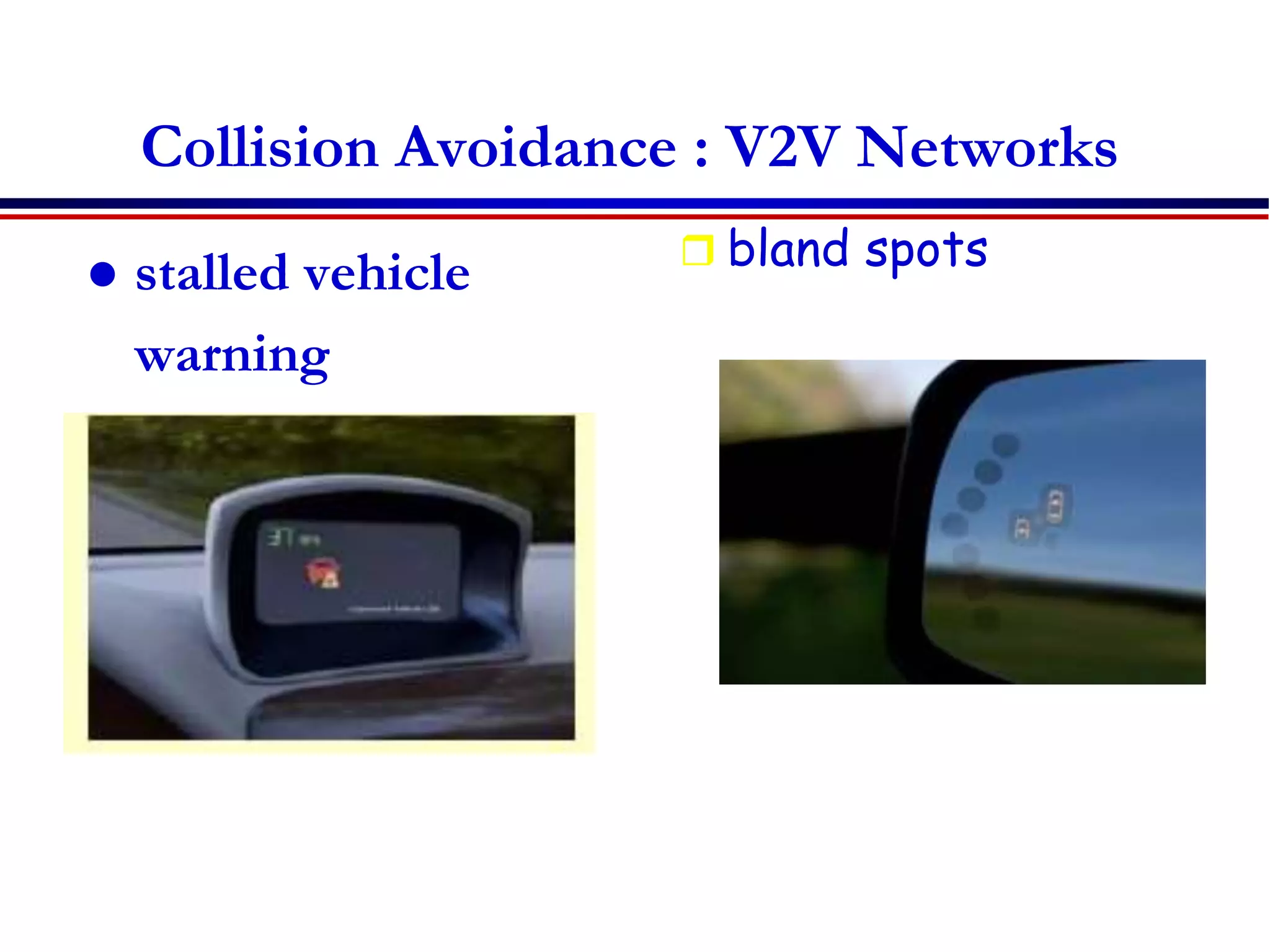
Collision Avoidance : V2V Networks
 stalled vehicle
warning
 bland spots
 Emergencies
 Wireless networks are the only means of
communication in the case of natural
disasters such as hurricanes or earthquakes.
(wireless ad-hoc networks)
 Accident reporting (wireless sensors)
 Ambulance high-quality wireless connection
 Business
 Traveling salesman/employee
 having instant access to the company’s
database: to ensure that files on his or her
laptop reflect the current situation,
 Business anytime anywhere mobile office,
 Agriculture and Natural Resources
 Animal tracking and identification.
 Monitoring water or flood levels.
 Monitor crop health, rainfall, temperature and
other meterological data.
 Track shipments of perishable crops and crop
inputs
 Replacement of wired networks
 remote sensors for weather forecasts,
earthquake detection, or to provide
environmental information
 for tradeshows, or in historic buildings.
 Infotainment
 provide up-to-date information at any
appropriate location.
 Internet everywhere? Not without wireless
networks!
 entertainment and games to enable, e.g., ad-
hoc gaming networks as soon as people meet
to play together.
 Location dependent services
 Follow-on services: Wherever you are, service
and information will follow you
 Location aware services:
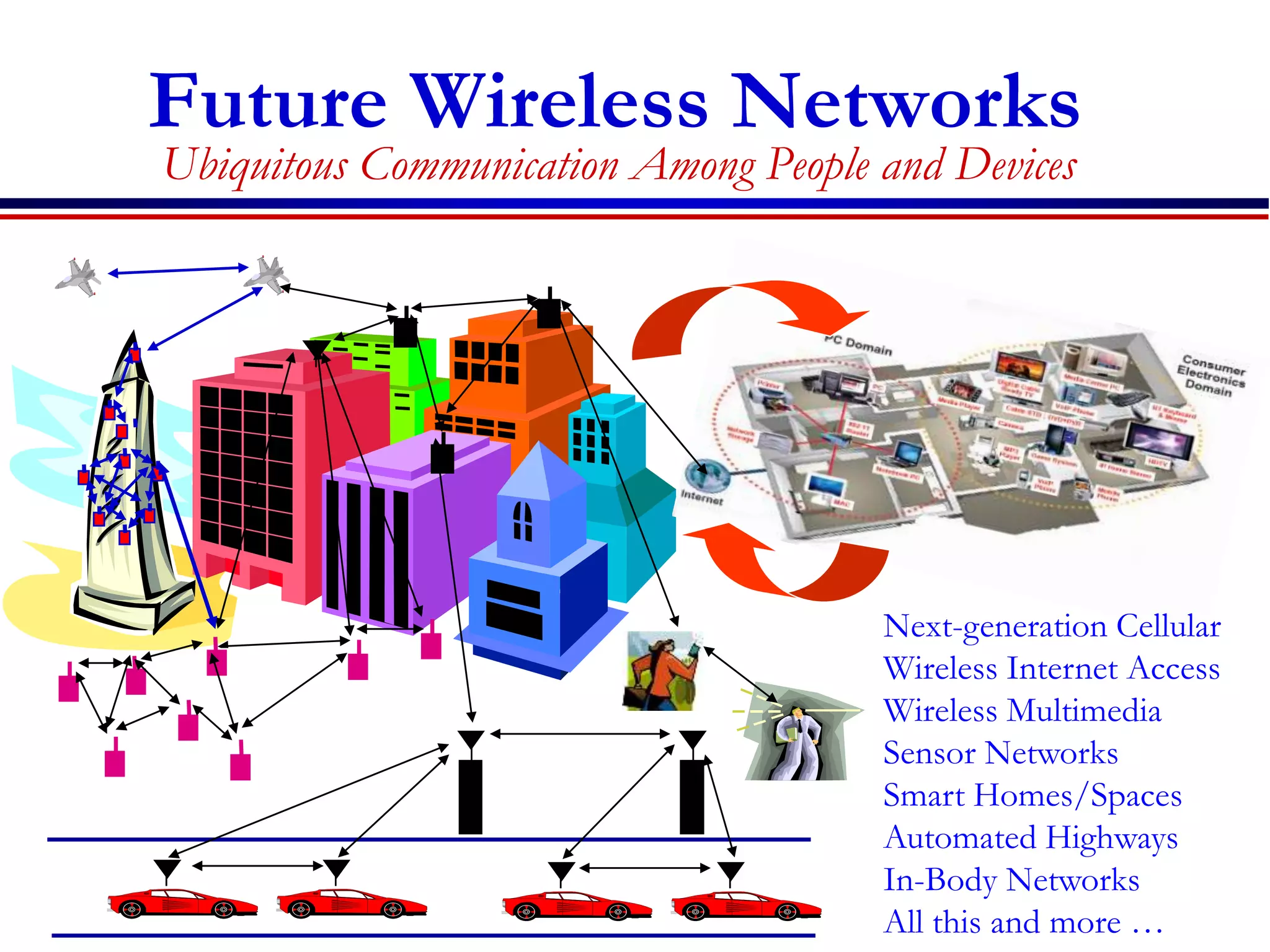
Future Wireless Networks
Ubiquitous Communication Among People and Devices
Next-generation Cellular
Wireless Internet Access
Wireless Multimedia
Sensor Networks
Smart Homes/Spaces
Automated Highways
In-Body Networks
All this and more …
Home work
 Read the article:
“The computer for the 21st century”
by Mark weiser
Reading Assignment two
 Common Wireless Technologies
 Wireless ATM (WATM)
 Wi-Fi (Wireless Fidelity)
 Mobile Ad-hoc Networks (MANET)
 Microwave links
 MMDS (Multichannel Multipoint Distribution Service)
 LMDS (Local Multipoint Distribution Service)
 The reading work includes the following:
 Defining and its purpose
 The architecture
 Components
 How it works
 Mobile computing
87
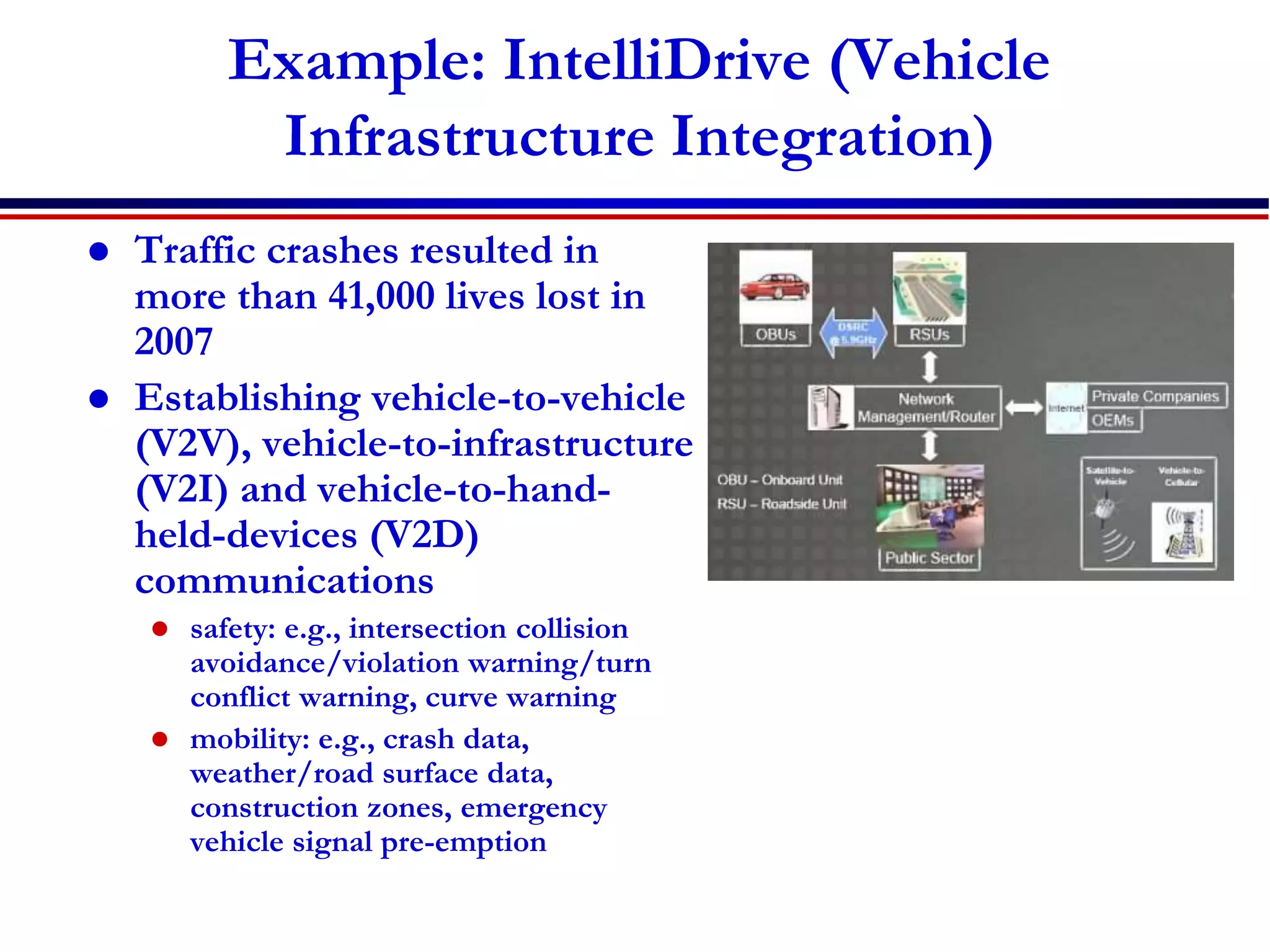
Example: IntelliDrive (Vehicle
Infrastructure Integration)
 Traffic crashes resulted in
more than 41,000 lives lost in
2007
 Establishing vehicle-to-vehicle
(V2V), vehicle-to-infrastructure
(V2I) and vehicle-to-hand-
held-devices (V2D)
communications
 safety: e.g., intersection collision
avoidance/violation warning/turn
conflict warning, curve warning
 mobility: e.g., crash data,
weather/road surface data,
construction zones, emergency
vehicle signal pre-emption
More info: http://www.its.dot.gov/intellidrive/index.htm
88
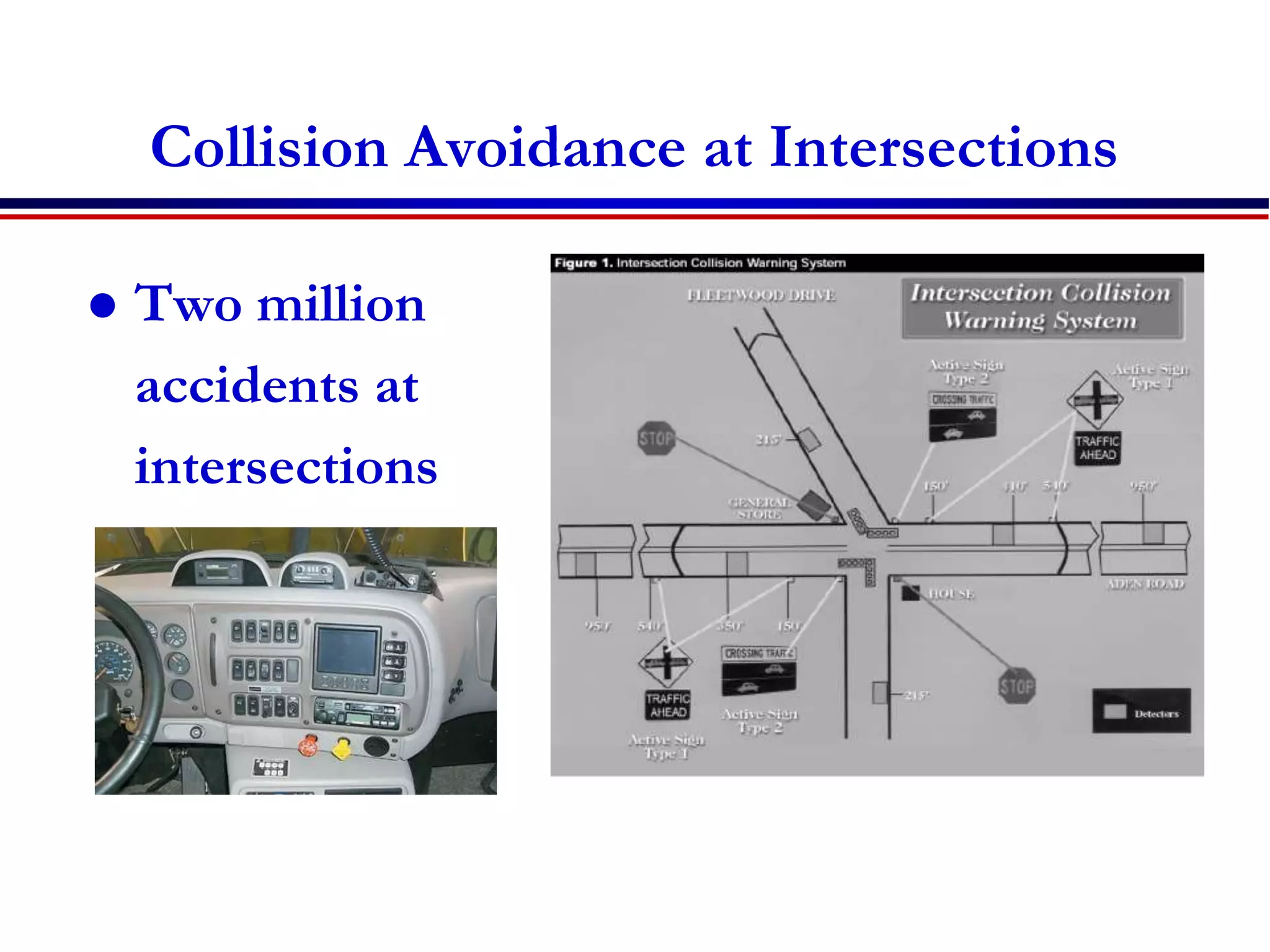
Collision Avoidance at Intersections
 Two million
accidents at
intersections
per year in US
Source: http://www.fhwa.dot.gov/tfhrc/safety/pubs/its/ruralitsandrd/tb-intercollision.pdf
89
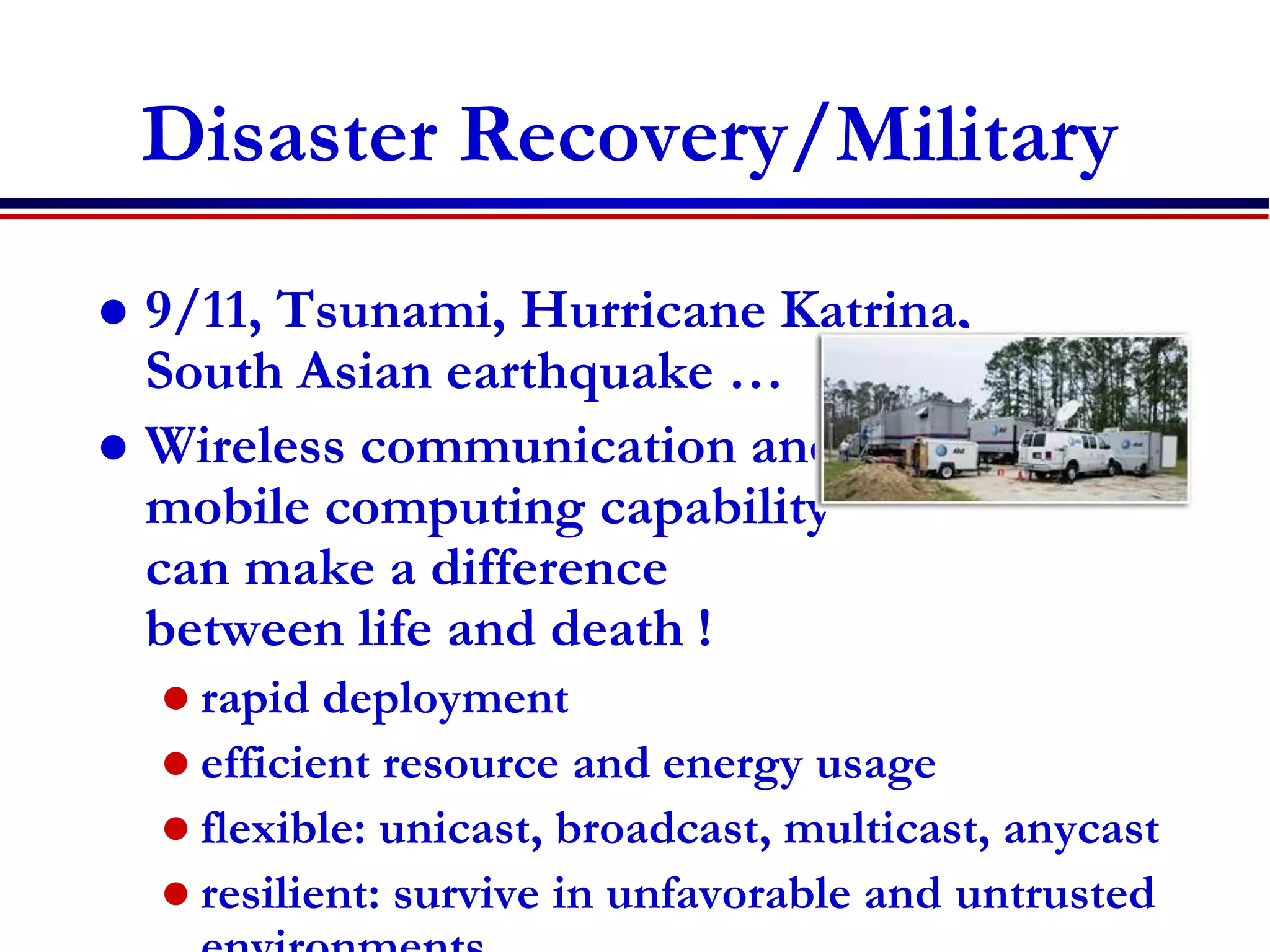
Disaster Recovery/Military
 9/11, Tsunami, Hurricane Katrina,
South Asian earthquake …
 Wireless communication and
mobile computing capability
can make a difference
between life and death !
 rapid deployment
 efficient resource and energy usage
 flexible: unicast, broadcast, multicast, anycast
 resilient: survive in unfavorable and untrusted
http://www.att.com/ndr/
90
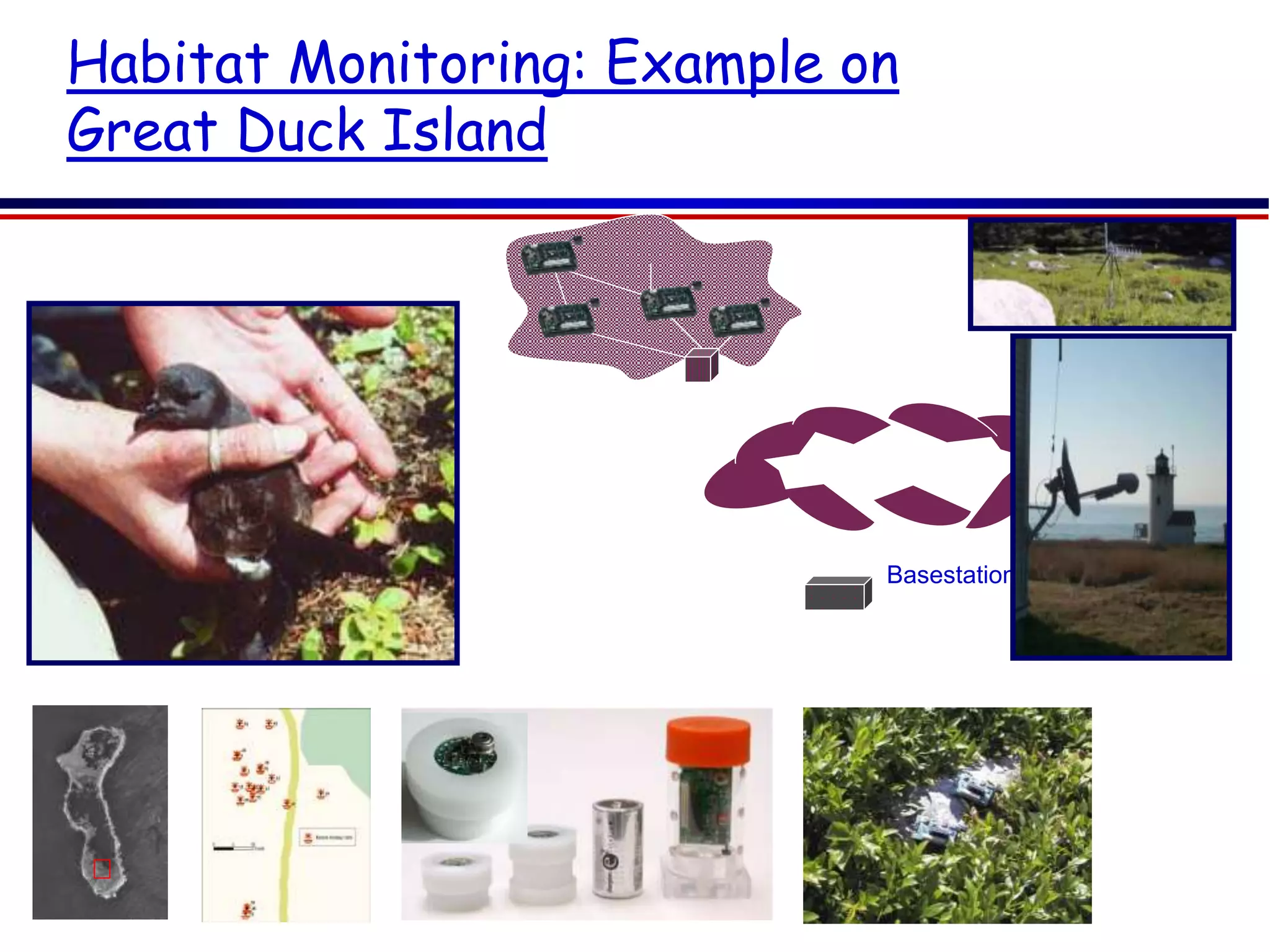
Habitat Monitoring: Example on
Great Duck Island
Patch
Network
Transit Network
Basestation
Gateway
A 15-minute human visit leads to 20%
offspring mortality

Chapter 1 introduction haramaya

  • 1.
    Chapter one Introduction toCommunication Systems and Wireless Communications
  • 2.
    Outline Part I  Communicationsystems Part II: wireless communications and mobile computing  Introduction to wireless communications  History wireless communications  Types of services  wireless vs mobile  Strength and weaknesses  Applications
  • 3.
    Definition Communication  Process thatallows information to pass between a sender and receiver  Transfer of meaningful information between two locations Telecommunications  Tele means far off or distant  Telecommunications today means communication by electrical or electromagnetic means, usually over a distance
  • 4.
    Component of aCommunication  Source of Information (Sender)  Meaning full Information or message  Communication channel  Communication Protocol  Destination (Receiver)
  • 5.
    Simplified Model ofCommunications
  • 6.
    Main task ofa Communication System  Transmission system utilization  Addressing  Interfacing  Routing  Signal generation  Recovery  Synchronization  Message formatting  Exchange management  Security  Error detection and correction  Network management  Flow control
  • 7.
    Communication System Requirements Availability  System ready and operating when needed  Reliability  System trouble free and error free  Real time or real-enough time  Response time  System does not hinder user by introducing too much delay  Ease of use  Flexibility and scalability  System easy to change to meet future needs
  • 8.
    Data Representation  Everydata in Computer communication is represented by a binary number.  A binary digit or bit has only two states, “0” and “1”  A digital data are represented by this two states.  There are several code sets, some are used for specific applications while others are the proprietary code sets of computer manufacturers  The Following two code sets are very common 1. ANSI’s 7 bit American Standard Code for Information Interchange (ASCII) 2. IBM’s 8 bit Extended Binary Coded Decimal Interchange Code (EBCDIC)
  • 9.
    Digital Transmission Format Data transmission refers to movement of the bits over some physical medium connecting two or more digital devices.  There are two options of transmitting the bits. 1. Parallel Transmission: all the bits are transmitted simultaneously on separate wires. Multiple circuits interconnecting the two devices are required. 2. Serial Transmission: In serial transmission bits are transmitted serially one after the other.
  • 10.
    Modes of DataTransmission  There are two methods of timing control for reception of bits.  The transmission modes corresponding to these two timing methods are:  Asynchronous Transmission: in this transmission signal timing is not required; signals are sent in an agreed pattern of bits and if both ends are agreed on the pattern then communication can take place.  Bits are grouped together and consist of both data and control bits. If the signal is not synchronized the receiver will not be able to distinguish when the next group of bits will arrive.  To overcome this the data is preceded by a start bit, usually binary 0, the byte is then sent and a stop bit or bits are added to the end. Each byte to be sent now incorporates extra control data. In addition to the control data small gaps are inserted between each chunk to distinguish each group
  • 11.
     In asynchronoustransmission each bit remains timed in the usual way. Therefore, at bit level the transmission is still synchronous (timed). However, the asynchronous transmission is applied at byte level, once the receiver realizes that there is a chunk of incoming data timing (synchronization) takes place for the chunk of data.  Asynchronous transmission is relatively slow due to:  the increased number of bits and gaps.  It is a cheap and effective form of serial transmission and it is particularly suited for low speed connections such as keyboard and mouse.  One example of asynchronous transfer is Asynchronous Transfer Mode (ATM) switching. ATM allows voice, data and video to be transmitted in fixed length cells of 53 bytes.
  • 12.
     Synchronous Transmission:sends data as one long bit stream or block of data. There are no gaps in transmission; each bit is sent one after the other. The receiver counts the bits and reconstructs bytes. It is essential that timing is maintained as there are no start and stop bits and no gaps. Accuracy is dependent on the receiver keeping an accurate count of the bits as they come in.  Synchronous transmission is faster than asynchronous because fewer bits have to be transmitted; ie: only data bits and no extra control bits. For this reason it is the choice for network communications links.
  • 13.
    Modes of DataCommunication 1. Simplex  Data in a simplex mode is always one way. Simplex channels are not often used because it is not possible to send back error or control signals to the transmit end. An example of simplex is Television, or Radio. 2. Half Duplex • A half-duplex channel can send and receive, but not at the same time. Only one end transmits at a time, the other end receives. In addition, it is possible to perform error detection and request the sender to retransmit information that arrived corrupted. 3. Full Duplex  Data can travel in both directions simultaneously. There is no need to switch from transmit to receive mode like in half duplex.
  • 14.
    Communication Channels  Achannel is a path between two communication devices  Channel capacity: How much data can be passed through the channel (bit/sec)  Also called channel bandwidth  The smaller the pipe the slower data transfer!  Consists of one or more transmission media  Materials carrying the signal  Two types:  Physical: wire cable  Wireless: Air destination network server T1 lines T1 lines T1 lines T3 lines
  • 15.
    Physical Transmission Media A tangible media  Examples: Twisted-pair cable, coaxial cable, Fiber-optics, etc.  Twisted-pair cable:  One or more twisted wires bundled together (why?)  Made of copper  Coax-Cable:  Consists of single copper wire surrounded by three layers of insulating and metal materials  Typically used for cable TV  Fiber-optics:  Strands of glass or plastic used to transmit light  Very high capacity, low noise, small size, less suitable to natural disturbances
  • 16.
    Wireless Translation Media Broadcast Radio  Distribute signals through the air over long distance  Uses an antenna  Typically for stationary locations  Can be short range  Cellular Radio  A form of broadcast radio used for mobile communication  High frequency radio waves to transmit voice or data  Utilizes frequency-reuse  Microwaves  Radio waves providing high speed transmission  They are point-to-point (can’t be obstructed)  Used for satellite communication  Infrared (IR)  Wireless transmission media that sends signals using infrared light- waves
  • 17.
    Part II  wirelesscommunication and mobile computing
  • 18.
    Introduction  Mobile computingsystems are computing systems that may be easily moved physically and whose computing capabilities may be used while they are being moved.  Examples are laptops, personal digital assistants (PDAs), and mobile phones
  • 19.
    Introduction…  Wireless communicationinvolves the process of sending/reciving information through invisible waves in the air. Information such as text, voice, and video are carried through the radio frequency of the electromagnetic spectrum.
  • 20.
    Introduction…  Wireless communicationsis one of the biggest engineering success  market size dominating the whole economy  e.g + 4 billion GSM subscribers of the world  Working habits, have been changed “anywhere, anytime.”  mobility of workers have increased
  • 21.
    Introduction …  largenumber of applications have been developed,  Wireless sensor networks monitor factories,  wireless links replace the cables between computers and keyboards, mouse and other peripheral devices  wireless positioning systems monitor the location of trucks  This variety of new applications causes the technical challenges for the wireless engineers to become bigger with each day.
  • 22.
    History : Howit all started  Ancient Systems – shouts and jungle drums ,smoke signals, light ,Carrier Pigeons,…….  Marconi invented the wireless telegraph in 1896.  By encoding alphanumeric characters in analog signals, he sent telegraphic signals across the Atlantic Ocean.  This led to a great many developments in wireless communication networks that support radio, television, mobile telephone, and satellite systems that have changed our lives.
  • 23.
    History : TheFirst Systems  Unidirectional information transmission  was done for entertainment broadcasting. By the late 1930s,  the need for bidirectional mobile communications emerged.  Military ,police departments ,fire station….  Many sophisticated military radio systems were developed during and after WW2
  • 24.
    History :The FirstSystems…  1946, the first mobile telephone system  have an interface to the Public Switched Telephone Network (PSTN),  this interface was not automated, but rather consisted of human telephone operators.  Has a total of six speech channels for the whole city, the system soon met its limits.  Led to investigations of how the number of users could be increased.
  • 25.
    History :The FirstSystems…  Researchers at AT&T’s Bell Labs found the answer:  the cellular principle, where the geographical area is divided into cells; different cells might use the same frequencies.  To this day, this principle forms the basis for the majority of wireless communications  In 1957, the Soviet Union launched the first satellite (Sputnik) and the U.S.A. soon followed.
  • 26.
  • 27.
    History: Analog CellularSystems  1970s saw a revived interest in cellular communications  Device miniaturization made the vision of “portable” devices more realistic.  Motorola, AT&T, Ericson  Nordic Mobile Telephone (NMT) system  use digital switching technology that allowed them to combine different cells in a large area into a single network  Advanced Mobile Phone System (AMPS).  analog phone standards in the U.S.A
  • 28.
     1980s, thephones were “portable,” but definitely not handheld.  In most languages, they were just called “carphones,”.  But at the end of the 1980s, handheld phones with good speech quality and quite acceptable battery lifetime flourish.  The quality had become so good that in some markets digital phones had difficulty establishing themselves.
  • 29.
    History: GSM andthe Worldwide Cellular Revolution  Analog phones have a bad spectral efficiency and due to the rapid growth of the cellular market, operators had a high interest in making room for more customers  In 1990s, the European Telecommunications Standards Institute (ETSI) group came up with a digital cellular standard that would become mandatory throughout Europe and was later adopted in most parts of the world:  Global System for Mobile communications (GSM).
  • 30.
    History: GSM andthe Worldwide Cellular Revolution  GSM got wide acceptance with short period  better speech quality, and the possibility for secure communications.  By the year 2000, market penetration in Western Europe and Japan had exceeded 50% growth rates were spectacular
  • 31.
    Overview of Cellular communicationSystems  1G: Basic mobile telephony service  Based on analog cellular technology  American Mobile Phone (AMPS) and NMT in Europe  2G: mobile telephony services for mass users with encryption and efficient utilization of the radio spectrum  Digital cellular technology……… GSM and CDMA  2.5G: Mobile Internet/data services together with voice services  Packet switching technology adding into 2G  Providing mobile data services over 2G networks  GPRS (General Packet Radio Service) and EDGE  3G: enhanced 2.5G services with improved mobile internet services and emerging new applications  CDMA2000 and UMTS (Universal Mobile Telecommunication System)
  • 32.
    History :New wirelesssystems  a whole range of new services was introduced in the 1990s.  Cordless started to replace the “normal” telephones  The first versions of these phones used analog technology; however, digital technology proved to be superior. Among other aspects, the possibility of listening into analog conversations, and the possibility for neighbors to “highjack” an analog cordless Base Station (BS) and make calls at other people’s expense, led to a shift to digital communications.  While cordless phones never achieved the spectacular market size of cell phones, they constitute a solid market.
  • 33.
    History :New wirelesssystems  Fixed wireless access and Wireless Local Loop (WLL) –  Wireless local loop (WLL) service refers to the distribution of telephone service from the nearest telephone central office to individual customers via a wireless link. In some cases, it is referred to as “the last mile” in a telephone network. This term is a bit misleading, though, because the coverage area of a WLL system may extend many miles from the central office. This is especially popular in developing countries. • Fiber optic cable • Radio transmitter
  • 34.
    Types of Services Broadcast  The first wireless service was broadcast radio.  Properties  information is only sent in one direction  transmitted information is the same for all users.  information is transmitted continuously.  Simple  Transmitter does not need to have any knowledge or consideration about the receivers  Simplex  No. of users does not matter
  • 35.
     Paging  unidirectionalwireless communications systems.  Properties  user can only receive information, but cannot transmit.  The information is intended for, and received by, only a single user.  The amount of transmitted information is very small.  used by..doctors , police allowing them to react to emergencies in shorter time.  better area coverage
  • 36.
     Cellular Telephony most important form of wireless communications.  Properties  information flow is bidirectional.(full duplex)  E.g. cellphone
  • 38.
     Trunking radio trunking is a method for a system to provide network access to many clients by sharing a set of lines or frequencies instead of providing them individually.  there is no connection between the wireless system and the PSTN;  it allows the communications of closed user groups.  Obvious applications include police departments, fire departments, taxis, and similar  Services  Group calls: several users simultaneously, or several conference call between multiple users of the system.  Call priorities: enable the prioritization of calls and allow dropping a low-priority call in favor of a high-priority one.  Relay networks: the range of the network can be extended by using each Mobile Station (MS) as a relay station for other MSs .
  • 39.
     Cordless telephony describes a wireless link between a handset and a BS that is directly connected to the public telephone system.  main difference from a cellphone  is associated with, and can communicate with, only a single BS  thus no mobile switching center; rather, the BS is directly connected to the PSTN.  Properties  no need to find out the location of the MS. Similarly, there is no need to provide for handover between different BSs.  There is no central system, there is no need for (and no possibility for) frequency planning.  there are no network operators that can charge fees for connections from the MS to the BS; rather, the only occurring fees are the fees from the BS into the PSTN.
  • 40.
     Wireless LocalArea Networks (WLANs)  very similar to that of cordless phones  connecting a single mobile user device to a public landline system. Laptop -to-Internet.  main advantage is convenience for the user, allowing mobility.  WLANs can even be used for connecting fixed- location computers (desktops)  A major difference between wireless LANs and cordless phones is the required data rate
  • 41.
     Cordless 64kbpsmore than 700kbps for WLAN  a number of standards have been developed for WLAN, all of which carry the identifier IEEE 802.11.  The original IEEE 802.11 standard 1Mbit/s,  the very popular 802.11b standard (also known under the name WiFi) allows up to 11Mbit/s and the 802.11a standard extends that to 55Mbit/s.  Even higher rates are realized by the 802.11n standard that was introduced in 2008/2009.  WLAN devices can, in principle, connect to any BS (access point) that uses the same standard.
  • 42.
     Personal areanetwork(PAN)  coverage area even smaller than that of WLANs,  number of standards for PANs have been developed by the IEEE 802.15 group  intended for simple “cable replacement” duties.  For example, Bluetooth standard allow to connect a hands-free headset to a phone without requiring a cable; in that case, the distance between the two devices is less than a meter.  In such applications, data rates are fairly low (<1Mbit/s).
  • 43.
    PAN…  Recently, wirelesscommunications between (DVD player to TV), between computer and peripheral devices (printer, mouse), and similar applications have gained importance . data rates in excess of 100Mbit/s are used.  Networks for even smaller distances like Body Area Networks (BANs), which enable communications between devices located on various parts of a user’s body. monitoring of patients’ health and of medical devices(e.g., pacemakers).
  • 44.
    Services…  Fixed WirelessAccess  essentially replacing a dedicated cable connection between the user and the public landline system.  no mobility of the user devices  the distances bridged by fixed wireless access devices are much larger (between 100m and several tens of kilometers).  its main market for covering rural areas, and for establishing connections in developing countries that do not have any wired infrastructure in place.
  • 45.
    Services..  Ad hocNetworks and Sensor Networks  we have dealt with “infrastructure-based” wireless communications,  where certain components (base stations, TV transmitters, etc.) are intended by design to be in a fixed location, to control over the network and interface with other networks.  an alternative in which there is only one type of equipment, and those devices, all of which may be mobile, organize themselves into a network according to their location and according to necessity. Such networks are called ad hoc networks  There can still be “controllers” in an ad hoc network, but the choice of which device acts as master and which as slave is done opportunistically whenever a network is formed.
  • 46.
     The advantagesof ad hoc networks  low costs (because no infrastructure is required), high flexibility.  The drawbacks  reduced efficiency, smaller communication range, and restrictions on the number of devices that can be included in a network.  Ad hoc networks play a major role in the recent abundance of sensor networks, which allow communications between machines for the purpose of building control (controlling air conditioning, lighting, etc., based on sensor data), factory automation, surveillance, etc.
  • 47.
    Satellite Systems  Coververy large areas  Distance several hundred kilometers  the transmit powers need to be larger,  high-gain antennas need to be used  communications from within buildings is almost impossible  costs of setting up a satellite – are much higher  Global Positioning System (GPS) use growing  Satellite signals used to pinpoint location  Popular in cell phones, PDAs, and navigation devices
  • 48.
    Is wireless mobile? or Ismobile wireless?
  • 49.
     A communicationdevice can exhibit any one of the following characteristics:  Fixed and wired  Example the typical desktop computer in an office. Neither weight nor power consumption of the devices allow for mobile usage. The devices use fixed networks for performance reasons.  Mobile and wired:  Many of yesterday’s laptops fall into this category; users carry the laptop from one hotel to the next, reconnecting to the company’s network via the telephone network and a modem.
  • 50.
     Fixed andwireless:  This mode is used for installing networks, e.g., in historical buildings to avoid damage by installing wires, or at trade shows to ensure fast network setup.  Mobile and wireless:  This is the most interesting case. No cable restricts the user, who can roam between different wireless networks. Most technologies discussed in this course deal with this type of device and the networks supporting them.  Today’s most successful example for this category is GSM with more than 4 Billion users.
  • 51.
     Today Revise differenttypes of services Requirements for the services Economic and social aspects Applications
  • 52.
    Service ?  Whatare the different types of wireless services that we have seen in this class?  Broadcast  Paging  Cellular Telephony  Trunking Radio  Cordless Telephony  Wireless LAN,PAN,BAN  Fixed wireless access  Ad hoc and sensor Nets  Satellite services
  • 53.
    Revise different typesof services Requirements for the services Economic and social aspects Applications
  • 54.
    Requirements..  Different applications havedifferent requirements  Data rate  Range & no of users  Mobility  Energy consumption  Use of spectrum  Direction of transmissions  Service Quality
  • 55.
    Requirements…  Data rate: fewer bits/sec upto gigabits/sec  Sensor networks: ~ 1kbits/s  Temperature, speed ….  Speech communications: 5- 64kbits/s  Cordless, Cellular telephony  Elementary data service : 10-100kbits/s  2G2.5G cellular data service.  Communication between computer peripherals  1Mbits/sec, mouse, key board…..  High speed data: 0.5-100Mbits/s  WLAN , 3G cellular  PAN : 100Mbits/s  Entertainment systems TV, DVD,Game, PC
  • 56.
    Requirements…  Range &no of users  BAN ~1M  PAN ~10M  WLAN : few hundred Meter  Cellular : 10-50Km  Fixed wirless:5-10km  Satellite systems: 1000km- 36,000km
  • 57.
  • 58.
    Requirements…  Mobility  Fixeddevices  Nomadic: Certain place for certain time(min/hrs)  Laptops  Low mobility: Pedestrian speed  Cordless telephone  High Mobility :30-150km/h  Vehicle  Extreme high mobility:300-1000km/hr  High speed trains, planes
  • 59.
    Data rate VsMobility
  • 60.
    Requirements…  Energy consumptions:critical aspect  Rechargeable batteries  Nomadic & mobile devices  Standby time and operating time are critical  Cellphone: Min 48hr standby 2hr talk time .  One way batteries  Sensors  Power mains  Base stations(BSs) and fixed devices.  Weight of MS is determined (70-80%) by its battery. Weight & size are critical for sales.
  • 61.
    Requirements...  Use ofspectrum  Spectrum dedicated to service/operator  Frequency controlled by operator  Free spectrums  Used by different service & diff operators  ISM band 2.4GHz: Micro oven , wifi, Bluetooth,…  Interference is managed by users
  • 62.
    Requirements…  Direction oftransmission  Simplex  Half-duplex  Full duplex  Asymmetric duplex  Data rate depends on the direction  Satellite uplink & downlink
  • 63.
    Requirements…  Service Quality Speech quality  Mean opinion score (MOS)  Subjective to human judgments  Data transmission speed : bit/s  Service quality  Fraction of blocked calls + 10 * fraction of dropped calls (cellular)  Admissible delay(latency)  Voice less than 100ms  Security & safety (sensors ) – latency is vital
  • 64.
    Revise different typesof services Requirements for the services Economic and social aspects Applications
  • 65.
    Economic and socialaspects  Strength  Social & cultural factor  Mobile life style (Anytime Anywhere)  Increase of social communication  Increase revenue & productivity  Ease of setup  Less expensive  Development in mobile devices(dynamic)
  • 66.
     Weakness andissues  Social issue  Privacy  Security (easy to tap)  Health issues (Brain cancer)  Noise pollution ,(irritation in classroom)  Accident (use of cellphone while driving)
  • 67.
     Weakness…  Technologyissues  Lack of standards  High cost of technology  Quality of service  Device limitation  Low data rates
  • 68.
    Revise different typesof services Requirements for the services Economic and social aspects Applications
  • 69.
     List somewireless system applications in different areas of our life?
  • 70.
  • 71.
    71 On the Move Source:http://www.ece.uah.edu/~jovanov/whrms/
  • 72.
    72 On the Move:Context-Aware Source: http://www.cs.cmu.edu/~aura/docdir/sensay_iswc.pdf
  • 73.
    73 GSM/UMTS, cdmaOne/cdma2000, WLAN, GPS DAB, TETRA,... road condition, weather, location-based services, emergency On the Road road condition, weather, location-based services, emergency
  • 74.
    Applications  Vehicles  Emergencies Business  Agriculture  Replacement of wired networks  Infotainment and more  Location dependent services
  • 75.
     Vehicles  Navigation, tracking(GPS)  Music, news, weather report (DAB)  Collision avoidance(wireless sensors)  Accident reporting , Traffic reporting (Ad- hoc)
  • 76.
    76 Collision Avoidance :V2V Networks  stalled vehicle warning  bland spots
  • 77.
     Emergencies  Wirelessnetworks are the only means of communication in the case of natural disasters such as hurricanes or earthquakes. (wireless ad-hoc networks)  Accident reporting (wireless sensors)  Ambulance high-quality wireless connection
  • 78.
     Business  Travelingsalesman/employee  having instant access to the company’s database: to ensure that files on his or her laptop reflect the current situation,  Business anytime anywhere mobile office,
  • 79.
     Agriculture andNatural Resources  Animal tracking and identification.  Monitoring water or flood levels.  Monitor crop health, rainfall, temperature and other meterological data.  Track shipments of perishable crops and crop inputs
  • 80.
     Replacement ofwired networks  remote sensors for weather forecasts, earthquake detection, or to provide environmental information  for tradeshows, or in historic buildings.
  • 81.
     Infotainment  provideup-to-date information at any appropriate location.  Internet everywhere? Not without wireless networks!  entertainment and games to enable, e.g., ad- hoc gaming networks as soon as people meet to play together.
  • 82.
     Location dependentservices  Follow-on services: Wherever you are, service and information will follow you  Location aware services:
  • 83.
    Future Wireless Networks UbiquitousCommunication Among People and Devices Next-generation Cellular Wireless Internet Access Wireless Multimedia Sensor Networks Smart Homes/Spaces Automated Highways In-Body Networks All this and more …
  • 84.
    Home work  Readthe article: “The computer for the 21st century” by Mark weiser
  • 85.
    Reading Assignment two Common Wireless Technologies  Wireless ATM (WATM)  Wi-Fi (Wireless Fidelity)  Mobile Ad-hoc Networks (MANET)  Microwave links  MMDS (Multichannel Multipoint Distribution Service)  LMDS (Local Multipoint Distribution Service)  The reading work includes the following:  Defining and its purpose  The architecture  Components  How it works
  • 86.
  • 87.
    87 Example: IntelliDrive (Vehicle InfrastructureIntegration)  Traffic crashes resulted in more than 41,000 lives lost in 2007  Establishing vehicle-to-vehicle (V2V), vehicle-to-infrastructure (V2I) and vehicle-to-hand- held-devices (V2D) communications  safety: e.g., intersection collision avoidance/violation warning/turn conflict warning, curve warning  mobility: e.g., crash data, weather/road surface data, construction zones, emergency vehicle signal pre-emption More info: http://www.its.dot.gov/intellidrive/index.htm
  • 88.
    88 Collision Avoidance atIntersections  Two million accidents at intersections per year in US Source: http://www.fhwa.dot.gov/tfhrc/safety/pubs/its/ruralitsandrd/tb-intercollision.pdf
  • 89.
    89 Disaster Recovery/Military  9/11,Tsunami, Hurricane Katrina, South Asian earthquake …  Wireless communication and mobile computing capability can make a difference between life and death !  rapid deployment  efficient resource and energy usage  flexible: unicast, broadcast, multicast, anycast  resilient: survive in unfavorable and untrusted http://www.att.com/ndr/
  • 90.
    90 Habitat Monitoring: Exampleon Great Duck Island Patch Network Transit Network Basestation Gateway A 15-minute human visit leads to 20% offspring mortality

Editor's Notes

  • #21 e. g cellular telephony, the highest impact on everyday lives impact on society. answering emails in a coffee shop has become an everyday occurrence.
  • #23  information transmission from one place to another by means of electromagnetic waves.
  • #29 Car phones because the battery and transmitter were stored in the trunk of the car and were too heavy to be carried around Most of the company didn’t expected that the mobile telephony would become mass market
  • #32 Enhanced data rate for Gsm(global) Evolution
  • #33 Though cellular communications defined the picture of wireless communications in the general population,
  • #36 Originally, the received information consisted of a single bit of information, which indicated to the user that “somebody has sent you a message.” The user then had to make a phone call (usually from a payphone) to the call center, where a human operator repeated the content of the waiting message. Later, paging systems became more sophisticated, allowing the transmission of short messages (e.g., a different phone number that should be called, or the nature of an emergency). Still, the amount of information was rather limited. Due to the unidirectional nature of the communications, and the small amount of information, the bandwidth required for this service is small. This in turn allows the service to operate at lower carrier frequencies – e.g., 150MHz – where only small amounts of spectrum are available. As we will see later on, such lower carrier frequencies make it much easier to achieve good coverage of a large area with just a few transmitters
  • #39 Such an approach increases the effective coverage area and the reliability of the network. However, it can only be used in a trunking radio system and not in a cellular system – normal cellular users would not want to have to spend “their” battery power on relaying messages for other users.
  • #40 Cordless systems have also evolved into wireless PrivateAutomaticBrancheXchanges (PABXs) (see Figure 1.5). In its most simple form, a PABX has a single BS that can serve several handsets simultaneously – either connecting them to the PSTN or establishing a connection between them (for calls within the same company or house). In its more advanced form, the PABX contains several BSs that are connected to a central control station
  • #51 In wireless connectivity, mobile computing devices found a great way to connect withotherdevicesonthenetwork.
  • #74 Vehicles transmission of news, road condition, weather, music via DAB personal communication using GSM position via GPS local ad-hoc network with vehicles close-by to prevent accidents, guidance system, redundancy vehicle data (e.g., from busses, high-speed trains) can be transmitted in advance for maintenance Emergencies early transmission of patient data to the hospital, current status, first diagnosis replacement of a fixed infrastructure in case of earthquakes, hurricanes, fire etc. crisis, war, ...