Pointers
Topics
 File and it’s operation
 Opening and Closing file
 Input/Output Operations on Files
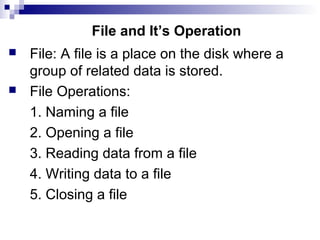
File and It’s Operation
 File: A file is a place on the disk where a
group of related data is stored.
 File Operations:
1. Naming a file
2. Opening a file
3. Reading data from a file
4. Writing data to a file
5. Closing a file
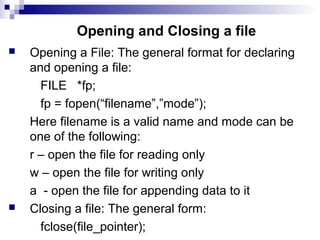
Opening and Closing a file
 Opening a File: The general format for declaring
and opening a file:
FILE *fp;
fp = fopen(“filename”,”mode”);
Here filename is a valid name and mode can be
one of the following:
r – open the file for reading only
w – open the file for writing only
a - open the file for appending data to it
 Closing a file: The general form:
fclose(file_pointer);
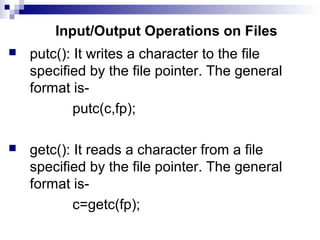
Input/Output Operations on Files
 putc(): It writes a character to the file
specified by the file pointer. The general
format is-
putc(c,fp);
 getc(): It reads a character from a file
specified by the file pointer. The general
format is-
c=getc(fp);
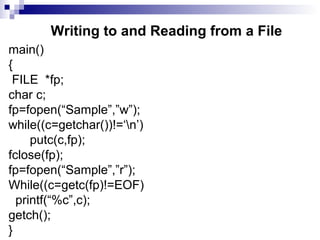
Writing to and Reading from a File
main()
{
FILE *fp;
char c;
fp=fopen(“Sample”,”w”);
while((c=getchar())!=‘n’)
putc(c,fp);
fclose(fp);
fp=fopen(“Sample”,”r”);
While((c=getc(fp)!=EOF)
printf(“%c”,c);
getch();
}
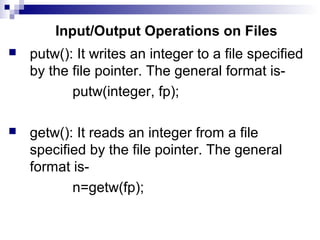
Input/Output Operations on Files
 putw(): It writes an integer to a file specified
by the file pointer. The general format is-
putw(integer, fp);
 getw(): It reads an integer from a file
specified by the file pointer. The general
format is-
n=getw(fp);
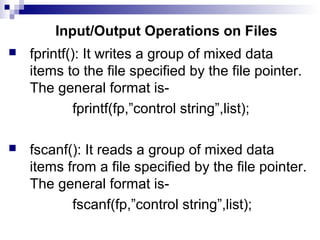
Input/Output Operations on Files
 fprintf(): It writes a group of mixed data
items to the file specified by the file pointer.
The general format is-
fprintf(fp,”control string”,list);
 fscanf(): It reads a group of mixed data
items from a file specified by the file pointer.
The general format is-
fscanf(fp,”control string”,list);
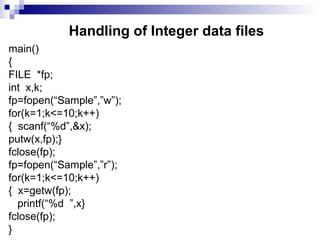
Handling of Integer data files
main()
{
FILE *fp;
int x,k;
fp=fopen(“Sample”,”w”);
for(k=1;k<=10;k++)
{ scanf(“%d”,&x);
putw(x,fp);}
fclose(fp);
fp=fopen(“Sample”,”r”);
for(k=1;k<=10;k++)
{ x=getw(fp);
printf(“%d ”,x}
fclose(fp);
}
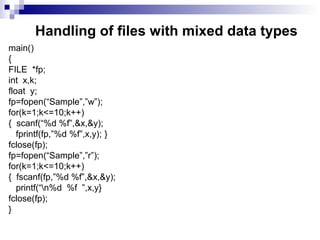
Handling of files with mixed data types
main()
{
FILE *fp;
int x,k;
float y;
fp=fopen(“Sample”,”w”);
for(k=1;k<=10;k++)
{ scanf(“%d %f”,&x,&y);
fprintf(fp,”%d %f”,x,y); }
fclose(fp);
fp=fopen(“Sample”,”r”);
for(k=1;k<=10;k++)
{ fscanf(fp,”%d %f”,&x,&y);
printf(“n%d %f ”,x,y}
fclose(fp);
}
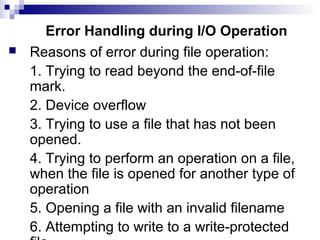
Error Handling during I/O Operation
 Reasons of error during file operation:
1. Trying to read beyond the end-of-file
mark.
2. Device overflow
3. Trying to use a file that has not been
opened.
4. Trying to perform an operation on a file,
when the file is opened for another type of
operation
5. Opening a file with an invalid filename
6. Attempting to write to a write-protected
Continue…
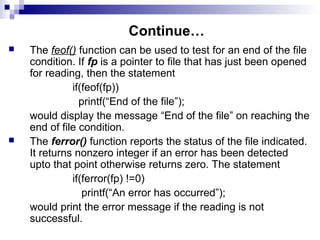
 The feof() function can be used to test for an end of the file
condition. If fp is a pointer to file that has just been opened
for reading, then the statement
if(feof(fp))
printf(“End of the file”);
would display the message “End of the file” on reaching the
end of file condition.
 The ferror() function reports the status of the file indicated.
It returns nonzero integer if an error has been detected
upto that point otherwise returns zero. The statement
if(ferror(fp) !=0)
printf(“An error has occurred”);
would print the error message if the reading is not
successful.
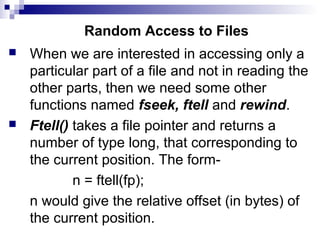
Random Access to Files
 When we are interested in accessing only a
particular part of a file and not in reading the
other parts, then we need some other
functions named fseek, ftell and rewind.
 Ftell() takes a file pointer and returns a
number of type long, that corresponding to
the current position. The form-
n = ftell(fp);
n would give the relative offset (in bytes) of
the current position.
Continue…
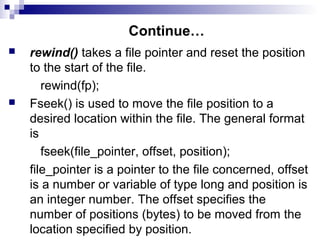
 rewind() takes a file pointer and reset the position
to the start of the file.
rewind(fp);
 Fseek() is used to move the file position to a
desired location within the file. The general format
is
fseek(file_pointer, offset, position);
file_pointer is a pointer to the file concerned, offset
is a number or variable of type long and position is
an integer number. The offset specifies the
number of positions (bytes) to be moved from the
location specified by position.
Continue…
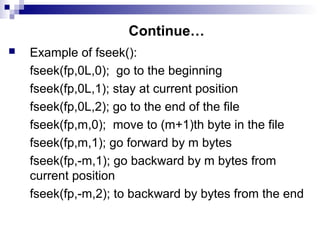
 Example of fseek():
fseek(fp,0L,0); go to the beginning
fseek(fp,0L,1); stay at current position
fseek(fp,0L,2); go to the end of the file
fseek(fp,m,0); move to (m+1)th byte in the file
fseek(fp,m,1); go forward by m bytes
fseek(fp,-m,1); go backward by m bytes from
current position
fseek(fp,-m,2); to backward by bytes from the end
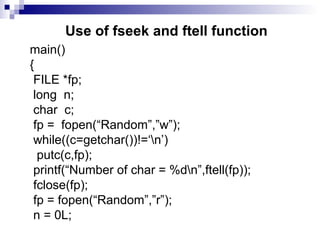
Use of fseek and ftell function
main()
{
FILE *fp;
long n;
char c;
fp = fopen(“Random”,”w”);
while((c=getchar())!=‘n’)
putc(c,fp);
printf(“Number of char = %dn”,ftell(fp));
fclose(fp);
fp = fopen(“Random”,”r”);
n = 0L;
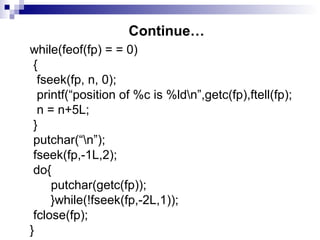
Continue…
while(feof(fp) = = 0)
{
fseek(fp, n, 0);
printf(“position of %c is %ldn”,getc(fp),ftell(fp);
n = n+5L;
}
putchar(“n”);
fseek(fp,-1L,2);
do{
putchar(getc(fp));
}while(!fseek(fp,-2L,1));
fclose(fp);
}

Chap 12(files)

  • 1.
    Pointers Topics  File andit’s operation  Opening and Closing file  Input/Output Operations on Files
  • 2.
    File and It’sOperation  File: A file is a place on the disk where a group of related data is stored.  File Operations: 1. Naming a file 2. Opening a file 3. Reading data from a file 4. Writing data to a file 5. Closing a file
  • 3.
    Opening and Closinga file  Opening a File: The general format for declaring and opening a file: FILE *fp; fp = fopen(“filename”,”mode”); Here filename is a valid name and mode can be one of the following: r – open the file for reading only w – open the file for writing only a - open the file for appending data to it  Closing a file: The general form: fclose(file_pointer);
  • 4.
    Input/Output Operations onFiles  putc(): It writes a character to the file specified by the file pointer. The general format is- putc(c,fp);  getc(): It reads a character from a file specified by the file pointer. The general format is- c=getc(fp);
  • 5.
    Writing to andReading from a File main() { FILE *fp; char c; fp=fopen(“Sample”,”w”); while((c=getchar())!=‘n’) putc(c,fp); fclose(fp); fp=fopen(“Sample”,”r”); While((c=getc(fp)!=EOF) printf(“%c”,c); getch(); }
  • 6.
    Input/Output Operations onFiles  putw(): It writes an integer to a file specified by the file pointer. The general format is- putw(integer, fp);  getw(): It reads an integer from a file specified by the file pointer. The general format is- n=getw(fp);
  • 7.
    Input/Output Operations onFiles  fprintf(): It writes a group of mixed data items to the file specified by the file pointer. The general format is- fprintf(fp,”control string”,list);  fscanf(): It reads a group of mixed data items from a file specified by the file pointer. The general format is- fscanf(fp,”control string”,list);
  • 8.
    Handling of Integerdata files main() { FILE *fp; int x,k; fp=fopen(“Sample”,”w”); for(k=1;k<=10;k++) { scanf(“%d”,&x); putw(x,fp);} fclose(fp); fp=fopen(“Sample”,”r”); for(k=1;k<=10;k++) { x=getw(fp); printf(“%d ”,x} fclose(fp); }
  • 9.
    Handling of fileswith mixed data types main() { FILE *fp; int x,k; float y; fp=fopen(“Sample”,”w”); for(k=1;k<=10;k++) { scanf(“%d %f”,&x,&y); fprintf(fp,”%d %f”,x,y); } fclose(fp); fp=fopen(“Sample”,”r”); for(k=1;k<=10;k++) { fscanf(fp,”%d %f”,&x,&y); printf(“n%d %f ”,x,y} fclose(fp); }
  • 10.
    Error Handling duringI/O Operation  Reasons of error during file operation: 1. Trying to read beyond the end-of-file mark. 2. Device overflow 3. Trying to use a file that has not been opened. 4. Trying to perform an operation on a file, when the file is opened for another type of operation 5. Opening a file with an invalid filename 6. Attempting to write to a write-protected
  • 11.
    Continue…  The feof()function can be used to test for an end of the file condition. If fp is a pointer to file that has just been opened for reading, then the statement if(feof(fp)) printf(“End of the file”); would display the message “End of the file” on reaching the end of file condition.  The ferror() function reports the status of the file indicated. It returns nonzero integer if an error has been detected upto that point otherwise returns zero. The statement if(ferror(fp) !=0) printf(“An error has occurred”); would print the error message if the reading is not successful.
  • 12.
    Random Access toFiles  When we are interested in accessing only a particular part of a file and not in reading the other parts, then we need some other functions named fseek, ftell and rewind.  Ftell() takes a file pointer and returns a number of type long, that corresponding to the current position. The form- n = ftell(fp); n would give the relative offset (in bytes) of the current position.
  • 13.
    Continue…  rewind() takesa file pointer and reset the position to the start of the file. rewind(fp);  Fseek() is used to move the file position to a desired location within the file. The general format is fseek(file_pointer, offset, position); file_pointer is a pointer to the file concerned, offset is a number or variable of type long and position is an integer number. The offset specifies the number of positions (bytes) to be moved from the location specified by position.
  • 14.
    Continue…  Example offseek(): fseek(fp,0L,0); go to the beginning fseek(fp,0L,1); stay at current position fseek(fp,0L,2); go to the end of the file fseek(fp,m,0); move to (m+1)th byte in the file fseek(fp,m,1); go forward by m bytes fseek(fp,-m,1); go backward by m bytes from current position fseek(fp,-m,2); to backward by bytes from the end
  • 15.
    Use of fseekand ftell function main() { FILE *fp; long n; char c; fp = fopen(“Random”,”w”); while((c=getchar())!=‘n’) putc(c,fp); printf(“Number of char = %dn”,ftell(fp)); fclose(fp); fp = fopen(“Random”,”r”); n = 0L;
  • 16.
    Continue… while(feof(fp) = =0) { fseek(fp, n, 0); printf(“position of %c is %ldn”,getc(fp),ftell(fp); n = n+5L; } putchar(“n”); fseek(fp,-1L,2); do{ putchar(getc(fp)); }while(!fseek(fp,-2L,1)); fclose(fp); }