Android uses cgroups to monitor system memory usage via the Low Memory Killer daemon and to group processes for effective CPU sharing. Cgroups are used to create mount points for memory and CPU control groups. The LMK daemon uses cgroups to receive memory pressure events and kill processes as needed. Init.rc uses cgroups to create groups for real-time and background tasks and assign CPU shares. Android further groups processes by scheduling policy for scheduling priorities.
Cgroups In Android
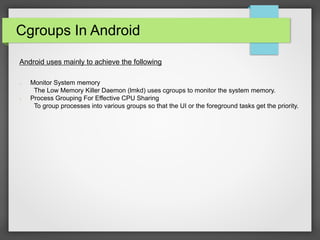
Androiduses mainly to achieve the following
➢ Monitor System memory
The Low Memory Killer Daemon (lmkd) uses cgroups to monitor the system memory.
➢ Process Grouping For Effective CPU Sharing
To group processes into various groups so that the UI or the foreground tasks get the priority.
3.
Memory cgroups
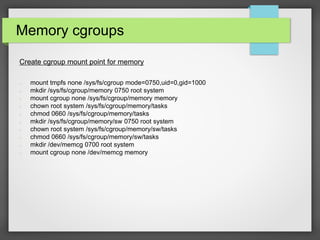
Create cgroupmount point for memory
➢ mount tmpfs none /sys/fs/cgroup mode=0750,uid=0,gid=1000
➢ mkdir /sys/fs/cgroup/memory 0750 root system
➢ mount cgroup none /sys/fs/cgroup/memory memory
➢ chown root system /sys/fs/cgroup/memory/tasks
➢ chmod 0660 /sys/fs/cgroup/memory/tasks
➢ mkdir /sys/fs/cgroup/memory/sw 0750 root system
➢ chown root system /sys/fs/cgroup/memory/sw/tasks
➢ chmod 0660 /sys/fs/cgroup/memory/sw/tasks
➢ mkdir /dev/memcg 0700 root system
➢ mount cgroup none /dev/memcg memory
4.
Low Memory Killer
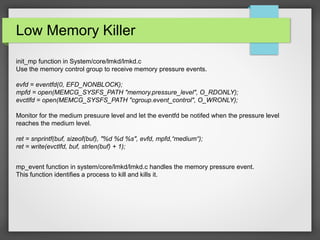
init_mpfunction in System/core/lmkd/lmkd.c
Use the memory control group to receive memory pressure events.
evfd = eventfd(0, EFD_NONBLOCK);
mpfd = open(MEMCG_SYSFS_PATH "memory.pressure_level", O_RDONLY);
evctlfd = open(MEMCG_SYSFS_PATH "cgroup.event_control", O_WRONLY);
Monitor for the medium presuure level and let the eventfd be notifed when the pressure level
reaches the medium level.
ret = snprintf(buf, sizeof(buf), "%d %d %s", evfd, mpfd,“medium“);
ret = write(evctlfd, buf, strlen(buf) + 1);
mp_event function in system/core/lmkd/lmkd.c handles the memory pressure event.
This function identifies a process to kill and kills it.
5.
Cgroups and init.rc
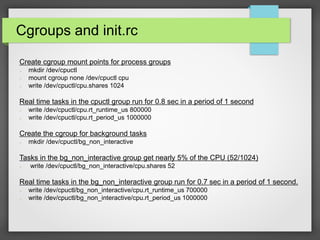
Createcgroup mount points for process groups
➢ mkdir /dev/cpuctl
➢ mount cgroup none /dev/cpuctl cpu
➢ write /dev/cpuctl/cpu.shares 1024
Real time tasks in the cpuctl group run for 0.8 sec in a period of 1 second
➢ write /dev/cpuctl/cpu.rt_runtime_us 800000
➢ write /dev/cpuctl/cpu.rt_period_us 1000000
Create the cgroup for background tasks
➢ mkdir /dev/cpuctl/bg_non_interactive
Tasks in the bg_non_interactive group get nearly 5% of the CPU (52/1024)
➢ write /dev/cpuctl/bg_non_interactive/cpu.shares 52
Real time tasks in the bg_non_interactive group run for 0.7 sec in a period of 1 second.
➢ write /dev/cpuctl/bg_non_interactive/cpu.rt_runtime_us 700000
➢ write /dev/cpuctl/bg_non_interactive/cpu.rt_period_us 1000000
6.
Cgroups And AndroidScheduling
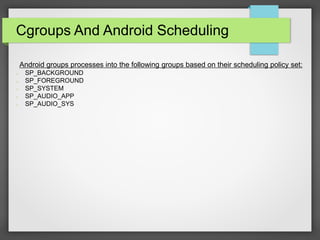
Android groups processes into the following groups based on their scheduling policy set:
➢ SP_BACKGROUND
➢ SP_FOREGROUND
➢ SP_SYSTEM
➢ SP_AUDIO_APP
➢ SP_AUDIO_SYS