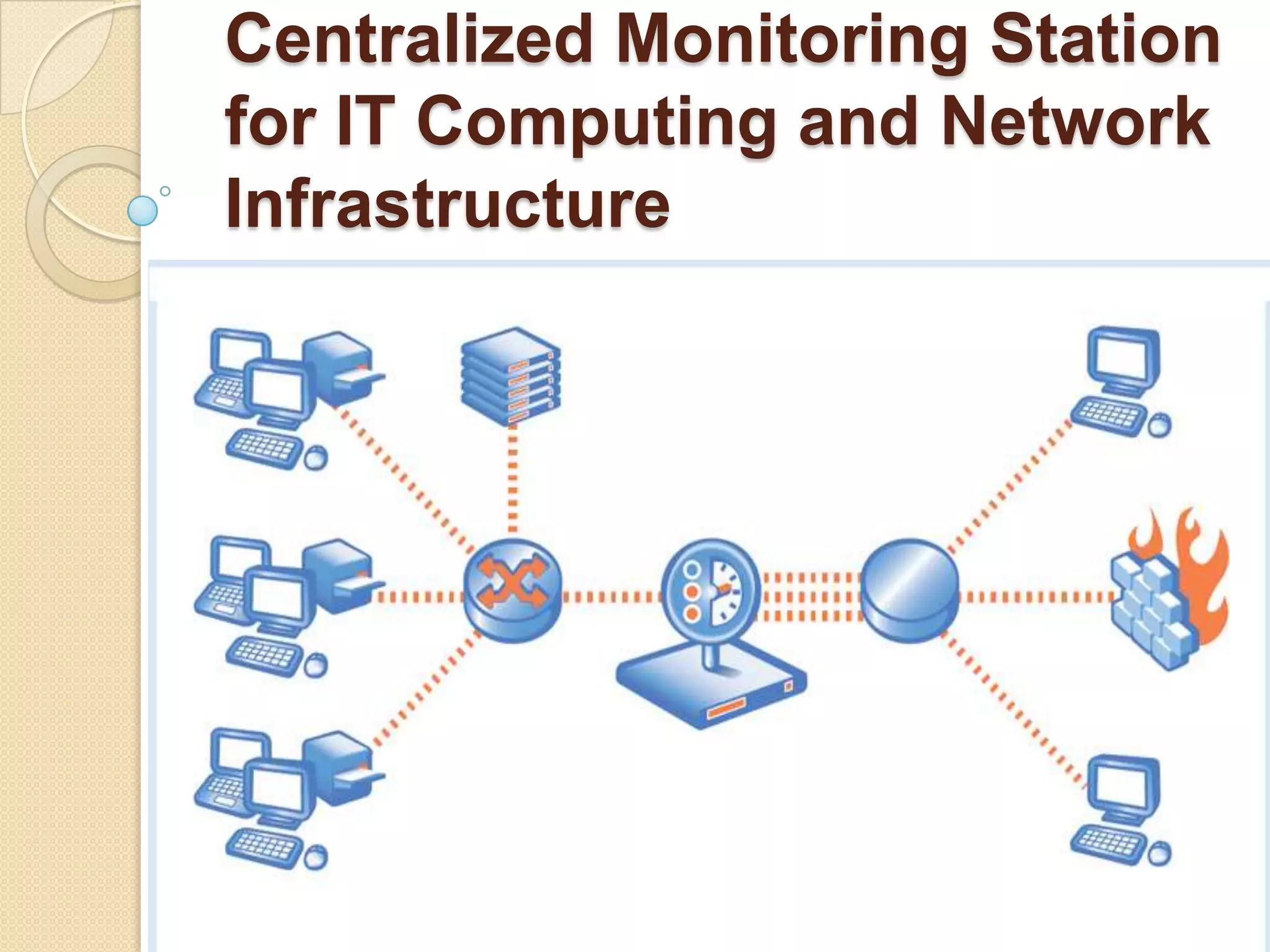

Centralized Monitoring Station for IT Computing and Network Infrastructure
AbstractIn today's world, where all the computing revolves around the concept of networking, the work for system administrators has become more and more overwhelming. It is the mission of maintaining the availability of resources such as routers, hubs, servers and every critical device in the network.Monitoring network activity is also a good starting point for discovering security problems and misbehaviorsSo ourProject Aims to Set up Centralized Monitoring Infrastructure for IT Networks which helps Monitoring, Alerting & Reporting of Performance Parameters of various critical devices connected to the Network Backbone of Organization.
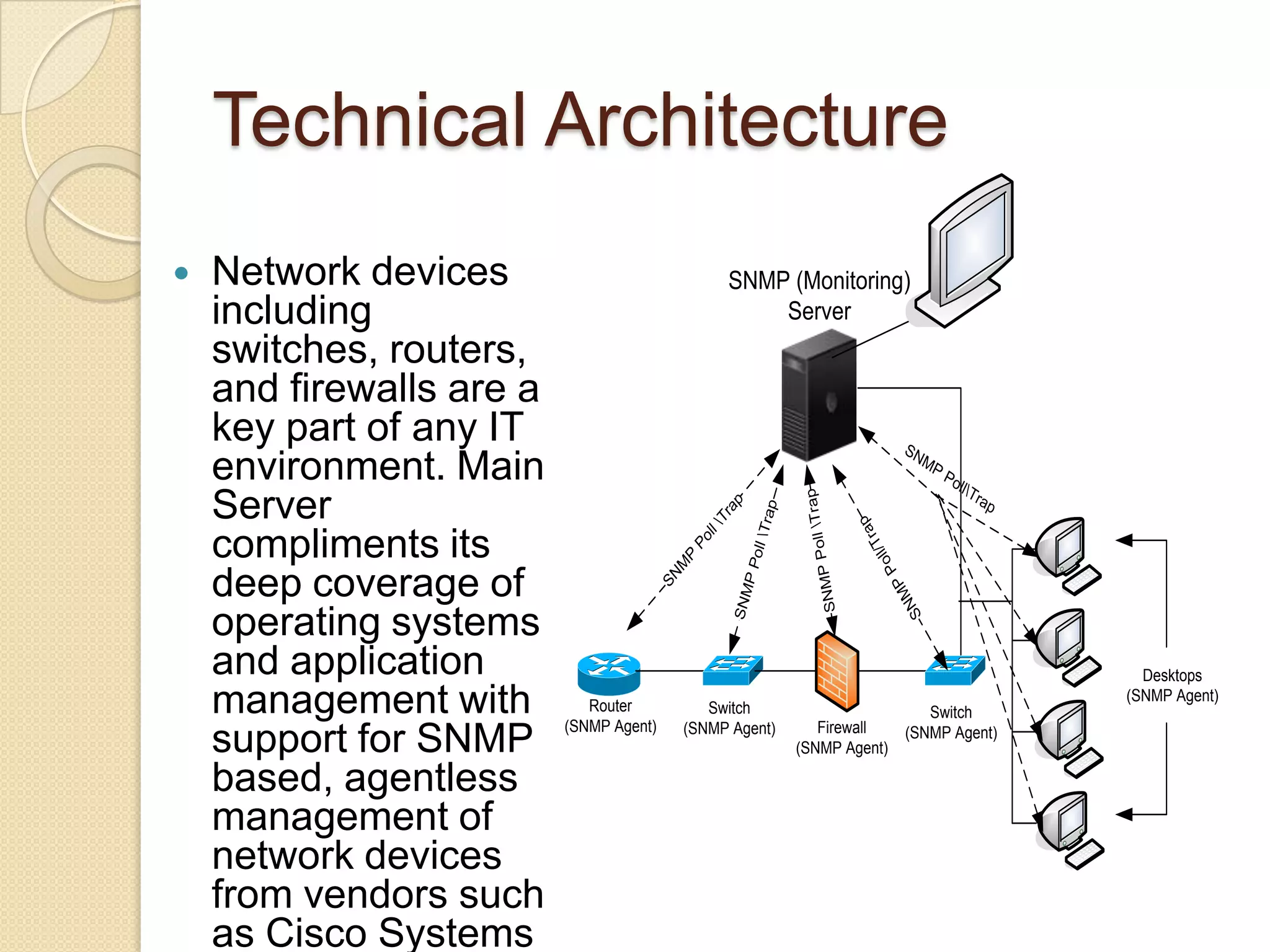
Technical ArchitectureNetwork devices including switches, routers, and firewalls are a key part of any IT environment. Main Server compliments its deep coverage of operating systems and application management with support for SNMP based, agentless management of network devices from vendors such as Cisco Systems
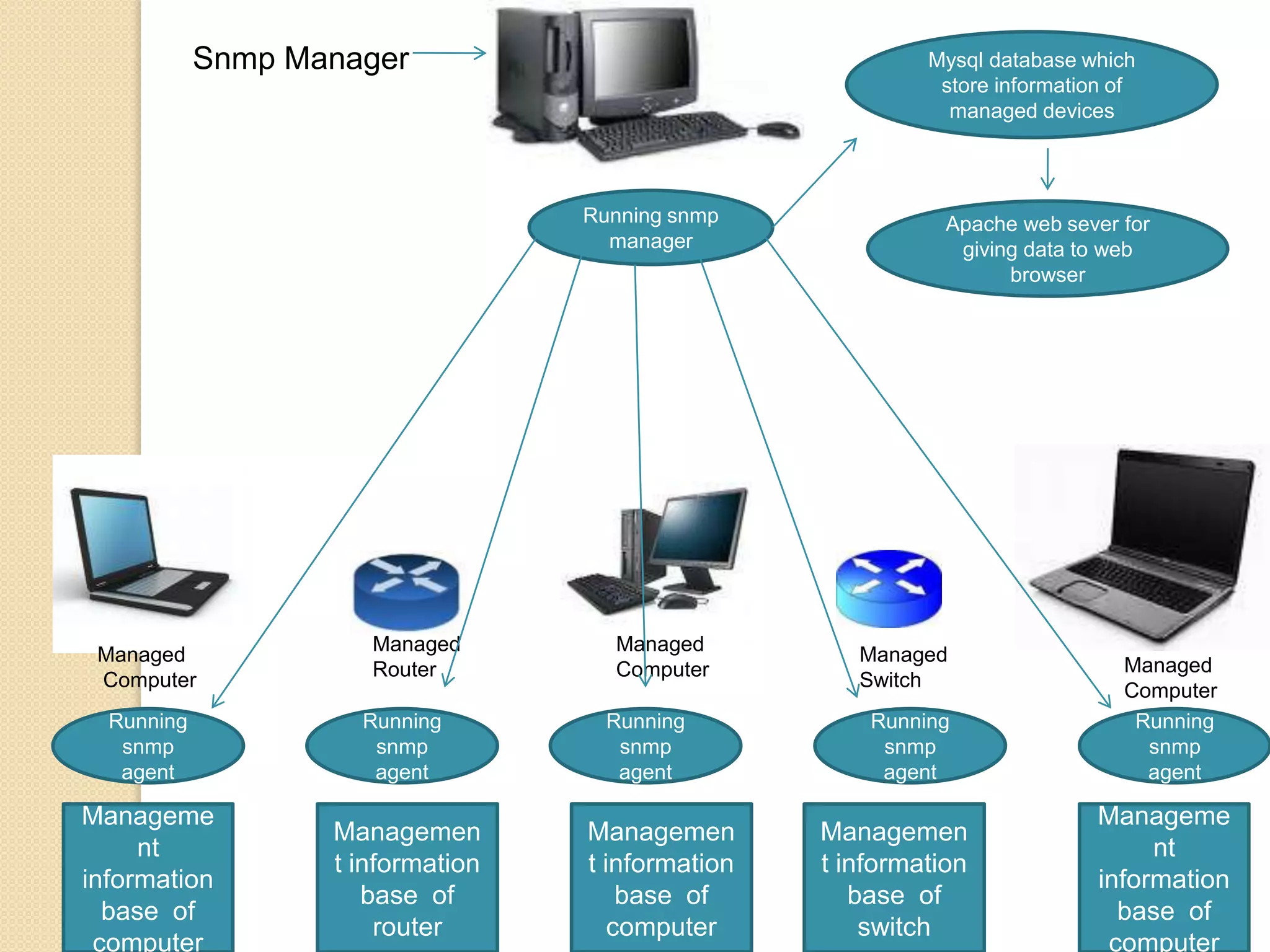
Snmp ManagerMysql database which store information of managed devicesRunning snmp managerApache web sever for giving data to web browserManaged ComputerManagedRouterManaged ComputerManagedSwitchManagedComputerRunning snmp agentRunning snmp agentRunning snmp agentRunning snmp agentRunning snmp agentManagement information base  of computerManagement information base  of computerManagement information base  of computerManagement information base  of  routerManagement information base  of switch
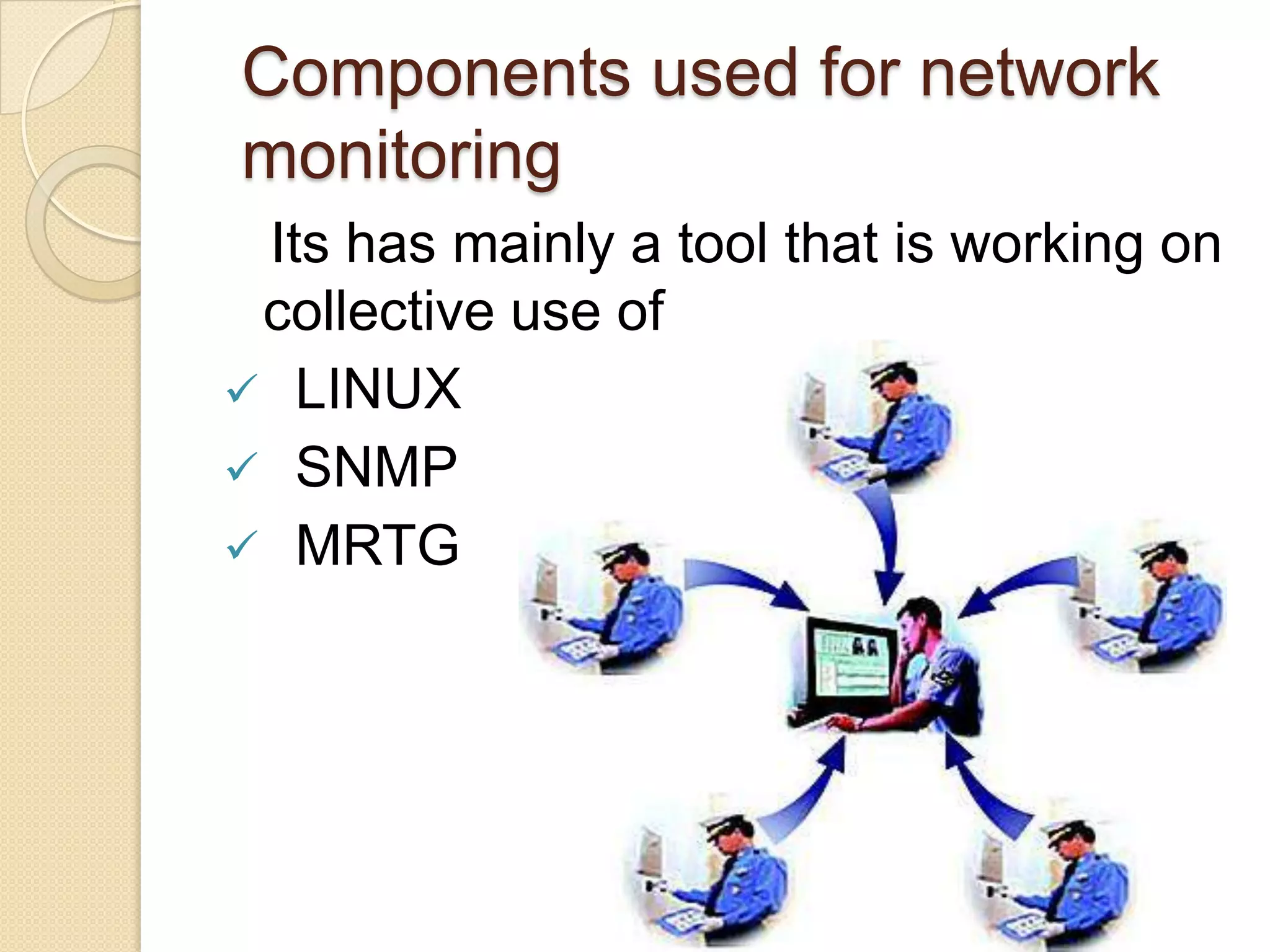
Components used for network monitoring   Its has mainly a tool that is working on collective use ofLINUX
SNMP
MRTGLINUXLow costStabilityPerformanceNetwork friendlinessSecurityOpen SourceFull use of hard diskMultitasking
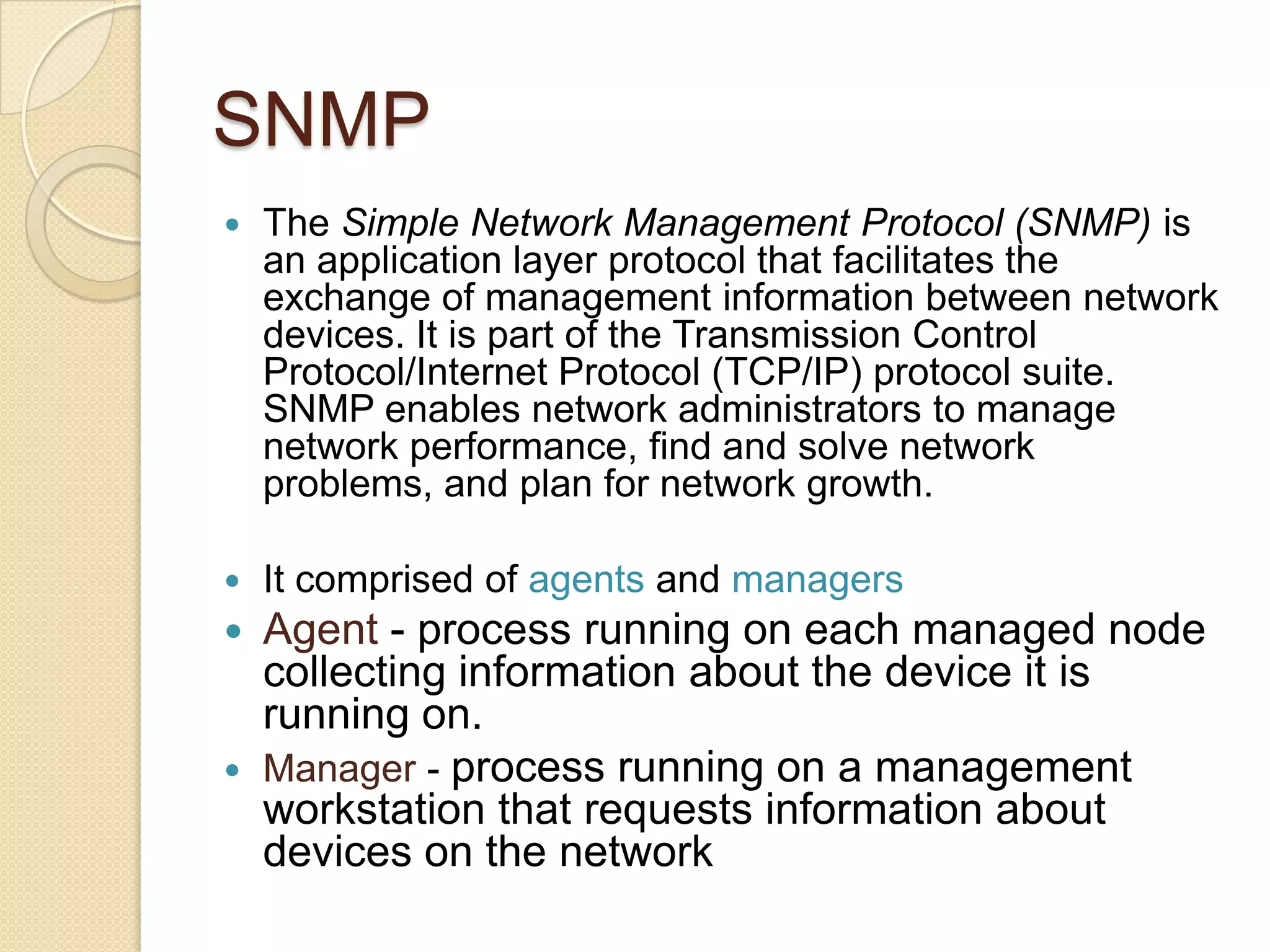
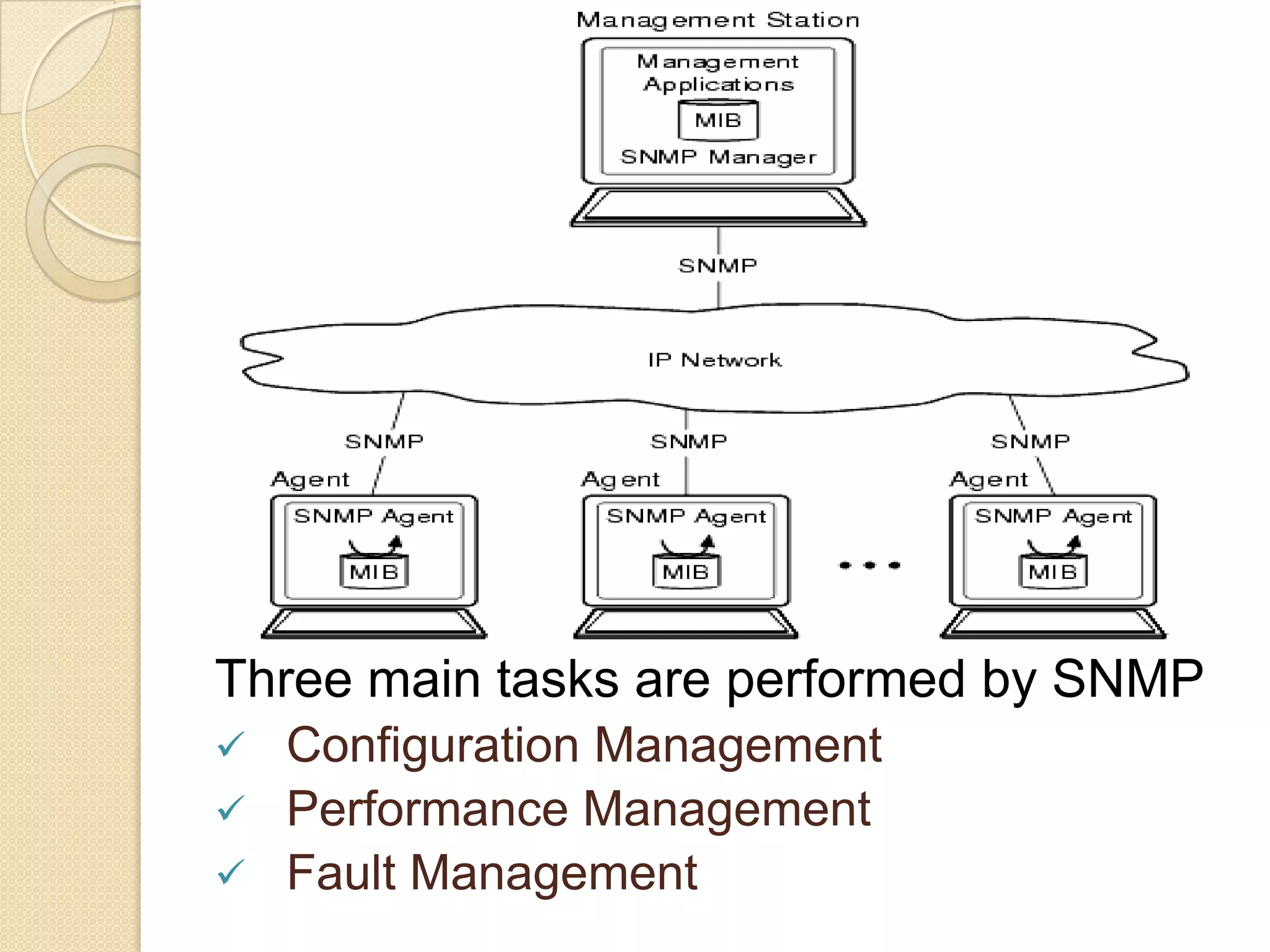
SNMPThe Simple Network Management Protocol (SNMP) is an application layer protocol that facilitates the exchange of management information between network devices. It is part of the Transmission Control Protocol/Internet Protocol (TCP/IP) protocol suite. SNMP enables network administrators to manage network performance, find and solve network problems, and plan for network growth.It comprised of agents and managersAgent - process running on each managed node collecting information about the device it is running on.Manager - process running on a management workstation that requests information about devices on the network
Three main tasks are performed by SNMPConfiguration Management
Performance Management
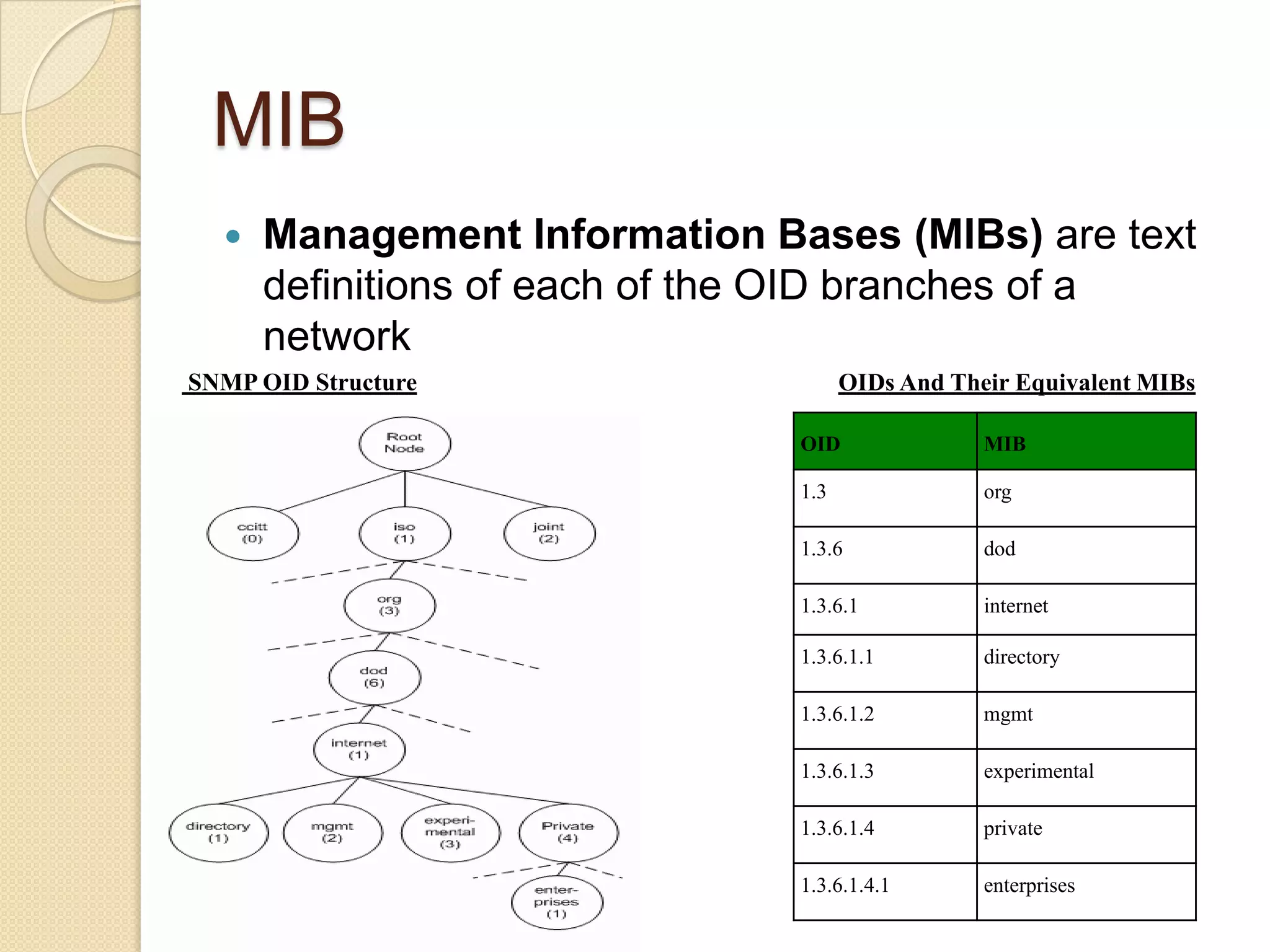
Fault ManagementObject Identity OIDs are arranged in a structure of management information (SMI) tree defined by the SNMP standard. The tree starts from a root node, which then descends through branches and leaves that each add their own reference value to the path separated by a period.. Figure 1 shows an OID structure in which the path to the enterprises OID branch passes through the org, dod, internet, and private branches first
MIBManagement Information Bases (MIBs) are text definitions of each of the OID branches of a network SNMP OID StructureOIDs And Their Equivalent MIBs
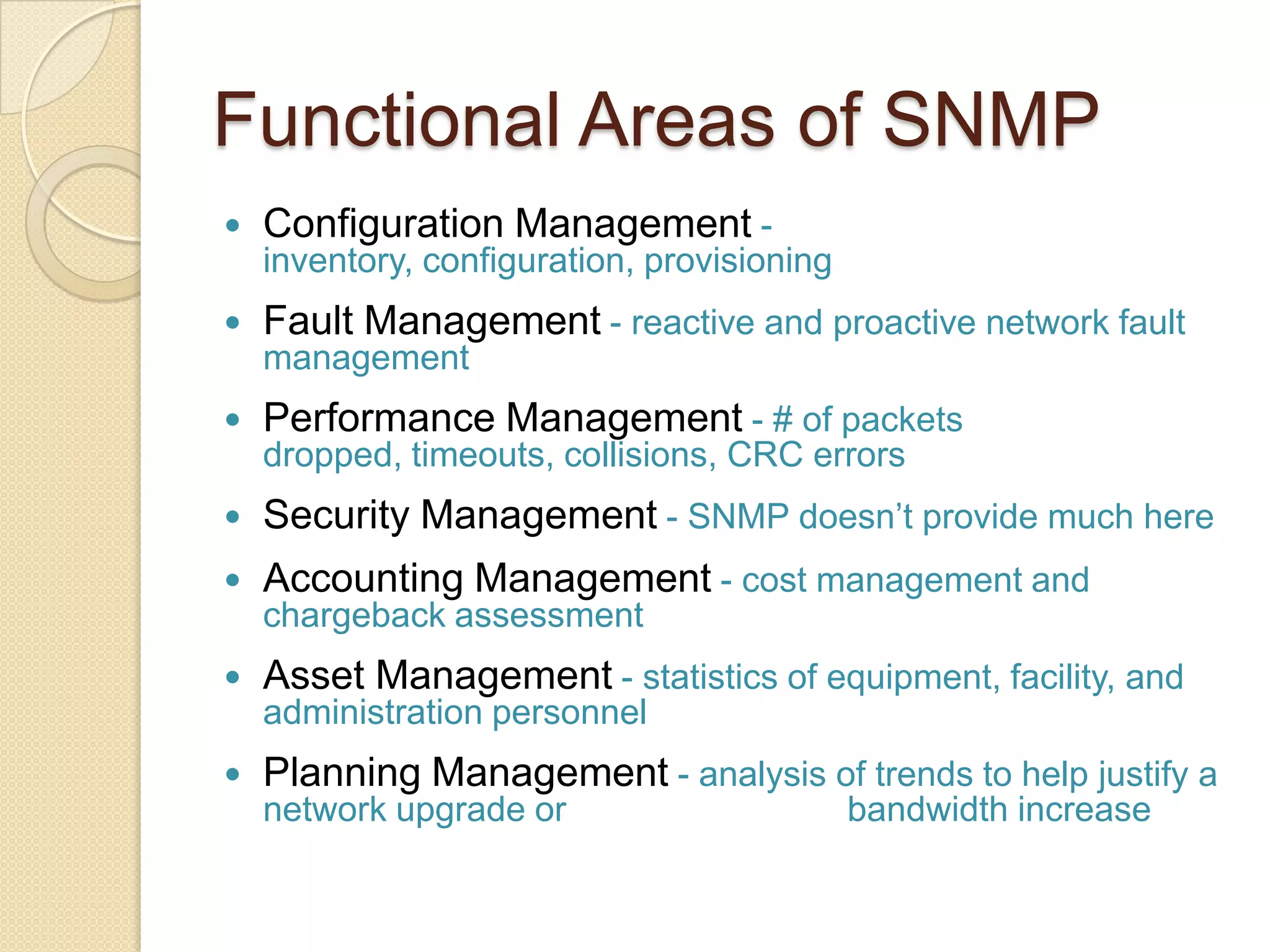
Functional Areas of SNMPConfiguration Management- inventory, configuration, provisioningFault Management- reactive and proactive network fault managementPerformance Management- # of packets dropped, timeouts, collisions, CRC errorsSecurity Management- SNMP doesn’t provide much here Accounting Management- cost management and chargeback assessmentAsset Management- statistics of equipment, facility, and administration personnelPlanning Management- analysis of trends to help justify a network upgrade or  			bandwidth increase
Advantages of using SNMPStandardizeduniversally supportedextendibleportableallows distributed management accesslightweight protocol
Four Basic OperationsGet    Retrieves the value of a MIB variable stored on the agent machine(integer, string, or address of another MIB variable)GetNext    Retrieves the next value of the next lexical MIB variableSet   Changes the value of a MIB variableTrapAn unsolicited notification sent by an agent to a management application (typically a notification of something unexpected, like an error)
MRTG (Multi-Router Traffic Grapher)MRTG is a public domain package for producing graphs of various router statistics via a Web page. You can easily create graphs of traffic flow statistics through your home network's firewall/router or even your Linux box's NIC cards using MRTG. It monitor  the traffic load on network-links. MRTG generates HTML pages containing PNG images which provide an almost live visual representation of this traffic
MRTG continued•  MRTG uses simple SNMP queries on a regular interval to    generate graphs. •  External readers for MRTG graphs can create other     interpretation of data.  •  MRTG software can be used not only to measure network     traffic on interfaces, but also build graphs of anything that     has an equivalent SNMP MIB - like CPU load, disk     availability, temperature, etc... •  Data sources can be anything that provides a counter or     gauge value – not necessarily SNMP.     –  For example, graphing round trip times.
ImplementationFirst work is installation of installation of SNMP Utilities on a Linux server because by default SNMP Packages are present but are not installed. So we install net-sntp-utilsThen checked SNMP Utility command syntax. If they are proper then we configure simple SNMP on linux server after installation is complete installation on other devices is which are SNMP enabled like routers, switches and firewalls.
Implementation cont…For SNMP implementation we need snmp read only string and ip address The second step is installation of MRTGAfter installation we configure MRTGMRTG installation file creates a cron file named /etc/cron.d/mrtg. This file tell the cron daemon MRTG in every five minutes. MRTG can poll multiple devices so it is good for monitoring.
Implementation cont…MRTG is useful because it can provide a graphical representation of server’s performance statistics via a web browser.For this work it takes the help of Apache.So to work on the performance of sever on internet and monitor processes at that time we need to configure Apache also.In MRTG package we attached a patch of linux shell to make it enable to ring an alarm when it passes the throughput of the processes we decided.By this way we are able to monitor our network

Centralized monitoring station for it computing and network infrastructure

  • 1.
    Centralized Monitoring Stationfor IT Computing and Network Infrastructure
  • 2.
    AbstractIn today's world,where all the computing revolves around the concept of networking, the work for system administrators has become more and more overwhelming. It is the mission of maintaining the availability of resources such as routers, hubs, servers and every critical device in the network.Monitoring network activity is also a good starting point for discovering security problems and misbehaviorsSo ourProject Aims to Set up Centralized Monitoring Infrastructure for IT Networks which helps Monitoring, Alerting & Reporting of Performance Parameters of various critical devices connected to the Network Backbone of Organization.
  • 3.
    Technical ArchitectureNetwork devicesincluding switches, routers, and firewalls are a key part of any IT environment. Main Server compliments its deep coverage of operating systems and application management with support for SNMP based, agentless management of network devices from vendors such as Cisco Systems
  • 4.
    Snmp ManagerMysql databasewhich store information of managed devicesRunning snmp managerApache web sever for giving data to web browserManaged ComputerManagedRouterManaged ComputerManagedSwitchManagedComputerRunning snmp agentRunning snmp agentRunning snmp agentRunning snmp agentRunning snmp agentManagement information base of computerManagement information base of computerManagement information base of computerManagement information base of routerManagement information base of switch
  • 5.
    Components used fornetwork monitoring Its has mainly a tool that is working on collective use ofLINUX
  • 6.
  • 7.
  • 8.
    SNMPThe Simple Network ManagementProtocol (SNMP) is an application layer protocol that facilitates the exchange of management information between network devices. It is part of the Transmission Control Protocol/Internet Protocol (TCP/IP) protocol suite. SNMP enables network administrators to manage network performance, find and solve network problems, and plan for network growth.It comprised of agents and managersAgent - process running on each managed node collecting information about the device it is running on.Manager - process running on a management workstation that requests information about devices on the network
  • 9.
    Three main tasksare performed by SNMPConfiguration Management
  • 10.
  • 11.
    Fault ManagementObject IdentityOIDs are arranged in a structure of management information (SMI) tree defined by the SNMP standard. The tree starts from a root node, which then descends through branches and leaves that each add their own reference value to the path separated by a period.. Figure 1 shows an OID structure in which the path to the enterprises OID branch passes through the org, dod, internet, and private branches first
  • 12.
    MIBManagement Information Bases(MIBs) are text definitions of each of the OID branches of a network SNMP OID StructureOIDs And Their Equivalent MIBs
  • 13.
    Functional Areas ofSNMPConfiguration Management- inventory, configuration, provisioningFault Management- reactive and proactive network fault managementPerformance Management- # of packets dropped, timeouts, collisions, CRC errorsSecurity Management- SNMP doesn’t provide much here Accounting Management- cost management and chargeback assessmentAsset Management- statistics of equipment, facility, and administration personnelPlanning Management- analysis of trends to help justify a network upgrade or bandwidth increase
  • 14.
    Advantages of usingSNMPStandardizeduniversally supportedextendibleportableallows distributed management accesslightweight protocol
  • 15.
    Four Basic OperationsGet Retrieves the value of a MIB variable stored on the agent machine(integer, string, or address of another MIB variable)GetNext Retrieves the next value of the next lexical MIB variableSet Changes the value of a MIB variableTrapAn unsolicited notification sent by an agent to a management application (typically a notification of something unexpected, like an error)
  • 16.
    MRTG (Multi-Router TrafficGrapher)MRTG is a public domain package for producing graphs of various router statistics via a Web page. You can easily create graphs of traffic flow statistics through your home network's firewall/router or even your Linux box's NIC cards using MRTG. It monitor the traffic load on network-links. MRTG generates HTML pages containing PNG images which provide an almost live visual representation of this traffic
  • 17.
    MRTG continued•  MRTGuses simple SNMP queries on a regular interval to generate graphs. •  External readers for MRTG graphs can create other interpretation of data. •  MRTG software can be used not only to measure network traffic on interfaces, but also build graphs of anything that has an equivalent SNMP MIB - like CPU load, disk availability, temperature, etc... •  Data sources can be anything that provides a counter or gauge value – not necessarily SNMP. –  For example, graphing round trip times.
  • 18.
    ImplementationFirst work isinstallation of installation of SNMP Utilities on a Linux server because by default SNMP Packages are present but are not installed. So we install net-sntp-utilsThen checked SNMP Utility command syntax. If they are proper then we configure simple SNMP on linux server after installation is complete installation on other devices is which are SNMP enabled like routers, switches and firewalls.
  • 19.
    Implementation cont…For SNMPimplementation we need snmp read only string and ip address The second step is installation of MRTGAfter installation we configure MRTGMRTG installation file creates a cron file named /etc/cron.d/mrtg. This file tell the cron daemon MRTG in every five minutes. MRTG can poll multiple devices so it is good for monitoring.
  • 20.
    Implementation cont…MRTG isuseful because it can provide a graphical representation of server’s performance statistics via a web browser.For this work it takes the help of Apache.So to work on the performance of sever on internet and monitor processes at that time we need to configure Apache also.In MRTG package we attached a patch of linux shell to make it enable to ring an alarm when it passes the throughput of the processes we decided.By this way we are able to monitor our network
  • 21.
    ConclusionBy this Projectwe are able to graph most SNMP MIB values available on any type of device. MRTG is an excellent, flexible monitoring tool and should be considered as a part of any systems administrator's server management plans.Server monitoring is always a good practice, because it can help you predict when things are going to go wrong or long term trends in your Web traffic.MRTG can be expanded not only to monitor traffic on your server's NIC cards, but also to graph many of the statistics listed in top, free, and vmstat
  • 22.